Creating Bar Bending schedule, Different Door types, and Creation of standard drawing templates using AutoCad
Q1,
AIM:
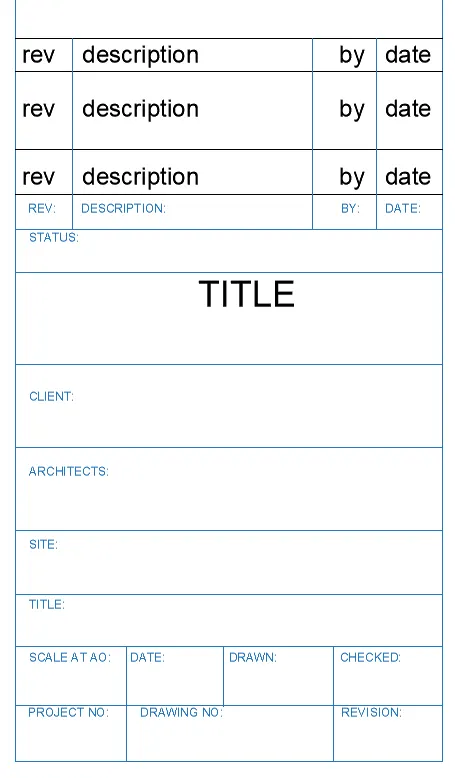
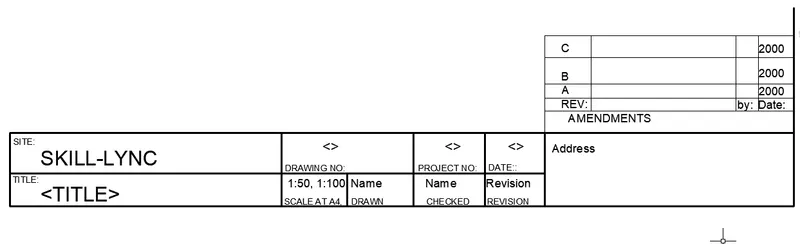
Create the templates as shown in Figures. Take the size of the title block as per industry standards or you can assume it as per the size of the paper. Use text and attributes wherever required.
PROCEDURE:
With the help of line tool create the table as per the figure, change the color of the line with the by property option and the weight of the line is changed in the by property option aswell.
Feed the text with the help of the mtext option.
RESULT AND REPORT:
With the help of line, text, and property tools the given figure is drawn.
------------------------------------------------------------------------------------------
Q2,
AIM:
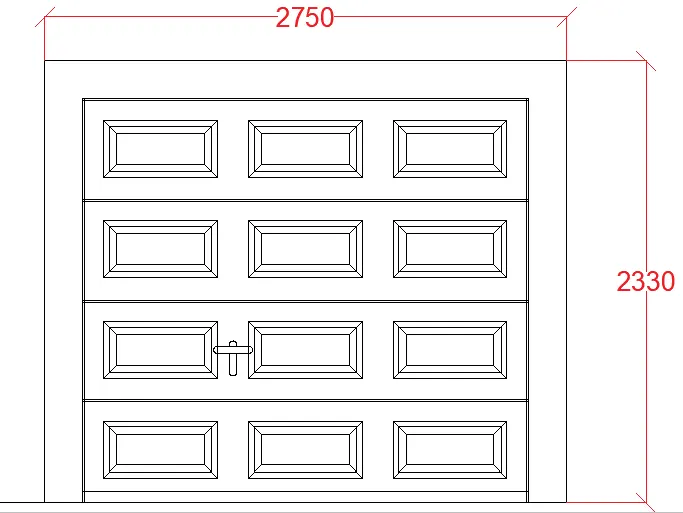
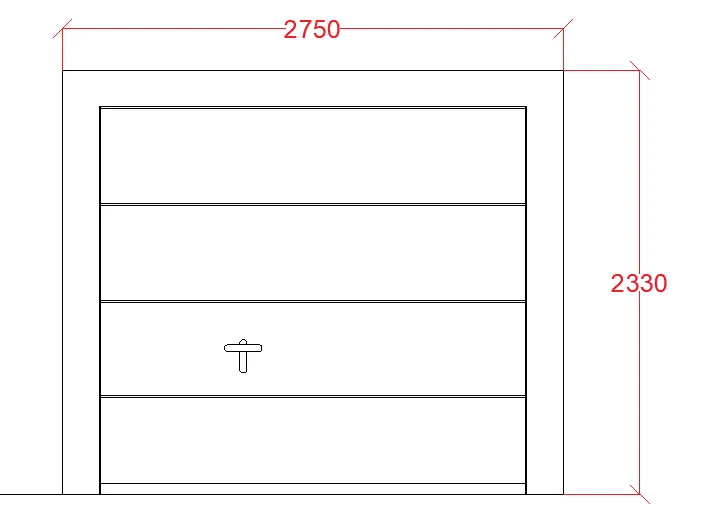
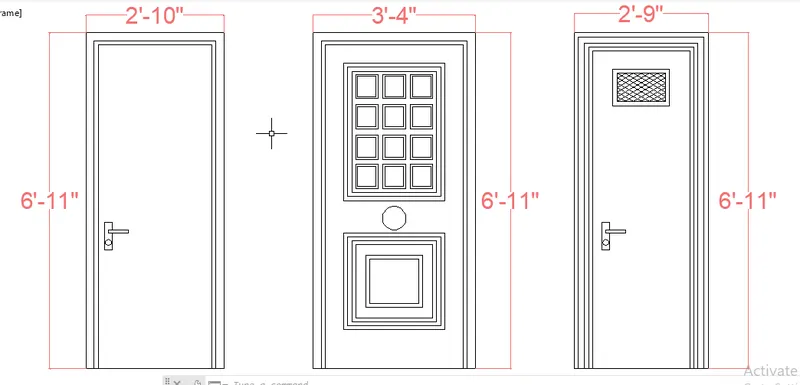
Create the doors type for warehouse as shown in the Figure. You need to create each door type as per standard size or given dimensions.
PROCEDURE:
With the help of line,offset tool create the table as per the figure, mention the dimesion of the figure using the dim linear.
RESULT AND REPORT:
The industrial door are drawn with the help of the line tool, dim linear, fillet, offset tool.
------------------------------------------------------------------------------------------
Q3,
AIM:
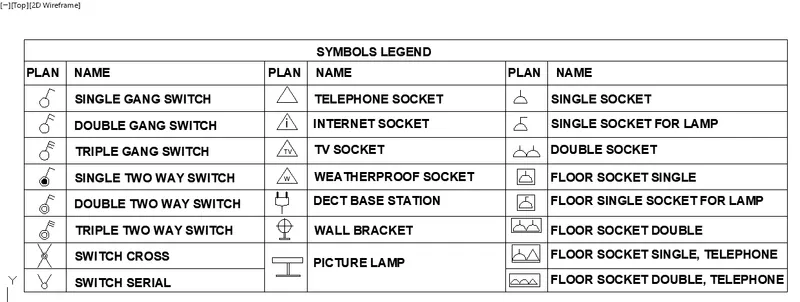
Create each symbol as a block with the name given in the legend.
PROCEDURE:
Using the line tool and mtext tool the given table is drawn.
----------------------------------------------------------------------------------------------
Q4,
AIM:
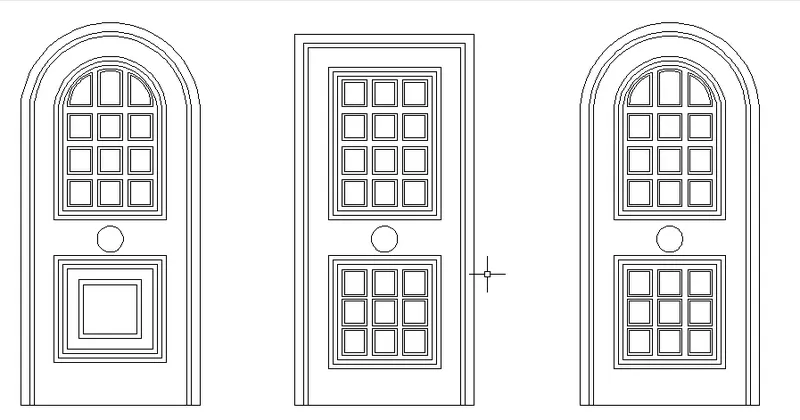
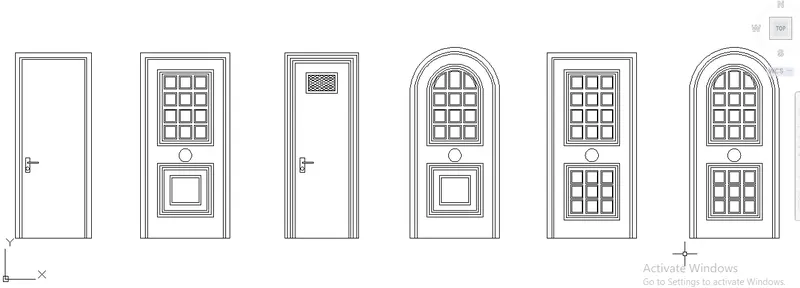
Create the door type for residential building as a block. Save the name of the blocks as type. Use given dimensions or assume dimensions as per industry standards.
PROCEDURE:
RESULT AND REPORT:
The various doors design are drawn using the line tool, fillet tool, offset, arc.
------------------------------------------------------------------------------------------
Q5,
AIM:
Create each shape as a block as shown in the Figure. Save the block and insert them on the table as shown in the Figure.
PROCEDURE:
Using the tool the table is drawn with the adequate space to fill the boxes with the texts.
Use the mtext tool to fill the boxes with the desired text.
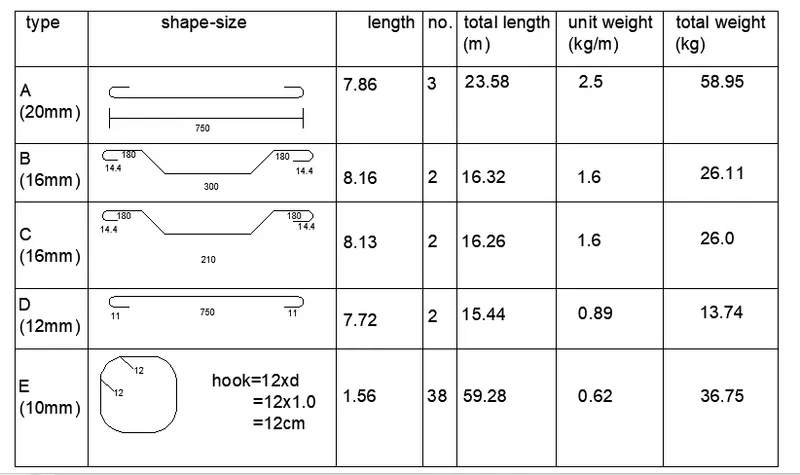
RESULT AND REPORT:
The table is drawn with the help of the line tool and mtext tool.