Creating Bar Bending schedule, Different Door types, and Creation of standard drawing templates using AutoCad
1.ANS
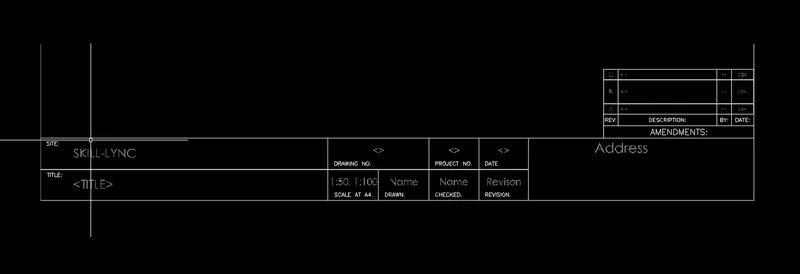
Aim: TO create the template as shown in figure.
introduction: using text and block and wherever required used to create the templates
using tools rectangle, line, multi-line text, block, attributes
PROCEUDRE:
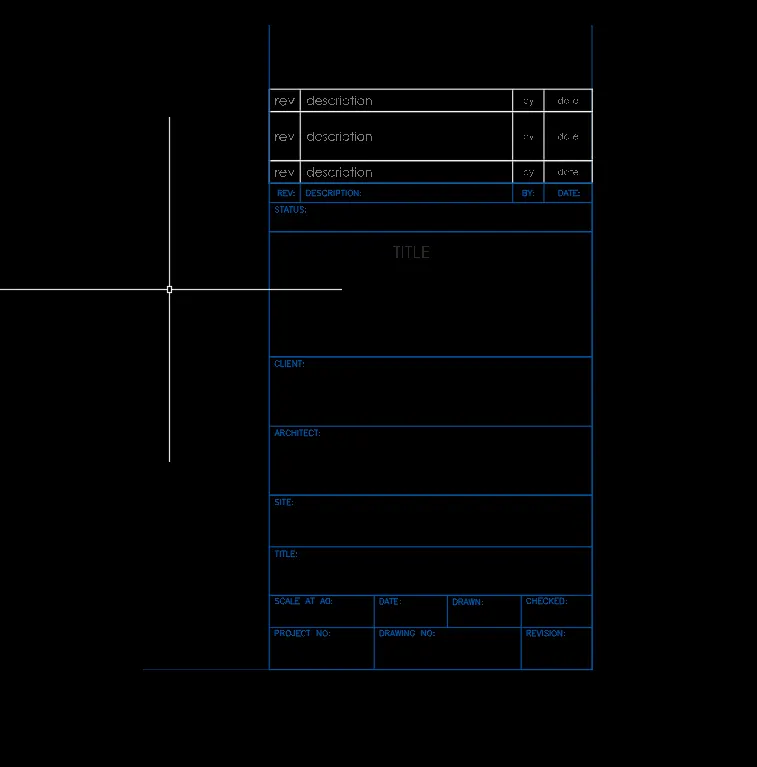
SELECT the text and write text and create the block and select the attributes and given the tag and default and block save the templated
3.ANS
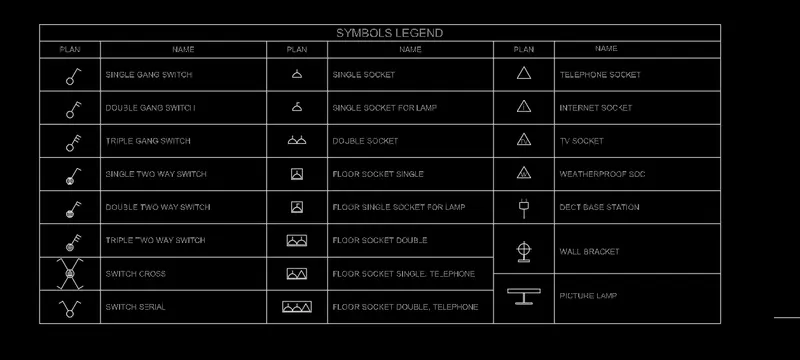
aim: to create the legend as shown in figure
introduction:
using command
rectangle, text and block, explode
PROCEDURE:
select the rectangle and create the legend table and using line, circle, rectangle and trim using these commands to create the symbols
select the insert -field and select the object and name insert and explode
The text height is 0.5mm
2.ANS
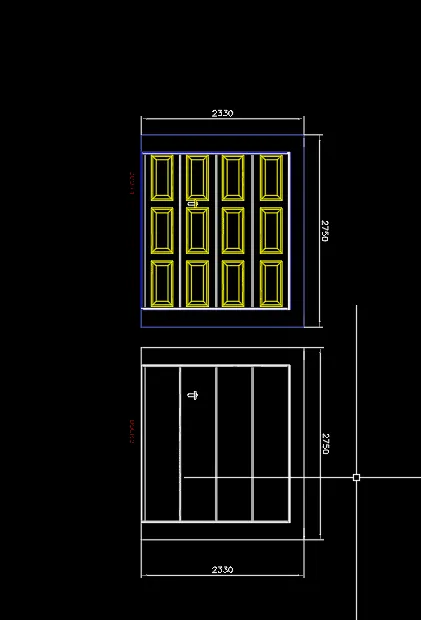
aim: create the door types of ware-house as shown in figure
PROCEDURE:
1. SELECT the rectangle dimensions 2330x 2750 mm
select the rectangle and drawn select the offset of through equal divide into 4
select the rectangle and draw the door panel
select the panel and copy
DOOR-2
select door1and MIRROR the object and trimmed the panel save as block
4.ans
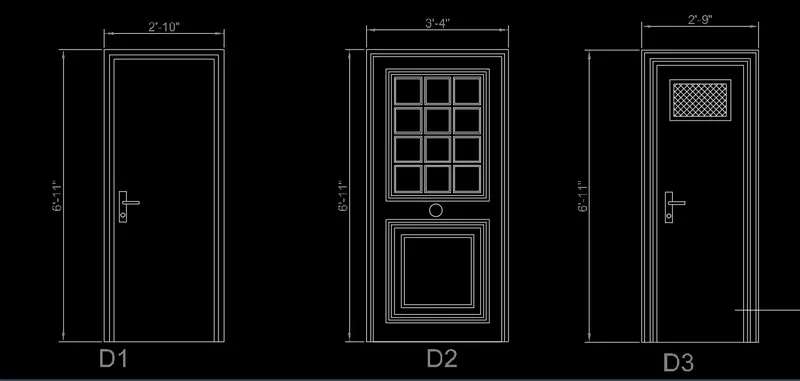
aim: creation of doors for residential building
procedure:
select the rectangle and dimensions of 2'-10" and 6'11"
select the offset of distance through created door-1
door-2
select the rectangle dimensions 3'4"x6'11"
select offset through
select the rectangle next offset through
DOOR-3
select the rectangle dimensions 2'9"x6'11"
select the offset through and create the door 3
select the hatch and given
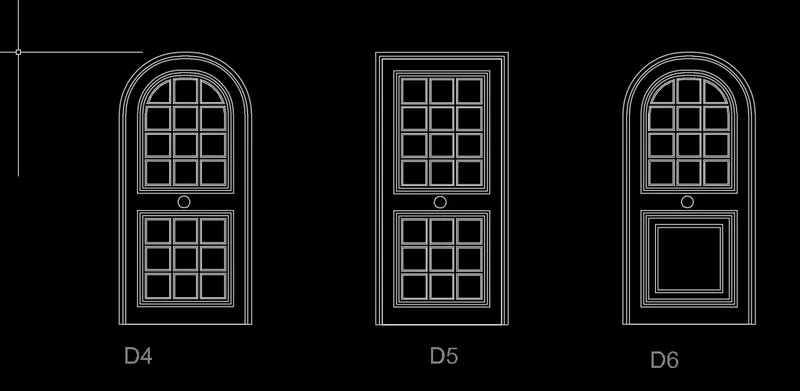
DOOR-4 and DOOR-6:
using rectangle dimensions 3'4"x6'11"
using 3-point arc
offset 2"
trimmed extra lines
DOOR-5:
SELECT the rectangle and dimensions 3'4"x6'11"
offset 2" and 1" used
used circle diameter
5.ANS
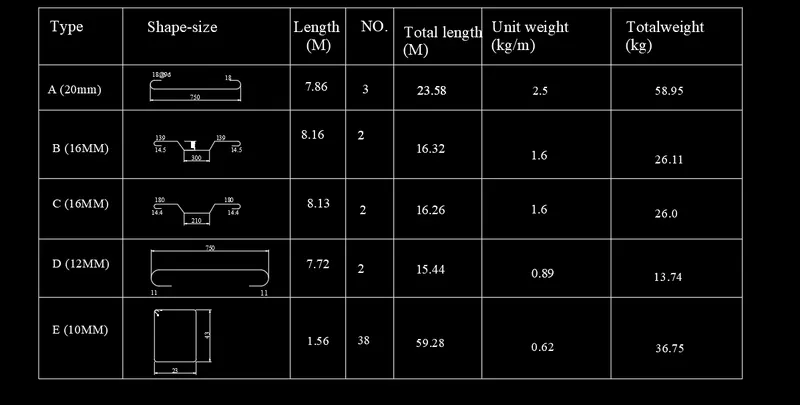
aim: creation of bar bending schedule as shown in figure
introduction:
using rectangle to create the table and select the text command to create the text
PROCEDURE:
select the rectangle angle and create the table
select the line and draw the shapes as shown in figure
select the text and write all details