Menu

Executive Programs

Workshops

Projects

Blogs

Careers

Student Reviews


More

Academic Training

Informative Articles

Find Jobs

We are Hiring!


All Courses

Choose a category

Loading...

All Courses

All Courses

logo

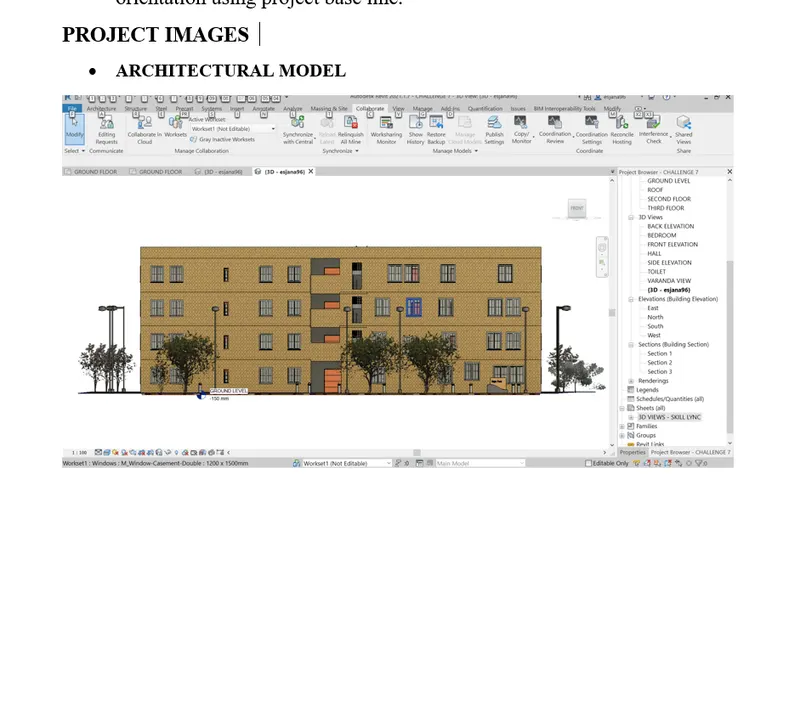
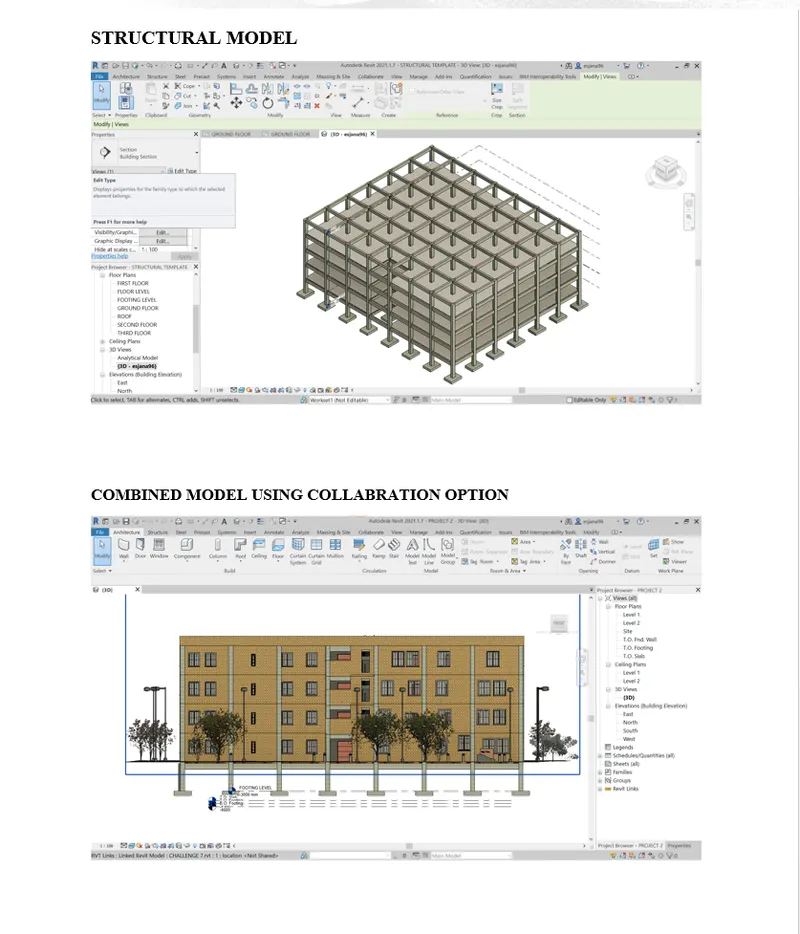
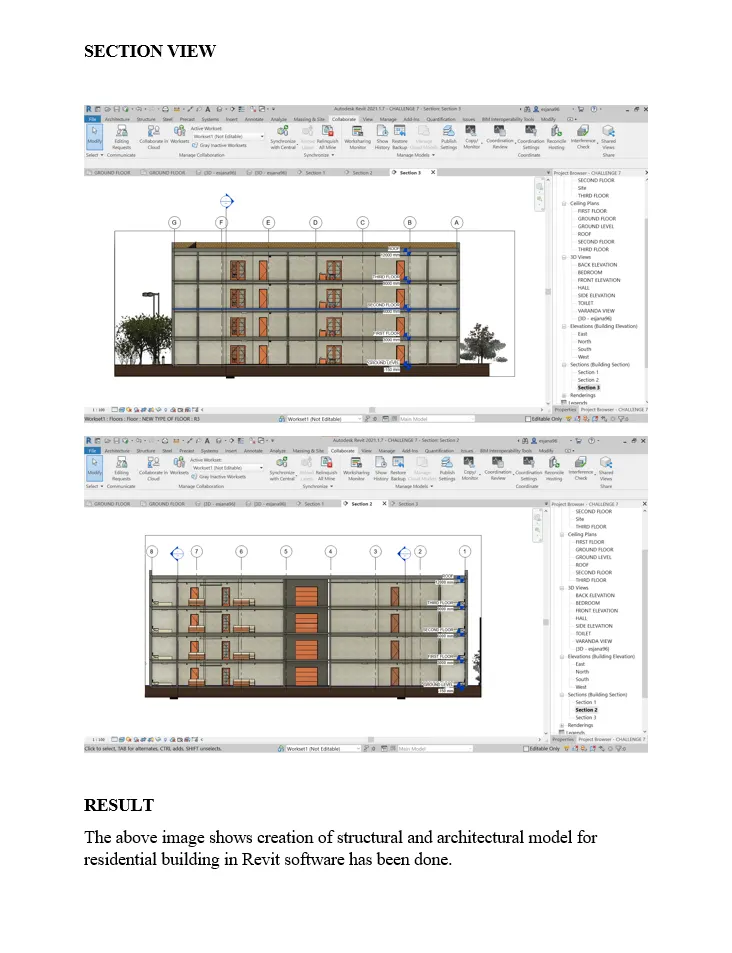
Creating Architectural and Structural model with 3D rendering using REVIT

PROJECT 2 AIM           To create a structural plan and architectural plan for a residential building using Revit software. PROCEDURE To create a grid and level for architectural and structural model separately, and specify project base point. After the model is created click…

    Project Details

    Loading...

    Leave a comment

    Thanks for choosing to leave a comment. Please keep in mind that all the comments are moderated as per our comment policy, and your email will not be published for privacy reasons. Please leave a personal & meaningful conversation.

    Please  login to add a comment

    Other comments...

    No comments yet!
    Be the first to add a comment

    Read more Projects by janarthanan sekar (18)

    Project 1

    Objective:

    PROJECT 1 AIM To design a multi storey residential building located in Bangalore as per the given requirement in staad pro. PROCEDURE First open a staad pro connection using start up icon and enter the job information and set the units and click create the project. In geometry tab model has been created by structural wizard…

    calendar

    26 Feb 2023 01:59 PM IST

    • DESIGN
    Read more

    Week 3 Challenge

    Objective:

    CHALLENGE 3 A) Primary load cases. Dead load. Live load. Wind load. Earthquake load Snow load. One way slab One way slab is a slab that length by depth ratio is greater than 2. One way slab bending moment occur on shorter span. One way slab load distribution occur on shorter span only. It is uniformly loaded which deforms…

    calendar

    06 Feb 2023 05:56 PM IST

      Read more

      Week 2 Challenge

      Objective:

      CHALLENGE 2 A) Assign circular section to column. After creating a column using grid system or any other method, go to property and select define parameter and select circular section, specify the value and click add. After creating a circular section to the property using column cursor option to select the column and…

      calendar

      04 Feb 2023 12:14 PM IST

        Read more

        Week 1 Challenge

        Objective:

        CHALLENGE 1 A) Step involved in upload staad file through web mail. STAAD PRO – Structural analysis and design program is the abbreviation it is used to analyse RCC and steel design. To open the staad.pro connect software using staad.pro shortcut icon on desktop. To click share icon on the loading page of the software.…

        calendar

        01 Feb 2023 07:33 PM IST

          Read more

          Usage of Navigation tool , Timeliner and Clash Detection test using Naviswork

          Objective:

          CHALLENGE 11 AIM           To export model, create timeline schedule, create walkthrough, and create realism in Navis work software using Revit. PROCEDURE EXPORT A MODEL TO NAVISWORK FILE To export Revit file to Navis work need to download Navis work utility tool on Autodesk…

          calendar

          11 Jan 2023 05:32 PM IST

            Read more

            Creating Conceptual mass in REVIT and Creation of Sinusoidal curve and a Parametric stadium using Dynamo

            Objective:

            CHALLENGE 10 AIM           To create a sinusoidal curve, conceptual wall and floor, array of conceptual mass, rotation of column, create high rise building in dynamo tool using Revit software.   PROCEDURE           To use a dynamo…

            calendar

            07 Jan 2023 06:39 PM IST

              Read more

              Creating Architectural and Structural model with 3D rendering using REVIT

              Objective:

              PROJECT 2 AIM           To create a structural plan and architectural plan for a residential building using Revit software. PROCEDURE To create a grid and level for architectural and structural model separately, and specify project base point. After the model is created click…

              calendar

              25 Dec 2022 05:25 PM IST

                Read more

                3D Creation of Celing, Roof, Architectural plan, Structural plan, Sectional view, Elevation view and Camera specific view for a house plan using REVIT

                Objective:

                CHALLENGE 4 AIM To create project file on Revit software as per the challenge 4. PROCEDURE To create a ceiling on project model by click architectural tab and go to floor plan view and click ceiling icon and choose pick a point option and enter. Modify the ceiling height using properties dialog box. Go to elevation view…

                calendar

                15 Dec 2022 07:08 PM IST

                  Read more

                  Creating various 3D Models like Furniture, Footing, Girder, Column drop with panel and Gable Wall in AutoCad

                  Objective:

                  calendar

                  29 Nov 2022 02:01 PM IST

                    Read more

                    Project 2_Creating a 3D rendered model for a Residential Building in AutoCad

                    Objective:

                    calendar

                    28 Nov 2022 07:33 PM IST

                      Read more

                      Creating 3D Isometric view of various structural elements in AutoCAD

                      Objective:

                      calendar

                      24 Nov 2022 03:41 PM IST

                        Read more

                        Creating various 3D Models like Furniture, Footing, Girder, Column drop with panel and Gable Wall in AutoCad

                        Objective:

                        calendar

                        20 Nov 2022 11:59 AM IST

                          Read more

                          Creation of Multiple viewports, Scaling the drawing and setting in Template in AutoCad

                          Objective:

                          calendar

                          18 Nov 2022 04:47 PM IST

                            Read more

                            Creating Bar Bending schedule, Different Door types, and Creation of standard drawing templates using AutoCad

                            Objective:

                              CHALLENGE 9 AIM To create a Title block, door type, Legend, bar schedule as per the attachment using Auto cad. PROCEDURE             To open auto cad software to draw as per requirement. First need to choose imperial template and precision set on the drawing…

                            calendar

                            18 Nov 2022 04:46 PM IST

                              Read more

                              Creating Kitchen layout, Hatching of Architectural elements and sectional view of an Industrial Building in AutoCad

                              Objective:

                              calendar

                              18 Nov 2022 04:42 PM IST

                                Read more

                                Project 1 _Creating an Architectural plan for the provided plot size and develop relevant basic structural drawings

                                Objective:

                                AIM To design and draft a layout of a residential building with plot size of 60’x20’ using  Auto CAD. PROCEDURE             To open auto cad software to draw as per requirement. First need to choose imperial template and precision set on the drawing…

                                calendar

                                18 Nov 2022 04:41 PM IST

                                  Read more

                                  Project on Concrete Mix Design for various grades of Concrete

                                  Objective:

                                  AIM – To calculate the mix design of M35 grade concrete with fly ash and M50 grade concrete without fly ash. Introduction – Mix design of concrete is used to provide strength, durability for the structure as per Indian standard. In India IS 12062 – 2019  for concrete mix proportion guideline PROCEDURE…

                                  calendar

                                  18 Nov 2022 03:41 PM IST

                                  Read more

                                  Sketch a G+1 residential plan according to Vaastu Shastra and Calculation of Loads as per IS code

                                  Objective:

                                  AIM:  To draw a sketch of G+1 floor residential plan, according to vaastu shastra and calculate the load of the building. INTRODUCTION: Vastu Shastra Vastu shasthra is the ancient Indian science of architecture and act as a guideline to design a house in a way that enhances positive energy. Significance of vaastu…

                                  calendar

                                  18 Nov 2022 03:40 PM IST

                                    Read more
                                    Showing 1 of 18 projects