Creating a Wardrobe detailed drawing, Floor Plan, Kitchen Layout and Column Detail using AutoCad
figure4.Sketch the column details :
bar sizes from the schedule.
8mm ---- 0.31 Inches
25mm--- 1 inches
16mm—0.62 inches
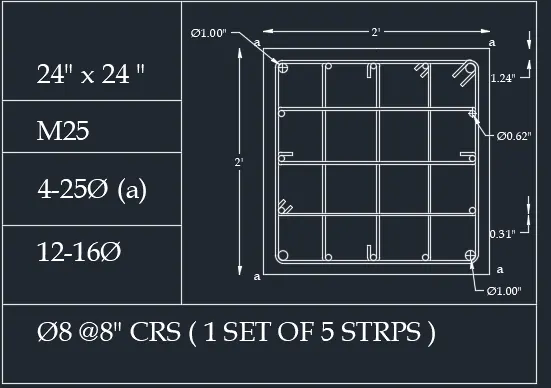
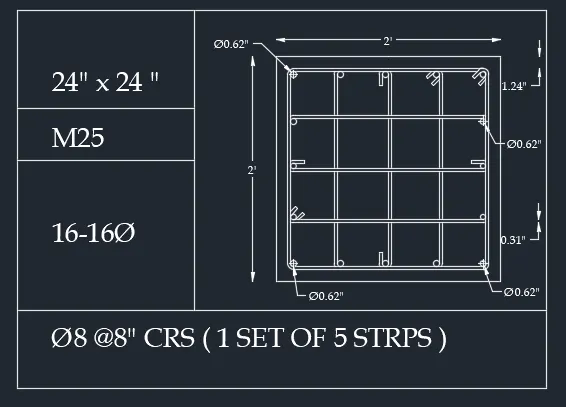
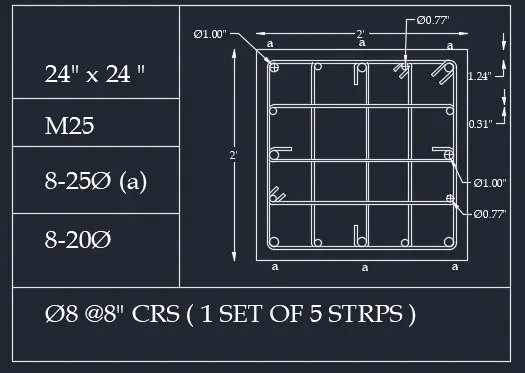
.open autocad ,open new file.
.unit command and type engineering, set precision 0'0" and unit inches.
.d command for dimension style and in primary unit set foemat engineering and precision 0'0".
.using line command draw table.
,using multine text (mtext) command write the text as shown in drawings.
.fir dia symbol use %%c
.using circle command , line command , offset command, fillet command, copy command, mirror command and dimension we draw column details as shown in deawing.
5.Draw the Raft Layout:
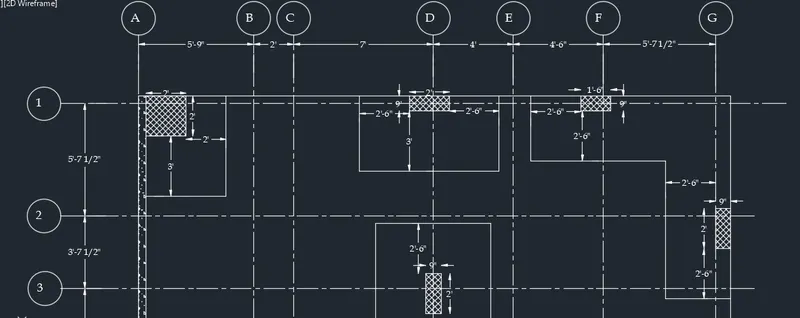
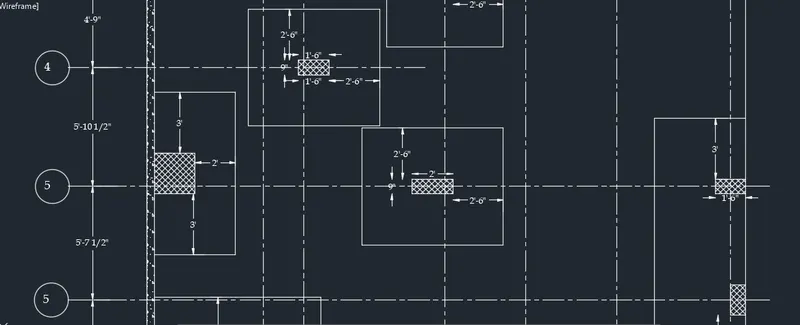
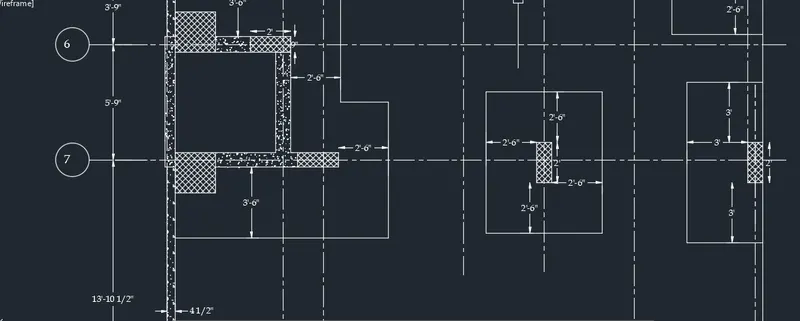
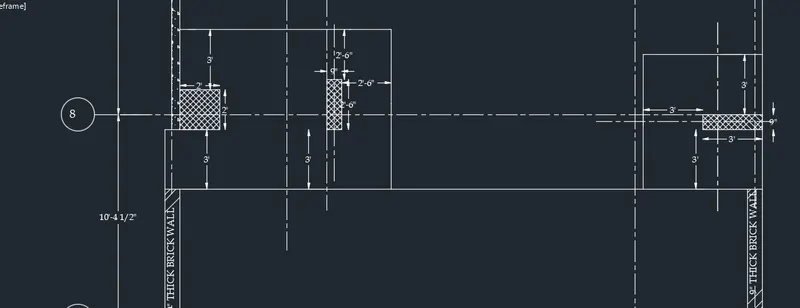
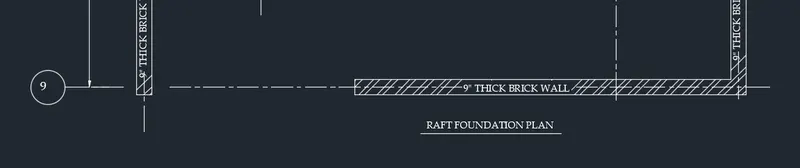
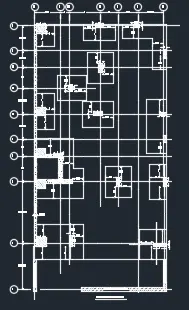
.open autocad ,open new file.
.unit command and type engineering, set precision 0'0" and unit inches.
.d command for dimension style and in primary unit set foemat architectural and precision 0'0 1/2".
.using line type command select center line .
.using offset command , line command , rectangle command, hatch command ,dimension we draw Raft layout as per drawings.
3.Create the Kitchen Layout
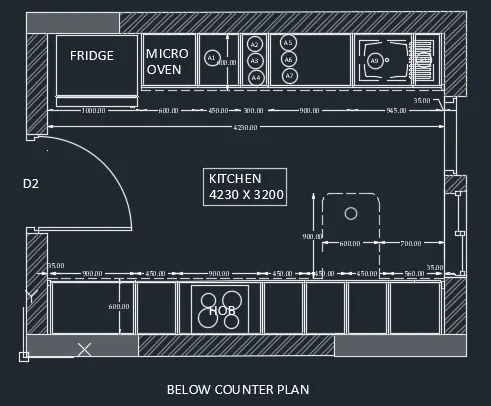
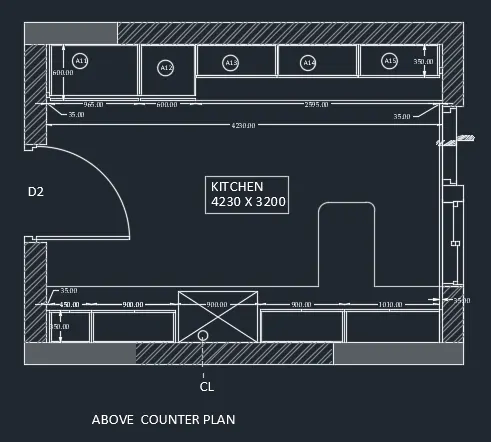
.open auto cad,open new file.
.unit command , type decimal, precision 0.00, and set unit in millimeter.
.command d fot dimension style , in primary set format decimal and precision 0.00.
.using line command, circle command , multiline command, offset command, trim command, we draw kitchen layout as per gievn drawings.
4.