Creating a Layout, Section and Elevation with dimensions using AutoCad
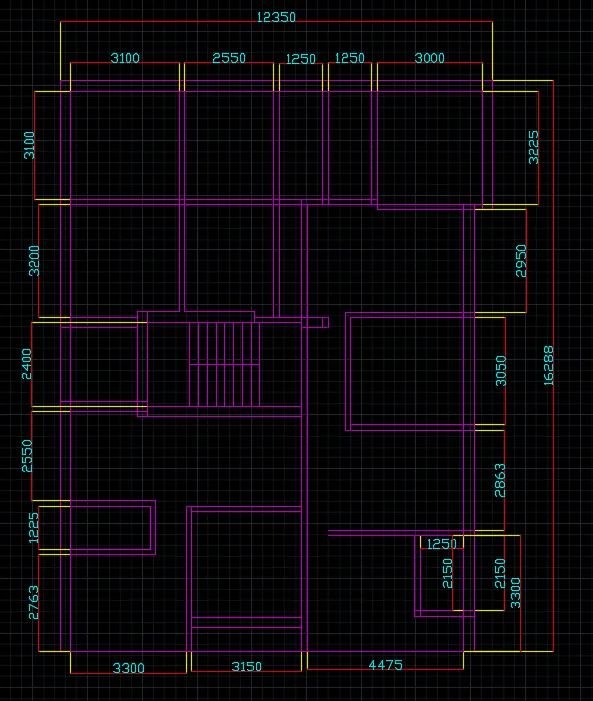
AIM:- Create the Plan and Sections as shown in the Figures. Use proper dimension techniques and dimension styles to document the project. Assume the sizes of the doors and windows as per construction standards. Refer to sections for stair details if required.
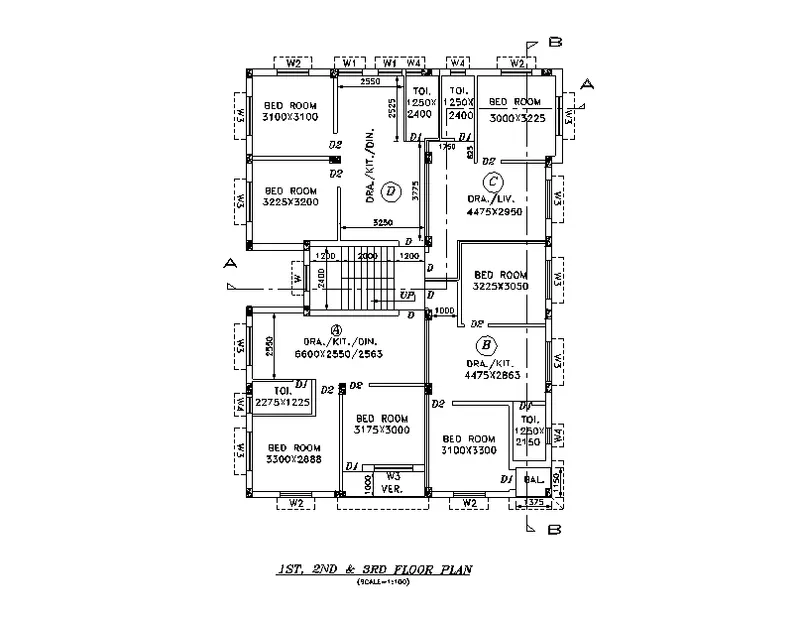
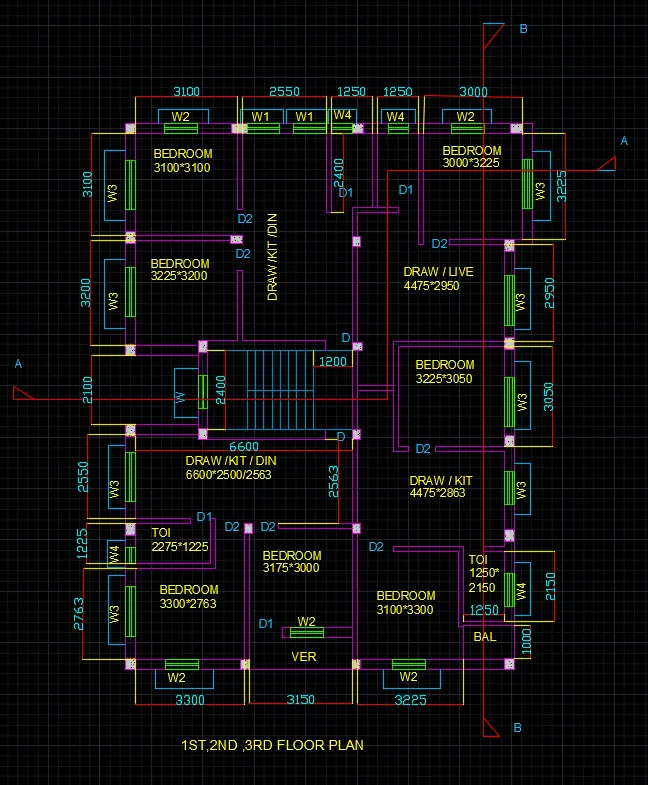
1. DRAW A FLOOR PLAN
INTRODUCTION:-
- Plan and sections are two diffrent types of drawings.
- A plan drawing is a drawing on a horizontal plane showing a view from above. An Elevation drawing is drawn on a vertical plane showing a vertical depiction. A section drawing is also a vertical depiction, but one that cuts through space to show what lies within.
Commands used are:
- Limits command
- Line command
- Rectangle command
- Offset command
- Trim command
- Layers command
- Object snap command
- Dimensions command
- Leader command
- Join command
- Fillet command
- Extend command
- Line type command
- Line weight command
- units command
- hatch command
PROCEDURE:-
- First we have open autoCAD set the limits by using LIMMAX or LIMITS command
- Do zoom enter and all enter to the screen
- Use XLINE command to draw a two x line which are in one in horizontal and one in vertical directions
- Then we started from north west direction
- Draw a bedroom of 3100*3100 size
- Then draw a verical offset of 2500 in east direction
- Draw then two toilets of 1250*2100 sizes
- Then draw be bedroom of 3000*3225 size
- From the west direction make a bedroom of 3225*3200 size
- Then give 3250 offset in horizonatal direction
- Draw a living room of 4475*2950 in east direction
- Then draw a stairscases with precise ways as steps is of 250 and all the steps is in the 2000 space
- Then draw a another bedroom of 3225*3050 which is in east
- Then draw a long area of 6600*2550/2563which is in below the staircase area
- Draw a toilet of size 2275*1225
- Then draw a two bedroom of sizes 3100*2763 and 3100*3000 respectively
- Then draw a verandah place of 1000 *3150
- Then draw a place of 4475*2863 which is in east
- Below that draw a bedroom of 3100*3300 size
- Beside that draw a toilet of 1250*2150
- To the almost corner of south east draw a balcony of 1000
- The draw a door space
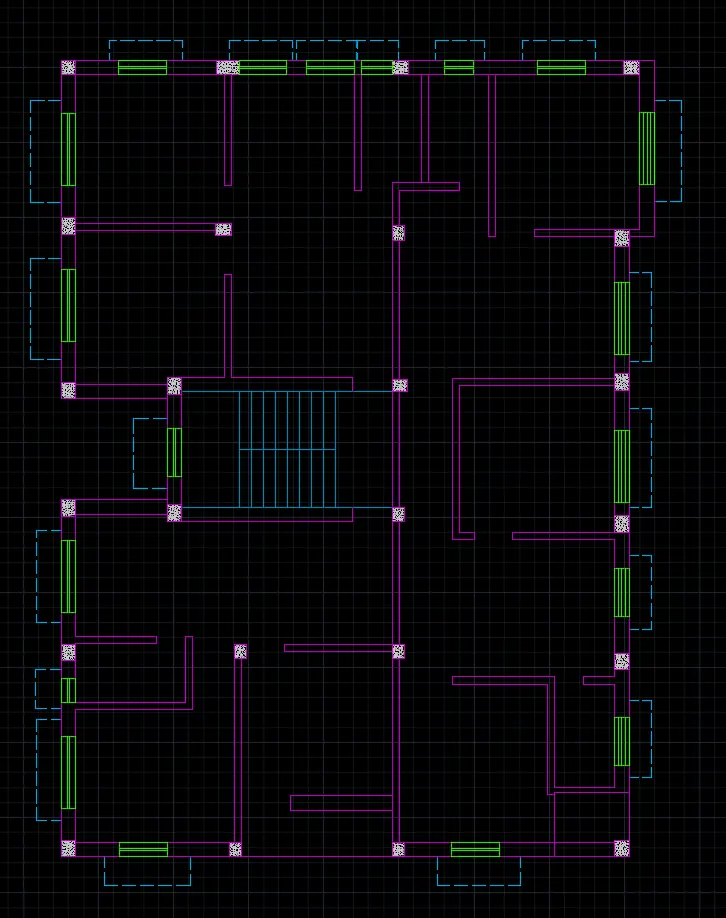
- Make a windows and used a proper offsets
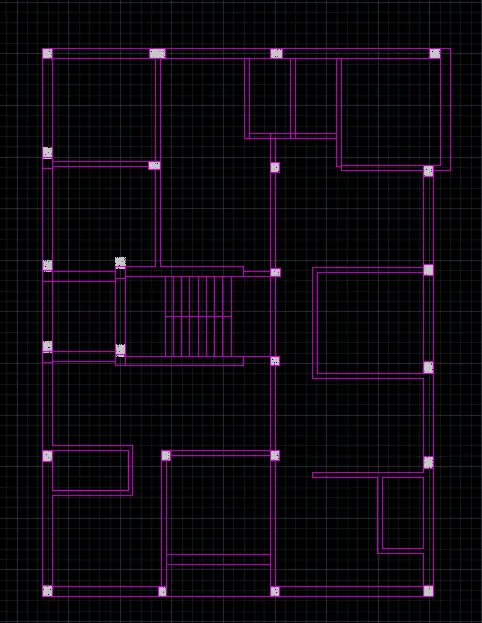
- Draw a columns of sizez 350*250, 300*250,250*250 etc and give concrete hatch to it by using hatch command
- Make various layers in LAYER box like window , doors, exterior wall, interior walls,text dimensions etc, specify the colours ,linetype and line weight to it
- Make proper layers and diminsioning to the plan
- At last draw a sections line from which we are draw a sections from the following section line
THE STEP BY STEP DRAWING IS AS FOLLOW;
RESULT:-
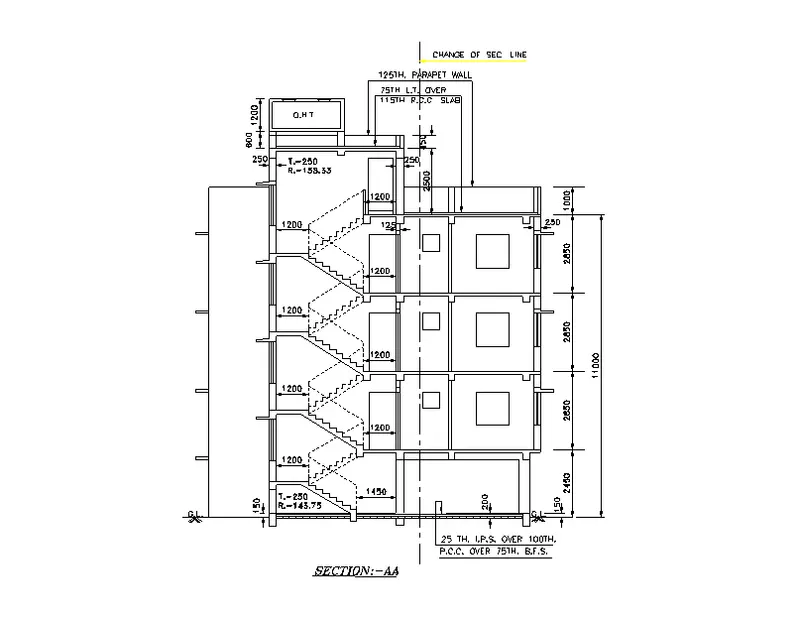
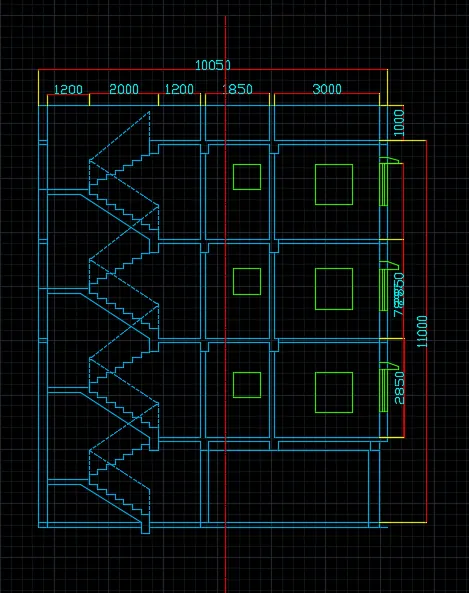
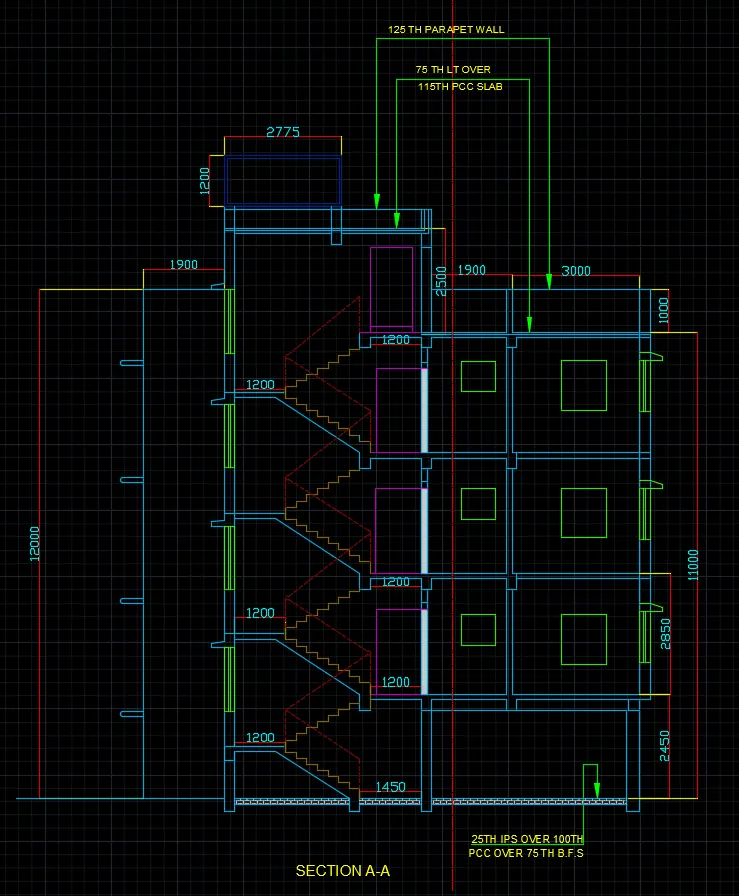
1. DRAW A SECTION A-A OF THE OBOVE FLOOR PLAN
INTRODUCTION:-
- In this drawing we draw a section A-A which are from above floor plan
- Plan and sections are two diffrent types of drawings.
- Section of a buildings is the drawing of a vertical cut through a building or an area of a building
Commands used are:
- Limits command
- Line command
- Rectangle command
- Offset command
- Trim command
- Layers command
- Object snap command
- Dimensions command
- Leader command
- Join command
- Fillet command
- Extend command
- Line type command
- Line weight command
- Units command
- Hatch command
PROCEDURE:-
- First we have open autoCAD set the limits by using LIMMAX or LIMITS command
- Do zoom enter and all enter to the screen
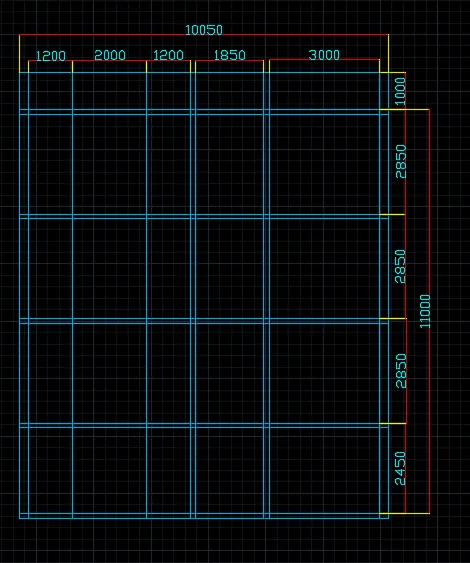
- Use XLINE command to draw a two x line which are in one in horizontal and one in vertical directions and make rectangle of 10050*11000
- Then by using offset command give horizontally offset of 2450, 2850,2850,2850 and 1000
- Similarly give veritical offsets of 1200,2000,1200,1850and 3000 respectively
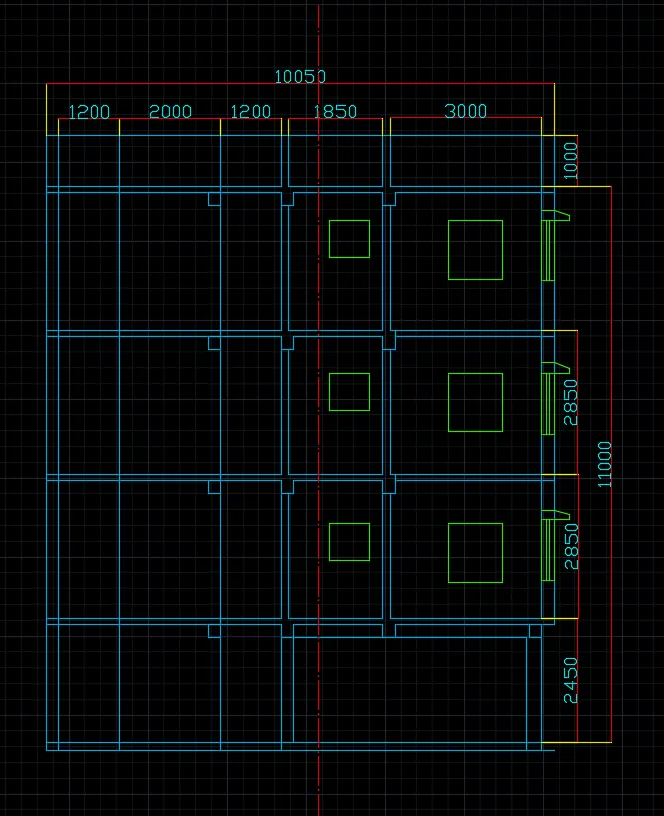
- Then draw windows which are appear in section A-A which are of 1000 size
- Then draw a columns and beam sections which how appear in section with the help of above command
- Make a walls which are in extreme left and right of 250 size
- Make slab size as 125
- Then draw staircase in two ways , the lower one is of riser=143.75 and thread of 250
- And other upper fours poses riser of 133.33 and thread of 250
- Then draw a doors of size 2000*1000
- Draw a supporting railing to thye stair
- Give a offset of 2500 and make OHT on the upper end
- Make parapets walls of 1000, 6000 respectively
- Draw a chhajja and window properly with the help of above tools or command
- Then draw a window opening with the help of rectangle tool
- Then give hatches wherever required with the help of HATCH command
- Dimensioning the whole section and text all the section
- Then make layers with the help of layer command and give to the diffents objects eg. window, door,walls etc
THE STEP BY STEP DRAWING IS AS FOLLOW;
RESULT:-
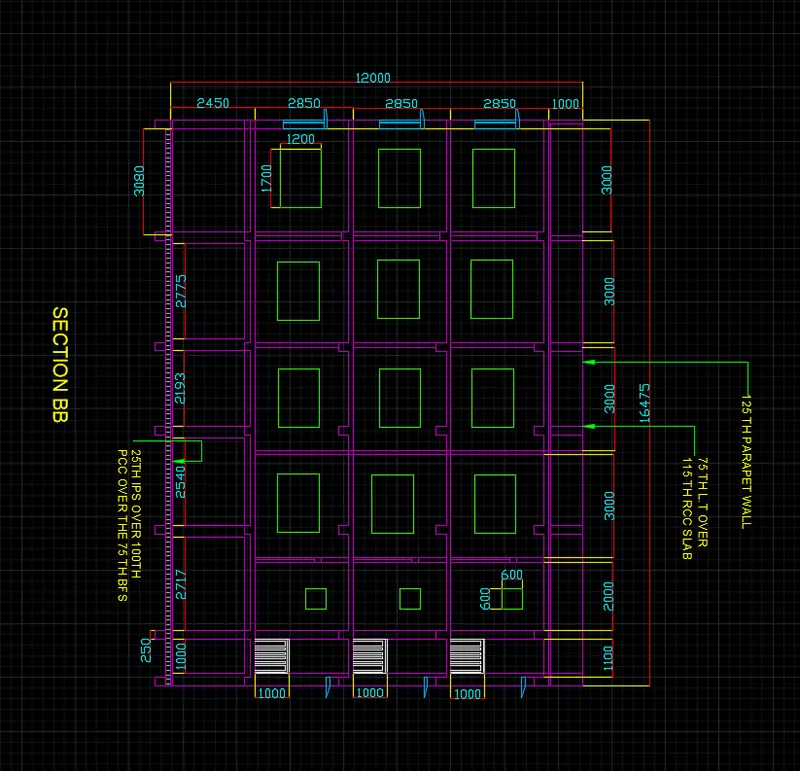
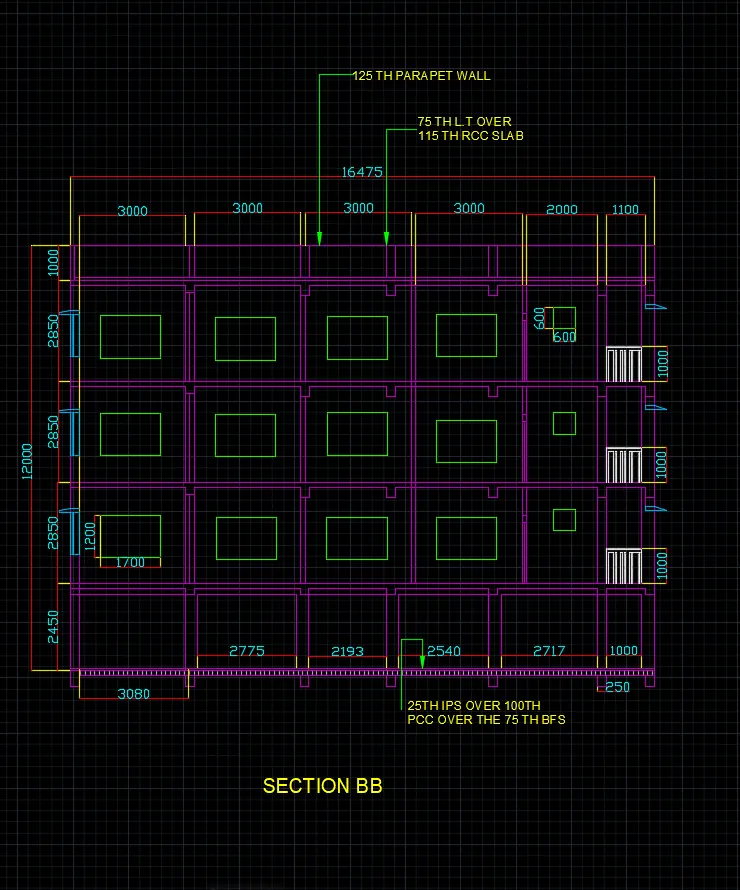
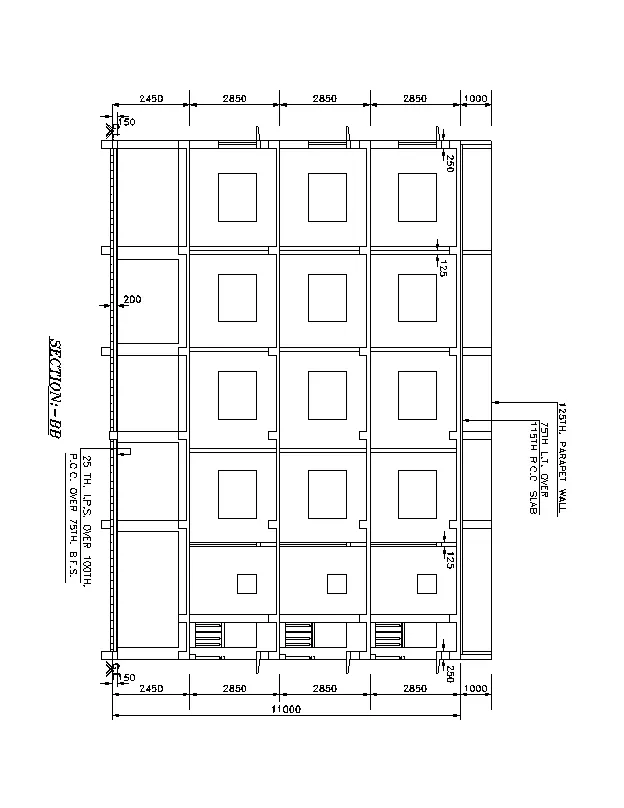
1. DRAW A SECTION B-B OF THE OBOVE FLOOR PLAN
INTRODUCTION:-
- In this drawing we draw a section B-B which are from above floor plan
- Plan and sections are two diffrent types of drawings.
- Section of a buildings is the drawing of a vertical cut through a building or an area of a building
Commands used are:
- Limits command
- Line command
- Rectangle command
- Offset command
- Trim command
- Layers command
- Object snap command
- Dimensions command
- Leader command
- Join command
- Fillet command
- Extend command
- Line type command
- Line weight command
- Units command
- Hatch command
PROCEDURE:-
- First we have open autoCAD set the limits by using LIMMAX or LIMITS command
- Do zoom enter and all enter to the screen
- Use XLINE command to draw a two x line which are in one in horizontal and one in vertical directions
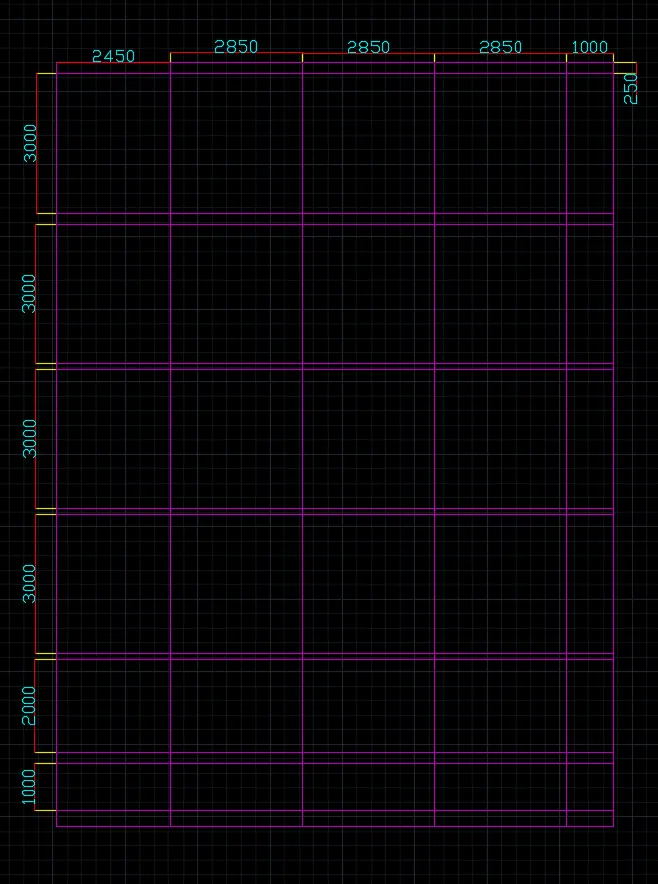
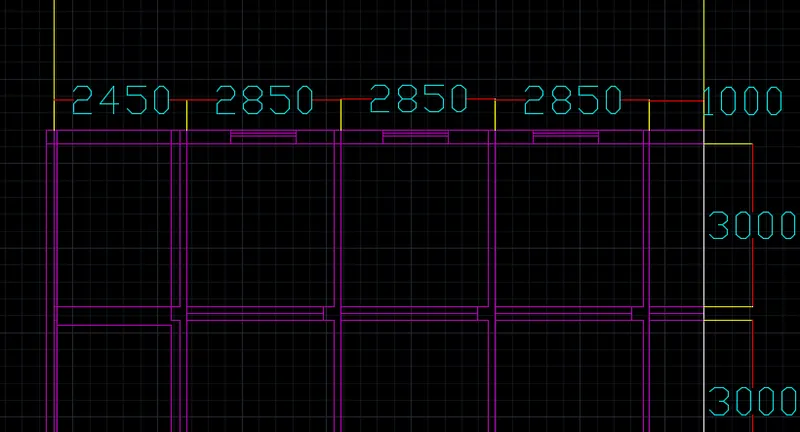
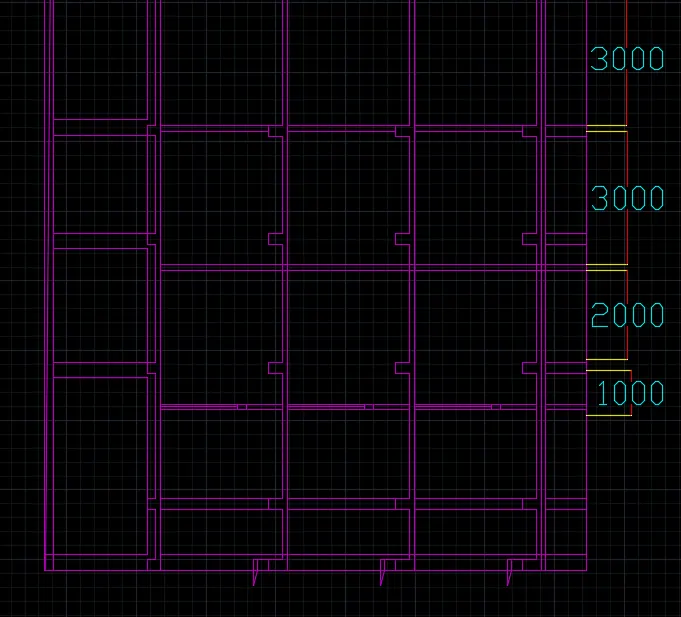
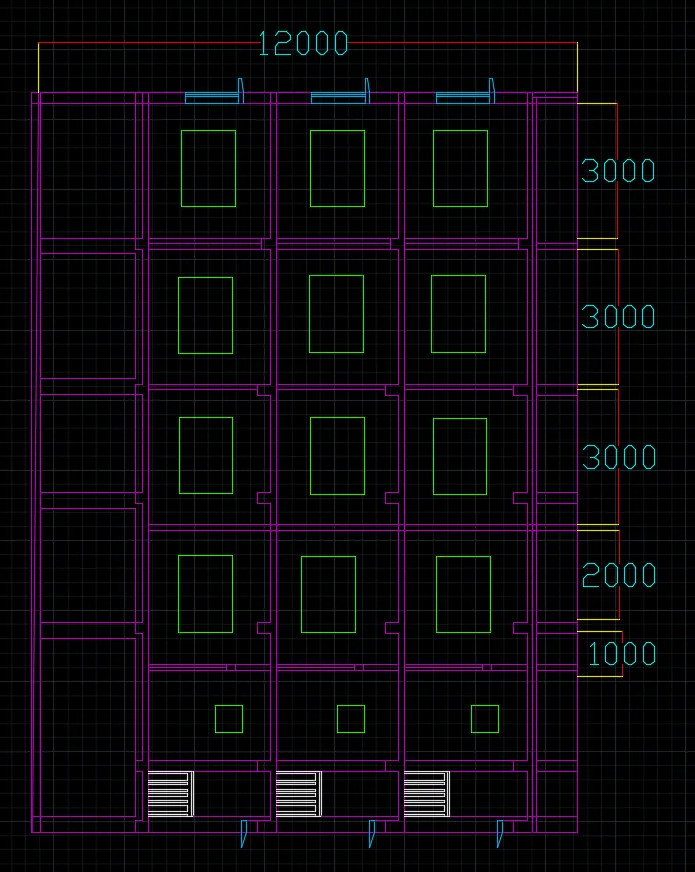
- Then by using offset command give verical offset of 2450, 2850,2850,2850 and 1000
- Similarly give veritical offsets of 3000,3000,3000,3000,2000,1000 respectively
- Then draw windows which are appear in section A-A which are of 1000 size
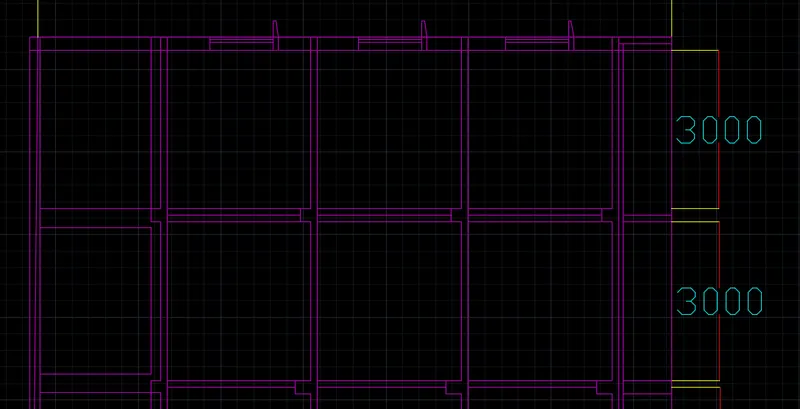
- Then draw a columns and beam sections which how appear in section
- Draw a chhajja and window properly with the help of above tools or command
- Then draw a window opening with the help of rectangle tool
- Then give hatches wherever required with the help of HATCH command
- Dimensioning the whole section and text all the section
- Then make layers with the help of layer command and give to the diffents objects eg. window, door,walls etc
- Use multileaders wherever required to write text in the section
- At last make a balcony railing with precision
THE STEP BY STEP DRAWING IS AS FOLLOW;
Take a horizontal OFFSETS or room widths from the above floor plan which are 3225,2950,3050,2863,2150 and 1150,in this section we take it the round of values
RESULT:-