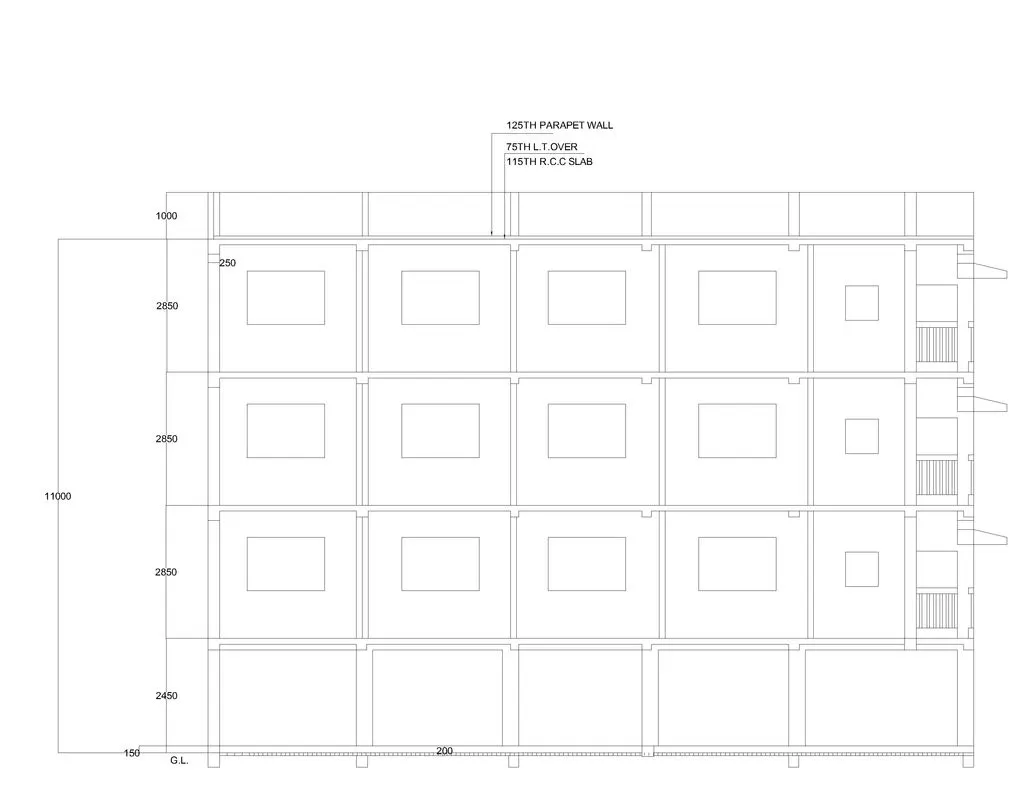
Creating a Layout, Section and Elevation with dimensions using AutoCad
ANSWER :-
1.For FLOOR PLAN :-
AIM:-
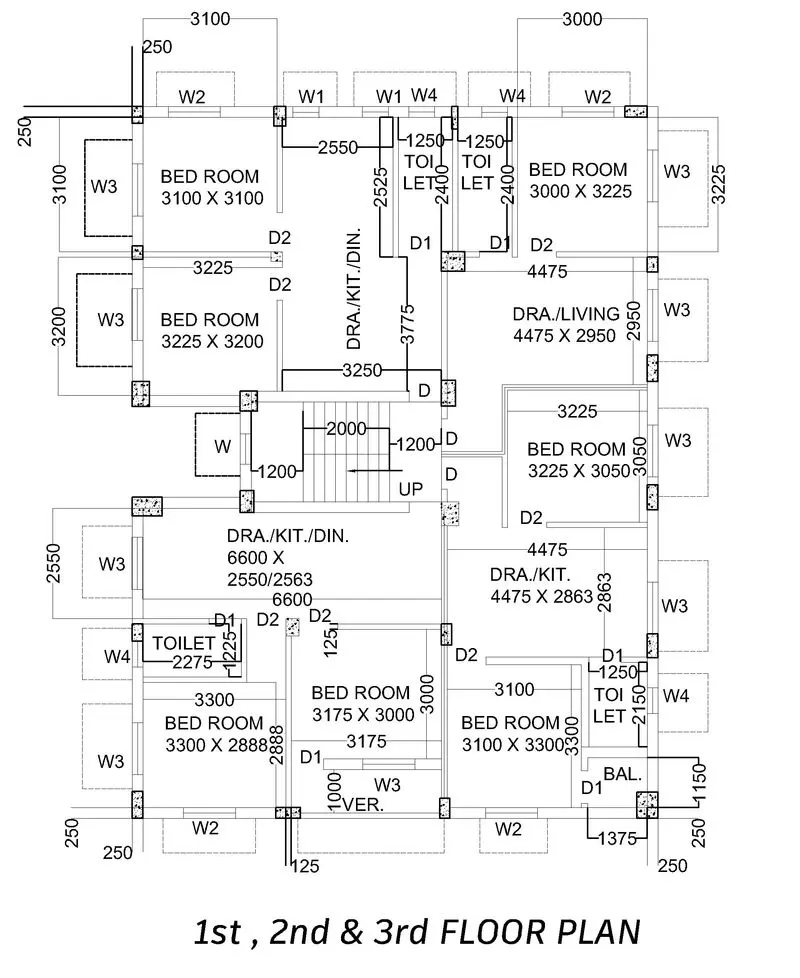
Here the aim is to create the floor plan of a building using autocad software.
INTRODUCTION:-
Using autocad software for creating the floor plan with decimal units and
PROCEDURE:-
1.Open autocad then select a unit system , here i selected decimal unit system as per the given figure.
2.Then Select xline and draw horizontal and vertical lines.
3.Trim the other lines and get a section like the figure
4.Now, select offset and draw 250 offset from both the lines.
5.Again select offset and do offset of 3100 from 250 offset line , 125 from 3100 offset line , 2550 from 125 offset line , 125 from 2550 offset line , 1250 from 125offset line , 125 from 1250 offset line, 1250 from 125 offset line , 125 from 1250 offset line, 3000 from 125 offset line , 250 from 3000 offset line.
6.Trim unwanted lines.
7.Now from top line with 250 offset draw,offset of 3100 from 250 offset line , 125 from 3100 offset line,3200 from 125 offset line , 250 from 3200 offset line , 2200 from 250 offset line , 250 from 2200 offset line, 2550 from 250 offset line , 125 from 2550 offset line , 1225 from 125 offset line, 125 from 1225 offset line , 2888 from 125 offset line , 250 from 2888 offset line.
8.Then trim the unwanted lines again.
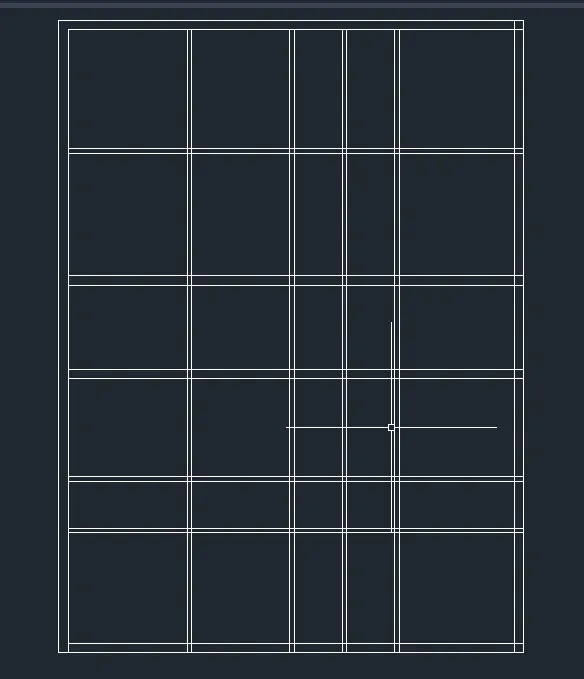
9.Now coming to draw the bedroom and toilet, just trim the lines and put the door of size 900 in bedroom and 750 in bathroom and trim the extra lines from the figure.
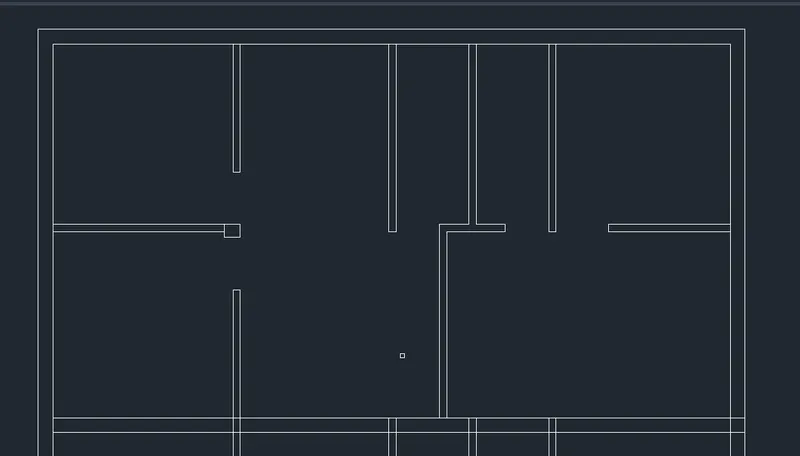
10.Now for stairs ,from door of toilet 1, draw line of 3775units in y direction then from bedroom 2 wall ,draw offset of 3250 ,and then insert the door by joining them and triming them.
11Now draw stairs from door D , draw offset of 1200 ,2000 from 1200 offset line and 1200 again from 2000 offset line and then offset the 2000 unit distance in 8 equal parts as 250 units each.
12.Trim the extra lines.
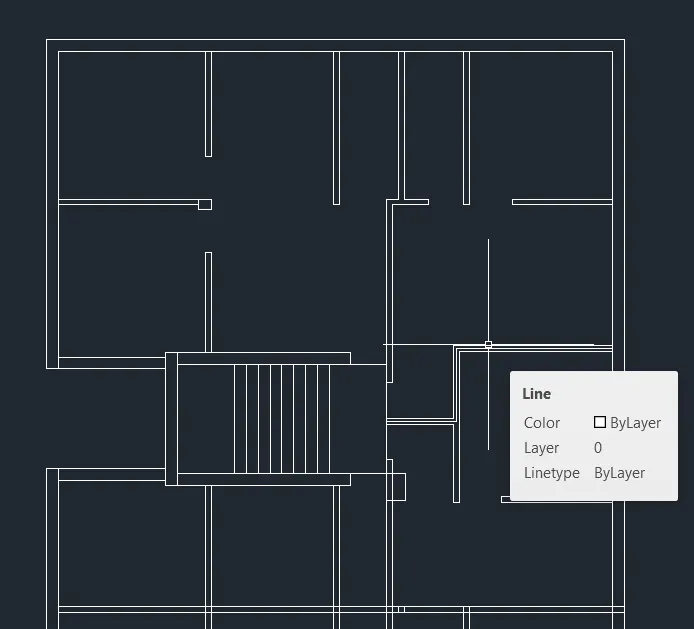
13.For bedroom 3 4 5 and toilets, offset again 3300 from right inner line and then offset 125 from 3300 offset line , 3175 ftom 125 offset line ,125 from 3175 line,3100 from 125 offset line, 1250 .
14.Trim all the unwanted lines.
15.Put the door size
Bedroom doors size - D2 :- 900
Bathroom doors size- D1 - 750
Other door D - 750.
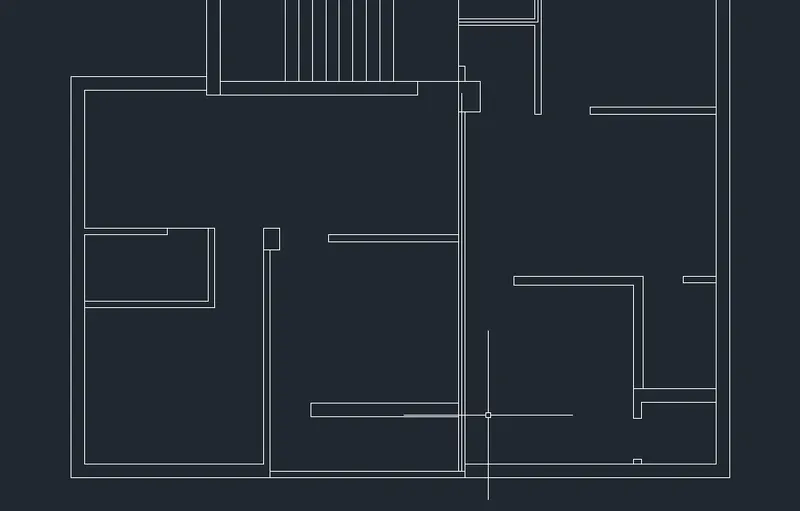
16.Windows are placed now and sizes are
W2 , W 3 - 1200
W1 , W4 - 600
W - 700.
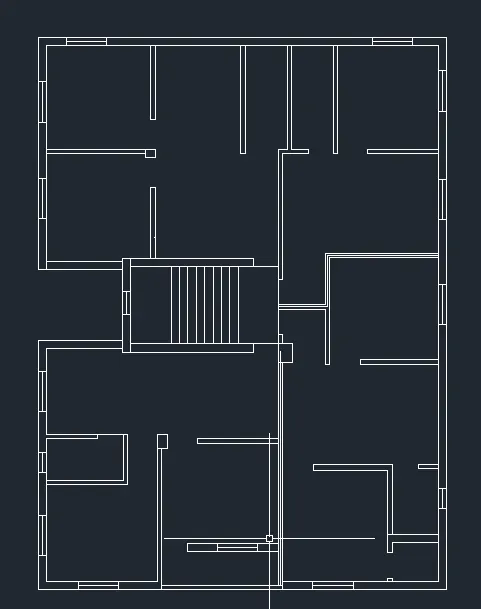
17 Now for dimensioning and texts , Using text height 350.
18.For hatching , use hatch tool and AR-CONC for hatching with scale factor.
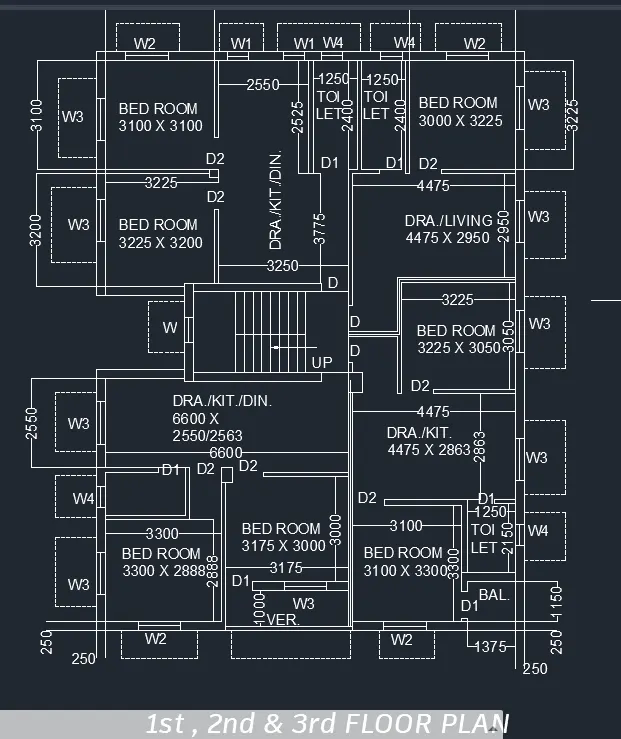
RESULT :-
Created floor plan is attached below
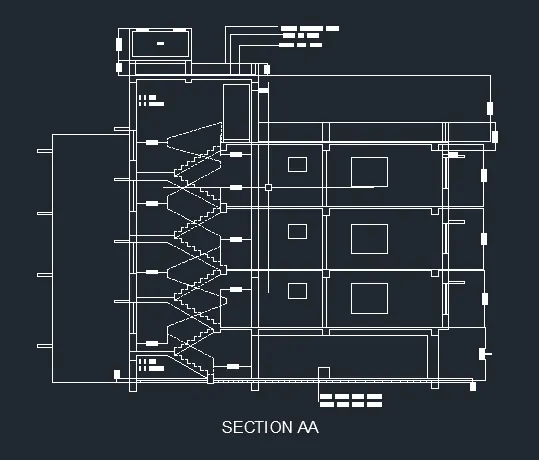
(B) AA SECTION :-
Aim:-
To Create AA section using autocad software.
INTRODUCTION:-
Using autocad software for creating the floor plan with decimal units.
PROCEDURE :-
1.Draw 2 xlines using xline command , one horizontal and other vertical.
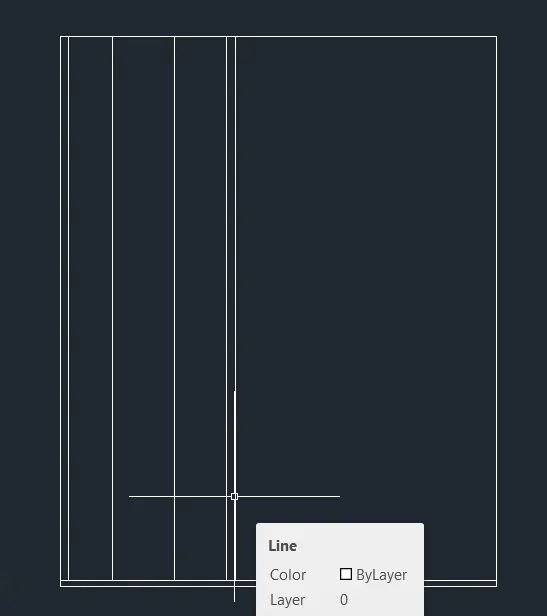
2.Now trim other extra lines and have a section like perpendicular section that is up in y direction and side in x direction.and trim other lines
3.Use offset to offset the left line 250 units and from the bottom 150 units.
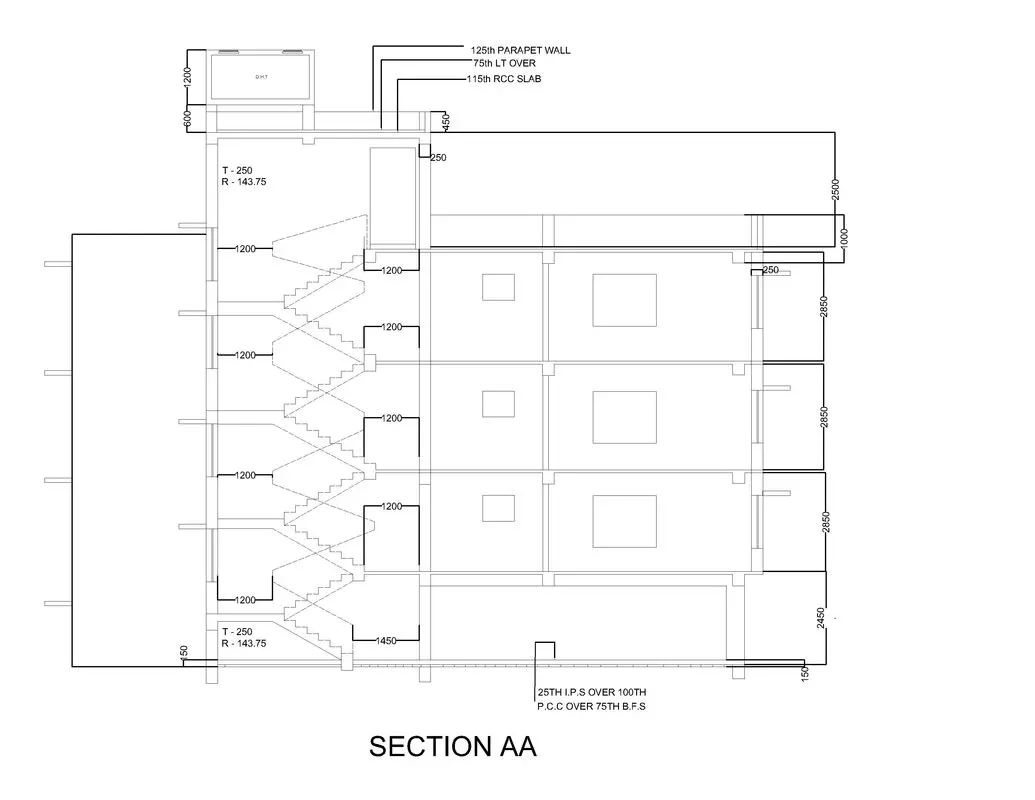
4.Then first create the stairs section , for which offset 1200 from 250 line and then start drawing the stairs.
5.After that Again offset from the end of stairs 1200 from 1st floor point .
6.Trim the extra lines to make it more clear.
7.Draw the Tread = 250 and riser = 143.75 units and complete the stair section.
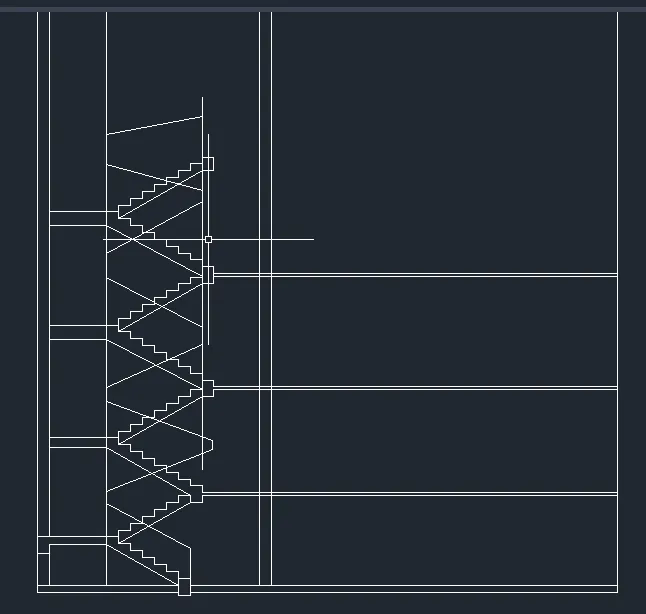
8.After that from 1200 offset point again offset 250 and from 250 point offset 2150 , 2150 and 2150 from 250 point then from 2150 point and again from 2150 point.
9.Now offset 250 from 2150 point.
10.From bottom offset 2450 from base point.,2850 from 2450 line , 2850 from 2850 line ,2850 from 2850 line , 1000 from 2850 line , 2500 from 2850 line , 600 from 2500 line, 1200 from 600 line.
11.Draw the chajjas ,windows as size 850 and 1200 units respectively.Insert windows wherever mentioned.
12.Trim other unwanted lines.
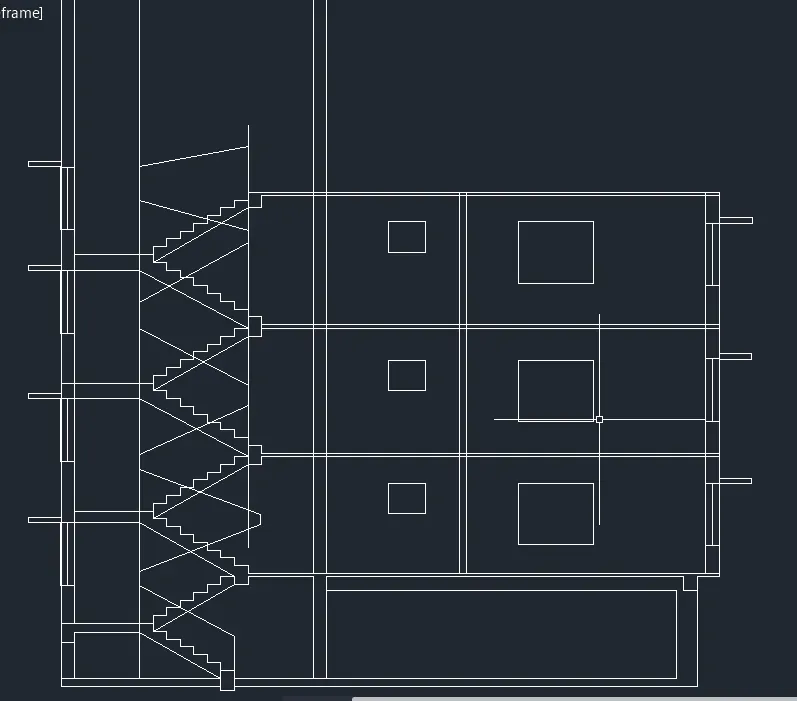
13.Create OHT by rectangle tool with given dimensions.
14.Draw door at required area in the figure asper given.
15.Now For writing texts ,enter text height as 150 and font as arial.
16.After that , select the ACAD ISO02W100 for stairs lines and apply it.
17.Use dimension tool to dimension the drawn figure.
18.Plot the figure using plot option.
RESULT :-
Created section aa is attached below :-
C) For SECTION BB
PROCEDURE:-
1.Draw two Xlines one in horizontal and other in vertical direction.
2.Trim the lines from quadrant wise 2nd , 3rd and 4th.
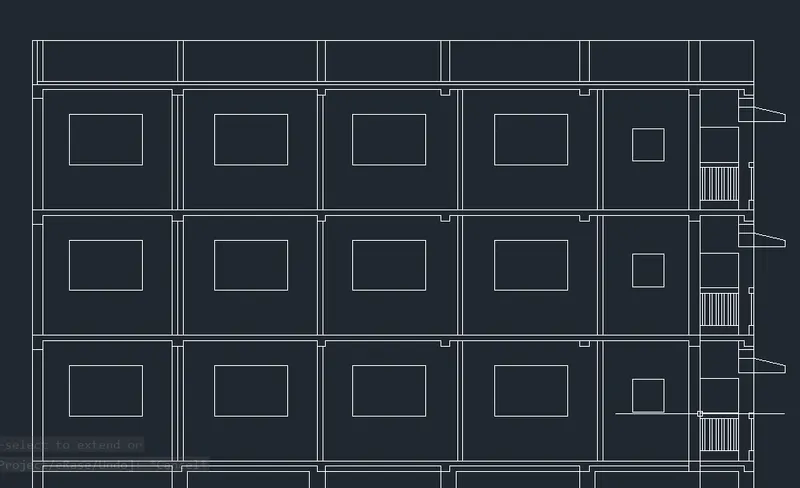
3.Now after select offset and draw,offset from side line ,250 , 3300 from 250 , 250 frim 3300 line , 3300 from 250 line , 1250 from 3300 line ,3300 from 125 line , 125 from 3300 line,3300 from 125 line.
4.Use trim tool and trim the figure wherever required.
5.Offset from bottom line as 150 , 2450 from 150 line , 250 from 2450 line , 2850 from 250 line ,125 from 2850 line ,2850 from 125 line,and 250 from 2850 line.
6.Draw rectangles and copy them as per window size used previously .
7.Trim and remove unwanted lines.
8.Now draw chajjajs and Stairs as taking line and offset tool .
9.After that copy the 1st floor as 2nd and 3rd floor because of same,dimensions.
10.Trim the overcoming lines .
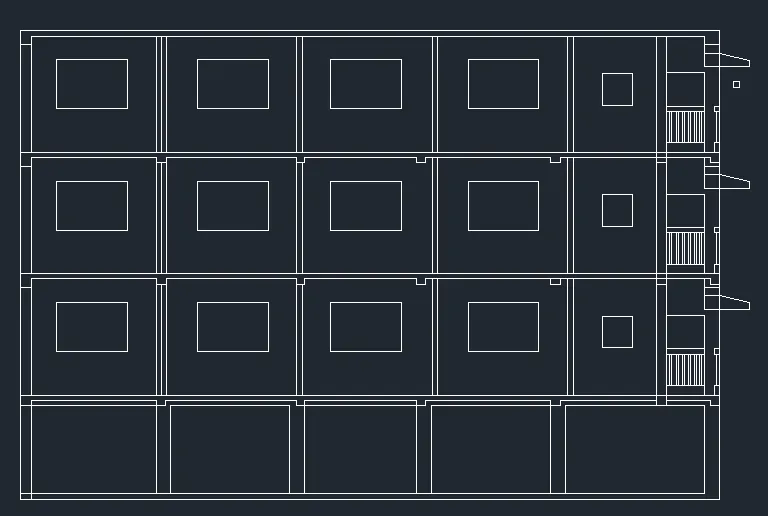
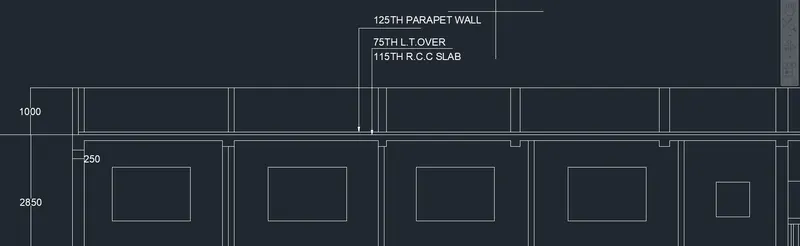
11.After that draw an offset of 1000 from top line of 3rd floor and join the other lines as given in figure by line tool.
12.After that, Use dimension tool with text height 150 .
13.Use multileader with setting of 3 point multileader and write the text with height 150.
14.Dimension the figure .
RESULT :-
Created section is attached below :-