Creating 3D Isometric view of various structural elements in AutoCAD
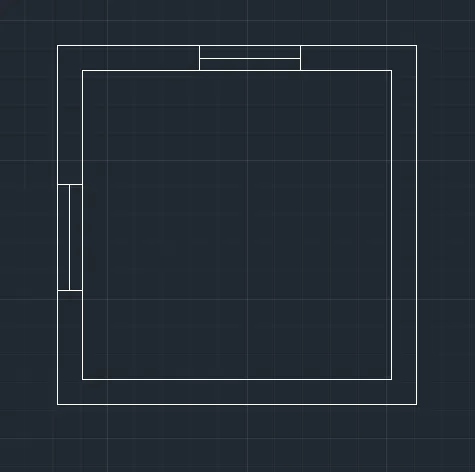
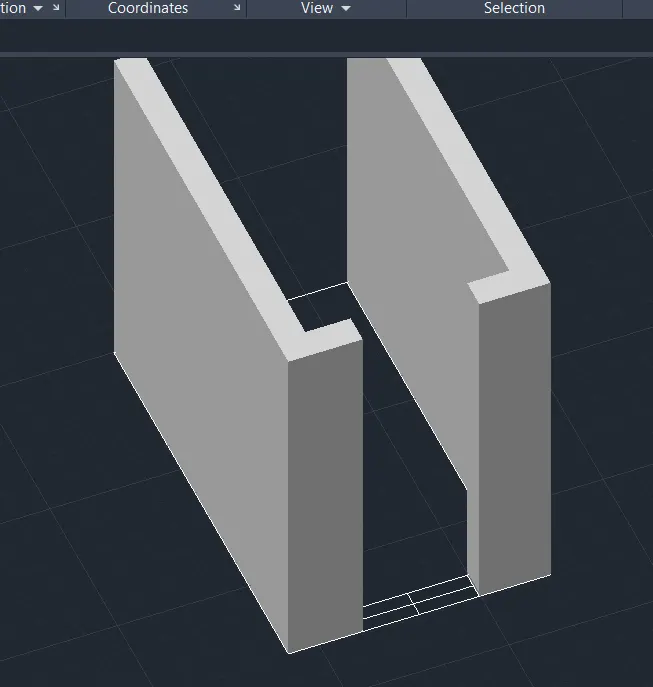
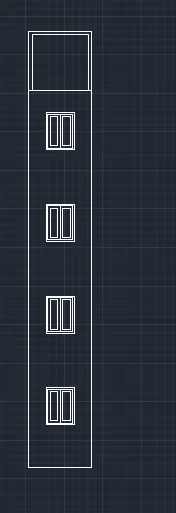
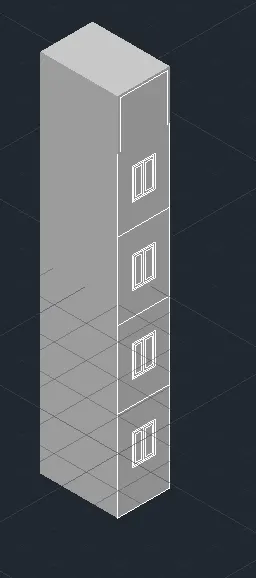
1. Create a 3D Isometric View of the building with plan and elevation given.
AutoCAD menu utilities loaded.*Cancel*
Command:
Command:
Command:
Command: UN
UNITS
Command: *Cancel*
Command: D
DIMSTYLE
Command: *Cancel*
Command: Regenerating model.
REC
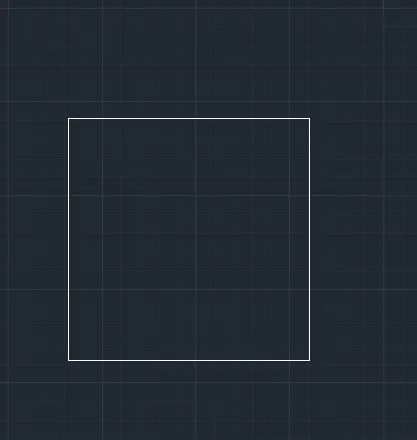
RECTANG
Specify first corner point or [Chamfer/Elevation/Fillet/Thickness/Width]:
Specify other corner point or [Area/Dimensions/Rotation]: d
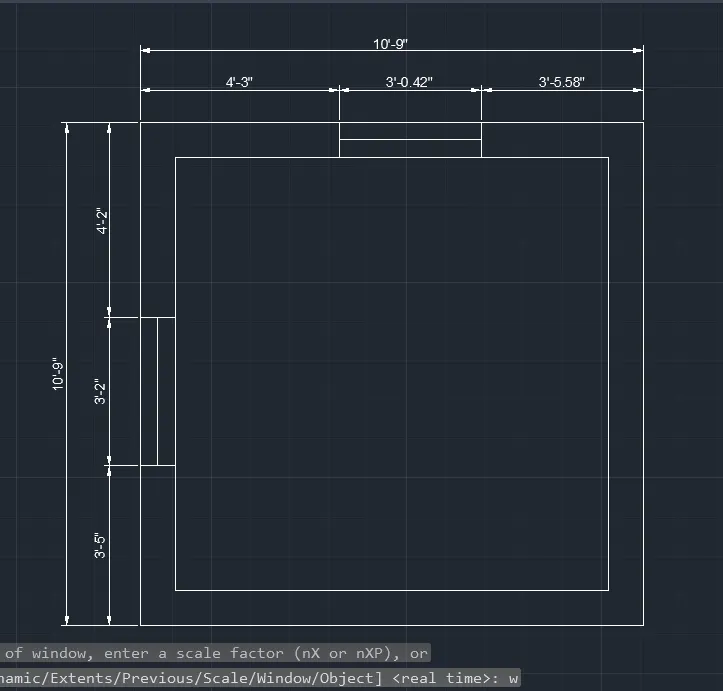
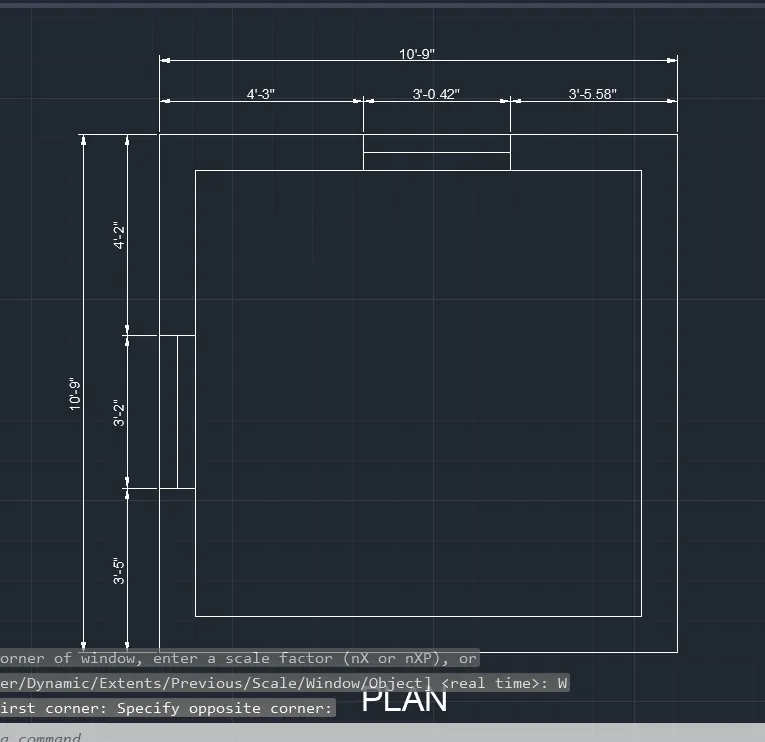
Specify length for rectangles <0>: 10'9"
Specify width for rectangles <0>: 10'9"
Specify other corner point or [Area/Dimensions/Rotation]:
Command: O
OFFSET
Current settings: Erase source=No Layer=Source OFFSETGAPTYPE=0
Specify offset distance or [Through/Erase/Layer] :
Select object to offset or [Exit/Undo] :
Specify through point or [Exit/Multiple/Undo] : 9
Select object to offset or [Exit/Undo] : *Cancel*
Command: L
LINE
Specify first point:
Specify next point or [Undo]:
Specify next point or [Undo]: *Cancel*
Command: O
OFFSET
Current settings: Erase source=No Layer=Source OFFSETGAPTYPE=0
Specify offset distance or [Through/Erase/Layer] :
Select object to offset or [Exit/Undo] :
Select object to offset or [Exit/Undo] :
Specify through point or [Exit/Multiple/Undo] : 3'5"
Select object to offset or [Exit/Undo] :
Specify through point or [Exit/Multiple/Undo] : 3'2"
Select object to offset or [Exit/Undo] : *Cancel*
Command: L
LINE
Specify first point:
Specify next point or [Undo]:
Specify next point or [Undo]: *Cancel*
Command: O
OFFSET
Current settings: Erase source=No Layer=Source OFFSETGAPTYPE=0
Specify offset distance or [Through/Erase/Layer] :
Select object to offset or [Exit/Undo] :
Specify through point or [Exit/Multiple/Undo] : 4'3"
Select object to offset or [Exit/Undo] :
Specify through point or [Exit/Multiple/Undo] : '
Point or option keyword required.
Specify through point or [Exit/Multiple/Undo] : 3'
Select object to offset or [Exit/Undo] : *Cancel*
Command: EX
EXTEND
Current settings: Projection=UCS, Edge=None, Mode=Quick
Select object to extend or shift-select to trim or
[Boundary edges/Crossing/mOde/Project]:
Select object to extend or shift-select to trim or
[Boundary edges/Crossing/mOde/Project/Undo]:
Select object to extend or shift-select to trim or
[Boundary edges/Crossing/mOde/Project/Undo]:
Specify next fence point or [Undo]:
Specify next fence point or [Undo]:
Select object to extend or shift-select to trim or
[Boundary edges/Crossing/mOde/Project/Undo]:
Select object to extend or shift-select to trim or
[Boundary edges/Crossing/mOde/Project/Undo]:
Specify next fence point or [Undo]:
Specify next fence point or [Undo]:
No edge in that direction.
Select object to extend or shift-select to trim or
[Boundary edges/Crossing/mOde/Project/Undo]:
Select object to extend or shift-select to trim or
[Boundary edges/Crossing/mOde/Project/Undo]:
Specify next fence point or [Undo]:
Specify next fence point or [Undo]:
Select object to extend or shift-select to trim or
[Boundary edges/Crossing/mOde/Project/Undo]: *Cancel*
Command: Specify opposite corner or [Fence/WPolygon/CPolygon]:
Command: _.erase 1 found
Crossing Lasso Press Spacebar to cycle options
Command: _.erase 1 found
Command: TR
TRIM
Current settings: Projection=UCS, Edge=None, Mode=Quick
Select object to trim or shift-select to extend or
[cuTting edges/Crossing/mOde/Project/eRase]:
Select object to trim or shift-select to extend or
[cuTting edges/Crossing/mOde/Project/eRase/Undo]:
Select object to trim or shift-select to extend or
[cuTting edges/Crossing/mOde/Project/eRase/Undo]:
Specify next fence point or [Undo]:
Specify next fence point or [Undo]:
Select object to trim or shift-select to extend or
[cuTting edges/Crossing/mOde/Project/eRase/Undo]:
Select object to trim or shift-select to extend or
[cuTting edges/Crossing/mOde/Project/eRase/Undo]:
Specify next fence point or [Undo]:
Specify next fence point or [Undo]:
Select object to trim or shift-select to extend or
[cuTting edges/Crossing/mOde/Project/eRase/Undo]: *Cancel*
Command: L
LINE
Specify first point:
Specify next point or [Undo]:
Specify next point or [Undo]: *Cancel*
Command: L
LINE
Specify first point:
Specify next point or [Undo]:
Specify next point or [Undo]: *Cancel*
Command: DIMLIN
DIMLINEAR
Specify first extension line origin or<select>:</select>
Specify second extension line origin:
Specify dimension line location or
[Mtext/Text/Angle/Horizontal/Vertical/Rotated]:
Dimension text = 3'-5"
Command: DIMCONT
DIMCONTINUE
Specify second extension line origin or [Select/Undo]<select>:</select>
Dimension text = 3'-2"
Specify second extension line origin or [Select/Undo]<select>:</select>
Dimension text = 4'-2"
Specify second extension line origin or [Select/Undo]<select>: *Cancel*</select>
Command: DIMLIN
DIMLINEAR
Specify first extension line origin or<select>:</select>
Specify second extension line origin:
Specify dimension line location or
[Mtext/Text/Angle/Horizontal/Vertical/Rotated]:
Dimension text = 4'-3"
Command: DIMCONT
DIMCONTINUE
Specify second extension line origin or [Select/Undo]<select>:</select>
Dimension text = 3'-0.42"
Specify second extension line origin or [Select/Undo]<select>:</select>
Dimension text = 3'-5.58"
Specify second extension line origin or [Select/Undo]<select>: *Cancel*</select>
Command: DIMLIN
DIMLINEAR
Specify first extension line origin or<select>:</select>
Specify second extension line origin:
Non-associative dimension created.
Specify dimension line location or
[Mtext/Text/Angle/Horizontal/Vertical/Rotated]:
Dimension text = 10'-9"
Command: DIMLIN
DIMLINEAR
Specify first extension line origin or<select>:</select>
Specify second extension line origin:
Non-associative dimension created.
Specify dimension line location or
[Mtext/Text/Angle/Horizontal/Vertical/Rotated]:
Dimension text = 10'-9"
Command:
Specify corner of window, enter a scale factor (nX or nXP), or
[All/Center/Dynamic/Extents/Previous/Scale/Window/Object] :
Regenerating model.
Command: Z
ZOOM
Specify corner of window, enter a scale factor (nX or nXP), or
[All/Center/Dynamic/Extents/Previous/Scale/Window/Object] : w
Specify first corner: Specify opposite corner:
Command: TEXT
Current text style: "Standard" Text height: 0'-2.50" Annotative: No Justify: Left
Specify start point of text or [Justify/Style]:
Specify height <0>:
Specify rotation angle of text <0>:
Command: Specify opposite corner or [Fence/WPolygon/CPolygon]:
Command:
Command:
Command: _properties
Command:
Command:
Command:
Command:
Command: *Cancel*
Command:
Command:
** STRETCH **
Specify stretch point or [Base point/Copy/Undo/eXit]:
Command:
** STRETCH **
Specify stretch point or [Base point/Copy/Undo/eXit]:
Command:
** STRETCH **
Specify stretch point or [Base point/Copy/Undo/eXit]:
Command:
** STRETCH **
Specify stretch point or [Base point/Copy/Undo/eXit]:
Command: *Cancel*
Command: *Cancel*
Command: _vscurrent
Enter an option [2dwireframe/Wireframe/Hidden/Realistic/Conceptual/Shaded/shaded with Edges/shades of Gray/SKetchy/X-ray/Other] : _s
Command: *Cancel*
Command: SHADE
Command: *Cancel*
Command: *Cancel*
Command: *Cancel*
Command: *Cancel*
Command: _vscurrent
Enter an option [2dwireframe/Wireframe/Hidden/Realistic/Conceptual/Shaded/shaded with Edges/shades of Gray/SKetchy/X-ray/Other/cUrrent] : _s
Command: *Cancel*
Command: Specify opposite corner or [Fence/WPolygon/CPolygon]:
Command: *Cancel*
Command: REGION
Select objects: Specify opposite corner: 1 found
Select objects:
1 loop extracted.
1 Region created.
Command: *Cancel*
Command: *Cancel*
Command: *Cancel*
Command: _vscurrent
Enter an option [2dwireframe/Wireframe/Hidden/Realistic/Conceptual/Shaded/shaded with Edges/shades of Gray/SKetchy/X-ray/Other] : _2d Regenerating model.
Command: *Cancel*
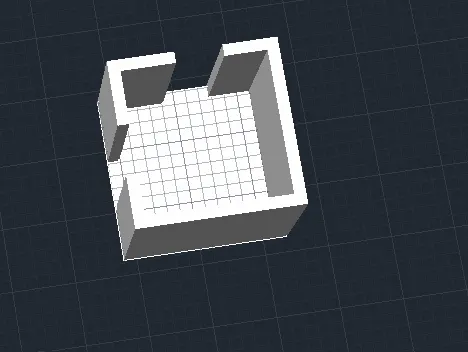
Command: EXTRUDE
Current wire frame density: ISOLINES=4, Closed profiles creation mode = Solid
Select objects to extrude or [MOde]: 1 found
Select objects to extrude or [MOde]:
Specify height of extrusion or [Direction/Path/Taper angle/Expression] <-3'-0.00">:
Command: *Cancel*
Command: EXT
EXTRUDE
Current wire frame density: ISOLINES=4, Closed profiles creation mode = Solid
Select objects to extrude or [MOde]: 1 found
Select objects to extrude or [MOde]:
Specify height of extrusion or [Direction/Path/Taper angle/Expression] <3>: 2'
Command: *Cancel*
Command: *Cancel*
Command: *Cancel*
Command: _vscurrent
Enter an option [2dwireframe/Wireframe/Hidden/Realistic/Conceptual/Shaded/shaded with Edges/shades of Gray/SKetchy/X-ray/Other] <2dwireframe>: _s
Command: SUBTRACT
Select solids, surfaces, and regions to subtract from ..
Select objects: 1 found
Select objects: 1 found, 2 total
Select objects: *Cancel*
Command: SUBTRACT
Select solids, surfaces, and regions to subtract from ..
Select objects: 1 found
Select objects:
Select solids, surfaces, and regions to subtract ..
Select objects: 1 found
Select objects:
Command: *Cancel*
Command:
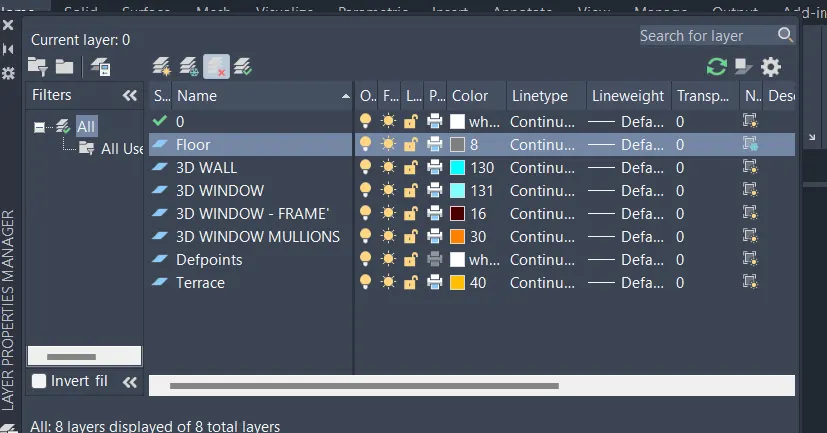
Command: '_.-LAYER
Current layer: "0"
Enter an option [?/Make/Set/New/Rename/ON/OFF/Color/Ltype/LWeight/TRansparency/MATerial/Plot/Freeze/Thaw/LOck/Unlock/stAte/Description/rEconcile/Xref]: _ON
Enter name list of layer(s) to turn on: =3D WALL
Enter an option [?/Make/Set/New/Rename/ON/OFF/Color/Ltype/LWeight/TRansparency/MATerial/Plot/Freeze/Thaw/LOck/Unlock/stAte/Description/rEconcile/Xref]:
Command:
Command: '_.-LAYER
Current layer: "0"
Enter an option [?/Make/Set/New/Rename/ON/OFF/Color/Ltype/LWeight/TRansparency/MATerial/Plot/Freeze/Thaw/LOck/Unlock/stAte/Description/rEconcile/Xref]: _ON
Enter name list of layer(s) to turn on: =3D WINDOW
Enter an option [?/Make/Set/New/Rename/ON/OFF/Color/Ltype/LWeight/TRansparency/MATerial/Plot/Freeze/Thaw/LOck/Unlock/stAte/Description/rEconcile/Xref]:
Command:
Command: '_.-LAYER
Current layer: "0"
Enter an option [?/Make/Set/New/Rename/ON/OFF/Color/Ltype/LWeight/TRansparency/MATerial/Plot/Freeze/Thaw/LOck/Unlock/stAte/Description/rEconcile/Xref]: _ON
Enter name list of layer(s) to turn on: =3D WINDOW - FRAME'
Enter an option [?/Make/Set/New/Rename/ON/OFF/Color/Ltype/LWeight/TRansparency/MATerial/Plot/Freeze/Thaw/LOck/Unlock/stAte/Description/rEconcile/Xref]:
Command:
Command: '_.-LAYER
Current layer: "0"
Enter an option [?/Make/Set/New/Rename/ON/OFF/Color/Ltype/LWeight/TRansparency/MATerial/Plot/Freeze/Thaw/LOck/Unlock/stAte/Description/rEconcile/Xref]: _ON
Enter name list of layer(s) to turn on: =3D WINDOW MULLIONS
Enter an option [?/Make/Set/New/Rename/ON/OFF/Color/Ltype/LWeight/TRansparency/MATerial/Plot/Freeze/Thaw/LOck/Unlock/stAte/Description/rEconcile/Xref]:
Command: *Cancel*
Command:
Command: *Cancel*
Command:
Command:
Command: _Laymcur
Select object whose layer will become current: *Cancel*
*cancel*
Command: *Cancel*
Command: *Cancel*
Command:
Command:
Command:
Command:
Command:
Command:
Command:
Command:
Command:
Command: *Cancel*
Command:
Command: *Cancel*
Command:
Command:
Command:
Command:
Command:
Command:
Command: *Cancel*
Command: REC
RECTANG
Specify first corner point or [Chamfer/Elevation/Fillet/Thickness/Width]:
Specify other corner point or [Area/Dimensions/Rotation]:
Command: *Cancel*
Command: SHADE
Automatic save to C:\Users\91637\AppData\Local\Temp\Drawing1_1_4940_657c1a42.sv$ ...
Command:
Command:
Command: *Cancel*
Command:
Command: '_.-LAYER
Current layer: "0"
Enter an option [?/Make/Set/New/Rename/ON/OFF/Color/Ltype/LWeight/TRansparency/MATerial/Plot/Freeze/Thaw/LOck/Unlock/stAte/Description/rEconcile/Xref]: _OFF
Enter name list of layer(s) to turn off or<select>: =3D WALL</select>
Enter an option [?/Make/Set/New/Rename/ON/OFF/Color/Ltype/LWeight/TRansparency/MATerial/Plot/Freeze/Thaw/LOck/Unlock/stAte/Description/rEconcile/Xref]:
Command:
Command: '_.-LAYER
Current layer: "0"
Enter an option [?/Make/Set/New/Rename/ON/OFF/Color/Ltype/LWeight/TRansparency/MATerial/Plot/Freeze/Thaw/LOck/Unlock/stAte/Description/rEconcile/Xref]: _OFF
Enter name list of layer(s) to turn off or<select>: =3D WINDOW</select>
Enter an option [?/Make/Set/New/Rename/ON/OFF/Color/Ltype/LWeight/TRansparency/MATerial/Plot/Freeze/Thaw/LOck/Unlock/stAte/Description/rEconcile/Xref]:
Command:
Command: '_.-LAYER
Current layer: "0"
Enter an option [?/Make/Set/New/Rename/ON/OFF/Color/Ltype/LWeight/TRansparency/MATerial/Plot/Freeze/Thaw/LOck/Unlock/stAte/Description/rEconcile/Xref]: _OFF
Enter name list of layer(s) to turn off or<select>: =3D WINDOW MULLIONS</select>
Enter an option [?/Make/Set/New/Rename/ON/OFF/Color/Ltype/LWeight/TRansparency/MATerial/Plot/Freeze/Thaw/LOck/Unlock/stAte/Description/rEconcile/Xref]:
Command:
Command: '_.-LAYER
Current layer: "0"
Enter an option [?/Make/Set/New/Rename/ON/OFF/Color/Ltype/LWeight/TRansparency/MATerial/Plot/Freeze/Thaw/LOck/Unlock/stAte/Description/rEconcile/Xref]: _OFF
Enter name list of layer(s) to turn off or<select>: =Defpoints</select>
Enter an option [?/Make/Set/New/Rename/ON/OFF/Color/Ltype/LWeight/TRansparency/MATerial/Plot/Freeze/Thaw/LOck/Unlock/stAte/Description/rEconcile/Xref]:
Command:
Command: SHADE
Command: Specify opposite corner or [Fence/WPolygon/CPolygon]:
Command: *Cancel*
Command: REGION
Select objects: 1 found
Select objects:
1 loop extracted.
1 Region created.
Command: *Cancel*
Command:
Command:
Command: '_.-LAYER
Current layer: "0"
Enter an option [?/Make/Set/New/Rename/ON/OFF/Color/Ltype/LWeight/TRansparency/MATerial/Plot/Freeze/Thaw/LOck/Unlock/stAte/Description/rEconcile/Xref]: _ON
Enter name list of layer(s) to turn on: =3D WALL
Enter an option [?/Make/Set/New/Rename/ON/OFF/Color/Ltype/LWeight/TRansparency/MATerial/Plot/Freeze/Thaw/LOck/Unlock/stAte/Description/rEconcile/Xref]:
Command:
Command: '_.-LAYER
Current layer: "0"
Enter an option [?/Make/Set/New/Rename/ON/OFF/Color/Ltype/LWeight/TRansparency/MATerial/Plot/Freeze/Thaw/LOck/Unlock/stAte/Description/rEconcile/Xref]: _ON
Enter name list of layer(s) to turn on: =3D WINDOW
Enter an option [?/Make/Set/New/Rename/ON/OFF/Color/Ltype/LWeight/TRansparency/MATerial/Plot/Freeze/Thaw/LOck/Unlock/stAte/Description/rEconcile/Xref]:
Command:
Command: '_.-LAYER
Current layer: "0"
Enter an option [?/Make/Set/New/Rename/ON/OFF/Color/Ltype/LWeight/TRansparency/MATerial/Plot/Freeze/Thaw/LOck/Unlock/stAte/Description/rEconcile/Xref]: _ON
Enter name list of layer(s) to turn on: =3D WINDOW - FRAME'
Enter an option [?/Make/Set/New/Rename/ON/OFF/Color/Ltype/LWeight/TRansparency/MATerial/Plot/Freeze/Thaw/LOck/Unlock/stAte/Description/rEconcile/Xref]:
Command:
Command: '_.-LAYER
Current layer: "0"
Enter an option [?/Make/Set/New/Rename/ON/OFF/Color/Ltype/LWeight/TRansparency/MATerial/Plot/Freeze/Thaw/LOck/Unlock/stAte/Description/rEconcile/Xref]: _ON
Enter name list of layer(s) to turn on: =3D WINDOW MULLIONS
Enter an option [?/Make/Set/New/Rename/ON/OFF/Color/Ltype/LWeight/TRansparency/MATerial/Plot/Freeze/Thaw/LOck/Unlock/stAte/Description/rEconcile/Xref]:
Command:
Command: '_.-LAYER
Current layer: "0"
Enter an option [?/Make/Set/New/Rename/ON/OFF/Color/Ltype/LWeight/TRansparency/MATerial/Plot/Freeze/Thaw/LOck/Unlock/stAte/Description/rEconcile/Xref]: _ON
Enter name list of layer(s) to turn on: =Defpoints
Enter an option [?/Make/Set/New/Rename/ON/OFF/Color/Ltype/LWeight/TRansparency/MATerial/Plot/Freeze/Thaw/LOck/Unlock/stAte/Description/rEconcile/Xref]:
Command:
Command: '_.-LAYER
Current layer: "0"
Enter an option [?/Make/Set/New/Rename/ON/OFF/Color/Ltype/LWeight/TRansparency/MATerial/Plot/Freeze/Thaw/LOck/Unlock/stAte/Description/rEconcile/Xref]: _ON
Enter name list of layer(s) to turn on: =Terrace
Enter an option [?/Make/Set/New/Rename/ON/OFF/Color/Ltype/LWeight/TRansparency/MATerial/Plot/Freeze/Thaw/LOck/Unlock/stAte/Description/rEconcile/Xref]:
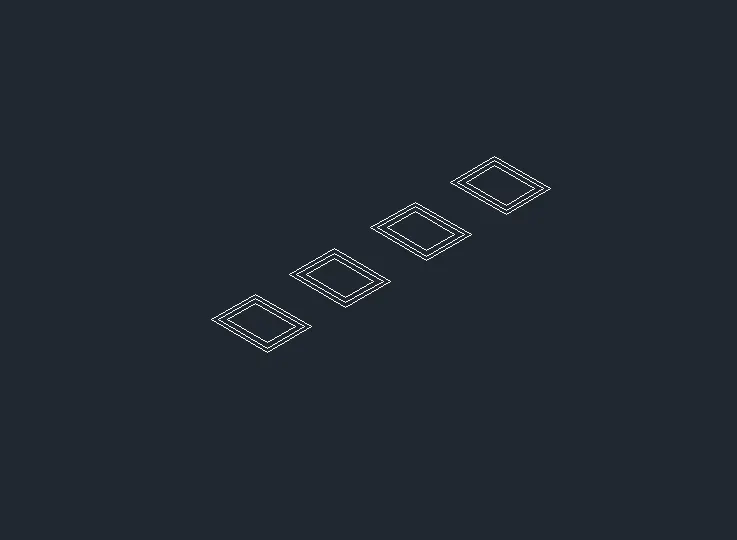
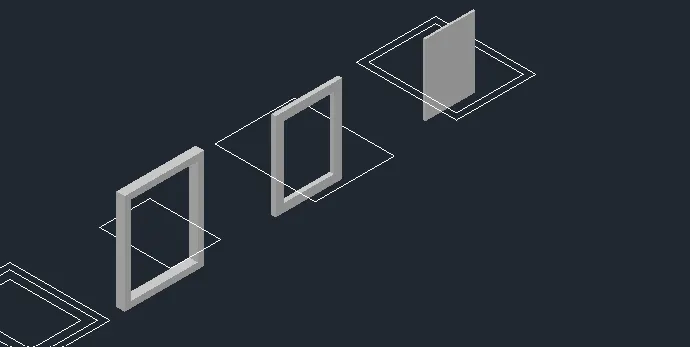
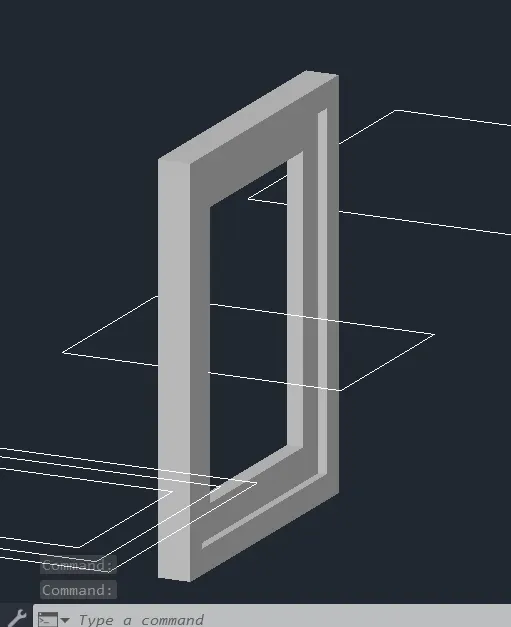
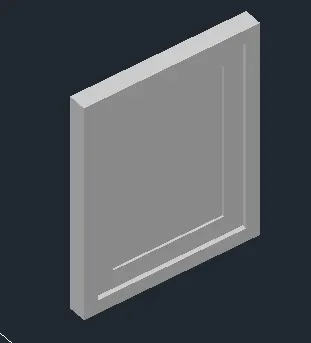
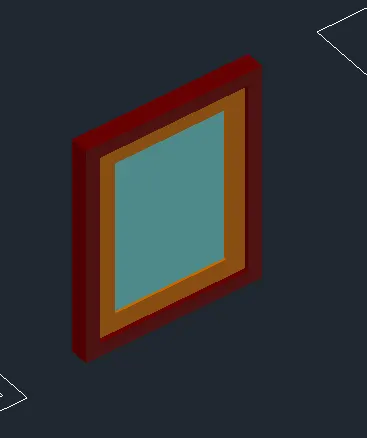
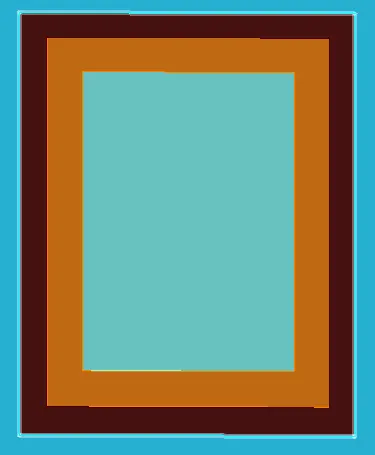
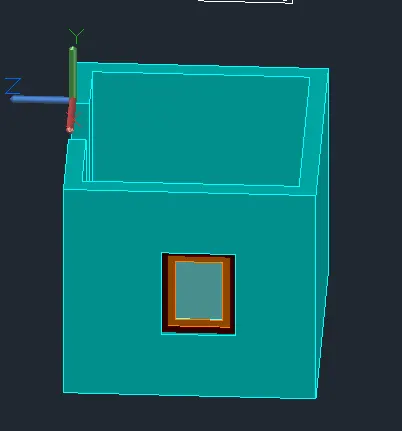
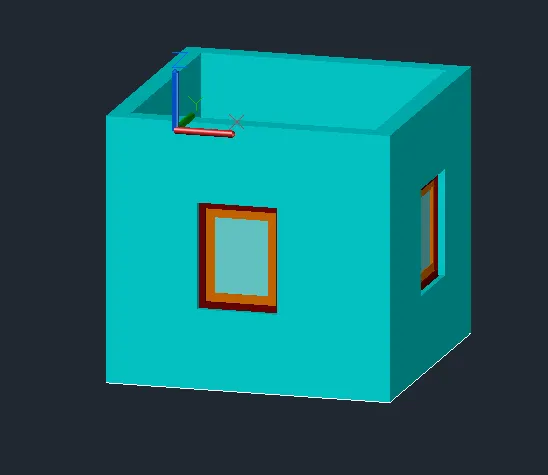
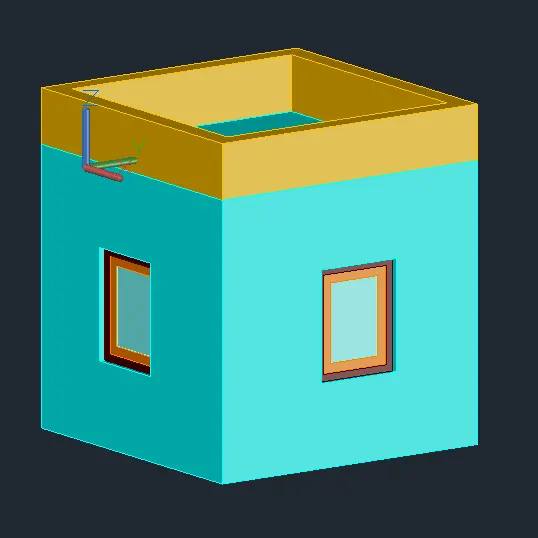
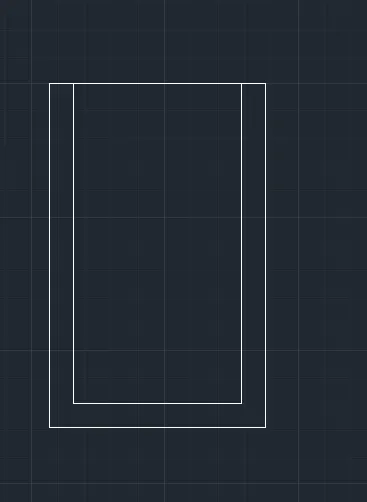
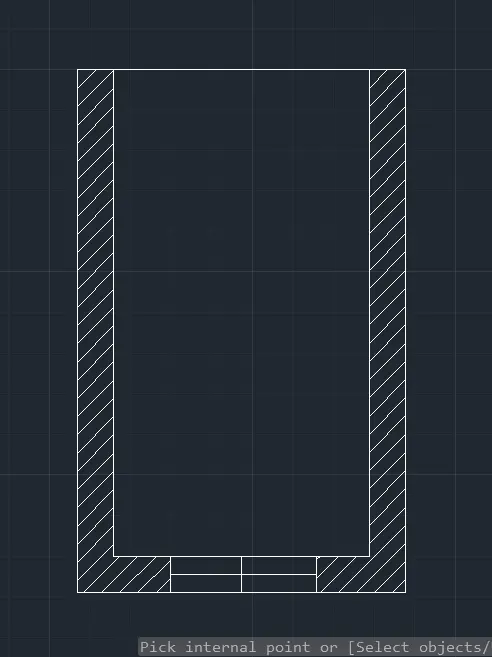
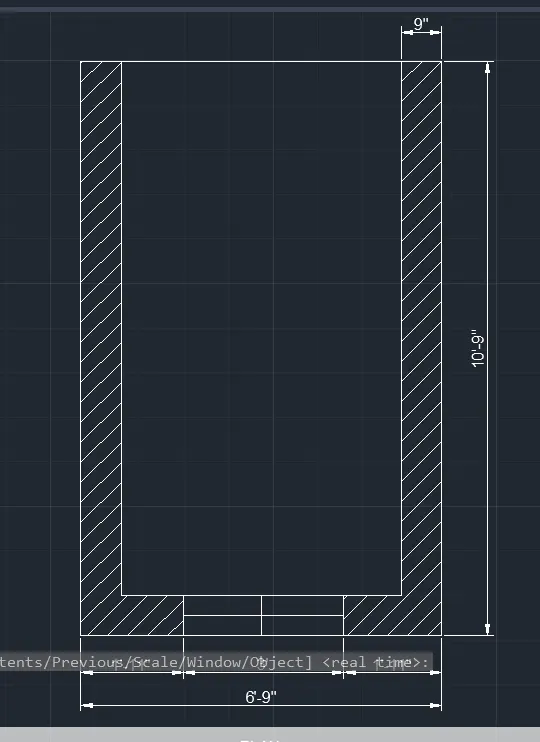
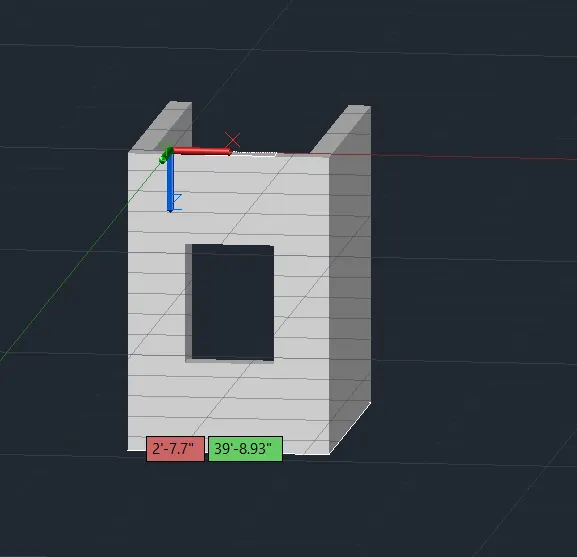
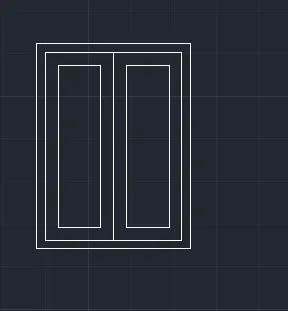
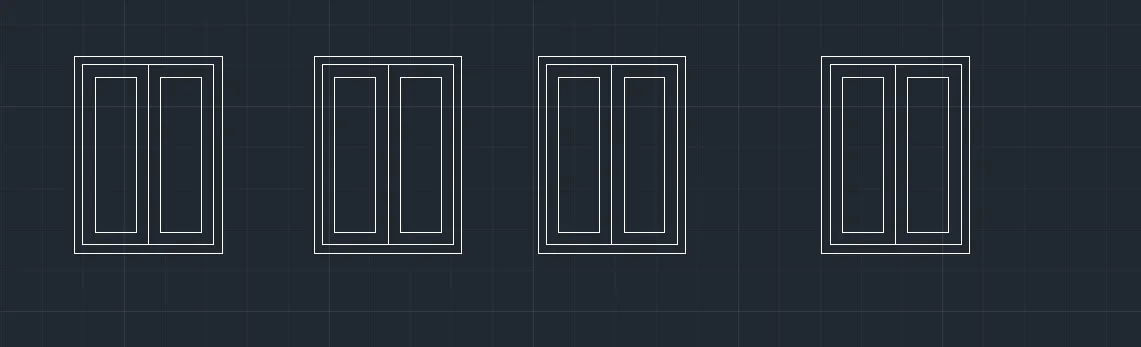
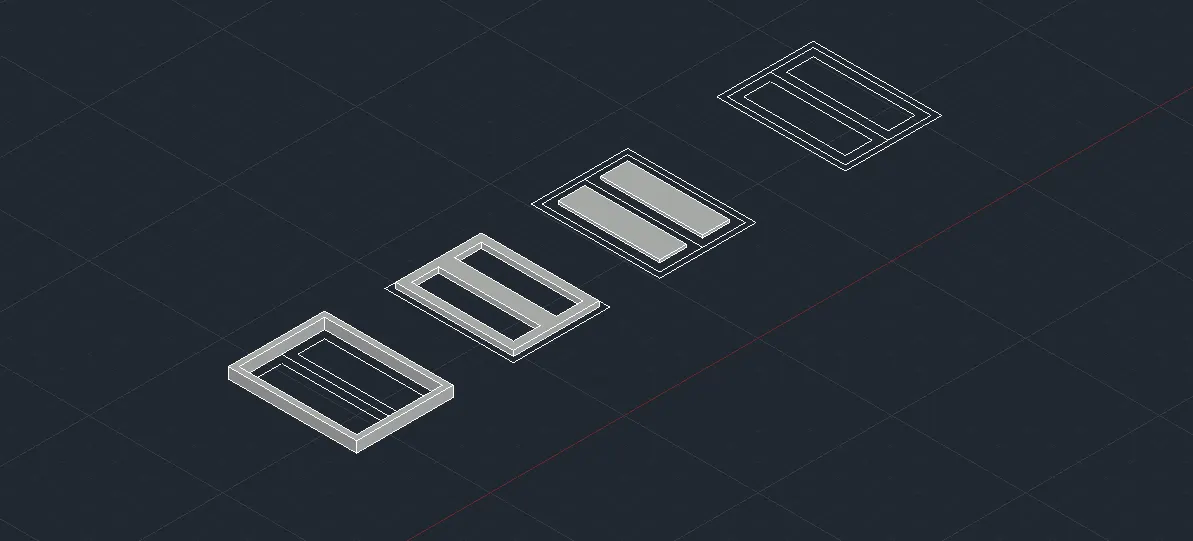
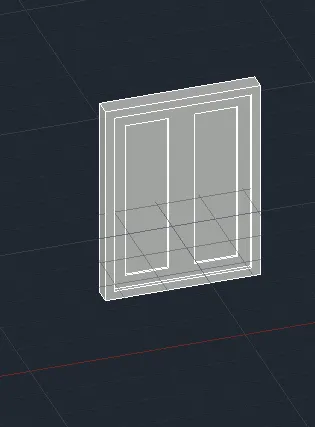
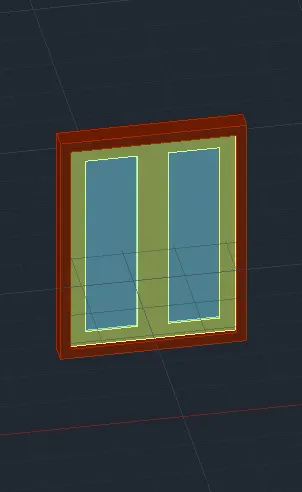
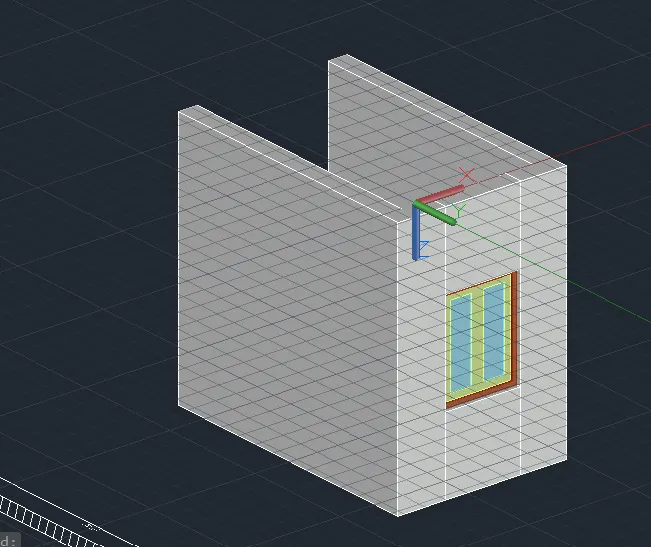
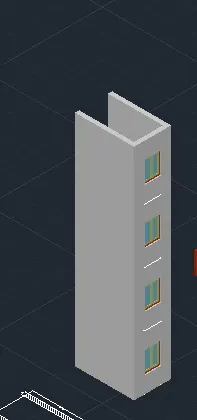
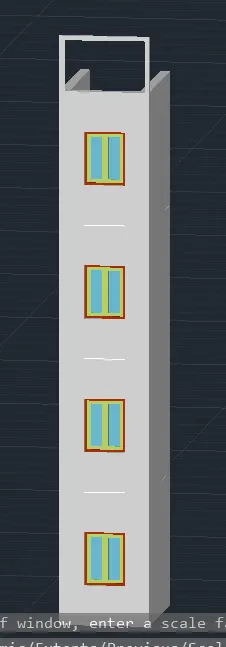
2. Create the 3D View of the Building Façade as given in the plan and elevation. Also, see the detail of the window.
Select object to trim or shift-select to extend or
[cuTting edges/Crossing/mOde/Project/eRase/Undo]:
Select object to trim or shift-select to extend or
[cuTting edges/Crossing/mOde/Project/eRase/Undo]:
Specify next fence point or [Undo]:
Specify next fence point or [Undo]:
Select object to trim or shift-select to extend or
[cuTting edges/Crossing/mOde/Project/eRase/Undo]:
Select object to trim or shift-select to extend or
[cuTting edges/Crossing/mOde/Project/eRase/Undo]:
Select object to trim or shift-select to extend or
[cuTting edges/Crossing/mOde/Project/eRase/Undo]:
Select object to trim or shift-select to extend or
[cuTting edges/Crossing/mOde/Project/eRase/Undo]:
Specify next fence point or [Undo]:
Specify next fence point or [Undo]:
Select object to trim or shift-select to extend or
[cuTting edges/Crossing/mOde/Project/eRase/Undo]:
Select object to trim or shift-select to extend or
[cuTting edges/Crossing/mOde/Project/eRase/Undo]:
Specify next fence point or [Undo]:
Specify next fence point or [Undo]:
Select object to trim or shift-select to extend or
[cuTting edges/Crossing/mOde/Project/eRase/Undo]: *Cancel*
Command: B
BLOCK
Automatic save to C:\Users\91637\AppData\Local\Temp\Drawing3_1_20851_173ffff9.sv$ ...
Command:
Command: BO
BOUNDARY
Pick internal point: Selecting everything...
Selecting everything visible...
Analyzing the selected data...
Analyzing internal islands...
Pick internal point:
4 loops extracted.
4 Regions created.
BOUNDARY created 4 regions
Command: *Cancel*
Crossing Lasso Press Spacebar to cycle options
Command: *Cancel*
Command: CO
COPY
Crossing Lasso Press Spacebar to cycle options18 found
Select objects:
Current settings: Copy mode = Multiple
Specify base point or [Displacement/mOde] :
Specify second point or [Array] :
Specify second point or [Array/Exit/Undo] :
Specify second point or [Array/Exit/Undo] :
Specify second point or [Array/Exit/Undo] : *Cancel*
Command: Specify opposite corner or [Fence/WPolygon/CPolygon]:
Command: *Cancel*
Command: Specify opposite corner or [Fence/WPolygon/CPolygon]: *Cancel*
Command: Specify opposite corner or [Fence/WPolygon/CPolygon]:
Command: *Cancel*
Command: Regenerating model.
Command: EXT
EXTRUDE
Current wire frame density: ISOLINES=4, Closed profiles creation mode = Solid
Select objects to extrude or [MOde]: 1 found
Select objects to extrude or [MOde]:
Specify height of extrusion or [Direction/Path/Taper angle/Expression] <3>: 4
Command: *Cancel*
Command: EXTRUDE
Current wire frame density: ISOLINES=4, Closed profiles creation mode = Solid
Select objects to extrude or [MOde]: 1 found
Select objects to extrude or [MOde]:
Specify height of extrusion or [Direction/Path/Taper angle/Expression] <-0'-4.00">:
Command: EXTRUDE
Current wire frame density: ISOLINES=4, Closed profiles creation mode = Solid
Select objects to extrude or [MOde]: 1 found
Select objects to extrude or [MOde]:
Specify height of extrusion or [Direction/Path/Taper angle/Expression] <-1'-8.14">: 2
Command: EX
EXTEND
View is not plan to UCS. Command results may not be obvious.
Current settings: Projection=UCS, Edge=None, Mode=Quick
Select object to extend or shift-select to trim or
[Boundary edges/Crossing/mOde/Project]: *Cancel*
Command: EXT
EXTRUDE
Current wire frame density: ISOLINES=4, Closed profiles creation mode = Solid
Select objects to extrude or [MOde]: 1 found
Select objects to extrude or [MOde]: 1 found, 2 total
Select objects to extrude or [MOde]:
Specify height of extrusion or [Direction/Path/Taper angle/Expression] <-0'-2.00">:
Command: EXT
EXTRUDE
Current wire frame density: ISOLINES=4, Closed profiles creation mode = Solid
Select objects to extrude or [MOde]: 1 found
Select objects to extrude or [MOde]:
Specify height of extrusion or [Direction/Path/Taper angle/Expression] <-1'-5.50">: 1
Command: EXT
EXTRUDE
Current wire frame density: ISOLINES=4, Closed profiles creation mode = Solid
Select objects to extrude or [MOde]: Specify opposite corner: 2 found
Select objects to extrude or [MOde]:
Specify height of extrusion or [Direction/Path/Taper angle/Expression] <-0'-1.00">: 1
Command: _u EXTRUDE
Command: EXTRUDE
Current wire frame density: ISOLINES=4, Closed profiles creation mode = Solid
Select objects to extrude or [MOde]: 1 found
Select objects to extrude or [MOde]:
Specify height of extrusion or [Direction/Path/Taper angle/Expression] <0>: 1
Command: *Cancel*
Command: SHADE
Command: *Cancel*
Command: SUBTRACT
Select solids, surfaces, and regions to subtract from ..
Select objects: 1 found
Select objects:
Select solids, surfaces, and regions to subtract ..
Select objects: 1 found
Select objects:
Command:
Command: _.erase 1 found
Command:
Command: _.erase 1 found
Command: EXTRUDE
Current wire frame density: ISOLINES=4, Closed profiles creation mode = Solid
Select objects to extrude or [MOde]: 1 found
Select objects to extrude or [MOde]: 1 found, 2 total
Select objects to extrude or [MOde]: 1 found, 3 total
Select objects to extrude or [MOde]: *Cancel*
Command: SUBTRACT
Select solids, surfaces, and regions to subtract from ..
Select objects: 1 found
Select objects:
Select solids, surfaces, and regions to subtract ..
Select objects: 1 found
Select objects: 1 found, 2 total
Select objects:
Command: *Cancel*
Command:
Command: _.erase 1 found
Command: EXT
EXTRUDE
Current wire frame density: ISOLINES=4, Closed profiles creation mode = Solid
Select objects to extrude or [MOde]: *Cancel*
Command: *Cancel*
Command:
Command: _.erase 1 found
Command:
Command: _.erase 1 found
Command: _u ERASE
Command: *Cancel*
Command:
Command: _.erase 1 found
Command:
Command: _.erase 1 found
Command:
Command: _.erase 1 found
Command:
Command: _.erase 1 found
Command:
Command: _.erase 1 found
Command: 3DROTATE
Current positive angle in UCS: ANGDIR=counterclockwise ANGBASE=0
Select objects: 1 found
Select objects: 1 found, 2 total
Select objects: 1 found, 3 total
Select objects: 1 found, 4 total
Select objects:
Specify base point:
Checking 820 intersections...
** ROTATE **
Specify rotation angle or [Base point/Copy/Undo/Reference/eXit]: 90
Command: *Cancel*
Window Lasso Press Spacebar to cycle options
Crossing Lasso Press Spacebar to cycle options
Command: _.erase 3 found
Crossing Lasso Press Spacebar to cycle options
Command: _.erase 3 found
Command:
Command: _.erase 1 found
Crossing Lasso Press Spacebar to cycle options
Command: _.erase 2 found
Crossing Lasso Press Spacebar to cycle options
Command: _.erase 3 found
Command:
Command: _.erase 1 found
Command: M
MOVE
Select objects: 1 found
Select objects:
Specify base point or [Displacement] :
Specify second point or :
Resuming MOVE command.
Specify second point or :
Command:
Command: M
MOVE
Select objects: 1 found
Select objects: 1 found, 2 total
Select objects:
Specify base point or [Displacement] :
Specify second point or :
Resuming MOVE command.
Specify second point or :
Command:
Command:
Command:
Command: _.erase 1 found
Command:
Command:
Command:
Command:
Command: *Cancel*
Command: SOLIDEDIT
Solids editing automatic checking: SOLIDCHECK=1
Enter a solids editing option [Face/Edge/Body/Undo/eXit] : F
Enter a face editing option
[Extrude/Move/Rotate/Offset/Taper/Delete/Copy/coLor/mAterial/Undo/eXit] : L
Select faces or [Undo/Remove]: 1 face found.
Select faces or [Undo/Remove/ALL]: 1 face found.
Select faces or [Undo/Remove/ALL]: 1 face found.
Select faces or [Undo/Remove/ALL]:
Resuming SOLIDEDIT command.
Select faces or [Undo/Remove/ALL]:
Resuming SOLIDEDIT command.
Select faces or [Undo/Remove/ALL]: *Cancel*
Command: SOLIDEDIT
Solids editing automatic checking: SOLIDCHECK=1
Enter a solids editing option [Face/Edge/Body/Undo/eXit] : B
Enter a body editing option
[Imprint/seParate solids/Shell/cLean/Check/Undo/eXit] : U
Command has been completely undone.
Enter a body editing option
[Imprint/seParate solids/Shell/cLean/Check/Undo/eXit] : U
Command has been completely undone.
Enter a body editing option
[Imprint/seParate solids/Shell/cLean/Check/Undo/eXit] : X
Solids editing automatic checking: SOLIDCHECK=1
Enter a solids editing option [Face/Edge/Body/Undo/eXit] : E
Enter an edge editing option [Copy/coLor/Undo/eXit] : L
Select edges or [Undo/Remove]:
Select edges or [Undo/Remove]:
Select edges or [Undo/Remove]:
Select edges or [Undo/Remove]: *Cancel*
Command:
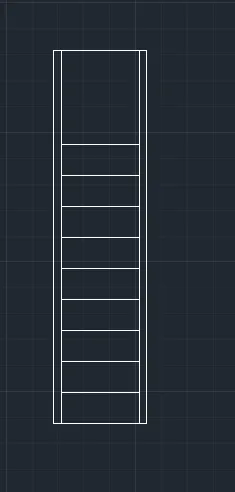
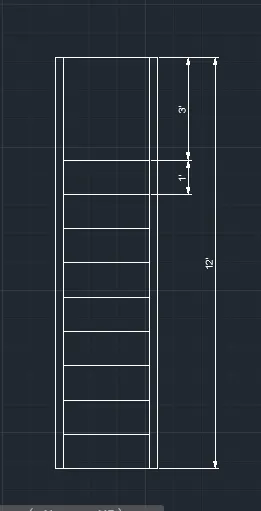
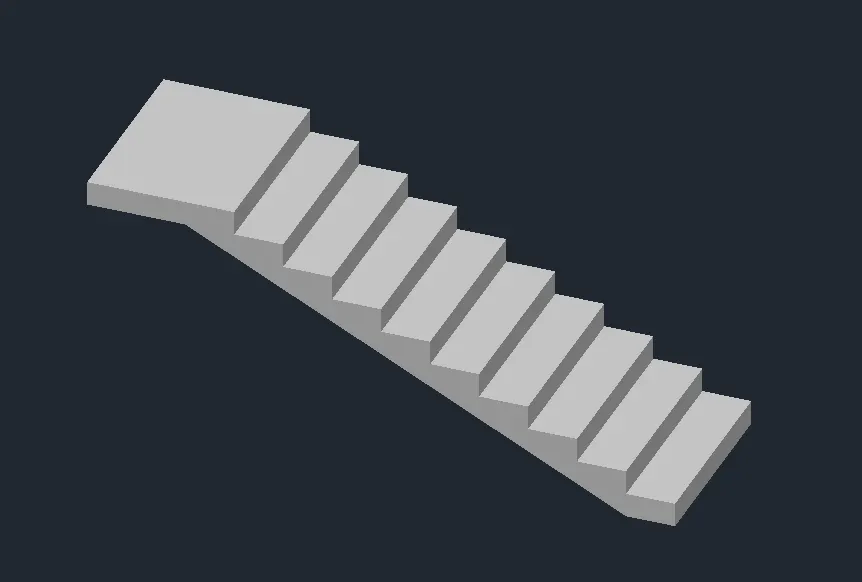
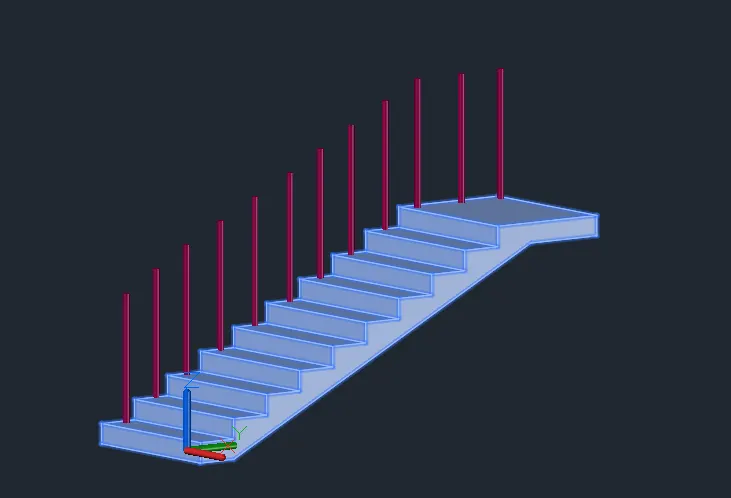
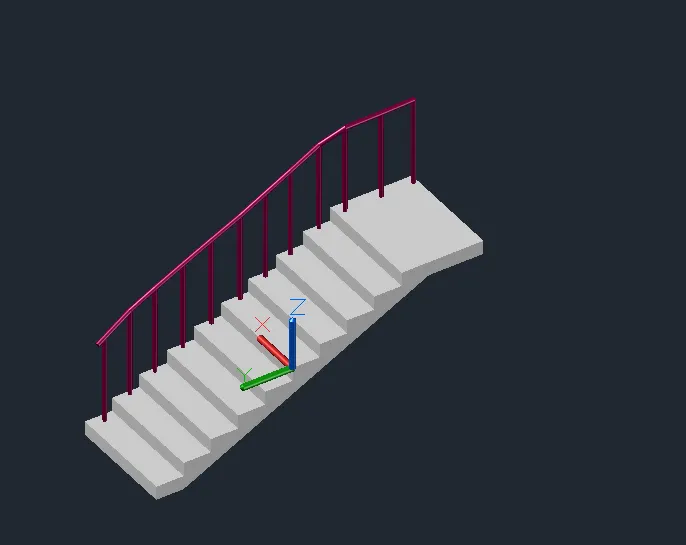
3. Create the ismoteric 3d view of a stair with railing as shown in the plan and elevation. Assume the size of the balustrades and the hand rails.
Command: CO
COPY
Select objects: 1 found
Select objects:
Current settings: Copy mode = Multiple
Specify base point or [Displacement/mOde] :
Specify second point or [Array] :
Specify second point or [Array/Exit/Undo] : _u
Command has been completely undone.
Specify second point or [Array] :
Specify second point or [Array/Exit/Undo] : _u
Command has been completely undone.
Specify second point or [Array] : _u
Point or option keyword required.
Specify second point or [Array] :
Specify second point or [Array/Exit/Undo] : _u
Command has been completely undone.
Specify second point or [Array] :
Specify second point or [Array/Exit/Undo] : _u
Command has been completely undone.
Specify second point or [Array] : *Cancel*
Command: CO
COPY
Select objects: 1 found
Select objects:
Current settings: Copy mode = Multiple
Specify base point or [Displacement/mOde] :
Specify second point or [Array] :
Specify second point or [Array/Exit/Undo] : _u
Command has been completely undone.
Specify second point or [Array] : *Cancel*
Command:
Command: CO
COPY 1 found
Current settings: Copy mode = Multiple
Specify base point or [Displacement/mOde] :
Specify second point or [Array] :
Specify second point or [Array/Exit/Undo] : _u
Command has been completely undone.
Specify second point or [Array] :
Specify second point or [Array/Exit/Undo] : _u
Command has been completely undone.
Specify second point or [Array] : *Cancel*
Command:
Command:
Command:
Command: *Cancel*
Command: CO
COPY
Select objects: 1 found
Select objects:
Current settings: Copy mode = Multiple
Specify base point or [Displacement/mOde] :
Specify second point or [Array] :
Specify second point or [Array/Exit/Undo] : *Cancel*
Command: _u COPY
Command: *Cancel*
Command:
Command:
Command: C
CIRCLE
Specify center point for circle or [3P/2P/Ttr (tan tan radius)]:
Specify radius of circle or [Diameter] <0>: 1
Command: C
CIRCLE
Specify center point for circle or [3P/2P/Ttr (tan tan radius)]:
Specify radius of circle or [Diameter] <0>: 1
Command: C
CIRCLE
Specify center point for circle or [3P/2P/Ttr (tan tan radius)]:
Specify radius of circle or [Diameter] <0>: 1
Command: REG
REGION
Select objects: 1 found
Select objects: 1 found, 2 total
Select objects: 1 found, 3 total
Select objects:
3 loops extracted.
3 Regions created.
Command: EXTRUDE
Current wire frame density: ISOLINES=4, Closed profiles creation mode = Solid
Select objects to extrude or [MOde]: 1 found
Select objects to extrude or [MOde]: 1 found, 2 total
Select objects to extrude or [MOde]: 1 found, 3 total
Select objects to extrude or [MOde]:
Specify height of extrusion or [Direction/Path/Taper angle/Expression] <3>: *Cancel*
3'2"
Command: *Cancel*
Command:
Command:
Command:
Command: C
CIRCLE
Specify center point for circle or [3P/2P/Ttr (tan tan radius)]:
Specify radius of circle or [Diameter] <0>: 1
Command: C
CIRCLE
Specify center point for circle or [3P/2P/Ttr (tan tan radius)]:
Specify radius of circle or [Diameter] <0>: 1
Command: C
CIRCLE
Specify center point for circle or [3P/2P/Ttr (tan tan radius)]:
Specify radius of circle or [Diameter] <0>: 1
Command: C
CIRCLE
Specify center point for circle or [3P/2P/Ttr (tan tan radius)]:
Specify radius of circle or [Diameter] <0>: 1
Command:
Command: *Cancel*
Command:
Command:
** STRETCH **
Specify stretch point or [Base point/Copy/Undo/eXit]:
Command:
** STRETCH **
Specify stretch point or [Base point/Copy/Undo/eXit]:
Oblique, non-uniformly scaled objects were ignored.
Command:
** STRETCH **
Specify stretch point or [Base point/Copy/Undo/eXit]:
Oblique, non-uniformly scaled objects were ignored.
Command:
** STRETCH **
Specify stretch point or [Base point/Copy/Undo/eXit]:
Command:
** STRETCH **
Specify stretch point or [Base point/Copy/Undo/eXit]:
Command: *Cancel*
Command: C
CIRCLE
Specify center point for circle or [3P/2P/Ttr (tan tan radius)]:
Specify radius of circle or [Diameter] <0>: 1
Command: C
CIRCLE
Specify center point for circle or [3P/2P/Ttr (tan tan radius)]:
Specify radius of circle or [Diameter] <0>: 1
Automatic save to C:\Users\91637\AppData\Local\Temp\Stairs_1_4940_26895a91.sv$ ...
Command:
Command: C
CIRCLE
Specify center point for circle or [3P/2P/Ttr (tan tan radius)]:
Specify radius of circle or [Diameter] <0>: 1
Command: C
CIRCLE
Specify center point for circle or [3P/2P/Ttr (tan tan radius)]:
Specify radius of circle or [Diameter] <0>: 1
Command: *Cancel*
Command:
Command: _.erase 1 found
Command: C
CIRCLE
Specify center point for circle or [3P/2P/Ttr (tan tan radius)]:
Specify radius of circle or [Diameter] <0>: 1
Command: REGION
Select objects: 1 found
Select objects: 1 found, 2 total
Select objects: 1 found, 3 total
Select objects: 1 found, 4 total
Select objects: 1 found, 5 total
Select objects: 1 found, 6 total
Select objects: 1 found, 7 total
Select objects: 1 found, 8 total
Select objects:
8 loops extracted.
8 Regions created.
Command: EXT
EXTRUDE
Current wire frame density: ISOLINES=4, Closed profiles creation mode = Solid
Select objects to extrude or [MOde]: 1 found
Select objects to extrude or [MOde]: 1 found, 2 total
Select objects to extrude or [MOde]: 1 found, 3 total
Select objects to extrude or [MOde]: 1 found, 4 total
Select objects to extrude or [MOde]: 1 found, 5 total
Select objects to extrude or [MOde]: 1 found, 6 total
Select objects to extrude or [MOde]: 1 found, 7 total
Select objects to extrude or [MOde]: 1 found, 8 total
Select objects to extrude or [MOde]:
Specify height of extrusion or [Direction/Path/Taper angle/Expression] <3>: 3'2"
Command: *Cancel*
Command:
Command:
Command:
Command:
Command: *Cancel*
Command:
Command:
Command: L
LINE
Specify first point:
Specify next point or [Undo]:
Specify next point or [Undo]:
Specify next point or [Close/Undo]:
Specify next point or [Close/Undo]:
Specify next point or [Close/Undo]:
Specify next point or [Close/Undo]:
Specify next point or [Close/Undo]:
Specify next point or [Close/Undo]:
Specify next point or [Close/Undo]:
Specify next point or [Close/Undo]: _u
Specify next point or [Close/Undo]:
Specify next point or [Close/Undo]: *Cancel*
Command: Specify opposite corner or [Fence/WPolygon/CPolygon]:
Command:
Command: _.erase 1 found
Command: L
LINE
Specify first point:
Specify next point or [Undo]:
Specify next point or [Undo]:
Specify next point or [Close/Undo]: *Cancel*
Command: C
CIRCLE
Specify center point for circle or [3P/2P/Ttr (tan tan radius)]:
Specify radius of circle or [Diameter] <0>: 1
Command: *Cancel*
Crossing Lasso Press Spacebar to cycle options
Command: Specify opposite corner or [Fence/WPolygon/CPolygon]:
Command: SWEEP
Current wire frame density: ISOLINES=4, Closed profiles creation mode = Solid
1 found
Select sweep path or [Alignment/Base point/Scale/Twist]:
Command:
Command:
Command:
Command:
Command:
Command:
Command:
Command:
Command: *Cancel*
Command:
Command:
Command: _presspull
Select object or bounded area:
Resuming PRESSPULL command.
Select object or bounded area:
Resuming PRESSPULL command.
Select object or bounded area:
1 loop extracted.
1 Region created.
Specify extrusion height or [Multiple]:
Specify extrusion height or [Multiple]:
1 extrusion(s) created
Select object or bounded area:_u
2D point or option keyword required.
Select object or bounded area:_u
2D point or option keyword required.
Select object or bounded area:_u
2D point or option keyword required.
Select object or bounded area:
Command: _u PRESSPULL GROUP
Command:
Command: _.erase 1 found
Command: _u ERASE
Command: _u INTELLIZOOM INTELLIZOOM INTELLIZOOM INTELLIZOOM
Command: _u SWEEP
Command: _u INTELLIZOOM INTELLIZOOM
Command: *Cancel*
Command: JOIN
Select source object or multiple objects to join at once: 1 found
Select objects to join: 1 found, 2 total
Select objects to join: 1 found, 3 total
Select objects to join: 1 found, 4 total
Select objects to join: 1 found, 5 total
Select objects to join: 1 found, 6 total
Select objects to join: 1 found, 7 total
Select objects to join: 1 found, 8 total
Select objects to join: 1 found, 9 total
Select objects to join: 1 found, 10 total
Select objects to join:
10 objects converted to 1 3D polyline
Command: Specify opposite corner or [Fence/WPolygon/CPolygon]:
Command: SWEEP
Current wire frame density: ISOLINES=4, Closed profiles creation mode = Solid
1 found
Select sweep path or [Alignment/Base point/Scale/Twist]:
Command:
Command:
Command: _presspull
Select object or bounded area:
Click a face, curve, or inside a bounded area
Select object or bounded area:
Specify extrusion height or [Multiple]:
Specify extrusion height or [Multiple]:4
1 extrusion(s) created
Select object or bounded area:
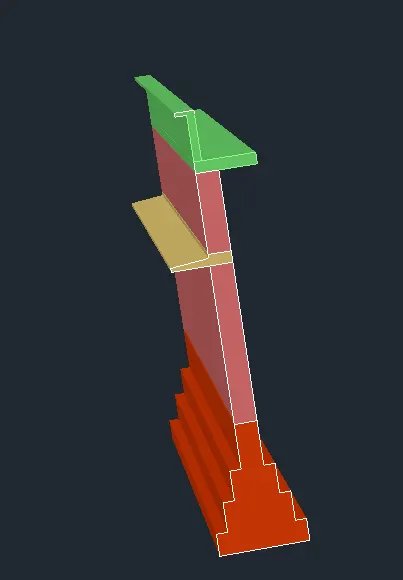
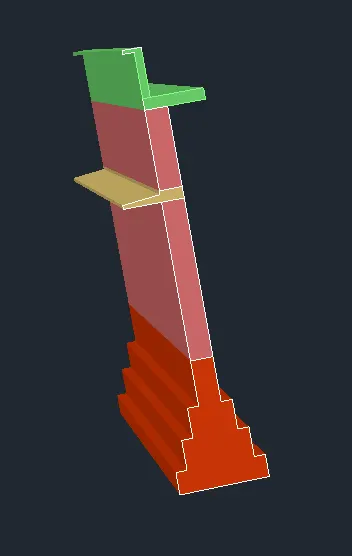
4. Create the 3D view of a Wall with spread footing . Create the Door opening only. Assume the size of the parpaet and the coping. See the plans and elevation for the details. Also, create a rendered view of the model with materials as of your choice.