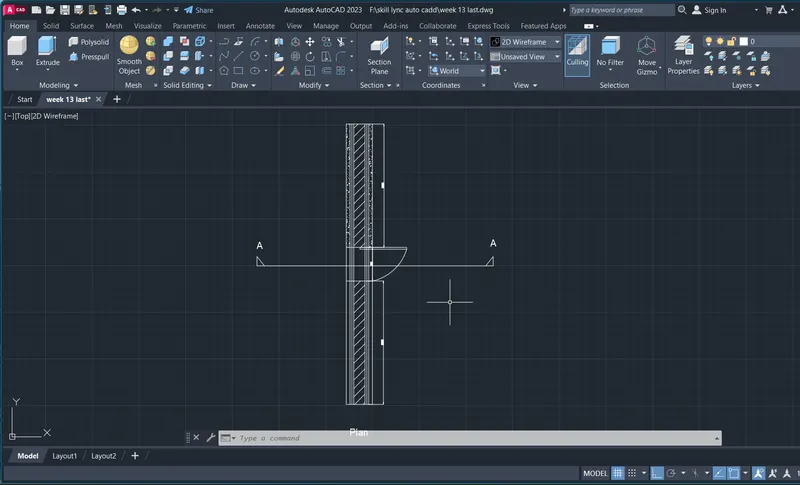
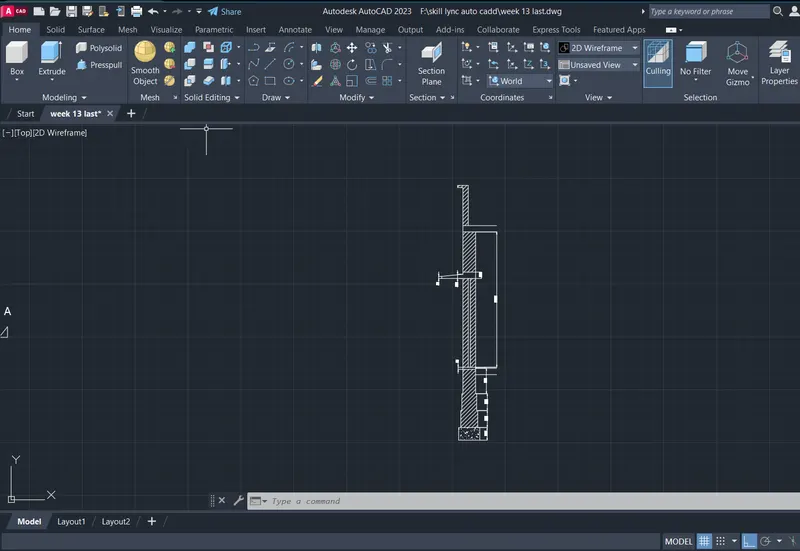
Creating 3D Isometric view of various structural elements in AutoCAD
AIM:
To draw a plan and elevation of the drawind
COMMANDS USED:
- line
- trim
- offset
- adc
- mirror
PROCEDURE:
Command:
* STRETCH *
Specify stretch point or [Base point/Copy/Undo/eXit]: 3"
Point or option keyword required.
Specify stretch point or [Base point/Copy/Undo/eXit]:Cancel
Command: STRETCH
1 found
Specify base point or [Displacement] :
Specify second point or : 3"
Command:
Command:
Command:
* STRETCH *
Specify stretch point or [Base point/Copy/Undo/eXit]:
Command: Cancel
Command:
Command:
Command:
Automatic save to C:\Users\Welcome\AppData\Local\Temp\Drawing1_1_2933_293ad6d7.sv$ ...
Command:
Command:
Command:
* STRETCH *
Specify stretch point or [Base point/Copy/Undo/eXit]:
Command: Cancel
Command:
Command: L
LINE
Specify first point: 4"
Specify next point or [Undo]: Cancel
Command: L
LINE
Specify first point: 4"
Specify next point or [Undo]:
Specify next point or [Undo]: Cancel
Command:
Command:
* STRETCH *
Specify stretch point or [Base point/Copy/Undo/eXit]: Transparent rotations will not be applied during grip edits.
Resuming GRIP_STRETCH command.
Specify stretch point or [Base point/Copy/Undo/eXit]:
Command:
Command:
* STRETCH *
Specify stretch point or [Base point/Copy/Undo/eXit]:
Command: Cancel
Command:
Command:
Crossing Lasso Press Spacebar to cycle options
Command: STRETCH
Stretching selected objects by last window...1 found
Specify base point or [Displacement] :
Specify second point or :
Command: L
LINE
Specify first point:
Resuming LINE command.
Specify first point: 4"
Specify next point or [Undo]:
Specify next point or [Undo]: Cancel
Command:
Command:
* STRETCH *
Specify stretch point or [Base point/Copy/Undo/eXit]:
Command:
* STRETCH *
Specify stretch point or [Base point/Copy/Undo/eXit]:
Command:
Command:
Command:
* STRETCH *
Specify stretch point or [Base point/Copy/Undo/eXit]:
Command: _u Grip Edit
Command:
Command: _.erase 1 found
Command: L
LINE
Specify first point: 4"
Specify next point or [Undo]: 2'10"
Specify next point or [Undo]: 2'10"
Specify next point or [Close/Undo]: _u
Specify next point or [Undo]: 1'10"
Specify next point or [Close/Undo]: 2'10"
Specify next point or [Close/Undo]: Cancel
Command:
Command:
* STRETCH *
Specify stretch point or [Base point/Copy/Undo/eXit]:
Command:
* STRETCH *
Specify stretch point or [Base point/Copy/Undo/eXit]:
Command: Cancel
Command:
Command:
Command:
Command:
Command:
Command:
Command:
Command:
* STRETCH *
Specify stretch point or [Base point/Copy/Undo/eXit]:
Command: Cancel
Command:
Command: _.erase 1 found
Command: Specify opposite corner or [Fence/WPolygon/CPolygon]:
Command: _.erase 1 found
Command:
Command:
Command: _.erase 1 found
Command: Specify opposite corner or [Fence/WPolygon/CPolygon]:
Command:
Command:
* STRETCH *
Specify stretch point or [Base point/Copy/Undo/eXit]:
Crossing Lasso Press Spacebar to cycle options
Command: _.erase 2 found
Crossing Lasso Press Spacebar to cycle options
Command: _.erase 2 found
Command:
Command: _.erase 1 found
Command: L
LINE
Specify first point:
Specify next point or [Undo]:
Resuming LINE command.
Specify next point or [Undo]:
Specify next point or [Undo]: _u
Specify next point or [Undo]:
Resuming LINE command.
Specify next point or [Undo]:
Resuming LINE command.
Specify next point or [Undo]:
Resuming LINE command.
Specify next point or [Undo]: Cancel
Command: L
LINE
Specify first point: 3"
Specify next point or [Undo]: 3'6"
Specify next point or [Undo]: 2'6"
Specify next point or [Close/Undo]: 3'6"
Specify next point or [Close/Undo]:
Resuming LINE command.
Specify next point or [Close/Undo]: _u
Specify next point or [Close/Undo]: 3'3"
Specify next point or [Close/Undo]: 2'6"
Specify next point or [Close/Undo]: Cancel
Command:
Command:
Command: L
LINE
Specify first point: Cancel
Command:
Command:
* STRETCH *
Specify stretch point or [Base point/Copy/Undo/eXit]:
Command: Cancel
Command:
Command:
Command:
Command:
* STRETCH *
Specify stretch point or [Base point/Copy/Undo/eXit]:1"
Command: Cancel
Command:
Command:
* STRETCH *
Specify stretch point or [Base point/Copy/Undo/eXit]:1"
Command: Cancel
Command:
Command:
* STRETCH *
Specify stretch point or [Base point/Copy/Undo/eXit]: Transparent rotations will not be applied during grip edits.
Resuming GRIP_STRETCH command.
Specify stretch point or [Base point/Copy/Undo/eXit]: Transparent rotations will not be applied during grip edits.
Resuming GRIP_STRETCH command.
Specify stretch point or [Base point/Copy/Undo/eXit]:
Command:
* STRETCH *
Specify stretch point or [Base point/Copy/Undo/eXit]:
Command: Cancel
Command:
Command:
Command:
Command:
Command:
Command:
Command:
* STRETCH *
Specify stretch point or [Base point/Copy/Undo/eXit]:
Resuming GRIP_STRETCH command.
Specify stretch point or [Base point/Copy/Undo/eXit]: Transparent rotations will not be applied during grip edits.
Resuming GRIP_STRETCH command.
Specify stretch point or [Base point/Copy/Undo/eXit]:1"
Command:
* STRETCH *
Specify stretch point or [Base point/Copy/Undo/eXit]:1"
Command: Cancel
Command:
Command:
Command:
* STRETCH *
Specify stretch point or [Base point/Copy/Undo/eXit]:
Command:
* STRETCH *
Specify stretch point or [Base point/Copy/Undo/eXit]:
Command: Cancel
Command:
Command:
Command:
Command:
Command:
Command:
Command:
Command: Cancel
Window Lasso Press Spacebar to cycle options
Command: Cancel
Command:
Command: L
LINE
Specify first point: 4"
Specify next point or [Undo]: 3'6"
Specify next point or [Undo]: _u
Specify next point or [Undo]: 3'
Specify next point or [Undo]: 2'3"
Specify next point or [Close/Undo]: _u
Specify next point or [Undo]: 2'
Specify next point or [Close/Undo]: 3'6"
Specify next point or [Close/Undo]: Cancel
Command:
Command:
* STRETCH *
Specify stretch point or [Base point/Copy/Undo/eXit]:Cancel
Command: STRETCH
1 found
Specify base point or [Displacement] :
Specify second point or :
Resuming STRETCH command.
Specify second point or :
Command:
Command:
* STRETCH *
Specify stretch point or [Base point/Copy/Undo/eXit]:
Command: Cancel
Command: L
LINE
Specify first point: 4"
Specify next point or [Undo]: 2'
Specify next point or [Undo]: Cancel
Automatic save to C:\Users\Welcome\AppData\Local\Temp\Drawing1_1_2933_293ad6d7.sv$ ...
Command:
Command: Specify opposite corner or [Fence/WPolygon/CPolygon]:
Command:
* STRETCH *
Specify stretch point or [Base point/Copy/Undo/eXit]:
Command:
Command:
* STRETCH *
Specify stretch point or [Base point/Copy/Undo/eXit]:
Command: Cancel
Command:
Command:
Command: Cancel
Command:
Command:
* STRETCH *
Specify stretch point or [Base point/Copy/Undo/eXit]:2"
Command: Cancel
Command:
Command:
* STRETCH *
Specify stretch point or [Base point/Copy/Undo/eXit]:2"
Command: Cancel
Command: Specify opposite corner or [Fence/WPolygon/CPolygon]:
Command:
* STRETCH *
Specify stretch point or [Base point/Copy/Undo/eXit]:
Command:
Command:
* STRETCH *
Specify stretch point or [Base point/Copy/Undo/eXit]:
Command: Cancel
Command:
Command: Cancel
Command: Cancel
Command:
Restoring cached viewports - Regenerating layout.
Regenerating 97 modified entities.
Command:
Command: Cancel
Command: Specify opposite corner or [Fence/WPolygon/CPolygon]:
Command: Regenerating model.
Command: Regenerating model.
Command: Cancel
Command: Cancel
Command:
Restoring cached viewports.
Command:
AIM:
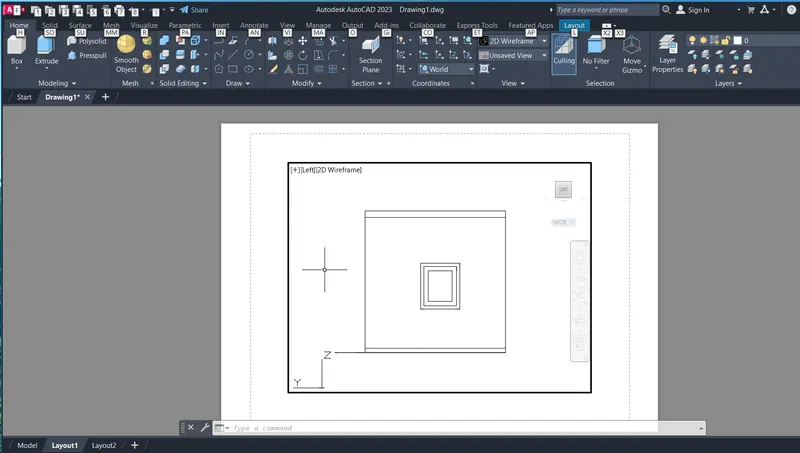
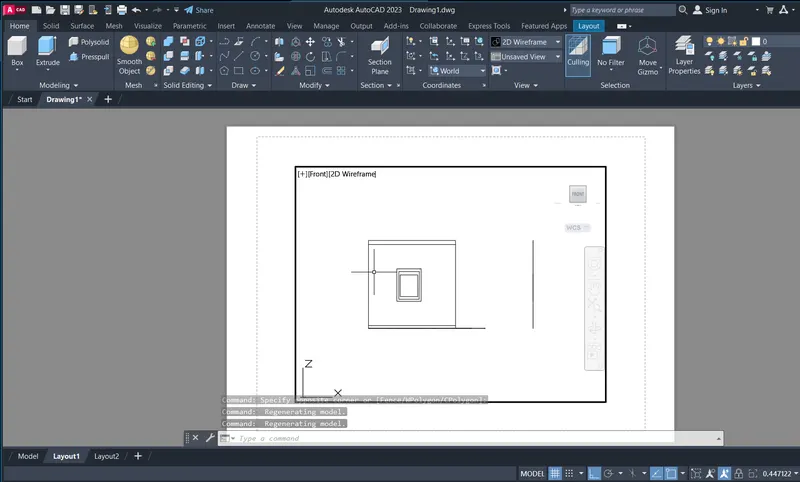
To draw a plan and elevation of the drawind
COMMANDS USED:
- line
- trim
- offset
- adc
- mirror
PROCEDURE:
Regenerating model.
Cancel
AutoCAD menu utilities loaded.
Command:
Command:
Command:
Command:
Command:
Command: _QSave
Command: Regenerating model.
Command: UNITS
Command: D
DIMSTYLE
Command: L
LINE
Specify first point: Regenerating model.
Resuming LINE command.
Specify first point:
Specify next point or [Undo]: <Ortho on> 10'9"
Specify next point or [Undo]: 1'11"
Specify next point or [Close/Undo]: 3'
Specify next point or [Close/Undo]: 1'11"
Specify next point or [Close/Undo]: 10'9"
Specify next point or [Close/Undo]: _u
Specify next point or [Close/Undo]: 10'11"
Specify next point or [Close/Undo]: Cancel
Command: L
LINE
Specify first point:
Specify next point or [Undo]: 9"
Specify next point or [Undo]: 10'
Specify next point or [Close/Undo]: 1'2"
Specify next point or [Close/Undo]: 3'
Specify next point or [Close/Undo]: 1'2"
Specify next point or [Close/Undo]: 10'
Specify next point or [Close/Undo]: _u
Specify next point or [Close/Undo]:
Specify next point or [Close/Undo]:
Specify next point or [Close/Undo]: Cancel
Window Lasso Press Spacebar to cycle options
Window Lasso Press Spacebar to cycle options
Command: MOVE
12 found
Specify base point or [Displacement] <Displacement>:
Specify second point or <use first point as displacement>: <Ortho off>
Command: ADC
Command:
Command:
Command:
Command:
Command:
* STRETCH *
Specify stretch point or [Base point/Copy/Undo/eXit]:
Command:
Command:
Command: _properties
Command:
Command:
Command:
Command: Cancel
Command: H
HATCH
Pick internal point or [Select objects/Undo/seTtings]: Cancel
Command: L
LINE
Specify first point:
Specify next point or [Undo]:
Specify next point or [Undo]: Cancel
Command:
LINE
Specify first point:
Specify next point or [Undo]:
Specify next point or [Undo]: Cancel
Command:
Command: Cancel
Command:
Command: Cancel
Command: H
HATCH
Pick internal point or [Select objects/Undo/seTtings]: Selecting everything...
Selecting everything visible...
Analyzing the selected data...
Analyzing internal islands...
Pick internal point or [Select objects/Undo/seTtings]: Selecting everything...
Selecting everything visible...
Analyzing the selected data...
Analyzing internal islands...
Pick internal point or [Select objects/Undo/seTtings]: '_-hatchedit_pANSI31
Command: '_-hatchedit
>>Enter hatch option [DIsassociate/Style/Properties/DRaw order/ADd boundaries/Remove boundaries/recreate Boundary/ASsociate/separate Hatches/Origin/ANnotative/hatch COlor/LAyer/Transparency] <Properties>: _p
>>Enter a pattern name or [?/Solid/User defined/Gradient] <ANGLE>: ANSI31
>>Specify a scale for the pattern <1.0000>:
>>Specify an angle for the pattern <0>:
Command: '_-hatchedit_pANSI31*Cancel*
Command: Cancel
Command: DLI
DIMLINEAR
Specify first extension line origin or <select object>:
Specify second extension line origin:
Specify dimension line location or
[Mtext/Text/Angle/Horizontal/Vertical/Rotated]:
Dimension text = 3'
Command:
DIMLINEAR
Specify first extension line origin or <select object>:
Specify second extension line origin:
Specify dimension line location or
[Mtext/Text/Angle/Horizontal/Vertical/Rotated]:
Dimension text = 1'-11"
Command:
DIMLINEAR
Specify first extension line origin or <select object>:
Specify second extension line origin:
Specify dimension line location or
[Mtext/Text/Angle/Horizontal/Vertical/Rotated]:
Dimension text = 1'-11"
Command:
DIMLINEAR
Specify first extension line origin or <select object>:
Specify second extension line origin:
Specify dimension line location or
[Mtext/Text/Angle/Horizontal/Vertical/Rotated]:
Command:
DIMLINEAR
Specify first extension line origin or <select object>:
Specify second extension line origin:
Specify dimension line location or
[Mtext/Text/Angle/Horizontal/Vertical/Rotated]:
Dimension text = 9"
Command:
DIMLINEAR
Specify first extension line origin or <select object>:
Specify second extension line origin:
Specify dimension line location or
[Mtext/Text/Angle/Horizontal/Vertical/Rotated]:
Dimension text = 10'-9"
Command: Regenerating model.
Command: DLI
DIMLINEAR
Specify first extension line origin or <select object>:
Specify second extension line origin:
Specify dimension line location or
[Mtext/Text/Angle/Horizontal/Vertical/Rotated]:
Dimension text = 6'-10"
Command:
Command: Cancel
Command:
Automatic save to C:\Users\Welcome\AppData\Local\Temp\week 13 p2_1_21680_96e75345.sv$ ...
Command:
Command: L
LINE
Specify first point:
Specify next point or [Undo]: <Ortho on> Regenerating model.
Resuming LINE command.
Specify next point or [Undo]: Regenerating model.
Resuming LINE command.
Specify next point or [Undo]: 4'6"
Specify next point or [Undo]: 10'9"
Specify next point or [Close/Undo]: 4'6"
Specify next point or [Close/Undo]: Cancel
Automatic save to C:\Users\Welcome\AppData\Local\Temp\week 13 p2_1_21680_96e75345.sv$ ...
Command:
Command: L
LINE
Specify first point:
Specify next point or [Undo]: 4'2"
Specify next point or [Undo]: 5'11"
Specify next point or [Close/Undo]: 10'9"
Specify next point or [Close/Undo]: 4'
Specify next point or [Close/Undo]: 10'9"
Specify next point or [Close/Undo]: 9'11"
Specify next point or [Close/Undo]: 10'9"
Specify next point or [Close/Undo]: 5'11"
Specify next point or [Close/Undo]: 10'9"
Specify next point or [Close/Undo]: 4'
Specify next point or [Close/Undo]: 10'9"
Specify next point or [Close/Undo]: 2'5"
Specify next point or [Close/Undo]: 10'9"
Specify next point or [Close/Undo]: 6'5"
Specify next point or [Close/Undo]: 10'9"
Specify next point or [Close/Undo]:
Specify next point or [Close/Undo]: 4"
Specify next point or [Close/Undo]: 5'8"
Specify next point or [Close/Undo]: 10'1"
Specify next point or [Close/Undo]:
Specify next point or [Close/Undo]: Cancel
Command: Specify opposite corner or [Fence/WPolygon/CPolygon]:
Command:
Command:
* STRETCH *
Specify stretch point or [Base point/Copy/Undo/eXit]:
Command: Cancel
Command:
Command: _.erase 1 found
Command: Regenerating model.
Automatic save to C:\Users\Welcome\AppData\Local\Temp\week 13 p2_1_21680_96e75345.sv$ ...
Command:
Command: L
LINE
Specify first point: 5'4.5"
Specify next point or [Undo]: _u
All segments already undone.
Specify first point: Cancel
Command: L
LINE
Specify first point:
Specify next point or [Undo]: 5'4.5"
Specify next point or [Undo]:
Specify next point or [Close/Undo]: Cancel
Command:
Command: _.erase 1 found
Command: REC
RECTANG
Specify first corner point or [Chamfer/Elevation/Fillet/Thickness/Width]:
Specify other corner point or [Area/Dimensions/Rotation]:
>>Enter new value for ORTHOMODE <0>:
Resuming RECTANG command.
Specify other corner point or [Area/Dimensions/Rotation]: '_setvar
>>Enter variable name or [?] <ORTHOMODE>: SubObjSelectionMode
>>Enter new value for SUBOBJSELECTIONMODE <0>: 4
Resuming RECTANG command.
Specify other corner point or [Area/Dimensions/Rotation]: R
Specify rotation angle or [Pick points] <0>: 0
Specify other corner point or [Area/Dimensions/Rotation]: Cancel
Command: REC
RECTANG
Specify first corner point or [Chamfer/Elevation/Fillet/Thickness/Width]:
Specify other corner point or [Area/Dimensions/Rotation]:
Specify other corner point or [Area/Dimensions/Rotation]: 4'2"
Crossing Lasso Press Spacebar to cycle options
Command: _.erase 1 found
Command: REC
RECTANG
Specify first corner point or [Chamfer/Elevation/Fillet/Thickness/Width]:
Specify other corner point or [Area/Dimensions/Rotation]:
Specify other corner point or [Area/Dimensions/Rotation]: 4'2"
Command: DLI
DIMLINEAR
Specify first extension line origin or <select object>:
Specify second extension line origin:
Specify dimension line location or
[Mtext/Text/Angle/Horizontal/Vertical/Rotated]:
Dimension text = 3'
Command: Cancel
Command:
Command: _.erase 1 found
Command: ROTATE3D
Current positive angle: ANGDIR=counterclockwise ANGBASE=0
Select objects: 1 found
Select objects:
Specify first point on axis or define axis by
[Object/Last/View/Xaxis/Yaxis/Zaxis/2points]: Z
Specify a point on the Z axis <0,0,0>:
Specify rotation angle or [Reference]: Specify second point:
Command:
ROTATE3D
Current positive angle: ANGDIR=counterclockwise ANGBASE=0
Select objects: 1 found
Select objects:
Specify first point on axis or define axis by
[Object/Last/View/Xaxis/Yaxis/Zaxis/2points]: Z
Specify a point on the Z axis <0,0,0>:
Specify rotation angle or [Reference]: 4'2"
Command:
Command:
* STRETCH *
Specify stretch point or [Base point/Copy/Undo/eXit]:Cancel
Command: Cancel
Crossing Lasso Press Spacebar to cycle options
Command:
Command:
Command: Specify opposite corner or [Fence/WPolygon/CPolygon]:
Crossing Lasso Press Spacebar to cycle options
Command:
* STRETCH *
Specify stretch point:
Command:
Command:
Command: Cancel
Command: OFFSET
Current settings: Erase source=No Layer=Source OFFSETGAPTYPE=0
Specify offset distance or [Through/Erase/Layer] <Through>:
Select object to offset or [Exit/Undo] <Exit>:
Specify through point or [Exit/Multiple/Undo] <Exit>: 2"
Select object to offset or [Exit/Undo] <Exit>: l
Invalid selection
Expects a point or Exit
Select object to offset or [Exit/Undo] <Exit>: Cancel
Command: L
LINE
Specify first point: Cancel
Command: L
LINE
Specify first point: 1'6"
Specify next point or [Undo]:
Specify next point or [Undo]: Cancel
Command:
Command:
* STRETCH *
Specify stretch point or [Base point/Copy/Undo/eXit]:
Command:
* STRETCH *
Specify stretch point or [Base point/Copy/Undo/eXit]:
Command: Cancel
Command:
Command: STRETCH
1 found
Specify base point or [Displacement] <Displacement>:
Specify second point or <use first point as displacement>: 2"
Command: Specify opposite corner or [Fence/WPolygon/CPolygon]:
Crossing Lasso Press Spacebar to cycle options
Command: STRETCH
Stretching selected objects by last window...1 found
Specify base point or [Displacement] <Displacement>:
Specify second point or <use first point as displacement>: 3"
Invalid point.
Specify second point or <use first point as displacement>:
Command: Specify opposite corner or [Fence/WPolygon/CPolygon]:
Crossing Lasso Press Spacebar to cycle options
Command:
* STRETCH *
Specify stretch point or [Base point/Copy/Undo/eXit]:
Command:
* STRETCH *
Specify stretch point or [Base point/Copy/Undo/eXit]:8"
Command:
* STRETCH *
Specify stretch point or [Base point/Copy/Undo/eXit]:5"
Command:
* STRETCH *
Specify stretch point or [Base point/Copy/Undo/eXit]:1"
Command:
Command:
* STRETCH *
Specify stretch point or [Base point/Copy/Undo/eXit]:.5"
Command:
* STRETCH *
Specify stretch point or [Base point/Copy/Undo/eXit]:.2"
Command: Cancel
Command:
Command:
Command:
Command:
* STRETCH *
Specify stretch point or [Base point/Copy/Undo/eXit]:
Command:
* STRETCH *
Specify stretch point or [Base point/Copy/Undo/eXit]:
Command:
Command:
Command:
Command:
Command:
Command:
Command:
Command:
Command:
Command:
Command:
Command:
Command:
Command:
Command:
Command: Cancel
Command:
Crossing Lasso Press Spacebar to cycle options
Command: Specify opposite corner or [Fence/WPolygon/CPolygon]:
Command:
* STRETCH *
Specify stretch point:
Command:
* STRETCH *
Specify stretch point:
Command:
Command: Cancel
Command:
Command:
Command:
Command: Specify opposite corner or [Fence/WPolygon/CPolygon]: Cancel
Command:
Command: Specify opposite corner or [Fence/WPolygon/CPolygon]:
Command:
Command:
Command:
Window Lasso Press Spacebar to cycle options
Command: Cancel
Command:
Command:
Command:
Command:
Crossing Lasso Press Spacebar to cycle options
Command: _.erase 1 found
Crossing Lasso Press Spacebar to cycle options
Command: _.erase 2 found
Command:
Command: ADC
Command:
Command:
Command:
Command:
Command:
Command:
Crossing Lasso Press Spacebar to cycle options
Command: ROTATE3D
Current positive angle: ANGDIR=counterclockwise ANGBASE=0
Specify first point on axis or define axis by
[Object/Last/View/Xaxis/Yaxis/Zaxis/2points]: Z
Specify a point on the Z axis <0,0,0>:
Specify rotation angle or [Reference]: Specify second point:
Invalid input.
Specify rotation angle or [Reference]: R
Specify the reference angle <0>: Specify second point: Specify the new angle:
Invalid input.
Specify the new angle: 90
Automatic save to C:\Users\Welcome\AppData\Local\Temp\week 13 p2_1_21680_96e75345.sv$ ...
Command:
Command:
Window Lasso Press Spacebar to cycle options
Crossing Lasso Press Spacebar to cycle options
Command:
* MOVE *
Specify move point or [Base point/Copy/Undo/eXit]: Cancel
Command:
* MOVE *
Specify move point or [Base point/Copy/Undo/eXit]:
Command:
* MOVE *
Specify move point or [Base point/Copy/Undo/eXit]: Cancel
Command:
Command:
Command: _-VIEW Enter an option [?/Delete/Orthographic/Restore/Save/sEttings/Window]: _SWISO
Crossing Lasso Press Spacebar to cycle options
Command: ROTATE3D
Current positive angle: ANGDIR=counterclockwise ANGBASE=0
Specify first point on axis or define axis by
[Object/Last/View/Xaxis/Yaxis/Zaxis/2points]:
Resuming ROTATE3D command.
Specify first point on axis or define axis by
[Object/Last/View/Xaxis/Yaxis/Zaxis/2points]: Z
Specify a point on the Z axis <0,0,0>:
Resuming ROTATE3D command.
Specify a point on the Z axis <0,0,0>:
Resuming ROTATE3D command.
Specify a point on the Z axis <0,0,0>:
Resuming ROTATE3D command.
Specify a point on the Z axis <0,0,0>: Cancel
Command: ROTATE3D
Current positive angle: ANGDIR=counterclockwise ANGBASE=0
Crossing Lasso Press Spacebar to cycle options1 found
Select objects:
Specify first point on axis or define axis by
[Object/Last/View/Xaxis/Yaxis/Zaxis/2points]: Y
Specify a point on the Y axis <0,0,0>:
Specify rotation angle or [Reference]: Specify second point:
Value must be nonzero.
Specify second point:
Invalid input.
Specify rotation angle or [Reference]: Specify second point:
Command:
Command:
Command:
Command: ROTATE3D
Current positive angle: ANGDIR=counterclockwise ANGBASE=0
Crossing Lasso Press Spacebar to cycle options1 found
Select objects:
Specify first point on axis or define axis by
[Object/Last/View/Xaxis/Yaxis/Zaxis/2points]: Z
Specify a point on the Z axis <0,0,0>:
Specify rotation angle or [Reference]: R
Specify the reference angle <0>: Specify second point: Specify the new angle: Specify second point:
Crossing Lasso Press Spacebar to cycle options
Command:
Command:
Command: _3dmove 1 found
Specify base point or [Displacement] <Displacement>:
Specify second point or <use first point as displacement>:
Command:
Command:
Command: _3drotate
Current positive angle in UCS: ANGDIR=counterclockwise ANGBASE=0
Crossing Lasso Press Spacebar to cycle options1 found
Select objects:
Specify base point:
Pick a rotation axis:
Specify angle start point or type an angle: 90
Command:
Command:
Crossing Lasso Press Spacebar to cycle options
Command: RO
ROTATE
Current positive angle in UCS: ANGDIR=counterclockwise ANGBASE=0
1 found
Specify base point:
Specify rotation angle or [Copy/Reference] <90>:
Command:
Command:
Automatic save to C:\Users\Welcome\AppData\Local\Temp\week 13 p2_1_21680_96e75345.sv$ ...
Command:
Command:
Crossing Lasso Press Spacebar to cycle options
Command: CP
COPY 1 found
Current settings: Copy mode = Multiple
Specify base point or [Displacement/mOde] <Displacement>:
Resuming COPY command.
Specify base point or [Displacement/mOde] <Displacement>:
Specify second point or [Array] <use first point as displacement>:
Specify second point or [Array/Exit/Undo] <Exit>:
Resuming COPY command.
Specify second point or [Array/Exit/Undo] <Exit>:
Resuming COPY command.
Specify second point or [Array/Exit/Undo] <Exit>:
Specify second point or [Array/Exit/Undo] <Exit>:
Resuming COPY command.
Specify second point or [Array/Exit/Undo] <Exit>:
Resuming COPY command.
Specify second point or [Array/Exit/Undo] <Exit>:
Specify second point or [Array/Exit/Undo] <Exit>: Cancel
Command:
Window Lasso Press Spacebar to cycle options
Crossing Lasso Press Spacebar to cycle options
Command: CP
COPY 1 found
Current settings: Copy mode = Multiple
Specify base point or [Displacement/mOde] <Displacement>:
Specify second point or [Array] <use first point as displacement>:
Resuming COPY command.
Specify second point or [Array] <use first point as displacement>:
Resuming COPY command.
Specify second point or [Array] <use first point as displacement>:
Specify second point or [Array/Exit/Undo] <Exit>: Cancel
Command:
Command: Cancel
Command:
Command:
Command:
Command:
Command:
Command:
Command:
Command:
Command:
Command: _.erase 6 found
Command:
Command: Specify opposite corner or [Fence/WPolygon/CPolygon]:
Command:
Command:
Command:
Command: Cancel
Command:
Command:
Command:
Command: _.erase 2 found
Command:
Command: Specify opposite corner or [Fence/WPolygon/CPolygon]:
Command:
Command: Specify opposite corner or [Fence/WPolygon/CPolygon]:
Command:
Crossing Lasso Press Spacebar to cycle options
Command: Cancel
Command:
Command: Specify opposite corner or [Fence/WPolygon/CPolygon]:
Crossing Lasso Press Spacebar to cycle options
Command: _.erase 2 found
Command:
Crossing Lasso Press Spacebar to cycle options
Command: _.erase 1 found
Command:
Crossing Lasso Press Spacebar to cycle options
Command: _.erase 1 found
Command:
Command:
Command: _.erase 1 found
Command:
Command:
Command:
Command:
* STRETCH *
Specify stretch point or [Base point/Copy/Undo/eXit]: Transparent rotations will not be applied during grip edits.
Resuming GRIP_STRETCH command.
Specify stretch point or [Base point/Copy/Undo/eXit]:
Command:
Command:
Command:
Command:
* STRETCH *
Specify stretch point or [Base point/Copy/Undo/eXit]: Transparent rotations will not be applied during grip edits.
Resuming GRIP_STRETCH command.
Specify stretch point or [Base point/Copy/Undo/eXit]:
Command: Cancel
Command:
Command:
Command:
Command: _.erase 1 found
Command:
Command:
Command:
Command: _.erase 1 found
Command:
Command: Cancel
Command: Cancel
Command: <Switching to: Layout1>
Regenerating layout.
Regenerating layout.
Command: Regenerating layout.
Cancel
Command: Cancel
Command: <Switching to: Model>
Restoring cached viewports.
Command:
Command:
Automatic save to C:\Users\Welcome\AppData\Local\Temp\week 13 p2_1_21680_96e75345.sv$ ...
Command:
Command:
Command:
Command:
Command: L
LINE
Specify first point:
Specify next point or [Undo]: 3'
Specify next point or [Undo]: 4'
Specify next point or [Close/Undo]: 3'
Specify next point or [Close/Undo]:
Specify next point or [Close/Undo]: Cancel
Crossing Lasso Press Spacebar to cycle options
Command: _.erase 4 found
Command: REC
RECTANG
Specify first corner point or [Chamfer/Elevation/Fillet/Thickness/Width]:
Specify other corner point or [Area/Dimensions/Rotation]:
Specify other corner point or [Area/Dimensions/Rotation]: 4
Command:
Command:
Command: _.erase 1 found
Command: REC
RECTANG
Specify first corner point or [Chamfer/Elevation/Fillet/Thickness/Width]:
Specify other corner point or [Area/Dimensions/Rotation]:
Specify other corner point or [Area/Dimensions/Rotation]: 4'
Command:
Command: OFFSET
Current settings: Erase source=No Layer=Source OFFSETGAPTYPE=0
Specify offset distance or [Through/Erase/Layer] <Through>:
Select object to offset or [Exit/Undo] <Exit>:
Specify through point or [Exit/Multiple/Undo] <Exit>: 2"
Select object to offset or [Exit/Undo] <Exit>:
Resuming OFFSET command.
Select object to offset or [Exit/Undo] <Exit>: Cancel
Command: REC
RECTANG
Specify first corner point or [Chamfer/Elevation/Fillet/Thickness/Width]: 3"
Specify other corner point or [Area/Dimensions/Rotation]:
Command:
Command:
Command: _.erase 1 found
Command: L
LINE
Specify first point: 5"
Specify next point or [Undo]: 5"
Specify next point or [Undo]: Cancel
Command:
Command:
Command:
Command: L
LINE
Specify first point: 5"
Specify next point or [Undo]: 5"
Specify next point or [Undo]: Cancel
Command: REC
RECTANG
Specify first corner point or [Chamfer/Elevation/Fillet/Thickness/Width]:
Specify other corner point or [Area/Dimensions/Rotation]: 11"
Command:
Command:
* STRETCH *
Specify stretch point:
Command:
Command:
Command:
Command:
Command:
Command:
Command:
Command: Cancel
Command:
Command:
Command:
* STRETCH *
Specify stretch point:
Command: Cancel
Command:
Command: _.erase 1 found
Command:
Command:
Command: _.erase 1 found
Command:
Crossing Lasso Press Spacebar to cycle options
Command: MI
MIRROR 1 found
Specify first point of mirror line:
Specify second point of mirror line:
Erase source objects? [Yes/No] <No>: N
Command:
Command: Cancel
Command:
Command: STRETCH
1 found
Specify base point or [Displacement] <Displacement>:
Specify second point or <use first point as displacement>: 6"
Invalid point.
Specify second point or <use first point as displacement>: 4"
Command:
Command:
Command: DLI
DIMLINEAR
Specify first extension line origin or <select object>:
Specify second extension line origin:
Specify dimension line location or
[Mtext/Text/Angle/Horizontal/Vertical/Rotated]:
Dimension text = 3'
Command:
DIMLINEAR
Specify first extension line origin or <select object>:
Specify second extension line origin:
Specify dimension line location or
[Mtext/Text/Angle/Horizontal/Vertical/Rotated]:
Dimension text = 4'
Command:
DIMLINEAR
Specify first extension line origin or <select object>:
Specify second extension line origin: Cancel
Command: L
LINE
Specify first point:
Specify next point or [Undo]:
Specify next point or [Undo]:
Specify next point or [Close/Undo]: Cancel
Command:
Command: _.erase 1 found
Command:
Command: _.erase 1 found
Command: DLI
DIMLINEAR
Specify first extension line origin or <select object>:
Specify second extension line origin:
Specify dimension line location or
[Mtext/Text/Angle/Horizontal/Vertical/Rotated]:
Dimension text = 2"
Command:
DIMLINEAR
Specify first extension line origin or <select object>:
Specify second extension line origin:
Specify dimension line location or
[Mtext/Text/Angle/Horizontal/Vertical/Rotated]:
Dimension text = 3"
Command:
Command:
DIMLINEAR
Specify first extension line origin or <select object>:
Specify second extension line origin:
Specify dimension line location or
[Mtext/Text/Angle/Horizontal/Vertical/Rotated]:
Dimension text = 11"
Command:
Command: Cancel
Command:
Command:
* STRETCH *
Specify stretch point or [Base point/Copy/Undo/eXit]:
Command: Cancel
Command:
Command:
Automatic save to C:\Users\Welcome\AppData\Local\Temp\week 13 p2_1_21680_96e75345.sv$ ...
Command:
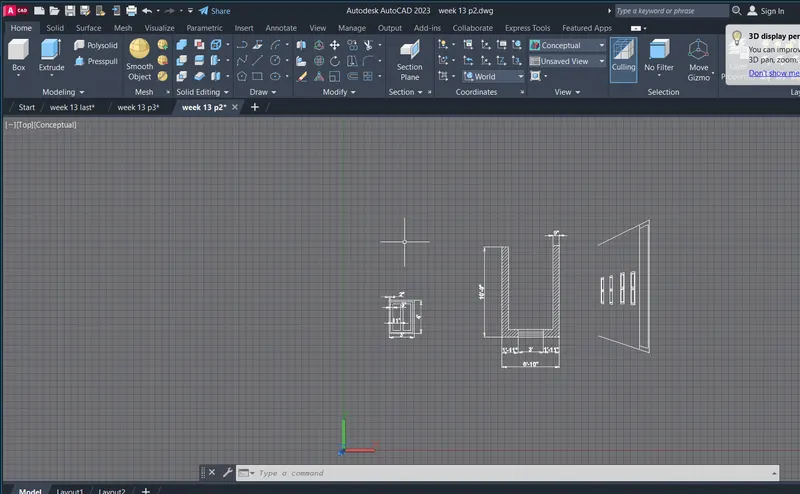
AIM:
To draw a plan and elevation of the drawind
COMMANDS USED:
- line
- trim
- offset
- adc
- mirror
PROCEDURE:
Regenerating model.
AutoCAD menu utilities loaded.
Command:
Command:
Command:
Command:
Command:
Command: _QSave
Command: UNITS
Command: D
DIMSTYLE
Command: Regenerating model.
Regenerating model.
Command: Regenerating model.
Command: Regenerating model.
Command: Regenerating model.
Command: L
LINE
Specify first point:
Specify next point or [Undo]: <Ortho on> 12'
Specify next point or [Undo]: 3'
Specify next point or [Close/Undo]: 3'
Specify next point or [Close/Undo]: 9'
Specify next point or [Close/Undo]:
Specify next point or [Close/Undo]: Cancel
Command: OFFSET
Current settings: Erase source=No Layer=Source OFFSETGAPTYPE=0
Specify offset distance or [Through/Erase/Layer] <Through>:
Select object to offset or [Exit/Undo] <Exit>:
Specify through point or [Exit/Multiple/Undo] <Exit>: 2"
Select object to offset or [Exit/Undo] <Exit>:
Specify through point or [Exit/Multiple/Undo] <Exit>: 2"
Select object to offset or [Exit/Undo] <Exit>:
Specify through point or [Exit/Multiple/Undo] <Exit>: 2"
Select object to offset or [Exit/Undo] <Exit>: Cancel
Command: L
LINE
Specify first point:
Specify next point or [Undo]: 9'
Specify next point or [Undo]: Cancel
Command: ARRAYPATH
Select objects: 1 found
Select objects:
Type = Path Associative = Yes
Select path curve:
Select grip to edit array or [ASsociative/Method/Base point/Tangent direction/Items/Rows/Levels/Align items/Z direction/eXit]<eXit>:
Command:
Command:
Command:
Command: Specify opposite corner or [Fence/WPolygon/CPolygon]:
Command:
Command: Cancel
Command:
Command: _u INTELLIZOOM INTELLIPAN INTELLIZOOM INTELLIPAN INTELLIZOOM INTELLIPAN INTELLIZOOM
Command: _u Modify Property
Command: _u QUICKPROPERTIES GROUP
Command: _u ARRAYPATH
Command: Specify opposite corner or [Fence/WPolygon/CPolygon]:
Command:
* STRETCH *
Specify stretch point or [Base point/Copy/Undo/eXit]:
Command:
* STRETCH *
Specify stretch point or [Base point/Copy/Undo/eXit]:
Command: Cancel
Command: L
LINE
Specify first point:
Specify next point or [Undo]:
Specify next point or [Undo]: Cancel
Command: L
LINE
Specify first point:
Specify next point or [Undo]:
Specify next point or [Undo]: Cancel
Command: ARRAYPATH
Select objects: 1 found
Select objects:
Type = Path Associative = Yes
Select path curve:
Select grip to edit array or [ASsociative/Method/Base point/Tangent direction/Items/Rows/Levels/Align items/Z direction/eXit]<eXit>:
Command:
Command:
* ITEM SPACING *
Distance between items or [Base point]:
Command:
Command:
Command: Cancel
Crossing Lasso Press Spacebar to cycle options
Command: MOVE
11 found
Specify base point or [Displacement] <Displacement>:
Specify second point or <use first point as displacement>: <Ortho off>
Command: DT
TEXT
Current text style: "Standard" Text height: 0'-3" Annotative: No Justify: Left
Specify start point of text or [Justify/Style]:
Specify height <0'-3">: 3"
Specify rotation angle of text <0>: 0
Command: Regenerating model.
Command: Regenerating model.
Command: Regenerating model.
Command: Regenerating model.
Command: L
LINE
Specify first point:
Specify next point or [Undo]: <Ortho on> Regenerating model.
Resuming LINE command.
Specify next point or [Undo]: Regenerating model.
Resuming LINE command.
Specify next point or [Undo]: Regenerating model.
Resuming LINE command.
Specify next point or [Undo]: Regenerating model.
Resuming LINE command.
Specify next point or [Undo]: Regenerating model.
Resuming LINE command.
Specify next point or [Undo]: Regenerating model.
Resuming LINE command.
Specify next point or [Undo]: Regenerating model.
Resuming LINE command.
Specify next point or [Undo]: Regenerating model.
Resuming LINE command.
Specify next point or [Undo]: 6"
Specify next point or [Undo]: 1'
Specify next point or [Close/Undo]: 6"
Specify next point or [Close/Undo]: 1'
Specify next point or [Close/Undo]: 6"
Specify next point or [Close/Undo]: 1'
Specify next point or [Close/Undo]: 6"
Specify next point or [Close/Undo]: 1'
Specify next point or [Close/Undo]: 6"
Specify next point or [Close/Undo]: 1'
Specify next point or [Close/Undo]: 6"
Specify next point or [Close/Undo]: 1
Specify next point or [Close/Undo]: _u
Specify next point or [Close/Undo]: 1'
Specify next point or [Close/Undo]: 6"
Specify next point or [Close/Undo]: 1'
Specify next point or [Close/Undo]: 6"
Specify next point or [Close/Undo]: 1'
Specify next point or [Close/Undo]: 6"
Specify next point or [Close/Undo]: 1'
Specify next point or [Close/Undo]: 2'
Specify next point or [Close/Undo]: 4'6"
Specify next point or [Close/Undo]:
Specify next point or [Close/Undo]: Cancel
Automatic save to C:\Users\Welcome\AppData\Local\Temp\week 13 p3_1_18302_7450d4bb.sv$ ...
Command:
Command: Regenerating model.
Command:
Command:
* STRETCH *
Specify stretch point or [Base point/Copy/Undo/eXit]:
Command:
Command:
* STRETCH *
Specify stretch point or [Base point/Copy/Undo/eXit]:
Command: Cancel
Command:
Command: Cancel
Command:
Command: _.erase 1 found
Command: L
LINE
Specify first point:
Specify next point or [Undo]:
Specify next point or [Undo]: Cancel
Command:
Command:
* STRETCH *
Specify stretch point or [Base point/Copy/Undo/eXit]:
Command: Cancel
Command:
Command:
* STRETCH *
Specify stretch point or [Base point/Copy/Undo/eXit]:Cancel
Command: Regenerating model.
Command:
Command: _.erase 2 found
Command:
Command:
Command:
Command: Cancel
Command:
Command: Cancel
Command: DLI
DIMLINEAR
Specify first extension line origin or <select object>:
Specify second extension line origin:
Specify dimension line location or
[Mtext/Text/Angle/Horizontal/Vertical/Rotated]:
Dimension text = 1'
Command: Cancel
Command:
Command:
Command: _.erase 2 found
Dimension extension disassociated.
Command:
Command: Cancel
Command: L
LINE
Specify first point:
Specify next point or [Undo]: 6"
Specify next point or [Undo]: Cancel
Command:
Command: _.erase 1 found
Command:
Command: _.erase 1 found
Command:
Command: _.erase 1 found
Command:
Command:
Command:
Command:
Command:
Command: COPY
5 found
Current settings: Copy mode = Multiple
Specify base point or [Displacement/mOde] <Displacement>:
Specify second point or [Array] <use first point as displacement>:
Specify second point or [Array/Exit/Undo] <Exit>: Cancel
Command:
Command:
Command:
Command:
Command:
Command: _.erase 5 found
Command:
Command: _.erase 1 found
Command:
Command: _.erase 1 found
Command: Regenerating model.
Command: Regenerating model.
Command: L
LINE
Specify first point:
Specify next point or [Undo]: 6"
Specify next point or [Undo]: 1'
Specify next point or [Close/Undo]: 6"
Specify next point or [Close/Undo]: 3'
Specify next point or [Close/Undo]: 4"
Specify next point or [Close/Undo]: 1'6"
Specify next point or [Close/Undo]: Cancel
Command: Regenerating model.
Command:
Command: _.erase 1 found
Command: L
LINE
Specify first point:
Specify next point or [Undo]: Zero length line created at (16'-7", 17'-7", 4'-2")
Specify next point or [Undo]: Regenerating model.
Resuming LINE command.
Specify next point or [Undo]: Regenerating model.
Resuming LINE command.
Specify next point or [Undo]: 1'6"
Specify next point or [Close/Undo]: Cancel
Command: Regenerating model.
Command: Regenerating model.
Command: L
LINE
Specify first point:
Specify next point or [Undo]: 1'
Specify next point or [Undo]:
Specify next point or [Close/Undo]: Cancel
Command: L
LINE
Specify first point:
Specify next point or [Undo]: Cancel
Command: REC
RECTANG
Specify first corner point or [Chamfer/Elevation/Fillet/Thickness/Width]:
Specify other corner point or [Area/Dimensions/Rotation]:
Specify other corner point or [Area/Dimensions/Rotation]: 1"
Command:
Command: Cancel
Command:
Command: MOVE
1 found
Specify base point or [Displacement] <Displacement>:
Specify second point or <use first point as displacement>:
Command: Cancel
Command:
Command:
Command: _3drotate
Current positive angle in UCS: ANGDIR=counterclockwise ANGBASE=0
Select objects: 1 found
Select objects:
Specify base point:
* ROTATE *
Specify rotation angle or [Base point/Copy/Undo/Reference/eXit]:
Resuming 3DROTATE command.
Specify rotation angle or [Base point/Copy/Undo/Reference/eXit]: Cancel
Regenerating model.
Command:
Command:
Command: _3drotate
Current positive angle in UCS: ANGDIR=counterclockwise ANGBASE=0
Select objects: 1 found
Select objects:
Specify base point:
* ROTATE *
Specify rotation angle or [Base point/Copy/Undo/Reference/eXit]: Regenerating model.
Command: Specify opposite corner or [Fence/WPolygon/CPolygon]:
Crossing Lasso Press Spacebar to cycle options
Command: MOVE
1 found
Specify base point or [Displacement] <Displacement>:
Specify second point or <use first point as displacement>:
Crossing Lasso Press Spacebar to cycle options
Command: CP
COPY 1 found
Current settings: Copy mode = Multiple
Specify base point or [Displacement/mOde] <Displacement>:
Specify second point or [Array] <use first point as displacement>:
Specify second point or [Array/Exit/Undo] <Exit>: <Ortho off>
Specify second point or [Array/Exit/Undo] <Exit>:
Specify second point or [Array/Exit/Undo] <Exit>:
Specify second point or [Array/Exit/Undo] <Exit>:
Specify second point or [Array/Exit/Undo] <Exit>:
Specify second point or [Array/Exit/Undo] <Exit>:
Specify second point or [Array/Exit/Undo] <Exit>:
Specify second point or [Array/Exit/Undo] <Exit>:
Specify second point or [Array/Exit/Undo] <Exit>:
Specify second point or [Array/Exit/Undo] <Exit>: Cancel
Command: L
LINE
Specify first point:
Specify next point or [Undo]:
Specify next point or [Undo]:
Specify next point or [Close/Undo]: <Ortho on> 2"
Specify next point or [Close/Undo]: Cancel
Command: L
LINE
Specify first point:
Specify next point or [Undo]: 2"
Specify next point or [Undo]:
Specify next point or [Close/Undo]:
Specify next point or [Close/Undo]: Cancel
Command: L
LINE
Specify first point:
Specify next point or [Undo]:
Specify next point or [Undo]: Cancel
Command: Regenerating model.
Command: Regenerating model.
Command: '_-view Enter an option [?/Delete/Orthographic/Restore/Save/sEttings/Window]: _left Regenerating model.
Command:
Automatic save to C:\Users\Welcome\AppData\Local\Temp\week 13 p3_1_18302_7450d4bb.sv$ ...
Command:
Command: Regenerating model.
Command: Regenerating model.
Command: Regenerating model.
Command: Regenerating model.
Command: Regenerating model.
Command: Regenerating model.
Command: Regenerating model.
Command: Regenerating model.
Command: Regenerating model.
Command: Regenerating model.
Command: Regenerating model.
Command: Specify opposite corner or [Fence/WPolygon/CPolygon]:
Command: Cancel
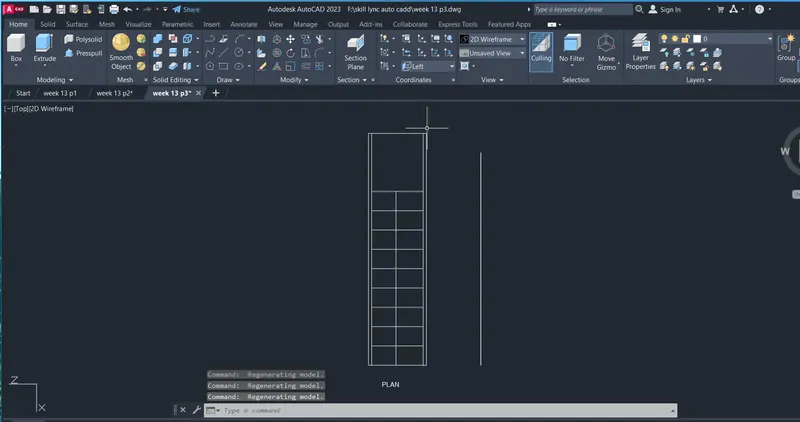
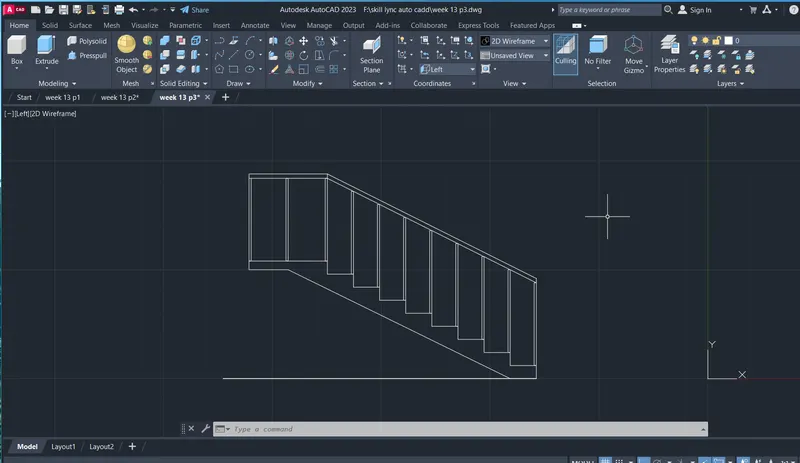
AIM:
To draw a plan and elevation of the drawind
COMMANDS USED:
- line
- trim
- offset
- adc
- mirror
PROCEDURE:
Command: L
LINE
Specify first point:
Specify next point or [Undo]:
Specify next point or [Undo]: _u
Specify next point or [Undo]: Cancel
Command: DLI
DIMLINEAR
Specify first extension line origin or <select object>:
Specify second extension line origin:
Specify dimension line location or
[Mtext/Text/Angle/Horizontal/Vertical/Rotated]:
Dimension text = 500
Command: L
LINE
Specify first point: 50
Specify next point or [Undo]: 400
Specify next point or [Undo]: 25
Specify next point or [Close/Undo]: 400
Specify next point or [Close/Undo]: 25
Specify next point or [Close/Undo]: 600
Specify next point or [Close/Undo]: 300
Specify next point or [Close/Undo]: 600
Specify next point or [Close/Undo]: 25
Specify next point or [Close/Undo]: 400
Specify next point or [Close/Undo]: 25
Specify next point or [Close/Undo]:
Specify next point or [Close/Undo]: Cancel
Command:
Command:
* STRETCH *
Specify stretch point or [Base point/Copy/Undo/eXit]:
Command: Cancel
Command:
Command: _.erase 1 found
Command: OFFSET
Current settings: Erase source=No Layer=Source OFFSETGAPTYPE=0
Specify offset distance or [Through/Erase/Layer] <Through>:
Select object to offset or [Exit/Undo] <Exit>:
Specify through point or [Exit/Multiple/Undo] <Exit>: 25
Select object to offset or [Exit/Undo] <Exit>:
Specify through point or [Exit/Multiple/Undo] <Exit>: 25
Select object to offset or [Exit/Undo] <Exit>: Cancel
Command:
Command: _.erase 1 found
Command:
Command:
* STRETCH *
Specify stretch point or [Base point/Copy/Undo/eXit]:
Command: Cancel
Command:
Command:
* STRETCH *
Specify stretch point or [Base point/Copy/Undo/eXit]:
Command: Cancel
Command: L
LINE
Specify first point:
Specify next point or [Undo]: 2100.
Specify next point or [Undo]: 300
Specify next point or [Close/Undo]:
Specify next point or [Close/Undo]: Cancel
Crossing Lasso Press Spacebar to cycle options
Command: Cancel
Command: OFFSET
Current settings: Erase source=No Layer=Source OFFSETGAPTYPE=0
Specify offset distance or [Through/Erase/Layer] <Through>:
Select object to offset or [Exit/Undo] <Exit>:
Specify through point or [Exit/Multiple/Undo] <Exit>: 125
Select object to offset or [Exit/Undo] <Exit>:
Specify through point or [Exit/Multiple/Undo] <Exit>: 125
Select object to offset or [Exit/Undo] <Exit>: Cancel
Command: L
LINE
Specify first point:
Specify next point or [Undo]: 150
Specify next point or [Undo]: 300
Specify next point or [Close/Undo]: 50
Specify next point or [Close/Undo]: Cancel
Command: L
LINE
Specify first point:
Specify next point or [Undo]: 500
Specify next point or [Undo]: 50
Specify next point or [Close/Undo]:
Specify next point or [Close/Undo]: Cancel
Command: L
LINE
Specify first point:
Specify next point or [Undo]: 950
Specify next point or [Undo]: 300
Specify next point or [Close/Undo]:
Specify next point or [Close/Undo]: Cancel
Automatic save to C:\Users\Welcome\AppData\Local\Temp\week 13 last_1_4940_41f3c8b6.sv$ ...
Command:
Command: L
LINE
Specify first point:
Specify next point or [Undo]: 500
Specify next point or [Undo]: 25
Specify next point or [Close/Undo]:
Specify next point or [Close/Undo]: Cancel
Command:
Command:
Command:
* STRETCH *
Specify stretch point or [Base point/Copy/Undo/eXit]:
Command: Cancel
Command: OFFSET
Current settings: Erase source=No Layer=Source OFFSETGAPTYPE=0
Specify offset distance or [Through/Erase/Layer] <Through>:
Select object to offset or [Exit/Undo] <Exit>:
Specify through point or [Exit/Multiple/Undo] <Exit>: 150
Select object to offset or [Exit/Undo] <Exit>: Cancel
Command: ;
Unknown command ";". Press F1 for help.
Command: Cancel
Command: ;`l
Unknown command ";`L". Press F1 for help.
Command: Cancel
Command: L
LINE
Specify first point:
Specify next point or [Undo]:
Specify next point or [Undo]: Cancel
Command:
Command:
Command: _.erase 2 found
Command: L
LINE
Specify first point:
Specify next point or [Undo]: 500
Specify next point or [Undo]: Cancel
Command: 5
Unknown command "5". Press F1 for help.
Command: Cancel
Command: L
LINE
Specify first point:
Specify next point or [Undo]: 150
Specify next point or [Undo]: 800
Specify next point or [Close/Undo]: Cancel
Command: L
LINE
Specify first point:
Specify next point or [Undo]: 900
Specify next point or [Undo]: 125
Specify next point or [Close/Undo]: 50
Specify next point or [Close/Undo]: 250
Specify next point or [Close/Undo]:
Specify next point or [Close/Undo]: Cancel
Command:
Command:
* STRETCH *
Specify stretch point or [Base point/Copy/Undo/eXit]:
Command: Cancel
Command: H
HATCH
Pick internal point or [Select objects/Undo/seTtings]: Selecting everything...
Selecting everything visible...
Analyzing the selected data...
Analyzing internal islands...
Pick internal point or [Select objects/Undo/seTtings]: Selecting everything...
Selecting everything visible...
Analyzing the selected data...
Analyzing internal islands...
Pick internal point or [Select objects/Undo/seTtings]: Selecting everything...
Selecting everything visible...
Analyzing the selected data...
Analyzing internal islands...
Pick internal point or [Select objects/Undo/seTtings]: Selecting everything...
Selecting everything visible...
Analyzing the selected data...
Analyzing internal islands...
Pick internal point or [Select objects/Undo/seTtings]: Selecting everything...
Selecting everything visible...
Analyzing the selected data...
Analyzing internal islands...
Pick internal point or [Select objects/Undo/seTtings]: Cancel
Command:
Command: '-hatchedit_pAR-BRELM'-hatchedit_pANSI36'-hatchedit_pANSI36'-hatchedit_pANSI35
Command: '_-hatchedit
1 found
Enter hatch option [DIsassociate/Style/Properties/DRaw order/ADd boundaries/Remove boundaries/recreate Boundary/ASsociate/separate Hatches/Origin/ANnotative/hatch COlor/LAyer/Transparency] <Properties>: _p
Enter a pattern name or [?/Solid/User defined/Gradient] <AR-CONC>: ANSI35
Specify a scale for the pattern <1.0000>:
Specify an angle for the pattern <0>:
Command: '-hatchedit_pANSI36'-hatchedit_pANSI31
Command: '_-hatchedit
1 found
Enter hatch option [DIsassociate/Style/Properties/DRaw order/ADd boundaries/Remove boundaries/recreate Boundary/ASsociate/separate Hatches/Origin/ANnotative/hatch COlor/LAyer/Transparency] <Properties>: _p
Enter a pattern name or [?/Solid/User defined/Gradient] <ANSI35>: ANSI31
Specify a scale for the pattern <1.0000>:
Specify an angle for the pattern <0>:
Command: '_-hatchedit_pANSI31
Command:
Command: _properties
Command:
Command:
Command: Cancel
Command: H
HATCH
Pick internal point or [Select objects/Undo/seTtings]: Selecting everything...
Selecting everything visible...
Analyzing the selected data...
Analyzing internal islands...
Pick internal point or [Select objects/Undo/seTtings]: '-hatchedit_pANGLE'-hatchedit_pANSI32'_-hatchedit_pAR-CONC
Command: '_-hatchedit
>>Enter hatch option [DIsassociate/Style/Properties/DRaw order/ADd boundaries/Remove boundaries/recreate Boundary/ASsociate/separate Hatches/Origin/ANnotative/hatch COlor/LAyer/Transparency] <Properties>: _p
>>Enter a pattern name or [?/Solid/User defined/Gradient] <ANSI31>: AR-CONC
>>Specify a scale for the pattern <1.0000>:
>>Specify an angle for the pattern <0>:
Command: Cancel
Command: Specify opposite corner or [Fence/WPolygon/CPolygon]:
Automatic save to C:\Users\Welcome\AppData\Local\Temp\week 13 last_1_4940_41f3c8b6.sv$ ...
Command:
Command: DLI
DIMLINEAR
Specify first extension line origin or <select object>:
Specify second extension line origin:
Specify dimension line location or
[Mtext/Text/Angle/Horizontal/Vertical/Rotated]:
Dimension text = 300
Command: DLI
DIMLINEAR
Specify first extension line origin or <select object>:
Specify second extension line origin:
Specify dimension line location or
[Mtext/Text/Angle/Horizontal/Vertical/Rotated]:
Dimension text = 400
Command:
DIMLINEAR
Specify first extension line origin or <select object>:
Specify second extension line origin:
Specify dimension line location or
[Mtext/Text/Angle/Horizontal/Vertical/Rotated]:
Dimension text = 400
Command:
DIMLINEAR
Specify first extension line origin or <select object>:
Specify second extension line origin:
Specify dimension line location or
[Mtext/Text/Angle/Horizontal/Vertical/Rotated]:
Dimension text = 600
Command:
DIMLINEAR
Specify first extension line origin or <select object>:
Specify second extension line origin:
Specify dimension line location or
[Mtext/Text/Angle/Horizontal/Vertical/Rotated]:
Dimension text = 50
Command: DIMLINEAR
Specify first extension line origin or <select object>:
Specify second extension line origin:
Specify dimension line location or
[Mtext/Text/Angle/Horizontal/Vertical/Rotated]:
Dimension text = 2100
Command:
Command:
* STRETCH *
Specify stretch point or [Base point/Copy/Undo/eXit]:
Command:
* STRETCH *
Specify stretch point or [Base point/Copy/Undo/eXit]:
Dimension extension disassociated.
Command: Cancel
Command: DIMLINEAR
Specify first extension line origin or <select object>:
Specify second extension line origin:
Specify dimension line location or
[Mtext/Text/Angle/Horizontal/Vertical/Rotated]:
Dimension text = 150
Command: DIMLINEAR
Specify first extension line origin or <select object>:
Specify second extension line origin:
Specify dimension line location or
[Mtext/Text/Angle/Horizontal/Vertical/Rotated]:
Dimension text = 100
Command: DIMLINEAR
Specify first extension line origin or <select object>:
Specify second extension line origin:
Specify dimension line location or
[Mtext/Text/Angle/Horizontal/Vertical/Rotated]:
Dimension text = 50
Command: DIMLINEAR
Specify first extension line origin or <select object>: Cancel