Menu

Executive Programs

Workshops

Projects

Blogs

Careers

Student Reviews


More

Academic Training

Informative Articles

Find Jobs

We are Hiring!


All Courses

Choose a category

Loading...

All Courses

All Courses

logo

Creating 3D Isometric view of various structural elements in AutoCAD

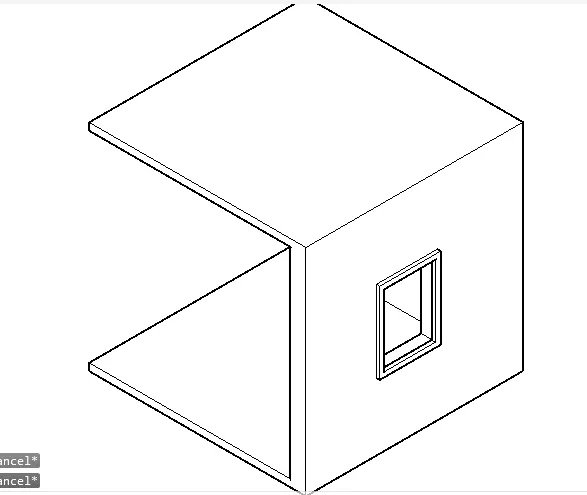
Q1, AIM: Create a 3D Isometric View of the building with plan and elevation given. PROCEDURE: Set the screen to 3d modelling, Draw the plan on the top view of the plane. Union the wall area and extrude them with the height of 10ft. Draw an other rectangle on the window space. Extrude them to the height of 4ft, copy the…

    Project Details

    Loading...

    Leave a comment

    Thanks for choosing to leave a comment. Please keep in mind that all the comments are moderated as per our comment policy, and your email will not be published for privacy reasons. Please leave a personal & meaningful conversation.

    Please  login to add a comment

    Other comments...

    No comments yet!
    Be the first to add a comment

    Read more Projects by SURIYA BABU (30)

    Usage of Navigation tool , Timeliner and Clash Detection test using Naviswork

    Objective:

    AIM: Usage of navigation tool, timeliner and clsh detection test using Naviswork. PROCEDURE: 1)     Install the navis work to the computer from the autodesk, and install the NWC from the autodesk to import the revit file to the Naviswork. Open the existing project in revit > Go to file > select…

    calendar

    07 Dec 2022 11:16 AM IST

      Read more

      Creating Conceptual mass in REVIT and Creation of Sinusoidal curve and a Parametric stadium using Dynamo

      Objective:

      AIM: To create the concept of designing conceptual mass and sinusoidal surface and the parametric stadium is created using the revit and dynamo. 1, Open a architectual template in revit > now select the dynamo > a new window from dynamo appears. to create the sinusoidal points and create the surface on the curve…

      calendar

      03 Dec 2022 02:03 PM IST

        Read more

        Creating Architectural and Structural model with 3D rendering using REVIT

        Objective:

        AIM: Creating Architectural and Structural model with 3D rendering using REVIT PROCEDURE: 1,Multi unit residential apartment 3,Open the revit software > open a structural template > draw the grid lines as per the plane > assume the column and beam sizes. place the column and beam in the gird lines in one level,…

        calendar

        17 Nov 2022 11:47 AM IST

        • REVIT
        Read more

        3D Creation of Celing, Roof, Architectural plan, Structural plan, Sectional view, Elevation view and Camera specific view for a house plan using REVIT

        Objective:

        AIM: 3D Creation of Celing, Roof, Architectural plan, Structural plan, Sectional view, Elevation view and Camera specific view for a house plan using REVIT PROCEDURE:  1. Firstly open the existing file from the previous challenge. Make sure that the view is in the level one which is groung floor. Then select the ceiling…

        calendar

        09 Nov 2022 08:10 AM IST

        Read more

        Structural Modelling using Etabs 2018

        Objective:

         AIM: To model and analyse the architectural drawings for a G+7 residential building in zone 5. The floor plan is the same for all 7 floor levels. Conceptualize a framing plan layout and then model the building in Etabs. PROCEDURE: STEP 1- Setup the grid lines and the storey level. the space between the A-B grid is…

        calendar

        29 Oct 2022 12:31 PM IST

          Read more

          Analysis & Design of RCC shear walls in the model using ETABS

          Objective:

          aim: Run the analysis and design the RCC shear walls, specifically with the shear wall of size 300x1500 at grid A-11 in the structural model. procedure: 1) extracting the values from the etabs.   open the file on etabs, run the model for the analysis. once the model is analysed, change the view to plan. set the mode…

          calendar

          14 Oct 2022 02:56 PM IST

            Read more

            Reinforcement detailing of Columns from ETABS output

            Objective:

            Aim: To Provide Reinforcement detailing of columns with the help of Etabs. The ETABS file for a G+4 building is provided. Run the analysis and design the RCC Moment Resisting Frame. The following challenge deals specifically with two columns at the following grid intersections. 3A 3B Procedure: Open the given model in…

            calendar

            08 Oct 2022 12:10 PM IST

            Read more

            Reinforcement Detailing of Beams from ETABS output

            Objective:

            AIM: Detail design of beams in Etabs 2018.The ETABS file for a G+4 building is provided. Run the analysis and design the RCC Moment ResistingFrame. The following challenge deals specifically with two continuous beams in the 1st floor.         1) 3 span continuous beam along grid A     …

            calendar

            04 Oct 2022 08:47 AM IST

            Read more

            Project 1_Comparative study of different storey buildings for Seismic forces

            Objective:

            AIM : To design, model and analysis the different building with the column specification using E-Tabs, and comparing the various factors changes due to the differernt factors and specification changes. PROCEDURE IN DETAIL: Firstly Open the Etabs software. Select the built in setting with: Check the display unit, steel…

            calendar

            30 Sep 2022 02:20 PM IST

              Read more

              Modelling of 25 storey building with the specified properties using ETABS

              Objective:

              AIM: To model a 25 storey building on ETABS with structural properties as specified below. Ground floor or plinth floor level can be taken at a height of 1.5 metres from the base. Each of the successive 25 storeys has a storey height of 3 metres. Provide the structure with the load and Analyze it. PROCEDURE: Open the sofware…

              calendar

              27 Sep 2022 12:15 PM IST

              Read more

              Conceptual design of a building with columns and shear walls

              Objective:

              Q1. 1.Observation with respect to RESISTANT OF FLOOR SHRINKAGE: OPTION-A: Full restrain at all corner, Option A will high resistance to shrinkage, which leads to crack in floor. OPTION-B: Corners are left free but resistant at the edge, thus the option-B is average. OPTION-C: The shear wall is not regular,…

              calendar

              20 Sep 2022 02:43 PM IST

                Read more

                Concept on positioning of Columns

                Objective:

                Q1. Investigating the frame plan with respect to the symmetry in the X direction.     If the frame plan is split into two VERTICALLY, it will look like a mirrored structure, the look exactly the same, but mirrored. By which we conclude the given frame plan is symmetry in the x direction and it has no irregularities.…

                calendar

                17 Sep 2022 03:20 PM IST

                  Read more

                  Understanding the concepts on Degrees of Freedom

                  Objective:

                  SINCE MOST OF THE MATHEMATICAL ARE UNAVAILABLE TO TYPE IN THE COMPUTER THE EQUATION IS SOLVED IN SHEET AND THEIR PHOTOS ARE ATTACHED TO THE SCREEN.

                  calendar

                  13 Sep 2022 01:59 PM IST

                    Read more

                    Calculation of Stiffness in Structural elements

                    Objective:

                    1. DOF=3 k=96/7  EIc/h^3 2. (a)                 DOF= 1 Equation of motion is,                Mu+ku=0 Substitute k=3EI/H^3mu+(3EI/H^3)u=0 Let natural frequency be Wn(omega n),                Wn= root(k/m)…

                    calendar

                    10 Sep 2022 05:32 PM IST

                      Read more

                      Identification of Cracks

                      Objective:

                      1(a). Observation: The concrete is crushed at the joint of the vertical support and the reinforcement of the damaged are is visible. The spalling of cocncrete beyond the reinforcement which indicates the rupture in concrete. The damage occures oly on the bottom of the beam and top are of the beam seems to be safe, so the…

                      calendar

                      09 Sep 2022 02:57 PM IST

                        Read more

                        Creating 3D Isometric view of various structural elements in AutoCAD

                        Objective:

                        Q1, AIM: Create a 3D Isometric View of the building with plan and elevation given. PROCEDURE: Set the screen to 3d modelling, Draw the plan on the top view of the plane. Union the wall area and extrude them with the height of 10ft. Draw an other rectangle on the window space. Extrude them to the height of 4ft, copy the…

                        calendar

                        31 Aug 2022 12:52 PM IST

                          Read more

                          Creating various 3D Models like Furniture, Footing, Girder, Column drop with panel and Gable Wall in AutoCad

                          Objective:

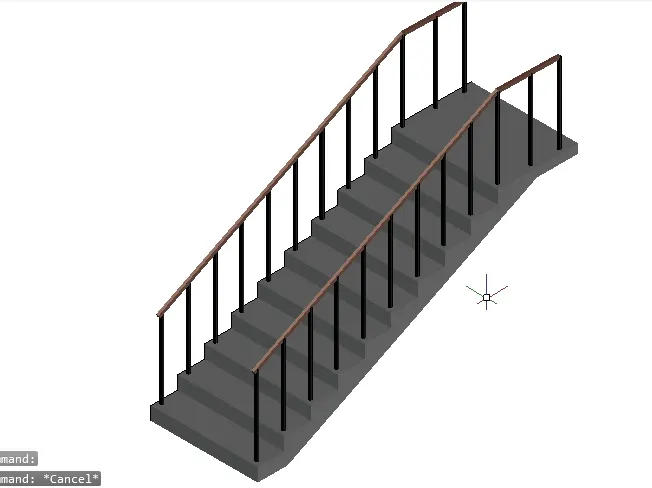
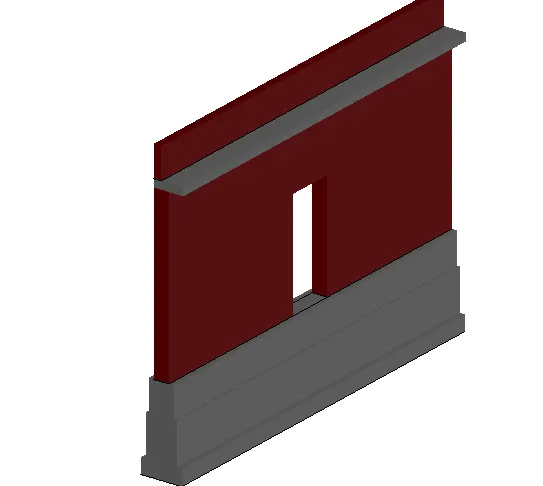
                          Q1, AIM: Create a 3D Furniture element as shown in the figure. Assuming the missing dimensions. PROCEDURE: using the polysolid tool, feeding the thickness of the polysolid as 2" and the height as 2'5" as shown in the figure and draw the shape of the furniture. Assuming the missing dimesion as 2' and draw the shape of the…

                          calendar

                          29 Aug 2022 05:22 PM IST

                            Read more

                            Creation of Multiple viewports, Scaling the drawing and setting in Template in AutoCad

                            Objective:

                            Q1, AIM: Create a layout of the Plan and Section A of the project in Challenges 7 PROCEDURE: For this question the plan has been imported to the autocad from the previous challenge 7. After importing the plan to the autocad, in the first place the the new layout has been created and by layout command. In the layout option…

                            calendar

                            27 Aug 2022 12:29 PM IST

                              Read more

                              Creating Kitchen layout, Hatching of Architectural elements and sectional view of an Industrial Building in AutoCad

                              Objective:

                              Q1, AIM: To create the layouts of the Kitchen and provide hatches pattern as shown and  provide the dimensions in the plan. By assuming the size of doors, appliances and others as per the standards. PROCEDURE: Using the XL  tool the left side corner of the plan is marked taking that as the starting point …

                              calendar

                              26 Aug 2022 01:19 PM IST

                                Read more

                                Creating Bar Bending schedule, Different Door types, and Creation of standard drawing templates using AutoCad

                                Objective:

                                Q1, AIM: Create the templates as shown in Figures. Take the size of the title block as per industry standards or you can assume it as per the size of the paper. Use text and attributes wherever required. PROCEDURE: With the help of line tool create the table as per the figure, change the color of the line with the…

                                calendar

                                24 Aug 2022 06:29 PM IST

                                  Read more

                                  Project 1 _Creating an Architectural plan for the provided plot size and develop relevant basic structural drawings

                                  Objective:

                                  aim: Design and Draft a layout of a residential building with the following details: a. Plot Size: 60’x20’. b. Orientation- Facing East . with the structural details of column, beam, footing plan. and the architectural details of  floor plan, elevations, and sections.   procedure: ARCHITECTURAL DRAWING-…

                                  calendar

                                  23 Aug 2022 07:00 AM IST

                                    Read more

                                    Creating a Layout, Section and Elevation with dimensions using AutoCad

                                    Objective:

                                    AIM: To create the Plan and Sections as shown in the Figures, use proper dimension techniques and dimension styles to document the project, by assumimg the sizes of the doors and windows as per construction standards. PROCEDURE: Set the units to decimals and dimensions to the millimeter, set the desired limits as necessary.…

                                    calendar

                                    18 Aug 2022 04:26 PM IST

                                      Read more

                                      Creating a Wardrobe detailed drawing, Floor Plan, Kitchen Layout and Column Detail using AutoCad

                                      Objective:

                                      Q1, aim: Draw the elevation and details of a wardrobe as shown in the Figure below. procedure: with the reference of the dimensions given in the question the front view, top view, side view, and the iside deatils has been draw with the reference of the dimensions given in the questions. result and report: with the help…

                                      calendar

                                      13 Aug 2022 05:18 PM IST

                                        Read more

                                        Creation of Column Schedule and Drawing Template using AutoCad

                                        Objective:

                                        1. FIGURE:1 AIM: To create a column schedule with the help of line tools. Also, insert text with the help of Dtext tool or Single Line text tool. PROCEDURE: line tool create the table in the appropiate height, which the height of the on column is more than 8". because the height of the text mus be 8". after the table is…

                                        calendar

                                        10 Aug 2022 04:18 PM IST

                                          Read more

                                          Creating a Residence Layout, Seating plan, Toilet and Utility room plan using AutoCad

                                          Objective:

                                          FIGURE 1: AIM: To sketch the layout of a residence as shown in the FigurE. By considering all the dimensions as reference to sketch. Assuming the missing dimensions. PROCEDURE: THE FIRST POINT OF THE PLANS STARTED FROMM THE FROM THE POINT OF THE FRONT SIDE OF THE PLAN EXACTLY ON CORNER OF THE KITCHEN.THE DIMENSIONS ARE…

                                          calendar

                                          09 Aug 2022 10:13 AM IST

                                            Read more

                                            Drafting of various geometries using Chamfer, Fillet tool in AutoCad

                                            Objective:

                                            Aim: Drafting of various geometries using Chamfer, Fillet, Arc,Circle tools in AutoCad. Procedure: draft 1: The engineering unit been selected for this dwg, the starting coordinate  is chosen at any point on the screen sheet and apply the length (3.000), with the given angle its is fed by the polar coordinate…

                                            calendar

                                            07 Aug 2022 04:23 PM IST

                                              Read more

                                              Creating a Floor plan, Footing detail and Isometric view using AutoCad

                                              Objective:

                                              AIM : To Creating a Floor plan, Footing detail and Isometric view using AutoCad. PROCEDURE: Firstly open the autocad set the units to Engineering. Simply use the line command and the modify commands to create the given drawing in the Autocad. c1:     c2:   c3:   c4:   FOR THE DRAWING C5 AND C6…

                                              calendar

                                              02 Aug 2022 06:12 PM IST

                                              Read more

                                              Creation of geometries by Coordinate system methods using AutoCad

                                              Objective:

                                              AIM: Create the geometries from P1 to P2 using all the coordinates system methods. You need to use the Line tool to create the geometries. Where required you need to use the circle tool. PROCEDURE: Co-ordinate system are detailed int 3 types: absolute co-ordinate system Relative co-ordinate system Relative co-ordinate…

                                              calendar

                                              30 Jul 2022 03:56 AM IST

                                                Read more

                                                Sketch a G+1 residential plan according to Vaastu Shastra and Calculation of Loads as per IS code

                                                Objective:

                                                AIM: to sketch a g+1 residential plan  according to vastu shastra.   drawings required to be provided to the site:   center line drawing  footing and column layout with reinforcement details column schedule with reinforcement detail plinth beam layout with reinforcement detail first sloor beam layout…

                                                calendar

                                                26 Jul 2022 05:35 AM IST

                                                  Read more

                                                  Project on Concrete Mix Design for various grades of Concrete

                                                  Objective:

                                                  MIX DEDSIGN FOR M35 CONCRETE WITH FLY ASH AS PARTIAL REPLACMENET FOR CEMENT: 1. target mean strength: ft=fck+1.65s   =35+1.65(5.0)   =43.25 N 2.SELECTION OF WATER CEMENT RATIO: (considering weather condition as severe) w/c ratio is 0.45, we take w/c ratio as 0.40 with experience since the water is less the strength…

                                                  calendar

                                                  24 Jul 2022 09:06 AM IST

                                                  Read more
                                                  Showing 1 of 30 projects