Challenge 9 : Project : Technical Surfacing Kia Sportage
TITLE: TECHNICAL SURFACING OF KIA SPORTAGE
OBJECTIVE: To generate Class A Surafce model of Kia Sportage Model 2016 using Autmotive Alias Design Software.
Intoduction: In this project I have generated 'A' surfaces of Kia Sportage using Curves made by tracing of Canvas images of the vehicle. First the CVs network diagram is made and then surfaces are generated and later fillets are applied to make the model smooth.
Please refer below for Flow Diagram: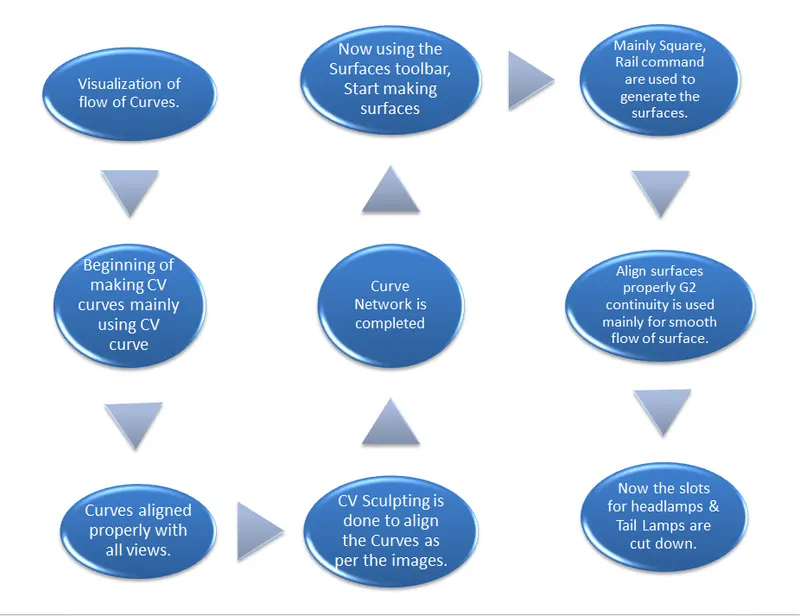
Features/Commands Used:
- CV CURVE: It is made by joining of CV( Control Vertices). The first CV is marked as box then next as ‘U’ Shaped and then all others marked as ‘X’ .
CVs decide the shape of the curve.
Degree and Span of CV curve: It decides the continuity of curve. If we have a long continuous curve then we should use single span curve and increasing the degree to make the curve smooth and continuous.
- Blend: It is used to join two curves. They can be formed in curvature continuity and also with the help of editor we can change its continuity to tangency. We can also change the degree and span of curve formed by blend and manipulate according to our required shape.
- LINE: It is used to create the straight edges and also its length can be easily changed by going in to information tab.
- ARC: It is used where the circular shape is required. There are different type of arc like 3 point arc 2 point arc with center point and Tangent to curve arc. Any one can be used as per the requirement.
- MOVE: It is used to move the CV to manipulate CV curve as per the required shape
- SNAP: It is used when we want to construct the new curve and use the existing curve as a start point.
By using Ctrl+Alt we can easily snap on existing curve.
- PICK: It is used to pick the object/edit point/CV. After picking only then we can use further command on the object.
- LAYER: Using this different objects can be placed under the layer.We can easily toggle between these layers and also assign multiple objects to single layer.
After Making the Curve Network we move forward with Surface generation
During surface generation we need to make sure our surfaces generated are correct as per our visualization or not.
Commands used for Surface Generation:
- SQUARE: Creates surfaces by blending the four curves forming the closed boundary. Different kind of continuity can be maintained for all four curves as per the requirement.
Continuity
Free Boundary – This edge is free to move if required by another edge’s continuity. This is the default.
G0 Position – Keep this edge exactly like the boundary curve that created it. In other words, do not let the edge move as with the Free option. This is equivalent to positional continuity.
G1 Tangent – Try to keep tangency with a surface that shares this edge.
G2 Curvature – Try to keep curvature continuity with a surface that shares this edge.
TRIM: It can be used to make the slots or cutouts on surfaces , First we have to project the curves on surfaces then we can trim cutouts as required.
If our curve network is perfect then we can easily use this command and generate the all surfaces but if curve network are not upto the mark then we need to again make curves accordingly to genrate the surfaces.
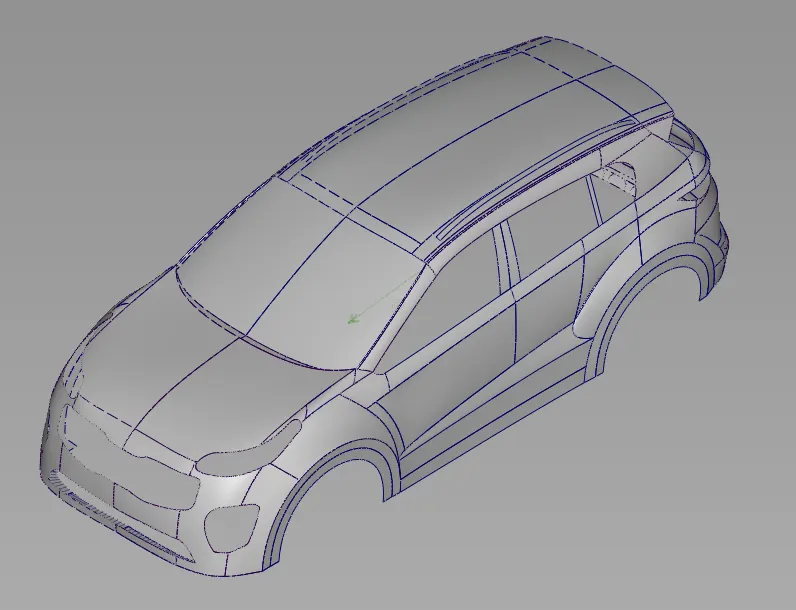
Final Model Images:
ISO VIEW:
- SQUARE: Creates surfaces by blending the four curves forming the closed boundary. Different kind of continuity can be maintained for all four curves as per the requirement.
Side View: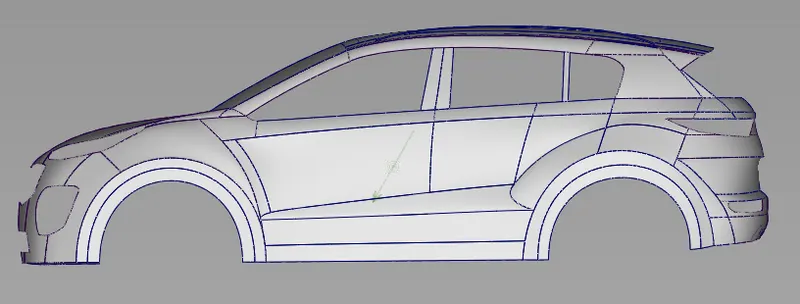
Front View:
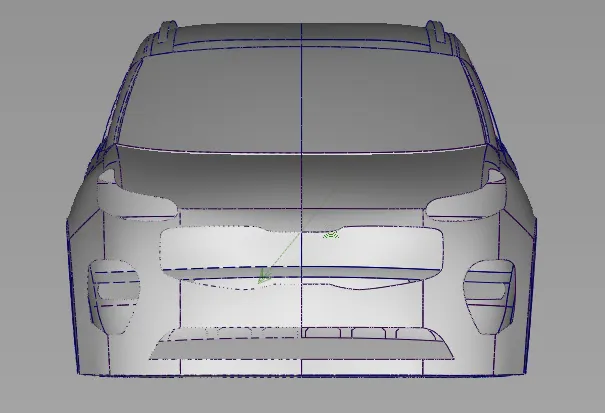
MODEL: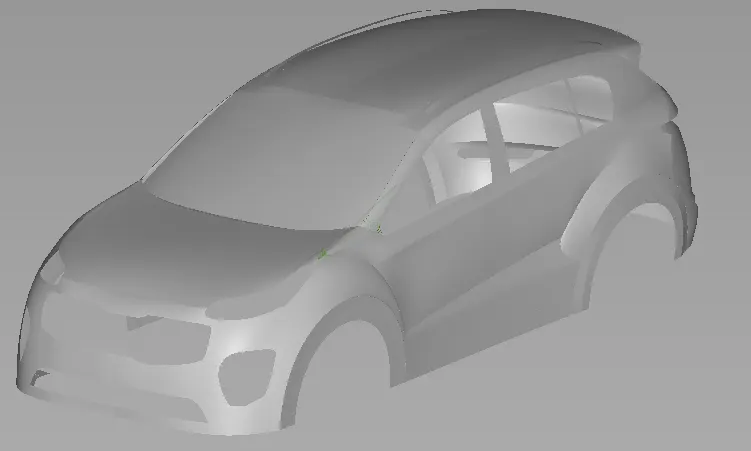
Conclusion:
In this project we make Class A surface model of Kia Sportage which come under category of Sport utility Vehcile (SUV).
So we learn how the surface are genrated for this model. First we create the surfaces using visualization of images and then we make the surfaces smooth and continous.