Challenge 6 : Concept Modeling of Side Fender
Project: Concept modelling of Side Fender
Objective: To create surface model of Side Fender using Autodesk Alias Design.
Introduction:In this assignment we make surface moel of Side Fender of GMC Sierra 1500.First we impoer the Canvas pic of Side view then we traces tghe CV curves and start making surfaces. First we make Primary patches and then shift to transition surfaces/patches.Once we complete the surfaces we trim out the surfaces to complete our shap model.After that we apply surface fillets to model to remove the sharp corners.We also have to anticipate the surface when it is not clear from the picture.
Please refer the below for process flow chart: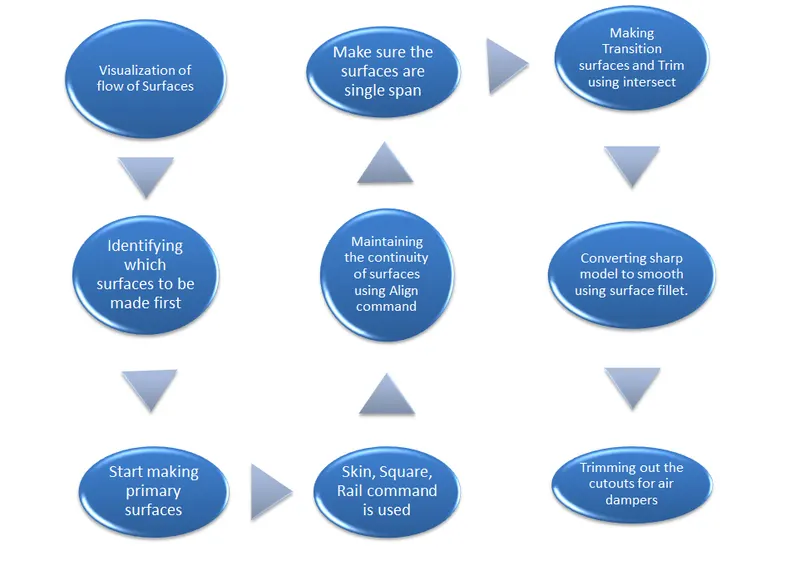
Description: Step 1: Import the canvas image of Side view of Fender.
Step 2:Visualise the surfaces using the picture given identiy the primary surfaces to be build first.
Step 3: Build the surfaces using Rail, Square, Skin command.
Step 4: Surfaces made in patches should follow the G2 continuity so that they look smooth and continous,Align using G2 continuity.
Step 5: Start making transition surfaces using the Rail, Square, Skin command.
Step 6: Surfaces which are to be trimmed should have G0 continuity so that surface fillet can be applied.
Step 7: Apply Surface Fillet for smooth transition between diffrent surfaces and removing sharp edges from model.
Commands Used duing building surface model:
CV Curve: It is made by joining of CV( Control Vertices). The first CV is marked as box then next as ‘U’ Shaped and then all others marked as ‘X’. CVs decide the shape of the curve.Degree and Span of CV curve: It decides the continuity of curve. If we have a long continuous curve then we should use single span curve and increasing the degree to make the curve smooth and continuous.
Blend: It is used to join two curves. They can be formed in curvature continuity and also with the help of editor we can change its continuity to tangency.
Trim: Trim a surface by removing (actually hiding) any part of the surface bounded by curves-on-surface or cross sections.You can also split (divide) a surface into multiple surfaces.
Project: It used to project the curves on surfaces to perform the trim operation there must be curve projected on the surface
Skin/Sqaure/Rail: These are used for generating the surfaces.
Surface Blend: This generate blend surface between the two selected curves.It is used where smooth merging of the surfaces are required.
MS Draft: It generates the surface from the slected edge of surface at some draft angle and also length can be modified accordingly. It is useful where the surfaces are at some angle to each other and intersecting to common edge.
Instersect: It generate the intersection curve between the two selected surfaces. It helps us to trim the surfaces and later apply surface fillet.
Surface Fillet: It is used to give the round curvate to sharp edges it make the transition between surfaces smooth.
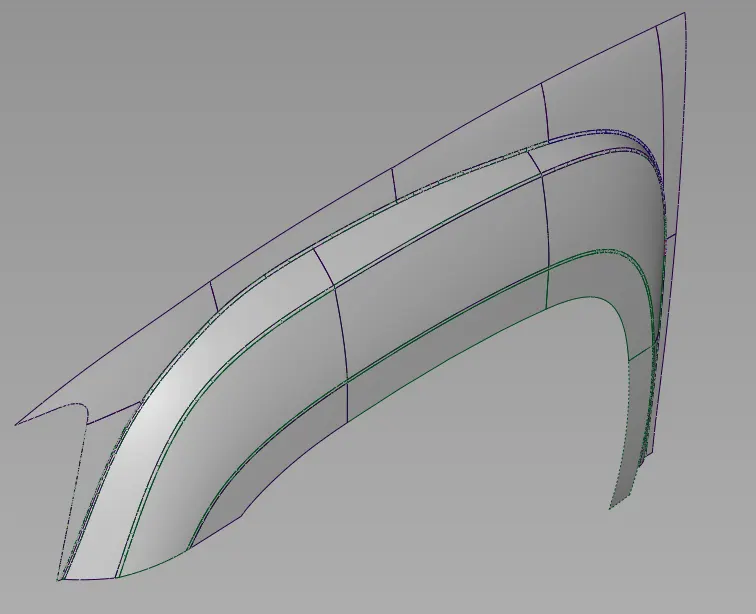
Please refer the below images of surface model of side fender.
ISO View:
Side View: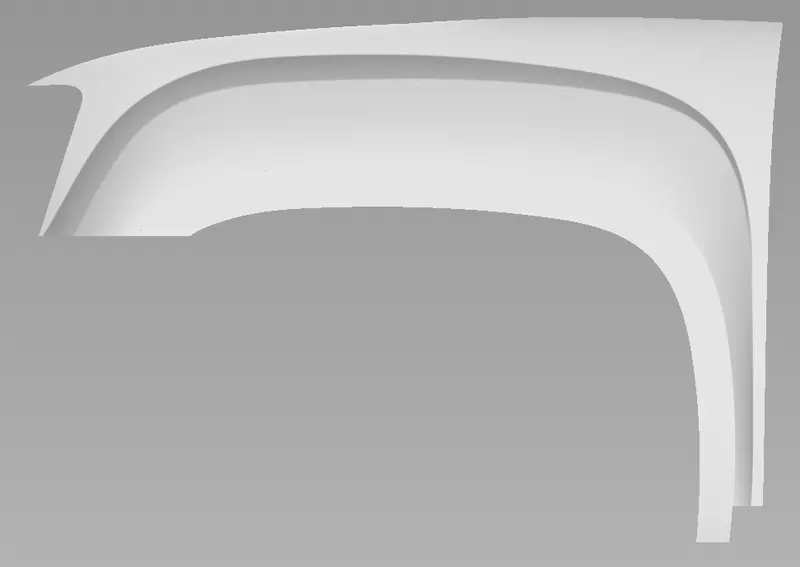
Front View:
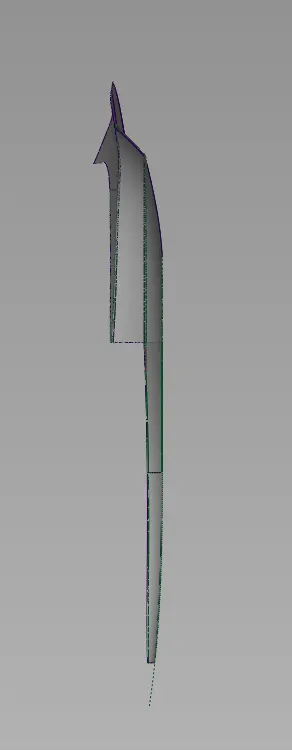
ISO Pic after fillets with smooth flow: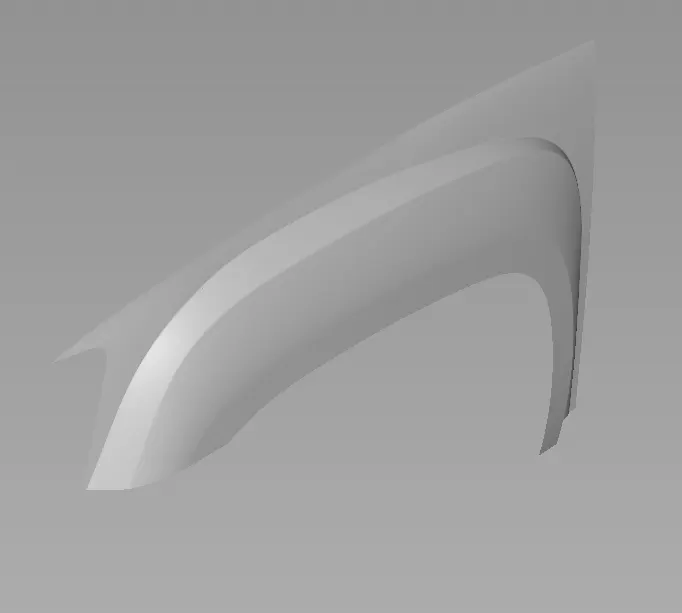
Conclusion: In this assignment we made the Surface Model of Side Fender.First we visualize the image then identify the surfaces which are to be build first. Primary surfaces are made with smooth G2 continuity then transition surfaces are made.
After making the sharp surface model we apply surface fillet to convert sharp edges to smooth edges.We merge the surfaces using the blend where more than two surfaces combine to from a single smooth surface.So by following this method we built Side Fender model of GMC Sierra.
I have also made the surface model of Front Hood GMC Sierra using the same modelling approach. Please find the all the pictures and wire models in the attachments.