Challenge 5 : Concept Modeling of Car Bumper
- Topic: Concept Modeling of Car Bumper
- Objective: To create Concept Modelling of Bumper of Fiat Abarth 500 usign AutoDesk Alias Design.
- Introduction: In this project we will focus on the modeling of bumper. We focus on how to approach for such part where diffrent surfaces merge smoothly. How the continuites are important for proper flow of surfaces.From the ISO picture of the car we can observe the surfaces which will help us to visualize the surfaces and with that we can start building surfaces.
- Please refer the below flow chart:
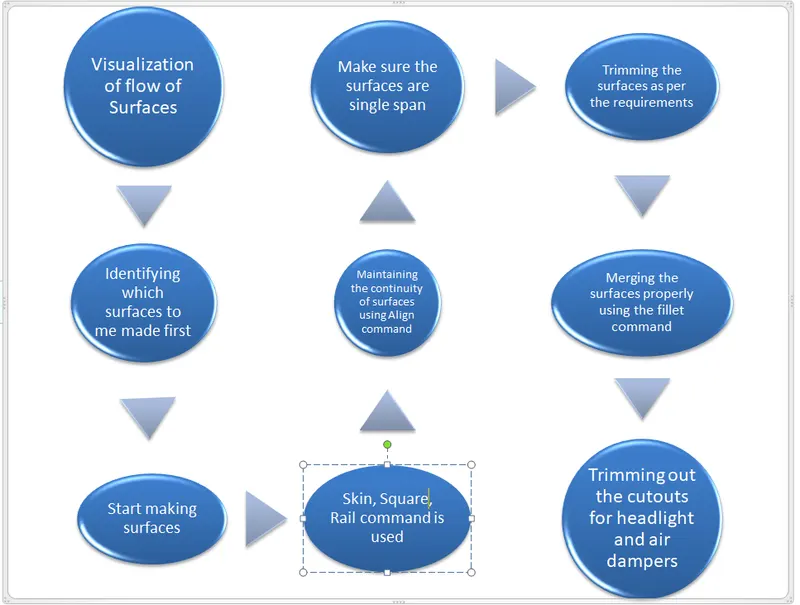
Commands Used: - CV CURVE: It is made by joining of CV( Control Vertices). The first CV is marked as box then next as ‘U’ Shaped and then all others marked as ‘X’ .
CVs decide the shape of the curve.
Degree and Span of CV curve: It decides the continuity of curve. If we have a long continuous curve then we should use single span curve and increasing the degree to make the curve smooth and continuous. - Blend: It is used to join two curves. They can be formed in curvature continuity and also with the help of editor we can change its continuity to tangency. We can also change the degree and span of curve formed by blend and manipulate according to our required shape.
- Trim: Trim a surface by removing (actually hiding) any part of the surface bounded by curves-on-surface or cross sections.You can also split (divide) a surface into multiple surfaces.
- Project: It used to project the curves on surfaces to perform the trim operation there must be curve projected on the surface.
- LAYER: Using this different objects can be placed under the layer. For example In this assignment I have put the image in one layer and then rest of geometry I have put in different layers row wise. We can easily toggle between these layers and also assign multiple objects to single layer.
- Skin/Square/Rail: These are used for building surfaces skin is used when the curves are not intersecting and mostly paralle in simple in shape. Sqaure is used for the four side closed boundary. And Rail can be used in multiple options a per our requirement like 1 genration 1 curve or 1 genration 1 curve as per our requirements we can select any option.
- Surface Fillet: It is used where two surfaces are in contact tangential or they have common edge which is sharp,
Fillet make the surace smooth by providing curvature - Align: It is used for aligning the edges of surface or we can also align the curves. It is very helpfl tool.It helps in aligning the surfaces with diffrent type of continuites as per our requirement.
ContinuityFree Boundary – This edge is free to move if required by another edge’s continuity. This is the default.
G0 Position – Keep this edge exactly like the boundary curve that created it. In other words, do not let the edge move as with the Free option. This is equivalent to positional continuity.
G1 Tangent – Try to keep tangency with a surface that shares this edge.
G2 Curvature – Try to keep curvature continuity with a surface that shares this edge.
Below are the pictures of the Bumper - Front View
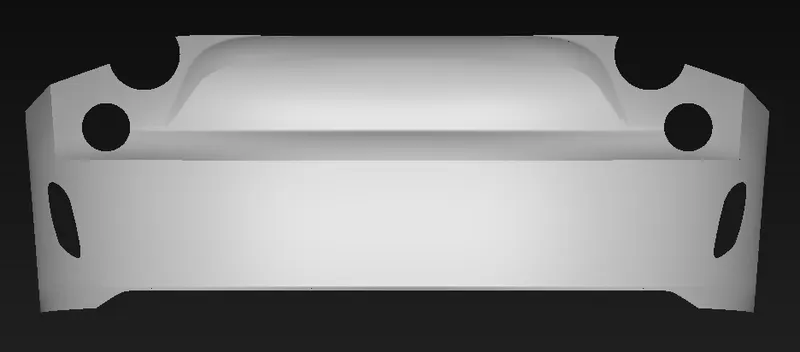
- Side View
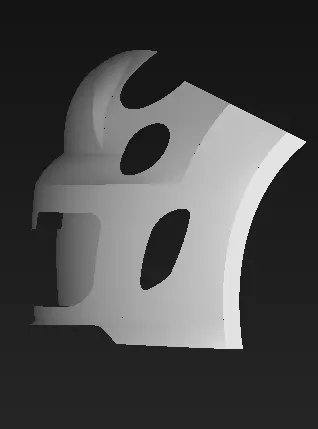
- Top View
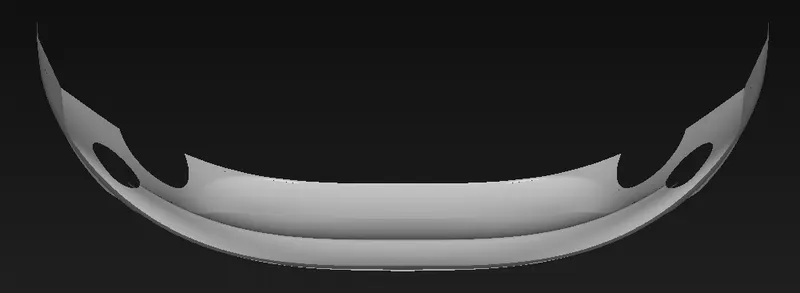
- ISO View
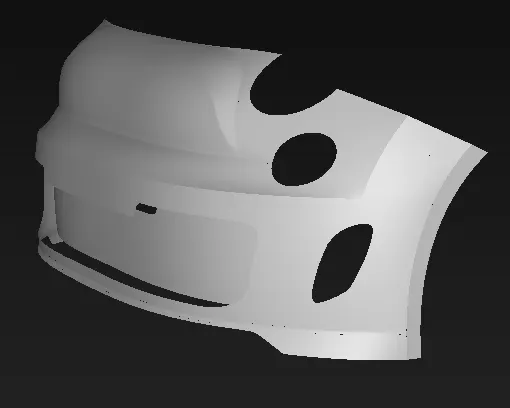
Conclusion: In this project we learned to create the surface model of Front Bumper with front view and side view as reference model We learned to visualize the surfaces and how to create them in sequence with which it is easy to make the model.We learned to visualize the surfaces and how to create them in sequence with which it is easy to make the model. More focus is on the surface creation and their flow. Also merging of surfaces is very important with use of fillet command.