Challenge 9 : Project : Technical Surfacing Kia Sportage
1. title :- kia sportage is constructed with following some rules in the alias software
2. objective:-
- 3D model is made with using of provided images in the alias software.
- before the start modelling, we are following some rules.
- curves and surface are created, they has good quality
- planning of model making and some main tools are writed.
3. introduction:-
kia sportage is compact SUV car which is manufactured by south korea kia comapny. it is five seater car, car has a 4450 mm length, 1865 mm width and 1650 height. company have provided various engine like petrol, diesel, electrical, hybrid engine this days.
project is releted about creating 3D model of car and we are checked the surface quality to try a good quality surface, follow some important rules which is writed further. model is created in the ALIAS software. planning and which type of command use for generate model is writed in the further.
4. important rules for making any body or poduct
1 single span use for any curves, it is provide perfectly smooth.
2 make a four sides for the surface generation.
3 main focus on flow of CV of the curves.
4 use minimum rate of CVs
5 buil massive to small
6 build to theoretical edges
7 set the tolerance towards the start of modelling
8 ensure tangency across center lines
9 avoid building surface from trimmed edges
5. Design methodology:-
preparation plan of steering wheel for generating model
1. find out a same pattern on the blue print ( there is same pattern in the car image )
2. car is dividing two part- right side and left side
only right or left side create and other side use command mirror
3. model is starting to draw from the outer to inner side or bottom to top side
4. use curve tools and surface tools for making surface and follow rules with use of tools
step for generate model
1. set a all images on variuos side of the screen.
2. divide a blue print as per same pattern (there is divid in two part)
3. starte making from the wheel side and follow rules
4. generate surface on the curve network
5. check surface quality
6. Description
- Input image
File – import – canvas image – open browser and select photo
Another way is you can select image and hold right mouse button and move in the software screen (automatic image input in your need side).
- Curve tools
Window – palette – curves tool – (line, blend, curve and many tools are their)
This tools use for network generation.
- Surface tools
Window – palette – surface tool- (sphere, planar, skin, rail, square, multiple curve ).
Above tools are use for surface generation. Skin tools is create two side surface. Rail tools is crate two, three and four side surface. Square tools use for four side surface. And multiple curve tool use for more then 4 side surface.
- joining of two curve
pick the curve - move – press ctrl + right button mouse or ctrl + alt + mouse middle button
- Short key for pick, move, scale
Shift + ctrl + right button mouse
Shift + ctrl + middle button mouse
Shift + ctrl + left button mouse
- Zoom in and zoom out
Shift + alt + mouse right button
Middle button move round
- Project, trim tool
In the Palette - surface edit - project (any curve project on the surface)
In the Palette - surface edit – trim tools ( any portion cut by this tool)
- Check surface quality
For quality of surface, Skin control bar, rail control bar and square control bar open and find check surface quality and also G0, G1, G2, G3 option through change quality of surface. Crvcvtr tool use for curve smoothness.
9.mirror and dublicet
edit - dublicate- select (mirror or object )
mirror is use for the copy of pattern and paste on the other side.
object use for mode is copy and rotation paste.
10. surface filet
this tool is making round and champer edge of the surface
palette - surface - filet
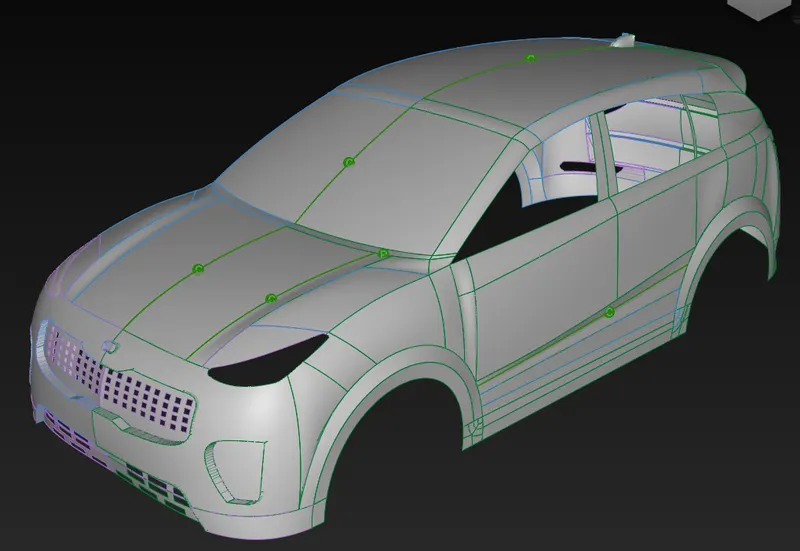
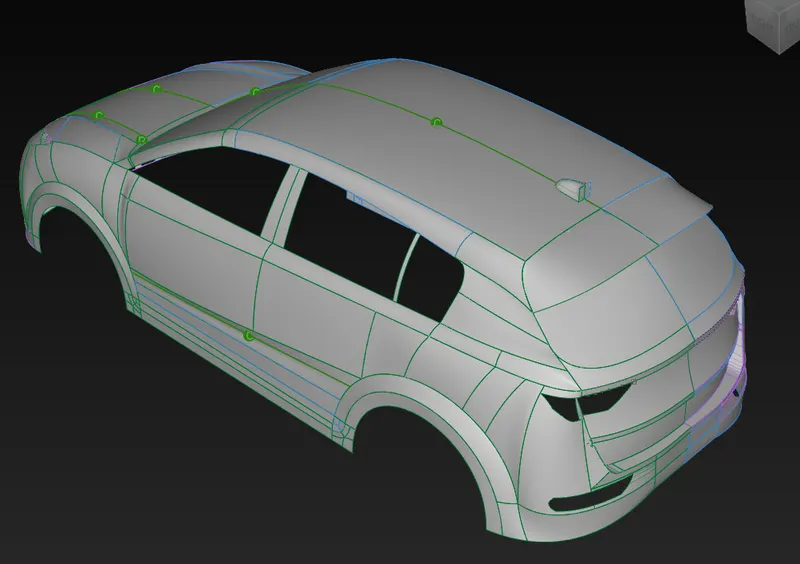
7. Model image
isometric view
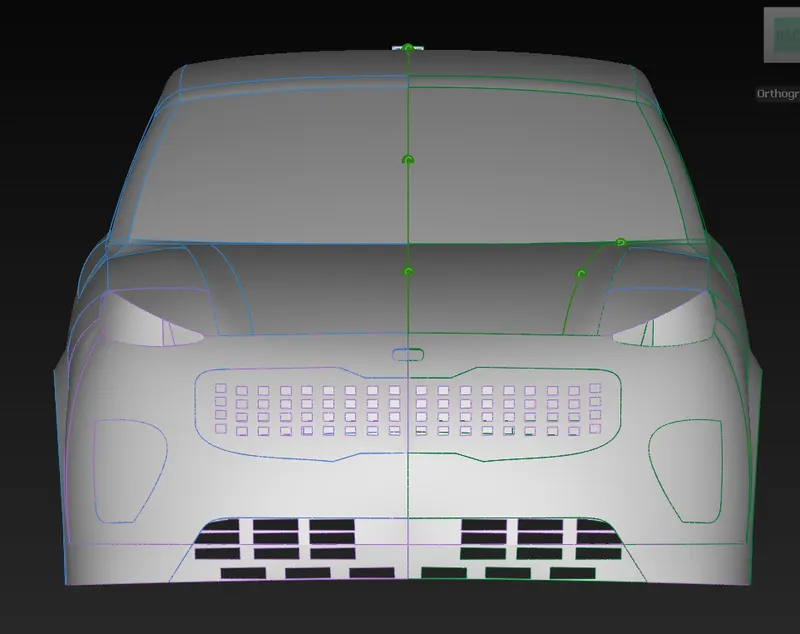
front view
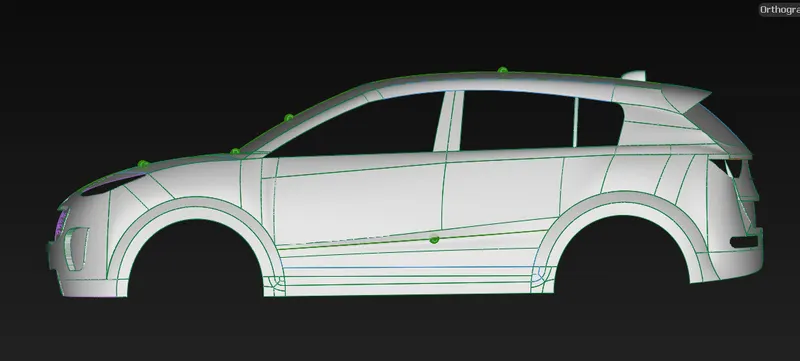
side view
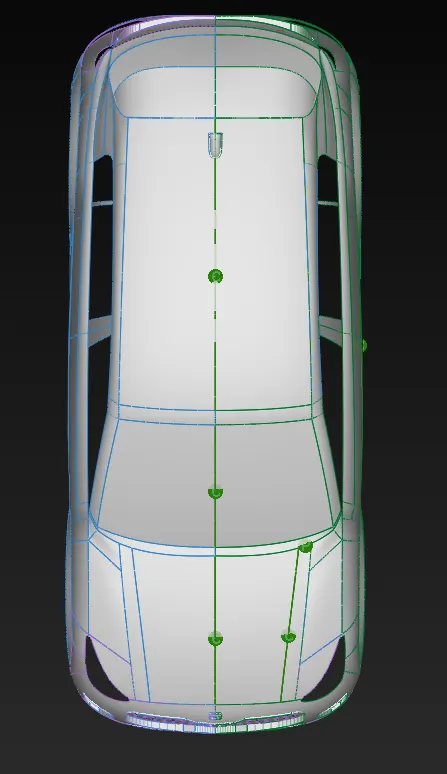
top view
8. Conclusion
overall, it has been seen the various rules, this rules have been using to generate product for many year. curves and surfaces are created smooth while we use of this rule.as result, curves have smooth, surface have good quality. plan and tool infomation are discussed.