Challenge 9 : Project : Technical Surfacing Kia Sportage
Technical surfacing - Kia Sportage 2016
Objective: To model the patch layout of Kia Sportage including mail design elements by referring blueprint.
Introduction: Class A surfaces of automobiles are needed to be made in proper curve structures with various continuity options. Most of the patch layout are connected by means of G2 curvature to ensure flow. For some regions like hard edges or non-continuous surfaces, positional connection is enough. This assignment involves all main elements of surfaces of a Kia Sportage car.
Design methodology/approach
Setting up the workspace
↓
Importing canvas images
↓
Curve structure generation
↓
Surface formation with continuities
↓
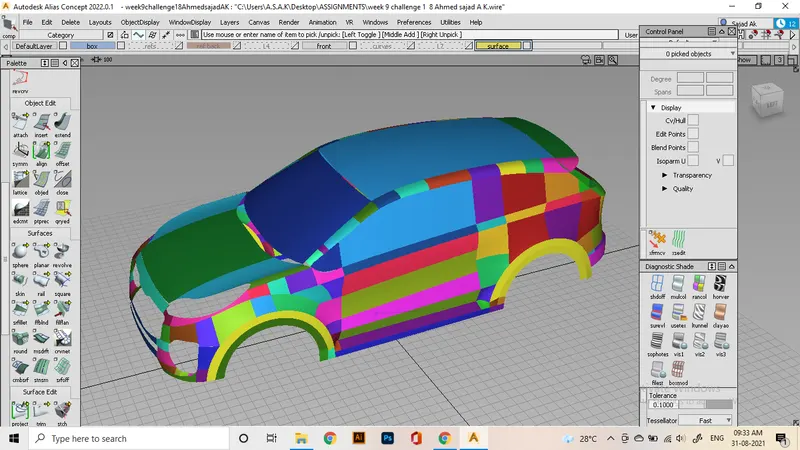
Analyzing the model by visualization
↓
Finishing the work
Description
This project involves Most of the Methods and tools that we have discussed in previous projects. As usual, the work starts with setting up the workspace. I will be using a blueprint that has 4 main views of the car. Front, side, top, and back. need to cut out those views first and will be imported to workspace as canvas images. Before that, A dimension box with proper dimensions is created using a box and scaling it. it will set as inactive in a layer.
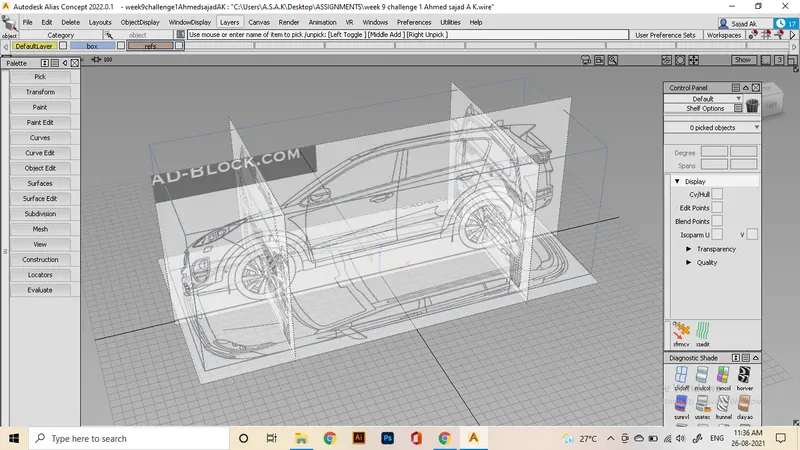
After importing canvas images into the different views, it needs to studied properly for curves and tangencies needed to ensure. For the starting of the tracing, I've decided to go from the wheel arches as a reference
The nearby surfaces will be created as positional to the wheel arches. First go for the front bumper. The method used is same as the previous workflows that are already explained.
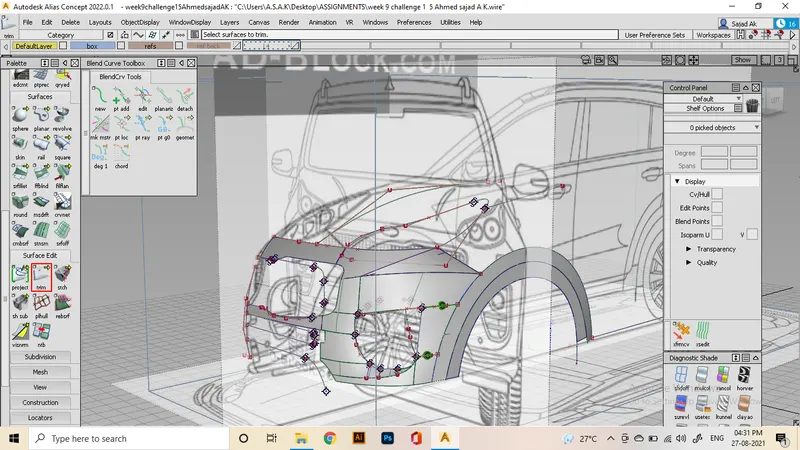
For that complex curves on the bumper, i used msdrafts and ffblends to create inward surfaces and later project trimmed according to the shape of the areas.
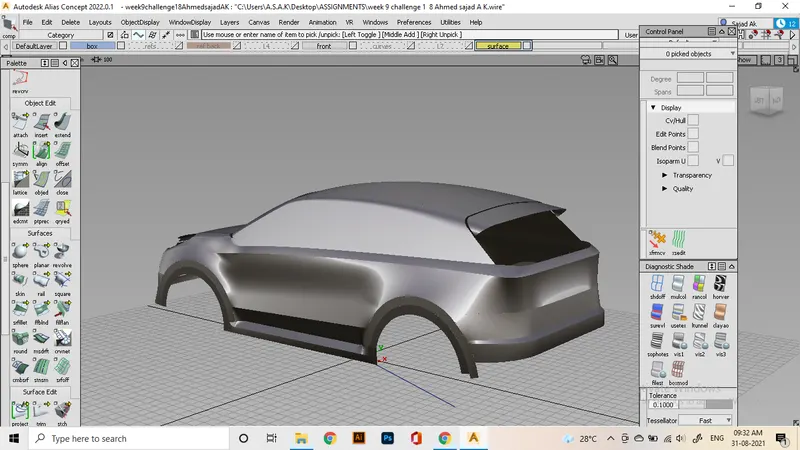
Next move on to the side view. I'm tracing out the areas between two wheel arches. For that, we required to copy the wheel arches from front to the rear side and transform them to the view. Then trace out the region and fill surfaces using ffblends, drafts and square and railing with required curvature as possible. some times we need to trim some areas and realign for getting the needed curvature.
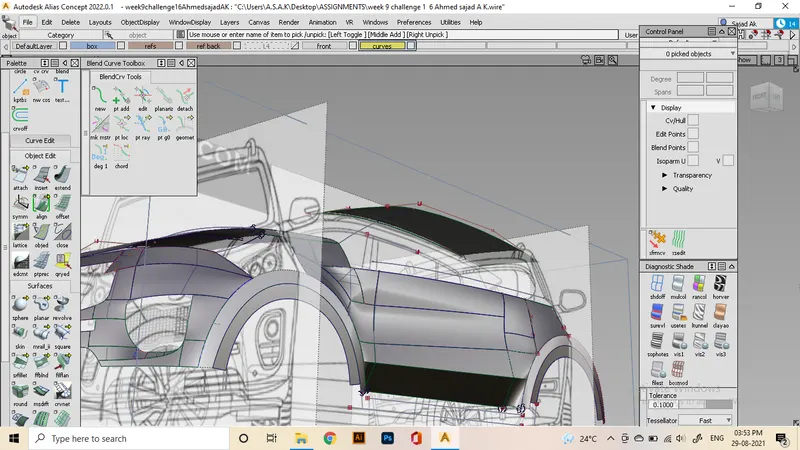
Top surface is made along the process, since that is a good reference point to attach the side panels and back and front windows.
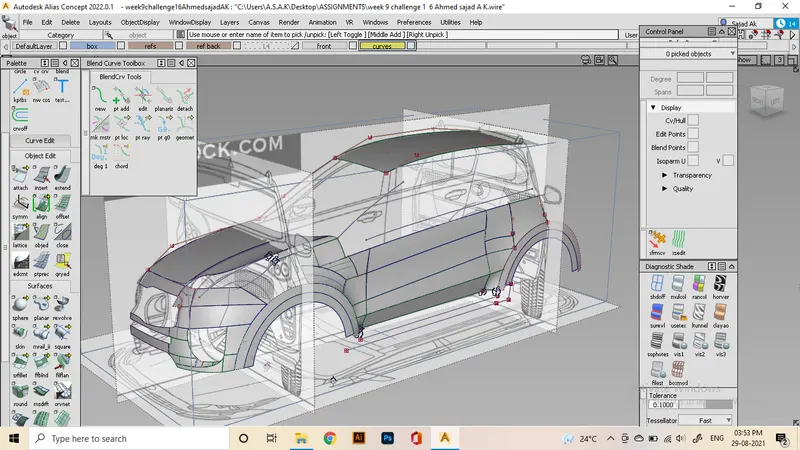
Filling up side windows using ms draft from the key lines. shape of windows will be project-trimmed by referring to side view. later attach them to the roof surface.
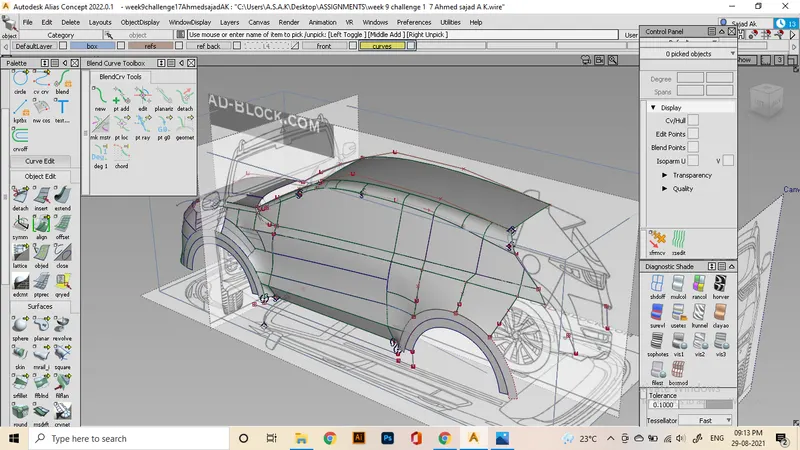
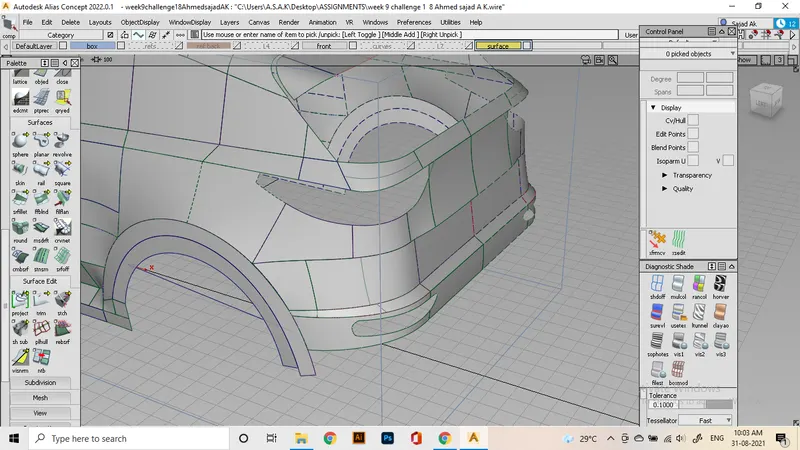
I had issues with connecting of front bumpers to the side panel. So i redesigned the bumper portions to ensure continuity and this is I've achieved so far. Those areas are a bit tricky cause of the details of the trimmed edges. so most surfaces are made under assumptions and by referring to original car images.
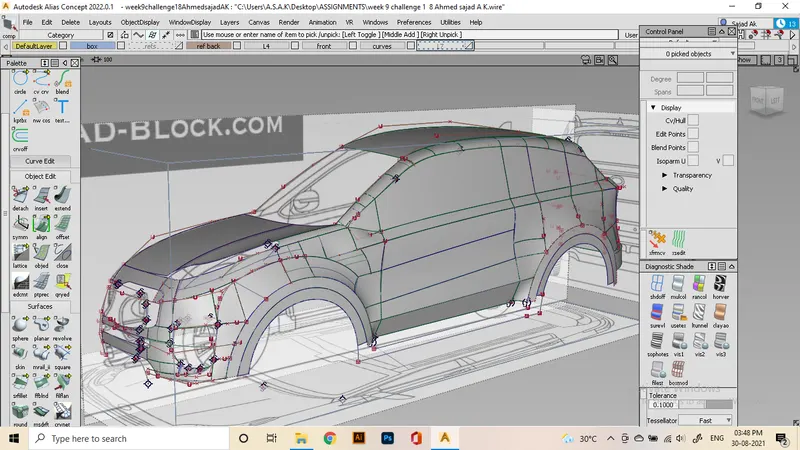
Repeating these activities to fill up the rear bumper.
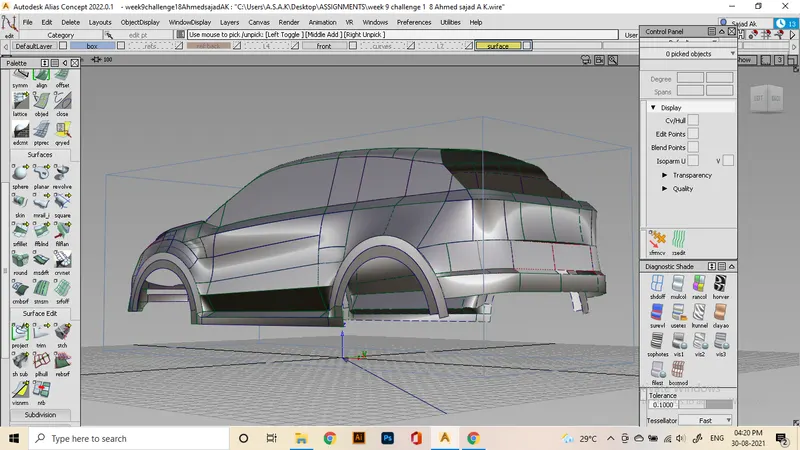
further editing and modifications are needed to make all regions and other elements.
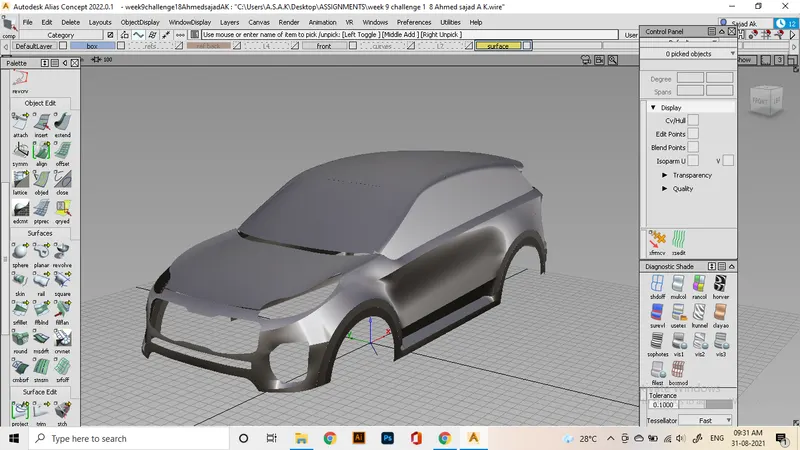
Conclusion:
Made all important surfaces of a full car using the alias and practised curvature continuation methods.