Challenge 8 : Concept Modeling of Seats
Concept Modeling of Seats
Objective: To create the structure of a car seat and model each part using curve generation.
Introduction: In this project, i will be making an automotive seat. A typical seat has 3 main components such as backrest, headrest, and cushion seat. i will be modeling all 3 parts individually. Modern seats are designed to hold the human body in place by modified design approaches. so we can understand that the structure of seats are made in a curved manner to maximize ergonomics and safety.
Design methodology/approach
Setting up the workspace
↓
Importing canvas images
↓
Curve structure generation
↓
Surface formation with continuities
↓
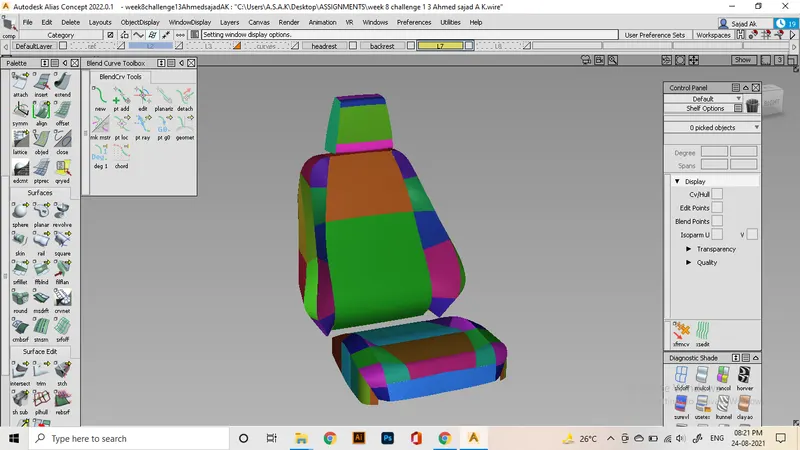
Analyzing the model by visualization
↓
Finishing the work
Description
The design process starts with Setting up the workspace and importing canvas images. I will be using only a side view sketch as my canvas image and a perspective view of the seat to look for reference. Since I have only one orthographic view, i will be guessing the other proportions of the seat by utilizing the reference. As you see, every seats are a type of symmetrical design. so, only modeling of half portion is required.
So for ensuring the overall form of the model, made a dimension box using cube tool and transformed it into the specified dimensions. my design will be made only inside the box.
The first part I'm making is the headrest. Use the cv curve tool to create the first curves in the view. always give enough crowns by moving cv's. for the generation of surfaces, i will move the curves to the ends of the part and use skin command.
Rest of the surfaces can be made using freeform blends and later intersecting their edges and trimming excessive portions. This process ensures G0 position at all sides.
next move to the backrest part, I use an assumed form for the inward portion of the seat that is marked by cv curves and blends. I can use these curves to make that surface by using rail tool setting as 1 generation 1 rail method. Here you can see the flow I'm able to achieve.
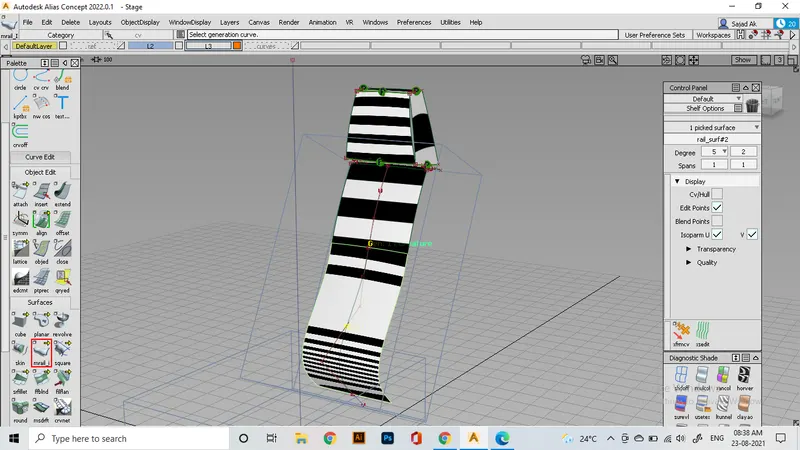
For the remaining portion of the seat, i use curves whose shape is referred from a side view, and by assuming the overall proportions. We first make hypothetical curves to find which way is the best to make those parts.
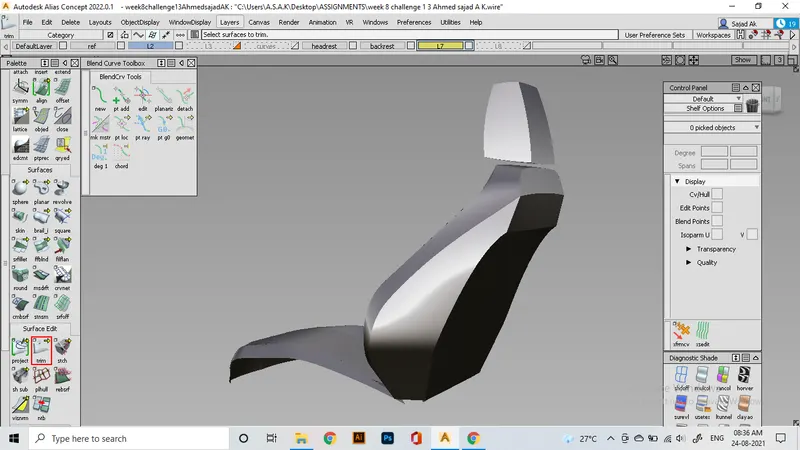
utilize those curves to make initial surfaces. Since the shape we will make is too much curved, the edge aligning will be a bit messy. For fixing that, we can use extend the surface, intersect, trim tools.
For the back part of the seat, there include 3 surfaces that are aligned by the intersection.
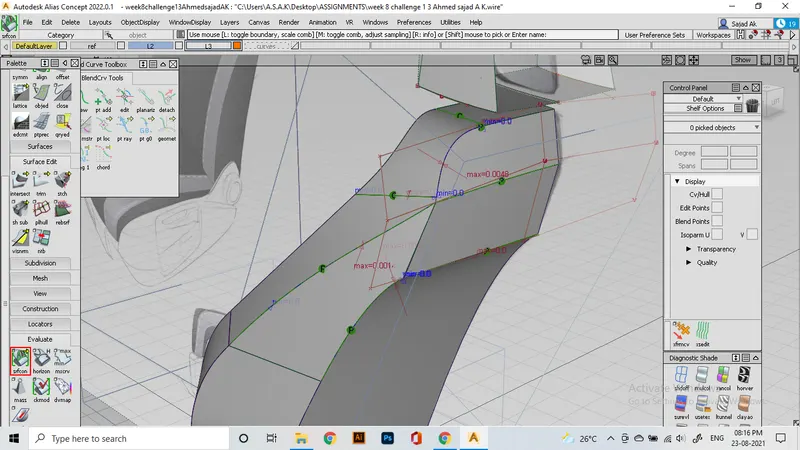
There achieved positional and curvature continuities with proper flow.
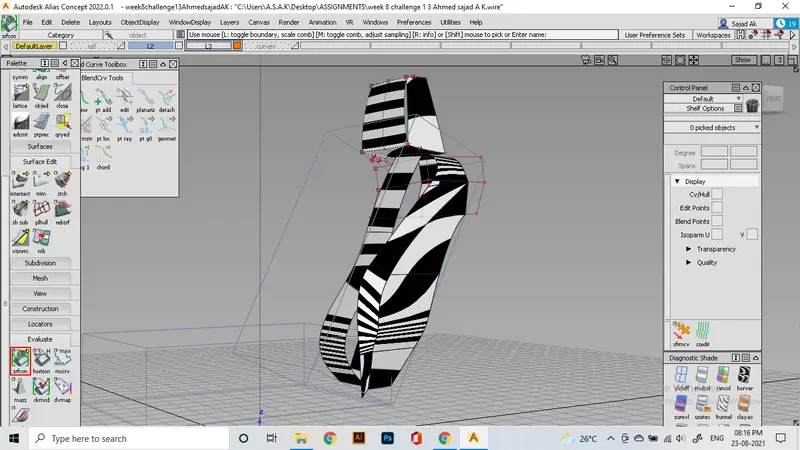
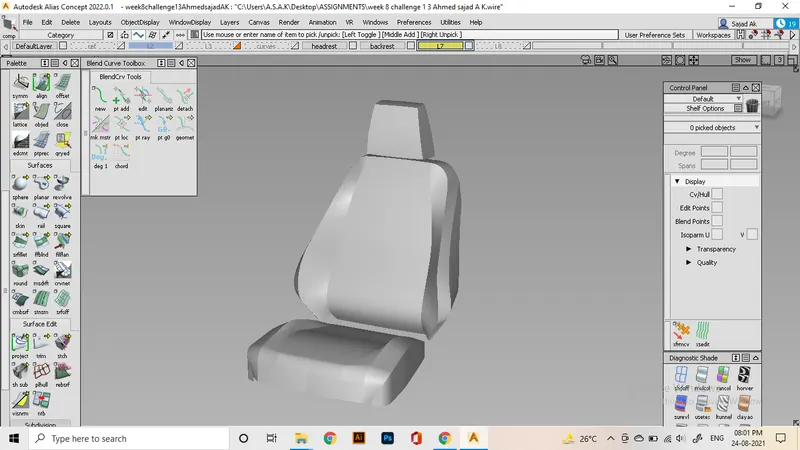
We might need to try out many ways including skin, rail, square, ffblend with the addition of trim, intersect, project, extend to make that region proper. Hence I made this as a result.
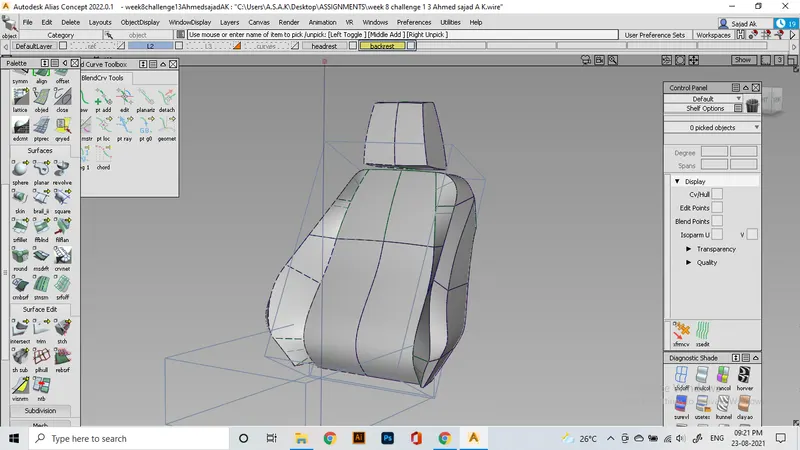
Repeating these processes again for the lower part of the seat. After that, evaluate the surface continuities and finish the process.
Conclusion
Learned to generate complex curve geometries and to implement different ways and approaches for modeling difficult surfaces.