Assignment 6-Frontal Crash Simulation Challenge
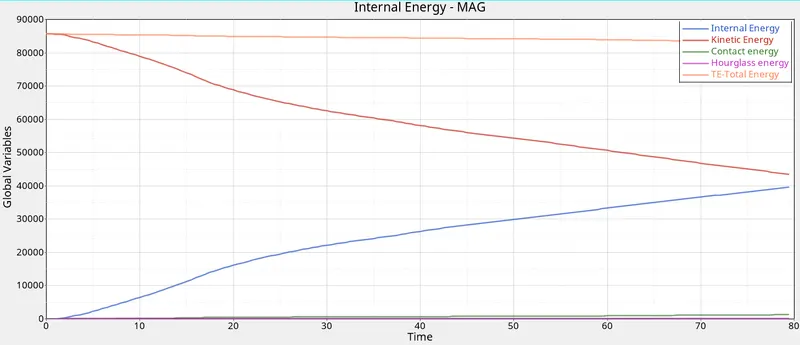
OBJECTIVE: The main objective of this analysis is to perform a frontal crash analysis with all th givn condition satisfying and get the required output result as asked and brief in detail how the energies are plotted.
PROCEDURE:
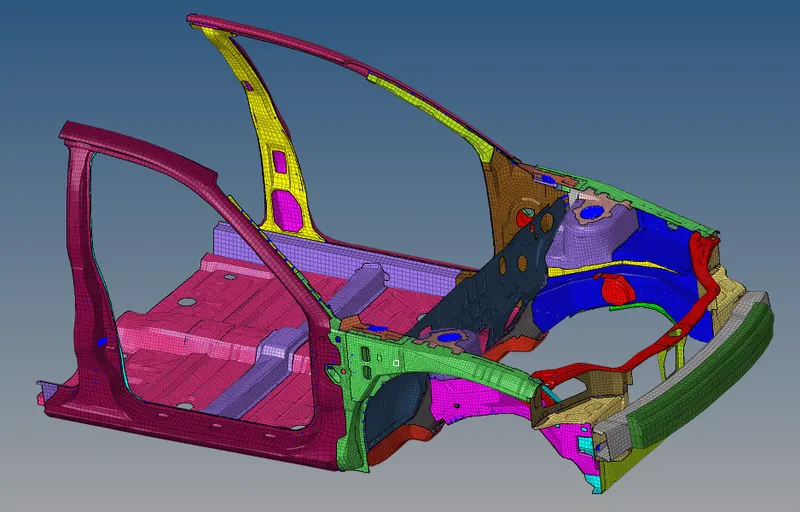
STEP 1: First import the model into hypermesh.
File --> import solverdeck --> select the required file and then click import.
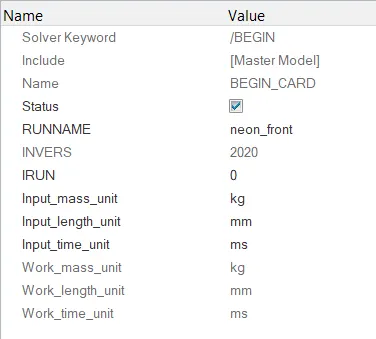
STEP 2: To check the unit system go to model browser, go to cards and click begin card and in that you can see the unit system.
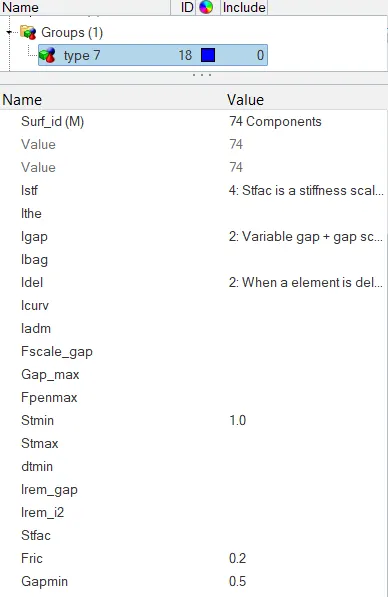
STEP 3: Now create type 7 contact between all the components and delete the previous contacts. In group card right click and select create.In the card image select the TYPE 7 cotact and give the recommended setting for those parameters.
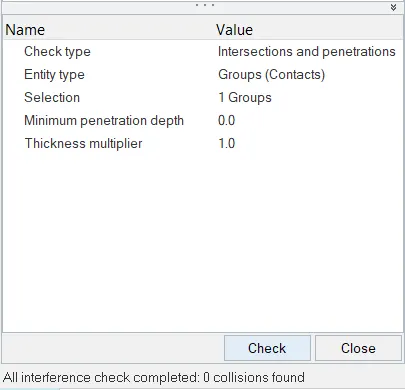
STEP 4: Once the contact has been determined now check in the model whether there is any penetration in the model.
Tools --> penetration check
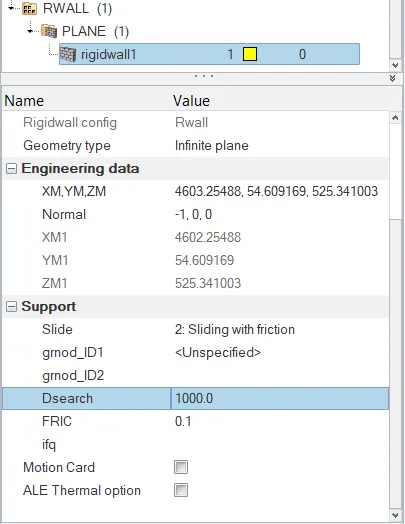
STEP 5: Now to create a rigid wall go to solver model and right click create --> rigid wall --> plane.
STEP 6: In order to improve the CG to the full car model add same masses to some nodes to match the CG.Go to solver model and in ADMAS card create new masses.
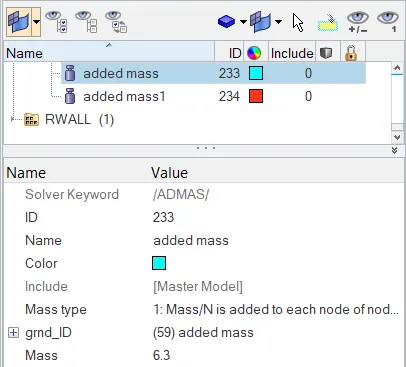
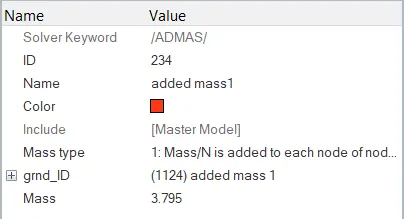
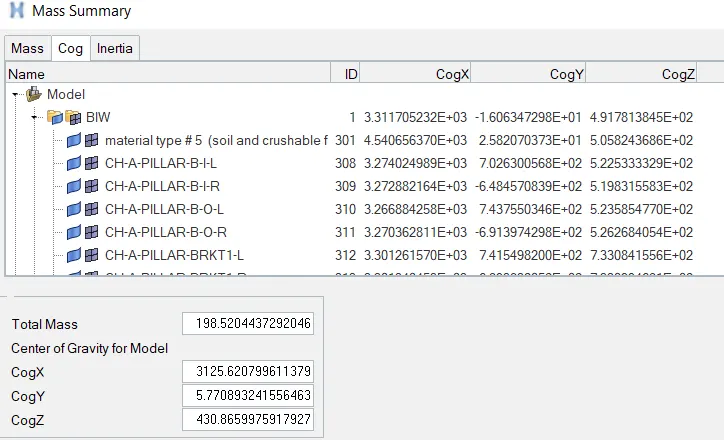
Thus these two masses have been added to the model thus the resulting CG is close to the full car model.
To see the CG, go to tools -->mass details --> mass,CG and inertia
STEP 7: To impose an initial velocity go to solver model, right click --> create -->boundary condition --> INIVEL
Create a set with all the nodes in the model and apply that set in the INIVEL parameter.
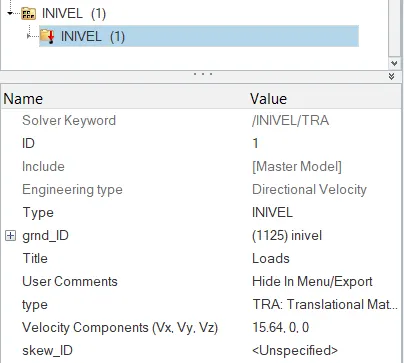
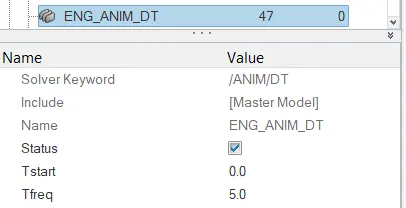
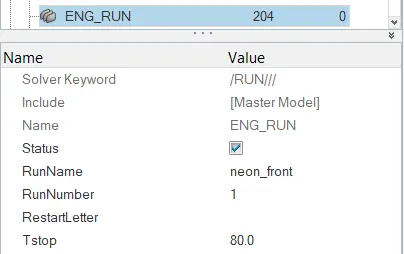
STEP 8: Now check for time step and runtime in the model and check whether they are matching with the given parameters.
STEP 9: Now find th node with the given node ID and create a section with it.
Go to tools tab and click number.Now right click and select by ID option and enter the given id.
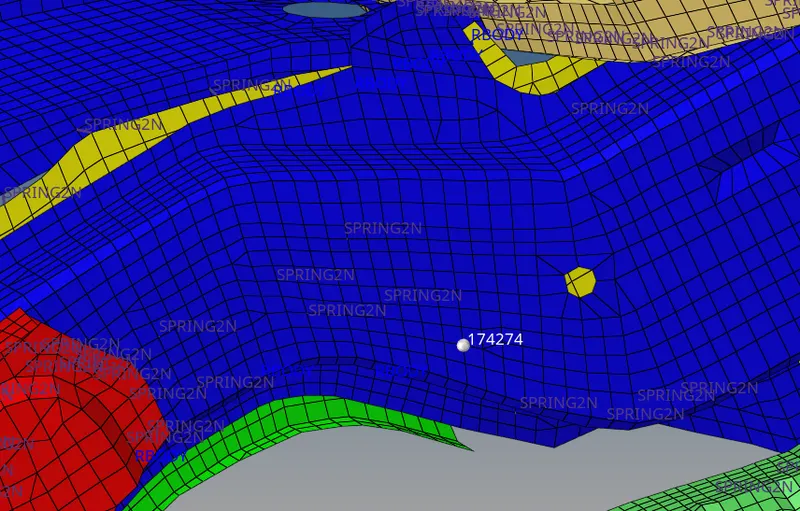
Create two sets, one with all the nodes surrounding that node and the other set with all the elements surrounding the node.
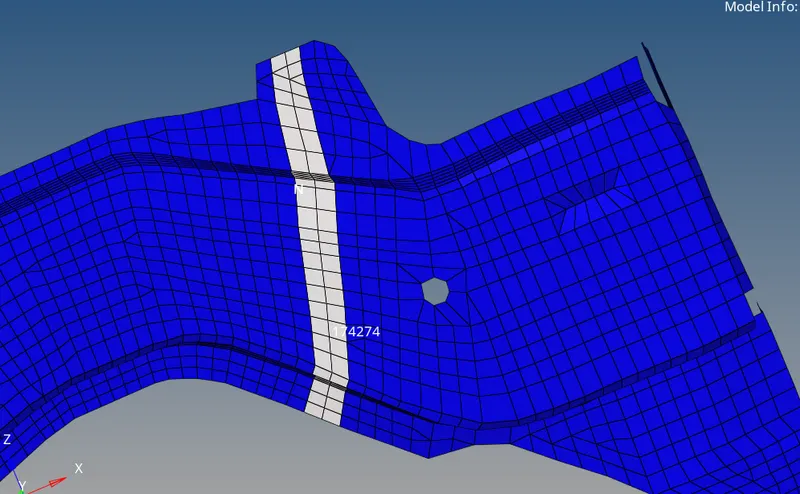
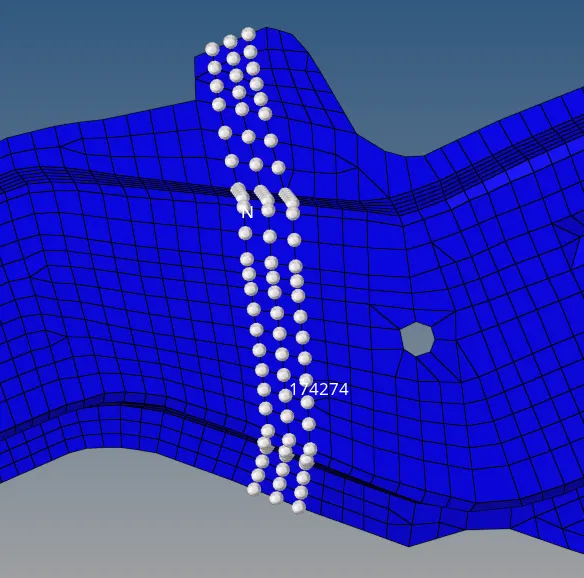
Now go to solver model and create a section card. Select the nodes that define the local co-ordinate system and the input the two sets into the parameters.
Now in the TH card create a section card and give the crosssections.
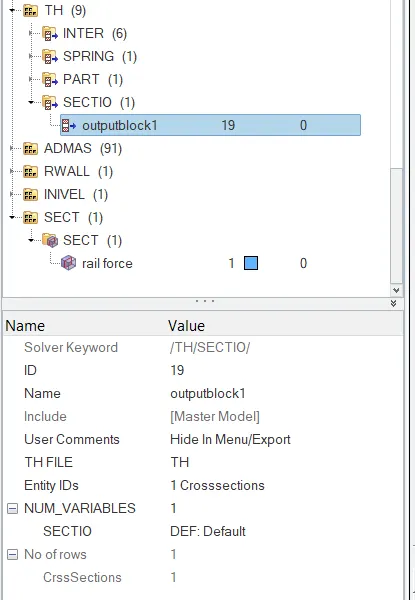
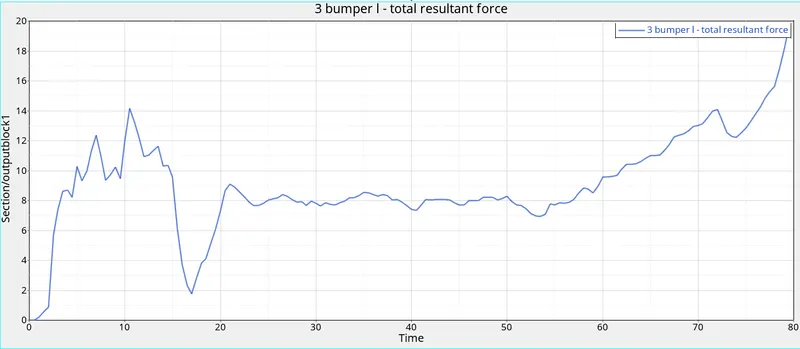
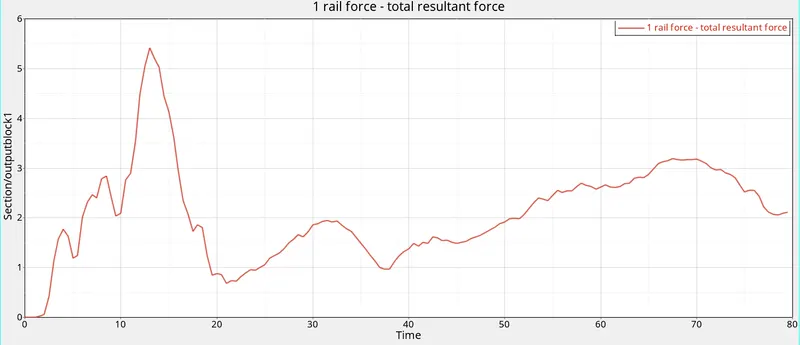
STEP 10: To determine the axial force in rails from bumper, create a section in the rail where the bumper is connected.
Create two sets, one with all the nodes and the other set with all the elements.
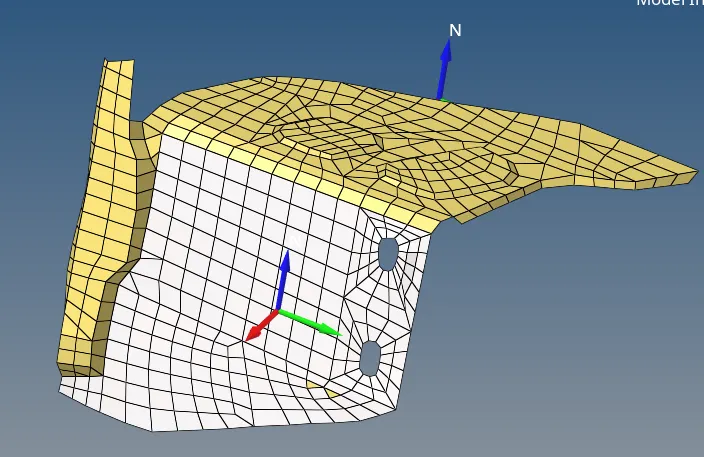
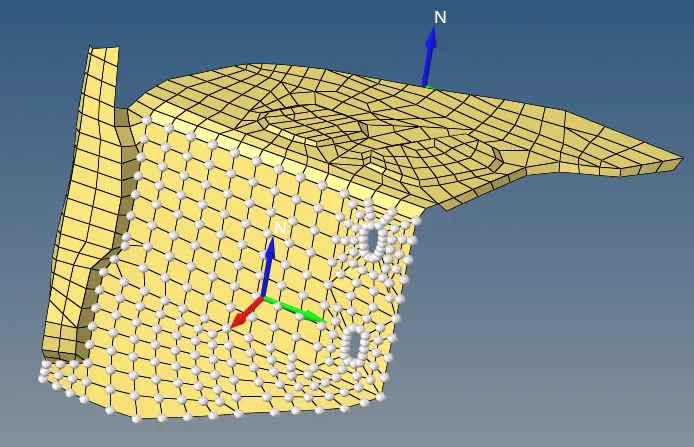
Now go to solver model and create a section card. Select the nodes that define the local co-ordinate system and the input the two sets into the parameters.
Now in the TH card create a section card and give the crosssections.
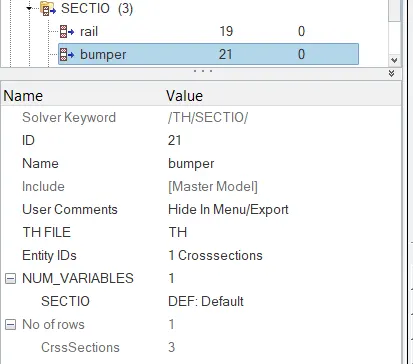
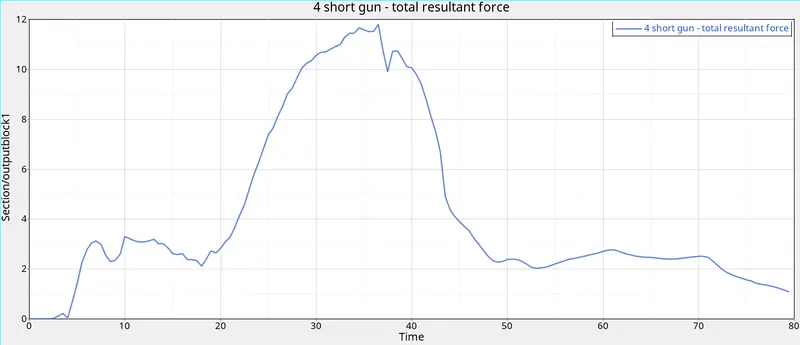
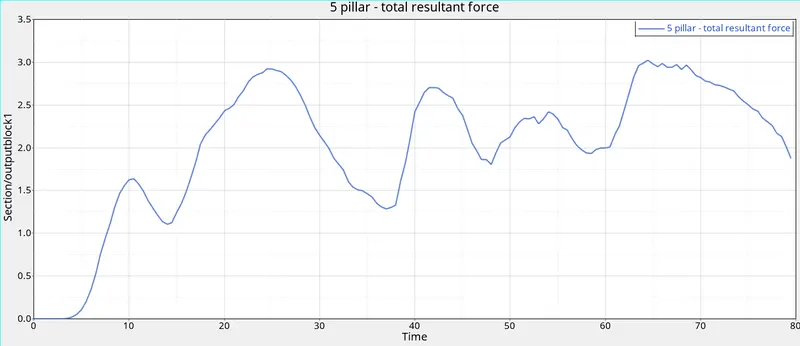
STEP 11: Now create a section in short gun and A-pillar with the above mentioned methods.
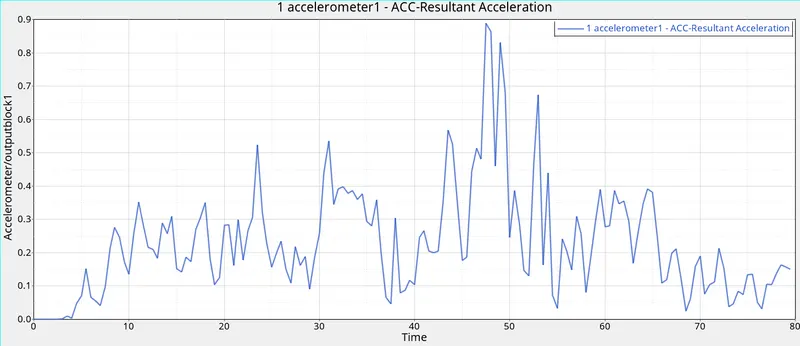
STEP 12: Create a accelerometer near the base plate of B-pillar by right click --> create --> accelerometer
Now select the node and give the fcut value as 1.65.
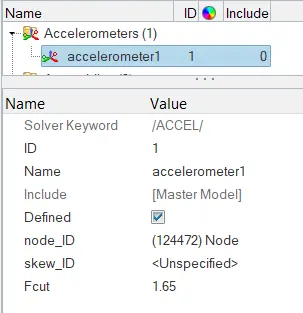
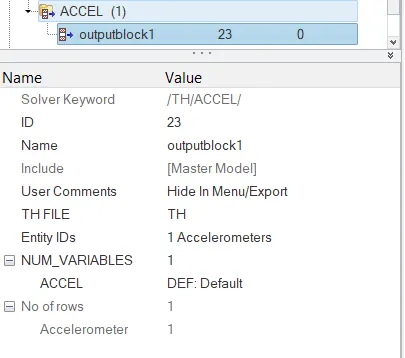
Now include this in the time history file.
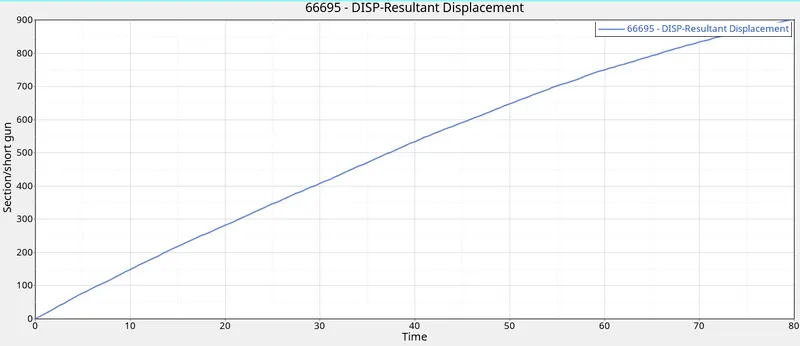
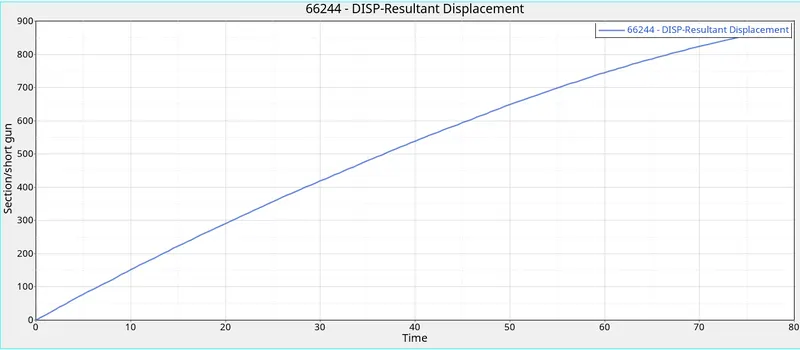
STEP 13: Go to the Tools panel, click on numbers, Select the nodes, click on ID, give the node id as specified (given 66695, 66244) ,Click on display.
Right click on tab area, click SKEW option, select MOV option , give a name to it select the nodes ( origin, axis, Plane nodes)
Create a new Output block and rename it.
Select the displayed node and skew system.
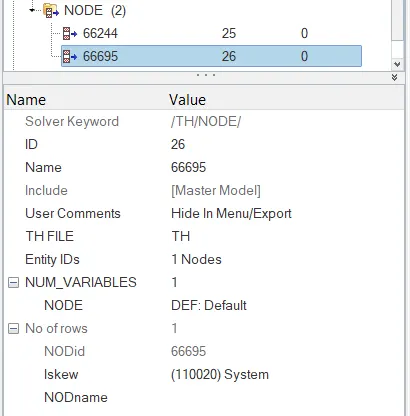
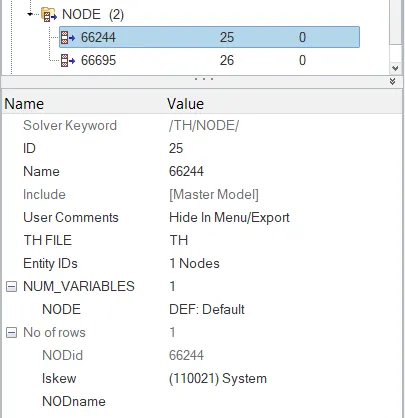
STEP 14: Now go to analysis tab and click radioss button.Select the RAD file and run the file.
STEP 15: Now switch to hypergraph 2d and load the T01 file.
ENERGY GRAPH:
ACCELEROMETER
SHORT GUN
BUMPER FORCE
RAIL FORCE
PILLAR FORCE
INTRUSION
CONCLUSION:
The given model was simulated for the frontal crash using Radioss and the results obtained were validated. The graphical results were plotted for all the test cases.