Assignment 5-RADIOSS Interfaces & Study of Effect of Notches Challenge
AIM :-
- Create the 2D mesh for bumper assembly and connect the crash box with bumper using connectors .
- mesh size should be 6mm.
- create different type of interfaces, assign recommended values to the interfaces and compare the base simulation setup results with different kinmatic condition simulation results.
Different kinmatic conditions
- Run the crash tube model as it is.
- Change the Inacti=6 and run.
- Create the type 11 contact and run.
- Remove both notches and remove boundary condition on rigid body node then run.
- Create a new notch in the middle ,select the whole section and run.
- Create a new notch with nodes only from opposing 2 faces and run
PROCEDURE :-
- Import the given .hm file in hypermesh using import model option
- It has 2 main components , one is bumper and another one is crash box
- Mesh the each component seperately
- 2D- Automesh - element size 6.
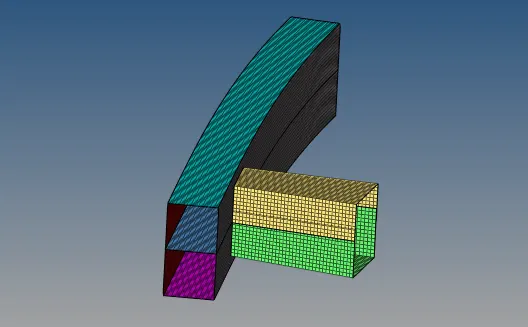
- connect the surfaces and two components bumper and crash box using connectors
- 2D- connectors- seam
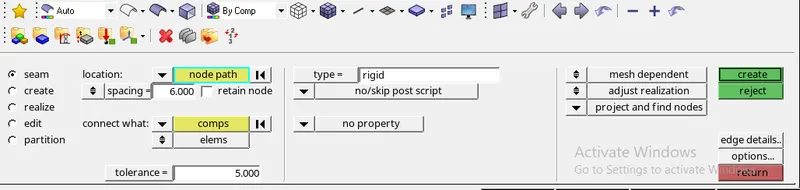
- our element size is 6mm ,so we taken spacing value as 6
- tolerance means , hypermesh will automatically selects the nearest nodes within the tolerence zone value.
- we taken rigid type connectors
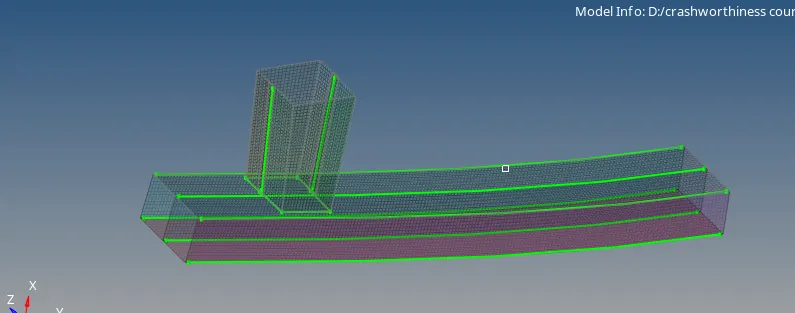
case 1 :- Run the crash tube model as it is.
- interfaces are defined to model how parts interact when they come into contact with each other
- accuracy of results depends on the accuracy of interface modelling
- the interfaces are defined through master and slave segments
- master and slave selection can be of parts, elements, nodes etc.
- in this case we taken type 7 interface
type 7 interface
- it is a node to surface contact and it is a universal type contact
- a gap is defined around the master segment and slave nodes and this gap can be variable or constant
- the slave is kept outside of the master gap by resistive force application.
- import the cras box_0000.rad file in hypermesh using import solver deck option
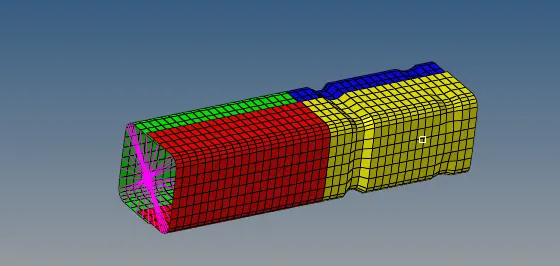
2. importent interface parameters
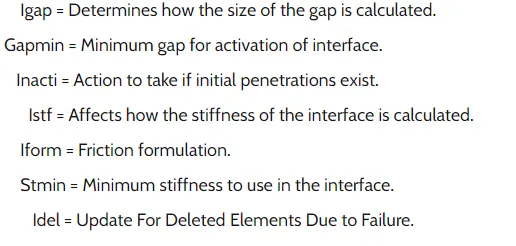
3. in order to create TH PART, we have to click on output blocks and create TH PART, in entity id instead of nodes change it to components and select all 4 components. hence TH PART is created
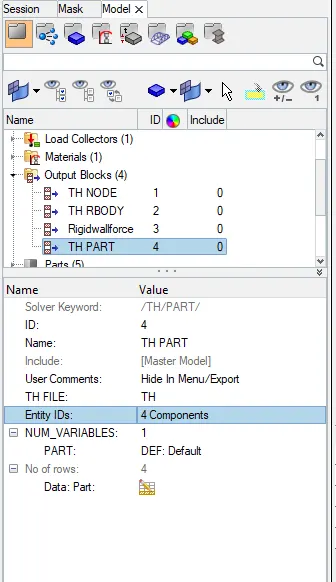
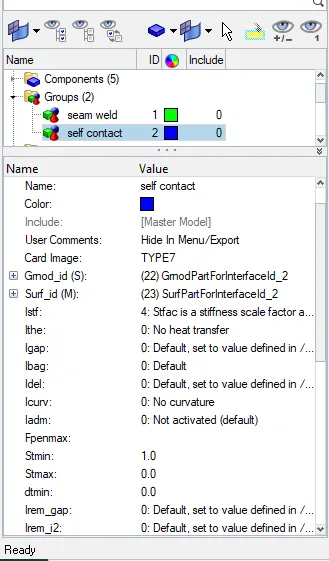
4. for this case dont change any paramter and run the simulation as it is
in hypermesh, go to - groups - self contact ( type7)
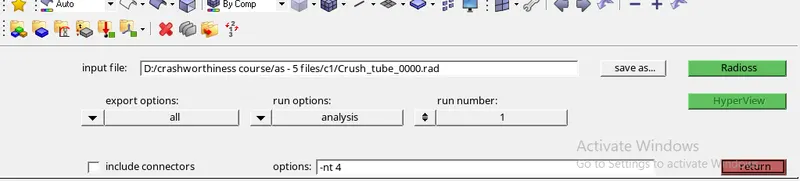
5. analysis - radioos - select files location - click on radioss
6. after completing simulation open crah_box_0001.out file with a text editor

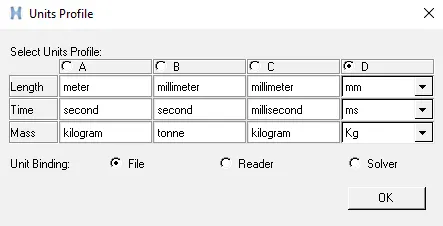
- To generate graphs switch to hyper graph 2D , and upload a T01 file
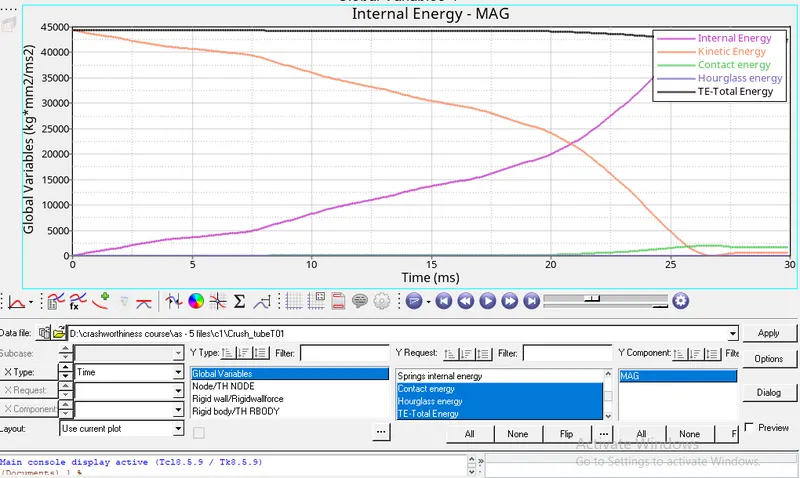
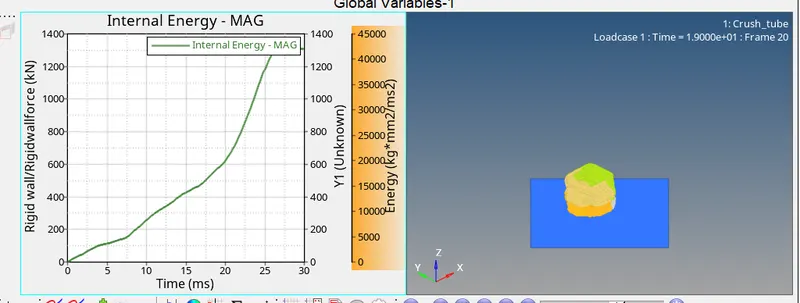
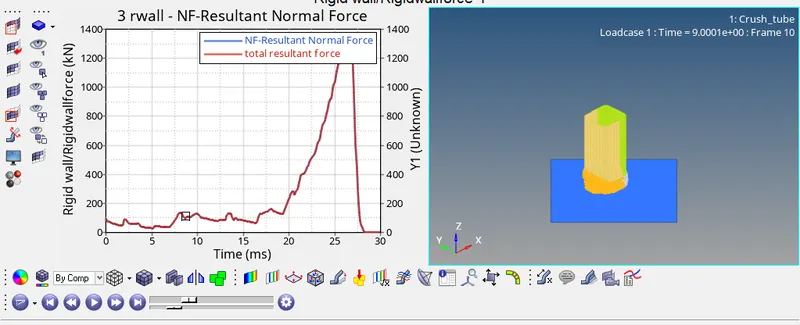
- Internal energy is increasiing linearly upto 26ms after that it goes constantly upto 30ms, max Internal energy is nearly 43000 kg*mm2/ms2
- Kinetic energy is decreasing lineary , it starts at 45000 kg*mm2/ms2 and decreased to zero at 26ms.
- Internal energy and Kinetic energy both are inversely propotional.
- Total energy = Internal energy (force*displacement)+ Kinetic energy (1/2mv2) + Potential energy (mgh,negligible)
- total energy almost const
- hour glass energy is almost zero ( negligible)
- max force acting on crash box is 1300kn at 26ms
- Internal energy and resultant force both are reached their max position at 26ms.
case 2:- Change the Inacti=6 and run.
- import the cras box_0000.rad file in hypermesh using import solver deck option
- Change the Inacti=6
- follow the same procedure mentioned in above case
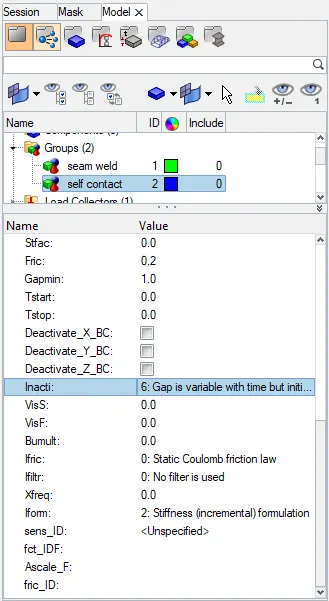
- Run the simulation
- after completing simulation open crah_box_0001.out file with a text editor
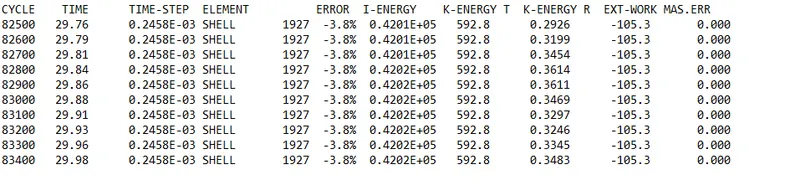
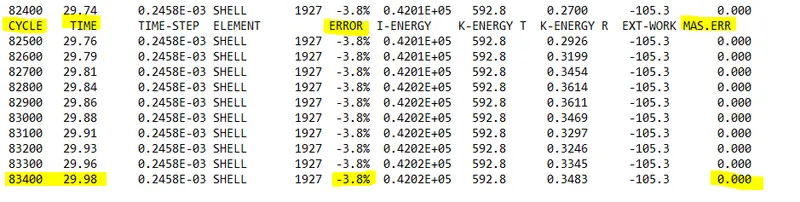
- in this energy error is -3.8 , our max limit is -15% so this result could be acceptable.
- To generate graphs switch to hyper graph 2D , and upload a T01 file
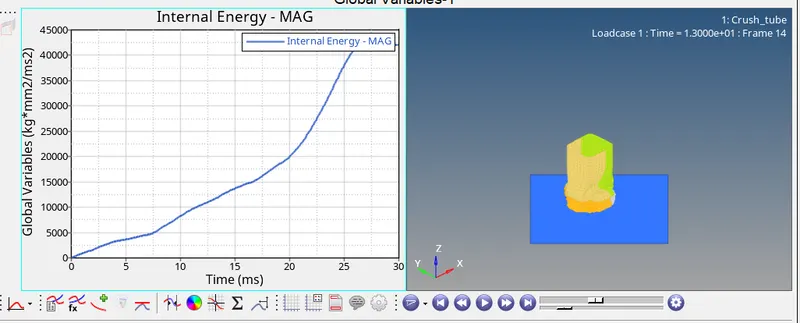
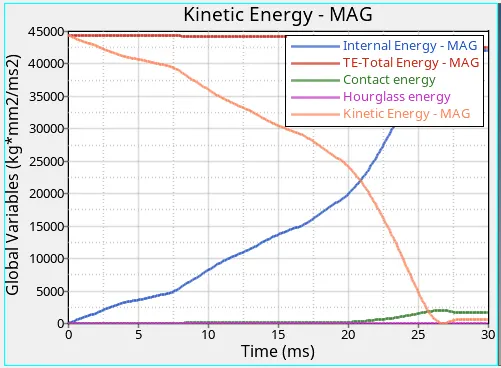
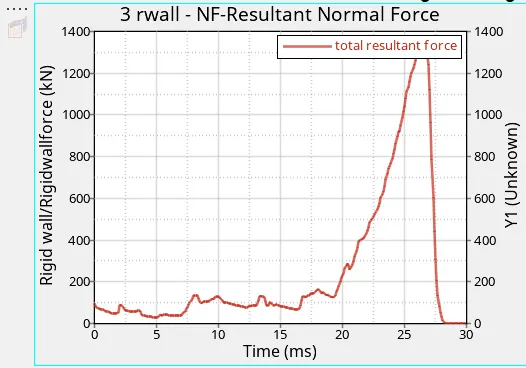
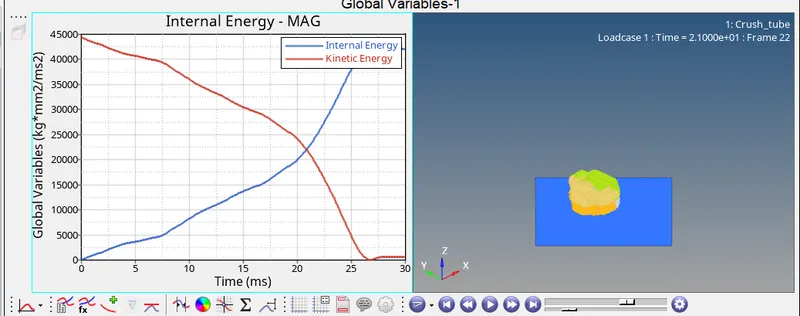
- Results obtained in this case almost similar to case1
case- 3:- Create the type 11 contact and run.
TYPE 11
- Similar to type 7 , but its a edge to edge contact
- the recommanded parameters are the same as that of the type 7 interface.
- import the cras box_0000.rad file in hypermesh using import solver deck option.
- create a new interface ( type 11) give parameters as same as type 7
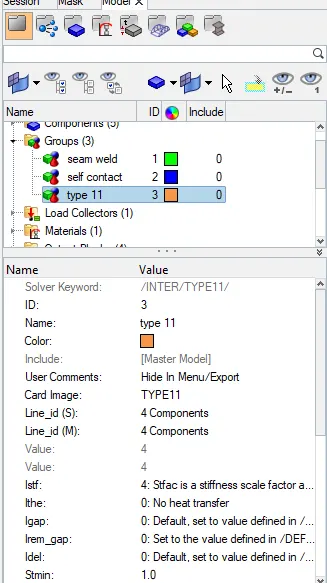
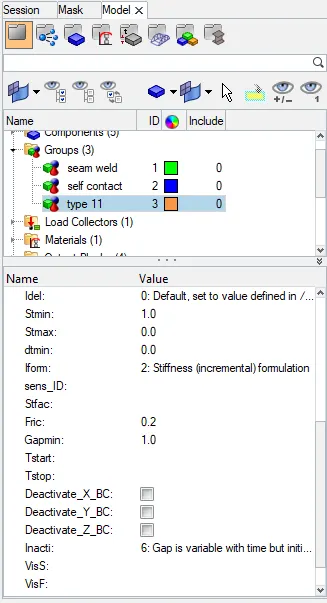
- follow the above mentioned procedure for simulation.
- after completing simulation open crah_box_0001.out file with a text editor
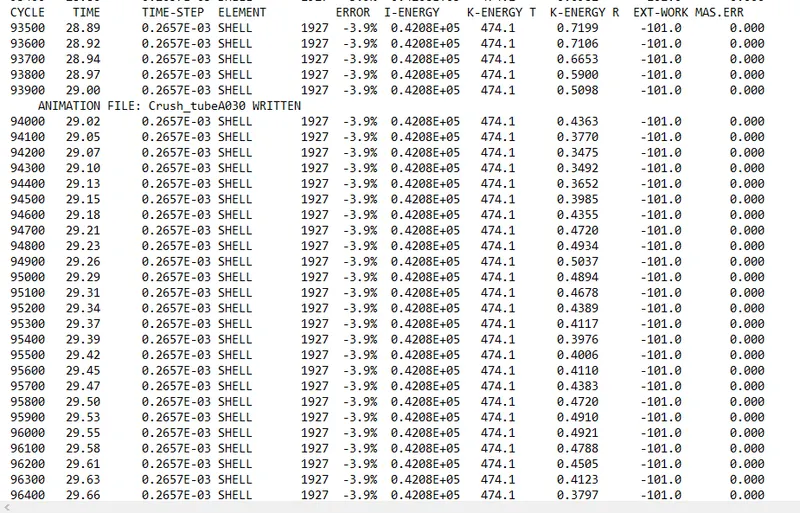
- in this energy error is -3.9 , our max limit is -15% so this result could be acceptable.
- energy error is more in this case , compared to case 1&2.
- it took more cycles (96300) compared to case 1&2 (83400).
To generate graphs switch to hyper graph 2D , and upload a T01 file
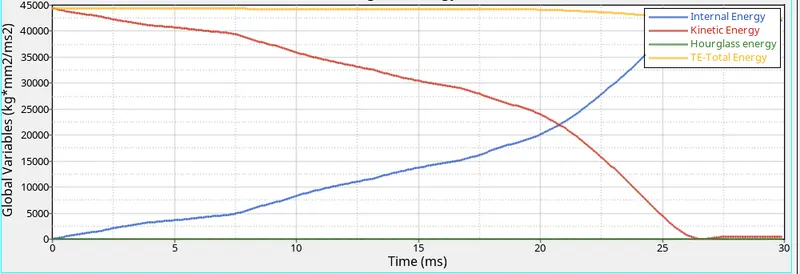
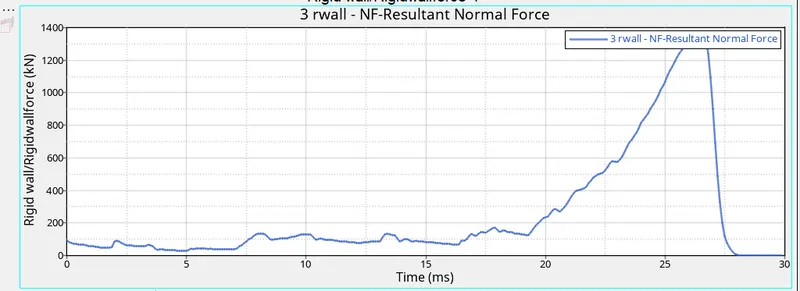
- hour glass energy is low compared to previous cases , remaining are almost similar
case 4:- Remove both notches and remove boundary condition on rigid body node then run.
- import the cras box_0000.rad file in hypermesh using import solver deck option
- Remove the notches using align node option
- go to - geometry - node edit - align node
- remove boundary condition (BCS)
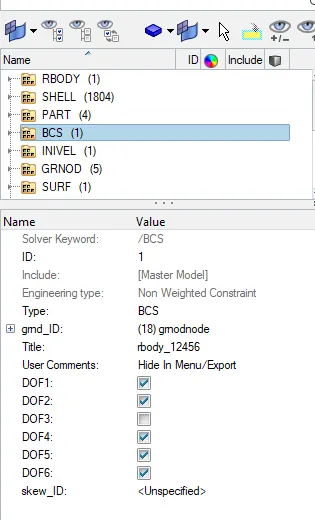
- Delete this BCS.
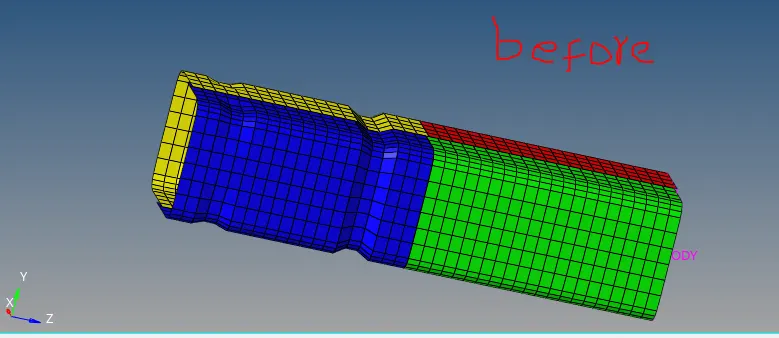
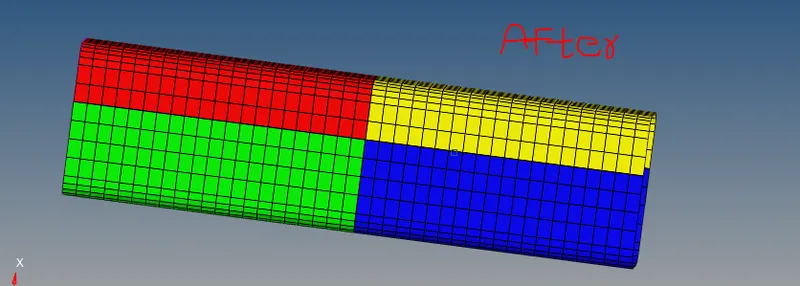
- Run the simulation
- after completing simulation open 0001.out file with a text editor
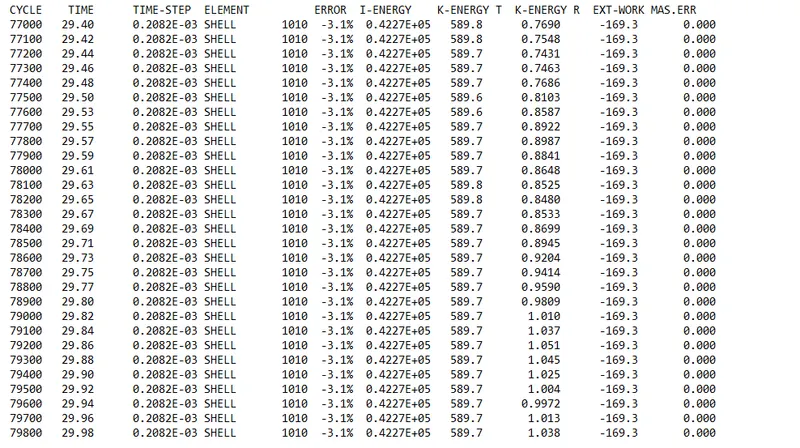
- in this energy error is -3.1 , our max limit is -15% so this result could be acceptable.
- energy error is less in this case , compared to all previouse cases.
- it took less no.of cycles (79800) compared to all previouse cases.
To generate graphs switch to hyper graph 2D , and upload a T01 file
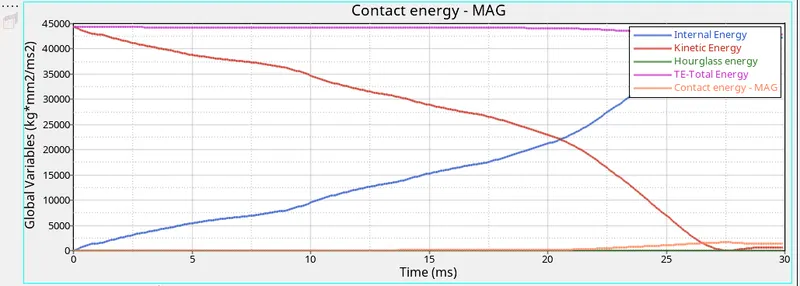
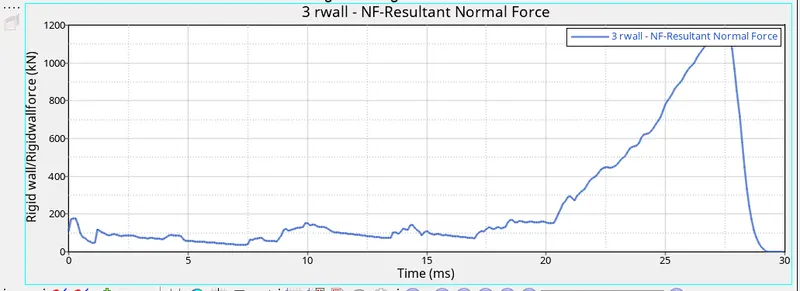
- hour glass energy is lower than case 1&2 ,but small higher than case 3
- resultant normal force is smaller than all previouse cases due to removal of notches.
case 5:- Create a new notch in the middle ,select the whole section and run.
- import the cras box_0000.rad file in hypermesh using import solver deck option.
- Remove the notches and create a new notch in the middle using translate and align node option.
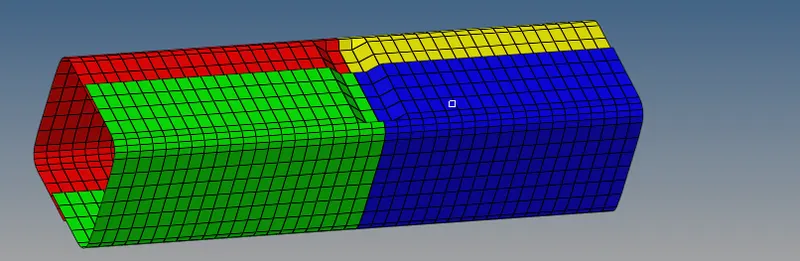
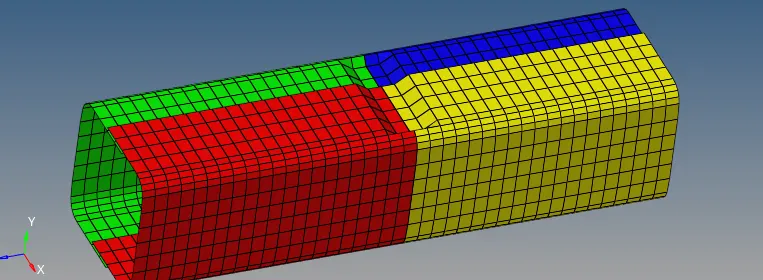
- Run the simulation
- after completing simulation open 0001.out file with a text editor
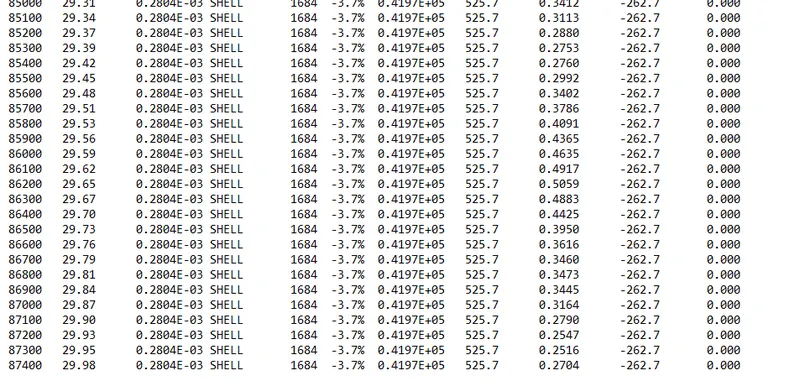
- in this energy error is -3.7 , our max limit is -15% so this result could be acceptable.
To generate graphs switch to hyper graph 2D , and upload a T01 file
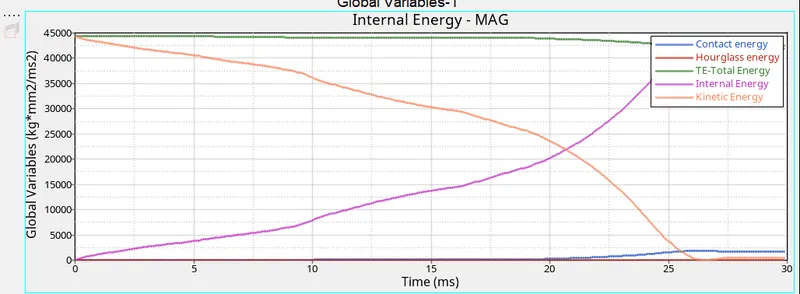
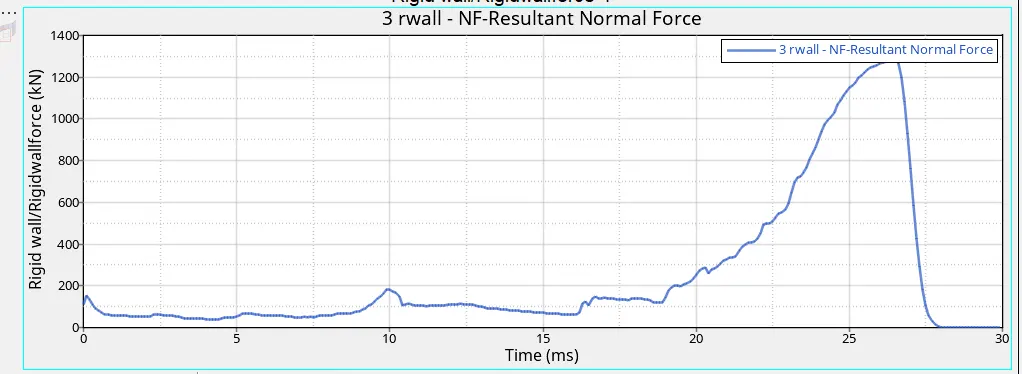
- hour glass energy is low compared to case -4 ,resultant force is higher than case 4 and remaining are almost similar.
case 6:- Create a new notch with nodes only from opposing 2 faces and run
- import the cras box_0000.rad file in hypermesh using import solver deck option.
- Remove the notches and create a new notch on opposing 2 faces using translate option.
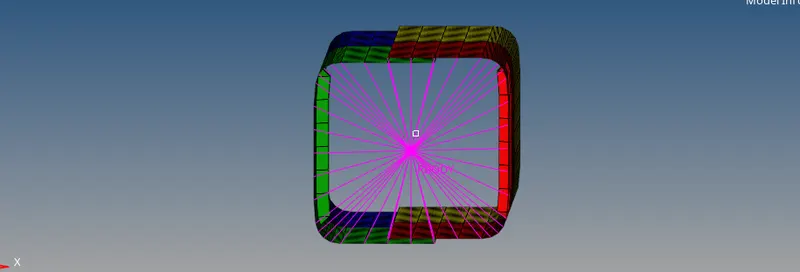
- Run the simulation
- after completing simulation open 0001.out file with a text editor
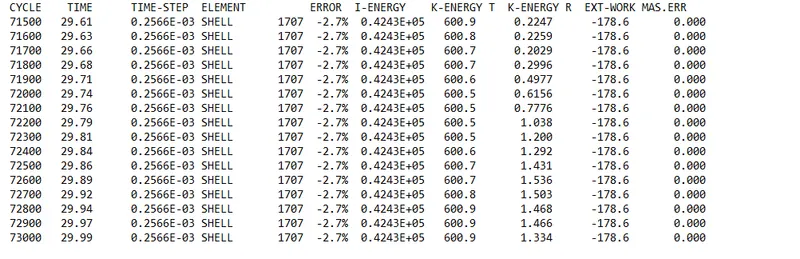
- in this energy error is -2.7 , our max limit is -15% so this result could be acceptable.
To generate graphs switch to hyper graph 2D , and upload a T01 file
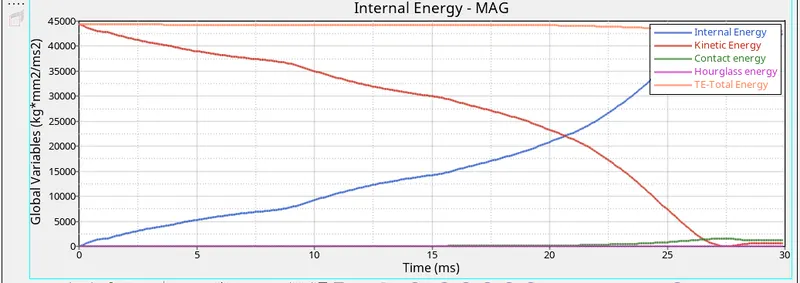
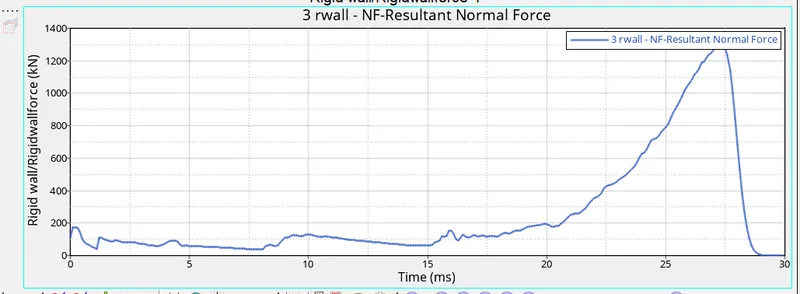
- no.of cycles , energy error , resultant force values depends on notches on crash box.