Assignment 5-RADIOSS Interfaces & Study of Effect of Notches Challenge
Aim:
Create the mesh for bumper assembly,mesh size should be 6mm and simulate the six different case in radioss and compare the results.
Procedure:
Model 1 - Create the mesh for bumper assembly,mesh size should be 6mm.
¬Import the given model in hypermesh.
¬Go File - open - select model
¬model displayed in graphics area.
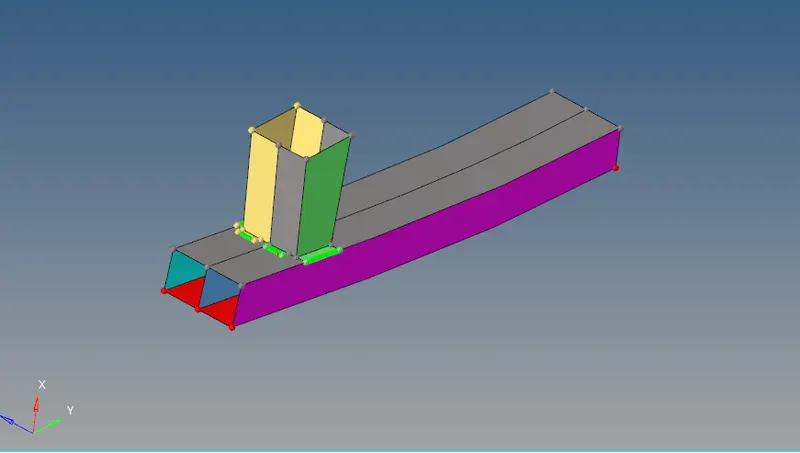
¬Meshing the model in given parameter.
¬Go to - 2D - automesh - choose mesh as 6mm.

¬Mesh the whole components with good mesh flow .
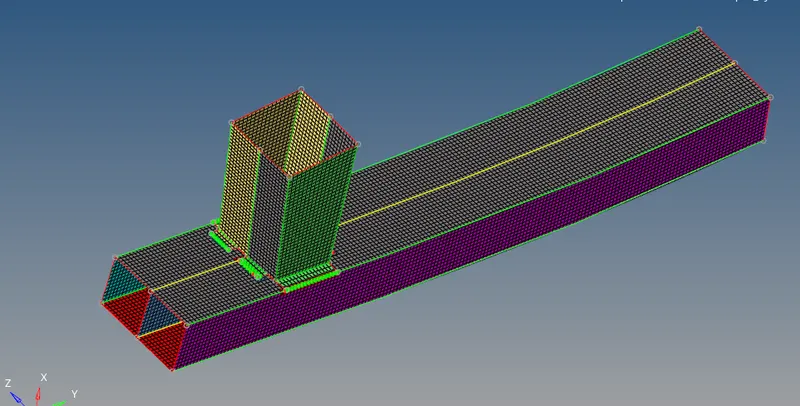
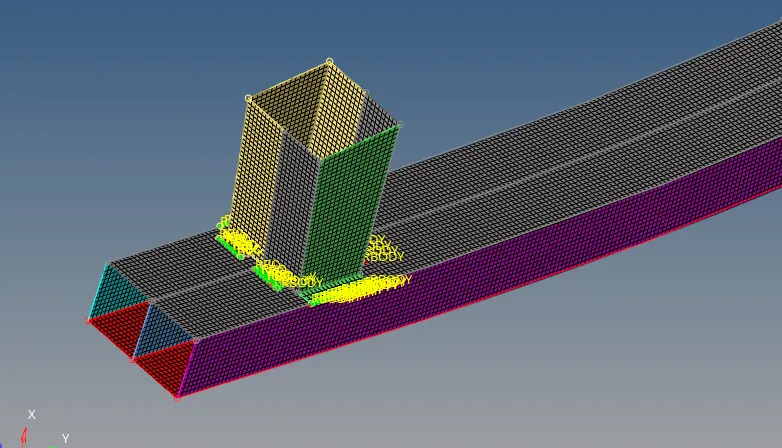
¬Give proper rigid Rbe2 connection.
¬Go to 1D- connectors - spot

¬Select the nodes and connect the elements where its need.
Conclusion:
¬complete mesh the bumper assembly with 6mm size.
¬RBE2 connection are used to connect the element.
Case 1: Run the crash tube model as it is.
¬Import the crash file in radioss.
¬Go to import - choose rad file - import it.
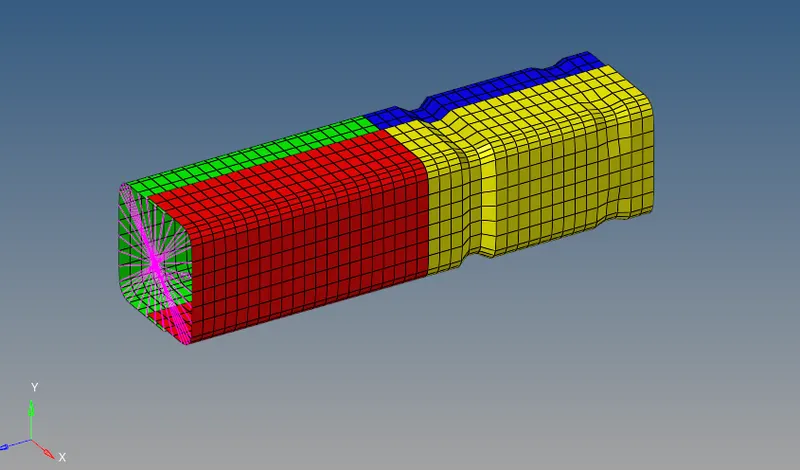
¬No need to change the properties .
¬Question is run the tube as it is.
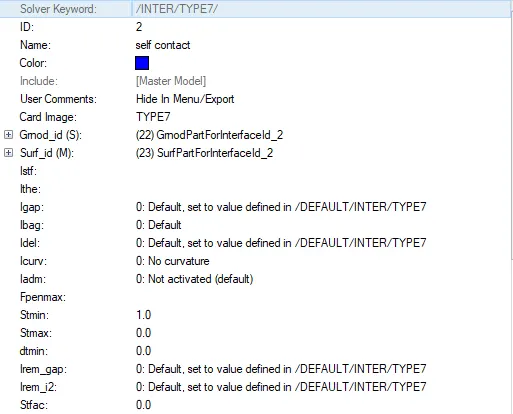
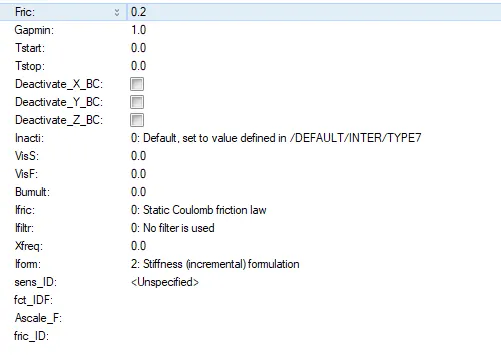
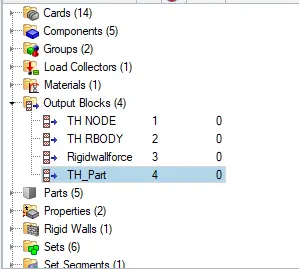
¬In create TH part to view the graph of all parts of the components.
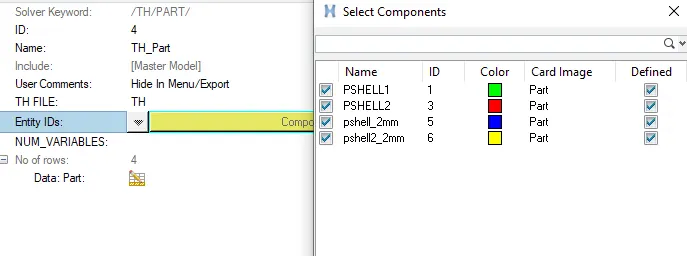
¬View the TH part - entity - choose all the components.
¬Next simulate the model.
¬Go to Analysis - select radioss - choose where its save -
¬Check include connectors - option type -nt 4 - simulate parallel.

¬This simulation is completed check the result.
¬open Hyperview and contour plots use the H3D file.
¬choose the contour plot and select contact force.
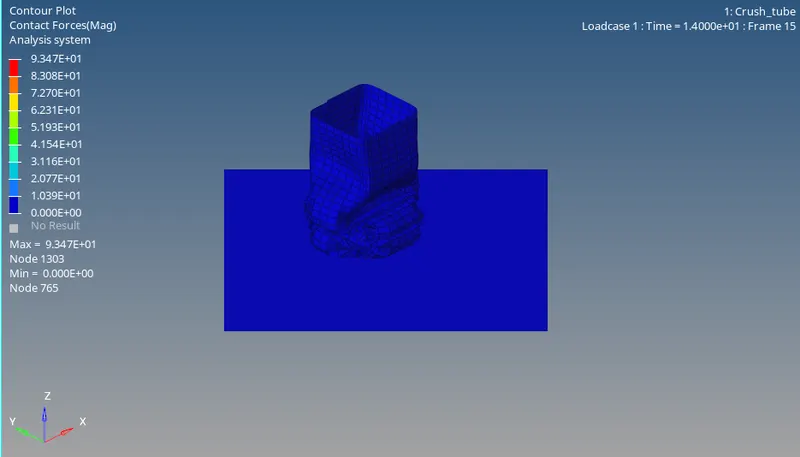
¬Then check the errors .
¬open output file get from the simulation result.
¬Open the output 0001 file.
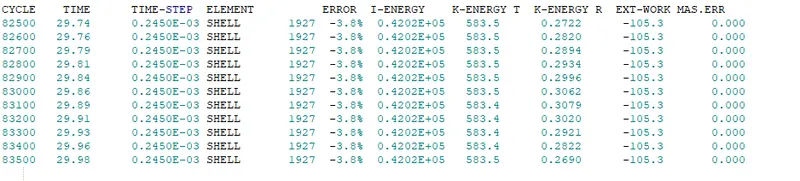
Energy Error = -3.8%
Mass Error = 0
¬Energy error upto -15% acceptable.
¬Now plot the graph
¬Open hypergraph 2D.
¬Add the T01 file.
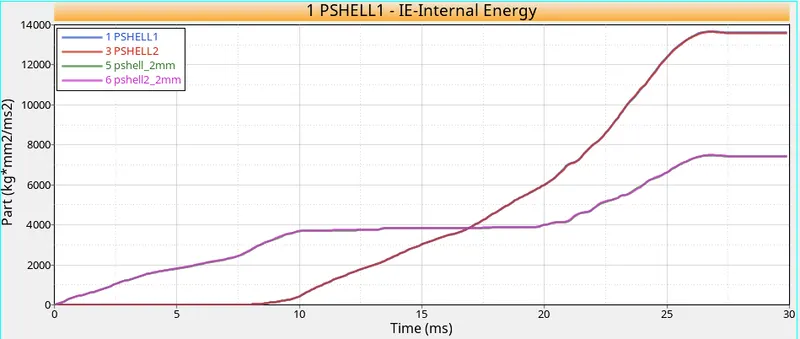
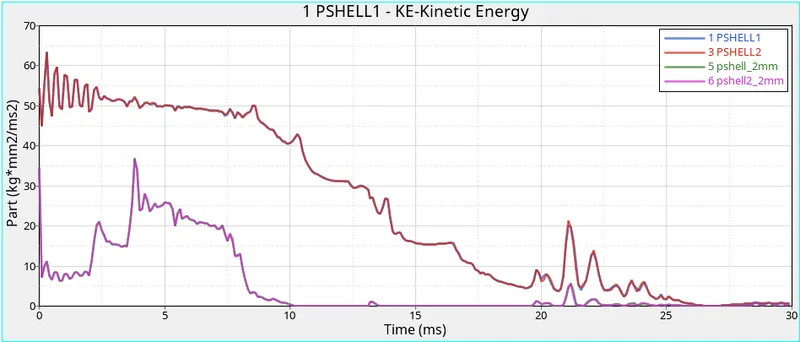
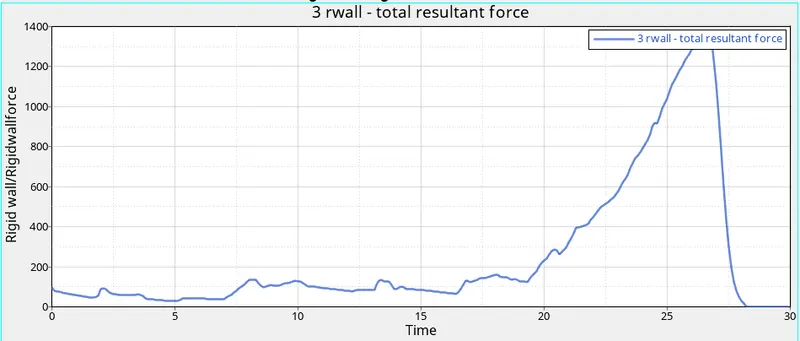
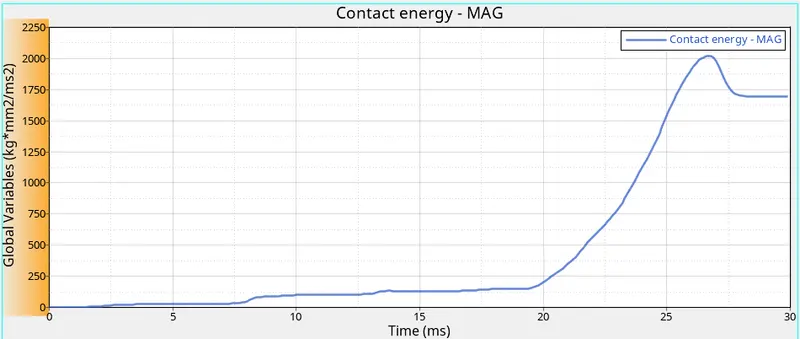
¬In this simulation contact force 93N.
¬Internal Energy start from 0 gradually increase and peak between the 25 to 30 ms.
¬Kinetic Energy start from high and decrease gradually it get 0 between 25 to 30 ms.
¬Contact Energy start 0 ms increase gradually suddenly peak after 20 ms and get down slowly.
Case 2 : Change the Inacti=6 and run.
¬In case 2 import the file change the recommended properties to run the simulation.
¬In this case to change the inacti = 6 its helps to avoid intial penetration.
¬Inport the file.
¬Go to model browser - select group - select self contact
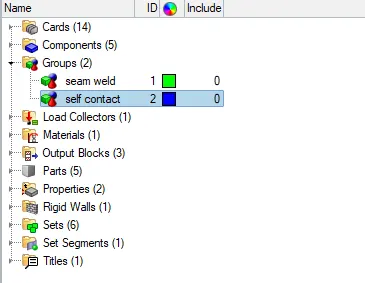
¬Then change the inacti value as 6 as recomended.
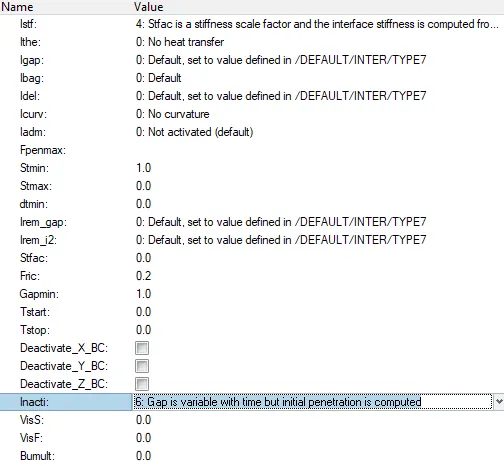
¬After change the pararmeter to run simulation
¬Same step follow as per previous case.
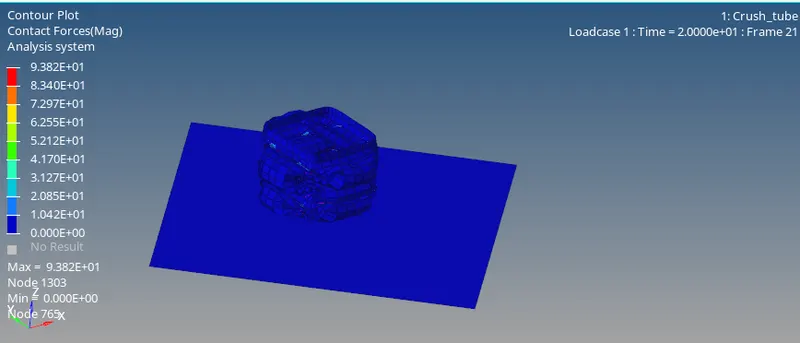
¬Plots
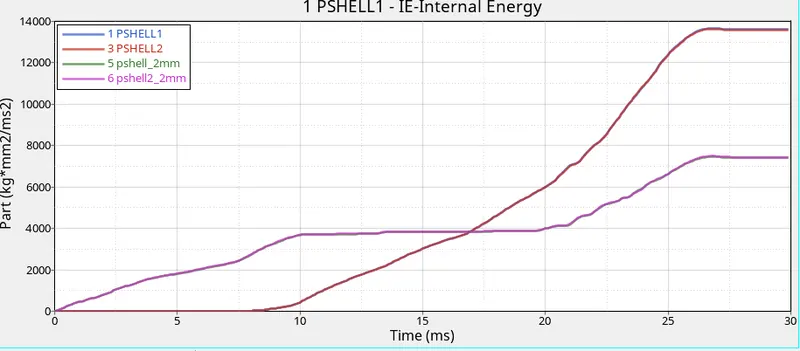
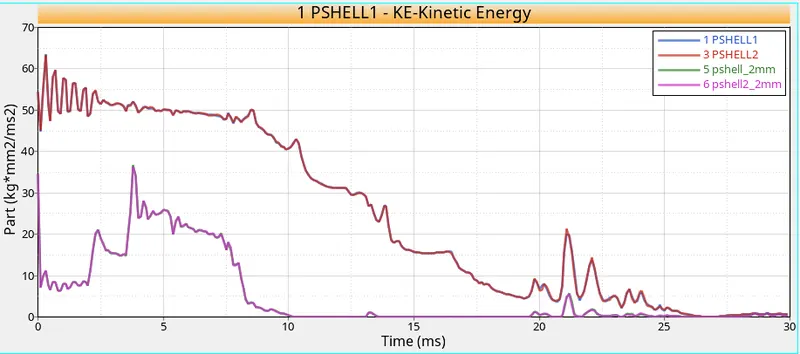
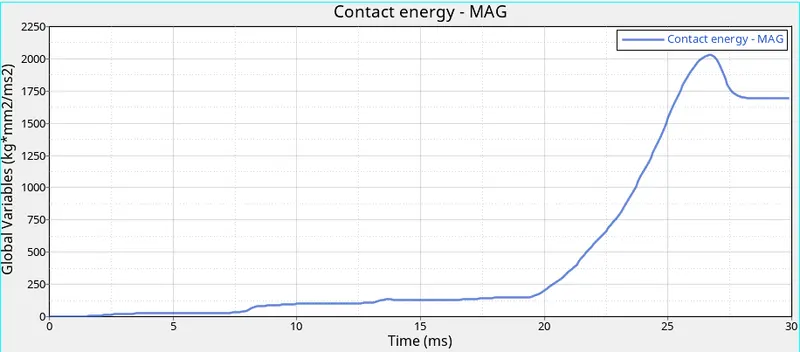
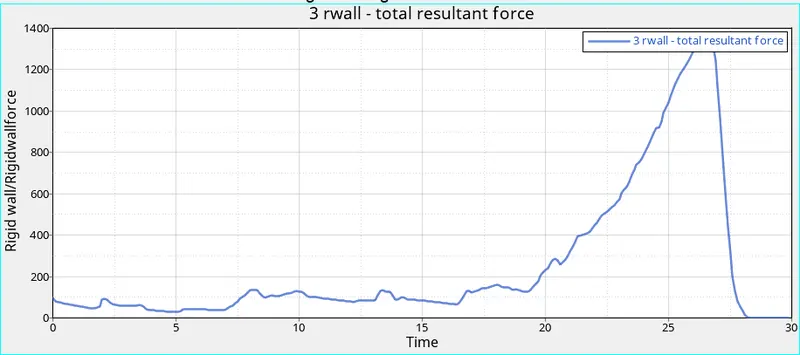
¬In this simulation get the contact force 94 N.
¬Internal energy 5 , 6 Pshell start to compress at 0 ms Pshell 1,3 start compress at 9.2 ms .
¬Kinetic energy 1,3 pshell start at 54 and gradually decrease reach 0 at 30 ms. Next 5, 6 pshell start with 34 and at 3.4 ms reach peak 34 and decrease gradually reach almost 0 after 11 ms.
¬Contact force start at 4 ms and peak at 26 milli second and decrease flow constant.
Case 3: Create the type 11 contact and run.
¬In this case add type 11 contact with recomended properties.
¬First import the file in radioss.
¬Go to model browser - group - create the new interface.
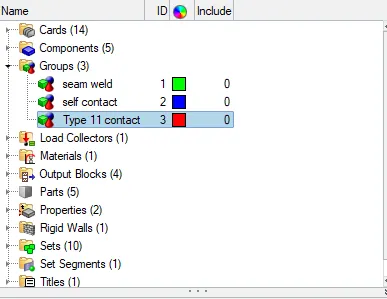
¬Then change the properties as given below
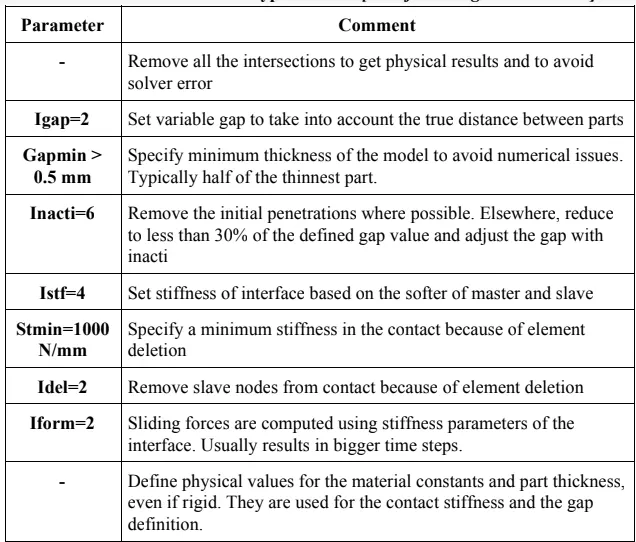
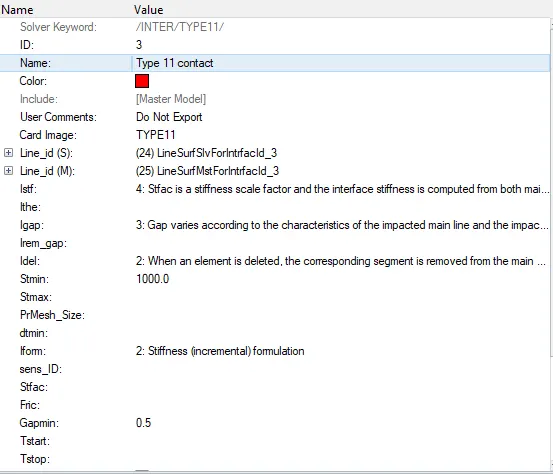
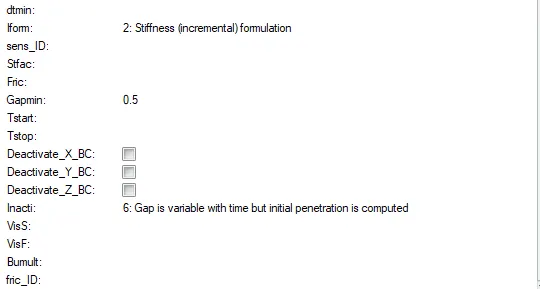
¬After give the recomended properties to run the silmulation.
¬same steps to follow to run simulation.
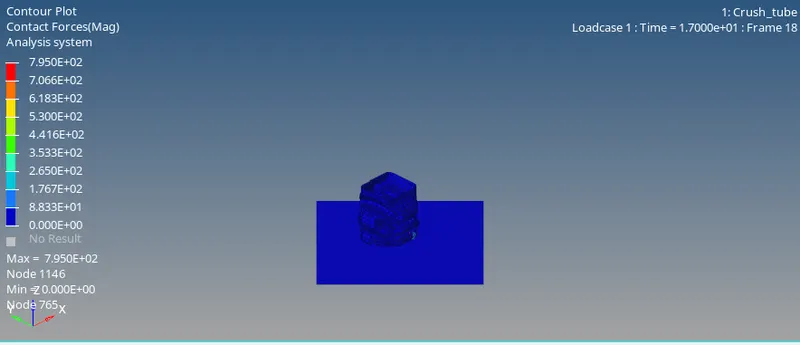
¬plots.
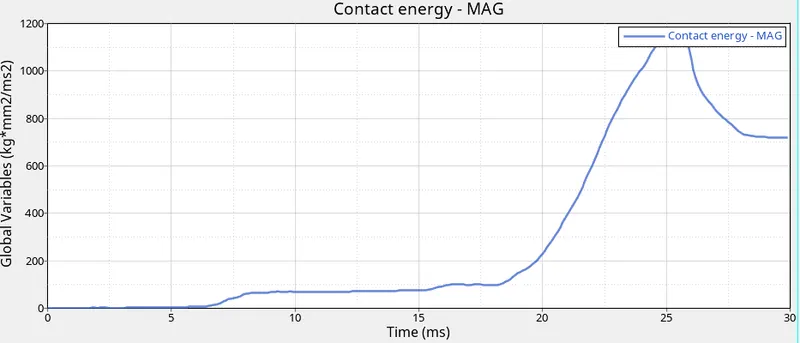
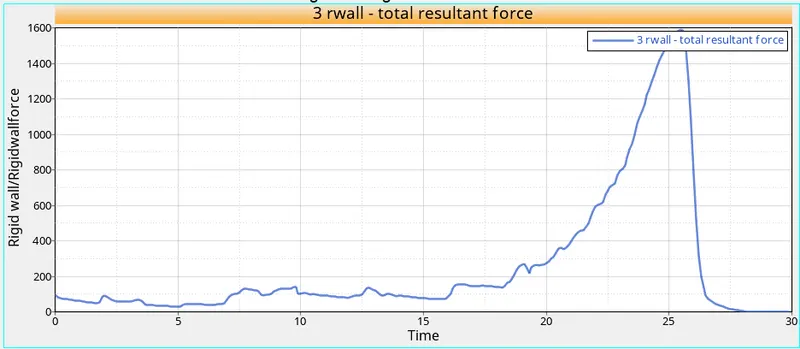
¬From the simulation of contact force 780 N.
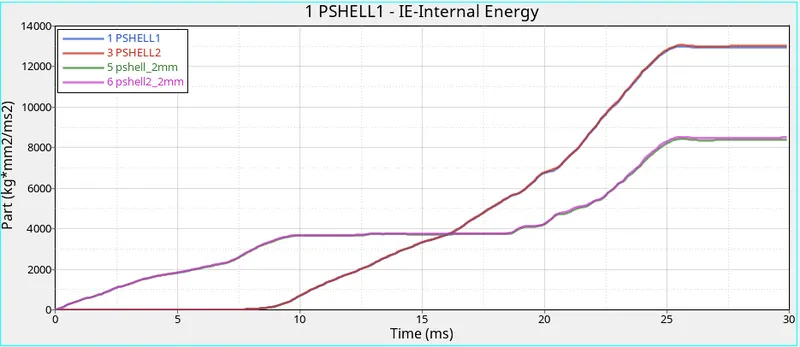
¬Internal Energy 5,6 pshell start 0 ms increasing gradually peak at 25 ms make constant flow. Then 1,3 pshell start compresing at 9.4 ms peak at 25 ms and constant flow.
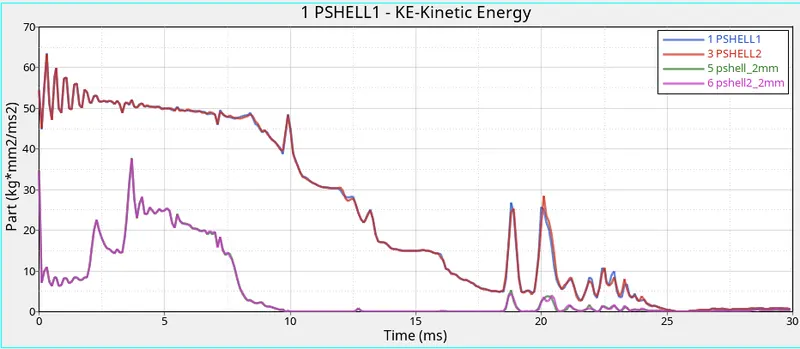
¬Kinetic energy 1,3 pshell start at 54 and gradually decrease reach 0 at 30 ms. Next 5, 6 pshell start with 34 and at 3.7 ms reach peak 37 and decrease gradually reach almost 0 after 11 ms.
¬Contact force start at 4 ms and peak at 25 milli second and decrease flow constant.
Case 4: Remove both notches and remove boundary condition on rigid body node then run.
¬In this case remove the notch and remove bcs and run.
¬First import the radioss file.
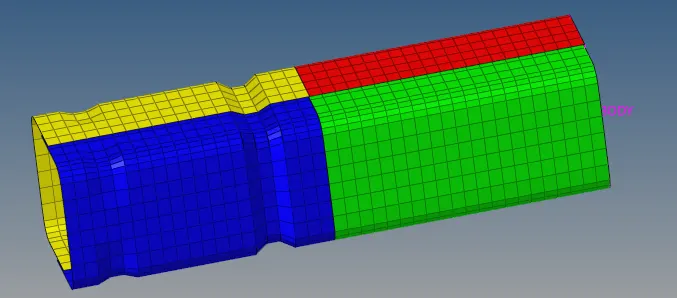
¬Remove the notch using align option or translate oiption to remove it.
¬After the remove the notch pics.
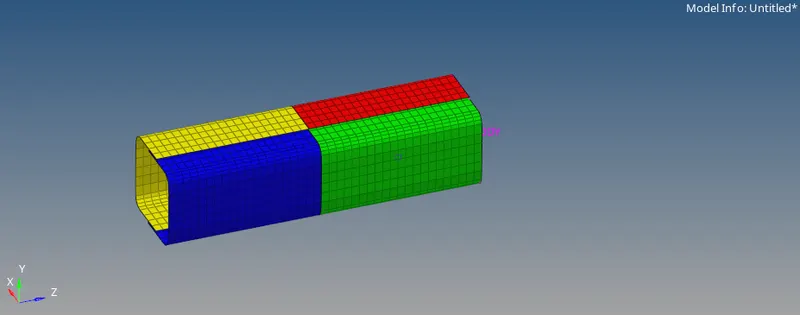
¬Next another condition in case is remove the Boundary condition.
¬Go to slover browser - select Bcs - remove or uncheck the dof.
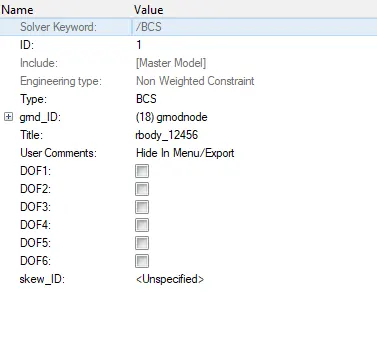
¬Uncheck all DOf now it able to move all linear and rotational direction.
¬Now Start to run and simulate the model as same step follow the previous.
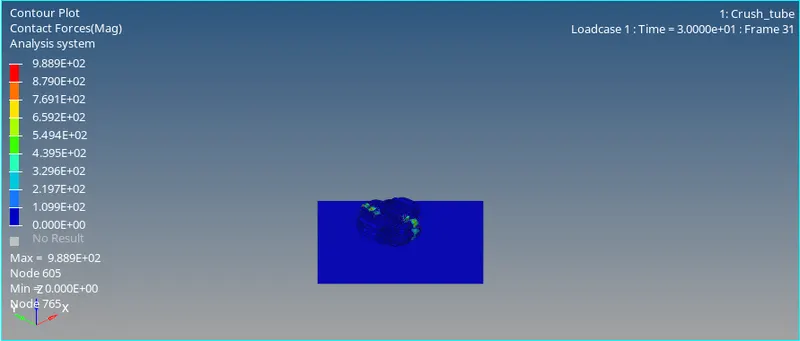
¬Plots;
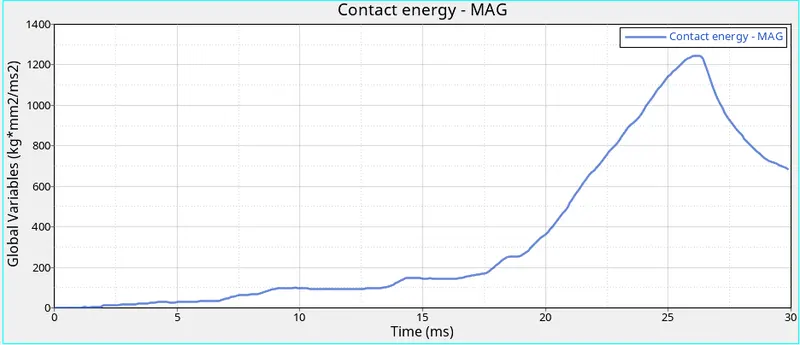
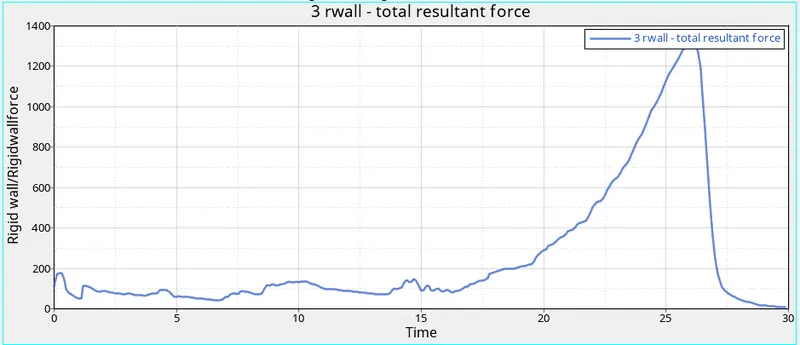
¬From the simulation of contact force 351 N.
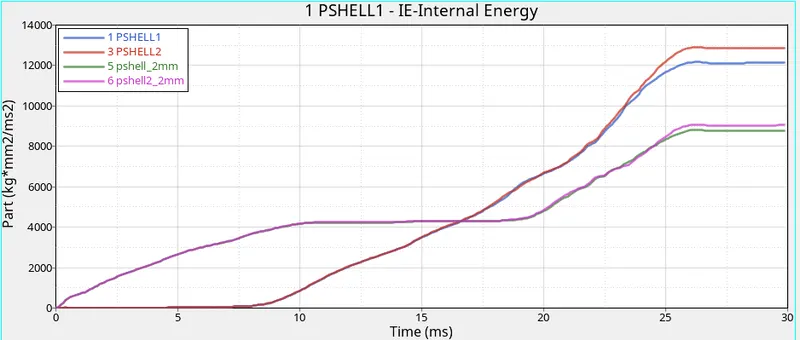
¬Internal Energy 5,6 pshell start 0 ms increasing gradually peak at 25 ms make constant flow. Then 3 pshell start compresing at 9.4 ms peak at 26 ms 1 pshell atart at 9.4 ms and peak at 26 and constant flow.
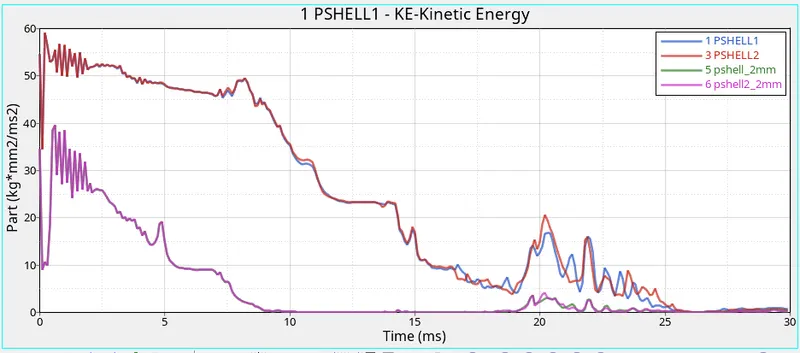
¬Kinetic energy 1,3 pshell start at 54 and gradually decrease reach 0 at 30 ms. Next 5, 6 pshell start with 34 and at 3.7 ms reach peak 37 and decrease gradually reach almost 0 after 11 ms.
¬Contact force start at 2 ms and peak at 26.2 milli second and decrease flow constant.
Case 5 : Create a new notch in the middle ,select the whole section and run.
¬In this case to put notch in middle of crash tube and run simulation.
¬Import the radioss file.
¬Then create notch in middle of tube using the translate optiomn to create it .
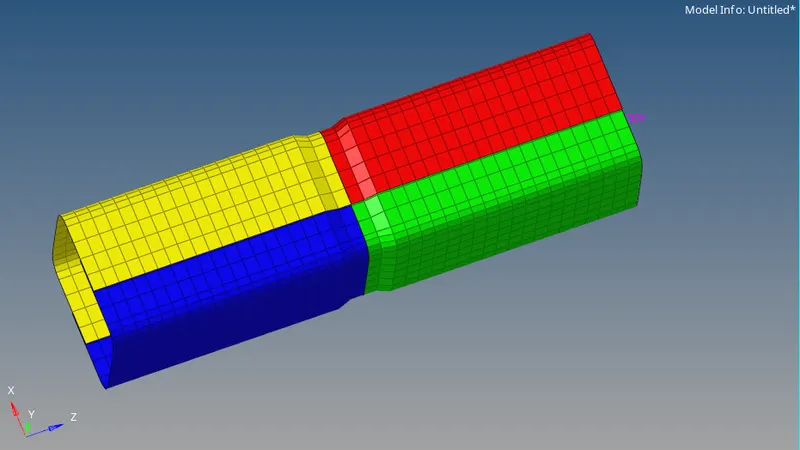
¬Then run the simulation same steps to follow and get results.
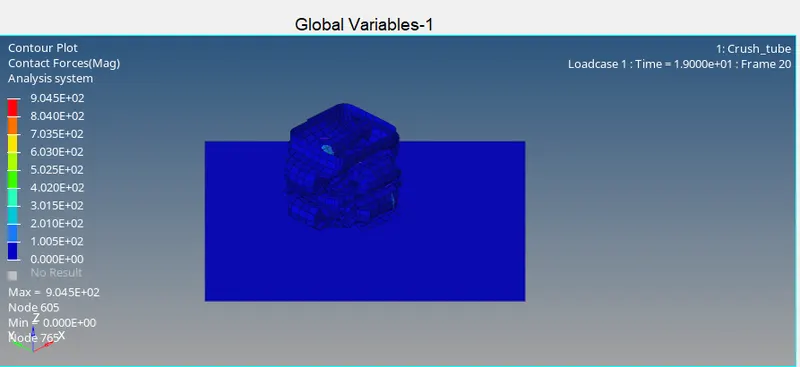
¬plots:
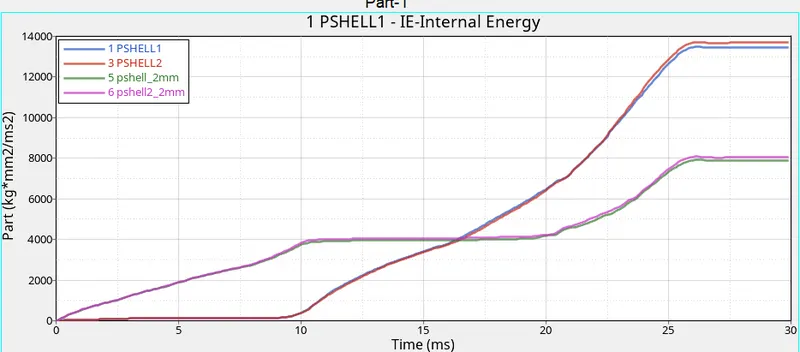
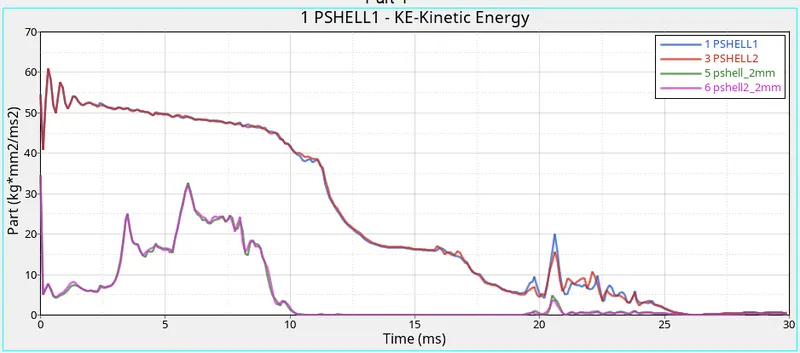
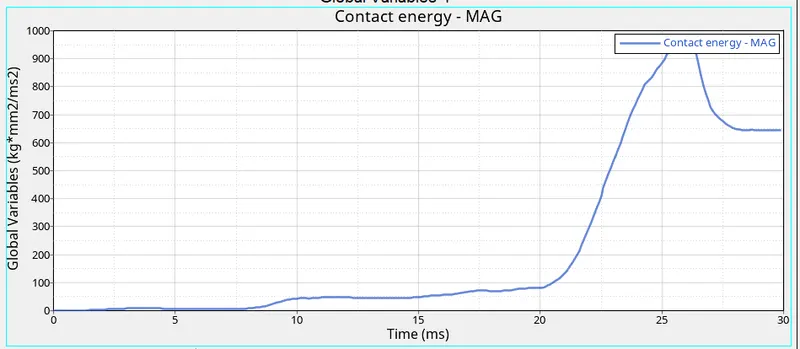
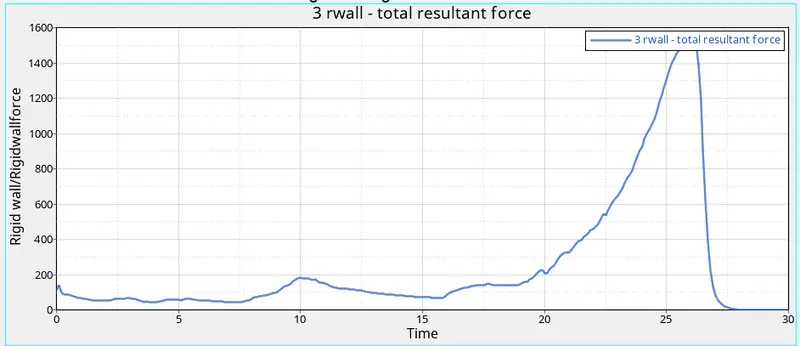
¬From the simulation of contact force 904 N.
¬Internal Energy 5,6 pshell start 0 ms increasing gradually peak at 25 ms make constant flow. Then 3 pshell start compresing at 9.4 ms peak at 26 ms 1 pshell atart at 9.4 ms and peak at 26 and constant flow.
¬Kinetic energy 1,3 pshell start at 54 and gradually decrease reach 0 at 30 ms. Next 5, 6 pshell start with 34 and at 5.9 ms reach peak 37 and decrease gradually reach almost 0 after 11 ms.
¬Contact force start at 2 ms and peak at 26.2 milli second and decrease flow constant.
Case 6 : Create a new notch with nodes only from opposing 2 faces and run.
¬In this case create notch with nodes only oppsdite faces.
¬Initially import radioss file.
¬Create notch in crash tube using the translate option.
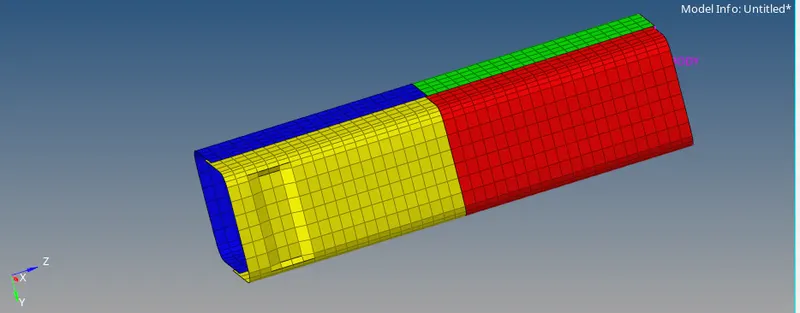
¬ Simulate this model and get the result.
¬follow the same procedure.
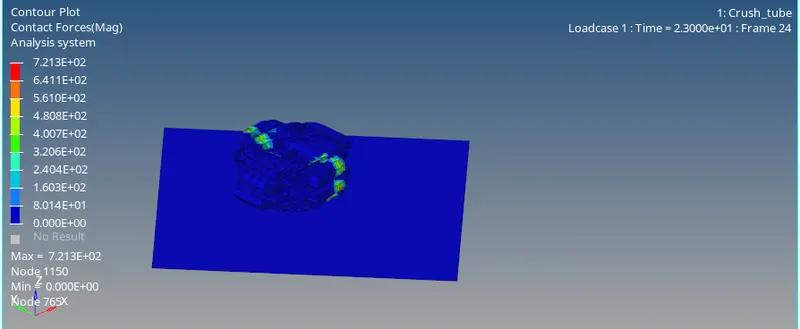
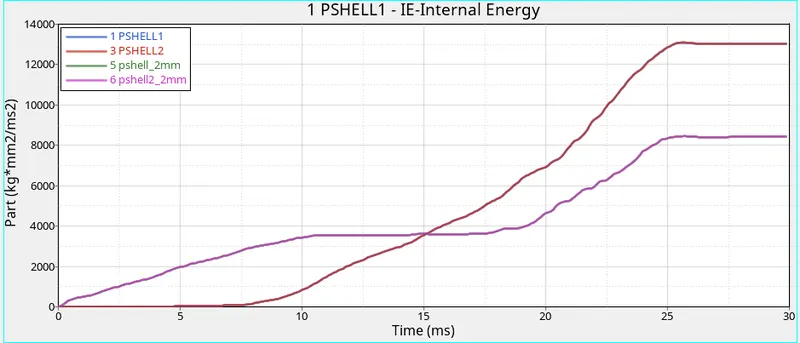
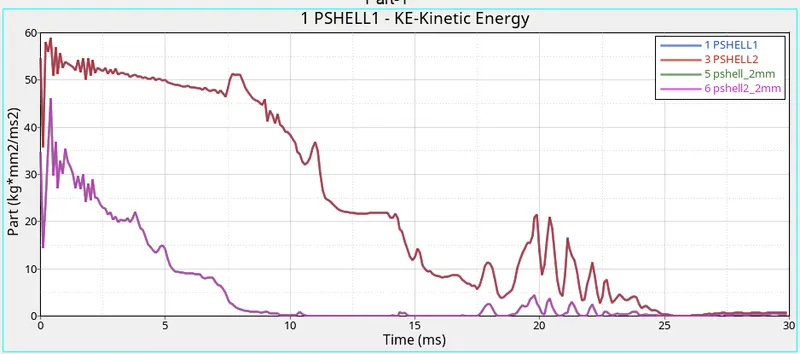
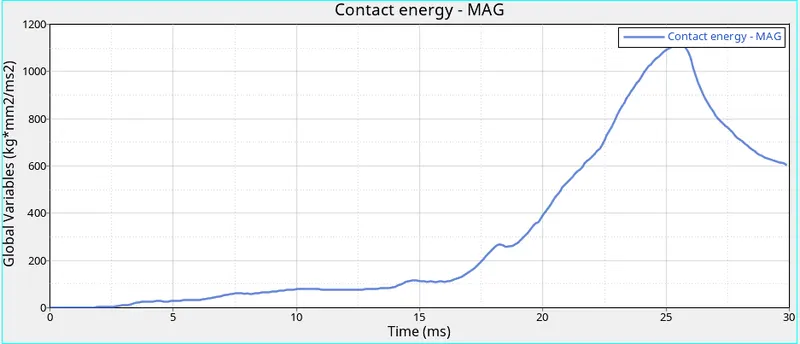
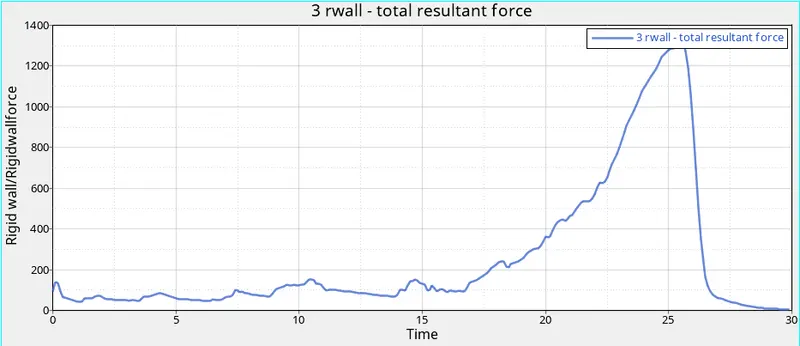
¬From the simulation of contact force 721 N.
¬Internal Energy 5,6 pshell start 0 ms increasing gradually peak at 25 ms make constant flow. Then 1,3 pshell start compresing at 8.3 ms peak at 25 ms and constant flow.
¬Kinetic energy 1,3 pshell start at 54 and gradually decrease reach 0 at 30 ms. Next 5, 6 pshell start with 34 and at 4 ms reach peak 46 and decrease gradually reach almost 0 after 11 ms.
¬Contact force start at 4 ms and peak at 25 milli second and decrease flow constant.
Result:
| case | case Type |
Energy Error (%) |
Mass Error (%) |
Max Contact Force(N) | Max Rigid Wall Force(N) | Max contact energy(Kj) | |
| 1 | Default | -3.8 | 0 | 93 | 1336 | 2 | |
| 2 |
Change the Inacti=6 and run. |
-3.8 | 0 | 93 | 1338 | 2 | |
| 3 | Create the type 11 contact and run | -1.6 | 0 | 795 | 1573 | 1.2 | |
| 4 | Remove both notches and remove boundary condition on rigid body node then run | -1.5 | 0 | 988 | 1300 | 1.2 | |
| 5 | Create a new notch in the middle ,select the whole section and run | -1.5 | 0 | 904 | 1532 | 0.9 | |
| 6 | Create a new notch with nodes only from opposing 2 faces and run | -1.4 | 0 | 721 | 1300 | 1.1 |
Conclusion:
¬The bumper model has been meshed and weld with 6mm of element size
¬Then 6 case simulated and check the result and compared.