Assignment 4-RADIOSS Material Laws Challenge
AIM : CHANGING THE MATERIAL CARD AND PROPERTIES IN RADIOSS
Objective :
- To work on material cards in Radioss and implement the different Material laws on the given component.
- To apply the seven different cases and compare them in a tabulated format.
- To compare the total number of cycles, energy error, mass error and simulation time of all the cases.
- To notice the analysis animations of different cases and describe them in brief.
- To list down case by case result and conclusion for the cause of failure.
CASE SETUP AND EXECUTION :
The given model is as follows
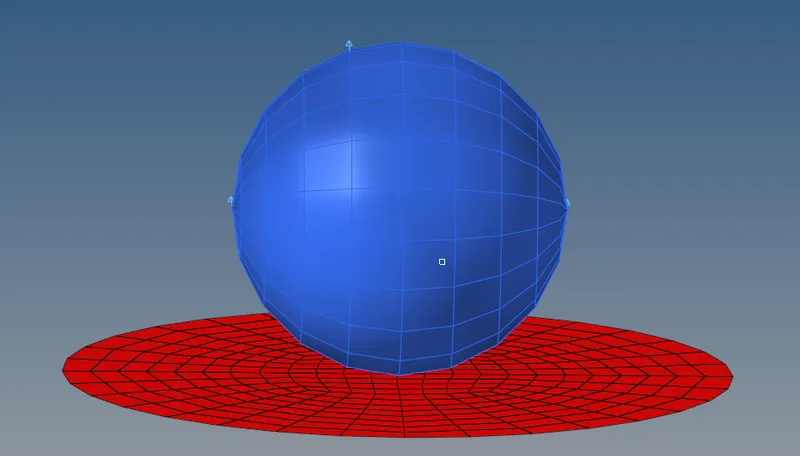
CASE 1 – Run the FAILURE_JOHNSON_0000 model as it is.
Steps to perform for this particular case;
Step I. In Radioss, Import FAILURE_JOHNSON_0000.rad starter file using Import Solver Deck menu.
Step II. Name its as Law2_epsmax_failure .
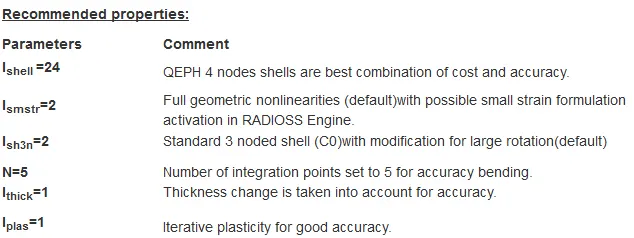
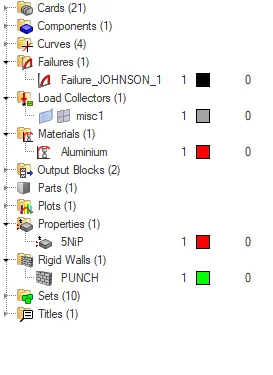
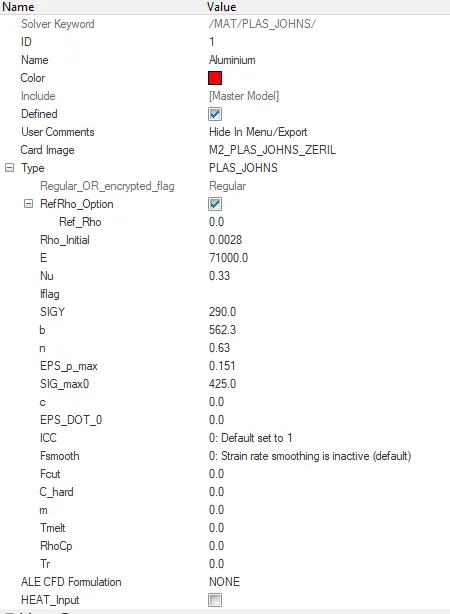
Step III. Navigate to the Radioss panel in the Analysis page.
Step IV. Save the model in a specific folder path, tick the include connectors option and under options folder write –nt 4 and click on Radioss to run the simulation.

Step V. Open .out Engine file from specified path and check final value of Energy error and mass error and check the values of Simulation time and Total number of cycles.
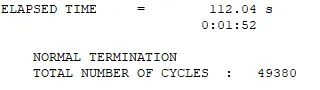
From the above we can see the total number of cycles to be 49380 and elapsed time is 1 min 52 sec.
Step VI. Then view the result in the hyperview window for visualization.
Step VII. Load .h3d file from specified path, play the animation and plot contour of Von Mises stress using Simple averaging method.
Step VIII. Open HyperGraph 2D in a new window, load T01 file and plot the energies required.
Animation and Results –
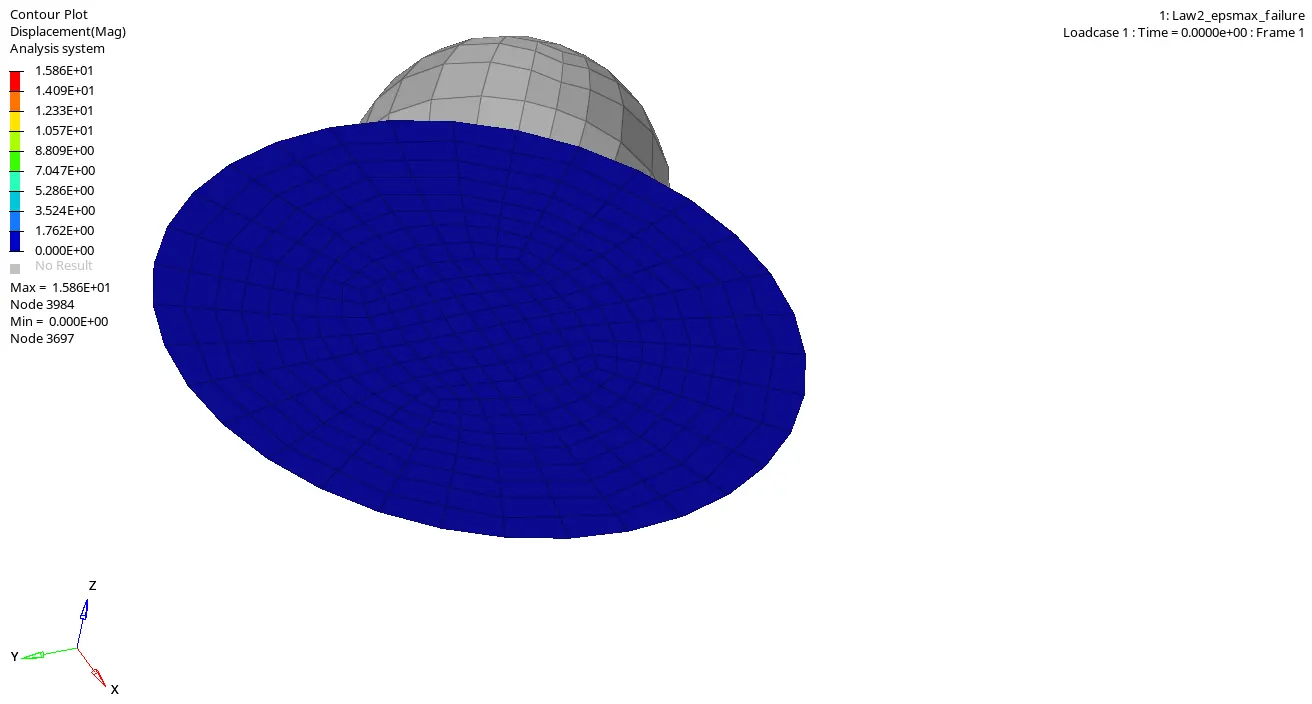
- We can observe that displacement starts to happen in the center of the plate and does not withstand the gravity of the ball as shown in the clip breakage of the element starts at 0.7ms.
- The failure happens only at the center and then it propagates evenly. This is due to the failure card of johnson ifail_sh, ifail_so, idav, Ixfem is not defined and deformation of the plate is qiuck as it is plastic material.
UNDERSTANDING THE PLOT :
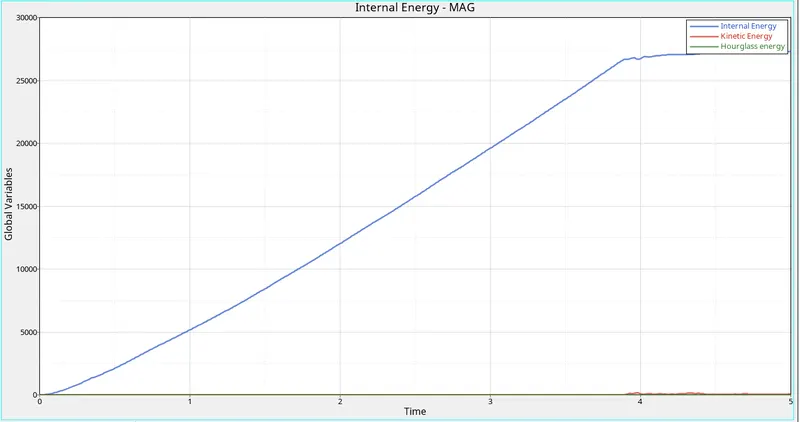
- Houglass energy is constant with resspect to time and kinetic energy seems to vary from .1ms.
- We can observe the internal energy tends to change in x-axis from .35ms the pressure of the ball is bared only upto .35ms then the whole element failure is started at the center.
-------------------------------------------------------------------------------------------------------------------------------
CASE 2 – Run the Law2_epsmax_failure .
Steps to perform for this particular case;
Step I. In Radioss, Import Law2_epsmax_failure starter file using Import Solver Deck menu.
Step II. Name its as Law2_epsmax_crack.
Step III. In main menu bar we find Failures > Failure_JOHNSON edit 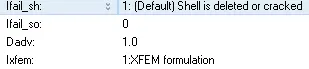
Step IV. Navigate to the Radioss panel in the Analysis page.
Step V. Save the model in a specific folder path, tick the include connectors option and under options folder write –nt 4 and click on Radioss to run the simulation.

Step VI. Open .out Engine file from specified path and check final value of Energy error and mass error and check the values of Simulation time and Total number of cycles.
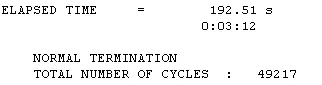
From the above we can see the total number of cycles to be 49217 and elapsed time is 3 min 12 sec.
Step VII. Then view the result in the hyperview window for visualization.
Step VIII. Load .h3d file from specified path, play the animation and plot contour of Von Mises stress using Simple averaging method.
Step IX. Open HyperGraph 2D in a new window, load T01 file and plot the energies required.
Animation and Results –
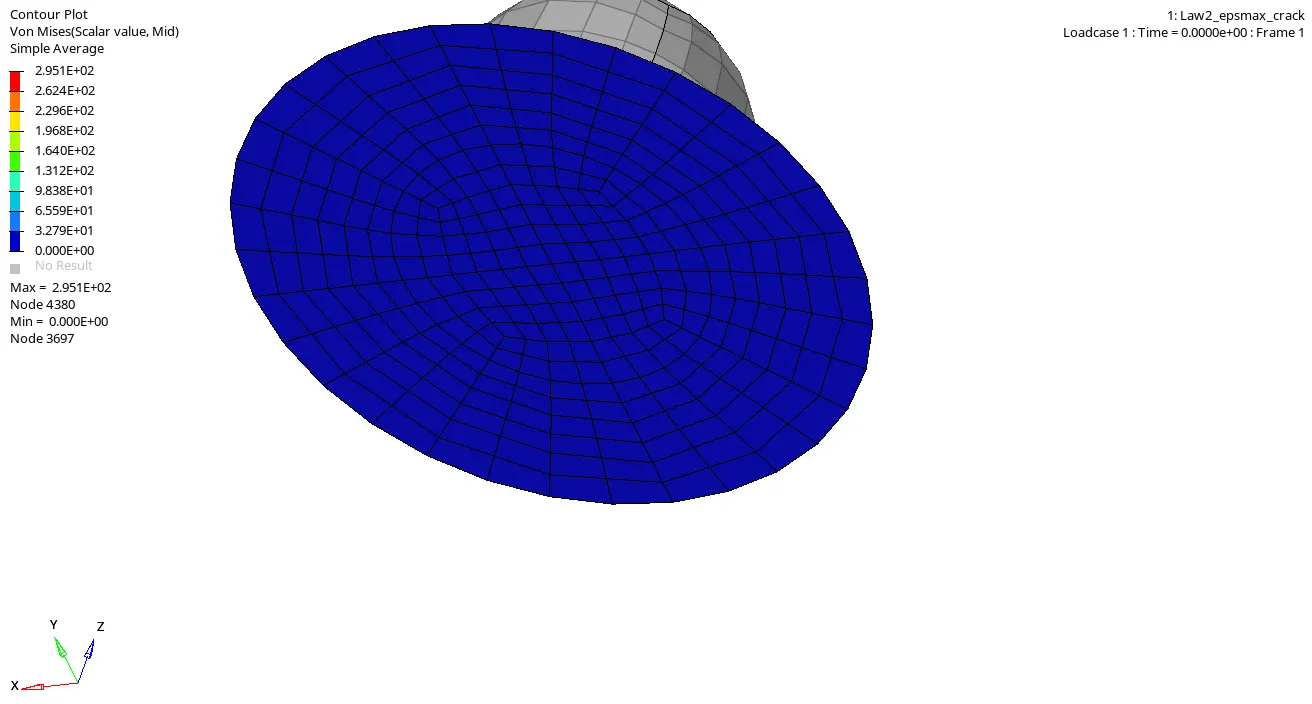
- We can observe that changing the property parameters of failure_johnson there is big difference compare to the previous case the element tends to allow some strain and deformation happens with breakage of the plate starts to overbear from .9ms - 1ms .
- We can observe the elements is transfaring the displacement linear form.
UNDERSTANDING THE PLOT :
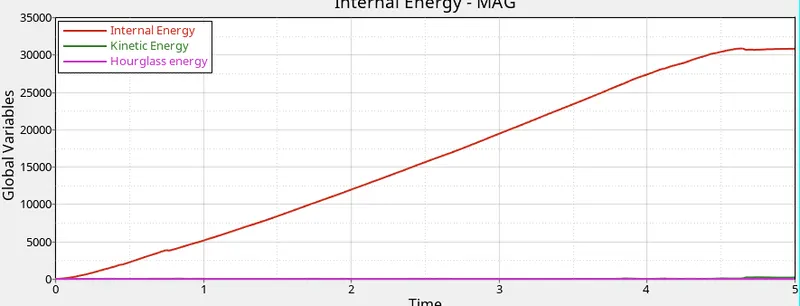
- Houglass energy is constant with resspect to time and kinetic energy seems to be slight variations.
- We can observe the internal energy tends to change in x-axis raising incline from .0ms-4ms linearly and seems to be start varying from there.
--------------------------------------------------------------------------------------------------------------------------------
CASE 3 – Run the Law2_epsmax_failure
Steps to perform for this particular case;
Step I. In Radioss, Import Law2_epsmax_failure starter file using Import Solver Deck menu.
Step II. Delete the faiures > Failure_JOHNSON From main menu interface . Name its as Law2_epsmax_nofail.
Step III. Navigate to the Radioss panel in the Analysis page.
Step IV. Save the model in a specific folder path, tick the include connectors option and under options folder write –nt 4 and click on Radioss to run the simulation.
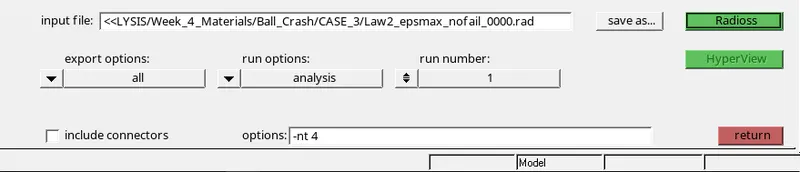
Step V. Open .out Engine file from specified path and check final value of Energy error and mass error and check the values of Simulation time and Total number of cycles.
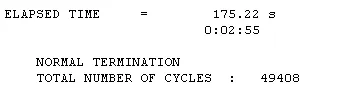
From the above we can see the total number of cycles to be 49408 and elapsed time is 2 min 55 sec.
Step VI. Then view the result in the hyperview window for visualization.
Step VII. Load .h3d file from specified path, play the animation and plot contour of Von Mises stress using Simple averaging method.
Step VIII. Open HyperGraph 2D in a new window, load T01 file and plot the energies required.
Animation and Results –
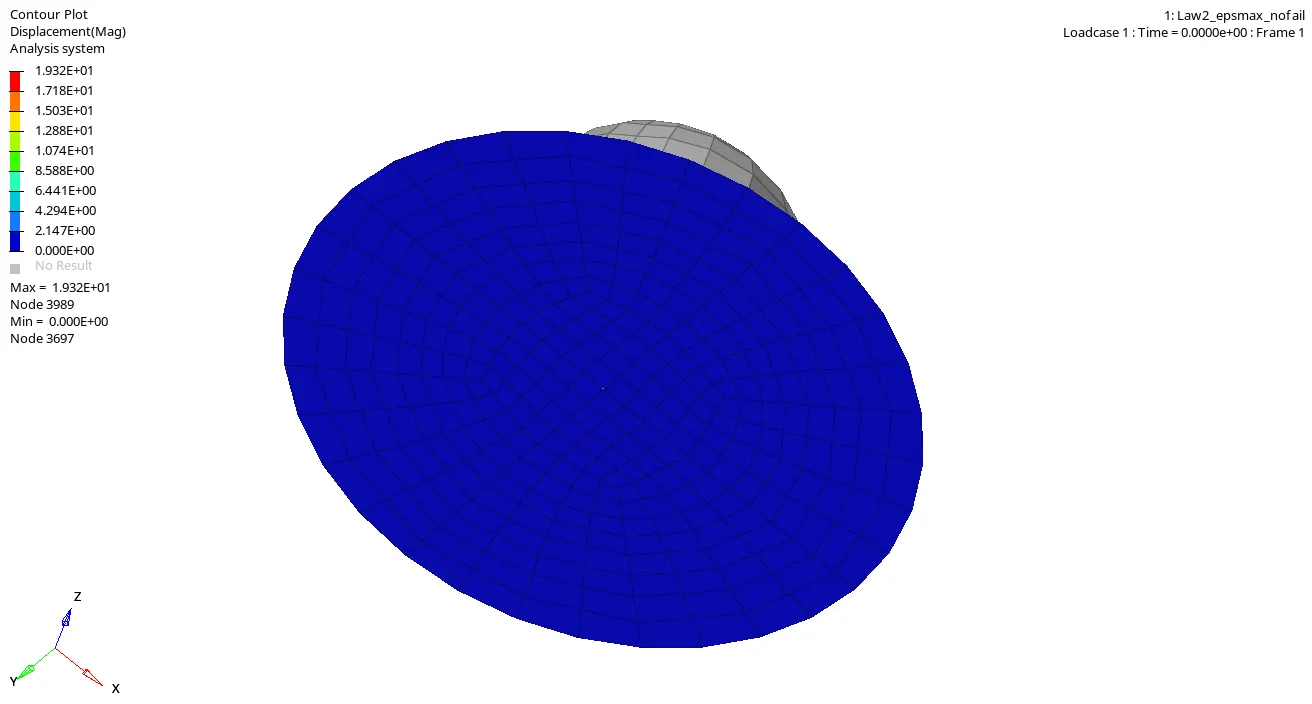
- We can observe in this case the components is transfaring the load to only the size of the ball but no total element failure is happend.
- From .6ms the deformation took place and the material starts to break at a minimal size.
UNDERSTANDING THE PLOT :
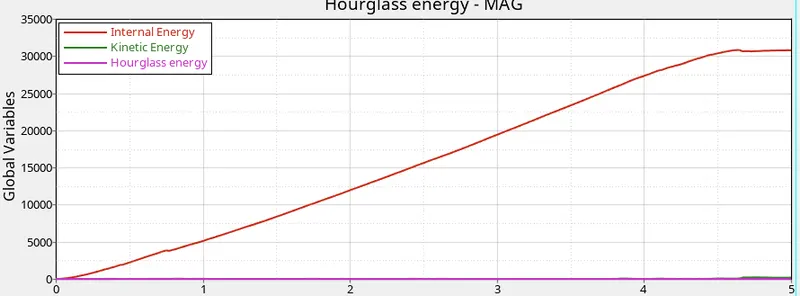
- Houglass energy is constant with resspect to time and kinetic energy seems to be slight variations.
- We can observe the internal energy tends to change in x-axis raising incline from .0ms-4ms linearly and seems to be start varying from there.
--------------------------------------------------------------------------------------------------------------------------------
CASE 4 – Run the Law2_epsmax_failure
Steps to perform for this particular case;
Step I. In Radioss, Import Law2_epsmax_failure starter file using Import Solver Deck menu.
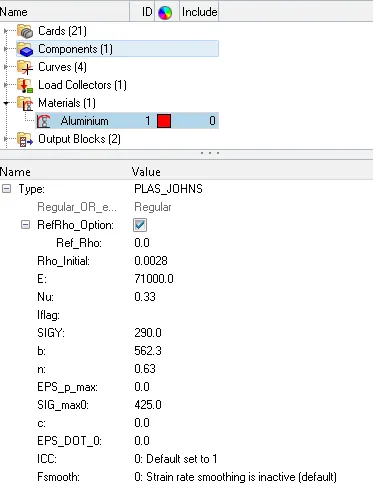
Step II. Delete the EPS_max value under main bar > materials > aluminium > EPS_max will be 0.151 make it to 0 . Name its as Law2.
Step III. Navigate to the Radioss panel in the Analysis page.
Step IV. Save the model in a specific folder path, tick the include connectors option and under options folder write –nt 4 and click on Radioss to run the simulation.

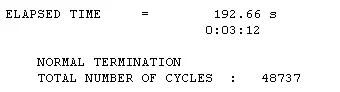
Step V. Open .out Engine file from specified path and check final value of Energy error and mass error and check the values of Simulation time and Total number of cycles.
Step VI. Then view the result in the hyperview window for visualization.
Step VII. Load .h3d file from specified path, play the animation and plot contour of Von Mises stress using Simple averaging method.
Step VIII. Open HyperGraph 2D in a new window, load T01 file and plot the energies required.
Animation and Results –
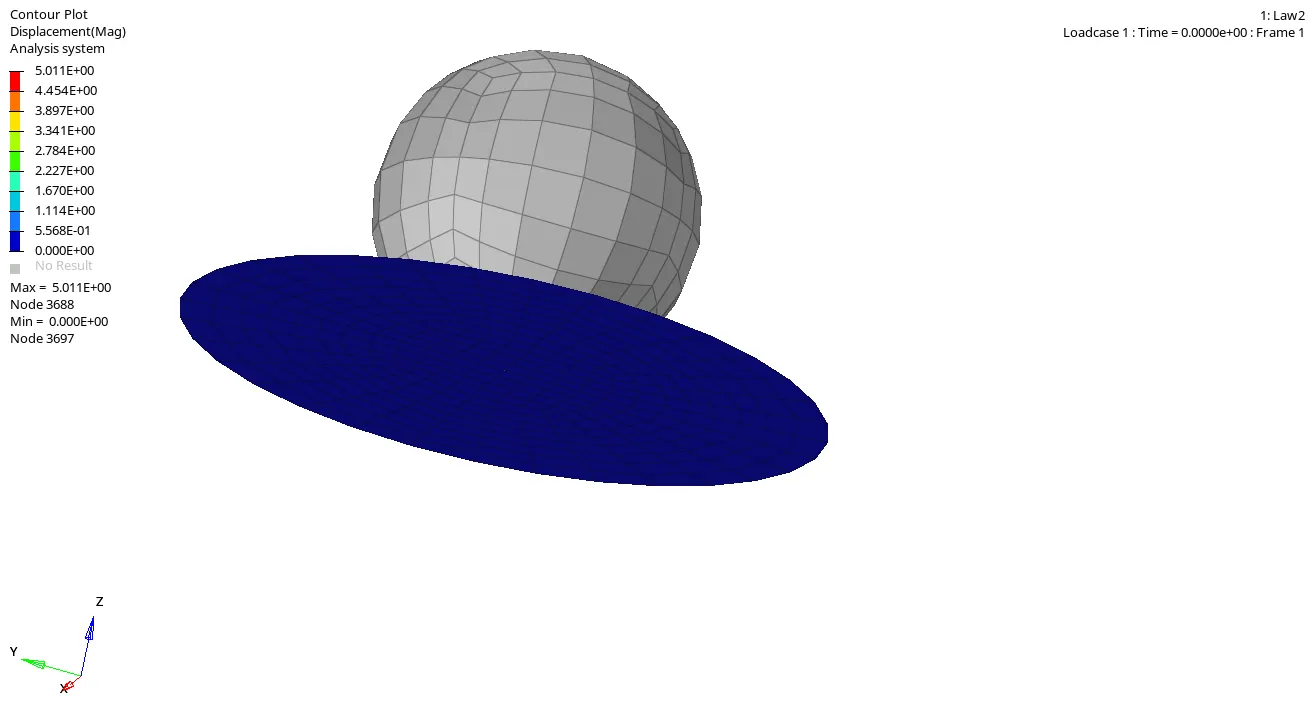
- We observe the material doesn't deform and comes back to it original position .This is called Law2 in radioss.
- This happens because of no failure_Johnson and EPS_max is set 0 from 0.151 which obeys the stress conditions.
- The Max pressure value given is .5ms .
UNDERSTANDING THE PLOT :
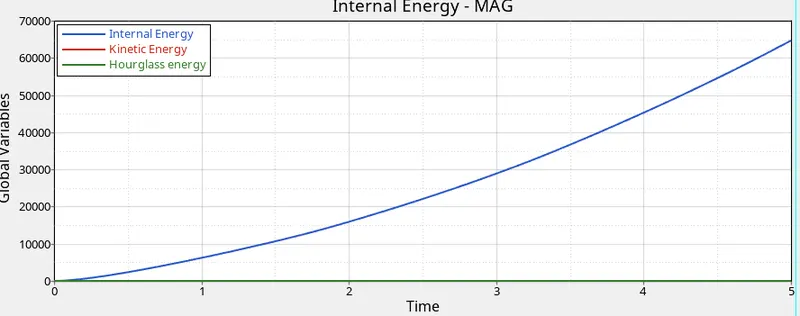
- The curve for internal energy seems to look like stress-strain curve with elastic limit.
- Hourglass is constant with repect to time variation. kinetic energy seems to be equal as Hourglass.
----------------------------------------------------------------------------------------------------------
CASE 5 – Run the Law2
Steps to perform for this particular case;
Step I. In Radioss, Import Law2 starter file using Import Solver Deck menu.
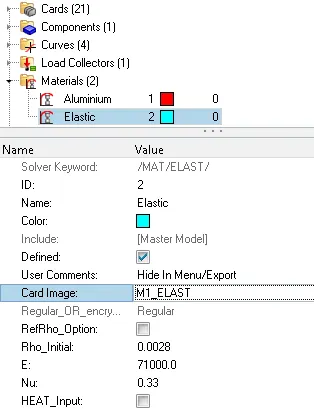
Step II. Create a material name it as elastic change colour of the material. Change card Image : M1_ELAST (Law1) keeping the density, young modulus and intigration values as same for above case.
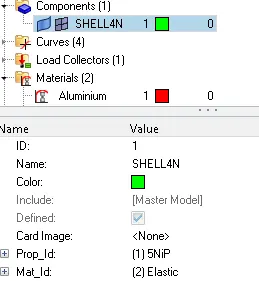
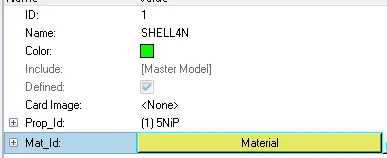
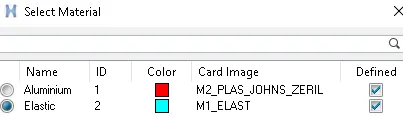
Step III. Change the existing material to new material that we created my following steps as go to components > SHELL4N > material .
 >>
>> >>
>>
Step IV. Navigate to the Radioss panel in the Analysis page.
Step V. Save the model in a specific folder path, tick the include connectors option and under options folder write –nt 4 and click on Radioss to run the simulation.

Step VI. Open .out Engine file from specified path and check final value of Energy error and mass error .
Step VII. Then view the result in the hyperview window for visualization.
Step VIII. Load .h3d file from specified path, play the animation and plot contour of Von Mises stress using Simple averaging method.
Step IX. Open HyperGraph 2D in a new window, load T01 file and plot the energies required.
Animation and Results –
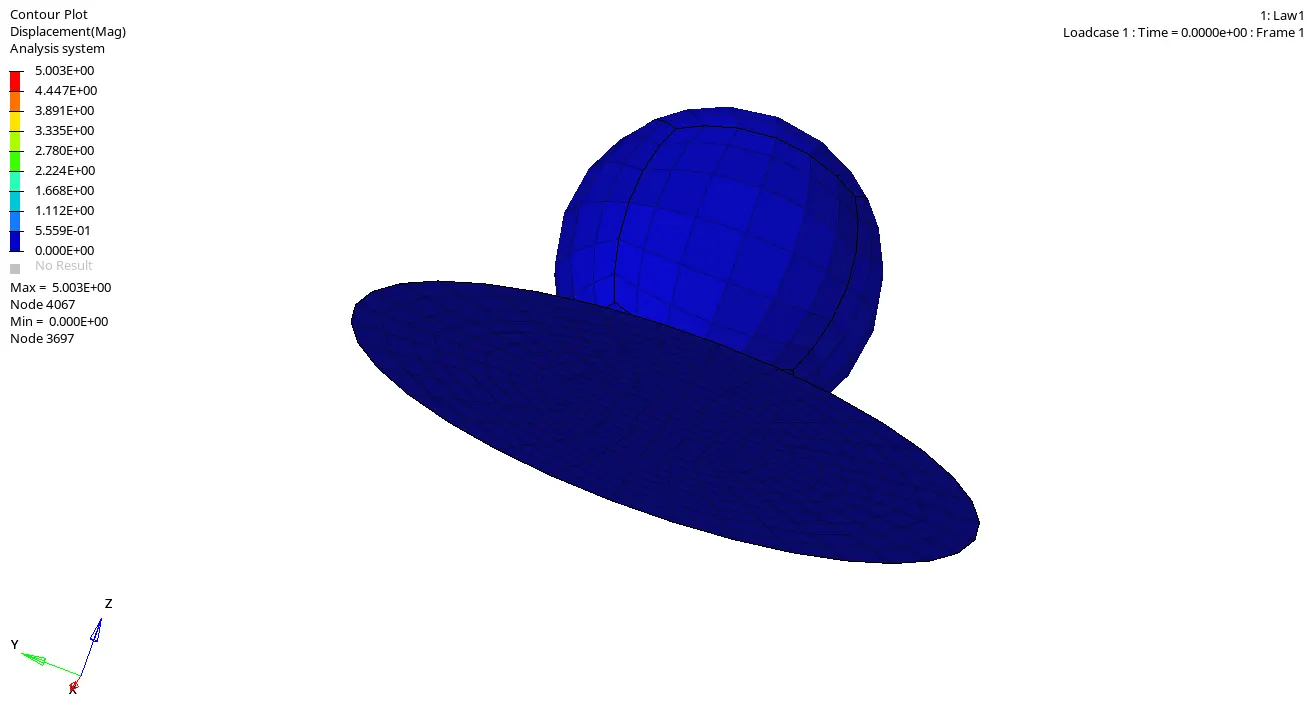
- We can observe load is equally shared and is reforming to its original shape .
- Elastic property of element makes them to withstand maxiumium forces.
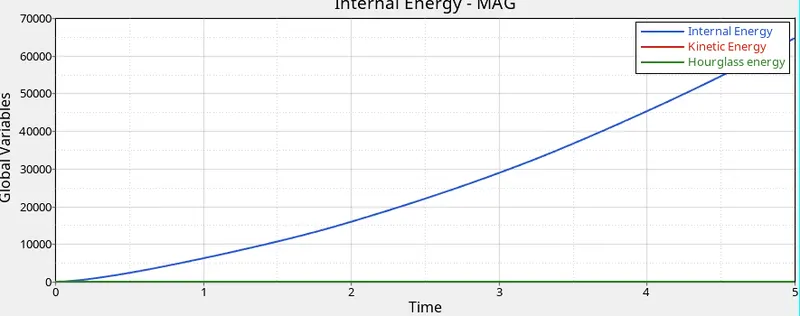
UNDERSTANDING THE PLOT :
- The curve for internal energy seems to look like stress-strain curve with elastic limit.
- Hourglass is constant with repect to time variation. kinetic energy seems to be equal as Hourglass.
-------------------------------------------------------------------------------------------------------------------------------
CASE 6 – Law27
Steps to perform for this particular case;
Step I. In Radioss, Import Law27_000.rad starter file using Import Solver Deck menu.
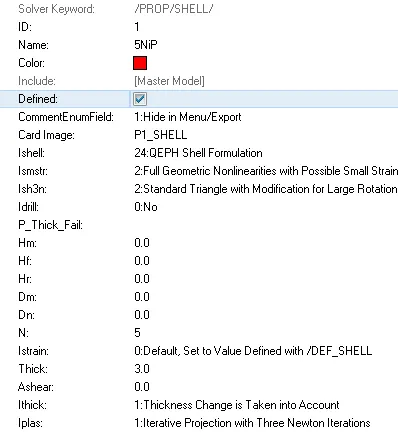
Step II. Change the shell properties to recommeded shell properties. Rename the file name as Law27.
Step III. Navigate to the Radioss panel in the Analysis page.
Step IV. Save the model in a specific folder path, tick the include connectors option and under options folder write –nt 4 and click on Radioss to run the simulation.

Step V. Open .out Engine file from specified path and check final value of Energy error and mass error .
Step VI. Then view the result in the hyperview window for visualization.
Step VII. Load .h3d file from specified path, play the animation and plot contour of Von Mises stress using Simple averaging method.
Step VIII. Open HyperGraph 2D in a new window, load T01 file and plot the energies required.
Animation and Results –
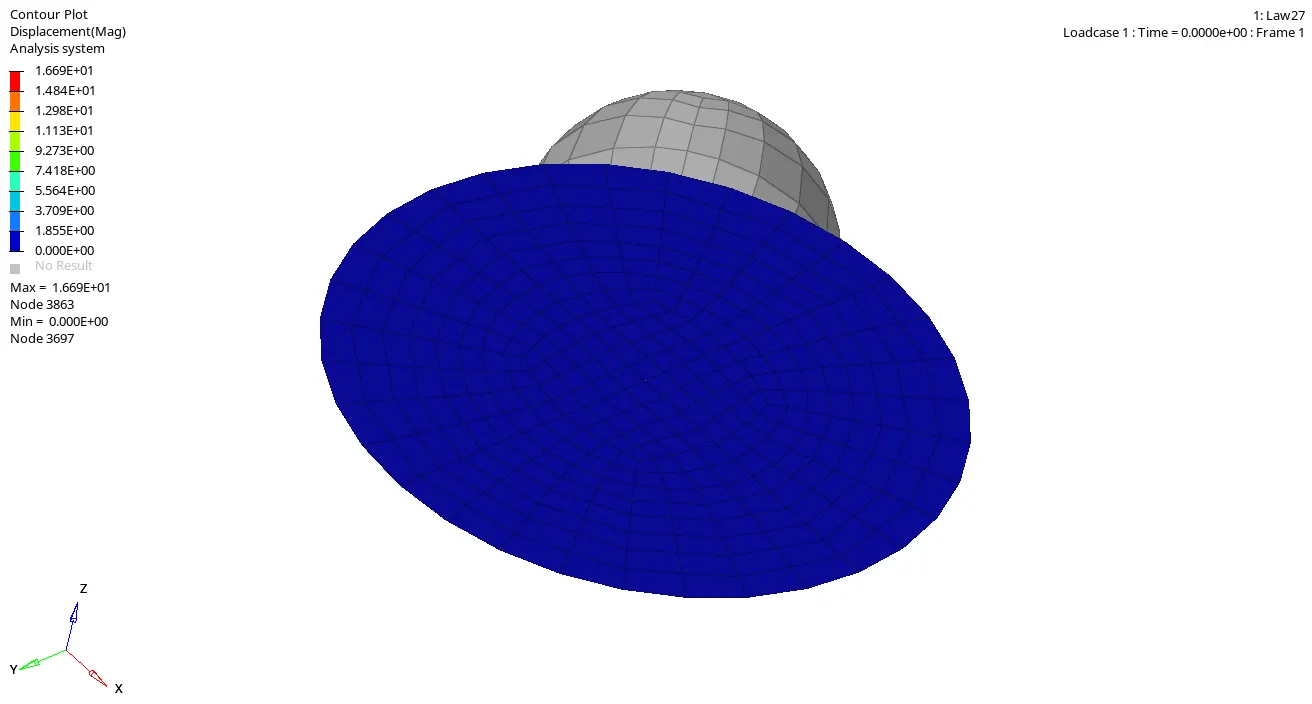
- We observe the particle breakage is proper with respect to the punch.
UNDERSTANDING THE PLOT :
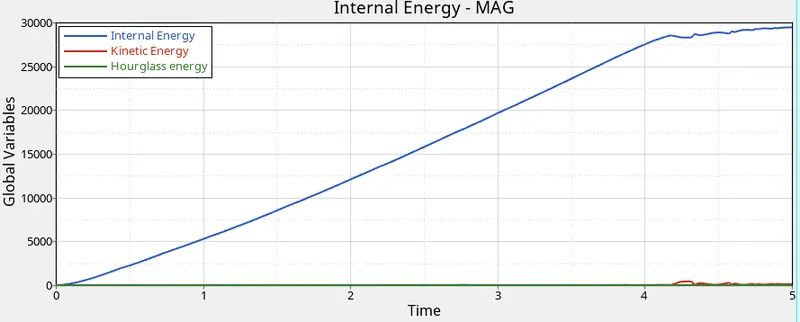
- The curve for internal energy seems to vary and forming collapse.
- Hourglass is constant with repect to time variation. kinetic energy also changes .
-----------------------------------------------------------------------------------------------------------
CASE 7 – LAW36
Steps to perform for this particular case;
Step I. In Radioss, Import FAILURE_JOHNSON_0000.rad starter file using Import Solver Deck menu.
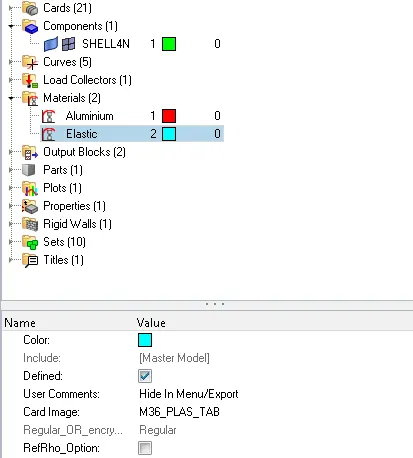
Step II. Change the material card image and to observe the changes.
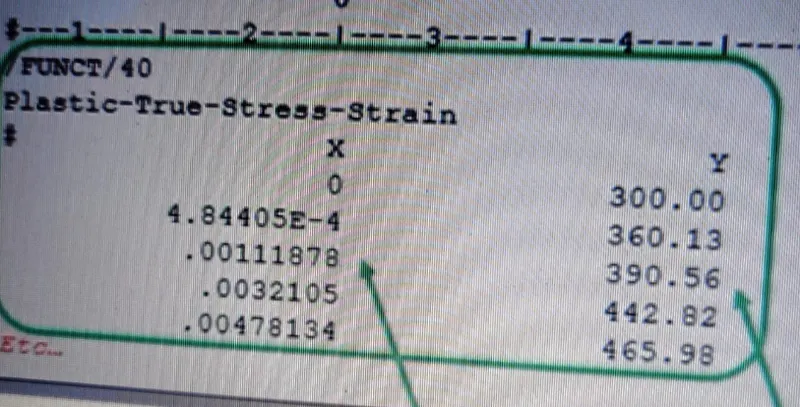
Step III. Create a Curve using the X -linear , Y-linear parameters.
 \
\
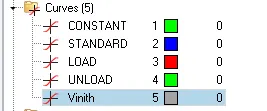
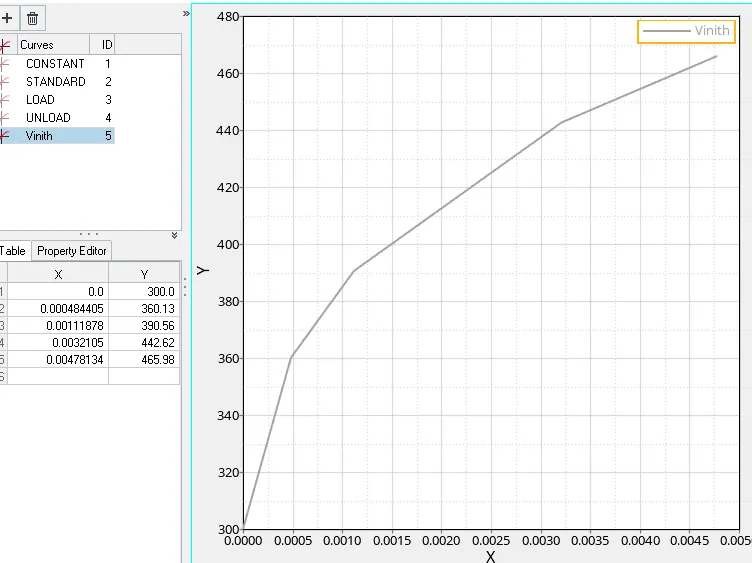
Step IV. Assign the following curve to the Material fct_ID as 1 and select your curve.
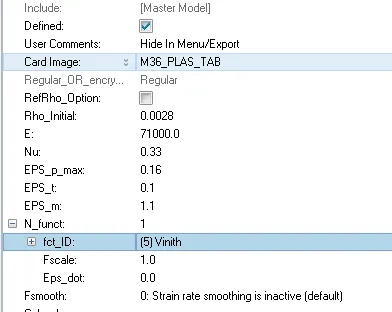
Step V.. Navigate to the Radioss panel in the Analysis page.
Step VI Save the model in a specific folder path, tick the include connectors option and under options folder write –nt 4 and click on Radioss to run the simulation.

Step VII. Open .out Engine file from specified path and check final value of Energy error and mass error .
Step VIII. Then view the result in the hyperview window for visualization.
Step IX. Load .h3d file from specified path, play the animation and plot contour of Von Mises stress using Simple averaging method.
Step X. Open HyperGraph 2D in a new window, load T01 file and plot the energies required.
Animation and Results –
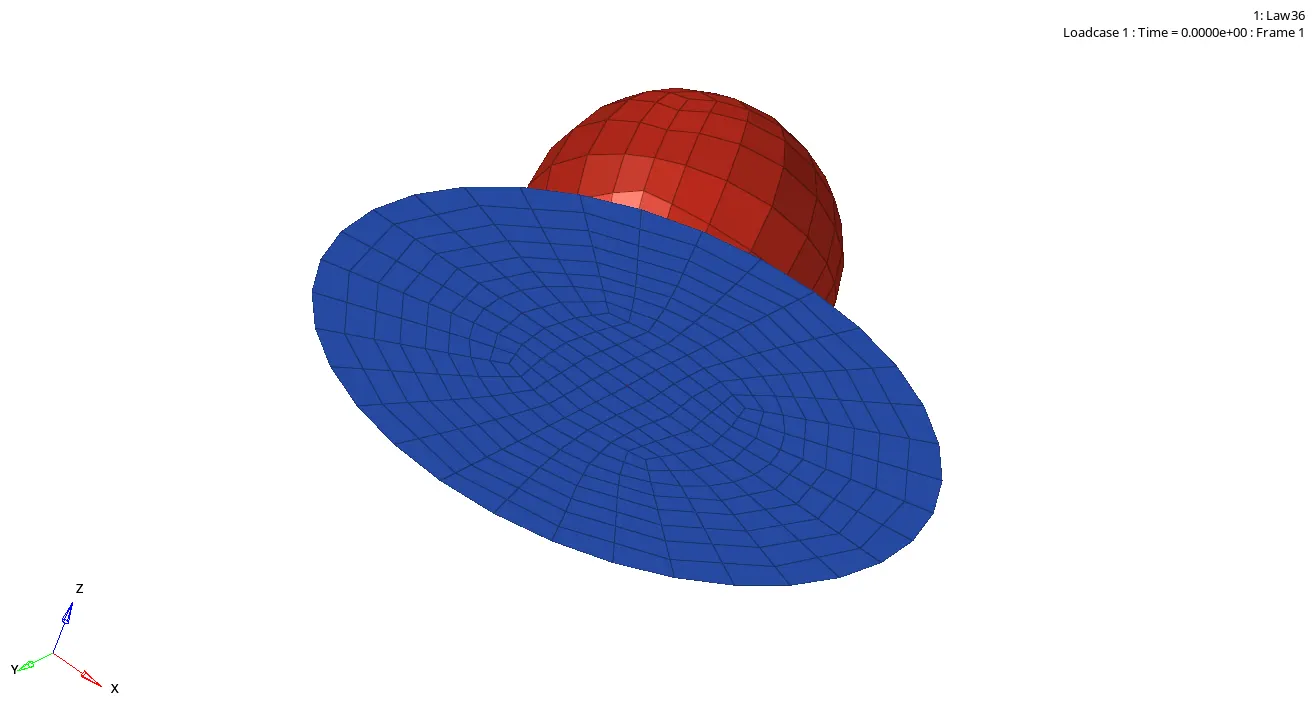
- We can observe the material failure is low compare to above cases.
UNDERSTANDING THE PLOT
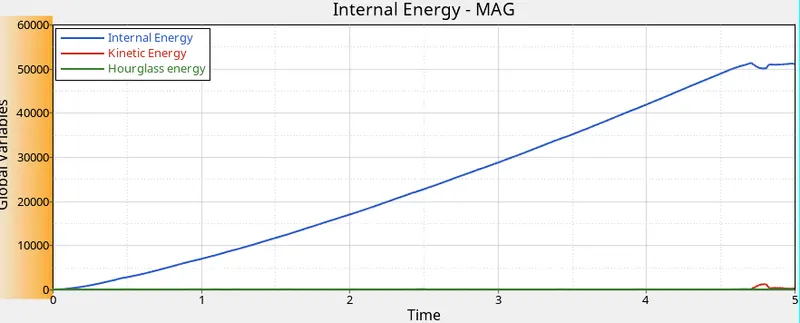
- Internal Engery and kinetic energy w.r.t .
- Hourglass energy is constant w.r.t.
-----------------------------------------------------------------------------------------------------------------------------------
CONCLUSION :
- Learned Material Card Image changing vartions.
- Overall understanding How radioss solver works.
- Learned Material failing reasons.