Assignment 4-RADIOSS Material Laws Challenge
AIM :
>RUNNING THE SIMULATION WITH VARIOUS CASES MATERIALS LAWS AND PLOT THE GRAPH RESULT
>COMPARE THE RESULTS DIFFERENCES OF ALL LAWS
PROCEDURE :
>CASE 1 Performing the simulation without any changing value :
>Firstly import the radioss rad file 0.000rad
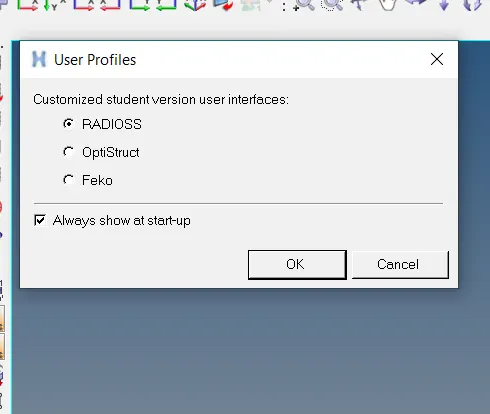
>And check the user profile as performing the simulation in radioss
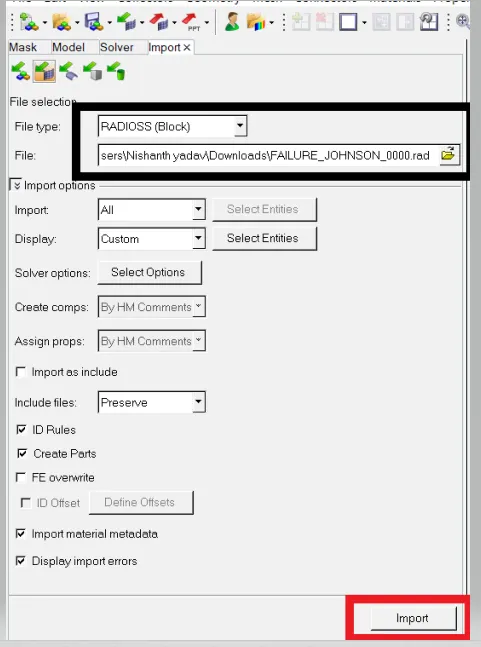
>After importing check the model deck :
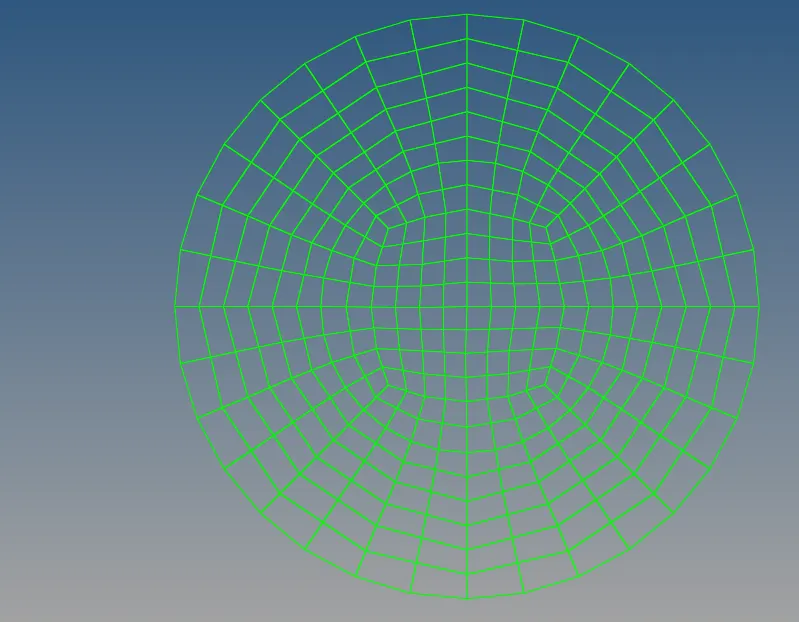
>As now the model is in wireless frame and see in visible of shaded element in mesh line option selected of it
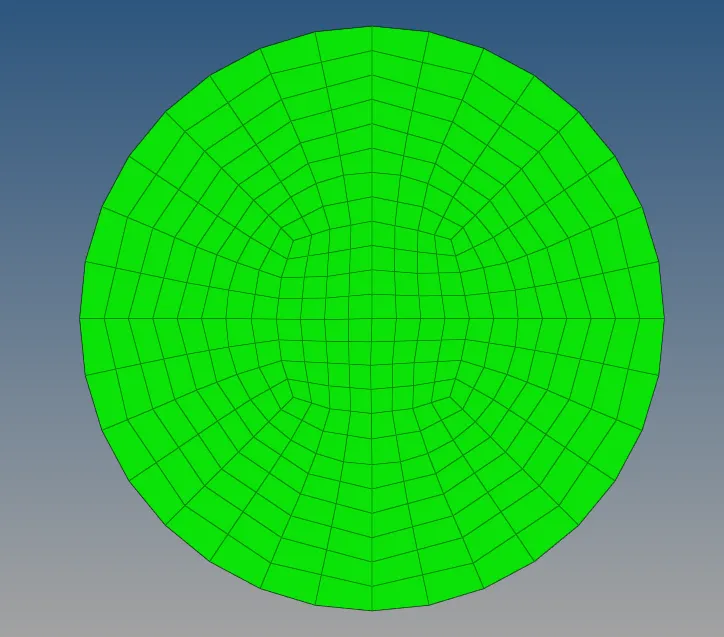
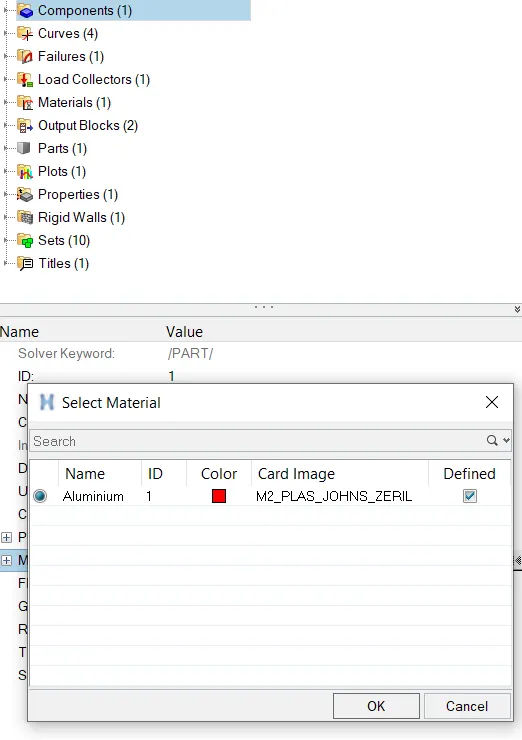
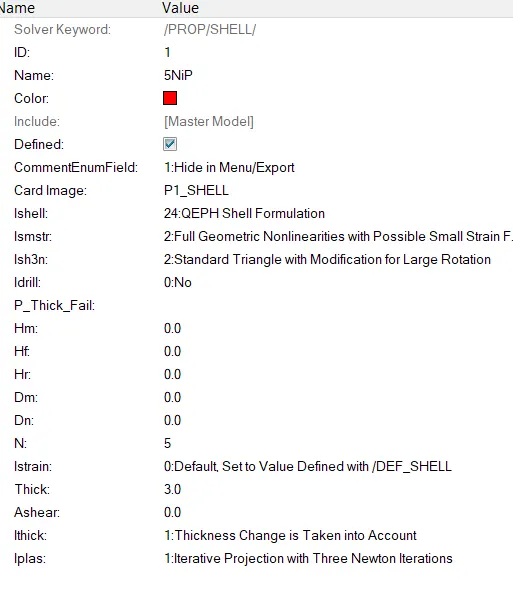
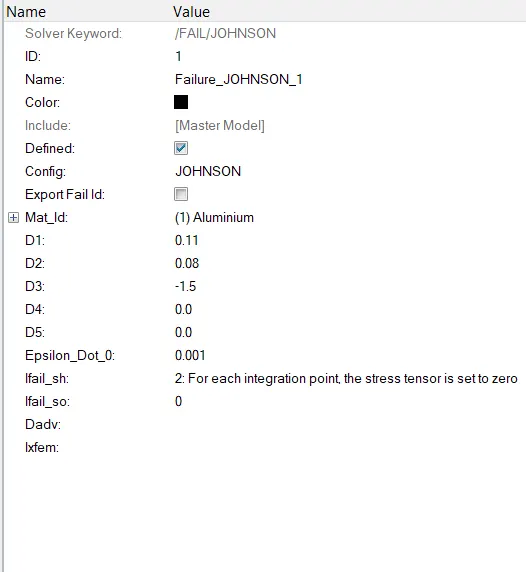
>Now check the material properties are whether assigned to the material card
>
> Next step we have run simulation that we needed of analysis-radioss panel

>After intering the radioss panel, then input the file given of 0.0000rad file intinally , run option same ausally analysis, run number as put 1 , main important steps in the option as put the value of (-nt 4) , it means of assigning the task of 4 times of run the perform the simulation faster, it depends of our computer processor
>And "-nt " is number of threads , after giving and setting these values go with run simulation radioss

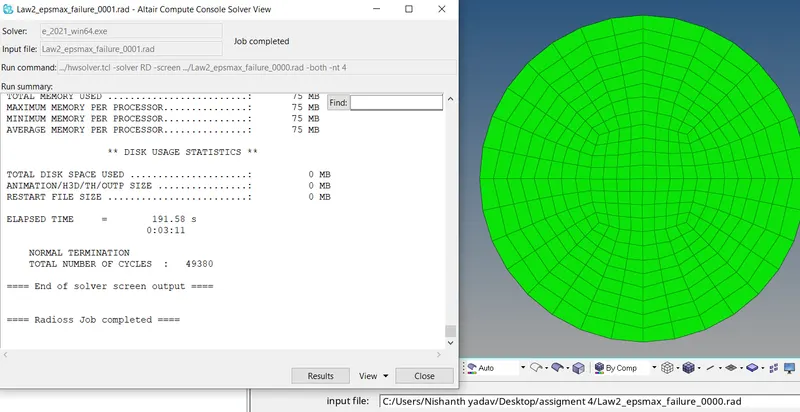
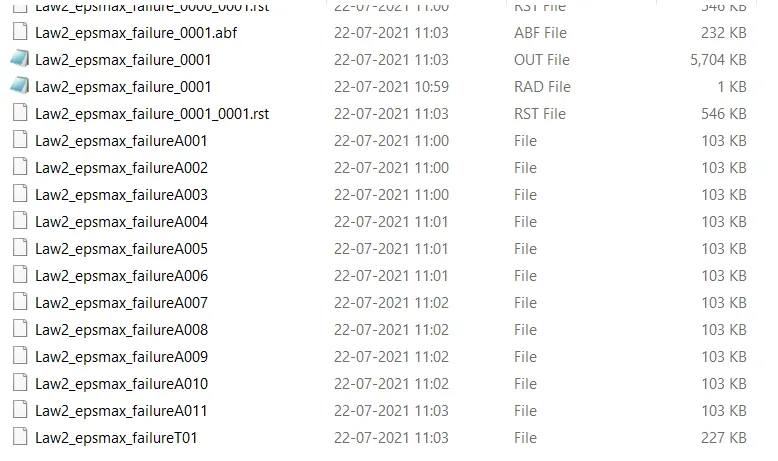
>As per saved location open of animations files of obtained A001 to A11
>Next the open of 0.0001 rad file in the notepad which are obtained of no of cycles and we know of seeinf maximum output results were of energy errors
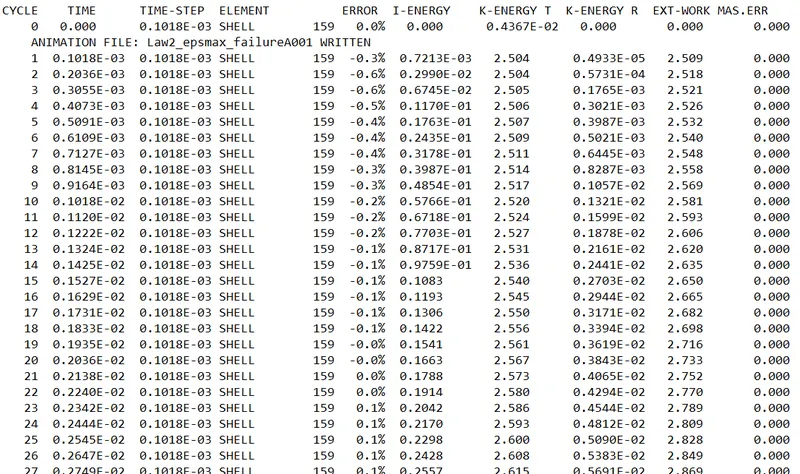
>The performing of simulation were of last cycle energy errors are obtainted of :
>Energy error = 0.8%
>Internal energy = 0.2730E+0.5
>Kinetic energy = 67.81
>External work =0.2721E+0.5
>Mass error = 0
>Total number of cycle =49379
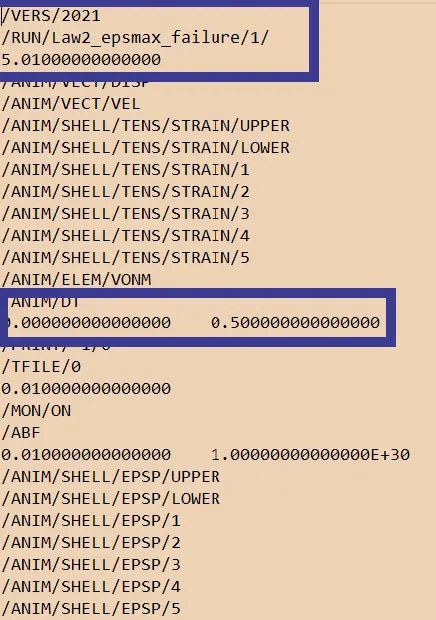
>Then now open the 0.001rad file (engine file) and noticed of termination of run time and animation frequency of output
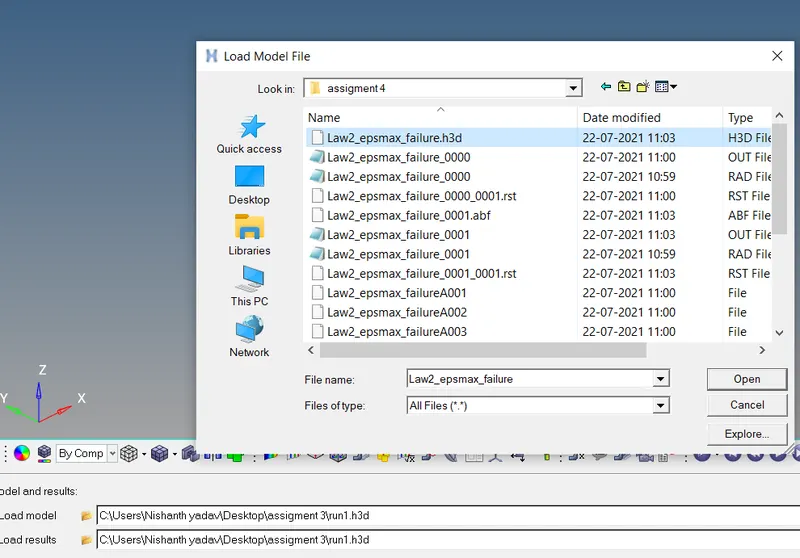
>The next to perform the simulation view in the hyperview and input the file h3d file
>h3d files of consists of all paramertes and with combination of animation files
>Then go with contour option :

>After clicking of contur were visible of :

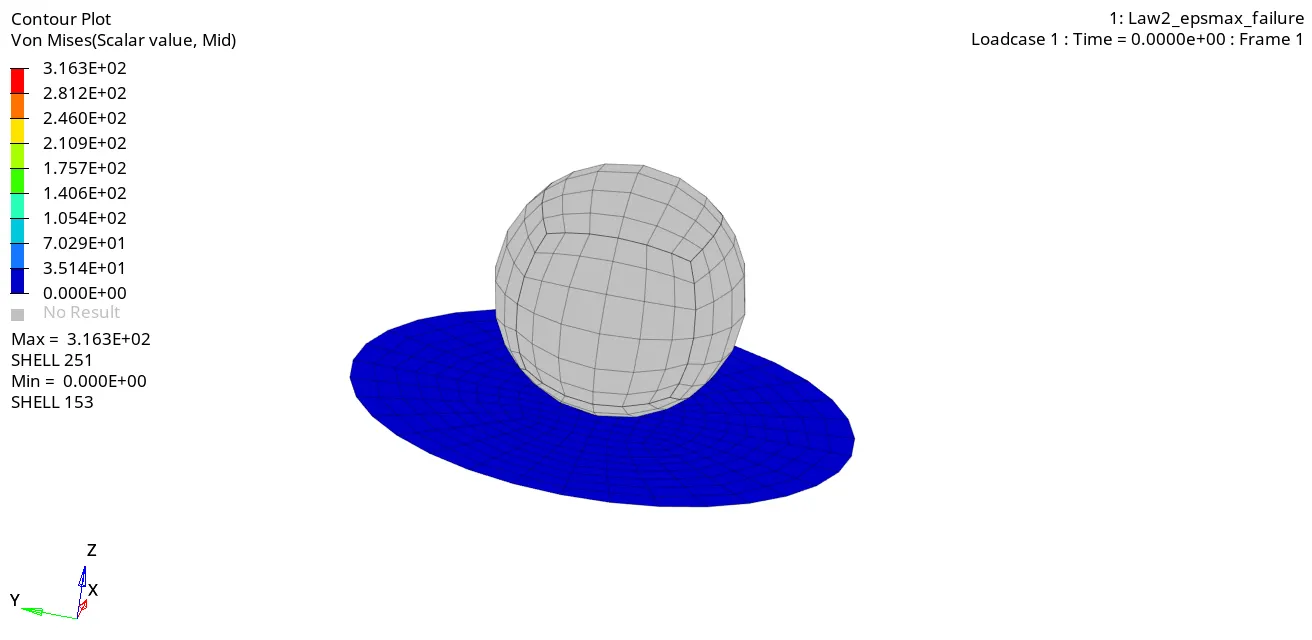
>As now to perform the simulation , while obtainted of result are shown of below image and the circular plate is covered with material law 2 material (both elastic and plastic behaviour)
>And value of von mises(s) maximum stress and of minimumstress value were obtainted result see in below animation
>POST PROCESSING :
>To perform the post processing we have necessary to hygraph 2D panel to obtainted of various graph plot results .
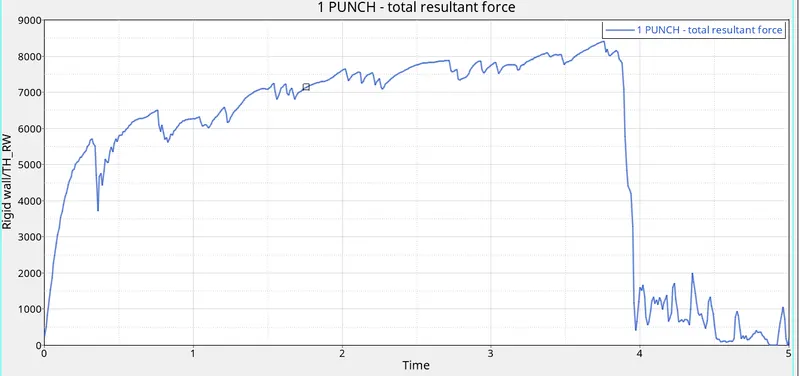
>The first graph to obtainted the rigid wall forces , this done by switch on the hyper graph 2D panel
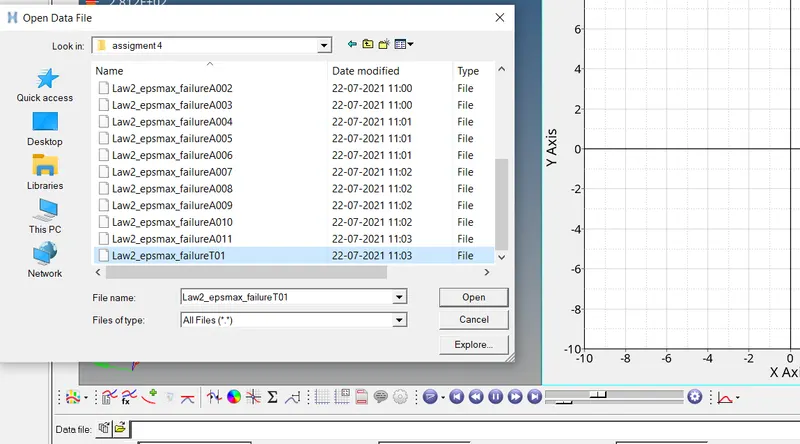
>Then import the T01(TIME HISTORY)file
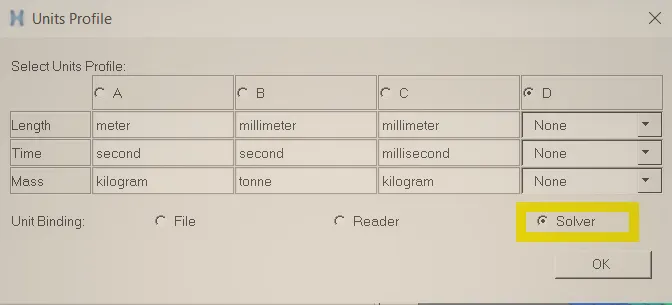
>Then follow of main step unit system,while i was giving the solver option ,it will give some of recommended unit of solver in directly ,if we want to give a particularly and clearly whole of unit wise we should be in perfect , otherwise it will goes inaccurate results of plots
>
>The plot of graph rigid wall force :
>The next plot of energy error of results obtained wish off internal energy, kinetic energy, total energy, contact energy and hourglass energy
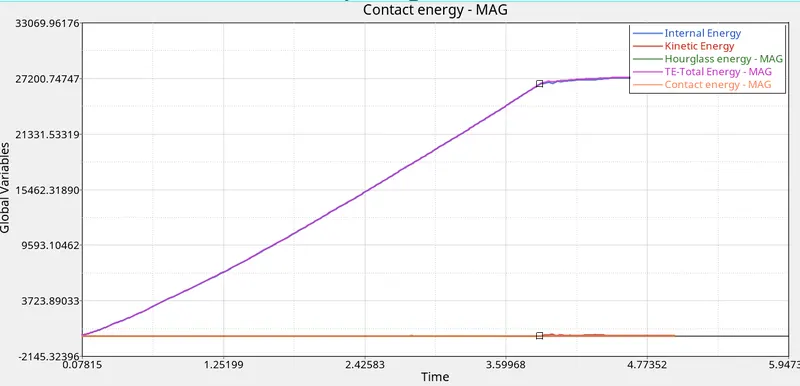
>As in this case we have applied of law 2 material johnson cook and represented a(yield),b(hardening),n(hardening exponent), and eps_max(plastic strain at failure)
>Kinematic energy were starts of origin and ending of some vary of element breakage as shown in the graph
>Total energy here the total energy is directly proportional to the kinematic energy,and total energy is a combination of whole energy,and if kinematic energy increases then automatically total energy increases,as shown in the graph
>Internal energy is increases in the displacement also increases that the reason from raise of internal energy curve as seen in the graph
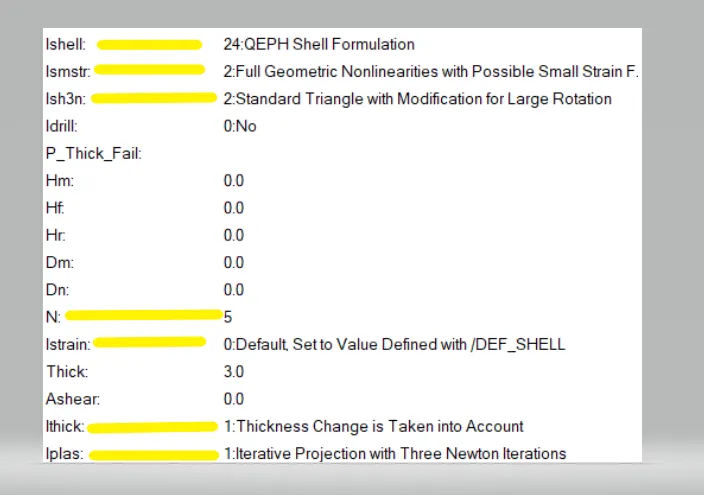
>Hourglass enegry is contact through out the process ,because we given of proper recommended values of properties assigned such as ishell,ismstr,ish3n,N,Istrain,Ithick,iplas
>AS the graph of combined of all views :
>CASE 2 :(Changing the value in failure card and run as model of law2_epmax_crack):
>In this case we have going to changing the values of given values but the material card as same of law2
>As the required to change the values in this johnson failure card as ifail_sh=1,Dadv = 1 and Ixtem =1
>Now before changing the values in the failure card :
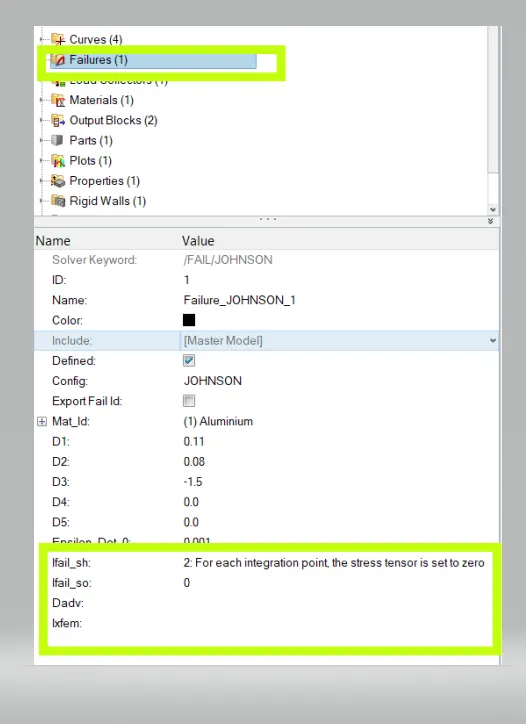
>After changing the values in the failure card :
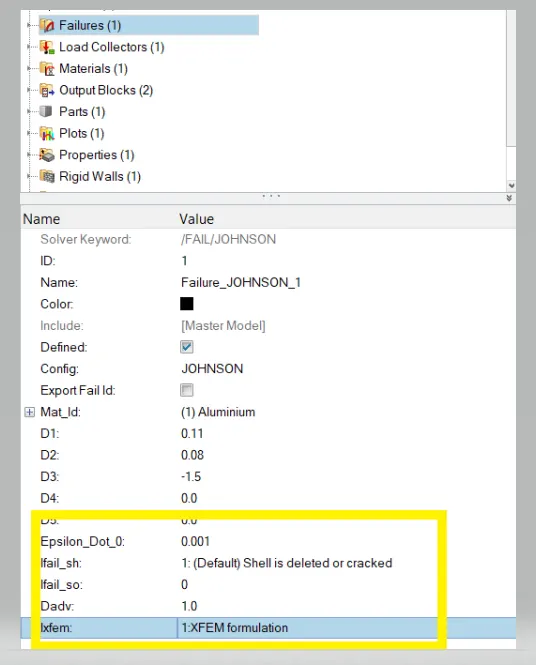
>Now run the simulation by using the radios file 0.000rad file (starter file) , after obtained file see the animation files and time history file also
>As per the A01 to A11 as animation file and T01 as time-history
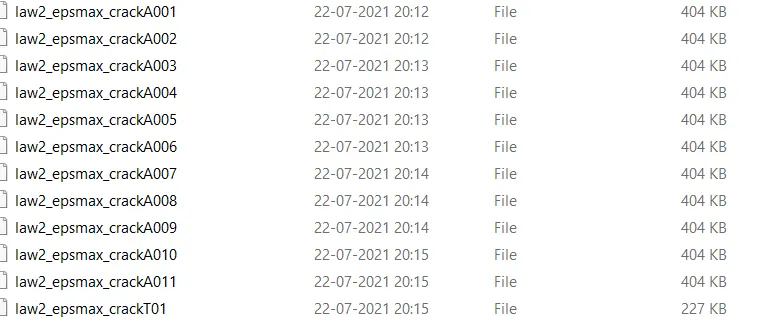
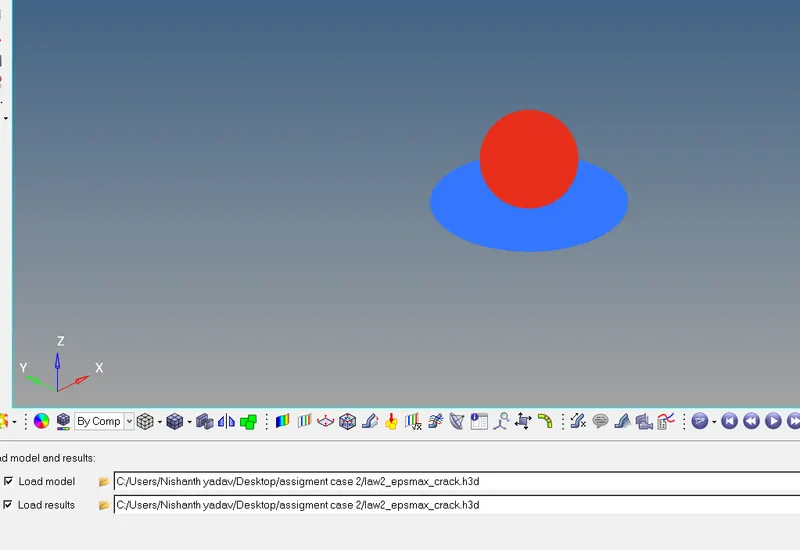
>Then go with hyperview by clicking after simulation cilick the result button on the bottom result of simulation,then it will shown as below format image
>
>The next to open the 0.0001rad file engine file and see the energy error of maximum value obtained
>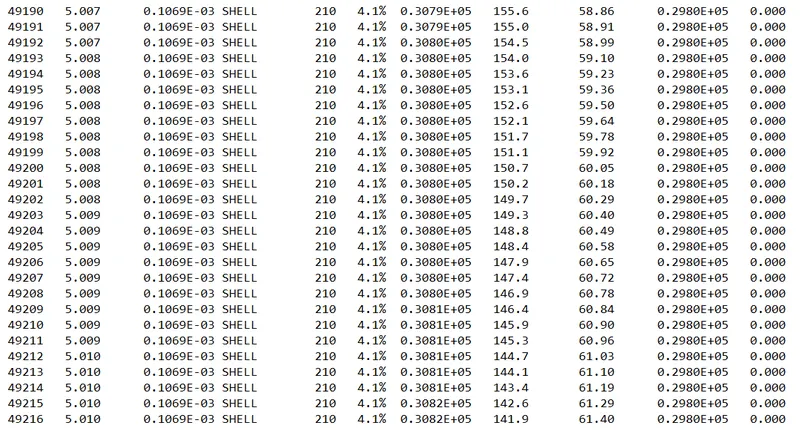
>The performing of the simulation was of last cycle energy errors are obtained of :
>Energy error = 4.1%
>Internal energy = 0.3.082E+05
>Kinetic energy = 61.40
>External work =0.2980E+05
>Mass error = 0
>Total number of cycle =49216
>The next to perform the simulation view in the hyperview and input the file h3d file
>h3d files of consists of all parameters and with combination of animation files (Von mises)
>And value of von mises(s) maximum stress and of minimum stress value were obtained result see in below animation
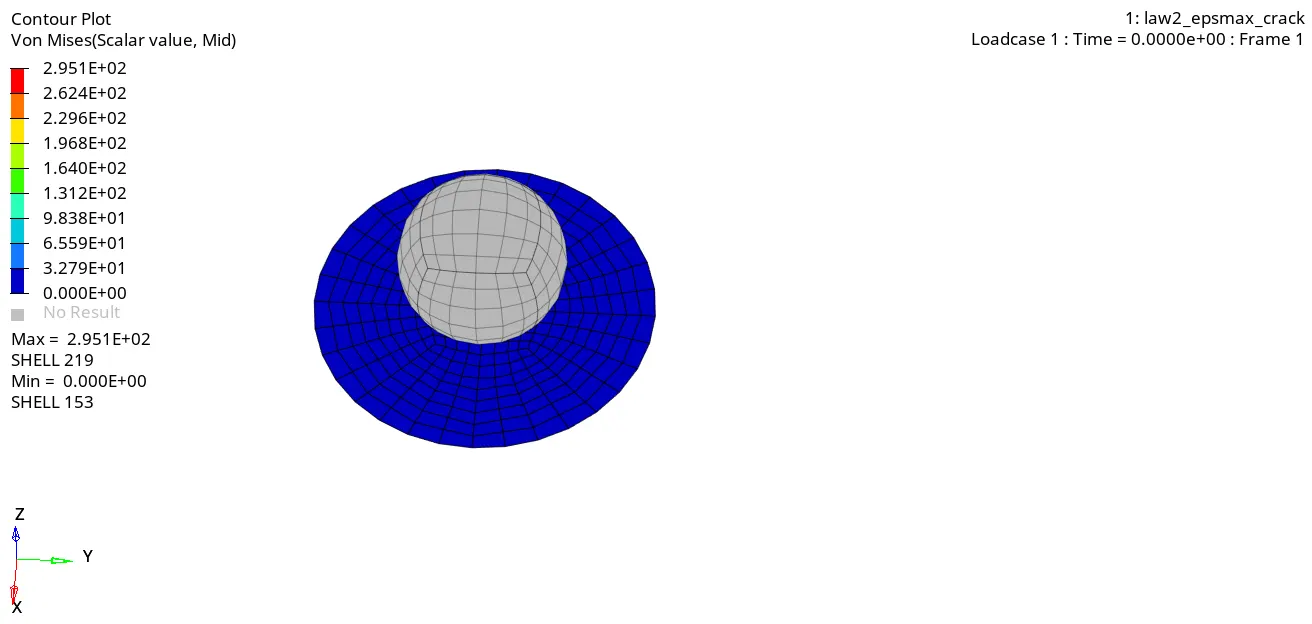
>POST POCESSING :
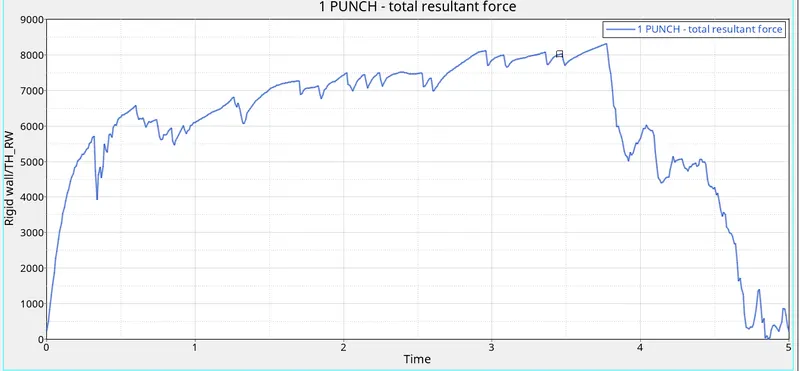
>Perform the rigid wall forces in the hypergraph 2D panel
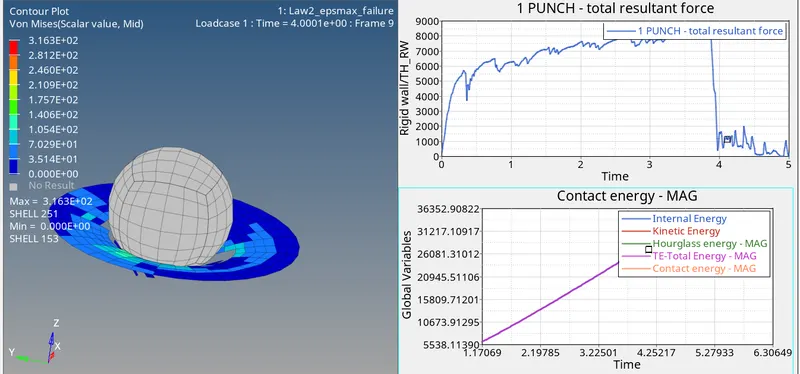
>As the spherical ball go on the covered plate at rigid force at across maximum stress then at fall of break down suddenly as shown in the image with respect to the time
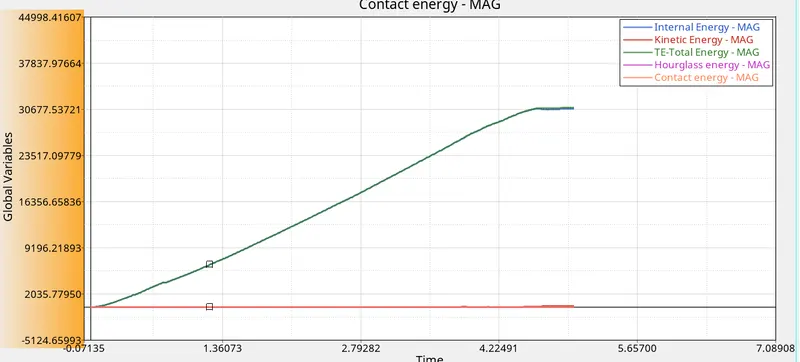
>Then next go with energy error:
>X-axis represent of x-time,and y-represent globalvariables and Mag-magnitude
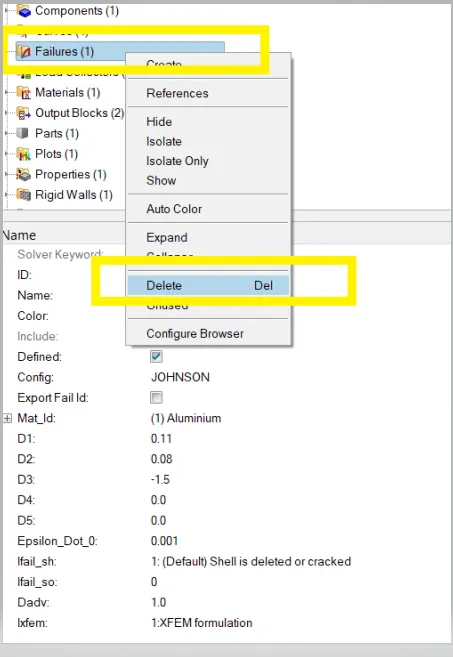
>CASE 3: DELETING THE FAILURE OF JOHNSON CARD AND RUNNING THE SIMULATION WITH law_epsmax_nofail :
>In this case , we deleting the failure card and we have observed of any further changing of results and finally we have to noticed
>Now run the simulation by using the radios file 0.000rad file (starter file), after obtained file see the animation files and time history file also
>As per the A01 to A11 as animation file and T01 as time-history
> Without any changes parameters and run the simulation
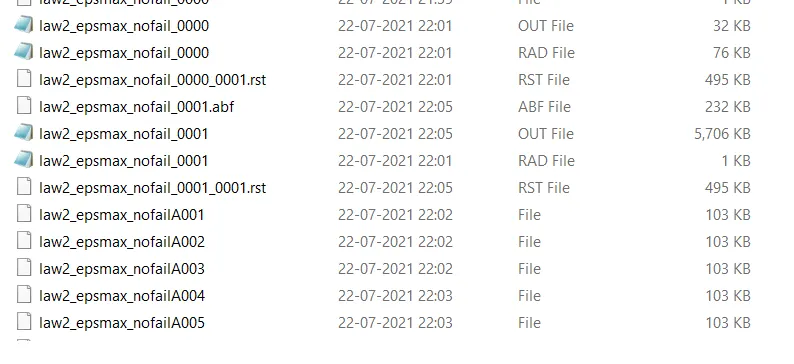
>The next to open the 0.0001rad file engine file and see the energy error of maximum value obtained
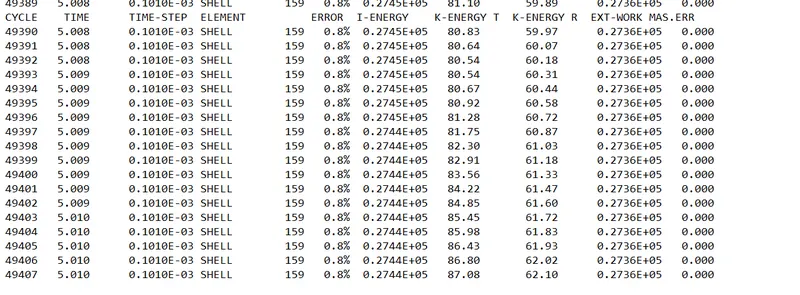
>The performing of the simulation was of last cycle energy errors are obtained of :
>Energy error = 0.8%
>Internal energy = 0.2744E+05
>Kinetic energy = 87.08
>External work =0.2736E+05
>Mass error = 0
>Total number of cycle =49407
>The next to perform the simulation view in the hyper view and input the file h3d file
>h3d files of consists of all parameters and with a combination of animation files (Von mises)
>And value of von mises(s) maximum stress and of minimum stress value were obtained result see in below animation
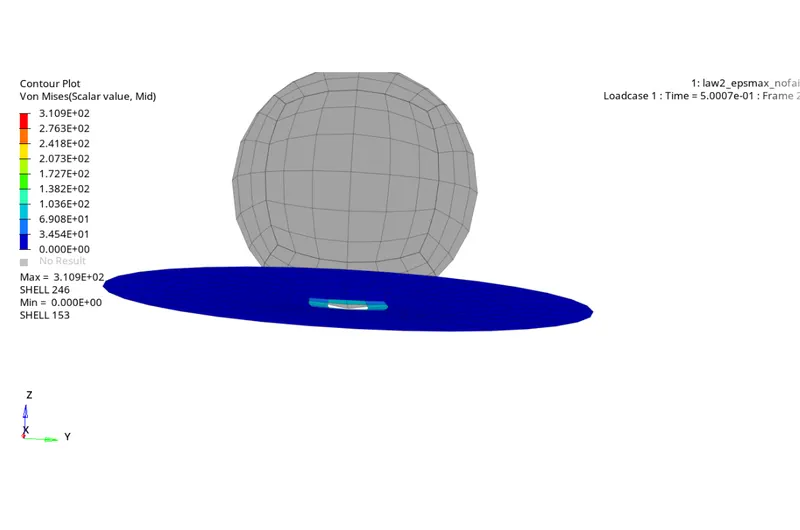
>POST PROCESSING :
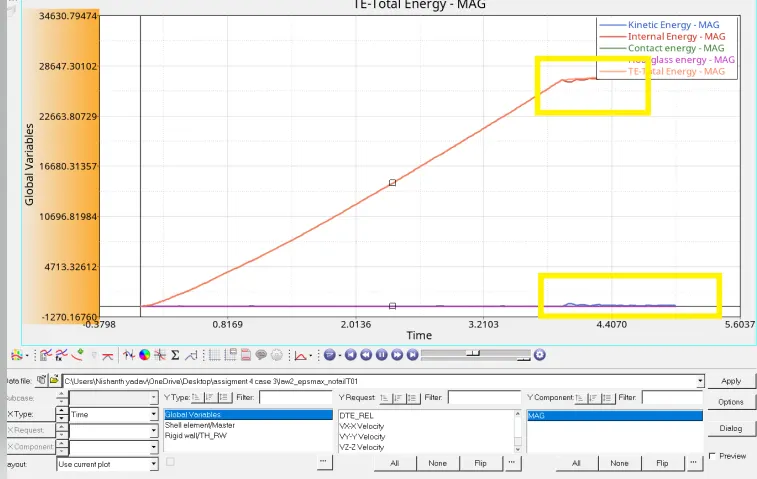
>Then go with the result obtained by the graph in the hypergraph 2D
>As we know initially input the file T01 time history into the hypergraph browser then at automatically seen as rigid wall forces
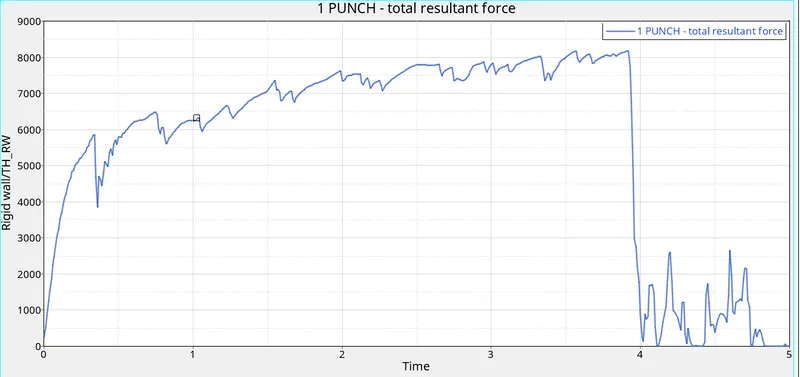
>Then next view in hyper view to obtained of results of energy errors global variable as kinematic energy, contact energy, total energy, and hourglass energy
>CASE - 4 : DELETING THE VALUE OF EPD MAX AND RUN THE MODEL WITH THE NAME OF LAW 2 :
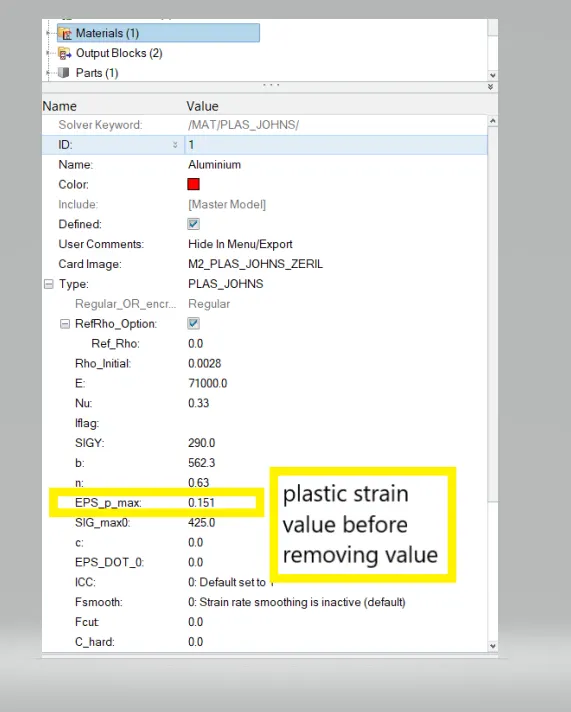
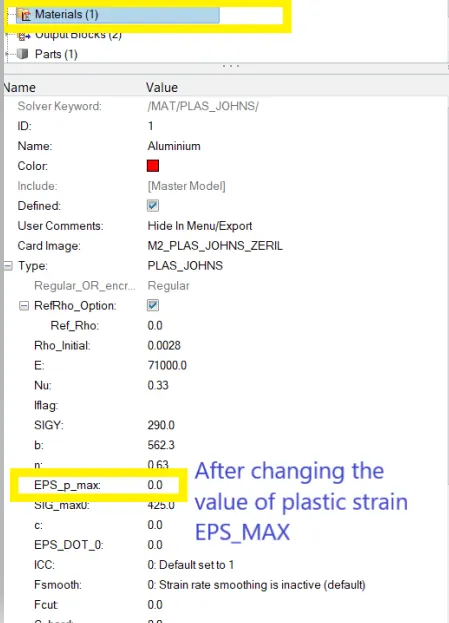
>As per question condition we have to remove of plastic strain value (EPS_MAX) which is 0.151 ,and the card of material same
>BEFORE CHANGING VALUE EPS_MAX
>AFTER CHANGING VALUE OF EPS_MAX :
>The next step to run the simulation by radioss and save of separate location of obtained the result and look at now hd3 file animation file and also time history T01 file

>Then now open the 0.0001 rad file to obtained of result energy errors values of simulation run of maximum values of last cycle
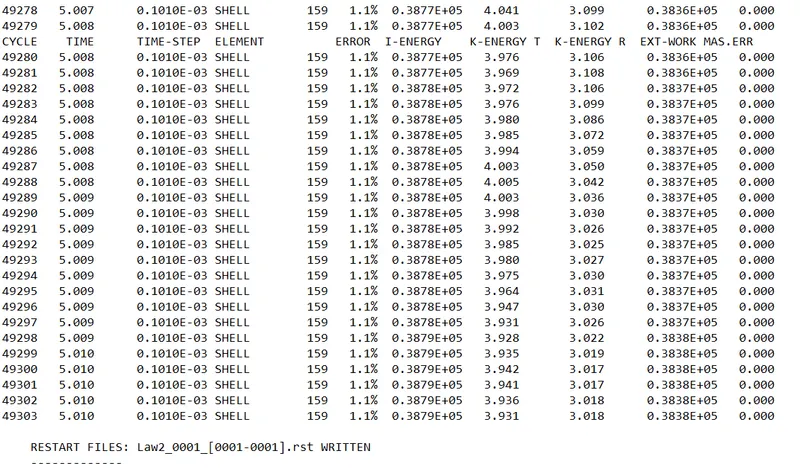
>The performing of the simulation was of last cycle energy errors are obtained of :
>Energy error = 1.1%
>Internal energy = 0.3879E+05
>Kinetic energy = 3.931
>External work =0.3838E+05
>Mass error = 0.00
>Total number of cycle =49303
>The next to perform the simulation view in the hyper view and input the file h3d file
>h3d files of consists of all parameters and with a combination of animation files (Von mises)
>And value of von mises(s) maximum stress and of minimum stress value were obtained result see in below animation
>NOTE - as per there is no eps_max zero deformation (Plastic strain),so elements are does not break
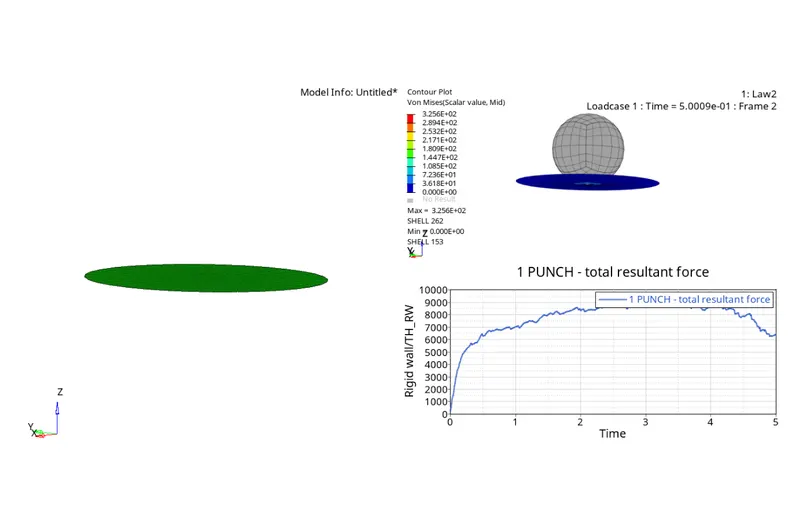
>POST POCESSING :
>And now import the time history value T01 in hypergraph 2D
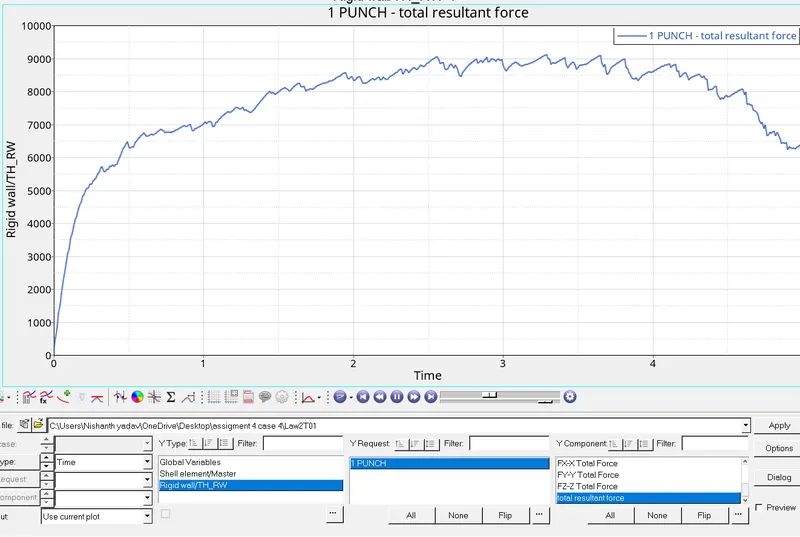
>Then it will open browser in hypergraph 2D rigid wall forces graph obtained
>As now observed thegraph with animation file total resultant force, but gradually increasing and decreasing the plot graph at the moment of crush hit of the covered plate at a level slowly drecresesing the down
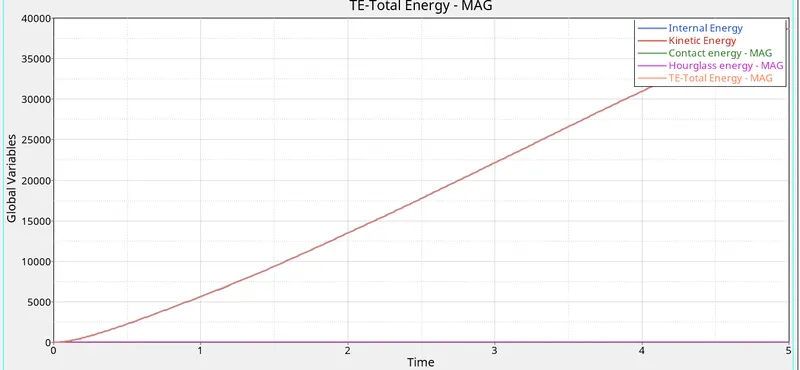
>Then next view in hyper view to obtained of results of energy errors global variable as kinematic energy, contact energy, total energy, and hourglass energy
>CASE - 5 : CONVERT THIS MATERIAL CARD MODEL TO LAW1 ELASTIC WITH SAME DENSITY (RHO) and NU (passion ratio) and E(young modulus)
>In this case , we have to change the material card model to law 1 ,because before changing the previous card in the law 2 material card
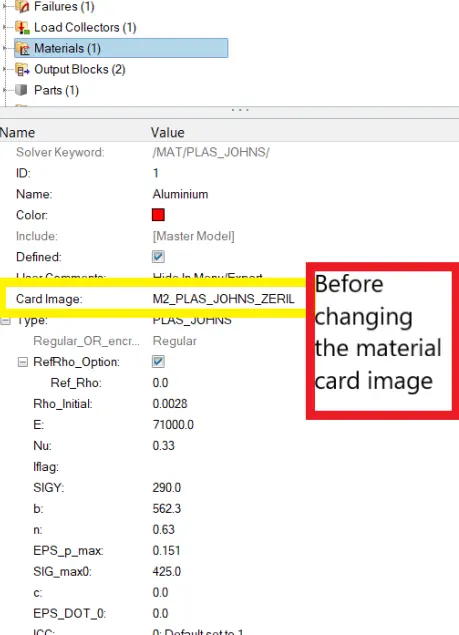
>And the law 1which processes of ELASTIC Behaviour
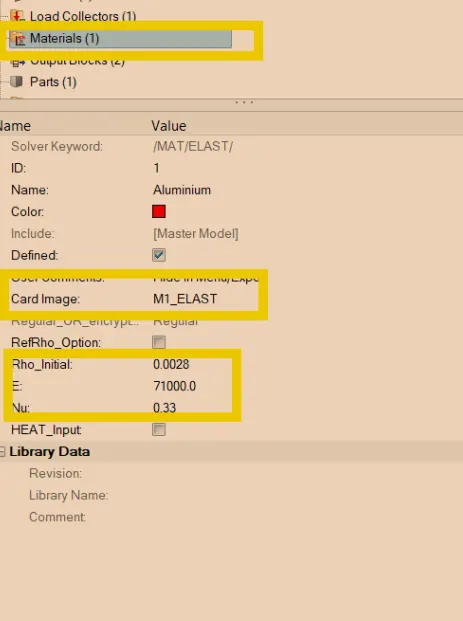
>Then the run simulation by using the radioss and check results obtained file information
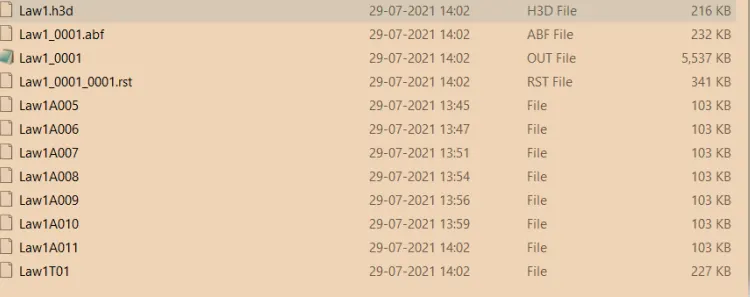
>Then check of the energy errors and the mass error as result information file maximum values
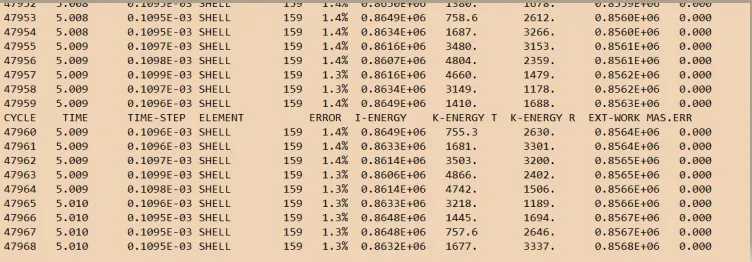
>The performing of the simulation was of last cycle energy errors are obtained of :
>Energy error = 1.3%
>Internal energy = 0.8632E+05
>Kinetic energy = 1677
>External work =0.8568E+05
>Mass error = 0.00
>Total number of cycles =47968
>The next to perform the simulation view in the hyper view and input the file h3d file
>h3d files of consists of all parameters and with a combination of animation files (Von mises)
>And value of von mises(s) maximum stress and of minimum stress value were obtained result see in below animation
>As the result observer the law 1 is assigned to the circular plate ,so then whole function consider of elasticity (i.e. its aim function to regain its original size and shape after deformation),and its does not even break through the element in the process
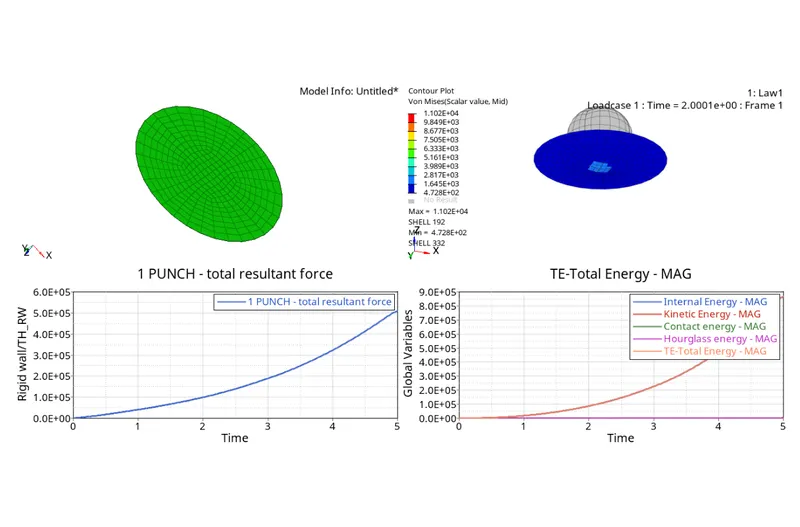
>POST PROCESSING :
>Then input the file time history T01 it will appear of new window plot in the hypergraph 2D
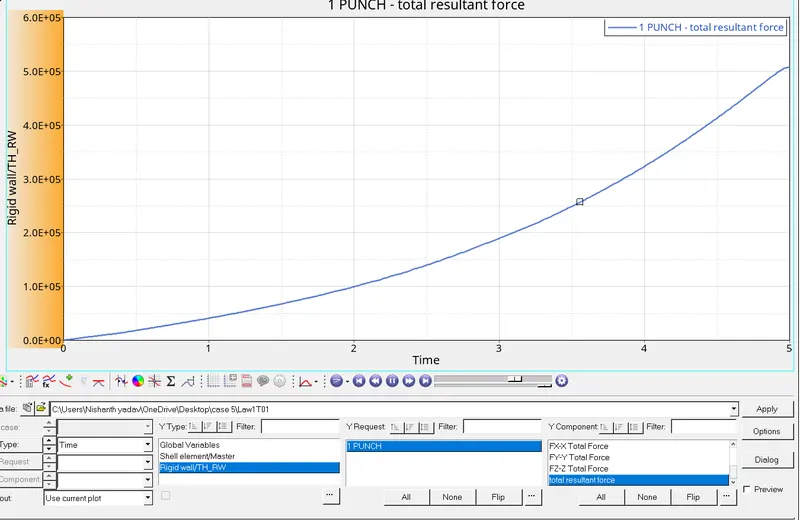
>Then select of the rigid wall force and applied to the resultant total result to applied result graph
>As again to observer with previous law2 small of the compare that in the law1 is slowly increasing while its origin and up to endpoint of the value , because in the law1 there is no plastic region
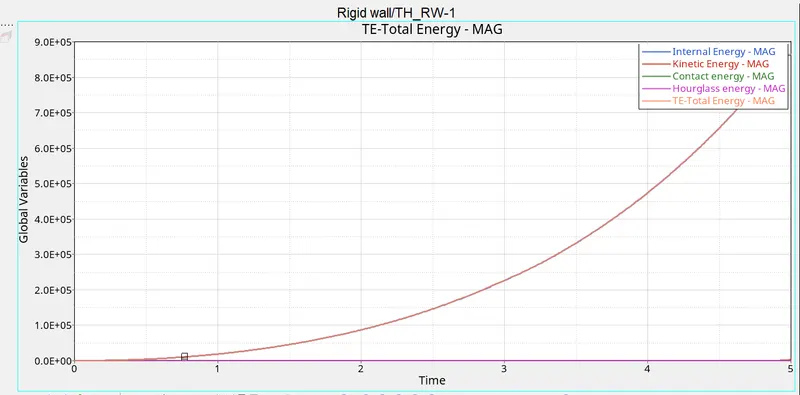
>Then next view in hyper view to obtained of results of energy errors global variable as kinematic energy, contact energy, total energy, and hourglass energy
>As seen of the graph,the internal energy increasing remain of the constant
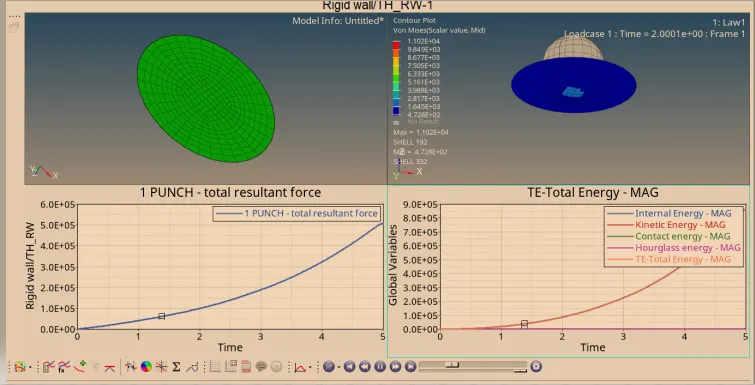
>THe total combined graph
>CASE - 6 THE MATERIAL CARD OF LAW27 :
>In this case, we have to run the model law 27 material card, and with a proper recommended value of shell properties to assign, this law combines the elastic-plastic johnson cook material with an orthographic brittle failure model
>LAW 27: has isotropic elastic-plastic material law with orthotopic all direction brittle failure model
>Here the material damage and failure happens only in the tension
>law 27 is available only for shell elements
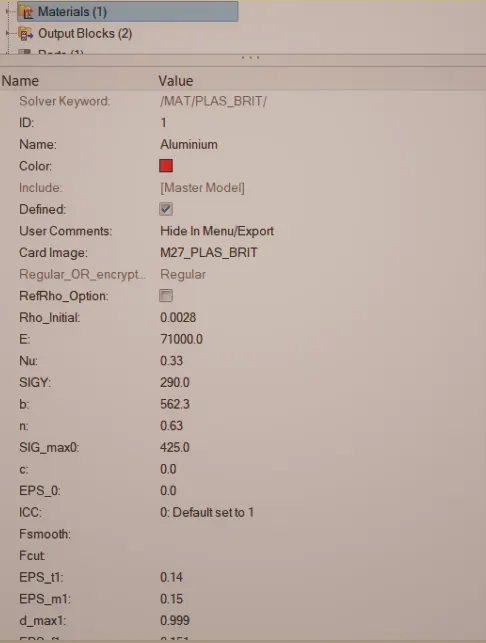
>EPS_t is the strain at the beginning of tensile failure
>EPS_m is the maximum tensile strain at which the stress I'm the element to a value dependent on maximum damage factor dmax 1
>EPS_f is the maximum tensile strain of element deletion
>d_is the damage factor
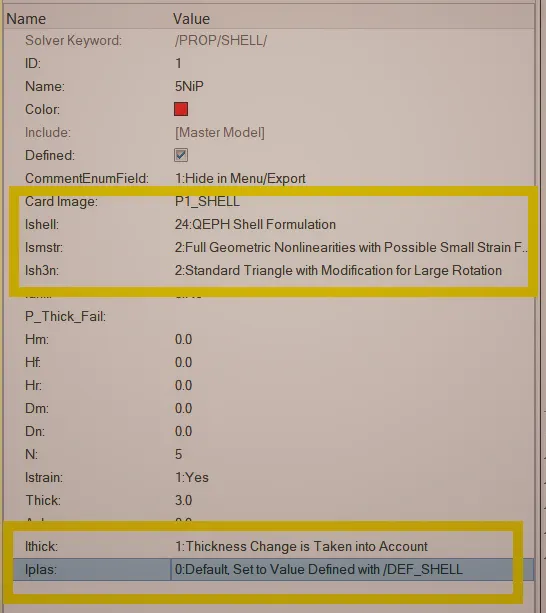
>Then now changing the values in the property card
>Before changing the property card
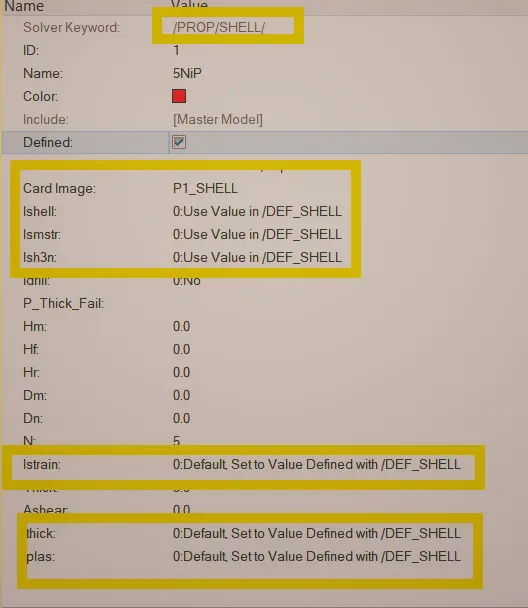
>After changing the value of recommended values to the property card
>And the material card :
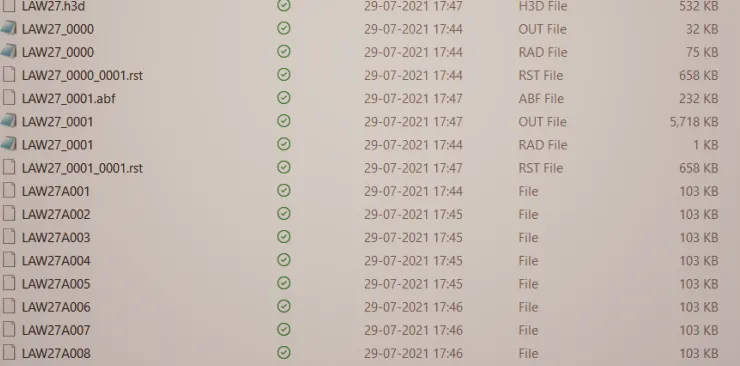
>Now run the simulation, check of the file information after running the simulation
>Then the open of the 0.0001 rad file which obtained of the energy errors values and mass error
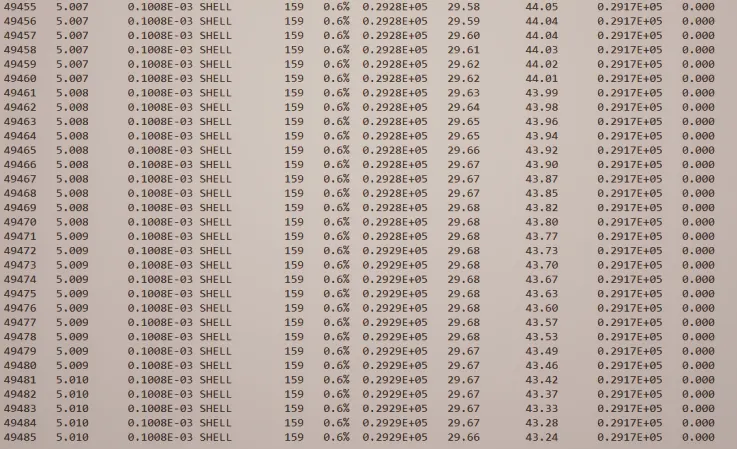
>The performing of the simulation was of last cycle energy errors are obtained of :
>Energy error = 0.6%
>Internal energy = 0.2929E+05
>Kinetic energy = 29.66
>External work =0.2917E+05
>Mass error = 0.00
>Total number of cycles =49485
>The next to perform the simulation view in the hyper view and input the file h3d file
>h3d files of consists of all parameters and with a combination of animation files (Von mises)
>And value of von mises(s) maximum stress and of minimum stress value were obtained result see in below animation
>Here clearly see that the element break down because of their brittle property
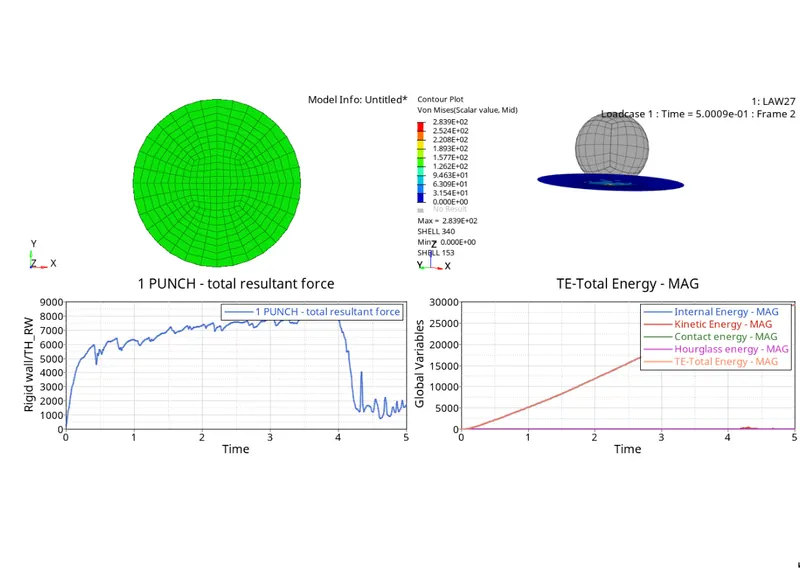
>POST PROCESSING :
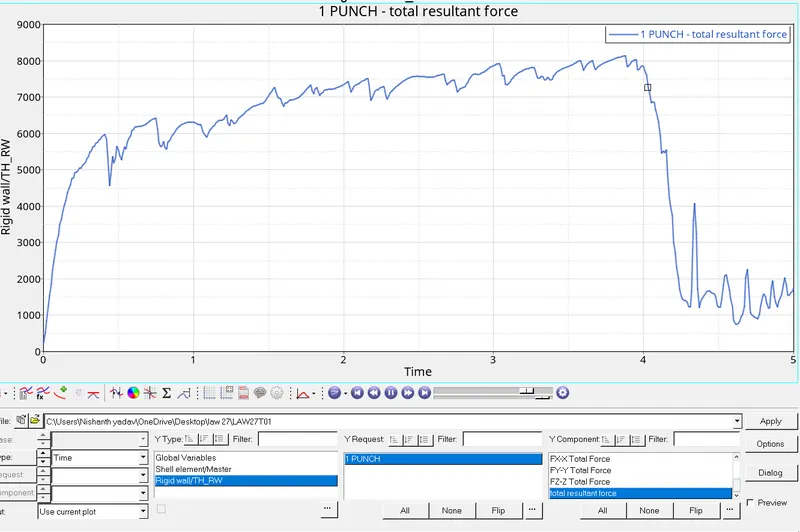
>Then input the file time history T01 it will appear of new window plot in the hypergraph 2D
>Then select the rigid wall force and applied to the resultant total result to the applied result graph
>Now observer the graph of the rigid wall unstill of slowly increasing and decrease at a point of time stress impact on the circular plate it will break down gradually and decreases as shown in the graph
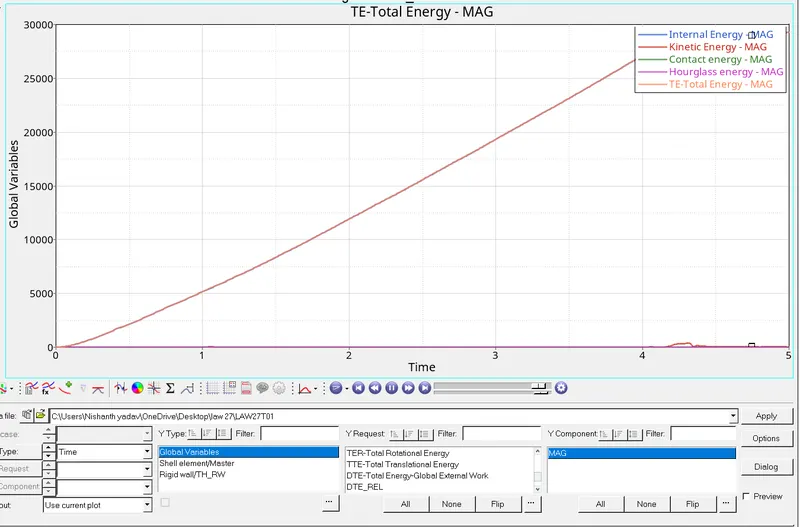
>Then next view in hyper view to obtained of results of energy errors global variable as kinematic energy, contact energy, total energy, and hourglass energy
>As shown in the graph observer the internal energy increasing and end of the breakpoint at going the constant
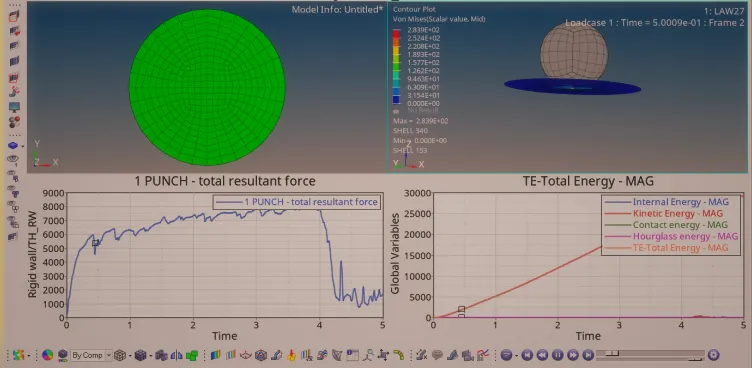
>Total combined graph :
>CASE 7-ASSING THE LAW 36 CARD(ISOTROPIC ELASTIC_PLASTIC MATERIAL) AND PARAMETERS TO SHELL ELEMENTS TO THE PROPERTY CARD
>In this case, the law 36 material card has been changing and shell property to the property card
>Now initially create the material card firstly and assigned to the material card law 36 to the material and after assigned to the component
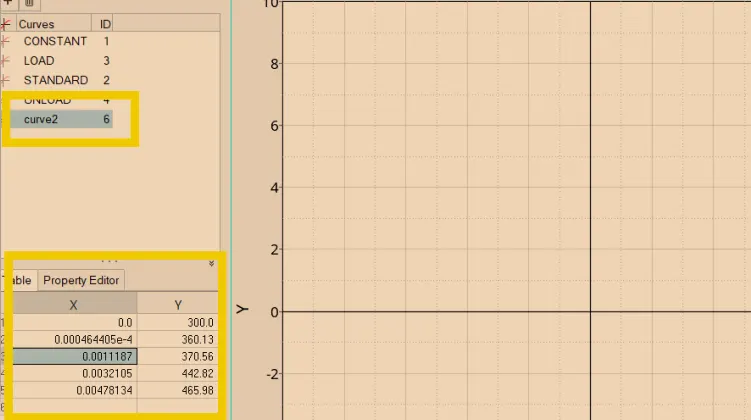
>Now create the curve as per given name and obtained the value of the exactly to the material card values of the law 36
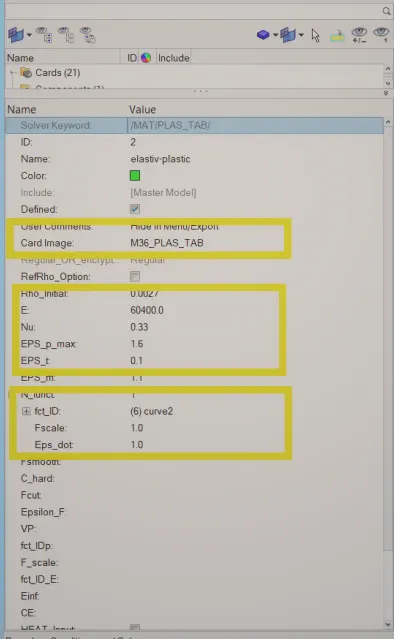
>Now change the value as per material card 36 values such as density(0.0027) rho,pasion ratio(0.33), yongs modulus E(60400)
>And changing the values of in curve plot table x=strain(plastic strain ) and y = stress (post-yeild stress)
>Now after changing the values in the material card and creating the curve plot
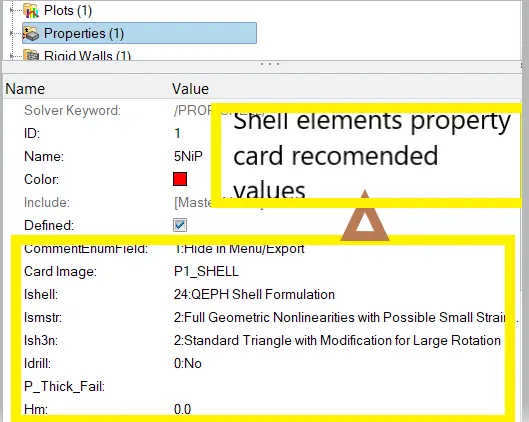
>And property card assigning :
>And now create the curve graph plot with valuable of x and y values :
>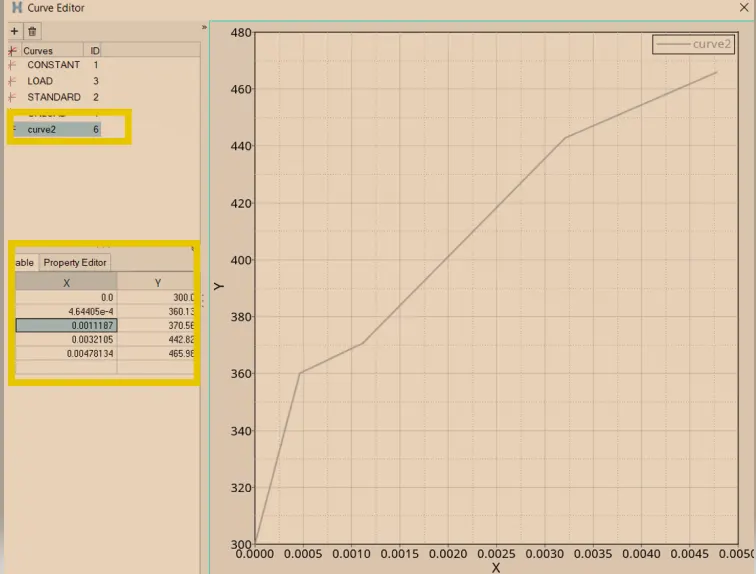
>The graph is used of defining the value of passion ratio and young modulus
>It will use both shell and brick materials
>We have given the values of table x and y of engineering stress and strain values and assigned them
>Then now run the simulation and open the file 0.001.rad file
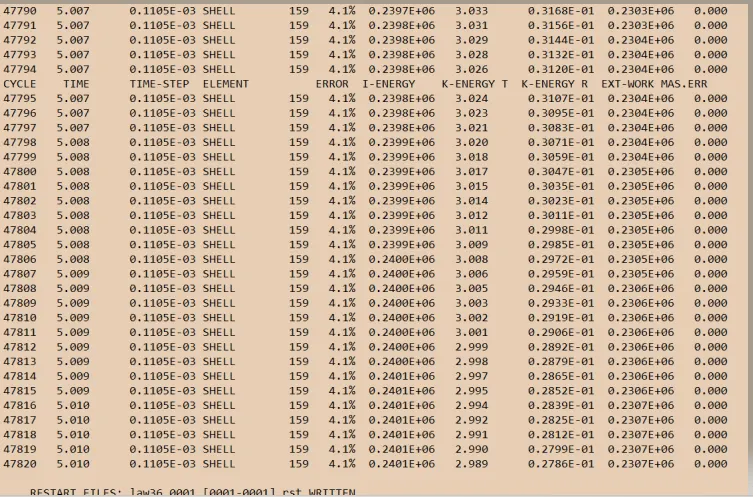
>The performing of the simulation was of last cycle energy errors are obtained of :
>Energy error = 4.1%
>Internal energy = 0.2481E+06
>Kinetic energy = 2.909
>External work =0.2387E+05
>Mass error = 0.00
>Total number of cycles =47820
>The next to perform the simulation view in the hyper view and input the file h3d file
>h3d files of consists of all parameters and with a combination of animation files (Von mises)
>And value of von mises(s) maximum stress and of minimum stress value were obtained result see in below animation
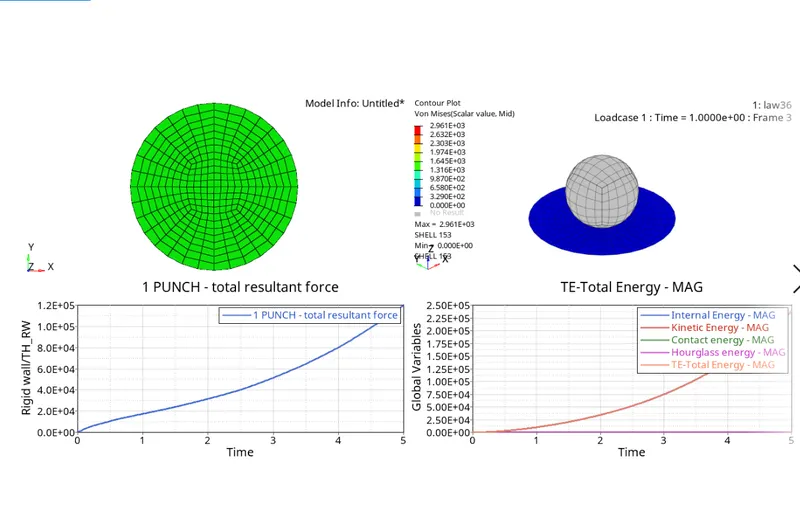
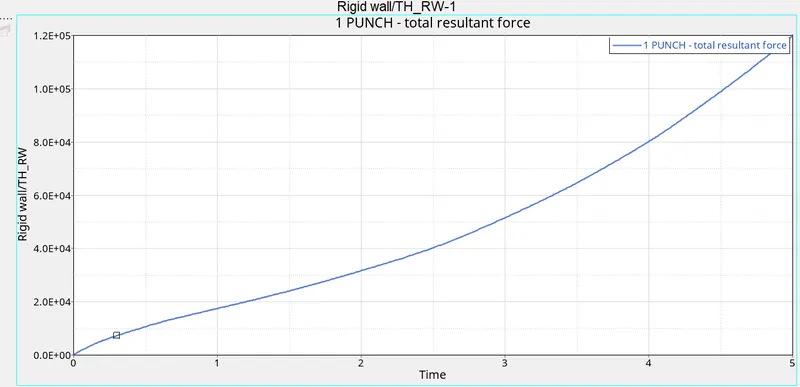
>POST PROCESSING :
>As shown of the rigid wall forces in the graph
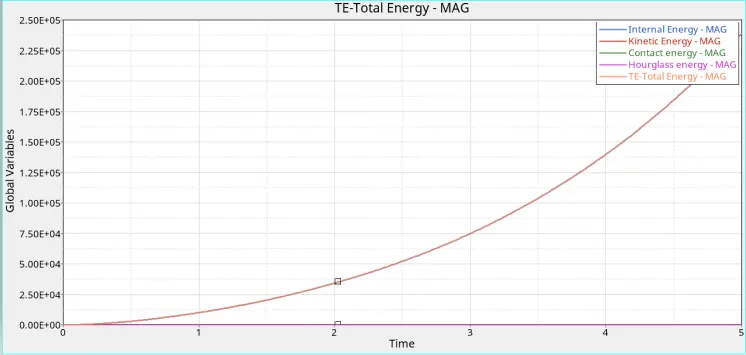
>Then next view in hyper view to obtained of results of energy errors global variable as kinematic energy, contact energy, total energy, and hourglass energy
>COMPARISON OF THE 7 CASES :
| CASES | Energy error(%) | Kinematic energy(KJ) | Internal energy(KJ) | Mass error | Total number of cycles | Element deletion | Material laws are used in different laws |
| Case 1 | 0.8% | 67.81 | 0.2730E+0.5 | 0.00 | 49379 | Element will be deleted | law 2 with a,b,n values |
| Case 2 | 4.1% | 61.40 | 0.3.082E+05 | 0.00 | 49216 | Element will be deleted | Law 2 by changing the value in the failure card |
| Case 3 | 0.8% | 87.08 | 0.2744E+05 | 0.00 | 49407 | Element will be deleted | Law 2 deleting the failure john card |
| Case 4 | 1.1% | 3.931 | 0.3879E+05 | 0.00 | 49303 | Element will be delated | Law 2 by removing the EPS_MAX value(Plastic strain) |
| Case 5 | 1.3% | 1677 | 0.8632E+05 | 0.00 | 47968 | Element will not deleted because of purely elastic | Law 1 |
| Case 6 | 0.6% | 29.66 | 0.2929E+05 | 0.00 | 49485 | Element will be deleted because of Elastic-plastic brittle | Law 27 |
| Case 7 | 4.1% | 2.909 | 0.2481E+06 | 0.00 | 47820 | Element will deleted because of elastro-plastic | Law 36 |
>CONCLUSION :
>LAW 1 : law1 is the obtained only the elastic region it will not shown the in the failure curve
>LAW 2: Law 2 is the indicted of the both elastic and plastic region and its curved how the graph has in the position in elastic region and after yield point across it will shown of the failure plastic region
>LAW 27 : law 27 is the indicates of the after yield point curve it will shown the curve how the graph will obtained with failure of Bening(Eps_t)and maximum obtained (Eps_m)and the finally complete failure removed element deletion(Eps_f)
>LAW 36 : Law 36 Elastic-plastic with working hardening and the mean aim of by using the law36 with values given we to obtain the curve region with the help of given values parameters by entering while comparing of others law just we have to entering the values to create the curve with maximum values
>AS there are so many laws indicted but which material have to fix which law to get an accurate result , firstly we have to know taken of which material to which law and the simulation of accurate result