Assignment 4-RADIOSS Material Laws Challenge
ASSIGNMENT 4: RADIOSS MATERIAL LAWS
OBJECTIVE:
To compare simulation results of a model by assigning different failure card, material card or property card.
MODEL AND RAD FILES:
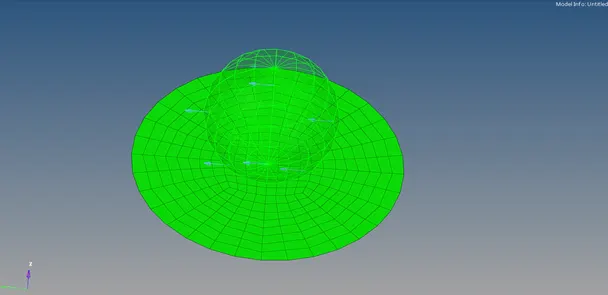
FE Model with Rigid body
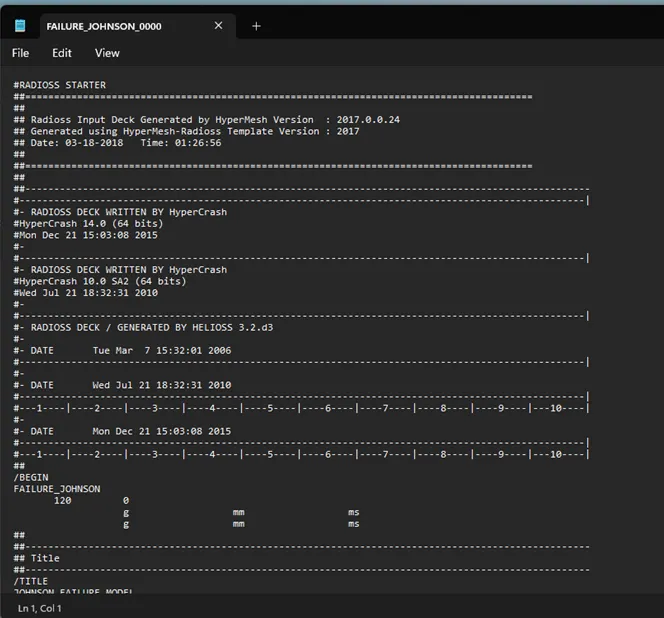
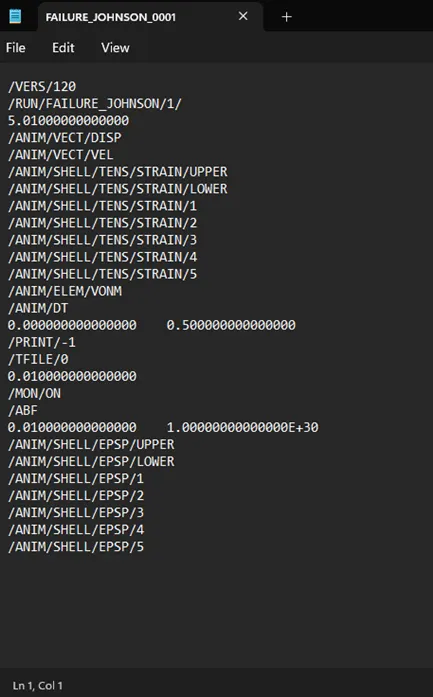
Starter rad file Engine rad file
PROCEDURE:
Case 1: Law2_epsmax_failure
- Import the given starter file to Radioss profile.
- Check every parameters in the given failure, material and property card for recommended values.
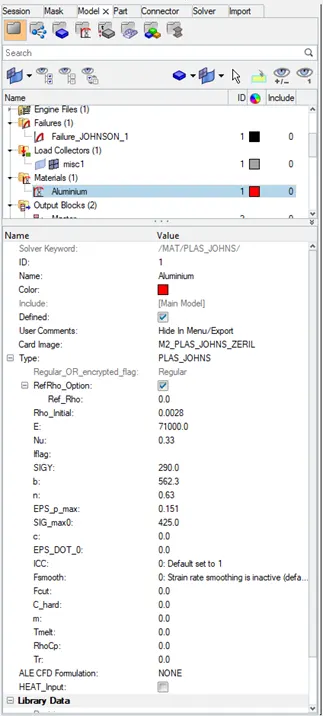
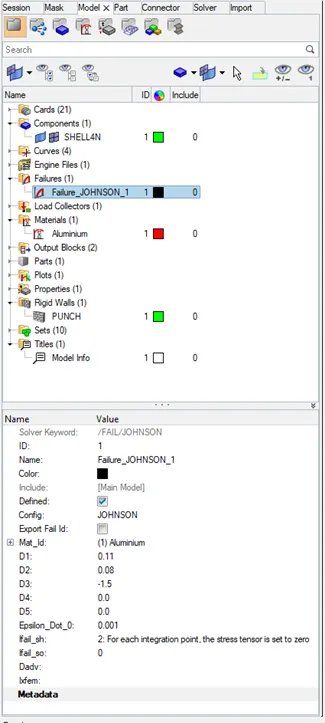
- Under Analysis panel run the analysis and check the results.
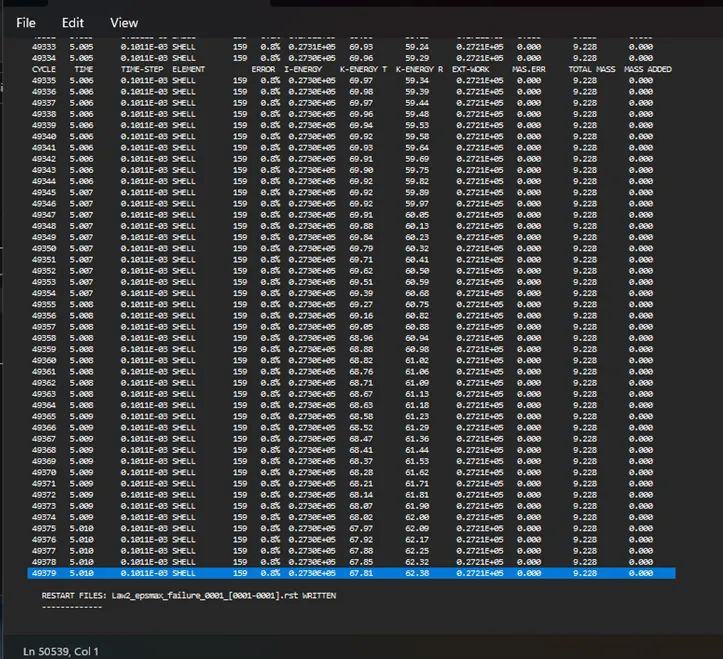
- Check for appropriate variations in the OUT(engine) file for energy error and added mass.
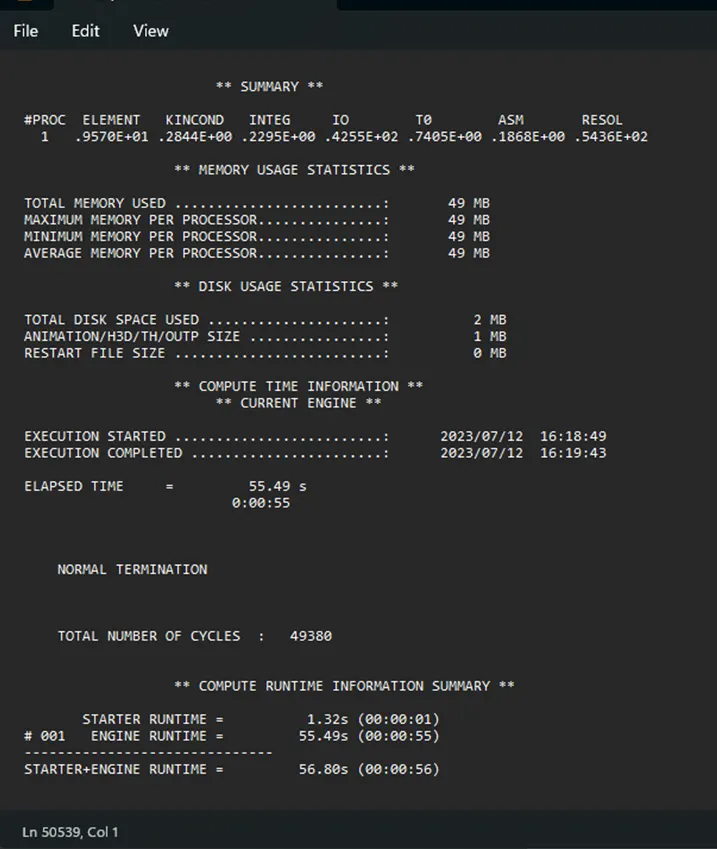
- Check the summary of the Out file for number of cycles and simulation time taken.
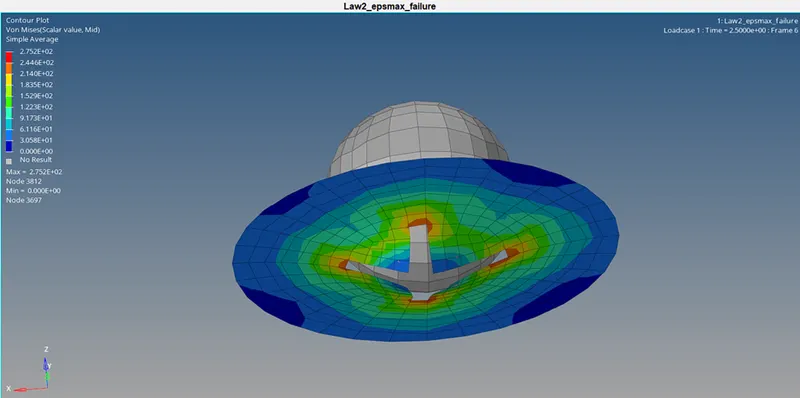
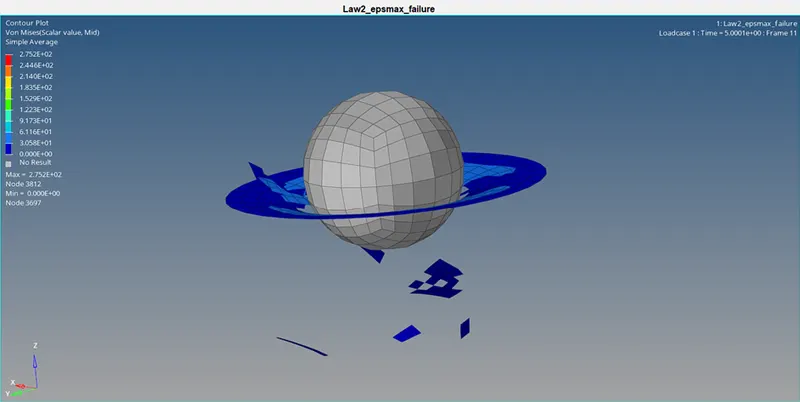
- Open the H3D file and apply the Von Mises stress contour plot using HyperView window.
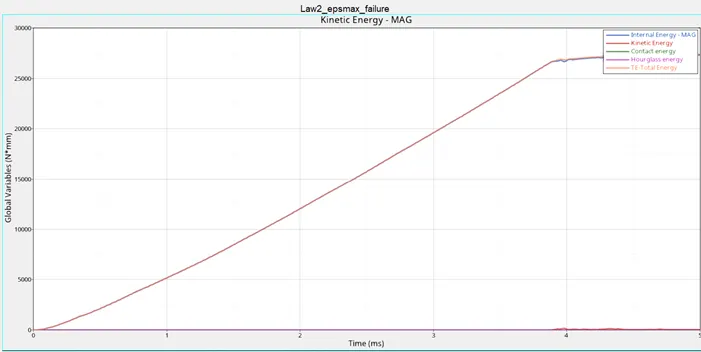
- Open T01 file in HyperGraph 2D window and plot Internal energy, Hourglass energy, Contact energy and Total energy.
Case 2: Law2_epsmax_crack
- Import the Case 1 starter file to Radioss profile.
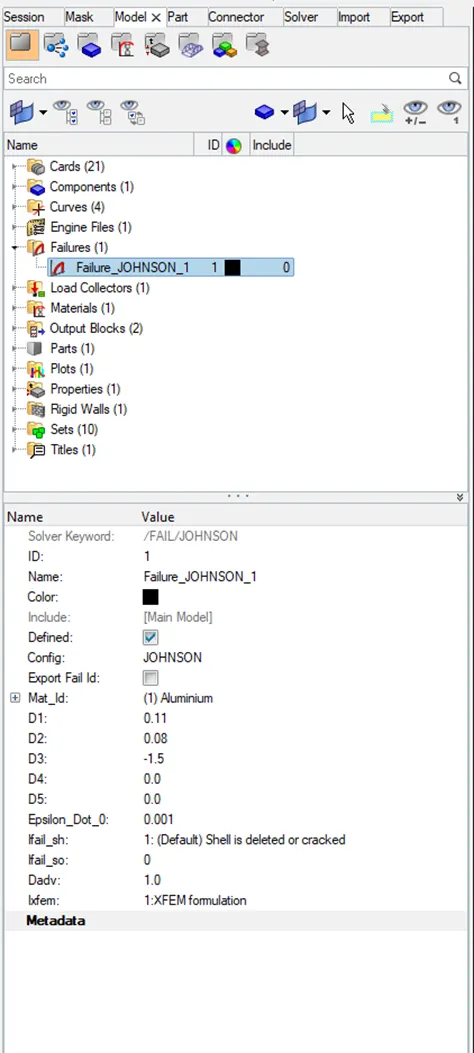
- Input the following values in the failure card: ifail_sh= 1, Dadv= 1, Ixfem= 1
- Under Analysis panel run the analysis and check the results.
- Check for appropriate variations in the OUT(engine) file for energy error and added mass.
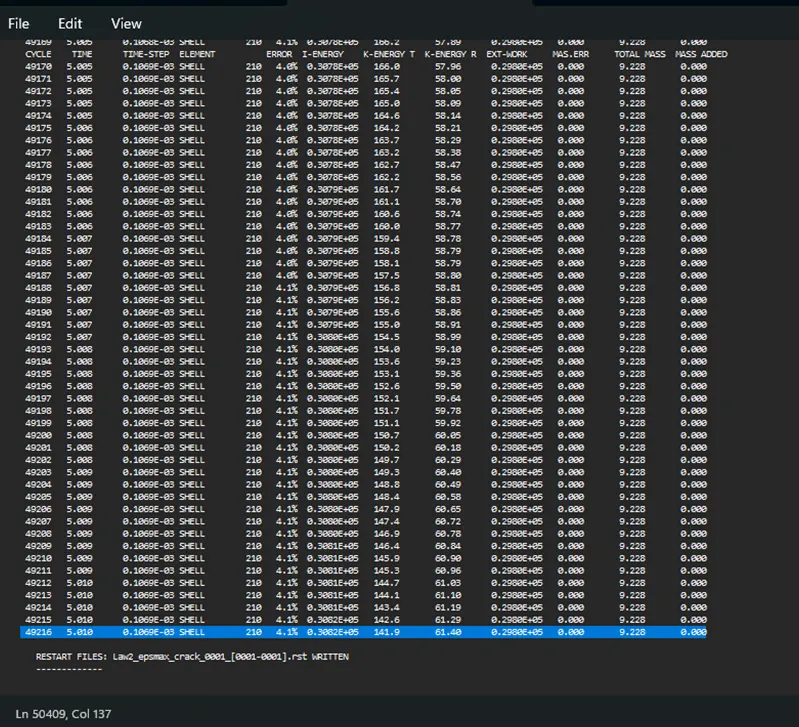
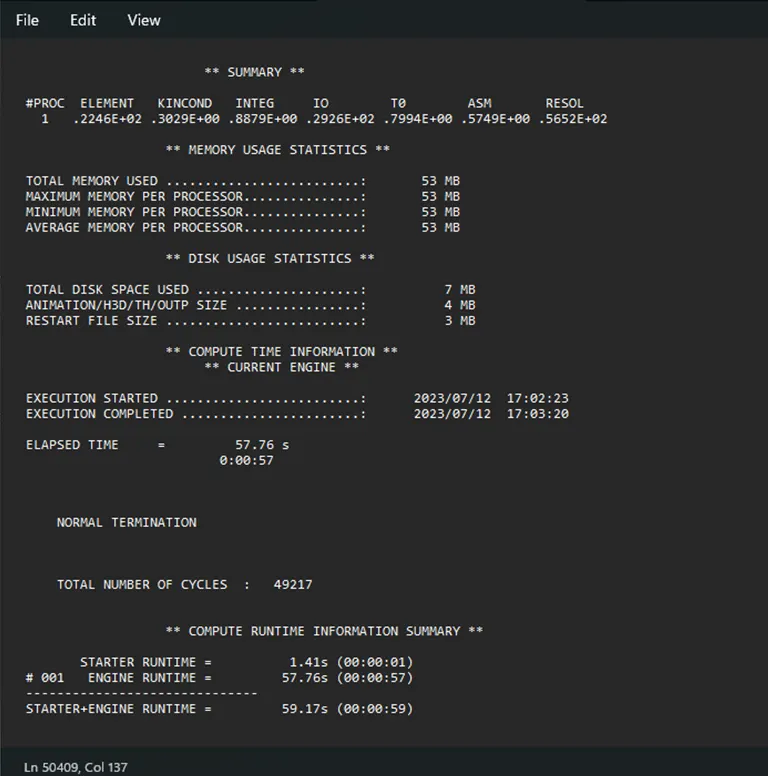
- Check the summary of the Out file for number of cycles and simulation time taken.
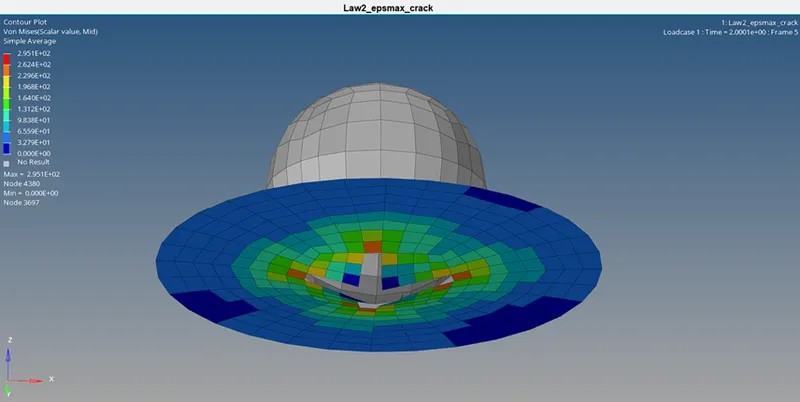
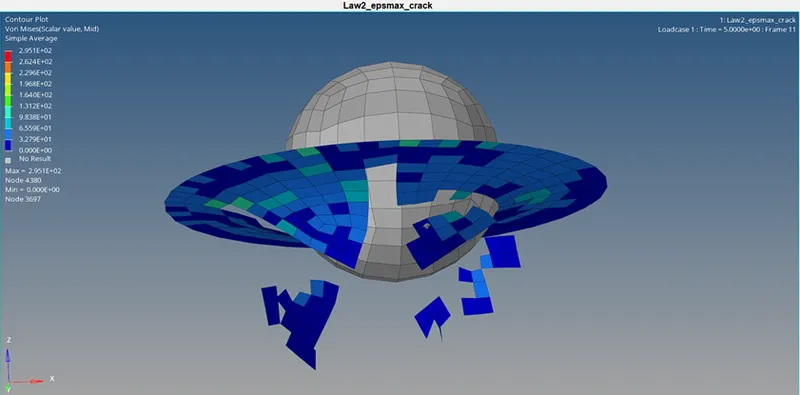
- Open the H3D file and apply the Von Mises stress contour plot using HyperView window.
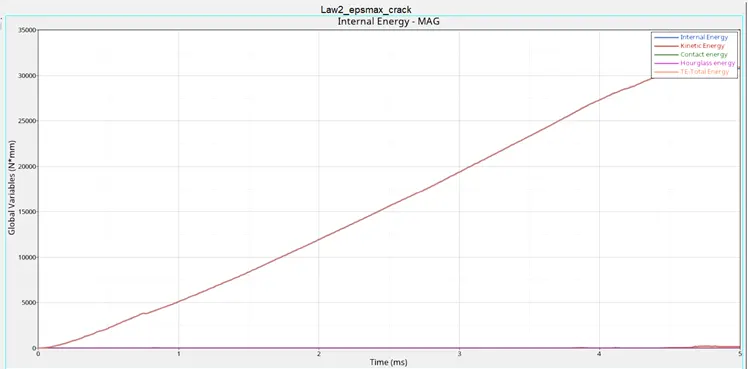
- Open T01 file in HyperGraph 2D window and plot Internal energy, Hourglass energy, Contact energy and Total energy.
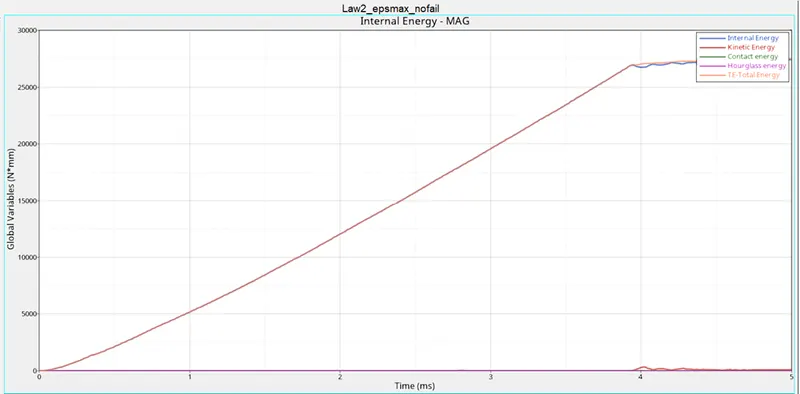
Case 3: Law2_epsmax_nofail
- Import the Case 2 starter file to Radioss profile.
- Remove the Johnson failure card.
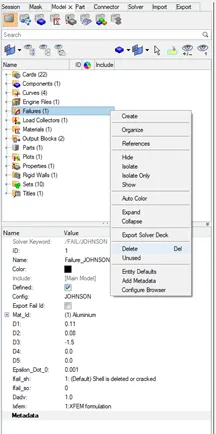
- Under Analysis panel run the analysis and check the results.
- Check for appropriate variations in the OUT(engine) file for energy error and added mass.
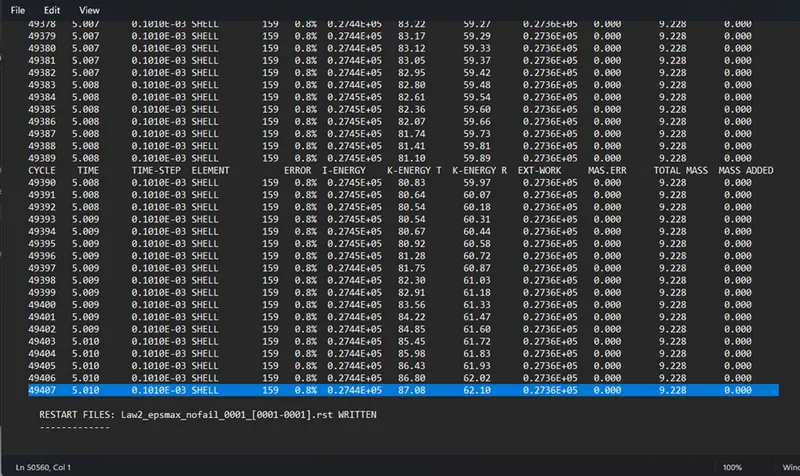
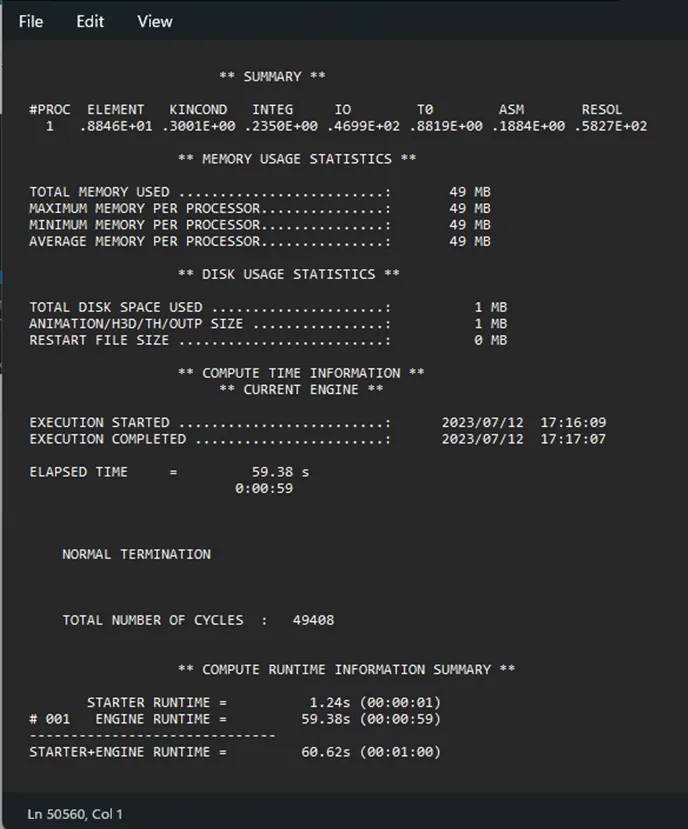
- Check the summary of the Out file for number of cycles and simulation time taken.
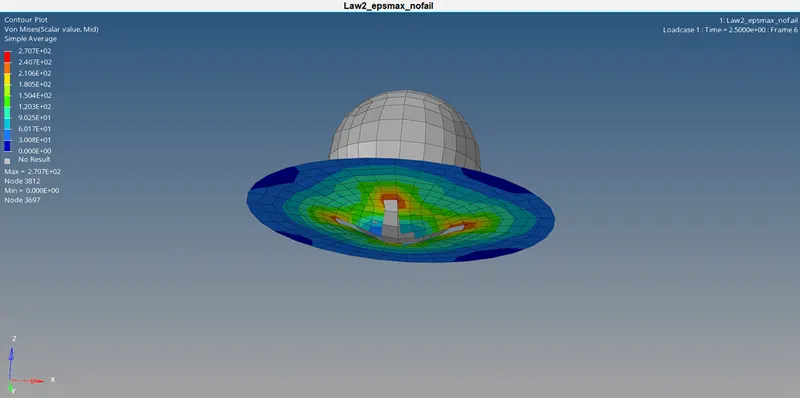
- Open the H3D file and apply the Von Mises stress contour plot using HyperView window.
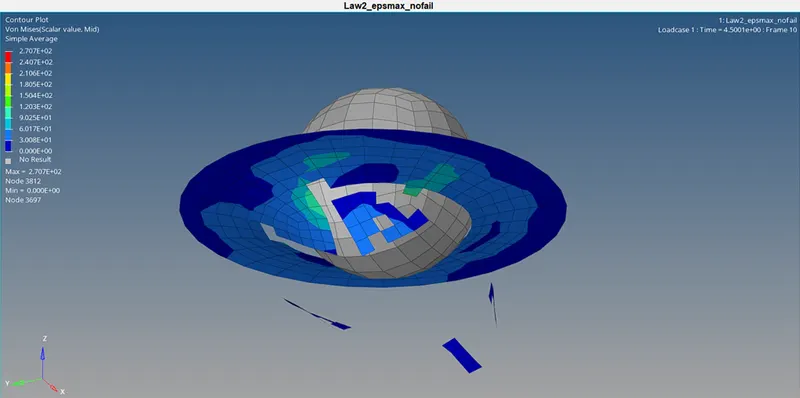
- Open T01 file in HyperGraph 2D window and plot Internal energy, Hourglass energy, Contact energy and Total energy.
Case 4: Law2
- Import the Case 3 starter file to Radioss profile.
- Removing the failure plastic strain (EPS_p_max) from material card.
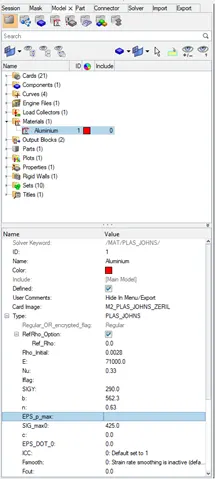
- Under Analysis panel run the analysis and check the results.
- Check for appropriate variations in the OUT(engine) file for energy error and added mass.
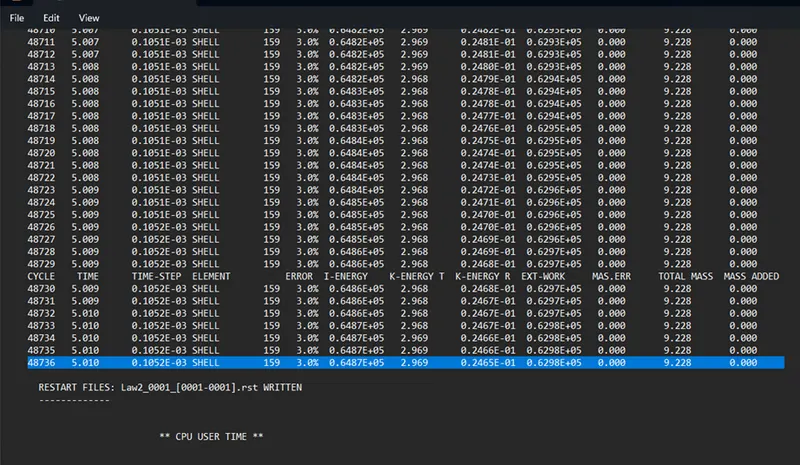
- Check the summary of the Out file for number of cycles and simulation time taken.
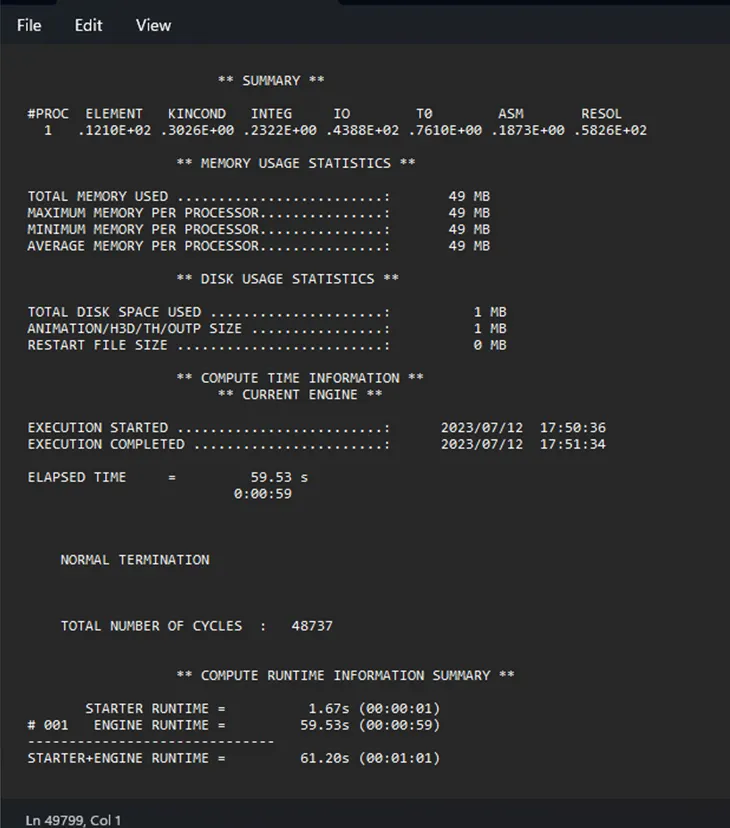
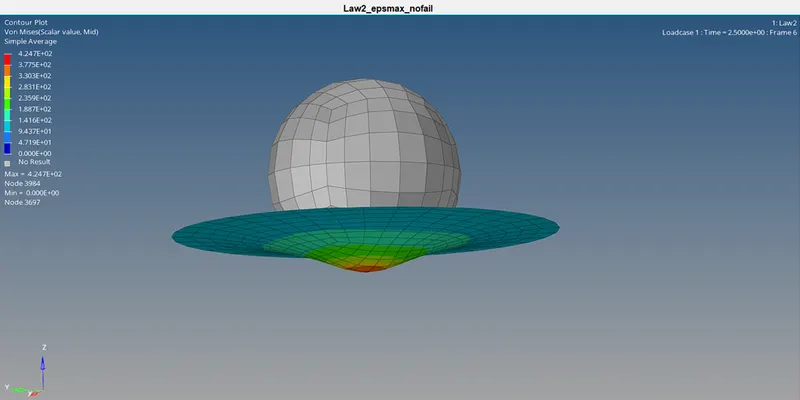
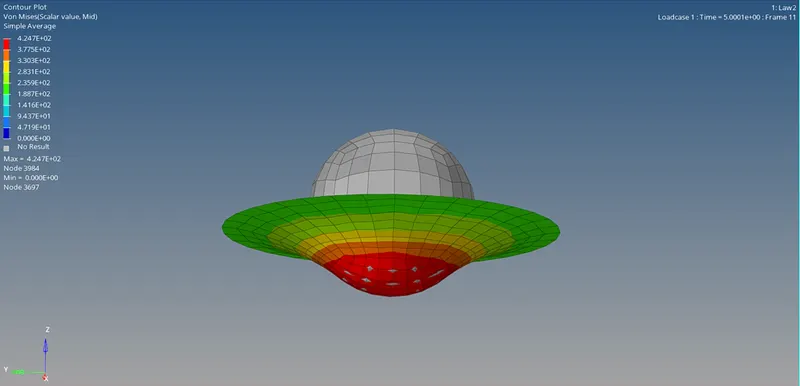
- Open the H3D file and apply the Von Mises stress contour plot using HyperView window.
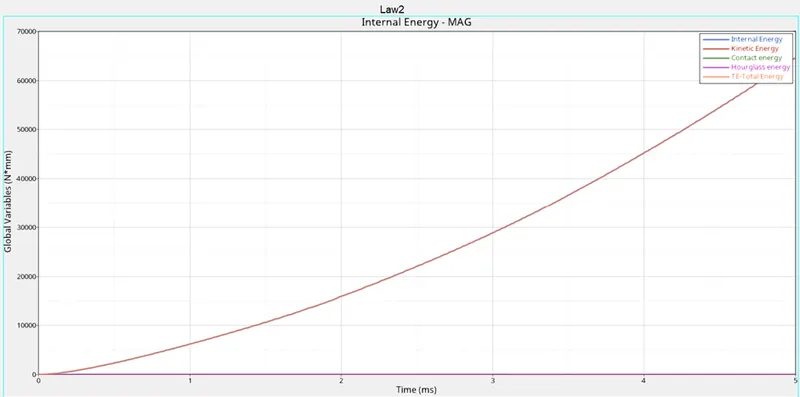
- Open T01 file in HyperGraph 2D window and plot Internal energy, Hourglass energy, Contact energy and Total energy.
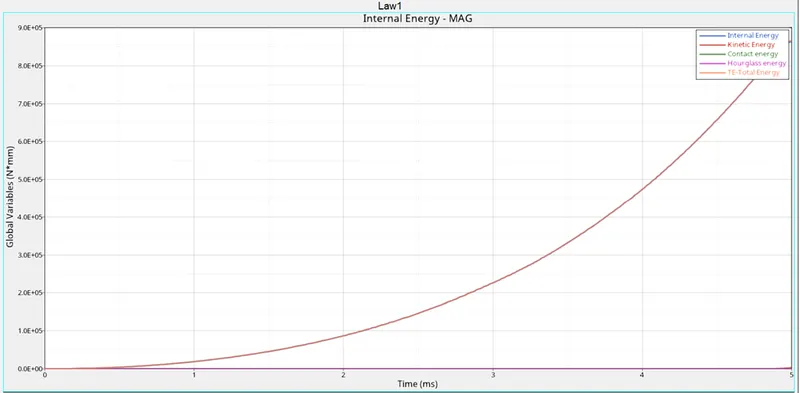
Case 5: Law1
- Import the Case 4 starter file to Radioss profile.
- Change the material card to M1_ELAST and keep the same value for Rho, E and Nu as mentioned in Case 4.
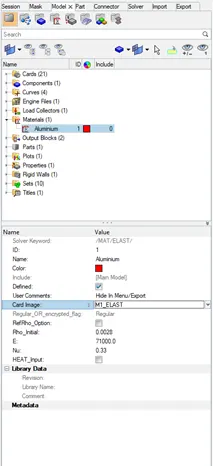
- Under Analysis panel run the analysis and check the results.
- Check for appropriate variations in the OUT(engine) file for energy error and added mass.
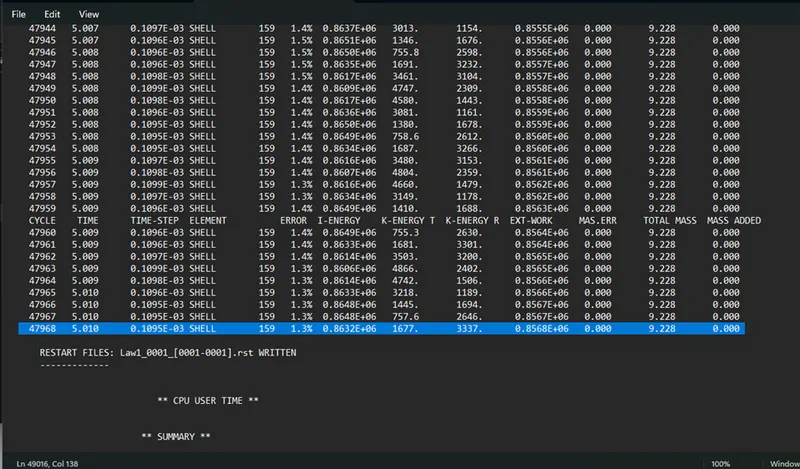
- Check the summary of the Out file for number of cycles and simulation time taken.
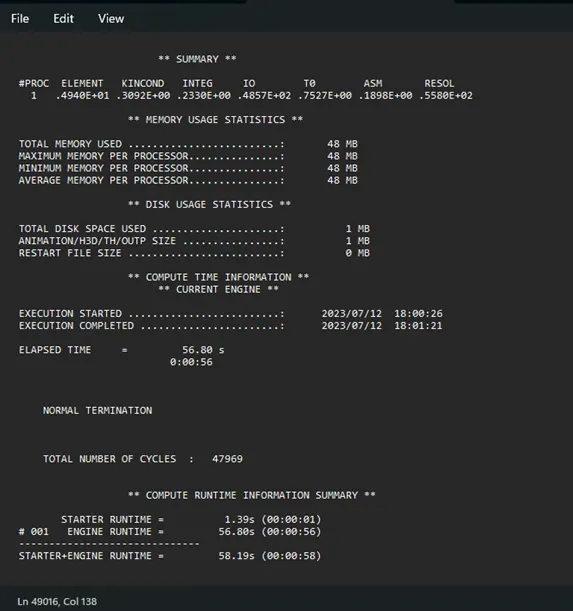
- Open the H3D file and apply the Von Mises stress contour plot using HyperView window.
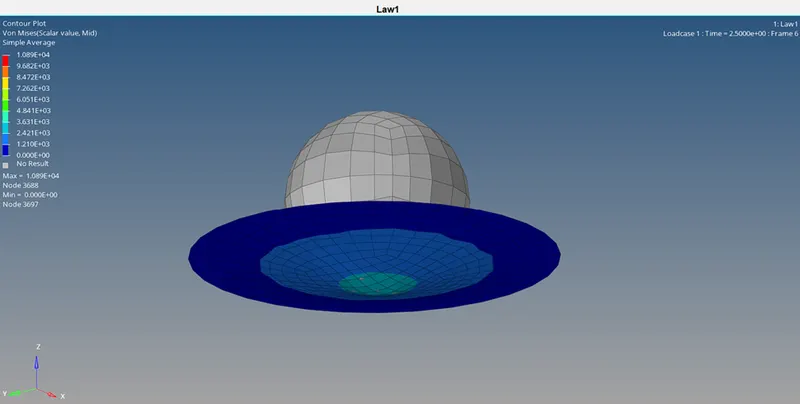
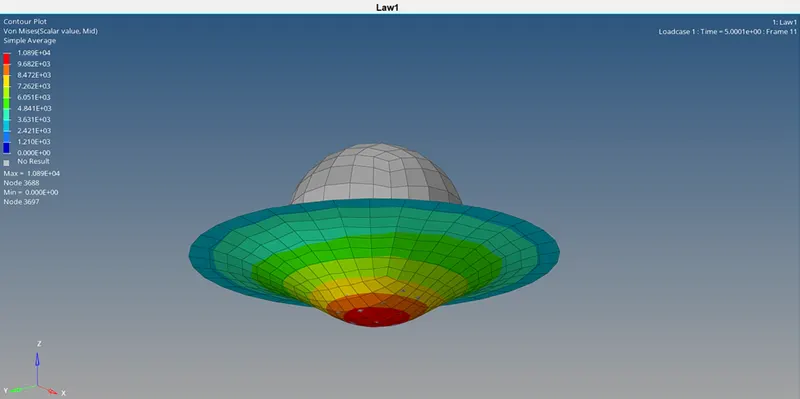
- Open T01 file in HyperGraph 2D window and plot Internal energy, Hourglass energy, Contact energy and Total energy.
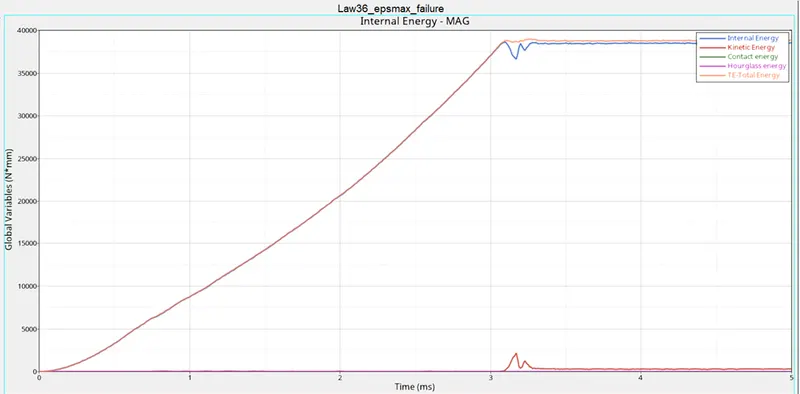
Case 6: Law36_epsmax_failure
- Import the Case 1 starter file to Radioss profile.
- Changing the material card to M36_PLAS_TAB and create new Curve for N_funct by assigning the X-Y coordinates.
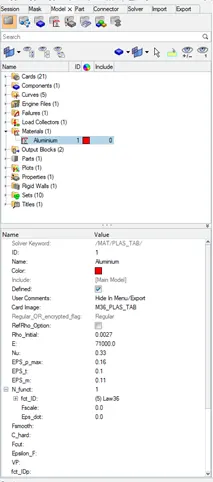
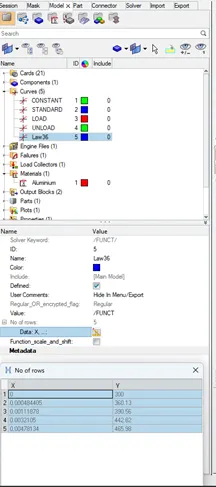
- Under Analysis panel run the analysis and check the results.
- Check for appropriate variations in the OUT(engine) file for energy error and added mass.
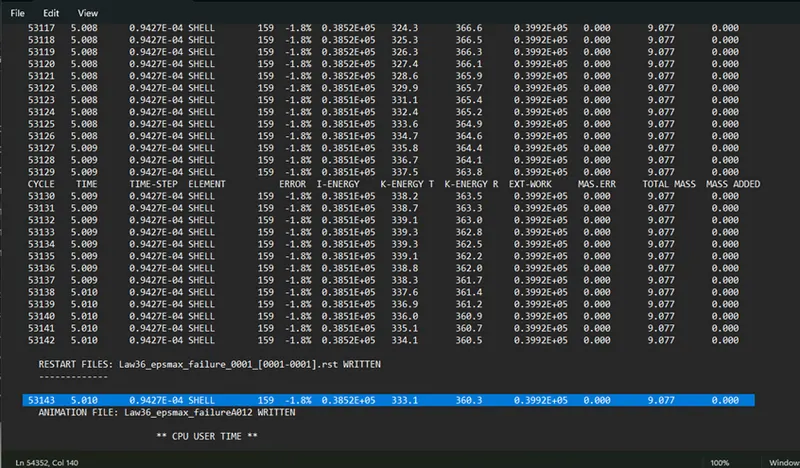
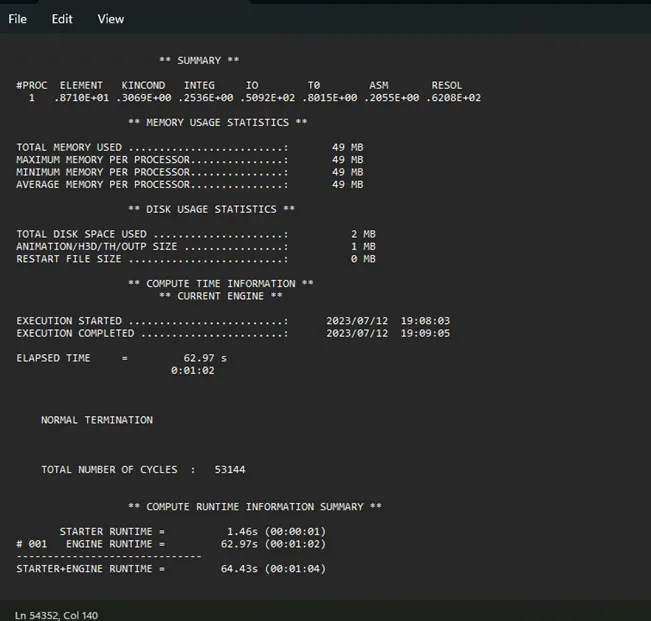
- Check the summary of the Out file for number of cycles and simulation time taken.
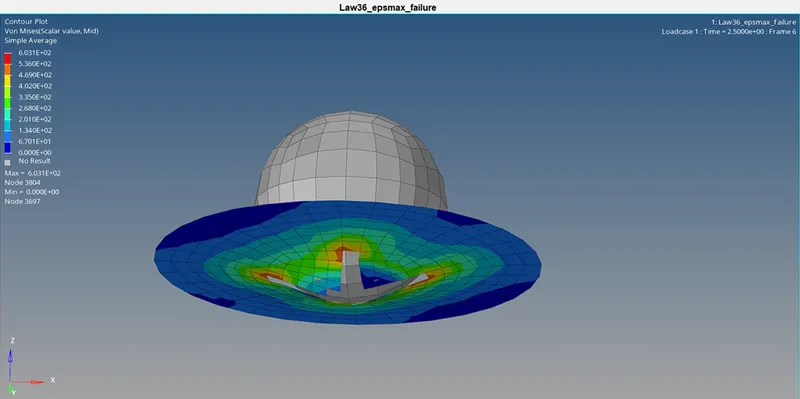
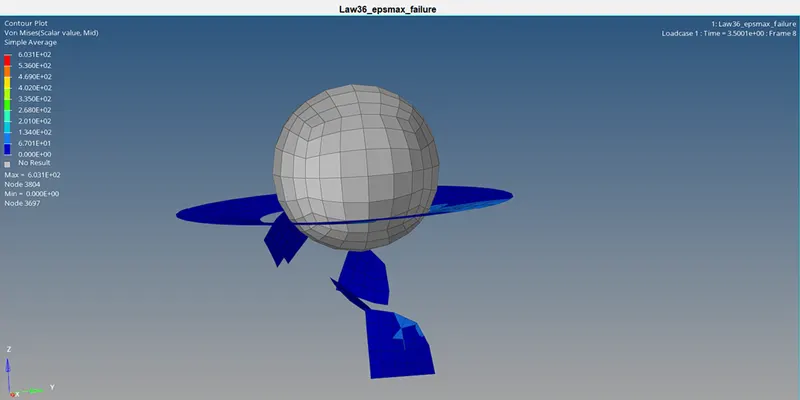
- Open the H3D file and apply the Von Mises stress contour plot using HyperView window.
- Open T01 file in HyperGraph 2D window and plot Internal energy, Hourglass energy, Contact energy and Total energy.
Case 7: Law1
- Import the given Law27_0000.rad starter file to Radioss profile.
- Select recommended shell properties and check the given material card.
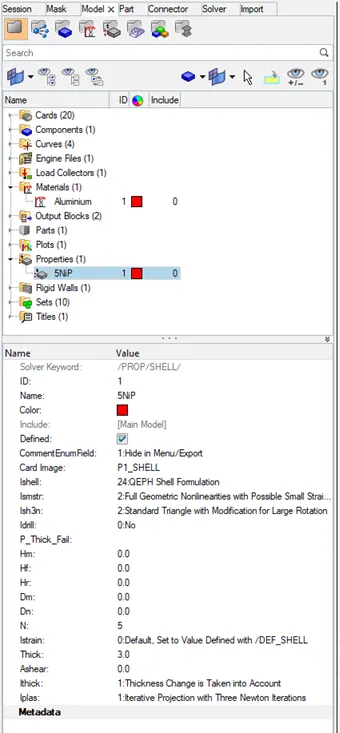
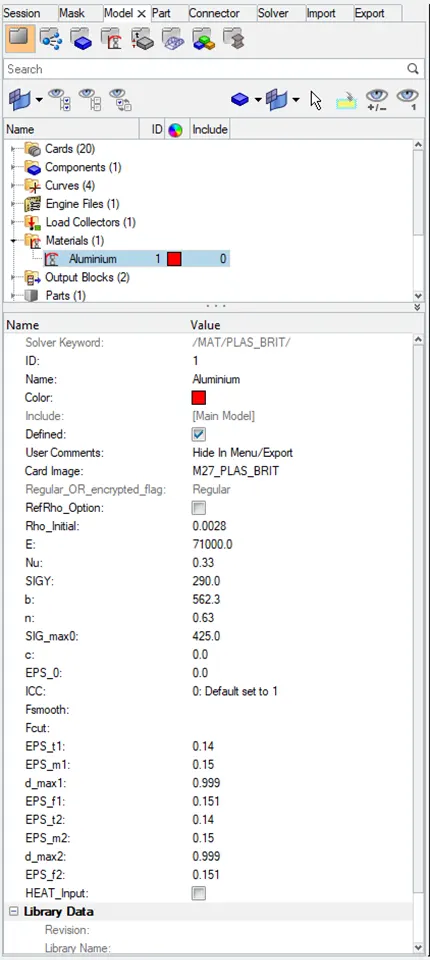
- Under Analysis panel run the analysis and check the results.
- Check for appropriate variations in the OUT(engine) file for energy error and added mass.
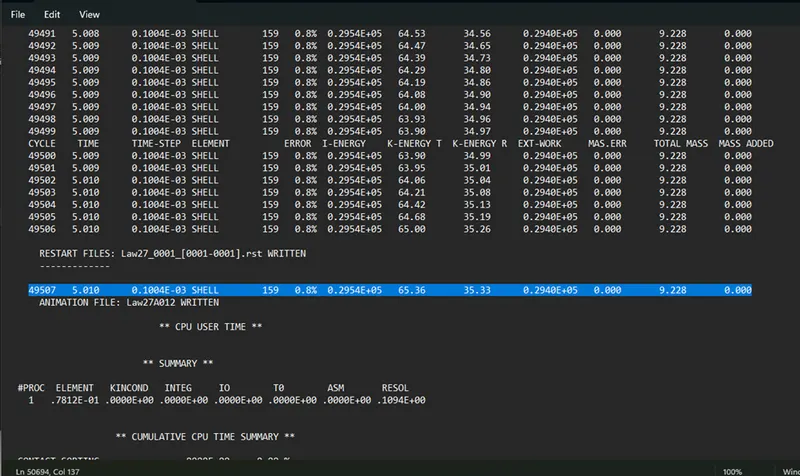
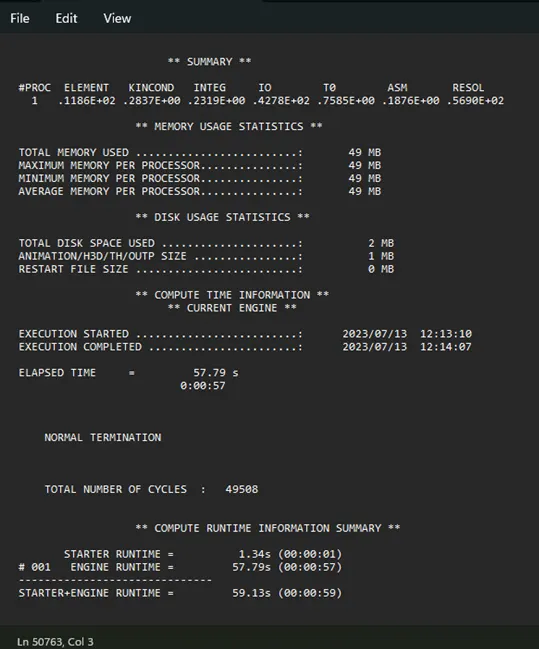
- Check the summary of the Out file for number of cycles and simulation time taken.
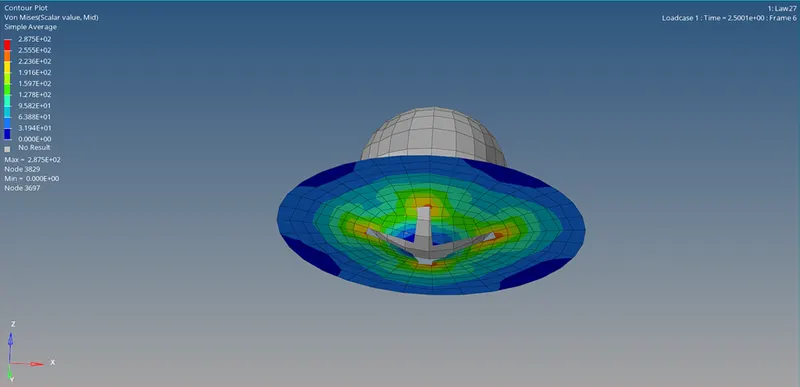
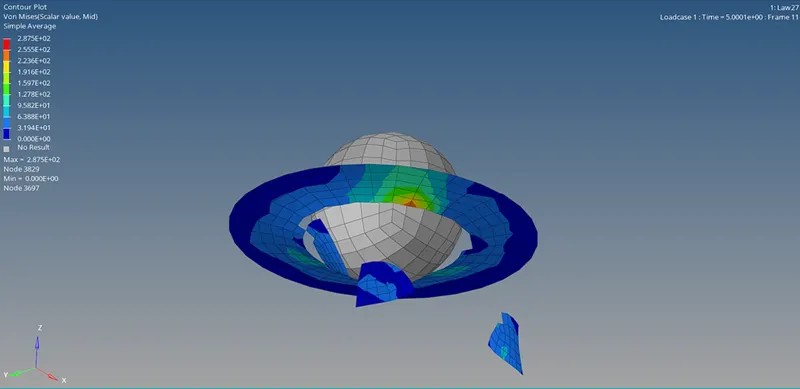
- Open the H3D file and apply the Von Mises stress contour plot using HyperView window.
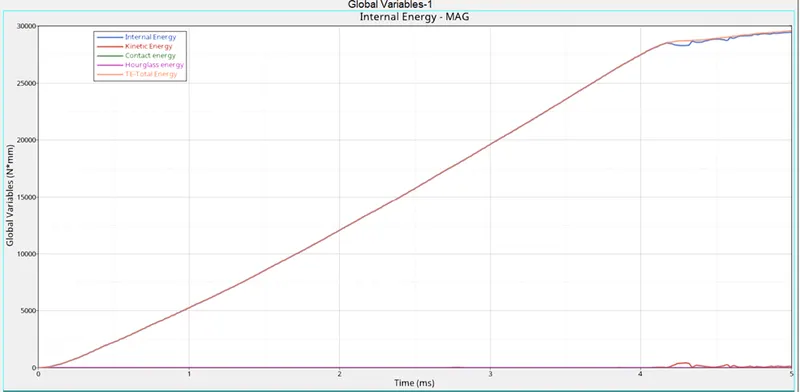
- Open T01 file in HyperGraph 2D window and plot Internal energy, Hourglass energy, Contact energy and Total energy.
RESULT:
- Hourglass energy is eliminated by assigning recommended shell properties.
- Case 2 represents on-field scenario because it displays the material failure by accounting crack propagation through the ductile material.