Assignment 4-RADIOSS Material Laws Challenge
Aim:
To apply different materials and simulate the components and compare the material behaviour.
Objective:
Perform the simulation as per the cases given below.
Case 1
- Import the FAILURE_JOHNSON_0000.rad file and run the model as it is. Give the title name as Law2_epsmax_failure.
Case 2
- Import the case 1 rad file, named “Law2_epsmax_failure” and perform the simulation with failure plastic strain (EPS_p_max) and fail_Johson card enabled.
- Changes to be made in /FAIL/JOHNSON card:
- ifail_sh= 1
- Dadv= 1
- Ixfem= 1
- Use the recommended values for the property card.
- Give the title name as Law2_epsmax_crack.
Case 3
- Import the case 2 rad file, named “Law2_epsmax_crack” and perform the simulation by removing the fail_Johnson failure card. Give the title name as Law2_epsmax_nofail.
Case 4
- Import the case 3 rad file, named “Law2_epsmax_nofail” and perform the simulation by removing both the failure plastic strain (EPS_p_max) and the fail_Jhonson failure card.
Case 5
- Import the case 4 rad file and perform the simulation by changing the material card to Law 1. Keep the same value for rho, E, and nu values.
Case 6
- Import the case 1 rad file, named “Law2_epsmax_failure” and perform the simulation with the law 36 material card. Refer to the video titled "Materials 7" for further information.
Case 7
- Open the Law27_0000.rad file and perform the simulation with the law 27 material card. Use the recommended shell properties.
Procedure:
Case 1:
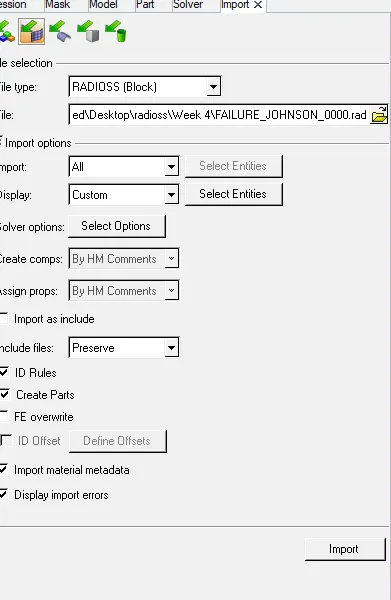
Import the FAILURE_JOHNSON_0000.rad file and run the model as it is. Give the title name as Law2_epsmax_failure.
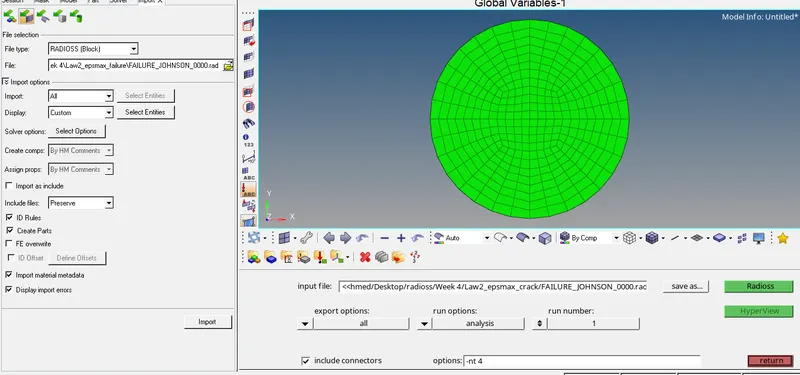
¬ Import the FAILURE_JOHNSON_0000.rad file in hypermesh.
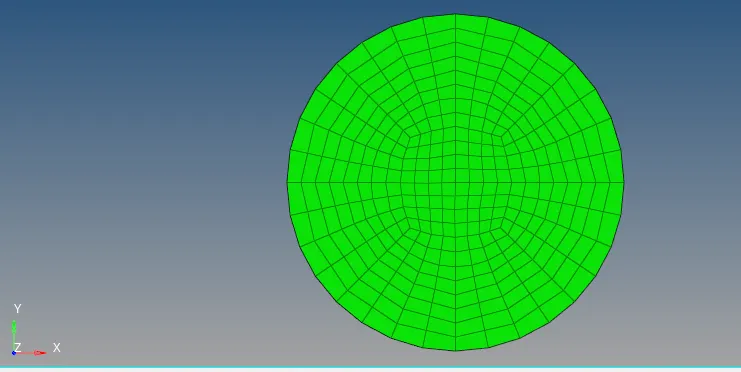
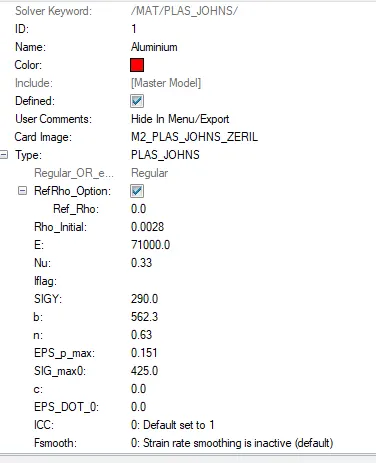
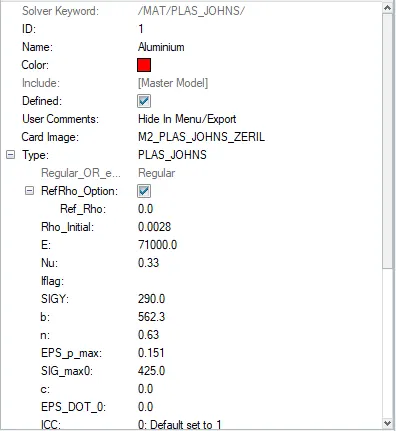
Material:
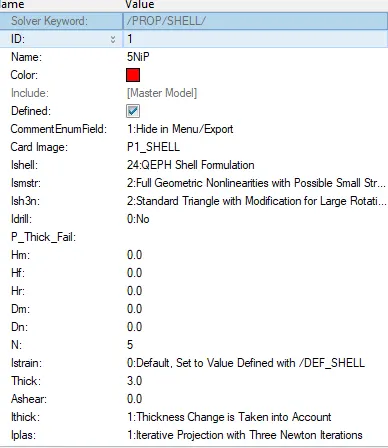
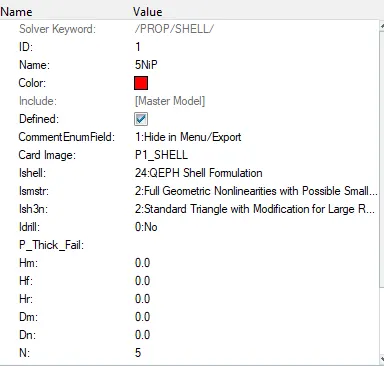
Properties:
Failure Card:
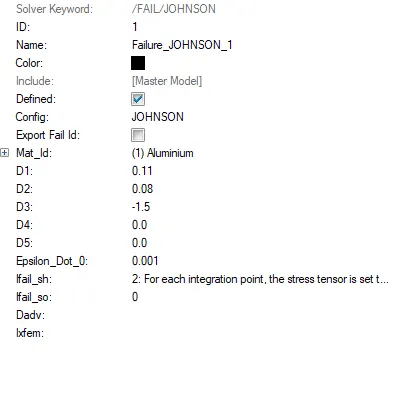
¬All these values kept in default no need to change.
¬run the file as it default.
¬Then go to analysis - radioss.
¬ Save the file name as ''Law2_epsmax_failure''

¬Then give -nt 4 in the box run the simulation fast.
¬Finally click radioss to run the suimulation.
¬After simulation completed, check the result.
¬open the 0.0001out file in text format

energy error = o.8%
Mass error = 0
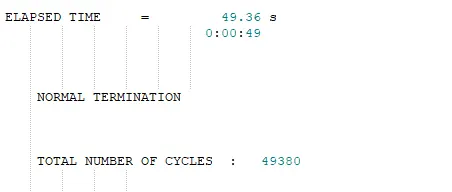
¬Then plot graph for enegy
¬ GO to drop down button of hypermesh and select hypergraph 2D
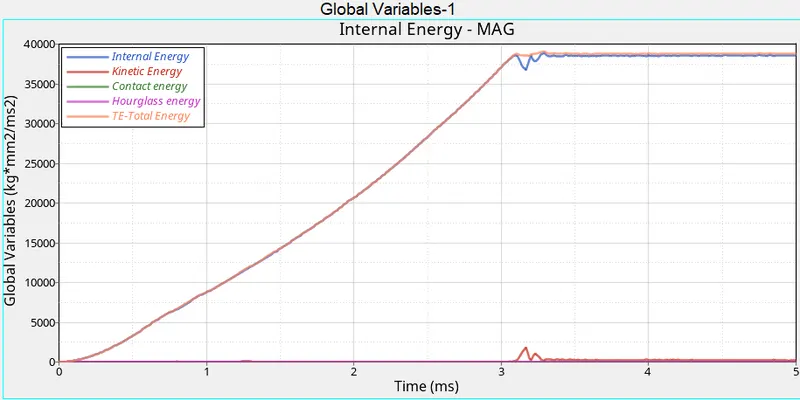
¬Above the grapg shows kinetic, hourglass, contact, internal and Total Energy.
¬NO Hourglass Energy formed.
¬Internal energy close to Total Energy.
¬Next plot contour go to drop dwon button of hypermesh and select hyper view
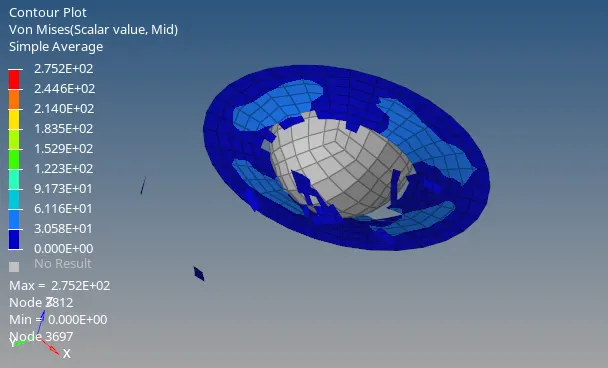
¬This material properties failed.
¬Due to plastic strain failure Eps_max =15%.
¬Integration point reaches the 15%, so the material failed.
¬ Max Von mises stress formed 275.2 Mpa.
Case 2:
- Import the case 1 rad file, named “Law2_epsmax_failure” and perform the simulation with failure plastic strain (EPS_p_max) and fail_Johson card enabled.
- Changes to be made in /FAIL/JOHNSON card:
- ifail_sh= 1
- Dadv= 1
- Ixfem= 1
- Use the recommended values for the property card.
- Give the title name as Law2_epsmax_crack.
¬Import the case 1 rad file, named “Law2_epsmax_failure” in Hypermesh.
¬ Use the recommended values for the property card.
Material card:
Falilure Card:
¬Change the value in material card below.
- ifail_sh= 1
- Dadv= 1
- Ixfem= 1
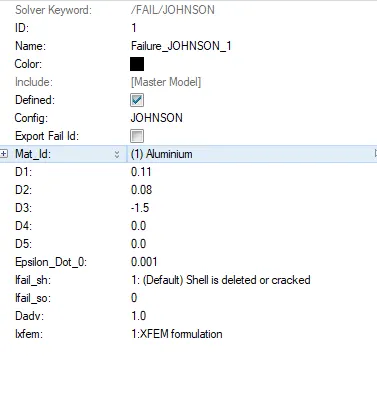
¬ ifail_sh = 1 = which helps to determine the failure to be deleted or cracked.
¬ Dadv= 1 = Criterion for the crack advancement (Only active if with Ixfem =1), how much element crack into small pieces.
¬ Ixfem= 1 = which means element to be cracked not deleted.
Then go to analysis - radioss.
¬ Save the file name as '' Law2_epsmax_crack''

¬Then give -nt 4 in the box run the simulation fast.
¬Finally click radioss to run the suimulation.
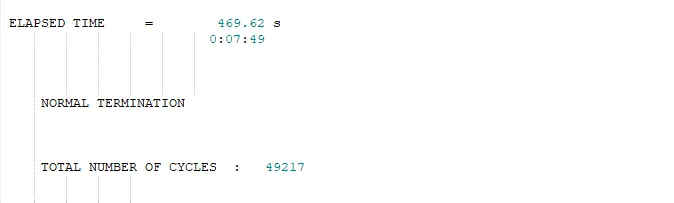
¬After simulation completed, check the result.
¬open the 0.0001out file in text format
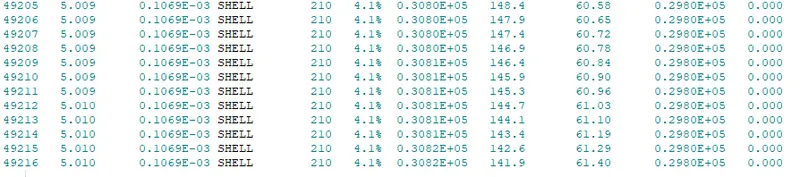
¬ Energy error = 4.1%
¬ Mass Error = 0
¬Then plot graph for enegy
¬ GO to drop down button of hypermesh and select hypergraph 2D.
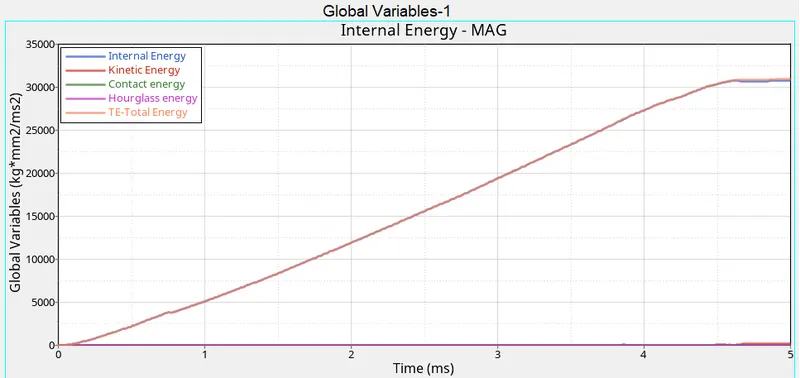
¬ Above the grapg shows kinetic, hourglass, contact, internal and Total Energy.
¬ Hourglass energy zero due to QEPH element formulation.
¬Internal Energy increase close to the Total Energy.
¬Next plot contour go to drop dwon button of hypermesh and select hyper view.
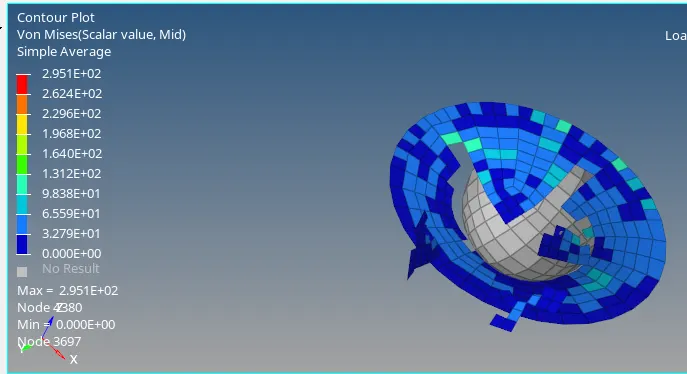
¬ Above the contour plot are cracked.
¬Max Von mises stress formed 295.1mpa higher than previous case.
Case 3
- Import the case 2 rad file, named “Law2_epsmax_crack” and perform the simulation by removing the fail_Johnson failure card. Give the title name as Law2_epsmax_nofail.
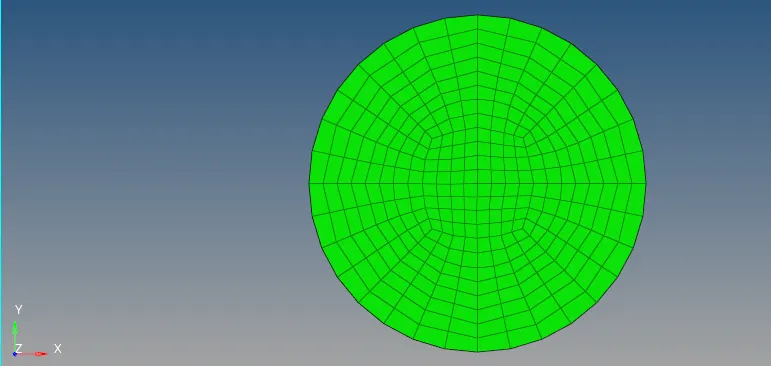
¬ Import the case 2 rad file, named “Law2_epsmax_crack”
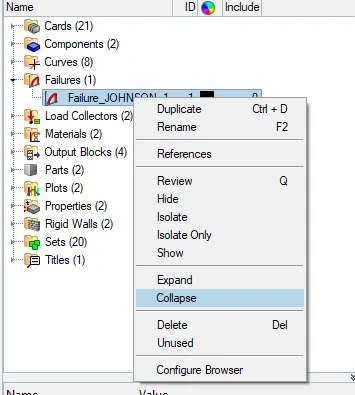
¬ This case remove the Failure card.
¬Then give -nt 4 in the box run the simulation fast.
¬Finally click radioss to run the suimulation.
¬ Save the file name as '' Law2_epsmax_nofail ''
¬After simulation completed, check the result.
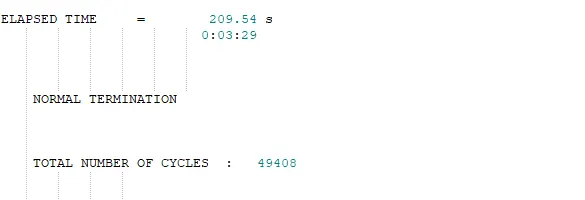
¬open the 0.0001out file in text format
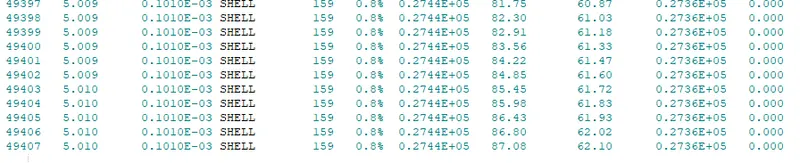
¬ Energy Error = 0.8%
¬ Mass error = 0
¬Then plot graph for enegy
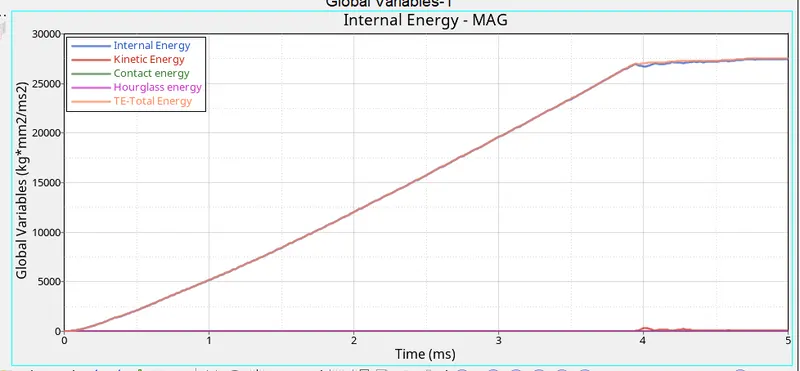
¬ Above the grapg shows kinetic, hourglass, contact, internal and Total Energy.
¬ Hourglass energy zero due to QEPH element formulation.
¬ Internal Energy and Total energy are close to each other sightly deviate.
Next plot contour go to drop dwon button of hypermesh and select hyper view.
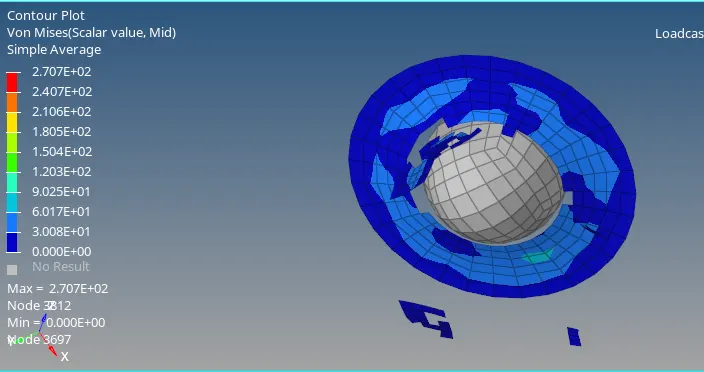
¬ Above the contour plot are cracked.
¬Max Von mises stress formed 270.7 Mpa.
¬Element break occurs it hasve elasto-plastic material card.
Case 4:
- Import the case 3 rad file, named “Law2_epsmax_nofail” and perform the simulation by removing both the failure plastic strain (EPS_p_max) and the fail_Jhonson failure card.
¬ Import the case 3 rad file, named “Law2_epsmax_nofail” .
¬ Remove failure plastic strain(EPS_max) and failure card.
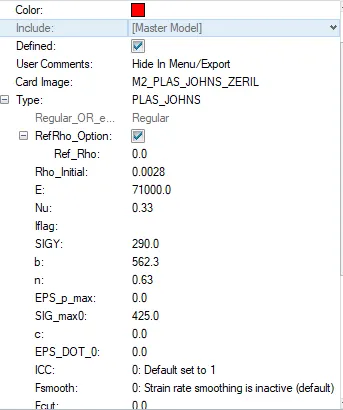
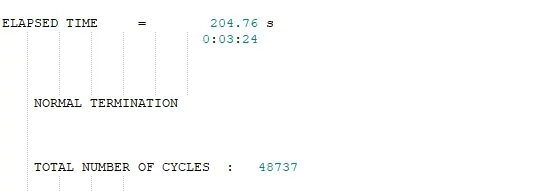
¬Then give -nt 4 in the box run the simulation fast.
¬Finally click radioss to run the suimulation.
¬ Save the file name as '' fail_Jhonson failure card ''
¬After simulation completed, check the result.
¬open the 0.0001out file in text format

Energy error = 3%
Mass error = 0
Then plot graph for enegy
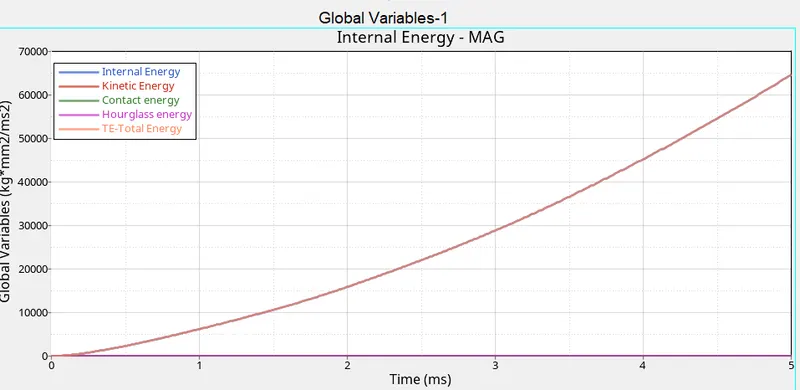
¬ Above the grapg shows kinetic, hourglass, contact, internal and Total Energy.
¬ Hourglass energy zero due to QEPH element formulation.
¬ Internal Energy and Total energy are close each other.
Next plot contour go to drop dwon button of hypermesh and select hyper view.
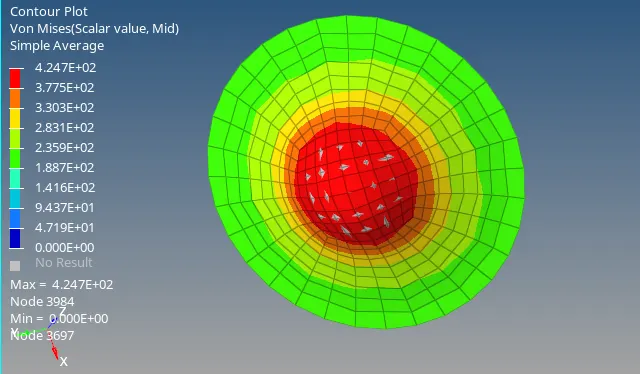
¬ Above the contour plot are safe.
¬ vonmises stress formed 424.7 Mpa .
¬Due to EPS_max value is zero
Case 5:
- Import the case 4 rad file and perform the simulation by changing the material card to Law 1. Keep the same value for rho, E, and nu values.
¬ Import the case 4 rad file
¬ Change the material card to Law1 (Elastic)
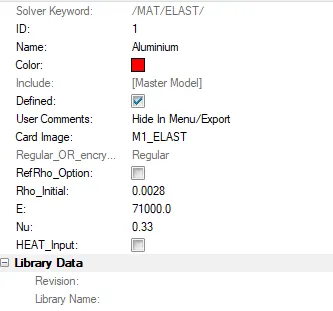
¬Then give -nt 4 in the box run the simulation fast.
¬Finally click radioss to run the suimulation.
¬ Save the file name as '' Elastic ''
¬After simulation completed, check the result.
¬open the 0.0001out file in text format

Energy error = 1.3%
Mass error = 0
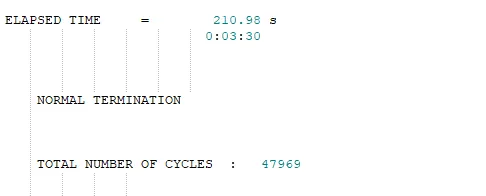
Then plot graph for enegy
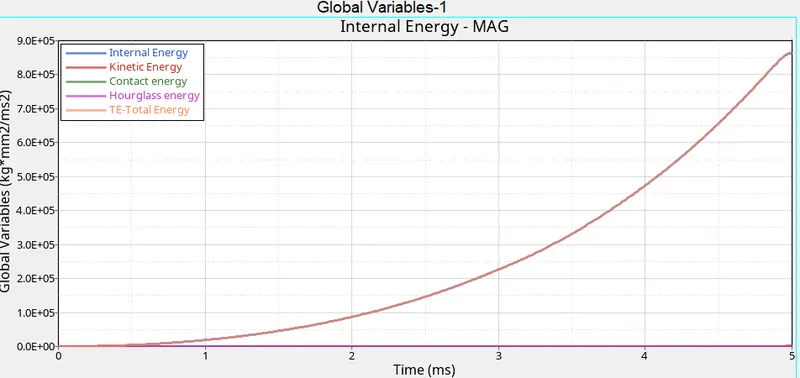
¬ Above the grapg shows kinetic, hourglass, contact, internal and Total Energy.
¬ Hourglass energy zero due to QEPH element formulation.
¬ Internal Energy and Total energy are close each other.
Next plot contour go to drop dwon button of hypermesh and select hyper view.
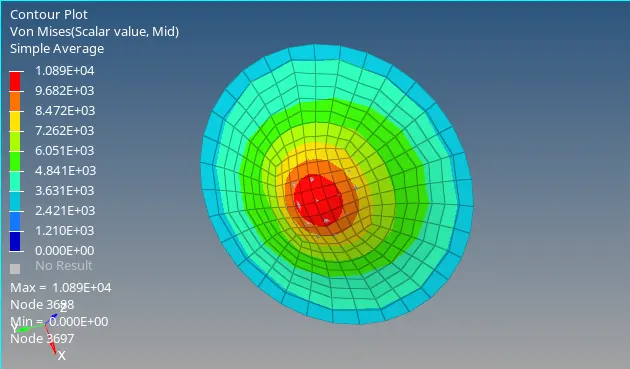
¬ Above the contour plot are safe.
¬ vonmises stress formed 10890 Mpa .
¬Used the Elastic Material card.
Case 6:
- Import the case 1 rad file, named “Law2_epsmax_failure” and perform the simulation with the law 36 material card.
¬ Import the case 1 rad file, named “Law2_epsmax_failure” .
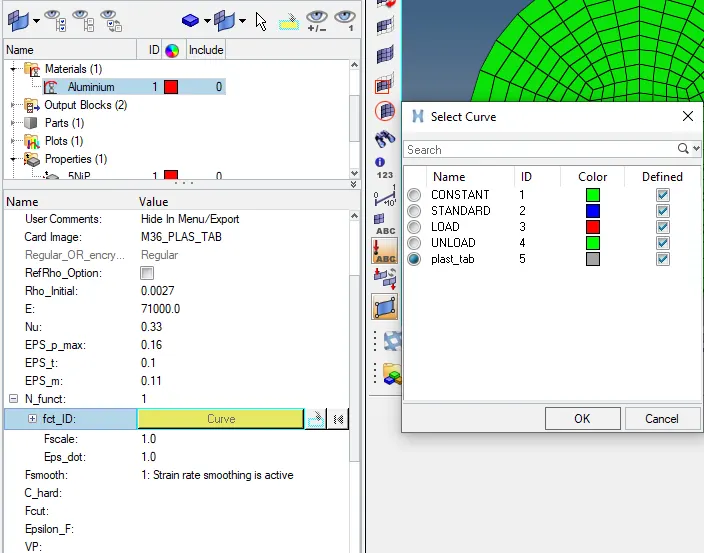
¬Change the '' material card to Law 36 ''.
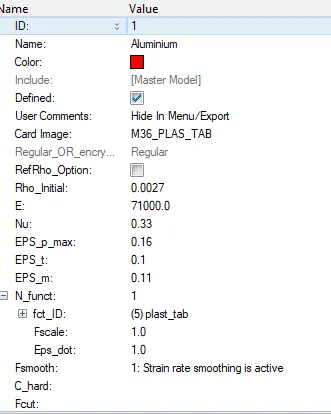
EPS_t = beginning of tensile damage
EPS_m = End of tensile damage
EPS_f = tensile failure strain element deleted
Fsmooth = smooth the curve
¬Create the function curve .
¬create new cruve with x and y value
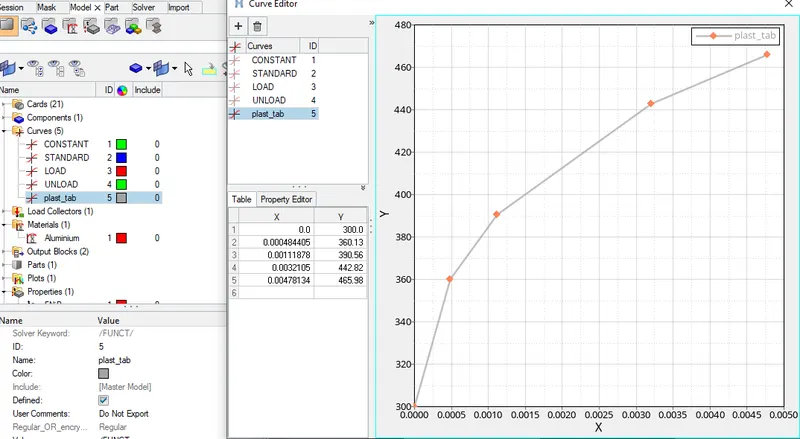
¬Assign the curve in material card.
¬Then give -nt 4 in the box run the simulation fast.
¬Finally click radioss to run the suimulation.
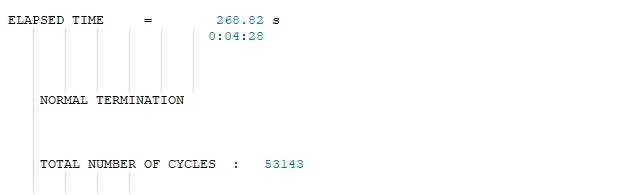
¬ Save the file name as '' plast_tab ''
¬After simulation completed, check the result.
¬open the 0.0001out file in text format
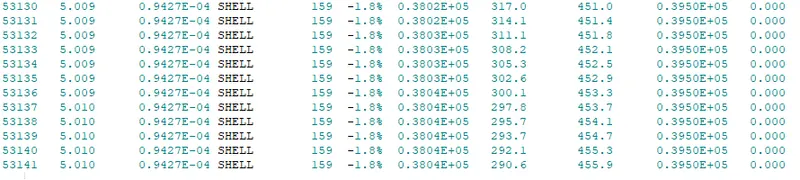
energy error = -1.8%
Mass error = 0
Then plot graph for enegy
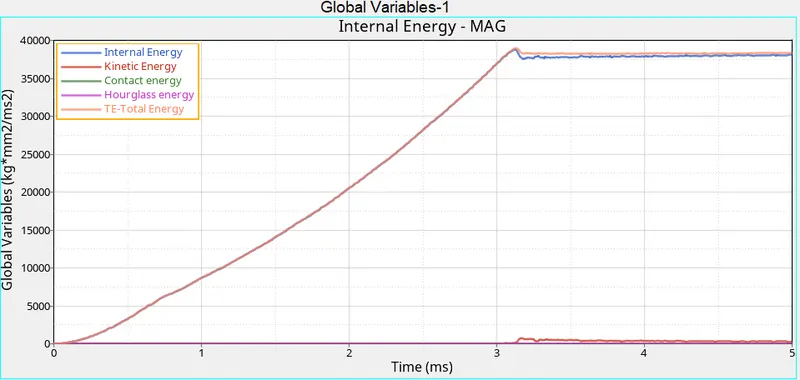
¬ Above the graph shows kinetic, hourglass, contact, internal and Total Energy.
¬ Hourglass energy zero due to QEPH element formulation.
¬ Internal Energy and Total energy are close and slightly deviate .
Next plot contour go to drop dwon button of hypermesh and select hyper view.
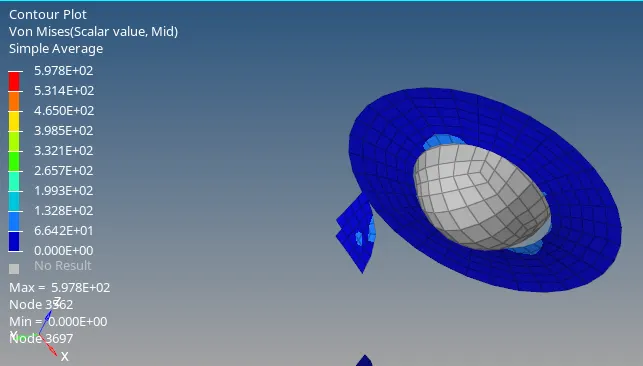
¬ Above the contour plot are deleted.
¬ vonmises stress formed 597.8 Mpa .
¬Used the Plast-tab law 36 card.
Case 7:
- Open the Law27_0000.rad file and perform the simulation with the law 27 material card. Use the recommended shell properties.
¬ Import the '' Law27_0000.rad file ''.
¬use Law 27 material card.
¬use recomended shell properties.
Material Card:
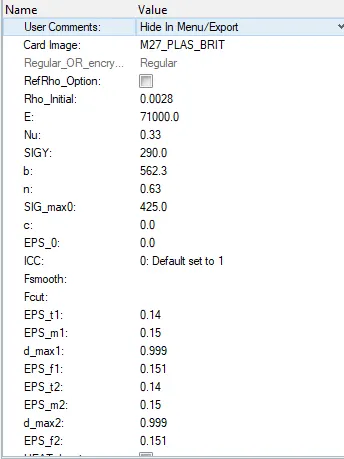
¬ EPS_t1 = Tensile failure strain at which stress starts to reduce in the principal strain direction 1
¬ EPS_m1 = Maximum tensile failure strain in principal strain direction 1
¬ EPS_f1 = Maximum tensile strain for element deletion in principal strain direction 1
¬ EPS_t2, EPS_m2, EPS_f2, are direction 2.
Properties:
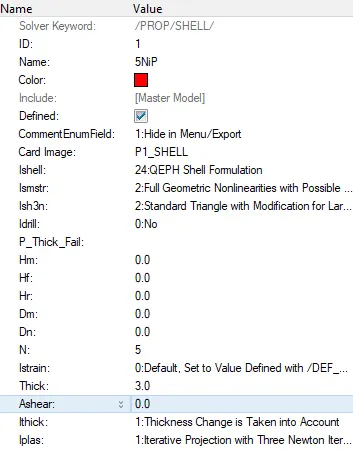
¬Then give -nt 4 in the box run the simulation fast.
¬Finally click radioss to run the suimulation.
¬ Save the file name as '' Law 27 brittle ''
¬After simulation completed, check the result.
¬open the 0.0001out file in text format

Energy error = 0.8 %
mass error = 0
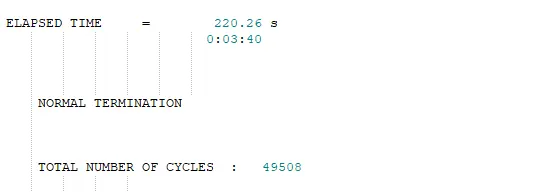
Then plot graph for enegy
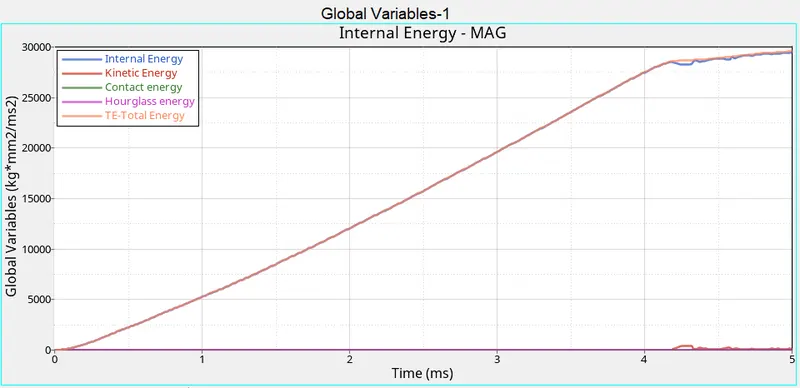
¬ Above the graph shows kinetic, hourglass, contact, internal and Total Energy.
¬ Hourglass energy zero due to QEPH element formulation.
¬ Internal Energy and Total energy are close and slightly deviate after 4ms .
Next plot contour go to drop dwon button of hypermesh and select hyper view.
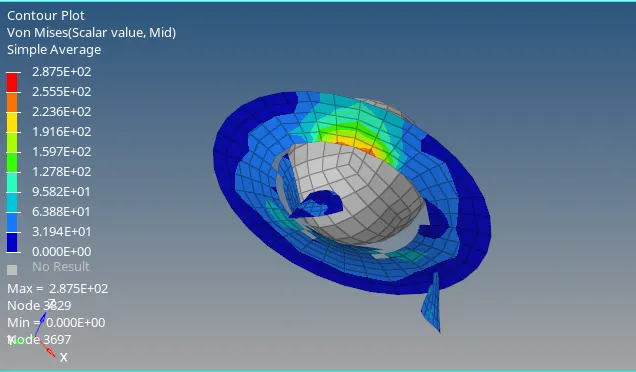
¬ Above the contour plot are deleted.
¬ vonmises stress formed 287.5 Mpa .
¬Used the brittle law 27 card.
Compare all the 7 cases:
Case & material
| case & material law | Simulation Name | Energy Error (%) | Simulation Time (s) | No of Cycles | von mises stress max value (Mpa) | Element Behaviour |
| Law 2 | epsmax_failure | 0.8 | 49.36 | 49380 | 275.5 | Deleted |
| Law 2 | epsmax_crack | 4.1 | 209.54 | 49217 | 295.1 | crack and deleted |
| Law 2 | epsmax_nofail | 0.8 | 209.54 | 49408 | 270.7 | deleted |
| Law 2 | fail_Jhonson failure card | 3 | 204.76 | 48737 | 424.7 | safe |
| Law 1 | Law 1 | 1.3 | 210.98 | 47969 | 10890 | safe |
| Law 36 | Law 36 | 1.8 | 268.82 | 53143 | 597.8 | deleted |
| law 27 | Law 27 | 0.8 | 220.26 | 49508 | 287.5 | deleted |
Conclusion:
¬Compare all the & cases of different materials and failure cards applyingthem in simulatuion.
¬Learn Element formulation.
¬learn the material definition and failure