Assignment 3-2D Element Formulation Challenge
*Objectives:-
1)To change the run time to 55 ms.
2) Change the number of animation steps during simulation to a minimum of 25 and maximum of 60.
3) Run the base simulation without any modification to element properties.
4) At the end of the simulation, do the energy error and mass error checks and determine whether results would be acceptable.
5) If acceptable, Plot rigid wall forces, internal energy, hourglass energy, contact energy, total energy of the simulations.
6) Change all the shell elements properties to recommended properties, save this as separate, rad files and run the simulation.
7) Follow steps 5 and 6.
8) Create a brief report comparing all the results from steps 5 and 6 for both simulations.
*case:-1
*create a brief report without use of properties:-
-first step is import the file
-For that go to import solver deck and and select import solver deck opction.
-here choose file type is radioss, after that choose file of 0000.rad and import it.
STEP 1:
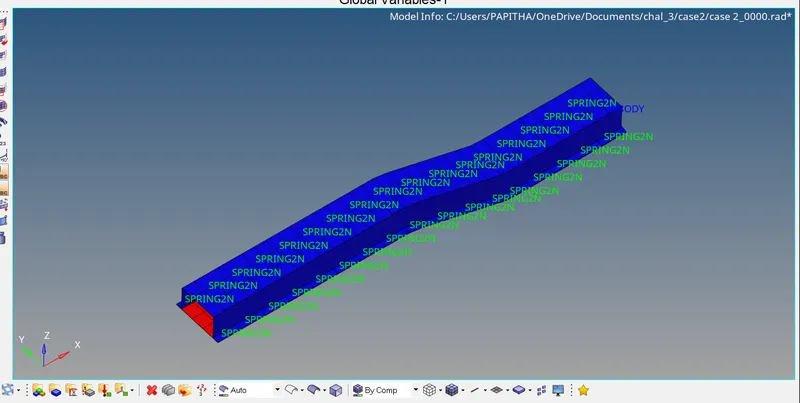
Given model
1)To change the run time to 55 ms.
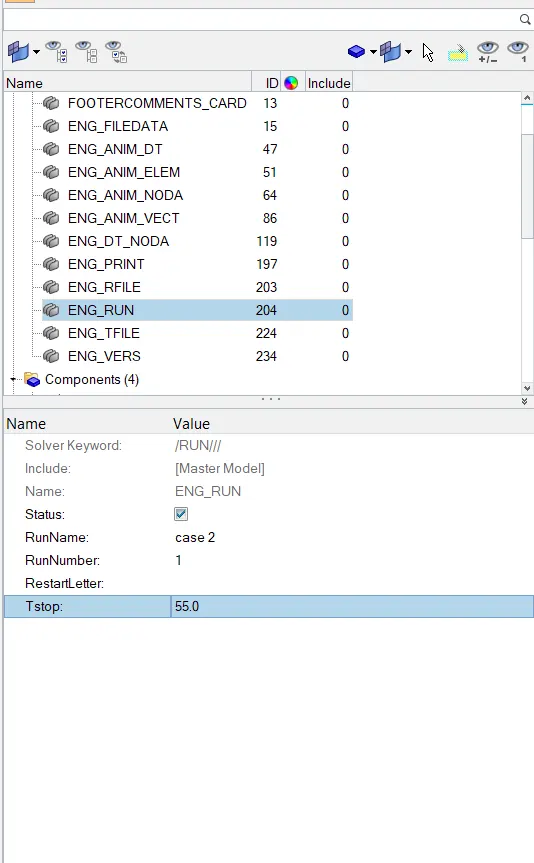
For that we choose cards>Engine_run card and change the T_stop value is 55.
2) Change the number of animation steps during simulation to a minimum of 25 and maximum of 60.
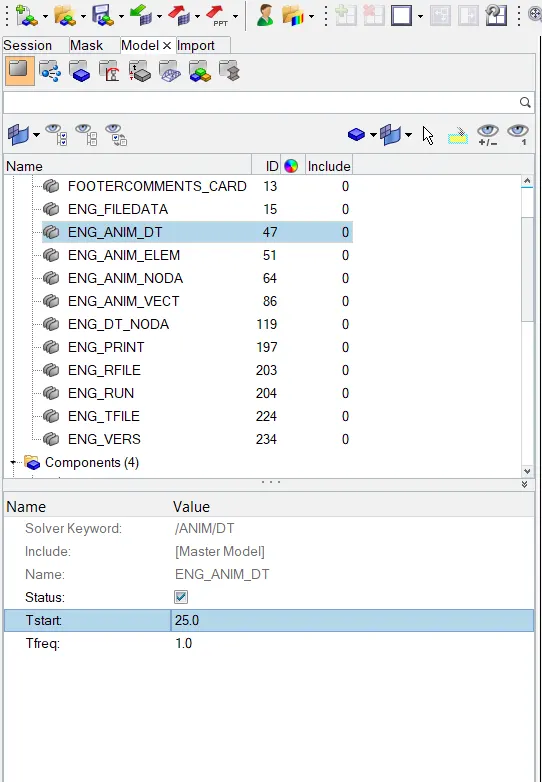
-For that we choose ENG_ANIM_DT card and put the value of Tstart & Tfrequency is 25 & 1 respectively.
3) Run the base simulation without any modification to element properties.
-For that go to the radioss command.(Analysis>radioss)
-After that we put the path where we require to save the files.

-After running the simmulation hyperwork solver view shows the results obtaion from simulation and show the processing timeing.
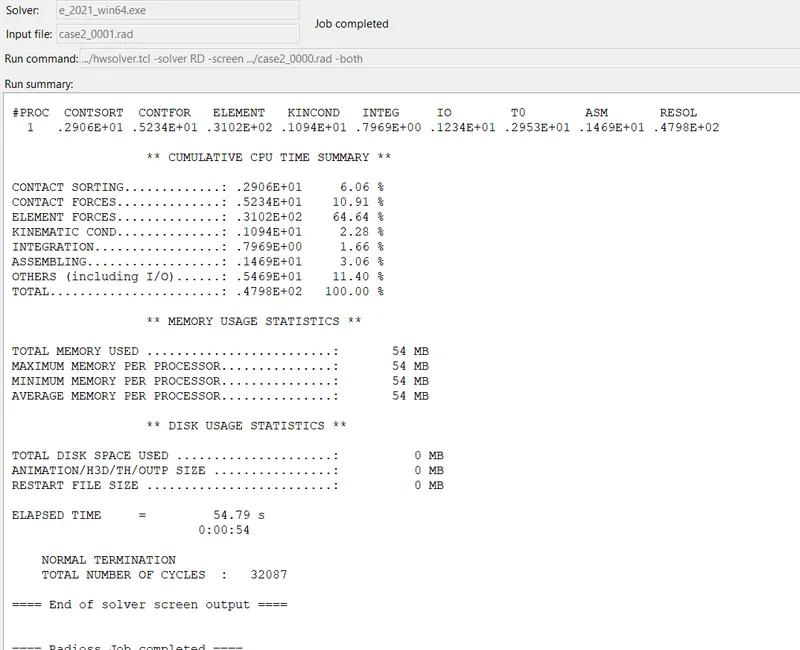
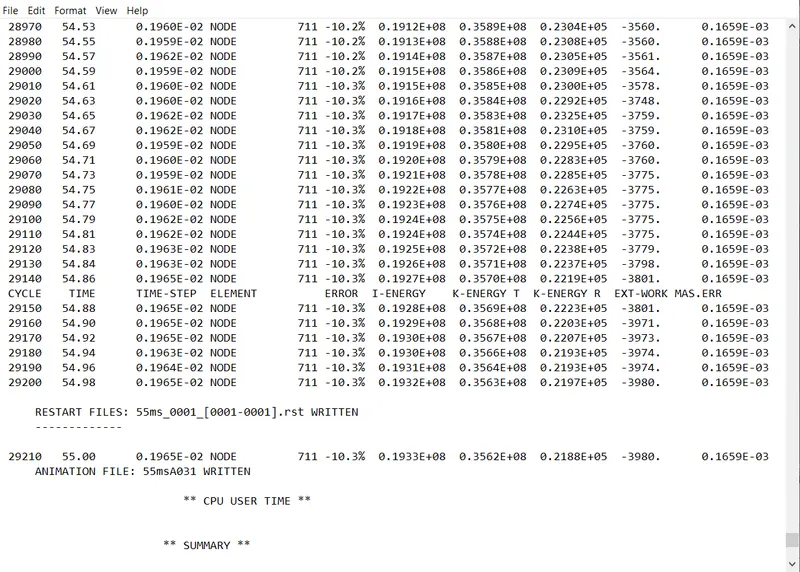
4) At the end of the simulation, do the energy error and mass error checks and determine whether results would be acceptable.
-Now check the error of energy & mass.
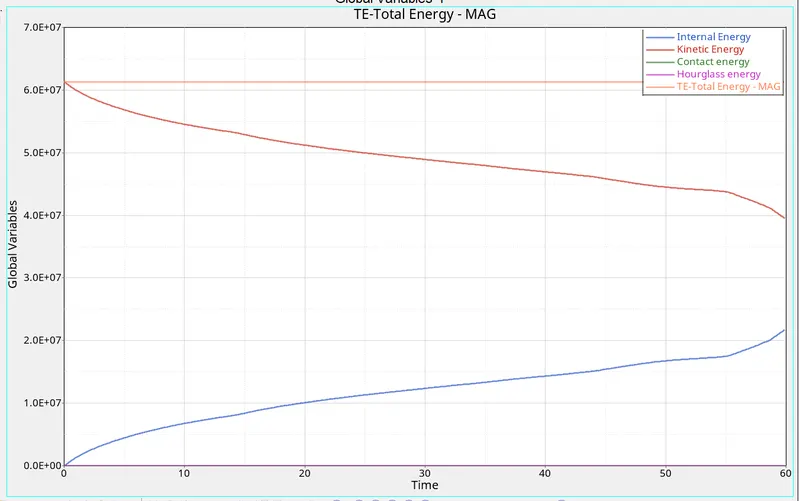
-plot of various energy value vs time:
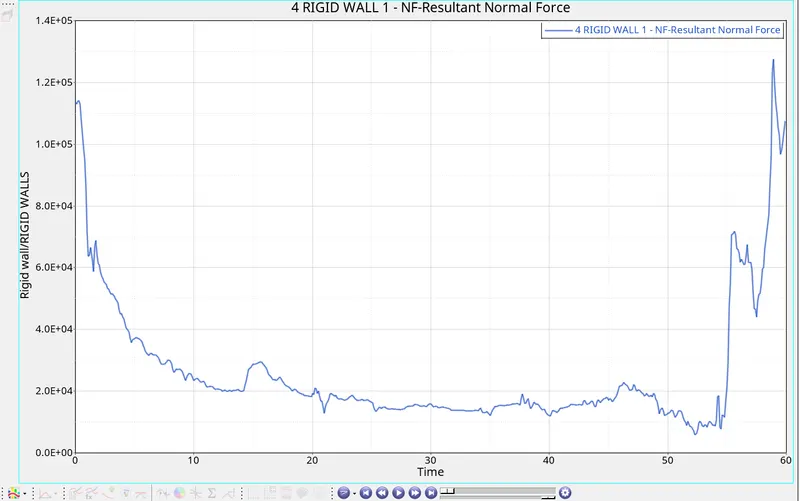
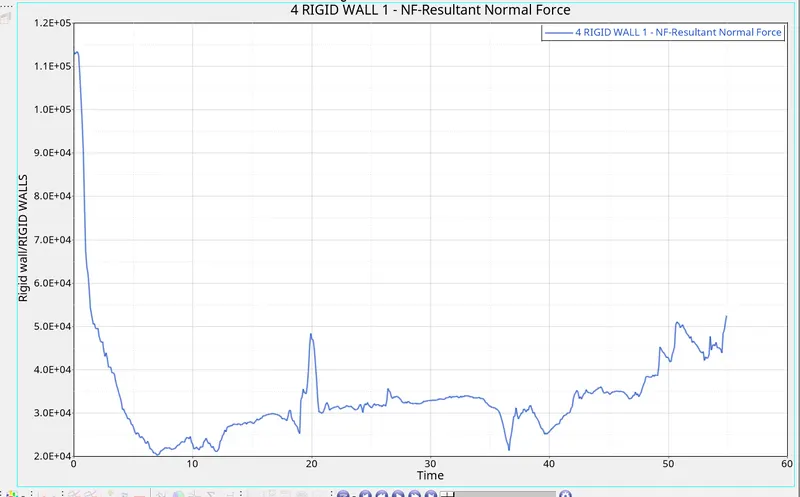
-plot of rigid wall forces vs time:-
*case:-2
*create a brief report with use of properties:-
-first step is import the file.
-For that go to import solver deck and and select import solver deck opction.
-here choose file type is radioss, after that choose file of 0000.rad and import it.
1)To change the run time to 55 ms.
-for that we choose cards>Engine_run card and change the T_stop value is 55.
-now we provide the various properties for the close out panel & hat-section.
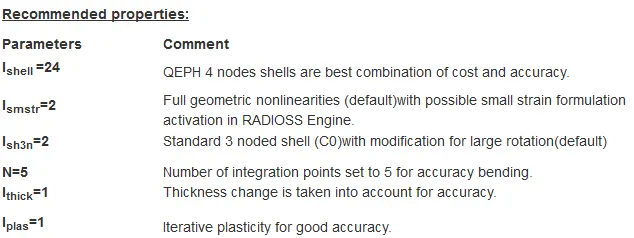
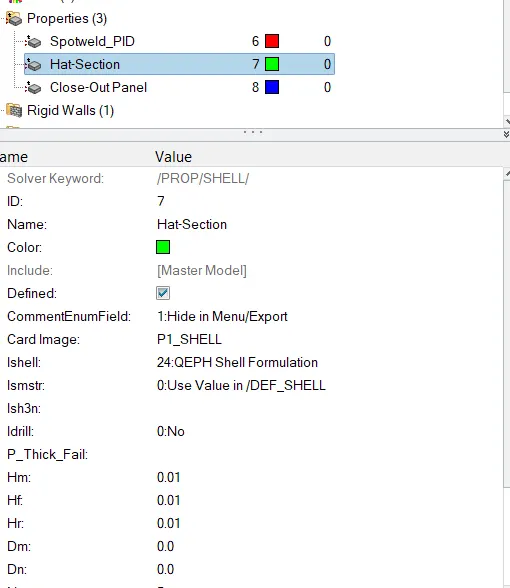
.
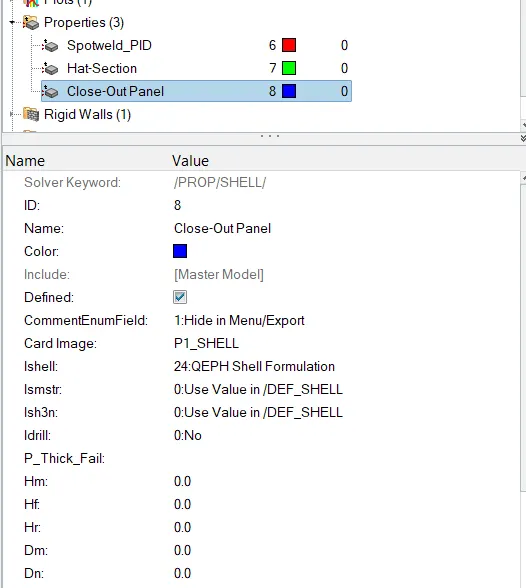
Now create the Engine listing, animation & starter input file.
-For that go to the radioss command.(Analysis>radioss)
-After that we put the path where we require to save the files.
-plot of various energy value vs time:
Plot the various Rigid wall vs time