Assignment 3-2D Element Formulation Challenge
ASSIGNMENT 3: 2D ELEMENT FORMULATION
AIM: To compare results with base simulation and improved shell element properties
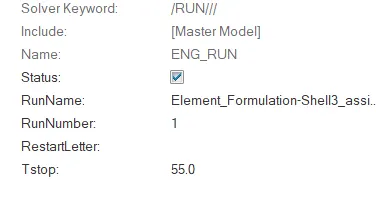
1.Using the crash beam file from the previous assignment, change the run time to 55 ms.
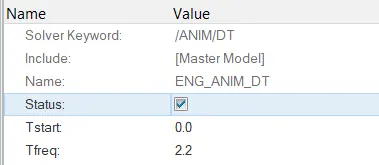
2. Change the number of animation steps during simulation to a minimum of 25 and maximum of 60.So calculating Tfreq for 55ms and 25 steps we get 2.2.
3. Run the base simulation without any modification to element properties.
4. At the end of the simulation, do the energy error and mass error checks and determine whether results would be acceptable.
5. If acceptable, Plot rigid wall forces, internal energy, hourglass energy, contact energy, total energy of the simulations.
6. Change all the shell elements properties to recommended properties, save this as separate, rad files and run the simulation.
7. Follow steps 5 and 6.
8. Create a brief report comparing all the results from steps 5 and 6 for both simulations.
9. Comment whether there is any change in the results and why there is any change in the result.
PROCEDURE:
CASE 1
- Import the given .rad file.
- Then change the runtime to 55s
- Also changing the animation steps to minimum of 25 and a maximum of 60.
- So the Tfreq changes to 2.2 if we consider animation step of 25 and runtime of 55ms.
- Changing the value of Tfreq under the card ENG_ANIM_DT in the model browser.
- Now running the model in Radioss panel in Analysis section.
- We check the energy and mass errors in 00001.out file.
- If the energy error is less than -15%, the analysis is acceptable.

- Here the energy error is -10.3% and mass error is 0.1659E-03.
- This is acceptable due to it being the acceptable error range.
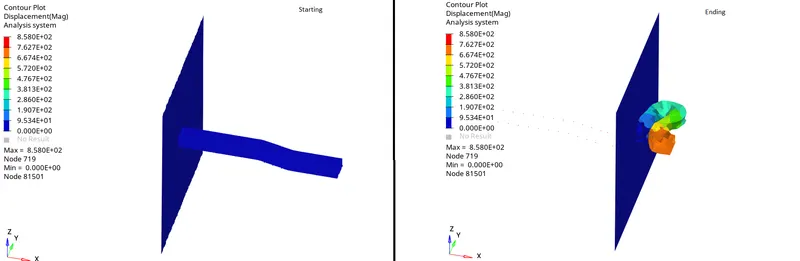
- Now checking the deformation of the model and plotting the required graphs.
- The deformation of the model is as shown
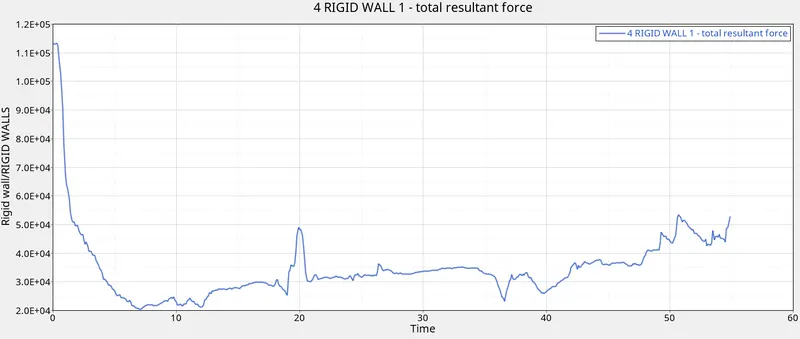
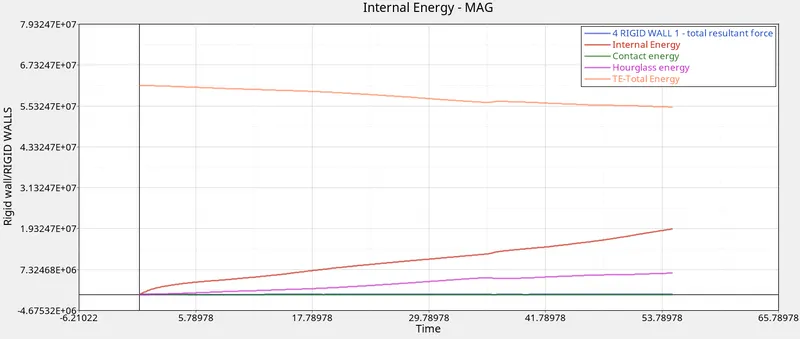
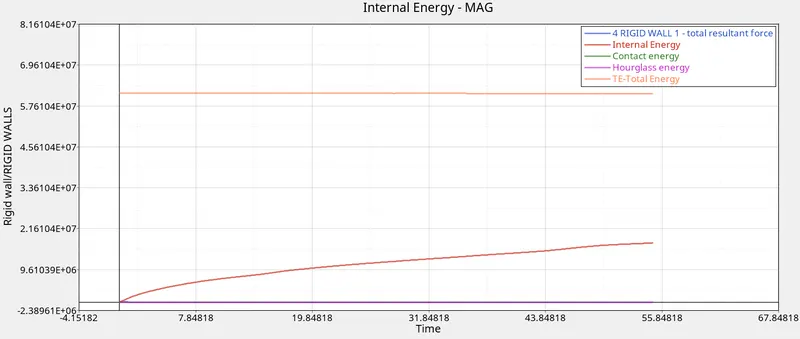
- The graphs for rigid wall forces, internal energy, hourglass energy, contact energy, total energy of the simulations are shown below
CASE 2
- Again importing the given 000.rad file and changing the values of runtime, Tfreq.
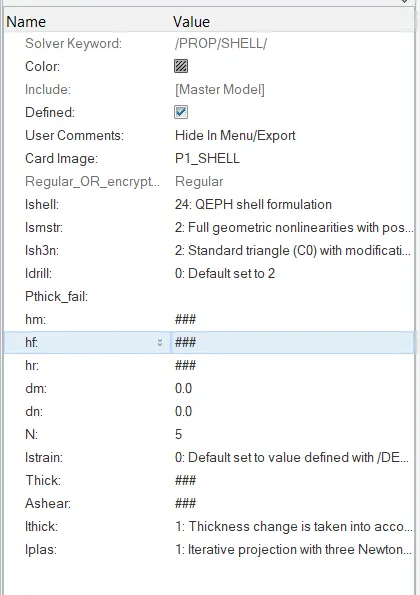
- Now for this case we add the recommended shell element properties.
- Now running the analysis using radioss.
- We check the energy and mass error from 0001.out file.
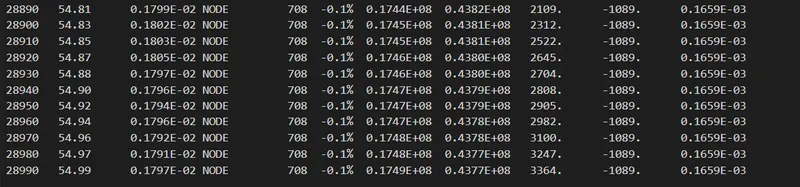
- We see that the energy error is now -0.1% but the mass error is still 0.165E-03.
- Now plotting the required graphs.
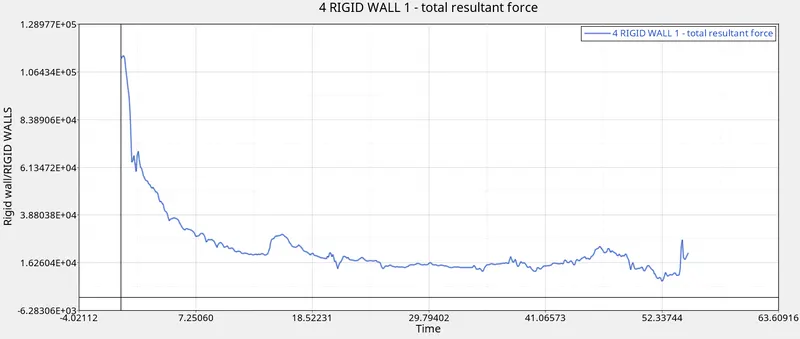
- The graphs for rigid wall forces, internal energy, hourglass energy, contact energy, total energy of the simulations are shown below
CONCLUSION:
- From the above cases, we come to know that the adding shell element properties can reduce the energy error% which is more acceptable.
- The energy error in the case 2 better for analysis then case 1 energy error.
- The hourglass energy is significantly less than the case 1 which is implies that there is poor hourglass energy stabilization in case 1 elements.
- From this we come to know that physical stabilization method was used to reduce the hourglass energy.