Assignment 3-2D Element Formulation Challenge
ASSIGNMENT 3: 2D ELEMENT FORMULATION
OBJECTIVE:
To compare simulation results of model with default shell properties and modified shell properties.
MODEL AND RAD FILES:
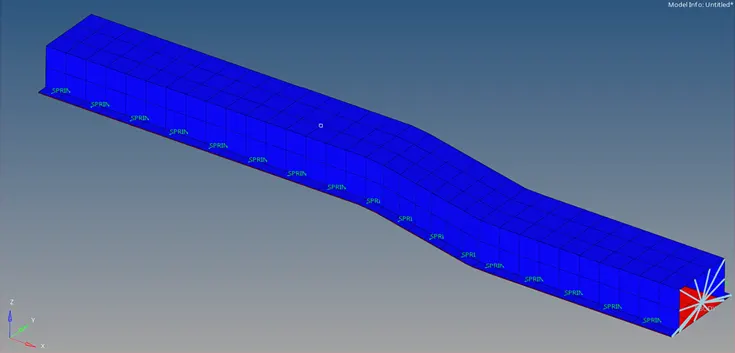
Rail Model
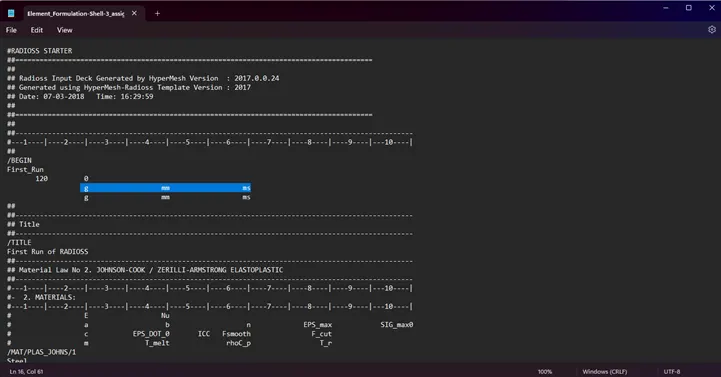
Starter file
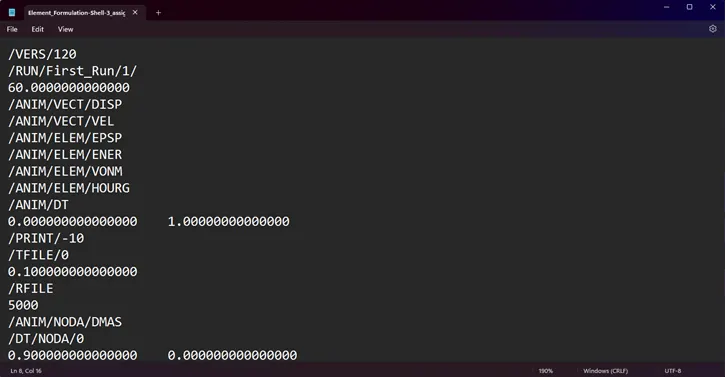
Engine file
PROCEDURE:
- Open the Engine file.
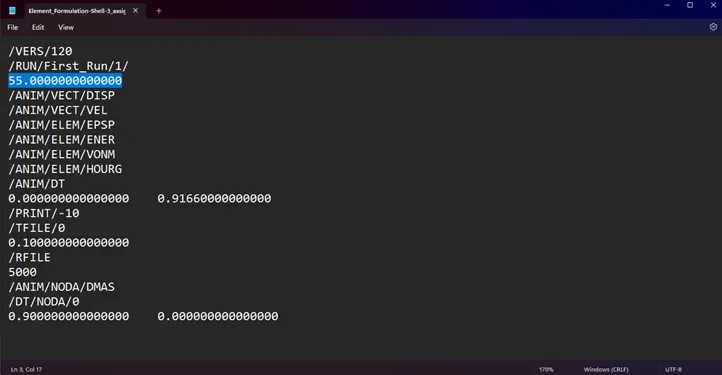
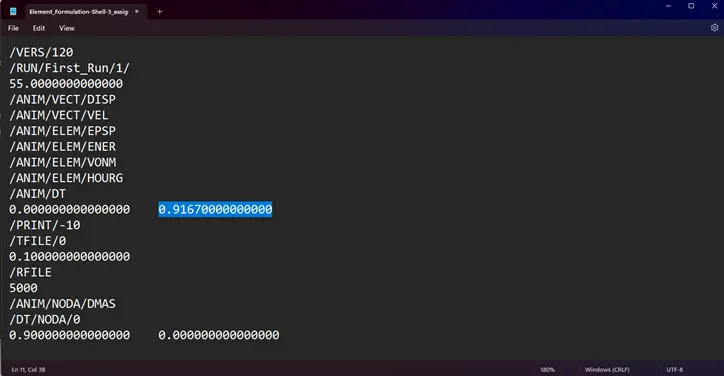
- Edit and save the Run time as 55ms and the animation steps for 60 frames, which is 55/60= 0.9167ms.
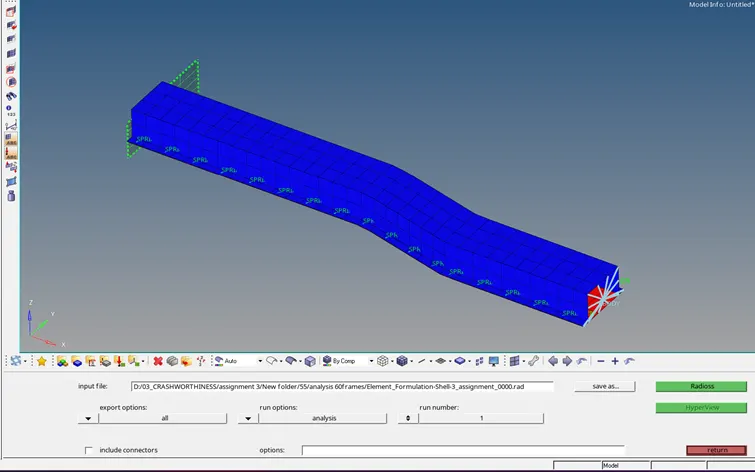
- Import the starter file to Radioss under Analysis panel and check the results.
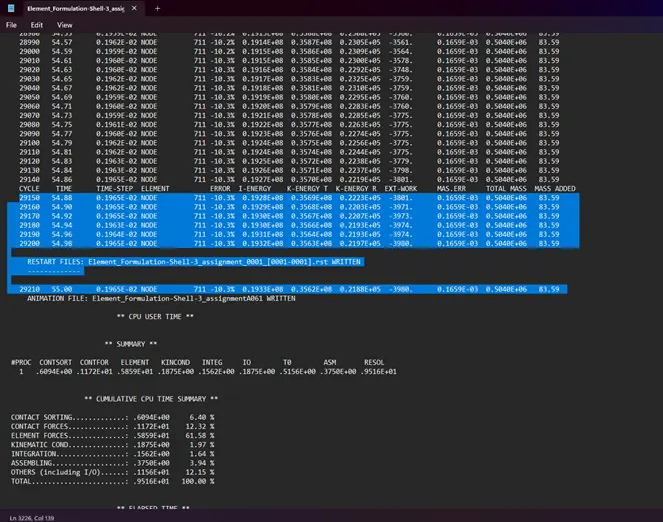
- Check for appropriate variations in the OUT(engine) file for energy error and added mass.
- Open the H3D file and apply the Von Mises stress contour plot using HyperView window.
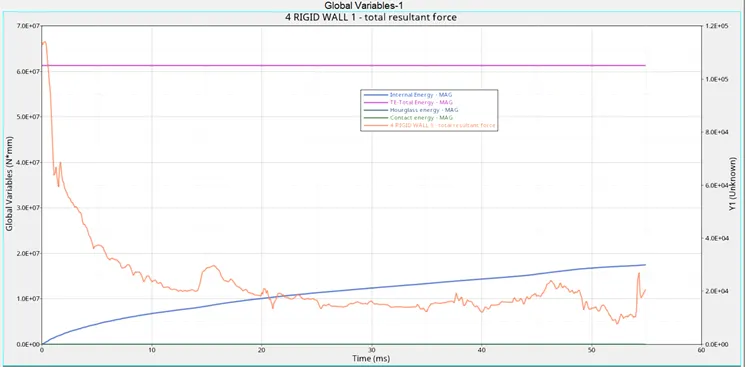
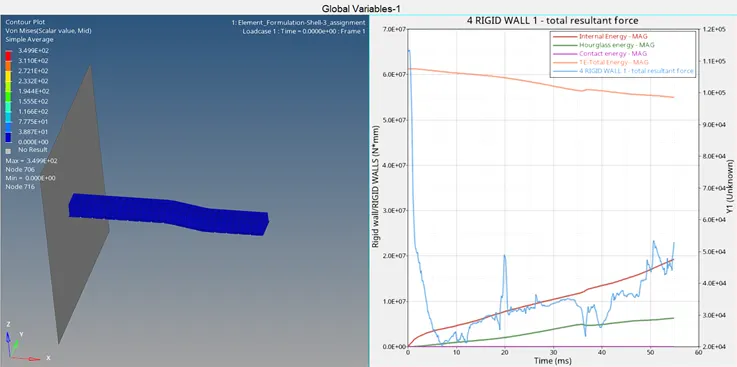
- Open T01 file in HyperGraph 2D window and plot Rigid wall forces, Internal energy, Hourglass energy, Contact energy and Total energy.
- Save the report template.
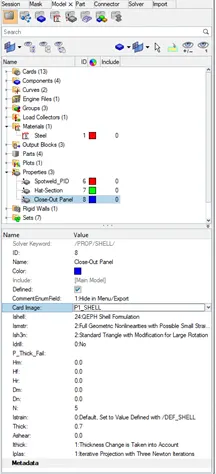
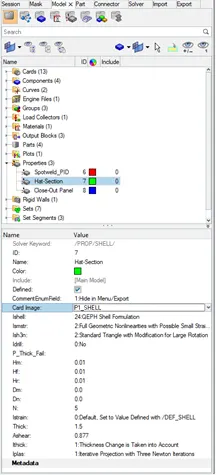
- Import the starter file to Radioss and edit the property cards to the following parameters.
- Export the rad file.
- Run the analysis as mentioned above.
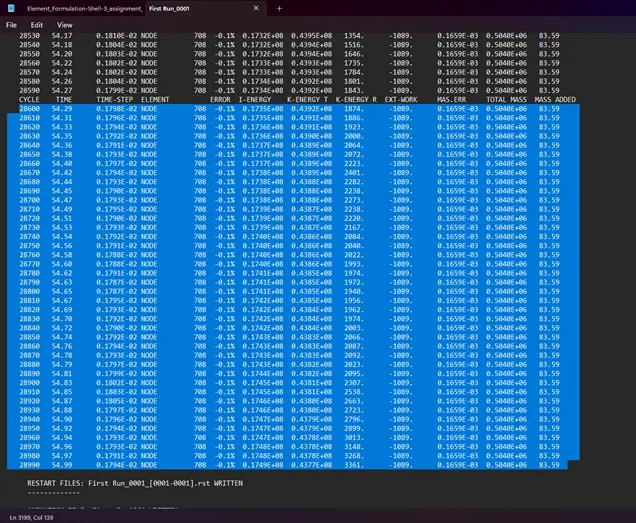
- Check for appropriate variations in the OUT(engine) file for energy error and added mass.
- Plot the graph for same as the previous simulation.
RESULT:
Energy Error and Added Mass
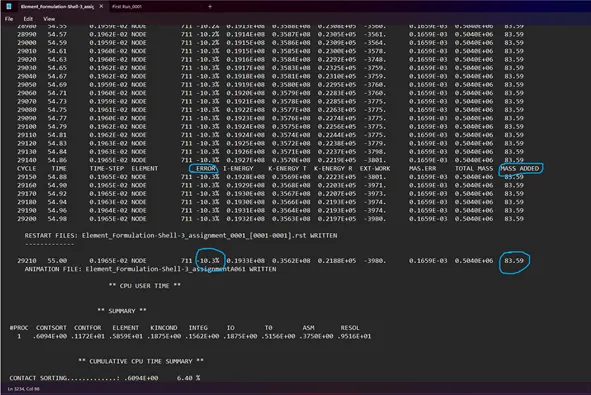
- For default shell properties, the energy error reaches -10.3% at the end of the simulation and added mass remains 83.59
- Negative value of energy error indicates dissipation due to Hourglass energy.
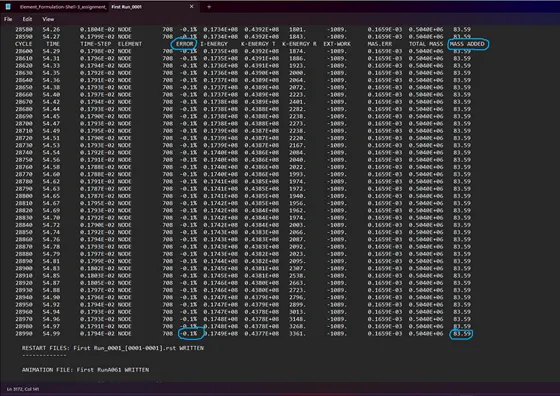
- For modified shell properties, the energy error reaches -0.1% and added mass remains 83.59
- In this case the value of energy dissipation is much less which indicates reduced or no Hourglass energy generated.
2)Forces and Energy
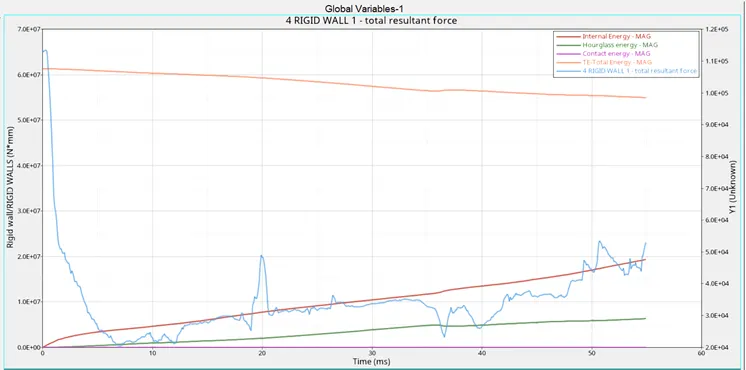
For default shell properties,
- Total energy slighlty decreases from 6.131E+07
- The Hourglass energy reaches 0.6316E+07 Nmm which is indicated by the Energy error -10.3% out of total energy.
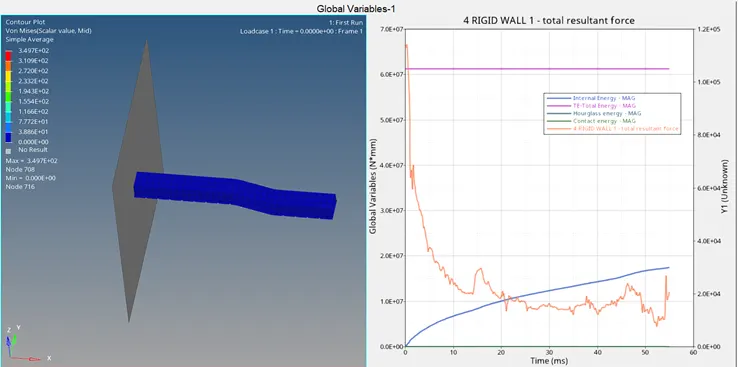
For modified shell properties,
- Total energy reduction is very small.
- Hourglass energy is zero which is indicated by the Energy error out of total energy.