Assignment 2-RADIOSS Engine File Editing & 3D Meshing Challenge
Objective :
1. Check the material properties of the rail component and calculate the speed of sound in steel rail=_______
2. The length of the rail is about 1000 mm.calculate the time takes for a shock wave to travel from one end of the rail to the other.
3.Time for sound to travel length of rail=______
4.Edit the engine file so that the stress wave can be monitored, moving from one end of the rail to the other during impact -this will require a termination time equal to the time it takes for the sound to travel the length of the rail(set on/RUN card)
5.Set the frequency of animation output to a time that will give 20 animation steps(/ANIM/DT)
6.Change /print -10.
7.3d meshing tetra mesh and hex mesh
- Repeat class examples and, maintain the quality.
- Target tet size=5mm,hex size=10mm,tet collapse=0.15.
Procedure :
1. Check the material properties of the rail component and calculate the speed of sound in steel rail.
Ans - Import the 0000.rad file from solver deck.
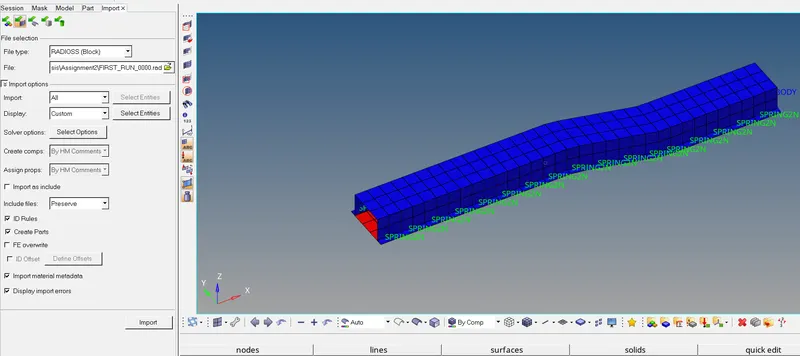
Now goto material and check for initial density,Youngs Modulus & Poission ratio.
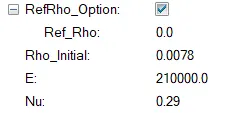
Now Speed of Sound(c) =`(E/rho)^frac{1}{2}`
Where E = Youngs Modulus
And `rho`= Density.
Therefore,
Speed of Sound = `(21000/0.0078)^frac(1)(2)` = 5188.7m/s
2. The length of the rail is about 1000 mm.calculate the time takes for a shock wave to travel from one end of the rail to the other.
Shock wave travel is equal to speed of sound i.e 5188.7m/s
Time takes for a shock wave to travel = Distance/speed of shockwave
T = 1000/5188.7 = 0.1927 sec
3.Time for sound to travel length of rail=______
Time = Distance /Speed
=1000/5188.7 =0.1927sec.
4.Edit the engine file so that the stress wave can be monitored, moving from one end of the rail to the other during impact -this will require a termination time equal to the time it takes for the sound to travel the length of the rail(set on/RUN card)
Above calculated values can be entered in the Cards.
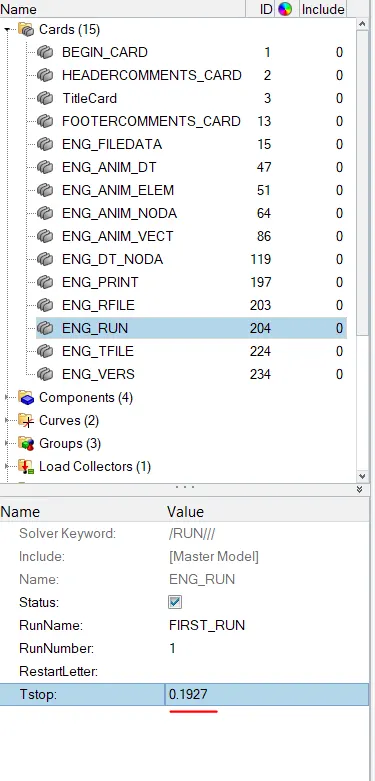
5.Set the frequency of animation output to a time that will give 20 animation steps(/ANIM/DT)
Frequency = (l/c)x20
= 1/0.1927*20
=103.7Hz
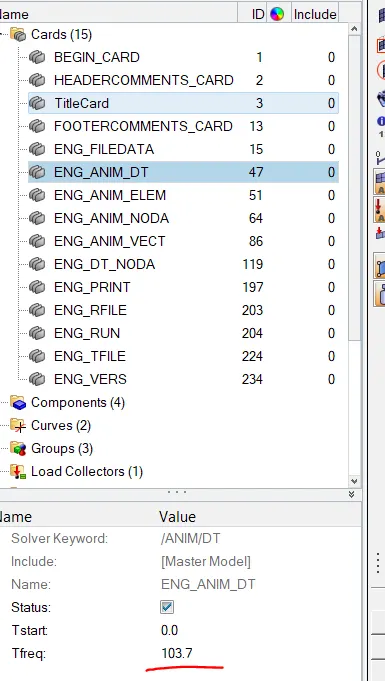
6.Change /print -10.
Export the solver deck file in.rad format.
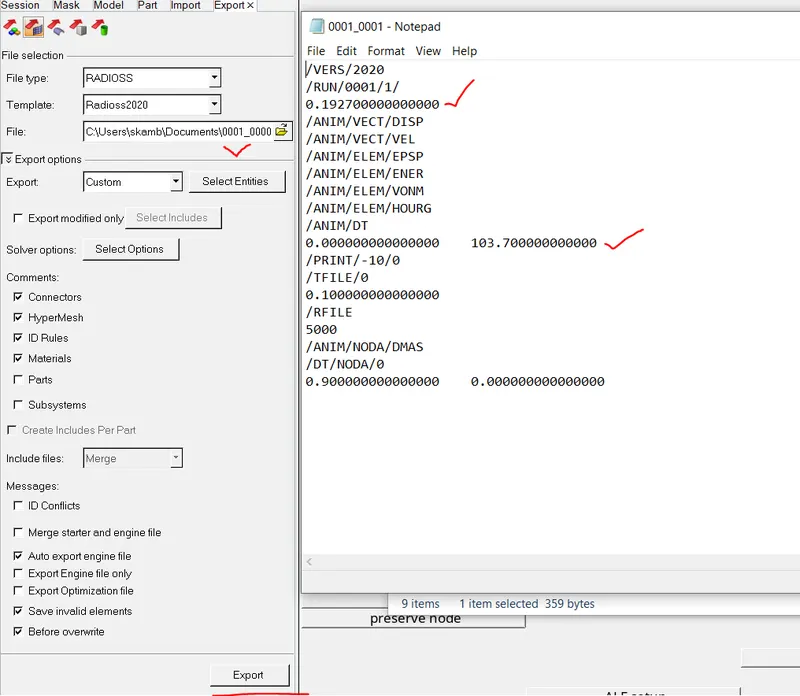
Default Print value is shown as 10.
Meshing The Housing Model.
Procedure -
Import the given model and check for any geometry errors.
Clean the geometry by using various tools from geometry - quick edit.
To mesh go to 3Dmesh - volume tetra -select the solid and mesh. Before meshing provide tetramesh parameters.
Check the elements quality tet collapse and use remesh or translate tool to get the optimize mesh quality.
Check for Tet collapse quality. Tet Collapse value considered =0.15
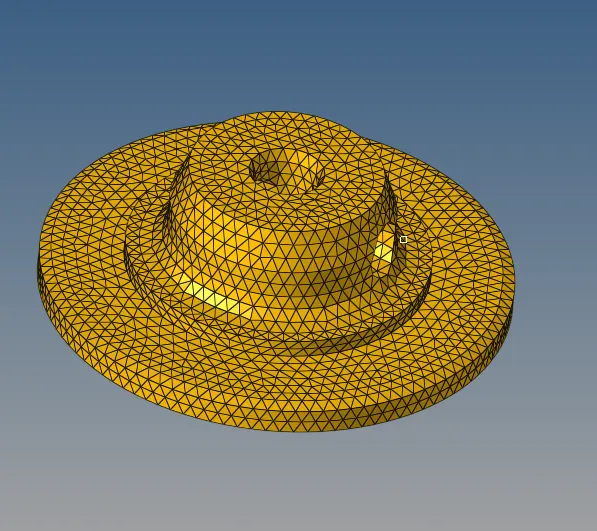
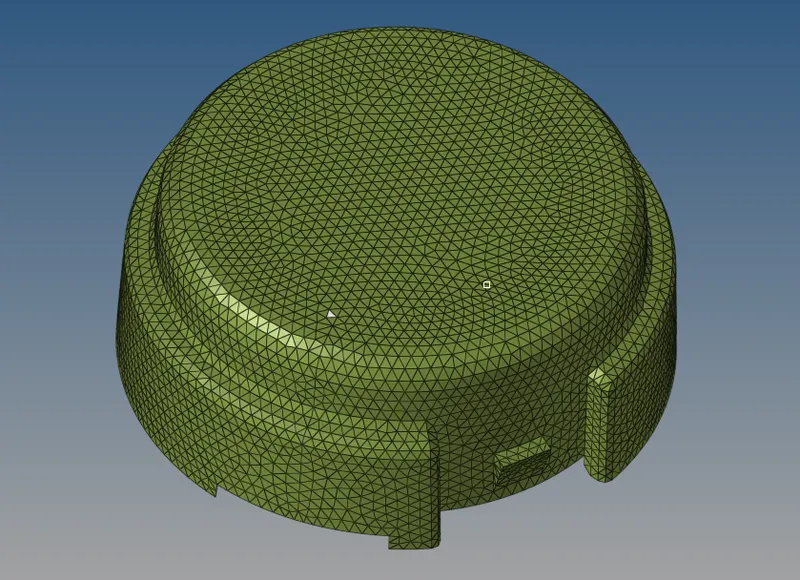
For Hexamesh We first create 2D mesh and Map the elements.
For Creating the Base Solidmap - General command is used.
 For Rotating arm - Spin Command is used along the axis.
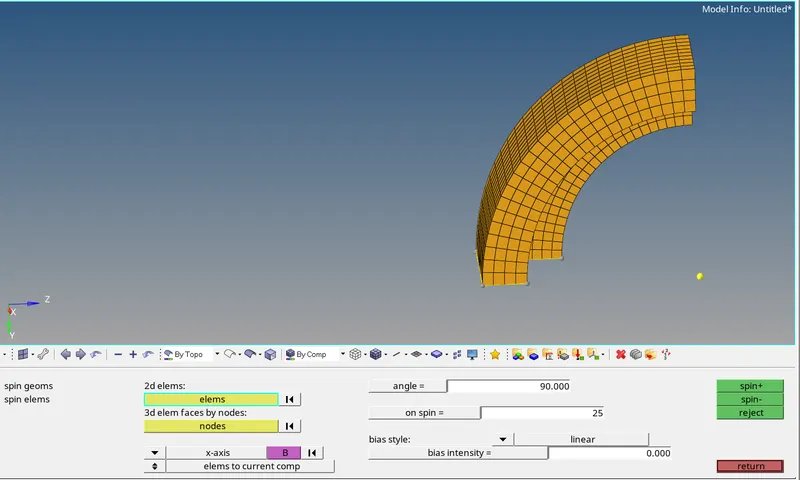
For the next feature Linear Solid Command is used by extracting the face and creating 2D solid mesh by making sure we have same number of elements on each face.
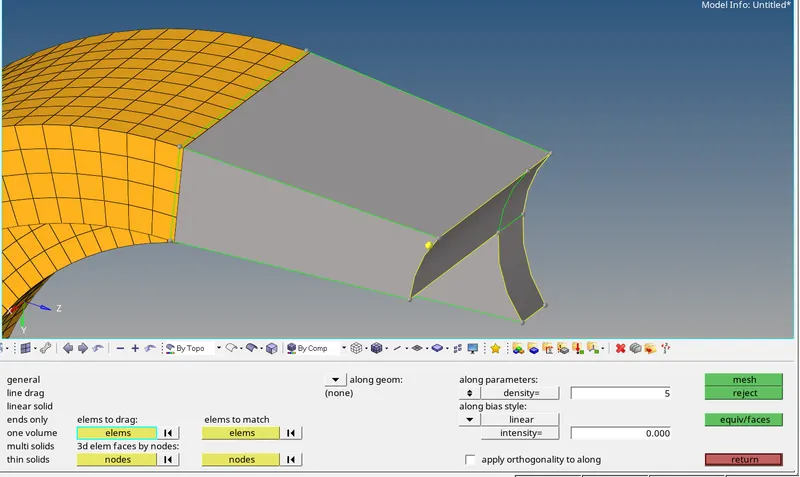
And For Bush We have created 2D mesh and created Hexa elements by using along nodes option so that elements are matched perfectly to the attached geometry.
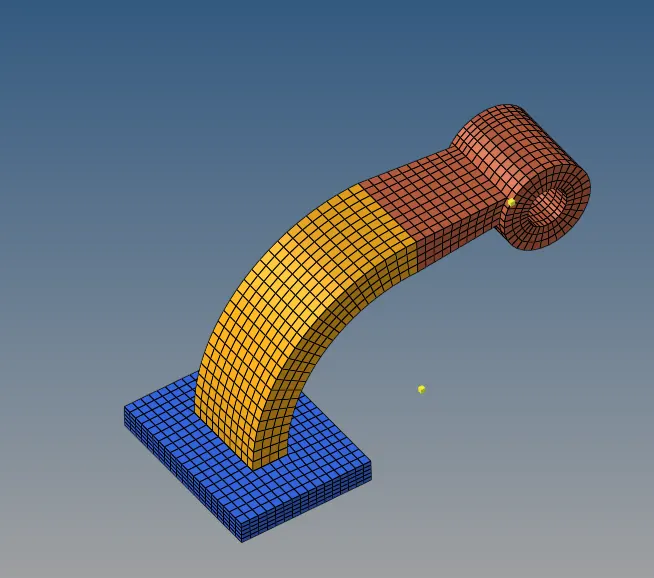
Please see the attached .hm model.
Conclusion: Learned about calculation like speed of sound,time step,T frequency values. Editing of Engine file.3D Tetra and Hexa Mesh.