Assignment 2-RADIOSS Engine File Editing & 3D Meshing Challenge
Q.1 ]
- Given material properties of rail -
- E = 210*10^3 Mpa;
- rho = 0.0078 g/mm^3 ;
- poisson's ratio = 0.29;
- Speed of sound in steel rail is given by -
- c = sqrt [ Elastic modulus / Density (rho) ]
= sqrt [210000/0.0078]
c = 5188.74 mm/ms
Q. 2 ]
- length of rail is = 1000mm
- Speed of sound, c = 5188.74 mm/s;
- Time taken by speed of sound to travel from one end of rail to another will be
time = distance / speed
= 1000 / 5188.74
= 0.1927 ms
Q. 3 ]
- Time required to sound to travel length of rail is 0.1927 milliseconds.
Q. 4 ]
- We have the Tstop value as 0.1927.
Q.5 ]
- To get 20 animation steps, divide the time by 20.
- We get Tfreq as 0.009635.
3D Meshing :
Objective :
- Mesh the given components with 3D Hexa / Tetra elements with maintaing the quality of elements as -
- Target tet size = 5mm, hex size = 10mm, tet collapse = 0.15.
Procedure :
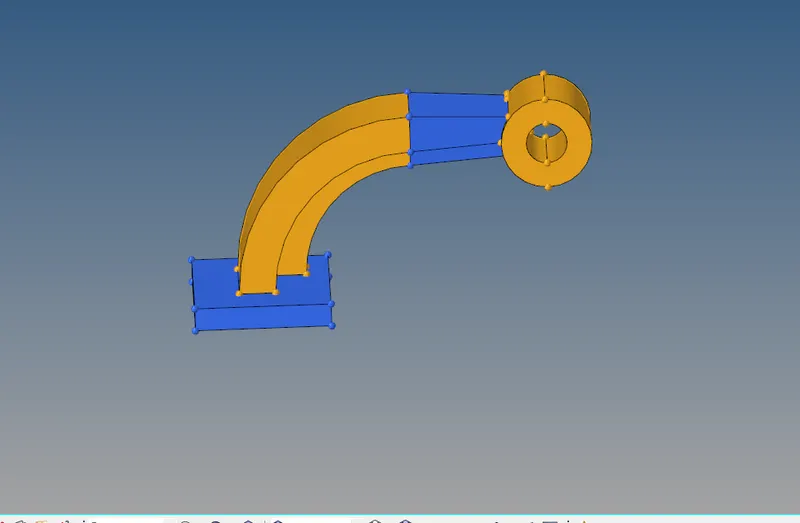
- Image of arm bracket CAD model is given in the above image.
- To start with the hexa meshing, start with base plate.
- Create 2D elements on surface of base plate and then create hexa elements with the help of 3D panel.
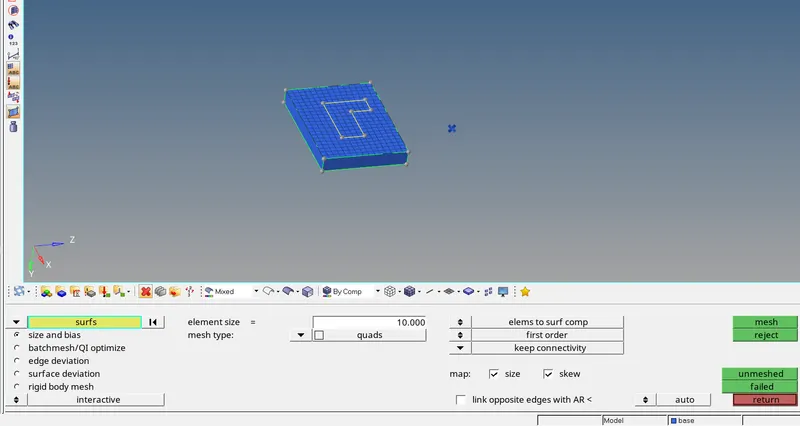
- Now, drag the elements along the line in order to mesh the base plate with 3D elements.
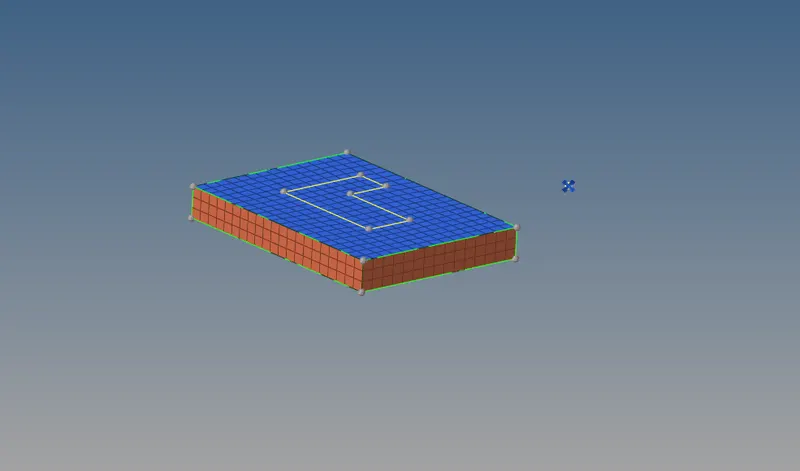
- In order to mesh arm curve, hide the 3D elements, use spin command to mesh the arm curve with hexa elements.
- Select elements under arm curve, select the axis of rotation and base point.
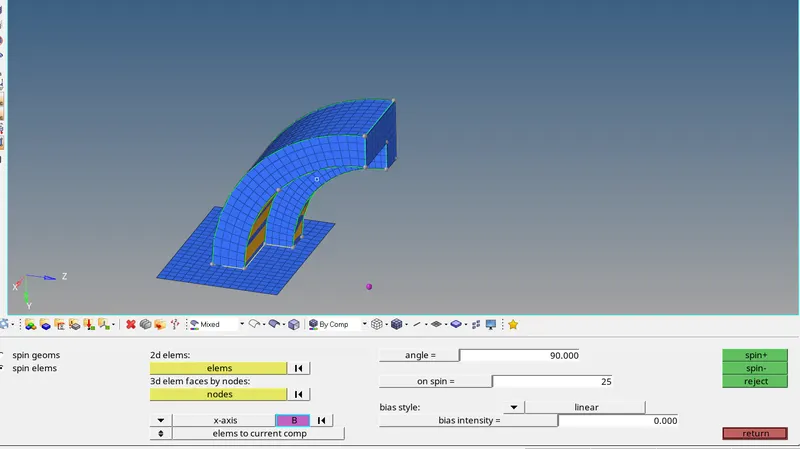
- To mesh arm straight part, extract 2D elements from 3D hexa element from faces tool.
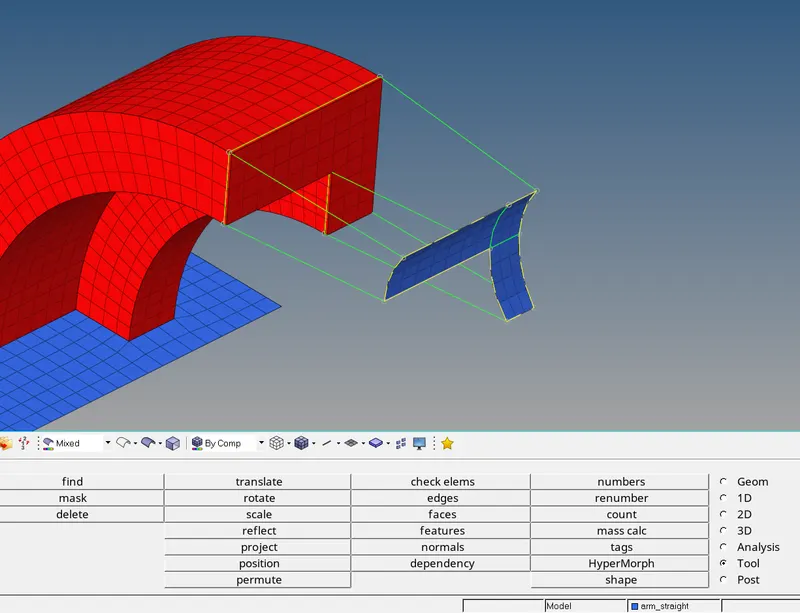
- Generate 2D elements on the surface of straight arm.
- Go to linear solid tool from 3D page and select from and to elements and confirm alignment options.
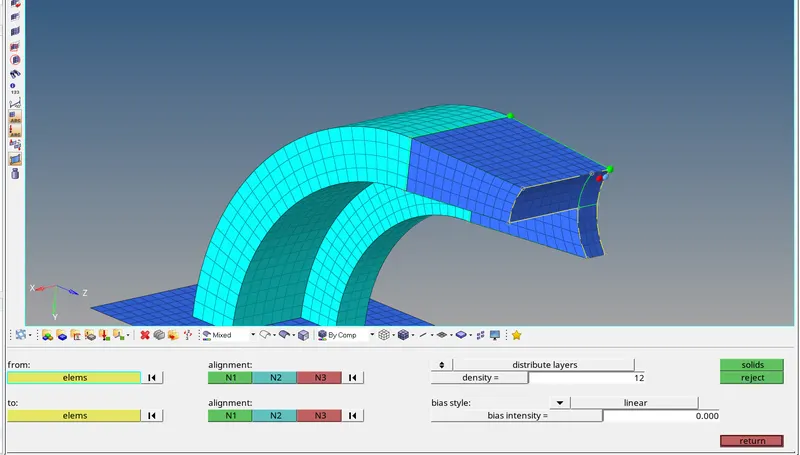
- For meshing the boss of the part, mesh one side of cylindrical boss and use solid map tool to mesh the boss in 3D.
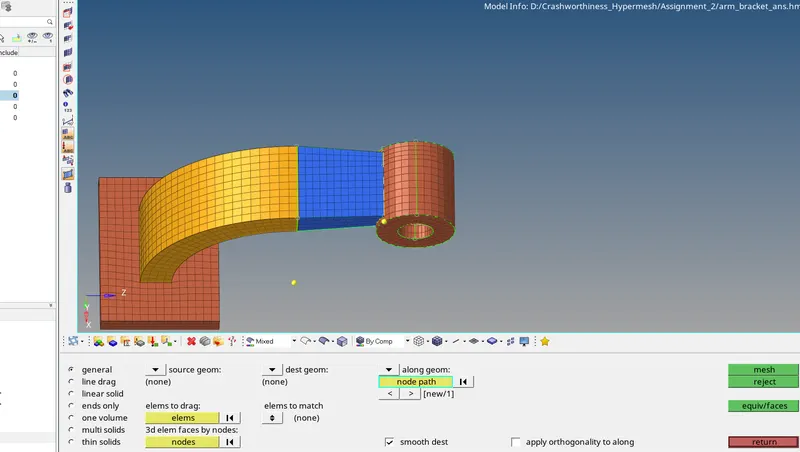
- Delete all the 2D elements from the mesh.
- Now, our 3D hexa mesh model is ready.
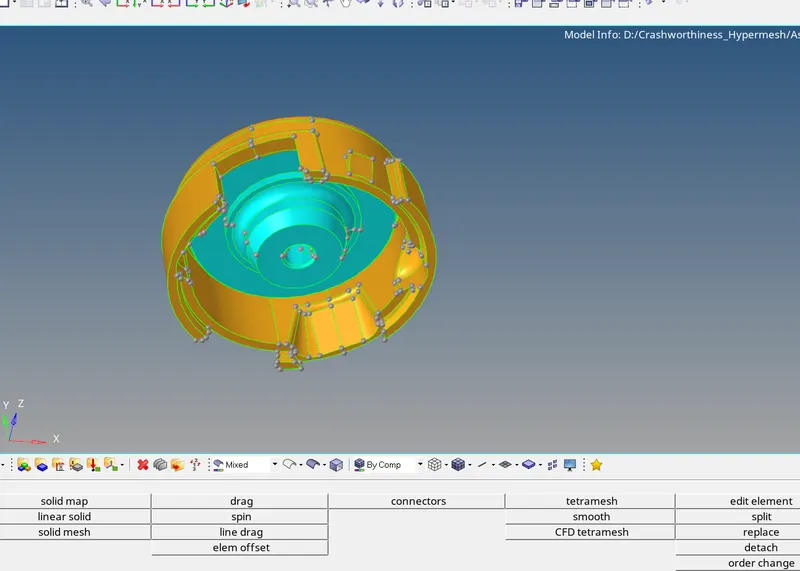
- Mesh the hub model with tetra mesh.
- Generate 2D mesh over the surface of component.
- While meshing select type of mesh as R-tria for meshing surfaces which are curved and tria for flat surfaces.
- Select element size as 5 as given in the question.
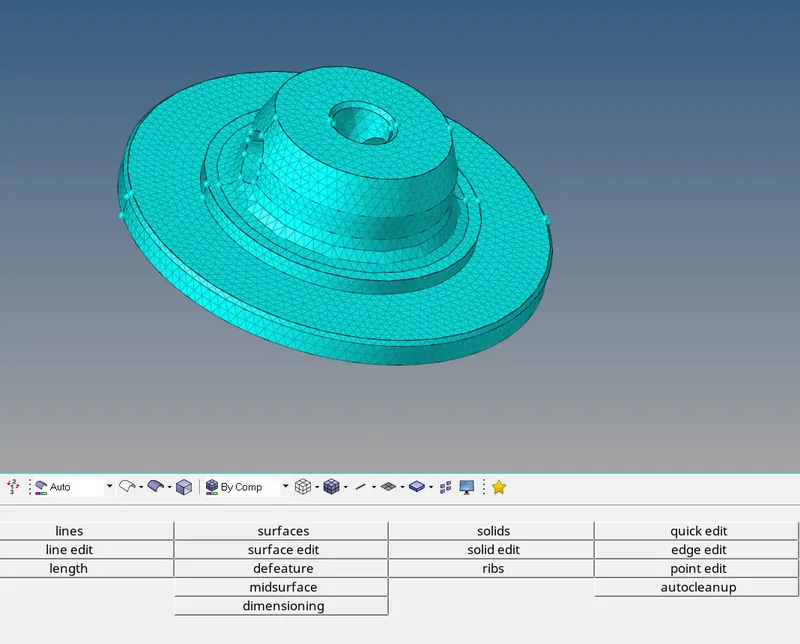
- Go to 3D panel --> tetra mesh --> select 2D elements --> mesh.
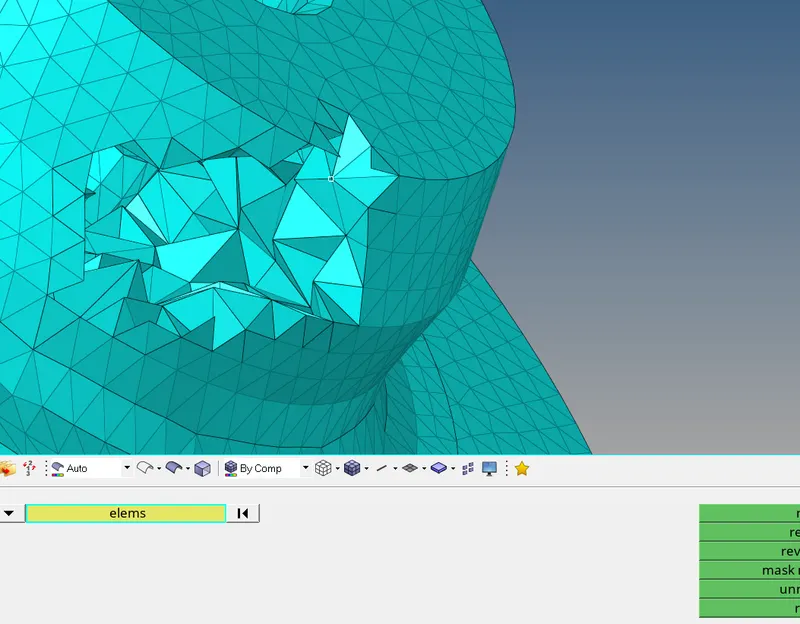
- Hide the elements and check the 3D elements generated.
- To check the quality of tetra mesh go to --> check element --> select 3D --> give the value of tet collapse as 0.15 and check for failed elements.
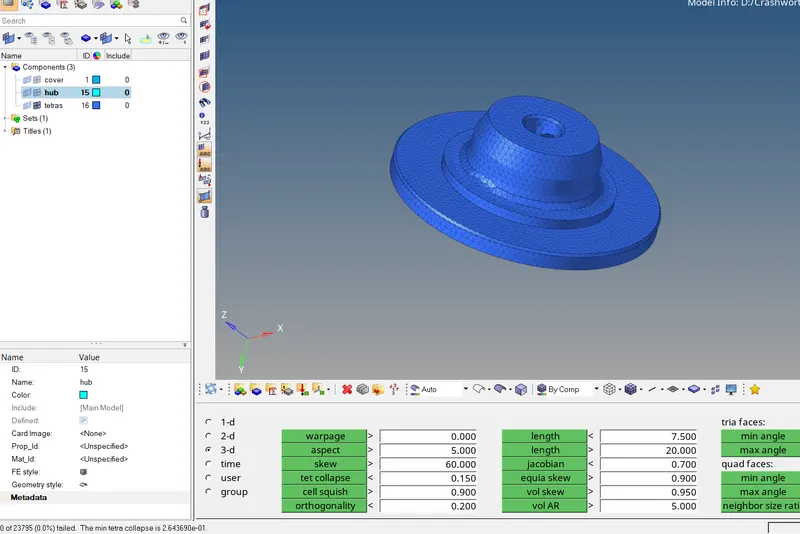
- No. of failed elements are shown at left bottom corner of display.
- Tetra mesh could be generated with several methods, one of which we saw above.
- Another method of tetra mesh generation is volume mesh.
- To generate volume mesh go to 3D panel --> volume mesh --> select solid or surface and click mesh.
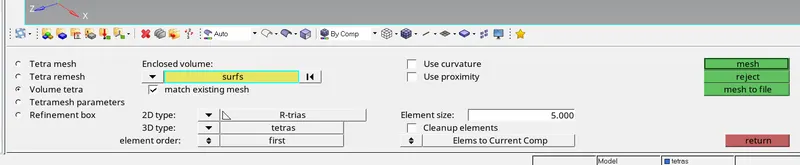
- Sometimes this method doesn't work, in that case go to view from menubar --> browsers --> hypermesh --> check on utility.
- In utility browser open Geom/mesh --> quick tetramesh --> select the component.
- Feed the mesh size, minimum mesh size, in the mesh type select trias only and click on mesh.
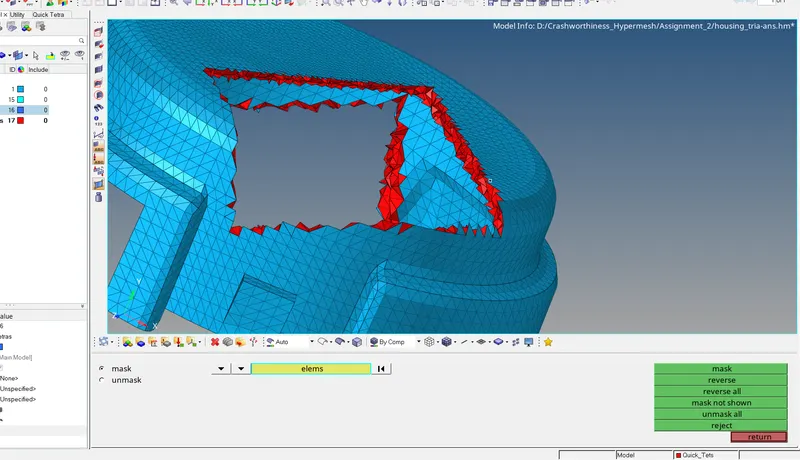
- To check the generated volume mesh go to mask and hide some of the surface components.
- Again check the quality of elements.
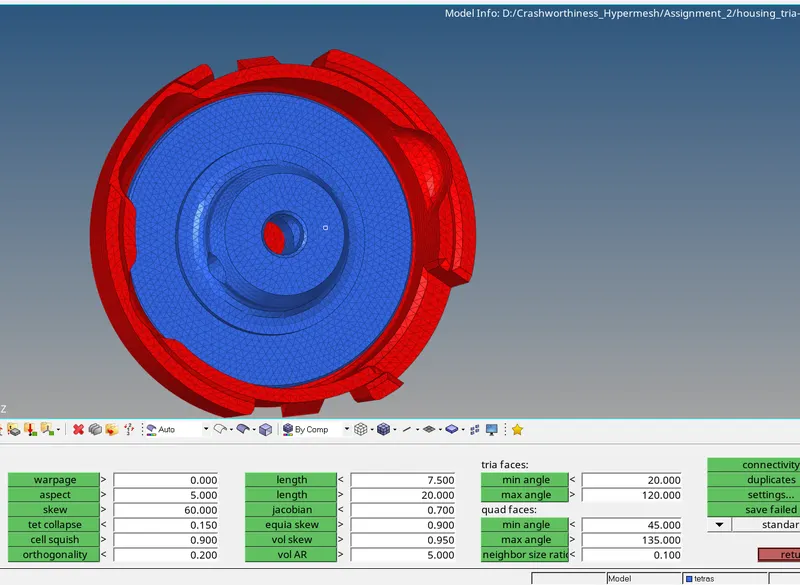
- Final 3D meshed model of cover and hub.
Result :
- In 3D meshing we use tetrahedral and hexahedral typer of mesh elements at most.
- Tetra mesh is comparatively easy to mesh and takes less time to mesh.
- On the other hand hexa mesh require more time and experience for meshing. Complex components are preferred to be meshed with tetra elements.
- In hexa mesh, alignment of elements and connectivity at various junction is matter of concern, whereas for tetra mesh tet collapse in the matter of concern.
Conclusion :
- In comparison tetra is easy to mesh, takes less time to mesh, could be used for complex geometry on the other hand hexa mesh have its constraints due to its complex shape.