Assignment 2-RADIOSS Engine File Editing & 3D Meshing Challenge
Q1. To calculate the speed of the sound in steel rail
Given data:
From material properties,
E = 2.1 *10^-5,
density(`rho`) = 0.0078,
speed of sound, C = `root`(E / 'rho')
C = 5188.7 mm/ms.
Q2. To calculate time taken for a shock wave to travel 1000mm.
Distance = Speed * Time,
1000 = 5188.7 * T,
T = 1000/5188.7 = 0.192 ms.
Q3. Time for sound to travel length of rail.
Already the lenth is given as 1000 mm,
D = C * T,
T = 0.192 ms.
Q4. Values changed in the model file.
Q5. Values changed in the model file.
Q6. Values changed in the model file.
Q7.
Aim :
To mesh the given component using Tetramesh and to check for the tet collapse in the Hyperworks software.
Objective :
To mesh the components in 3D meshing by using Tetramesh option and to satisfy the given tet collapse value 0.15.
Procedure :
- Import the model to the graphical workspace and select the profile as RADIOSS.
- To check the component for geometry clean-up.
- To apply mesh on the component by selecting 3D Menu – Tetramesh.
- In tetramesh menu we have different options like tetramesh, tetra remesh, volume tetra, tetramesh parameters and refinement box.
Model (1) :
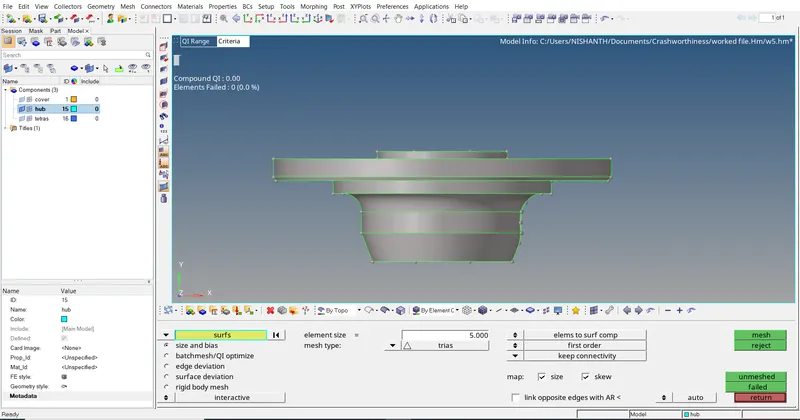
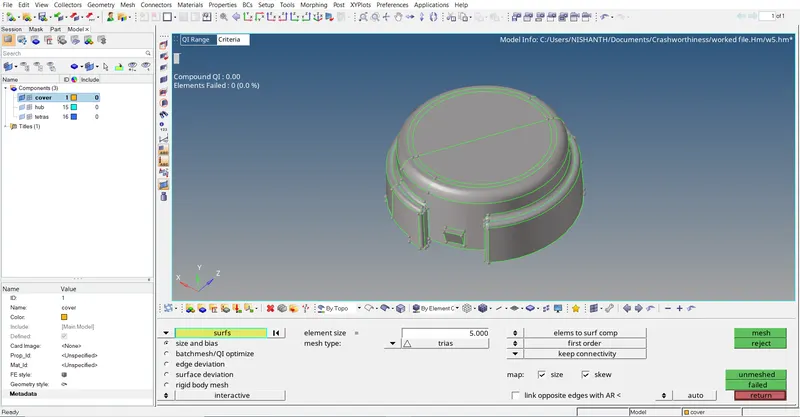
In this model it is asked to mesh the given component in 2D tria elements with few quality criterias like min size and max size.
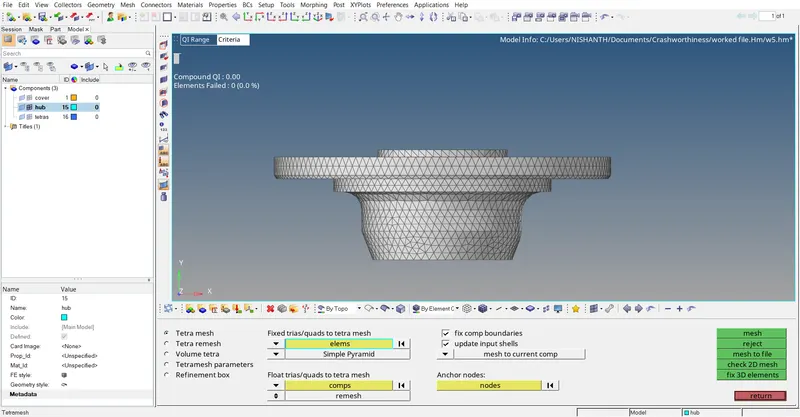
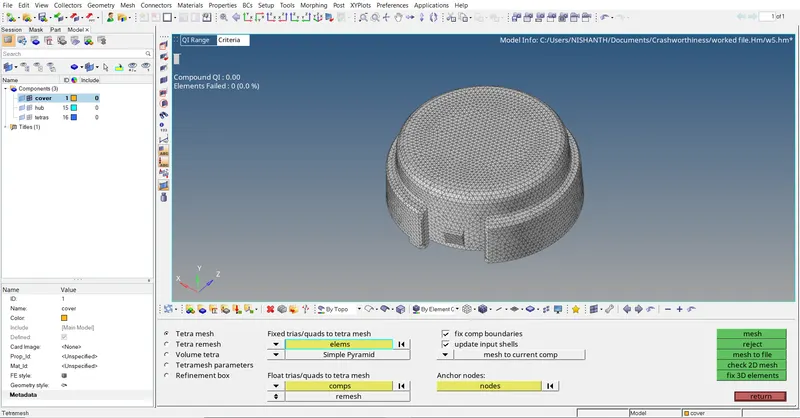
After satisfying the quality criteria we use Tetramesh option in 3D menu and apply the mesh over the 2D meshed elements and it will capture the complete structure of the given component.
By doing in this method of meshing the component we will have more control over the component and while applying 2D to 3D we can reduce the tet collapse element values.
Model (2) :
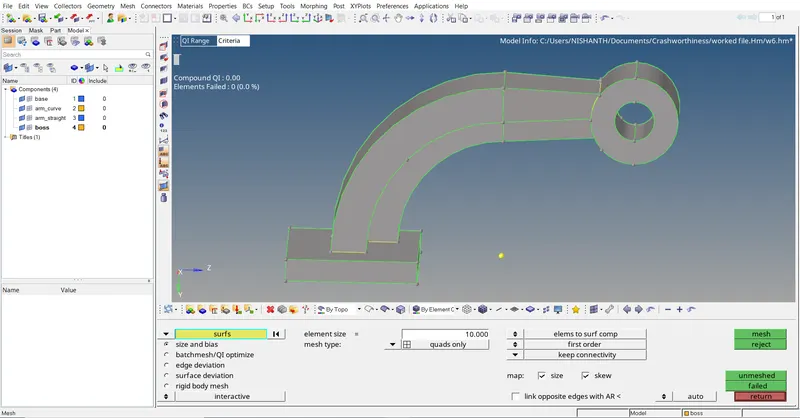
In this model it is ased to apply Hexahedral mesh on the given component and to check for the tet collapse rate.
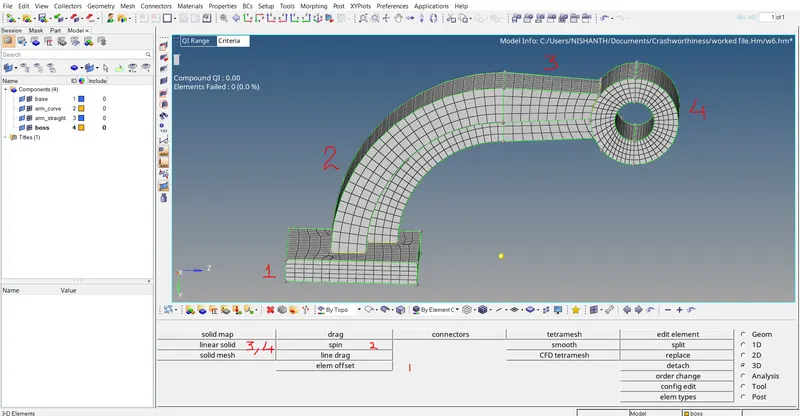
Here we do differnt meshing process we apply 2D mesh with quads only option, and we offset the elements as per thickness of the sold component and create hexa mesh.
in curved areas we use spin option to mesh in 3D, in linear part we use linear solid and mesh the component.
Conclusion :
The calculations and meshing of components in 3D is done successfully using Hyperworks software. Tet collapse is one of a peremerter in 3D meshing it can be calculated by measuring the distance of the node from the opposite face, then each of the four values will be divided by the square root of opposite face's area.