Assignment 2-RADIOSS Engine File Editing & 3D Meshing Challenge
Answers to Questions:
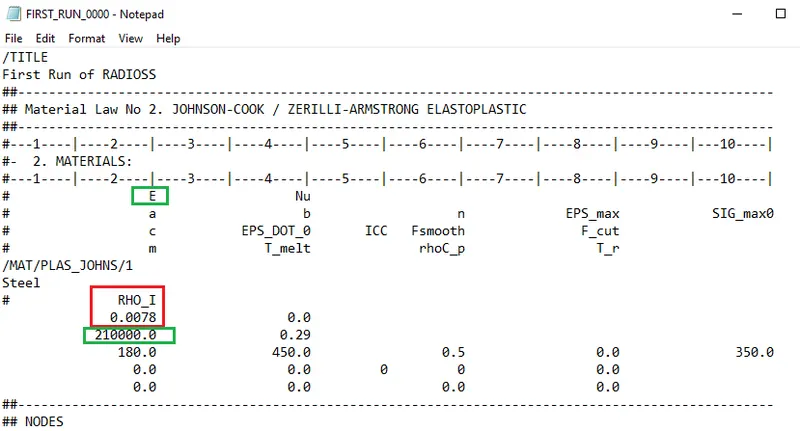
(1). Check the material properties of the rail component and calculate the speed of sound in steel rail=_______
Solution 1:
Given:
We know that --
Calculation --
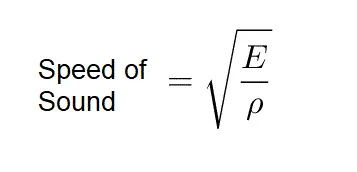
Speed of Sound = `((Modulus)/(Density))^½` [Under root can be represented as ^½ ]
Speed of Sound = `(210000/0.0078)^½` [From given data]
Speed of Sound = `(210000)^½ / (78/10000)^½` [converting decimal to simple form]
Speed of Sound = `(21/78)^½ *100*100`
Speed of Sound = `0.5188745*100*100`
Speed of Sound = `5188.745 m/s` [Equation (I)]
(2). The length of the rail is about 1000 mm. calculate the time it takes for a shock wave to travel from one end of the rail to the other.
Solution 2 :
Given -- Length of the rail = 1000 mm.
We know that--
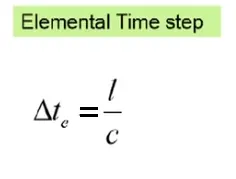
Elemental Time Step = Length of Element / Speed of Sound
Calculations --
Elemental Time Step = 1000 mm / 5188.745 m/s [from given data & equation (I) respectively. ]
Elemental Time Step = 1 m / 5188.745 m/s [converting mm to m]
Elemental Time Step = 0.0001927 s --- i.e. 0.1927 ms [ Equation (II) ]
(3). Time for sound to travel length of rail=______
Answer 3: The time for sound to travel by rail is the same as shock wave travel on rail.
That is 0.1927 ms [From equation (II) ]
PROCEDURE FOR OBJECTIVE 2 :
(4). Edit the engine file so that the stress wave can be monitored, moving from one end of the rail to the other during an impact -this will require a termination time equal to the time it takes for the sound to travel the length of the rail(set on/RUN card)
Answer 4: From equation (II), We can show that --
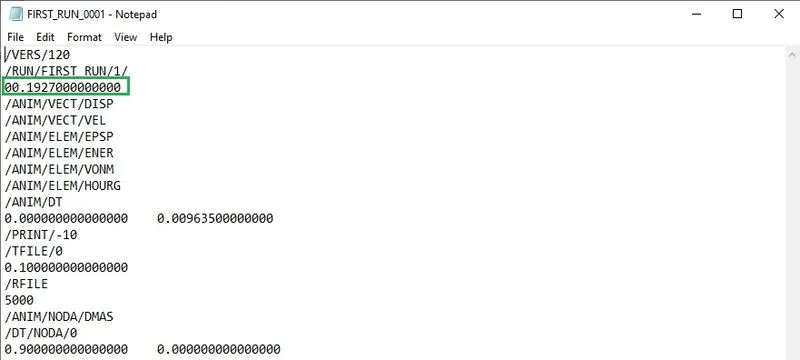
(5). Set the frequency of animation output to a time that will give 20 animation steps(/ANIM/DT)
Solution 5 :
Given -- No. of animation steps = 20
We know that--
Tfrequency = Time of sound travel / Number of animation steps
Calculation --
Tfrequency = 0.1927 / 20 [From equation (II) and given data respectively]
Tfrequency = 0.009635 Hz
We can show that as --
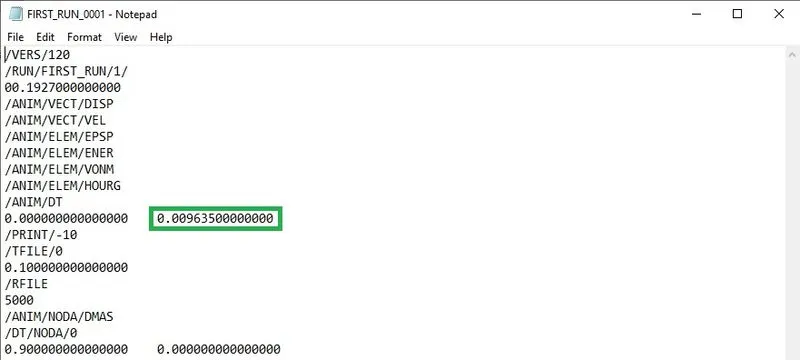
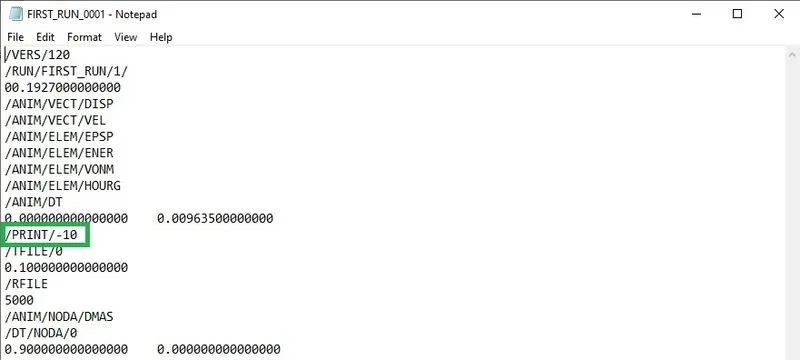
(6). Change /print -10
Solution 6: We can show that as --
1D Element Creation:
- Open the Hypermesh model
- Press 'F' to Fit the model in the user interface area
- There will be two models, one model with surface and the other model with only lines
- Select the model with lines and Go to Geo - Surfaces - Create surfaces by - using the Line list - create the surface

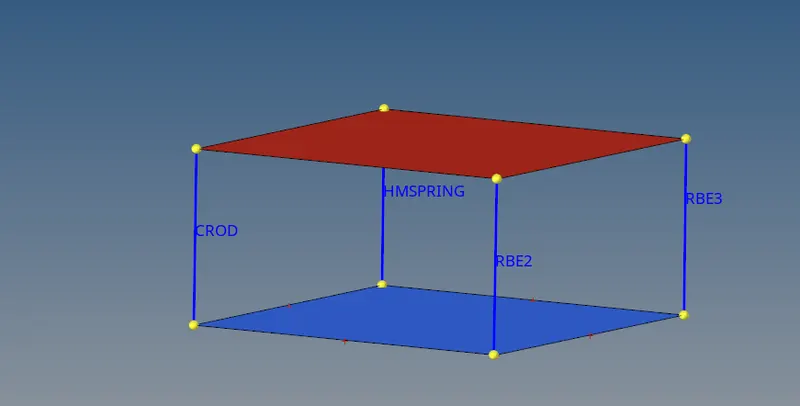
- Then Go to 1D - RBE3 - Dependent nodes - Calculate nodes - select independent nodes - create with All DOF ticked
- By using Calculate nodes the mass will be calculated and shared to all the nodes equally by the centre node
- After creating RBE3 elements go to

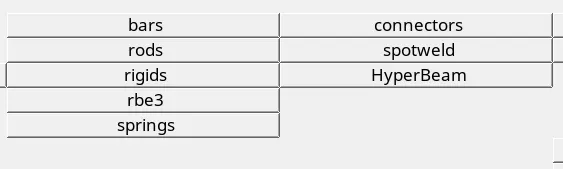
- 1D - Rigids- Create - Element type - RBE2 -Select primary node - node 2 n - select second node - mention Dof - create
- We can also update DOF, Connectivity, Element types, etc.. and here also we can use calculate nodes and share the mass to all the nodes

- For next element Go to 1D - Rigids - Element type - RBODY - Select primary node - node 2 n - select second node - mention Dof than - create
- Like this, we can create Bars, Beams , Trusses, Rods, etc.. with our required DOFs and specified masses and weights
- Then Save the model by File - Save as - Select a Location to save - specify the name - save
Tetra meshing on housing model:
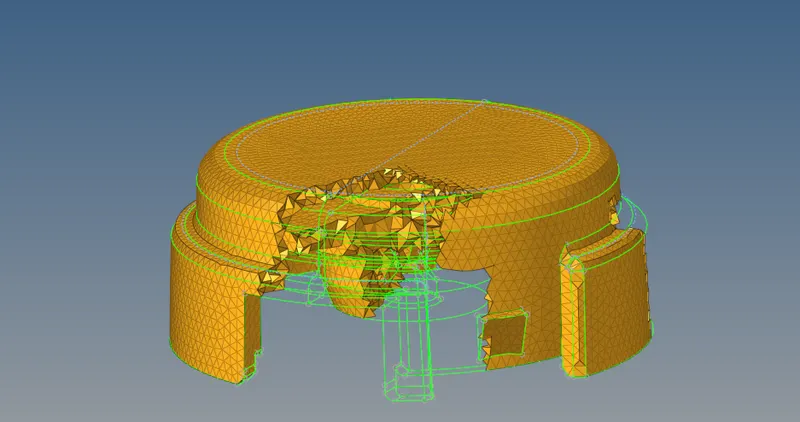
The given model was imported onto the workspace. The geometry was cleaned and an autocleanup was performed to clear all the geometrical issues. After meshing the model with tria elements on the surfaces it was remeshed using tetra elements following the quality criteria. After the volume mesh, a few elements failed for tet collapse which was rectified using the distance and remesh tool.
Hexa meshing on arm bracket:
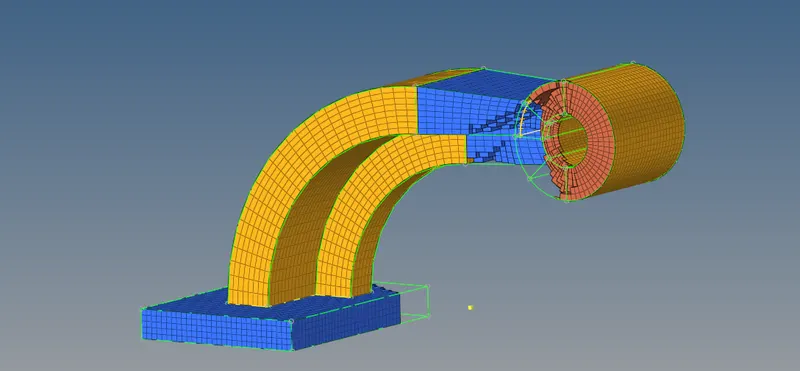
The given model was imported into the workspace. The surface was meshed with quad elements. Using the solid map and the drag tool the surface was meshed with quad elements and has been dragged along the line. The faces tool was used to create shell elements on the surface of the created volume mesh. Also, the connectivity between the surfaces was ensured while dragging the mesh.