Assignment 2-RADIOSS Engine File Editing & 3D Meshing Challenge
Questions:
1. Check the material properties of the rail component and calculate the speed of sound in steel rail=_______
2. The length of the rail is about 1000 mm.calculate the time takes for a shock wave to travel from one end of the rail to the other.
3.Time for sound to travel length of rail=______
4.Edit the engine file so that the stress wave can be monitored, moving from one end of the rail to the other during impact -this will require a termination time equal to the time it takes for the sound to travel the length of the rail(set on/RUN card)
5.Set the frequency of animation output to a time that will give 20 animation steps(/ANIM/DT)
6.Change /print -10.
7.3d meshing tetra mesh and hex mesh
- Repeat class examples and, maintain the quality.
- Target tet size=5mm,hex size=10mm,tet collapse=0.15.
Your Answers
OBJECTIVE:
- To check the material properties of the rail component and calculate the speed of sound in steel rail
- To calculate the time takes for a shock wave to travel from one end of the rail to the other.
- To calculate Time for sound to travel length of rail
- To Edit the engine file so that the stress wave can be monitored, moving from one end of the rail to the other during impact -this will require a termination time equal to the time it takes for the sound to travel the length of the rail(set on/RUN card)
- To.Set the frequency of animation output to a time that will give 20 animation steps(/ANIM/DT)
- To perform 3d meshing tetra mesh and hex mesh
PROCEDURE:
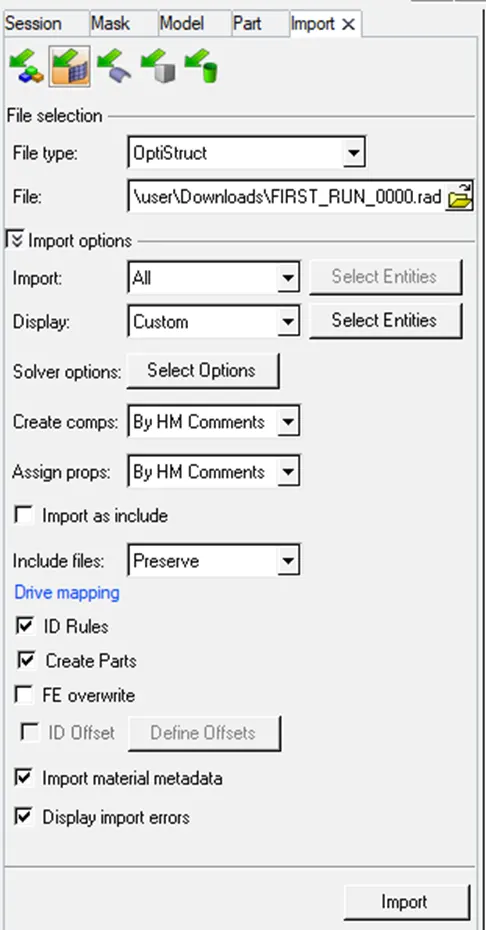
First we need to check the material properties of the rail component.This can be done in two ways.
- Import the radioss engine file into the hypermesh GUI by using Radioss as solver type.
- The file name is FIRST_RUN_0000.rad.
- Import the file by using the import-solver deck option.
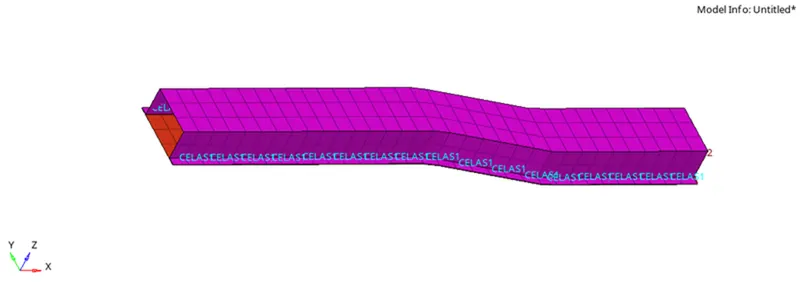
- Now the rail component will be shown in the graphical user interface as shown below.
5.Now to calculate the speed of sound we have the formula c=√E/Rho
E is the youngs modulus and rho is the density and c is the speed of the sound.
6.To know the values of E and rho go to the materials section and note down the values of both E and rho
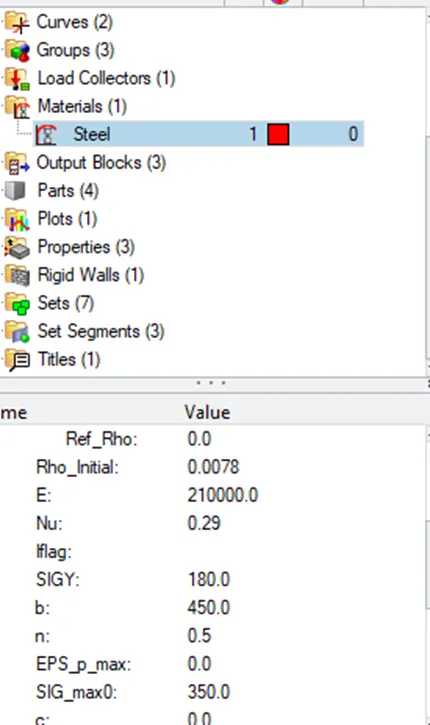
7.Put the values in the formula and calculate the value for the speed of the sound.
8.Similarly calculate the other values using the respective formulas
9.The speed of sound c = 5188.745m/s
10.Time required to travel from one end of rail to the other = l/c = 1000/5188.745= 0.192milli seconds.
11. Time for sound to travel length of rail = 0.1927 ms
12.Frequency that will give 20 animation outputs = T/no of animation steps = 0.1927/20 = 0.096
13.Put these all values in the emgine file given by editing it.
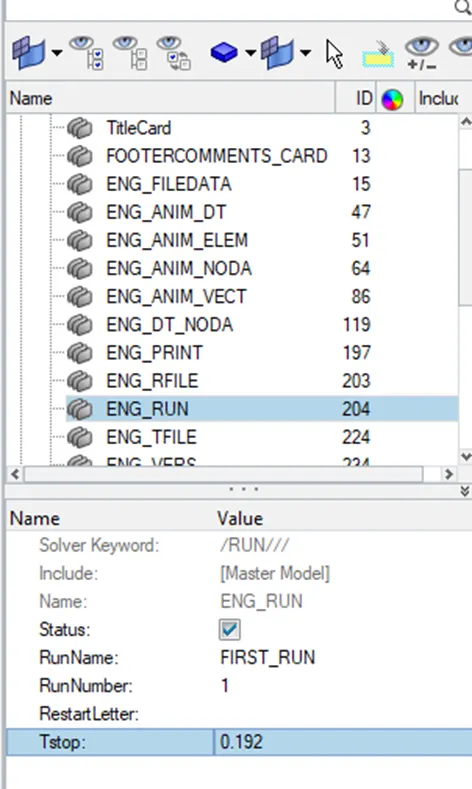
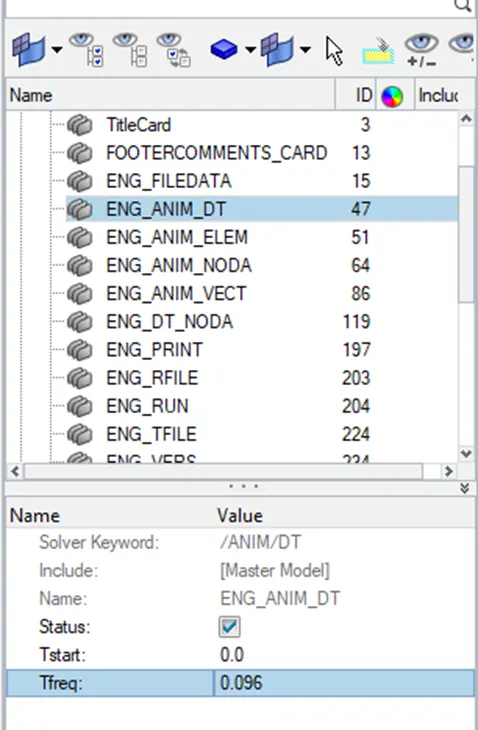
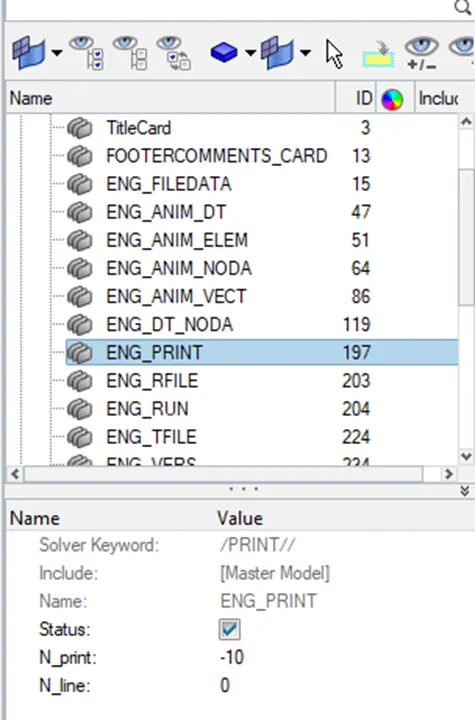
14.The final engine file is as shown below.
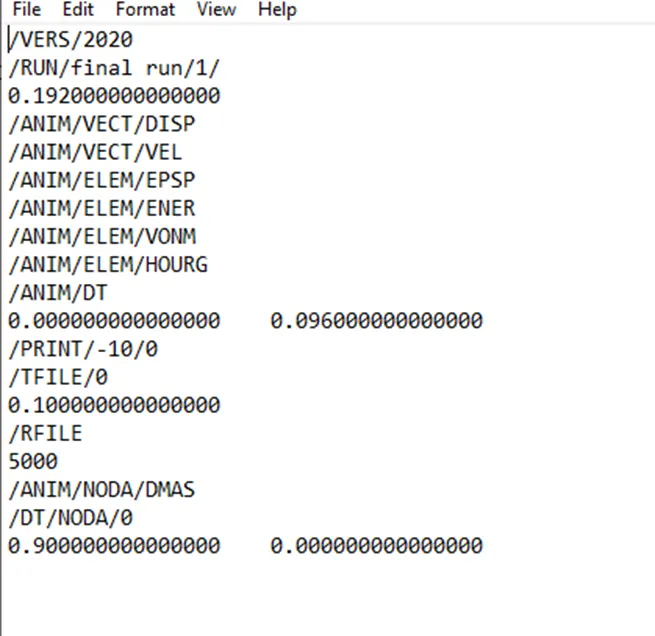
15.The engine file is attached in the attached option.
QUESTION2:
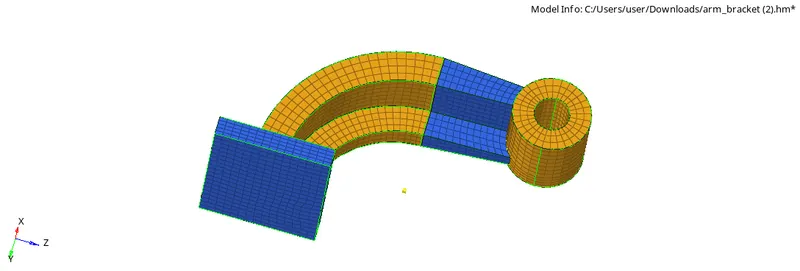
AIM: To perform 3d meshing tetra mesh and hex mesh
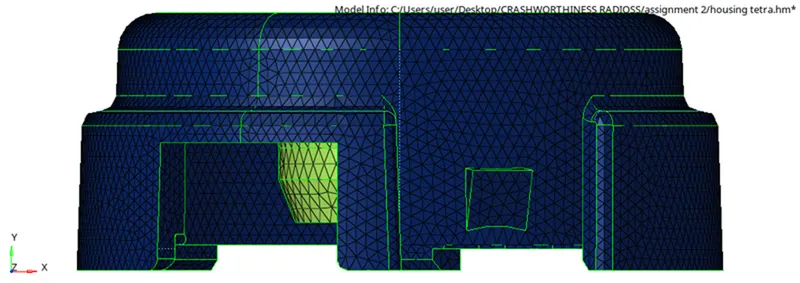
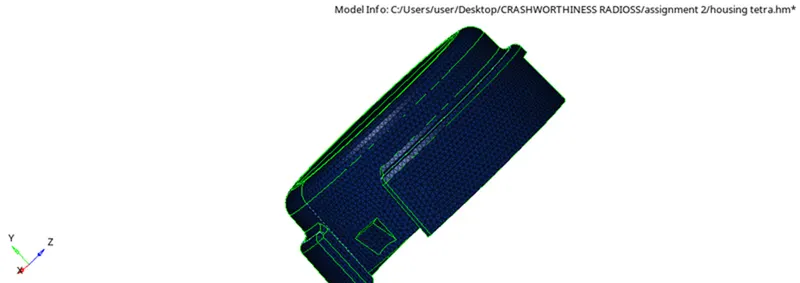
MODEL:TETRA MESH.
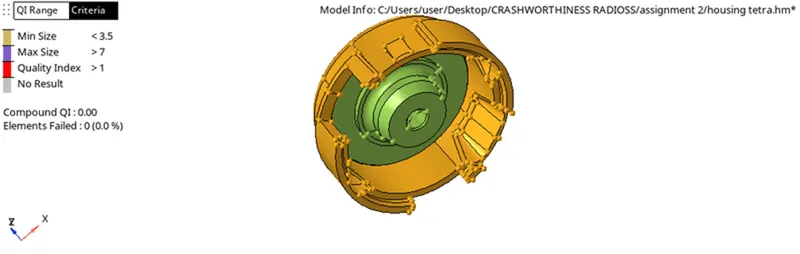
PROCEDURE:
STEP1: Import the model into the graphical user interface by using Import-model-option.
STEP2:Check for any geometrical errors suchas missing surfaces,free edges etc..
STEP3:If any errors are found fix them using the different tools.
STEP4:Set the element size and criteria given.
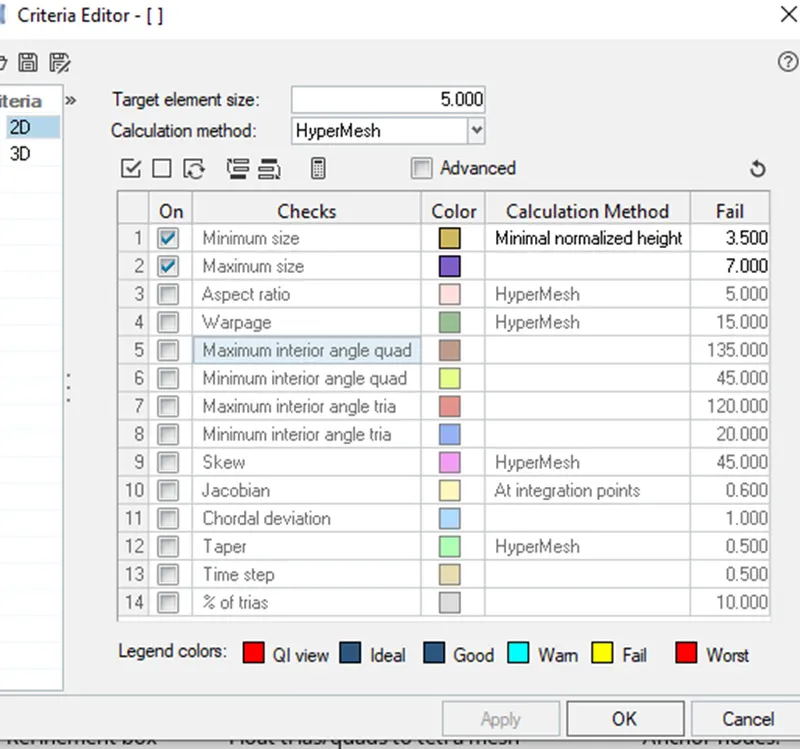
STEP5: Go to 3d panel-tetramesh-set tetramesh parameters- select the component and click mesh.
STEP6: Follow the same procedure for both cover and hub.
STEP7:After the tetra mesh is created check for tet collapse failure.
STEP8:Go to check elements panel-3d-tet collapse and check if any elements are failing .
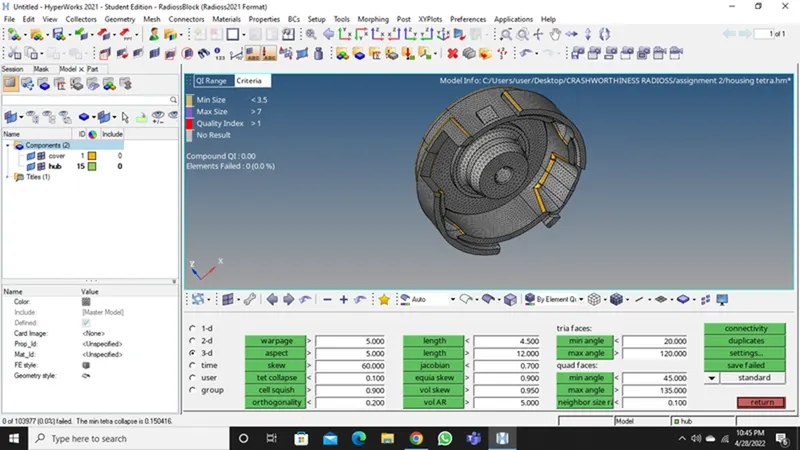
STEP9:Go to mask -elements -mask-and see whether tetra elements are generated or not.
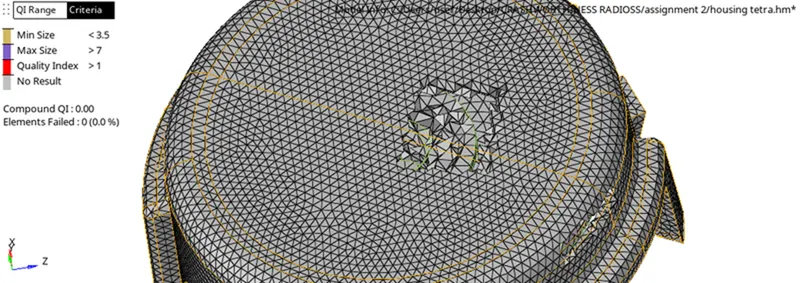
STEP10:The given model is meshed with tetra elements with the given criteria.
COMPONENT2:
AIM: To perform 3d meshing tetra mesh and hex mesh
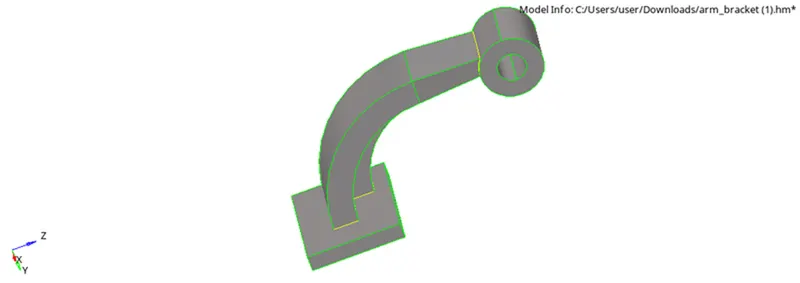
MODEL:HEXA MESH
PROCEDURE:
STEP1: Import the model into the graphical user interface by using Import-model-option.
STEP2:Check for any geometrical errors suchas missing surfaces,free edges etc..
STEP3:If any errors are found fix them using the different tools.
STEP4:Set the element size and criteria given.
STEP5: Mesh the base area with shell quads and then element offset it to other surfaces.
STEP6:Spin the elments on base to arm curve using spin elements option by specifying distance.
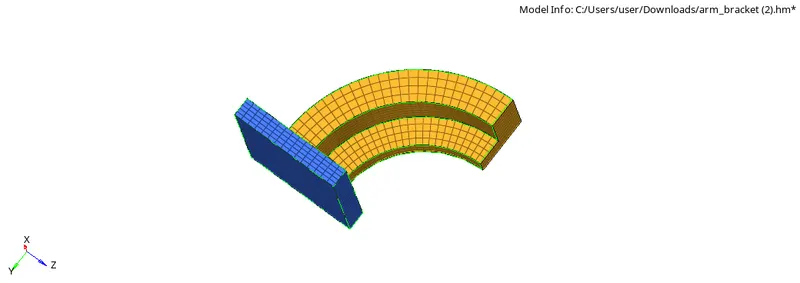
STEP7:Go to spin-elements-select elements-specify angle and on spin elements.
STEP8: Go to3d-linear solid-select from and to elements-specify alignment nodes and density.
STEP9: Finally the boss component is meshed by meshing with shell on top surface.
STEP10:The same number of nodes should be there.
STEP11:The given model is meshed with Hexaelements with the given criteria.