Assignment 1-2D Meshing Challenge
Aim: To do 2D shell meshing for given 3 parts.
Procedure:
1)open The CAD HM model files
2)Geometry clean up carried out for the entire HM model components using the Geo edit Tools available in Hypermesh
Tools used: Surface edit Tools,Quick Edit Tools,Edge edit tools,Defeature tools
3)Then midsurface is extracted through Auto midsurfacing.
4)Clean midsurface geometry -Closing the holes less than dia 5mm,surface trimming , Toggeling the unwanted lines and Washer splits imposed on the holes with large dia.
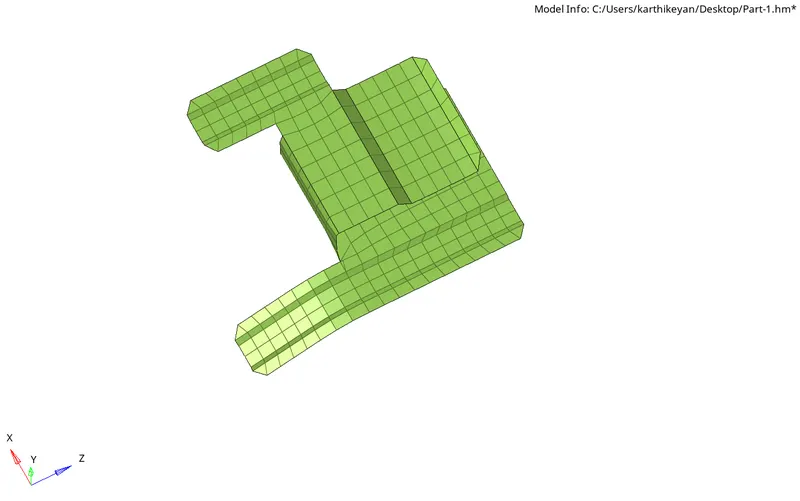
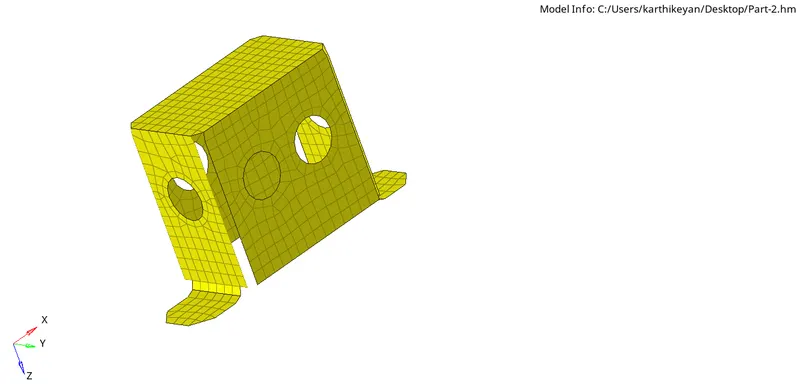
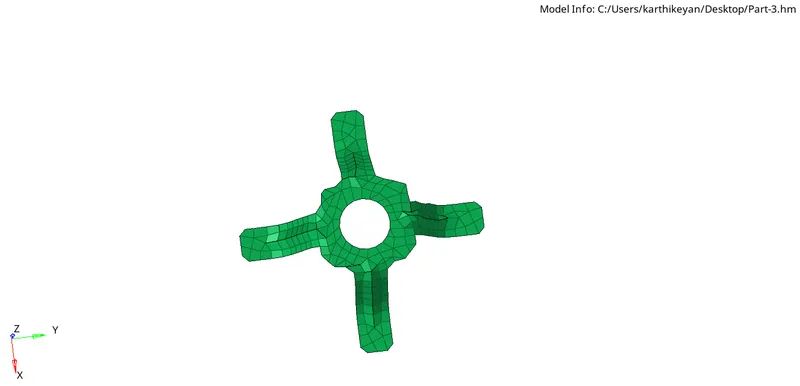
5)Create 2D Auto mesh with target length 5mm, min 3.5mm max 7mm.
7)carried out element quality check to meet the given criteria -only for Min element length.
6)Repeated meshing done until getting the smooth Meshflow with lower Trais concentration
7)Then thickness is assigned to component, With material and property defined to each components
The above procedure is carried out for all the three parts given for exercise.
part-1
part-2
part-3
2D meshed HM model files:
part1.hm
part2.hm
part3.hm