Analysis & Design of RCC shear walls in the model using ETABS
ANALYSIS & DESIGN OF RCC SHEAR WALLS IN THE MODEL USING ETABS
TASK:
The ETABS file for a G+6 building is provided. Run the analysis and design of the RCC shear walls (shown in the ETABS model). The following challenge deals specifically with the shear wall of size 300x1500 at grid A-11 in the structural model.
- Extract values of longitudinal steel ratio, boundary element length, and shear reinforcing ratio from the design results.
- Provide cross-sectional steel arrangement of the shear wall from its base up to the terrace, in compliance with provisions of IS 13920 – 2016. AutoCAD application can be used for this exercise. Alternatively, it can be drawn by hand as well.
- Provide elevation drawings of the reinforcement details of the shear wall from the base up to the terrace.
AIM:
- To run the analysis and design the RCC Shear walls for the given ETABS model.
- To extract the values of longitudinal steel ratio, boundary element length, and shear reinforcing ratio from the design results.
- To provide the cross-sectional steel arrangement of the shear wall from its case up to the terrace, in compliance with provisions of IS 13920-2016
- To provide elevation drawings of reinforcement details of the shear wall from base to terrace.
INTRODUCTION:
A shear wall consists of a web and boundary elements on either side. These boundary elements in shear walls are subjected to alternate compression and tension when it is subjected to a lateral force, hence it is necessary to provide special reinforcement for the boundary elements.
IS13920-2016 provides guidelines on several aspects of shear wall detailing.
- The thickness of the wall (clause 10.1.2)
- Minimum ratio of wall length to thickness (clause 10.1.3)
- The largest diameter of longitudinal steel bar (clause 10.1.8)
- Maximum spacing of horizontal and vertical reinforcement (clause 10.1.9)
- Conditions for the base of the shear wall (clause 10.1.10)
- Minimum reinforcement in RC shear wall (clause 10.1.6)
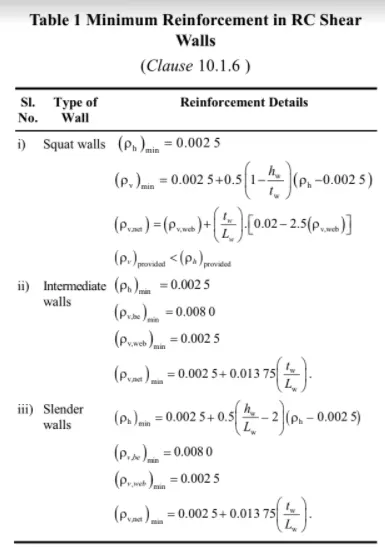
From clause 10.1.4, walls can be categorized as squat walls, intermediate walls, and slender walls as given below:


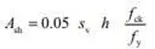
Now the minimum shear reinforcement in the boundary element of the RC shear wall can be determined from the formula:
PROCEDURE:
Initially, open the given ETABS model.
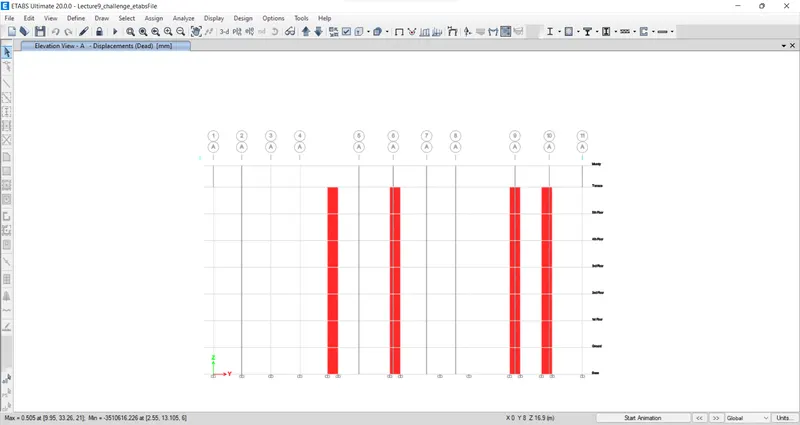
Now, go to the analysis tab and check the model, and Run Analysis.
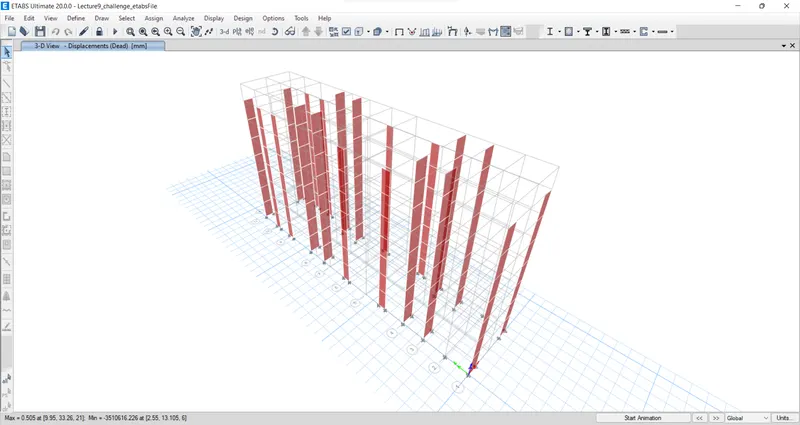
The 3D view
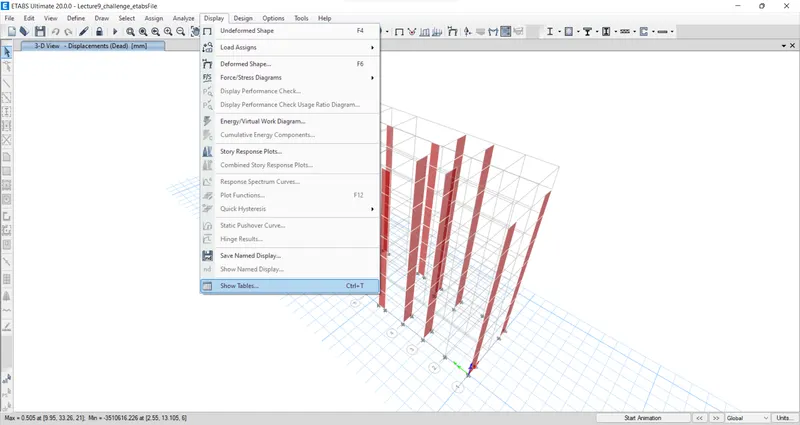
From the toolbar select display then show the table option.
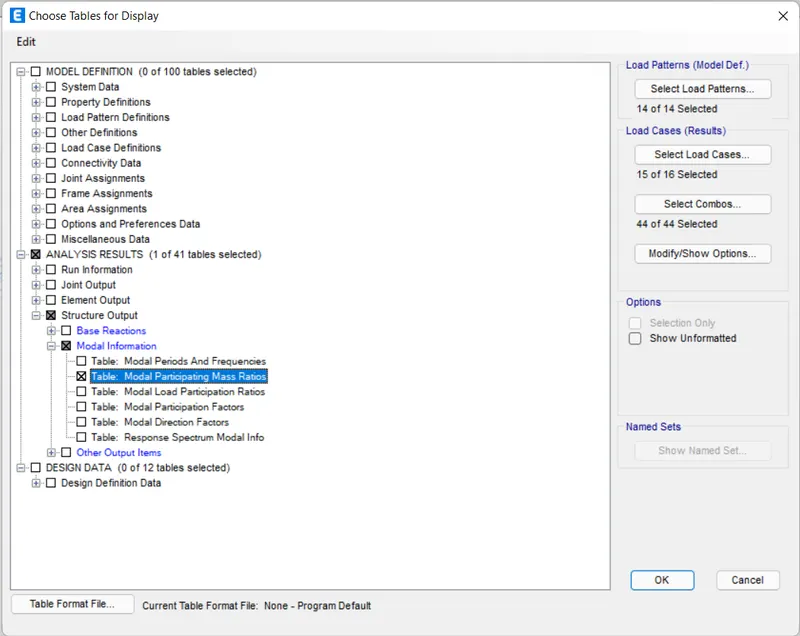
From the analysis result option select structure output, then model information, then table model participating mass ratio, then click OK.
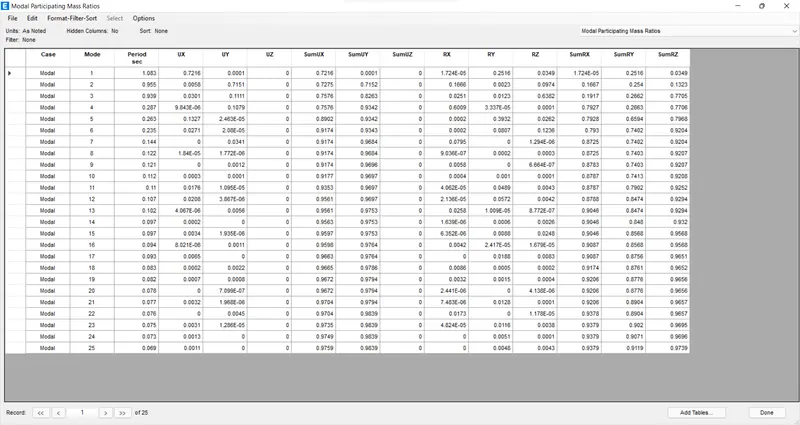
The result will be displayed below.
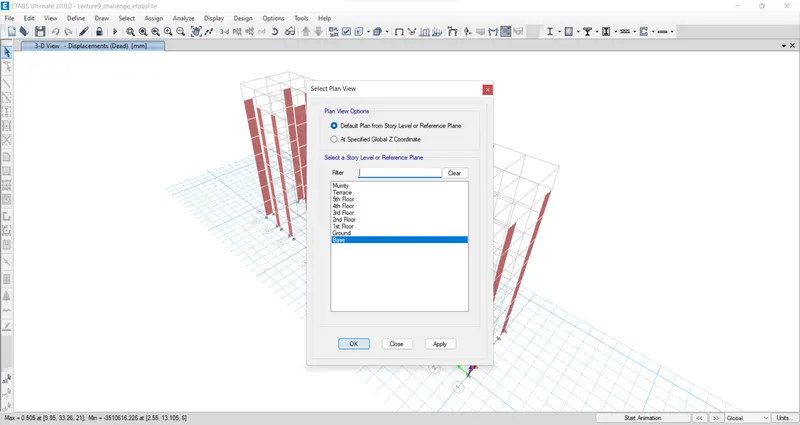
To open-plan view, go to the plan view tab in ribbon, select base floor, then apply OK.
We have to open the reactions tab, then we select the earthquake load towards X direction(Eqx) in the load case, then click OK as shown below.
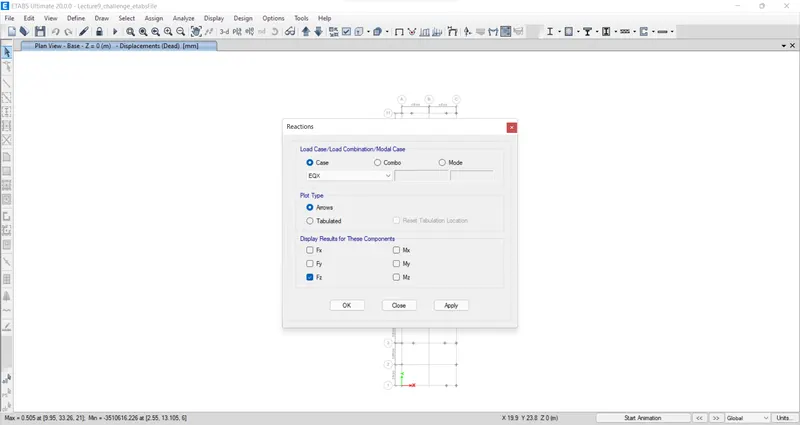
The base shear reaction will be shown below.
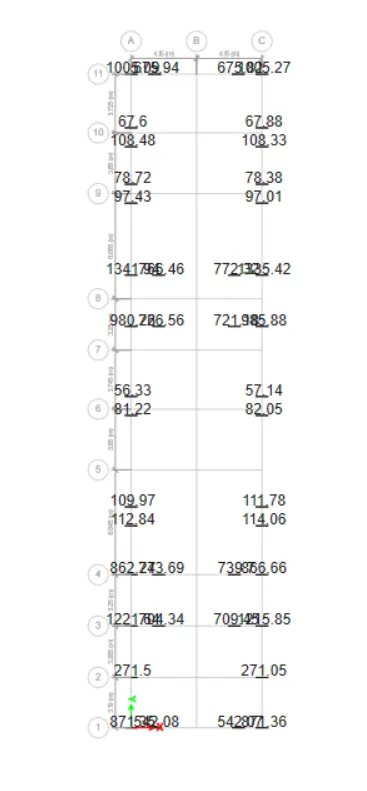
When we divide the base Shear taken up by the shear wall divided by the total base shear of the building will get the percentage of the shear force taken up by the shear wall and if that is less than 80%, that means more shear wall is required in the frame to resist shear.
From the toolbar select display then show the table option. From the analysis result option select structure output, then Base reactions, then click OK.
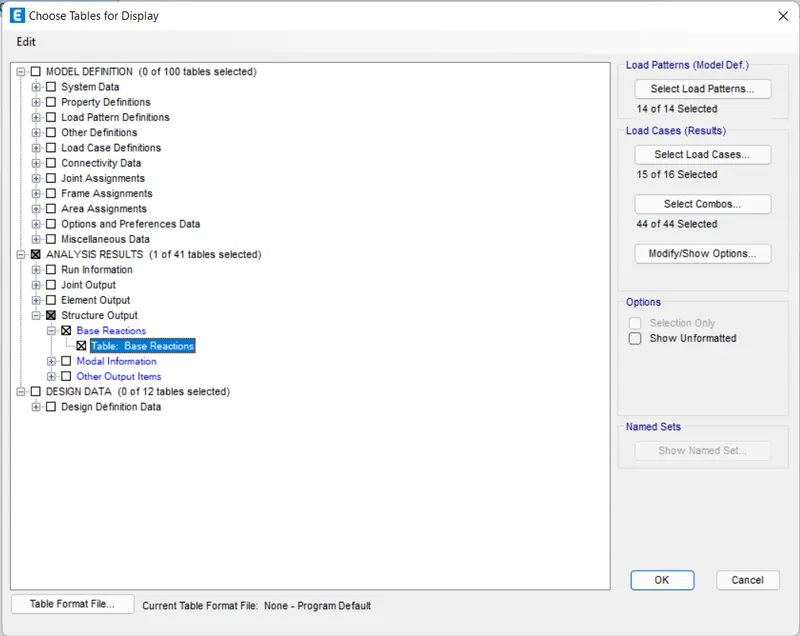
The base reactions table will be displayed below.
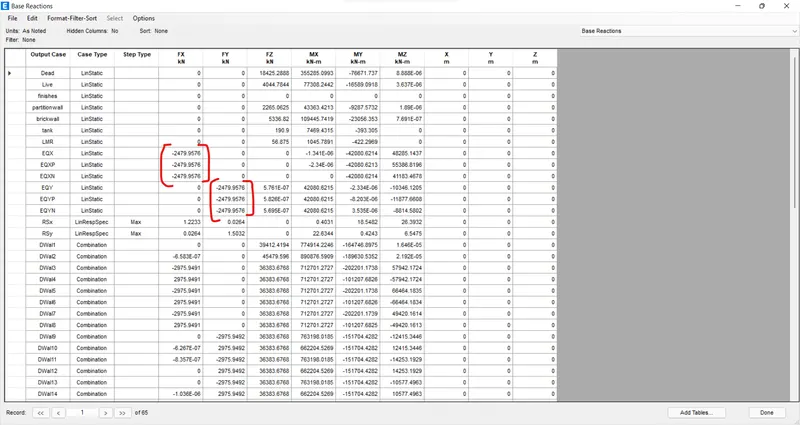
In the table, the total base shear of EQX and EQY will be taken for the calculating percent of shear force taken up by the shear wall.
Go to the elevation tab, then 11 OK. In elevation view grid A-11 will be visible.
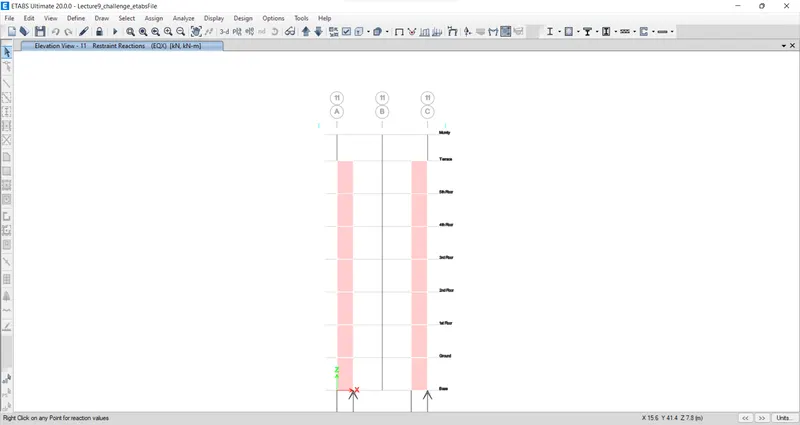
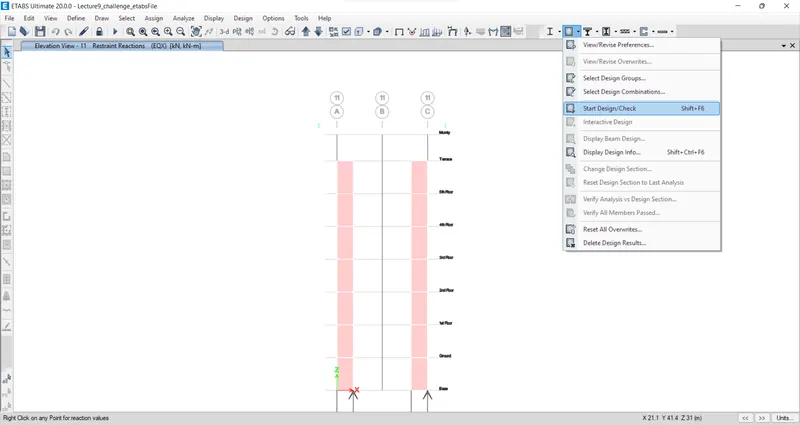
Next, we have to start designing. for that click on concrete frame design, then start design/check and wait till design completes.
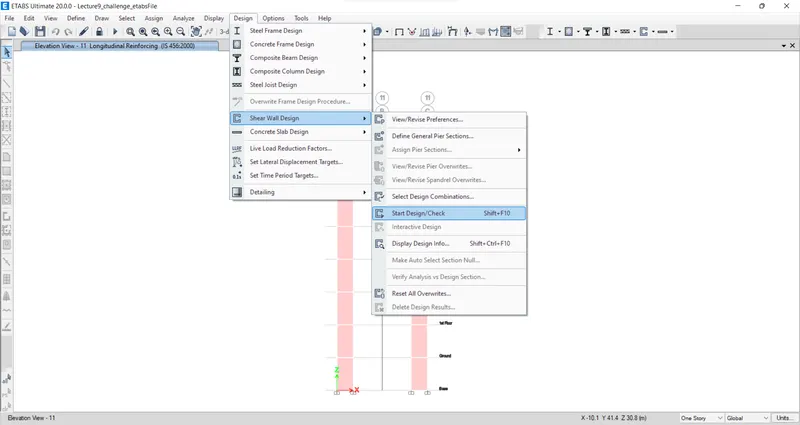
Next, we have to start designing of shear wall. for that click on shear wall design, then start design/check and wait till design completes.
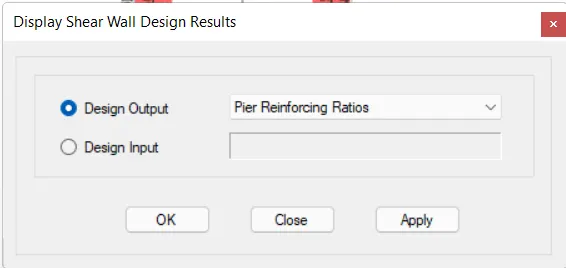
Go to shear wall design, select display design info, then pier reinforcement ratios in the design output then OK.
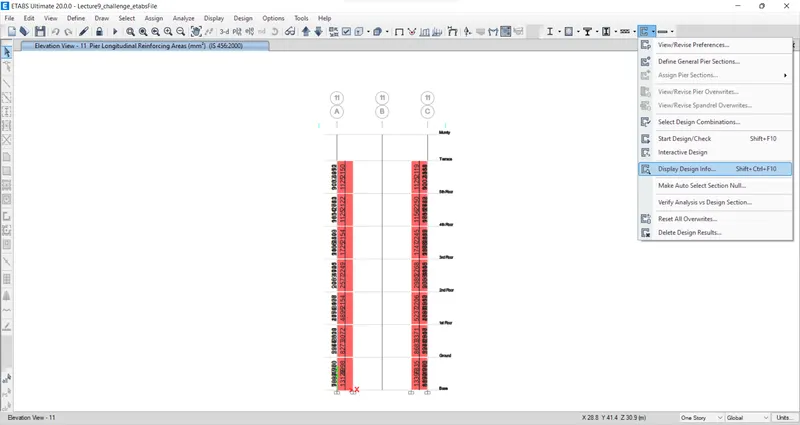
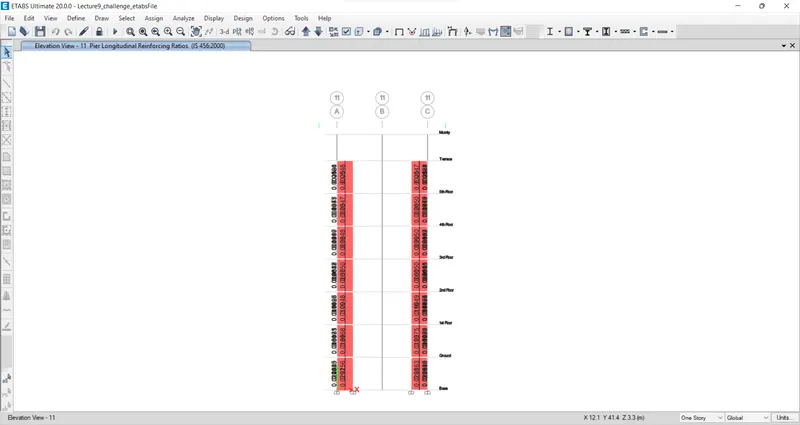
The reinforcement ratios will be visible as shown below.
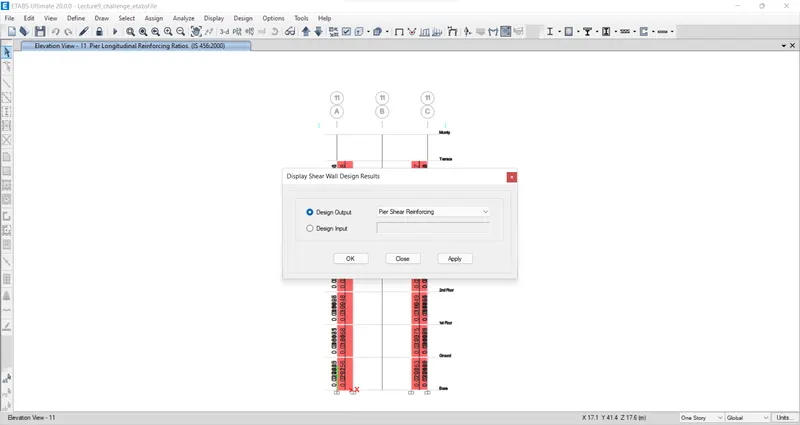
Again go to shear wall design, select display design info, then pier shear reinforcement in the design output then OK.
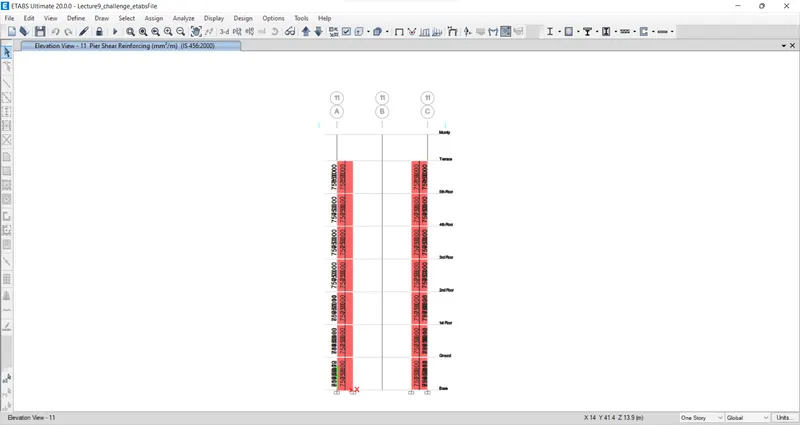
The shear reinforcement will be visible as shown below.
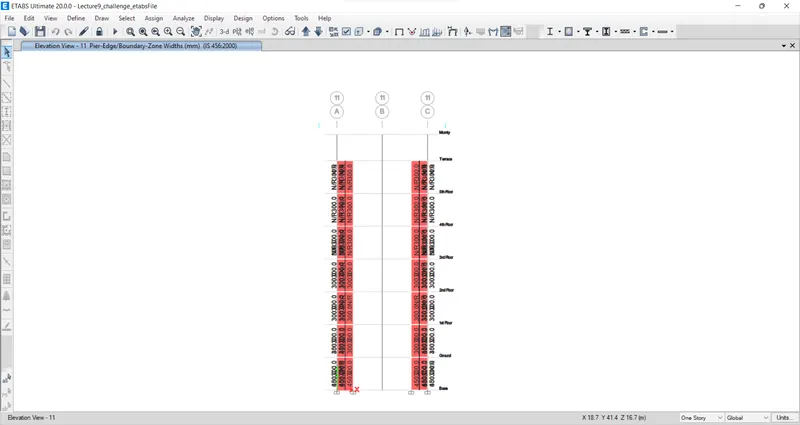
Again go to shear wall design, select display design info, then pier edge/boundary Zone width in the design output then OK.
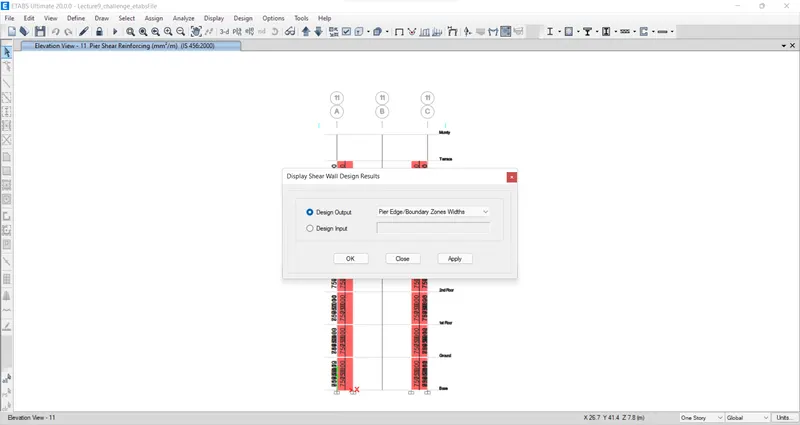
The pier edge/boundary Zone width will be visible as shown below.
Right-click on shear wall. The design details will be displayed as shown below.
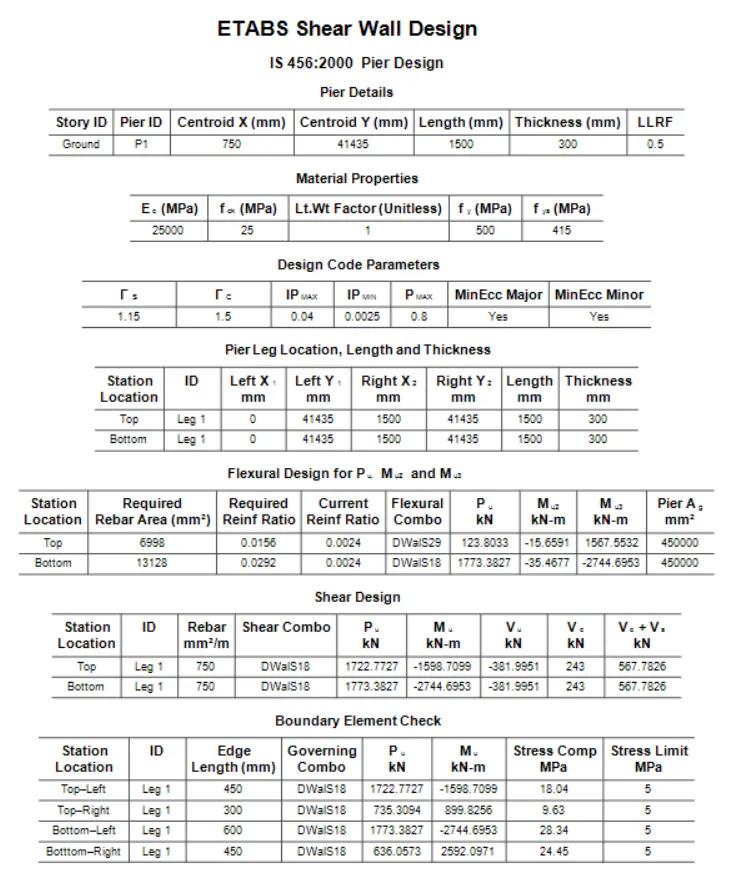
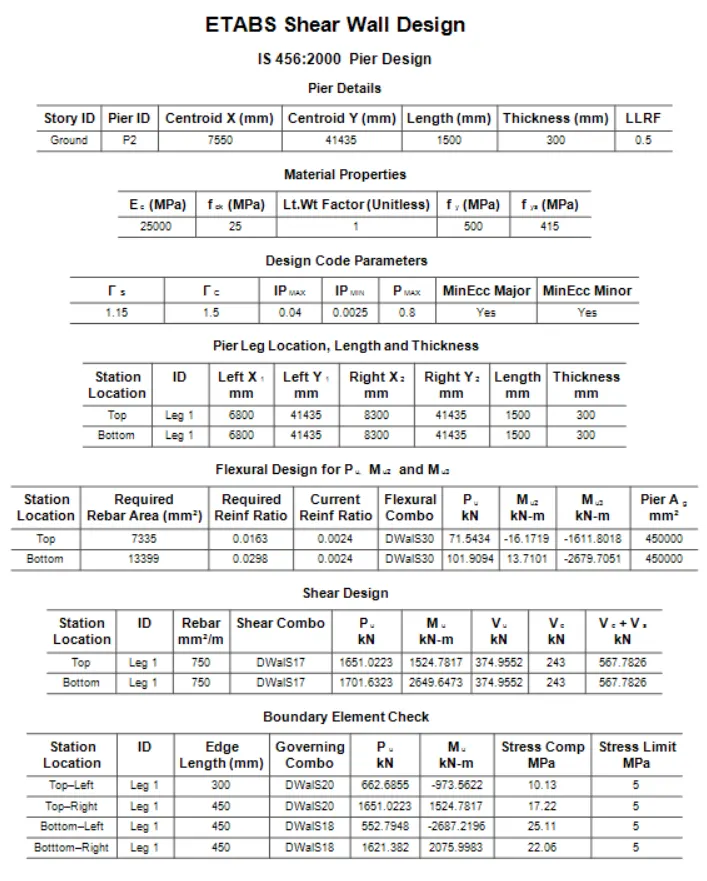
Shear wall detailing calculations:
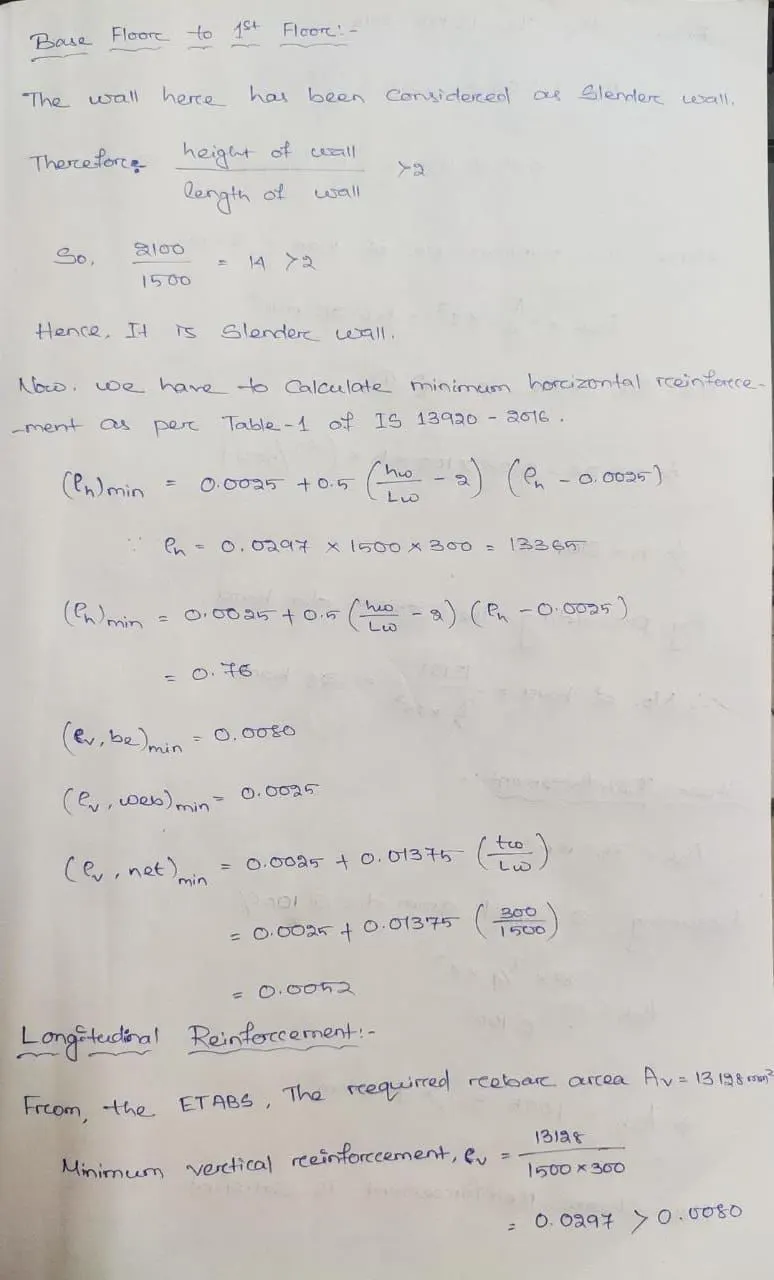
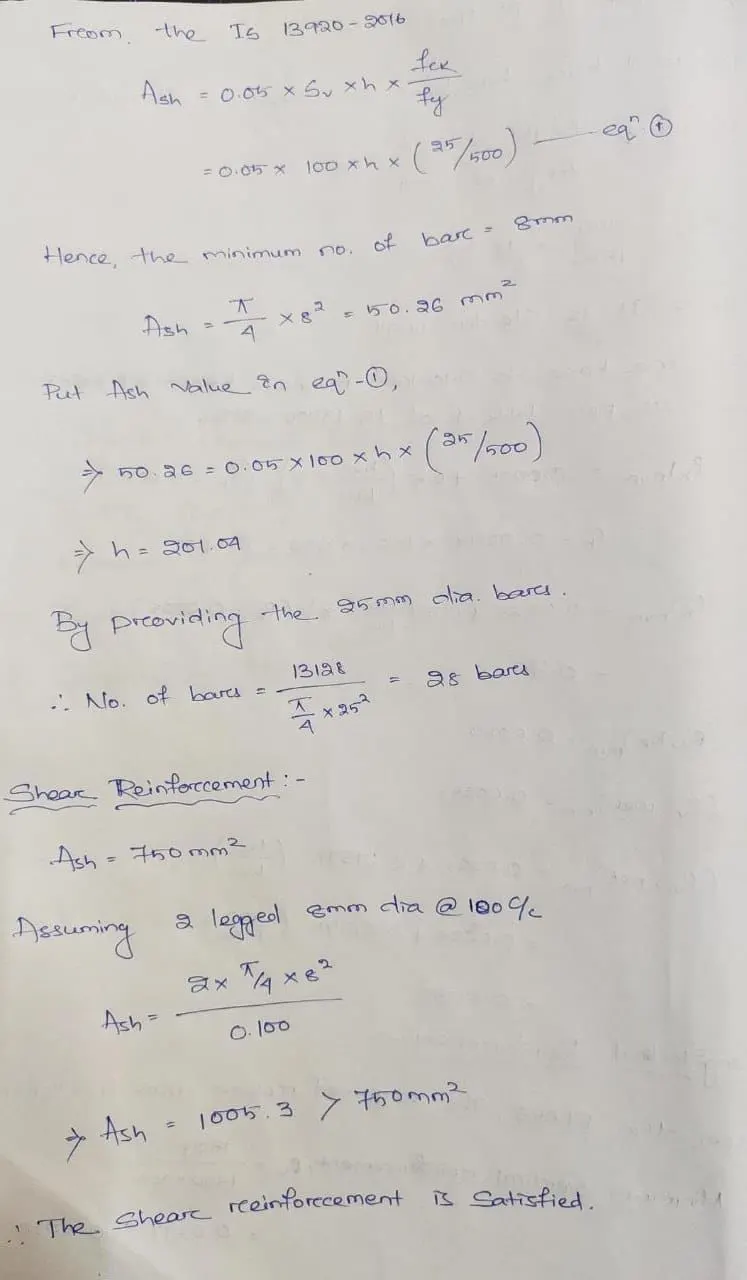
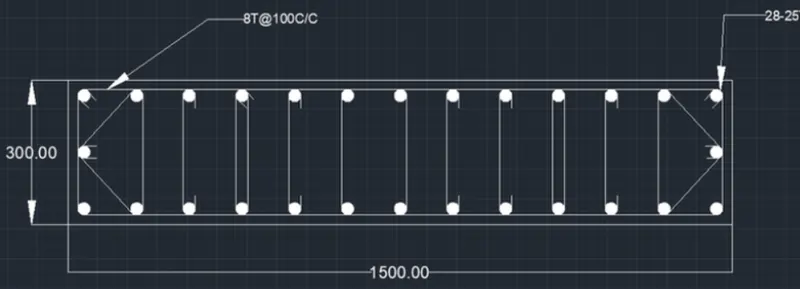
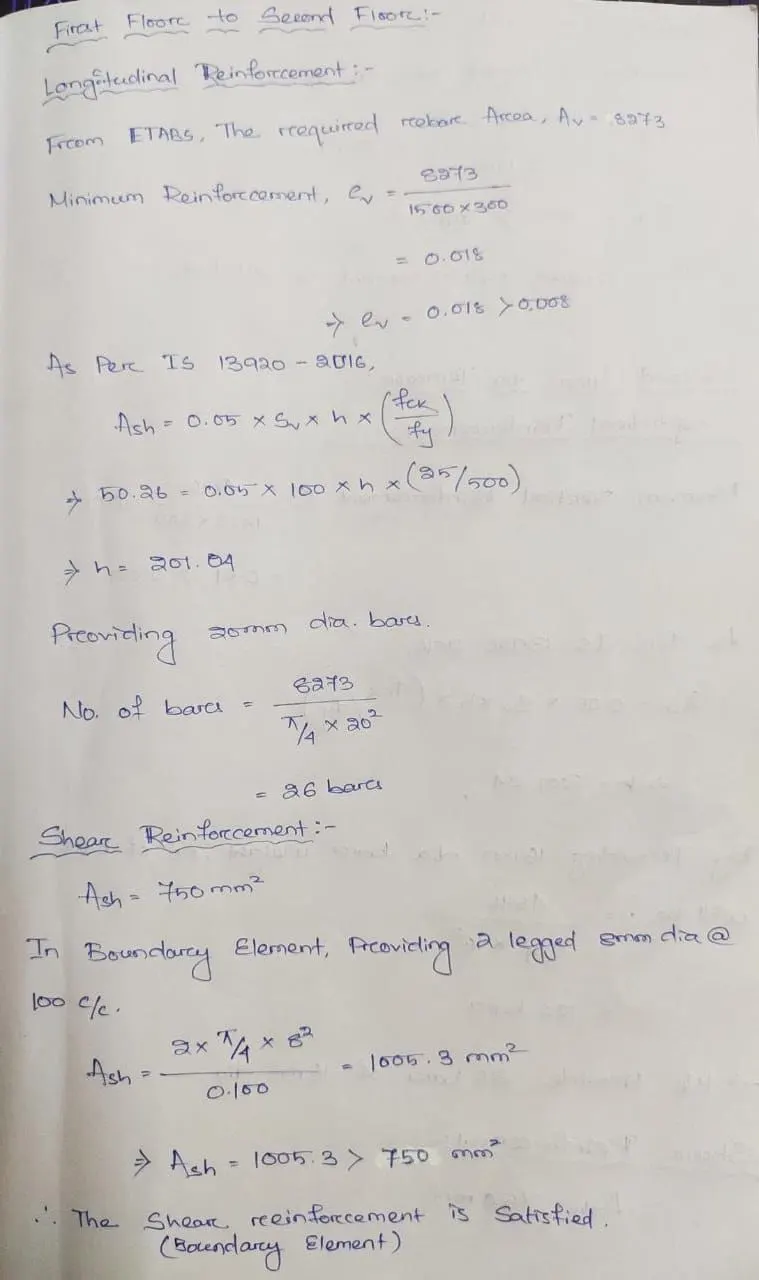
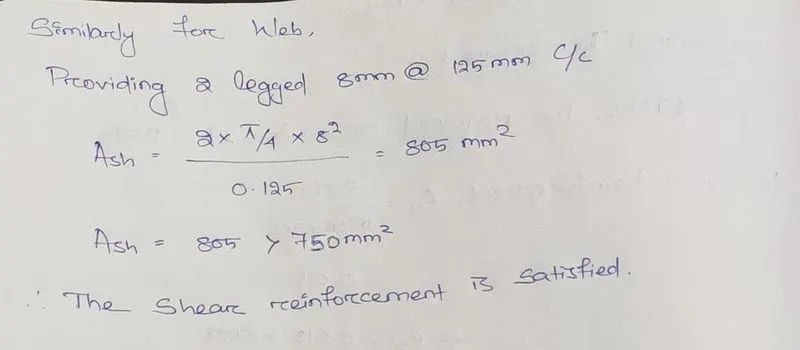
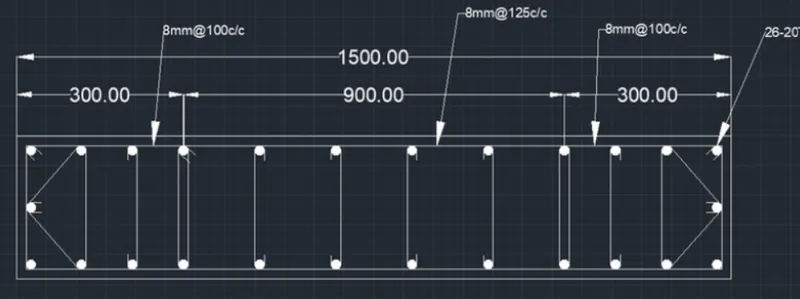
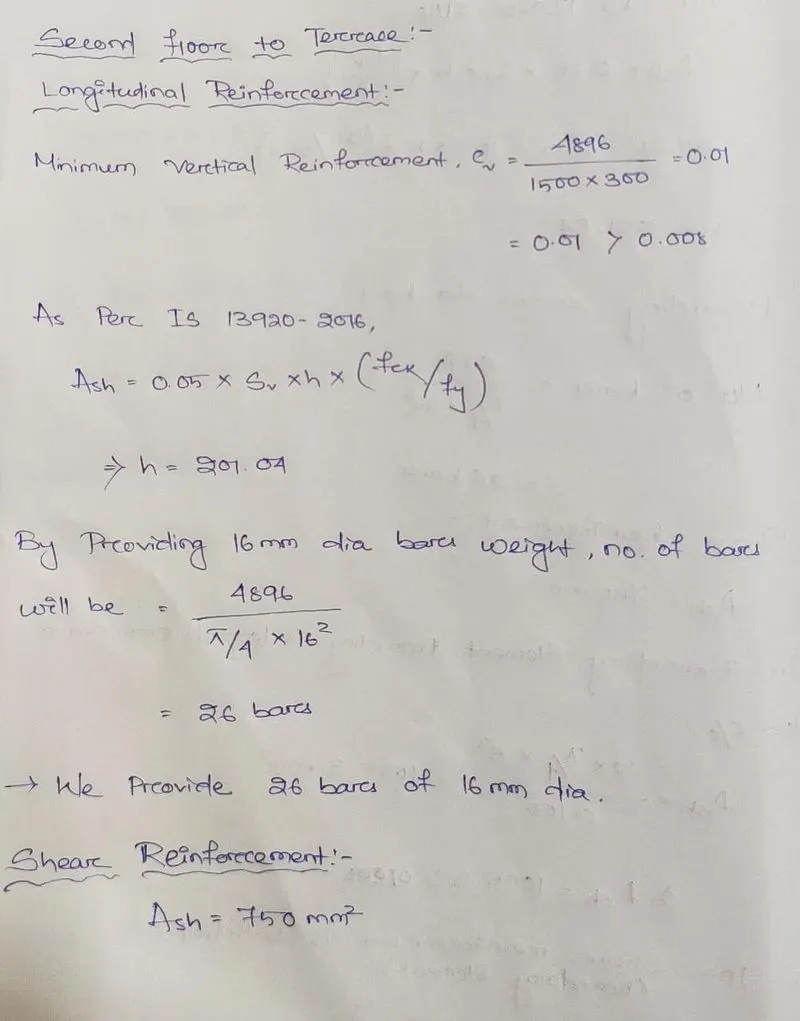
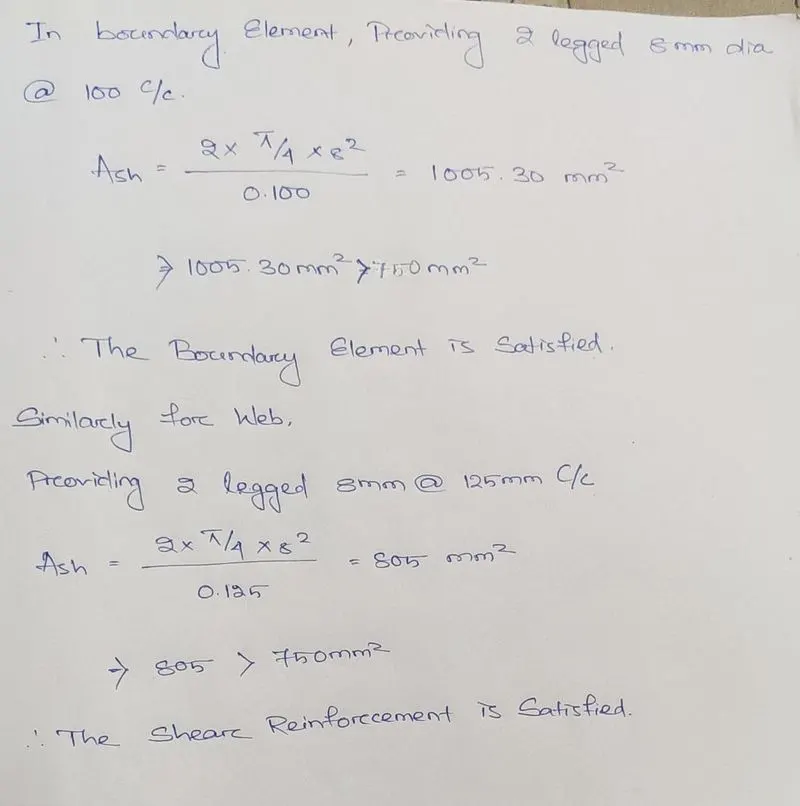
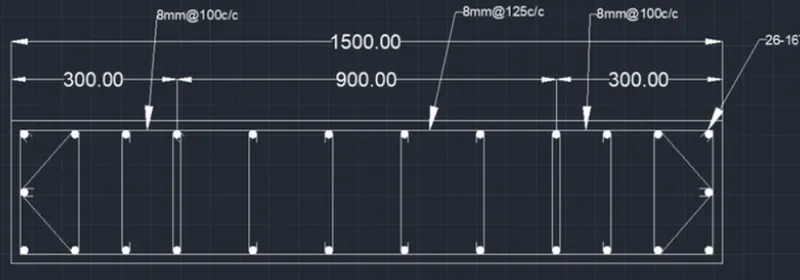
RESULT:
The values of longitudinal steel ratio, boundary element length, and shear reinforcing ratio from the design results have been extracted successfully. The cross-sectional steel arrangement of the shear wall from its base up to the terrace, in compliance with provisions of IS 13920-2016 has been drafted after appropriate calculations. The elevation drawings of reinforcement details of the shear wall from base to terrace have also been drafted. The results of each drawing drawn in ETABS and AutoCAD are attached.