Advanced Sheet Metal Design Using NX Cad Challenge_7_ Metal bracket-II
METAL BRACKET
OBJECTIVE:- The objective is to make 3d model of metal bracket from 2d drawing.
INTRODUCTION:- Metal bracket is made by the help of 3d software UG NX ( Sheet metal module)
DESIGN METHODOLOGY:-
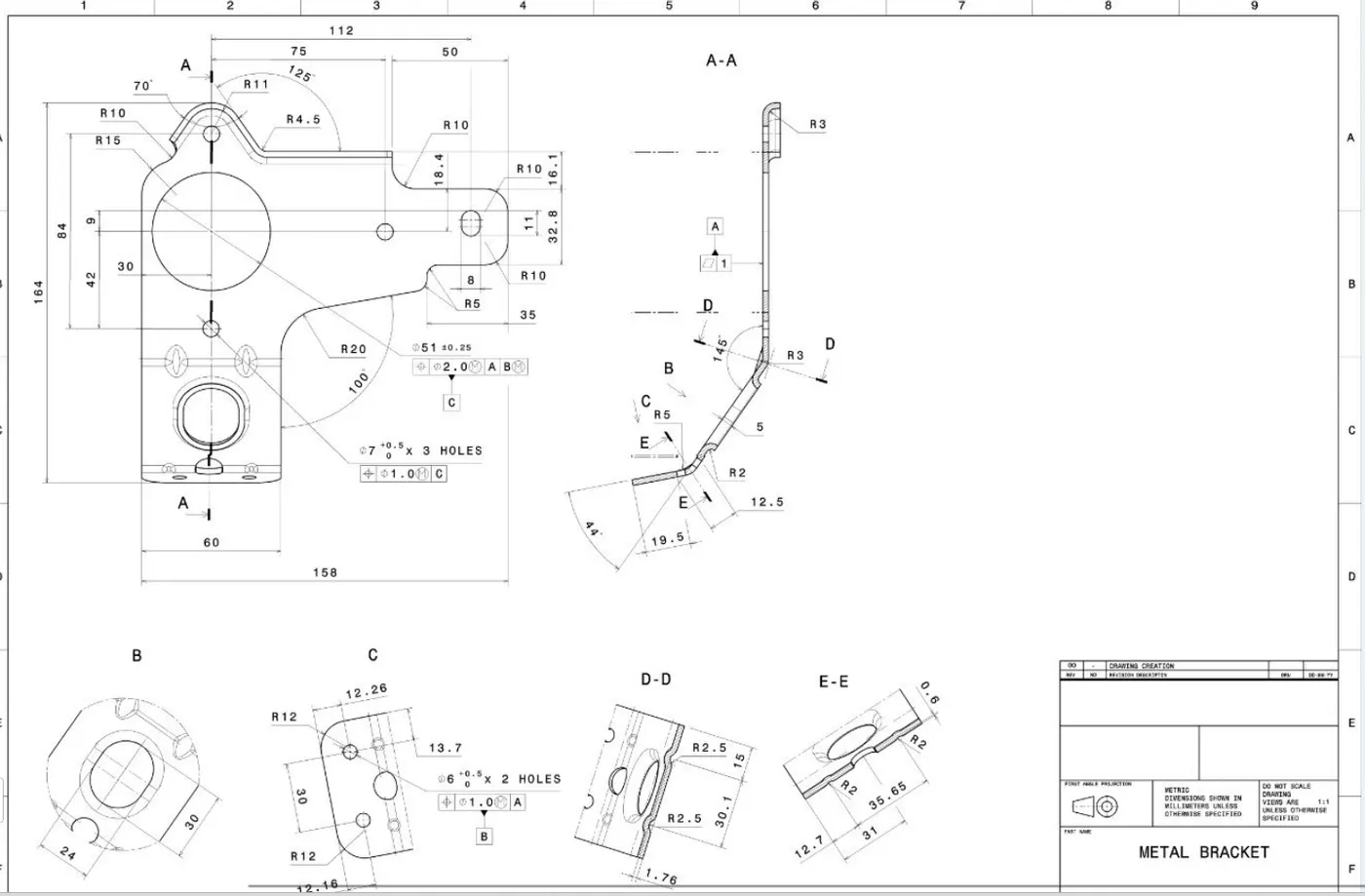
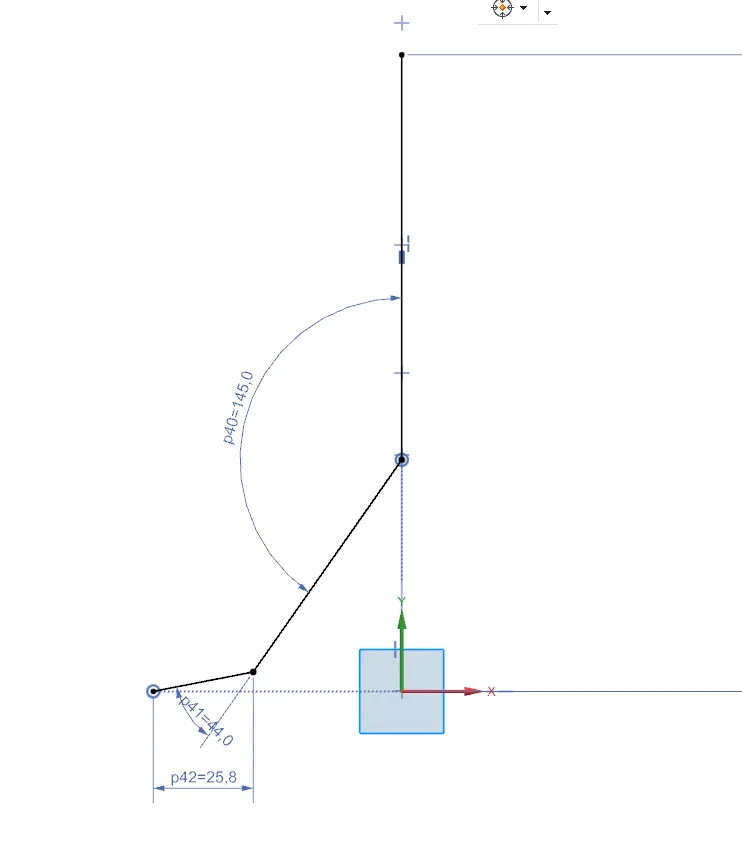
1. Making 2d sketch by taking plane :- Taking a plane YZ & make a sketch on it asper the drawing 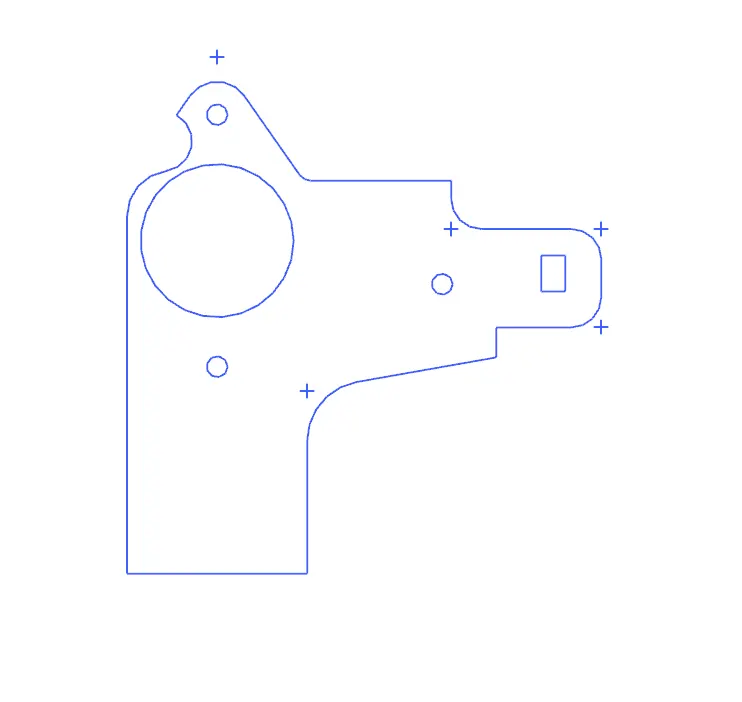
2.MAKING A SKETCH ON ZX PLANE :-
Take a plane zx and make a sketch as shown below
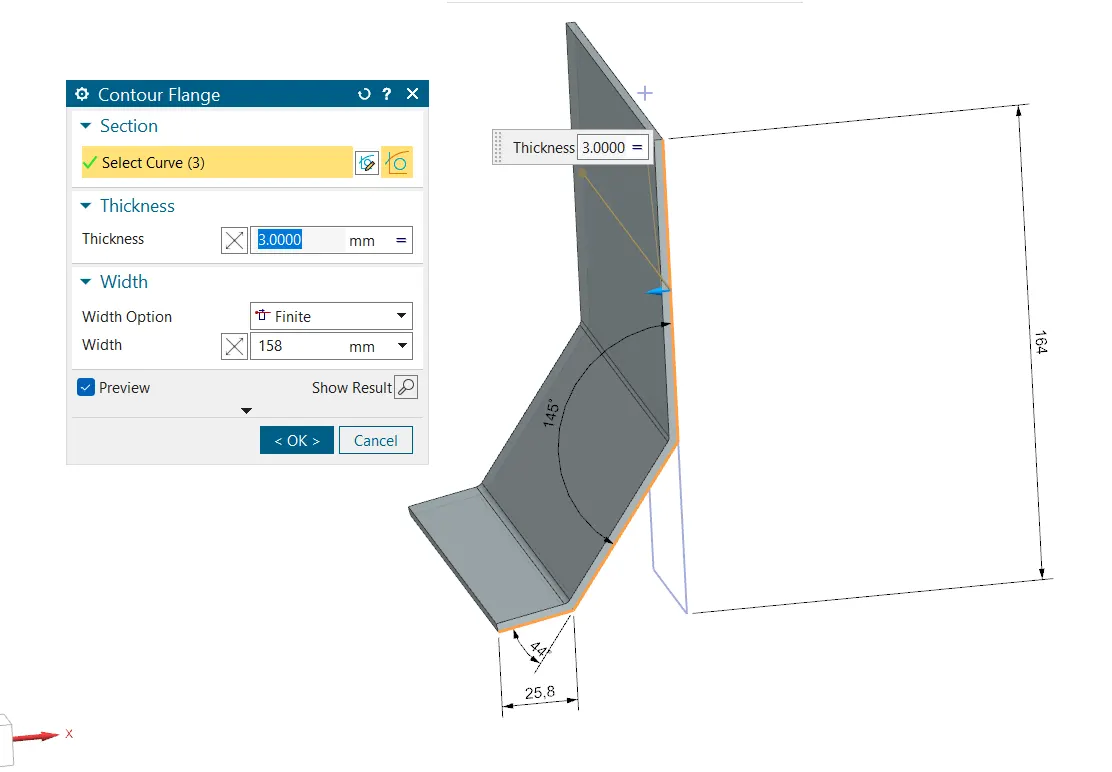
3. By the help of CONTOUR FLANGE :-By the help of contour flange give a width 158mm and thickness of 3 mm
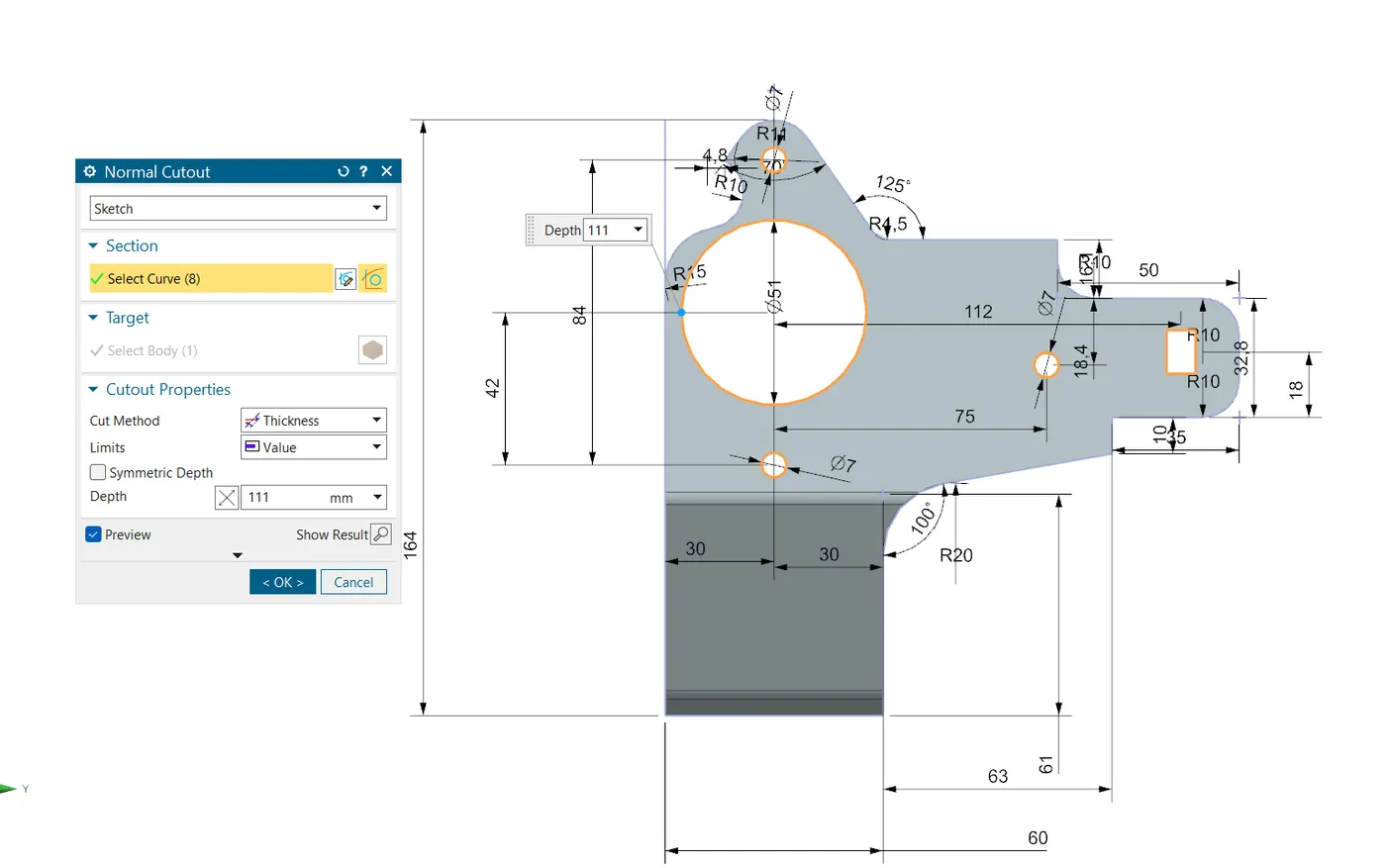
4.NORMAL CUT OUT :-
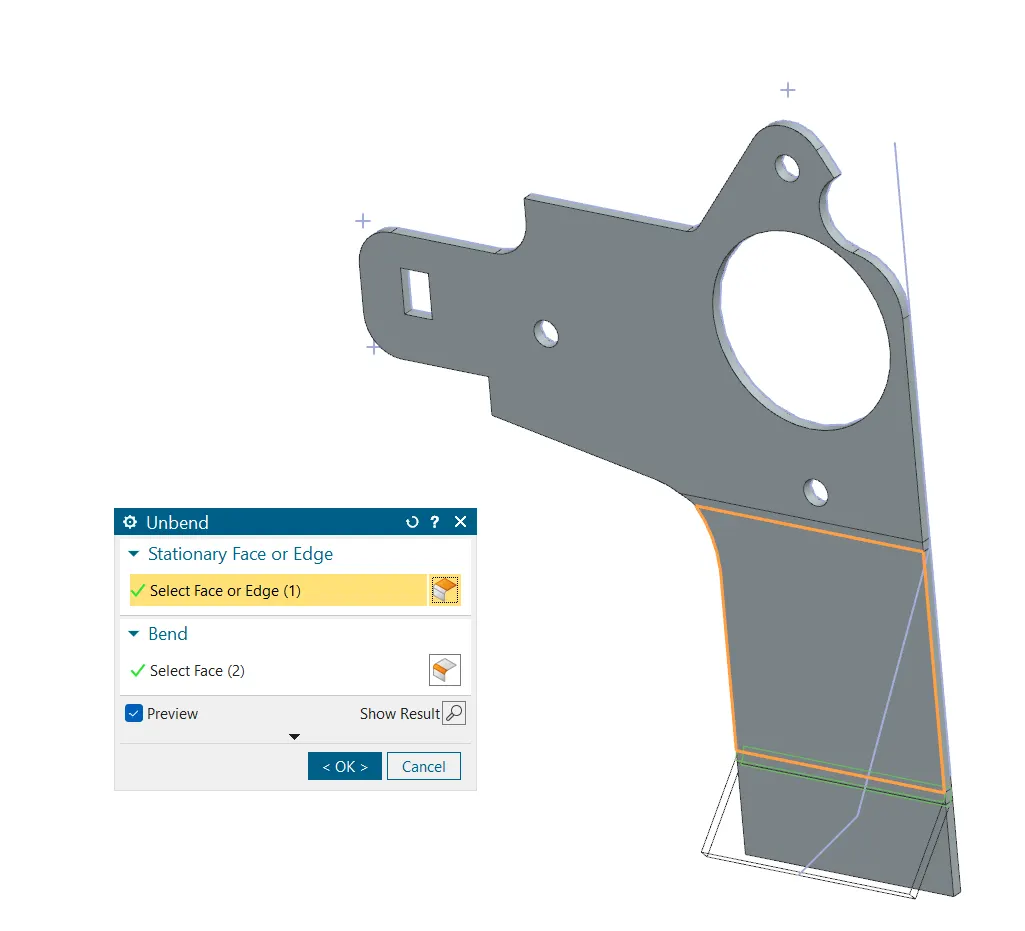
5. UNBEND :-
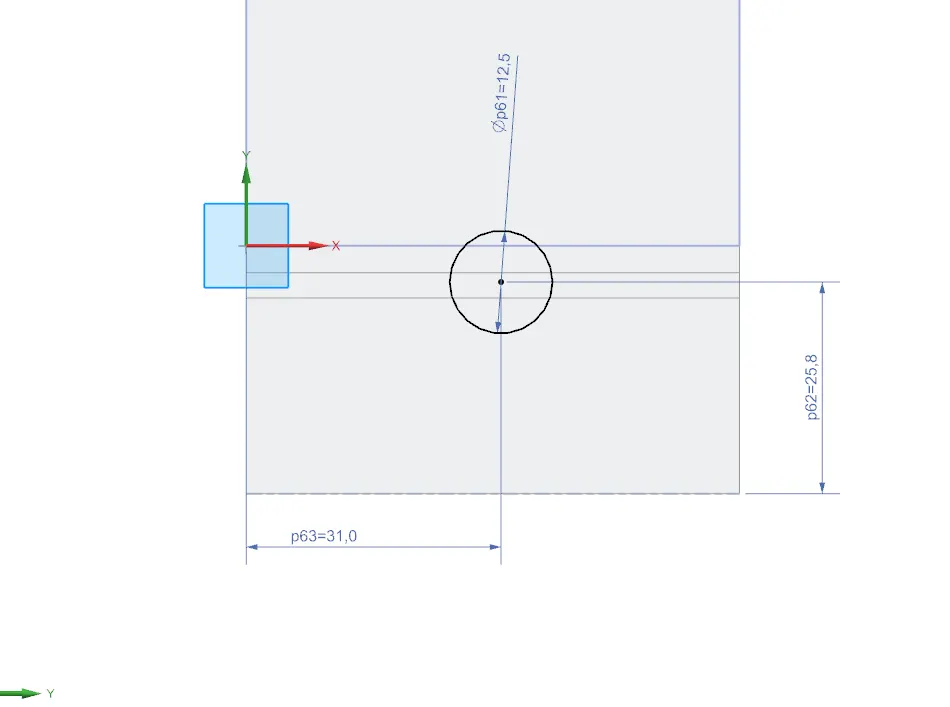
6. TAKE A PLANE & MAKE HOLE OF DIA 12.5 MM AT EDGE BLEND
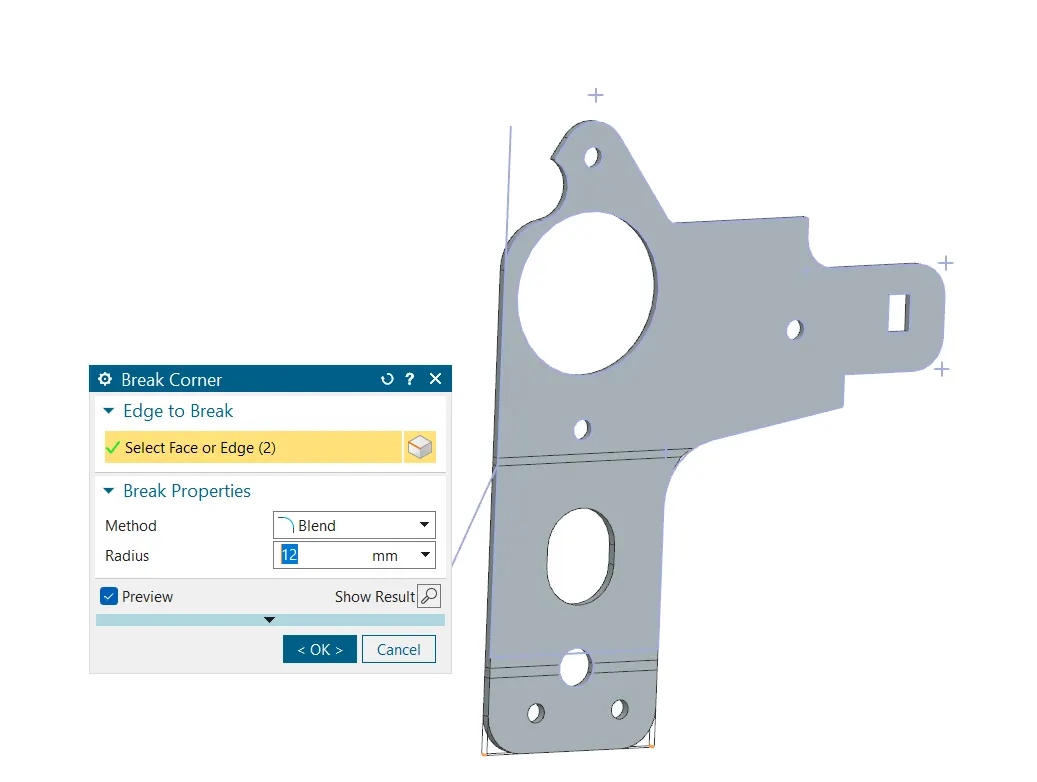
7. MAKE SHARP CORNER TO EDGE BLEND:- Sharp corner creates lots of stress concentration because it creates an abrupt change in geometry leading to increased in localized stress.So giving fillets or blends can help to reduce stress concentration.
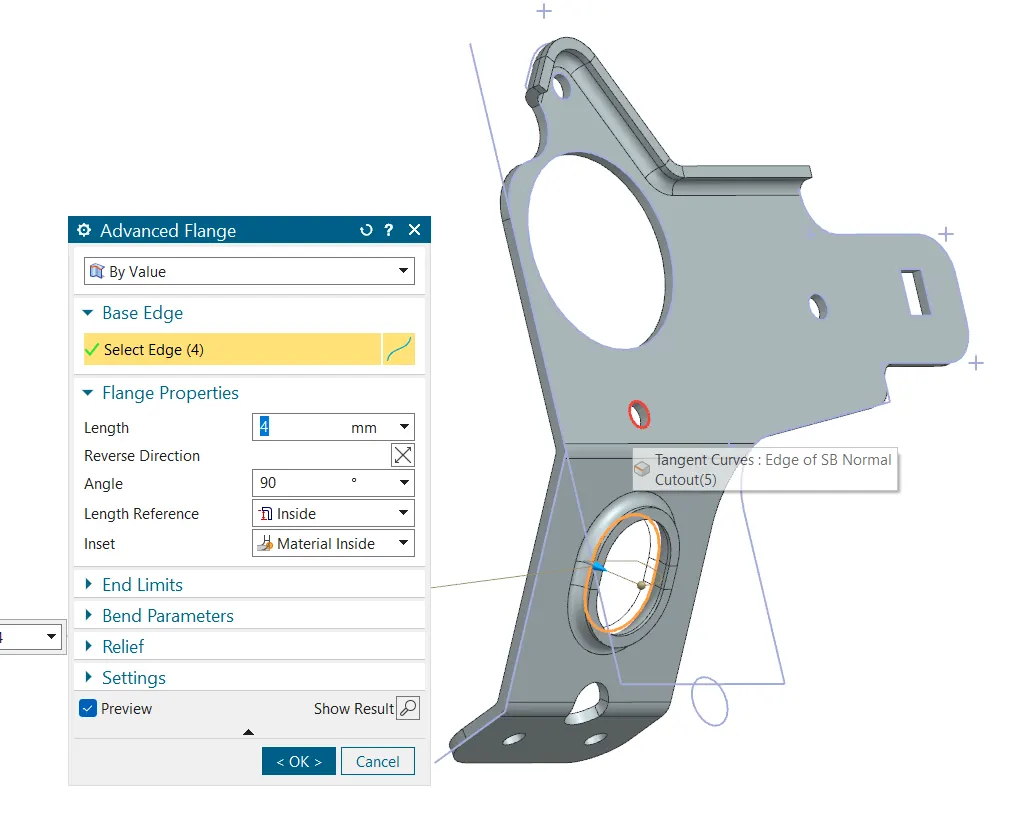
8.BY USING ADVANCED FLANGE OF LENGTH 4MM.:- Selecting edge and length 4mm to make flange
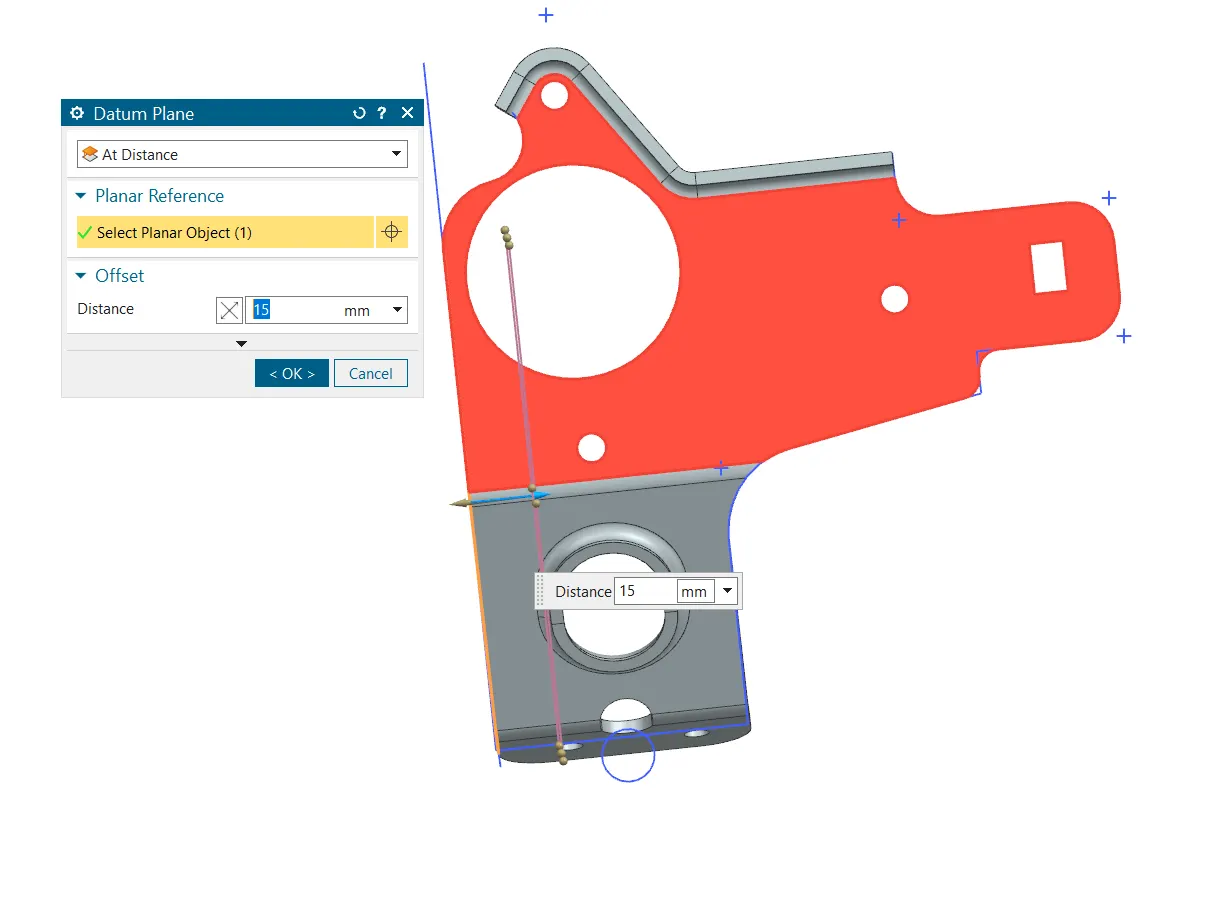
09.DATUM PLANE AT A DISTANCE OF 15 MM TO MAKE GUSSETS
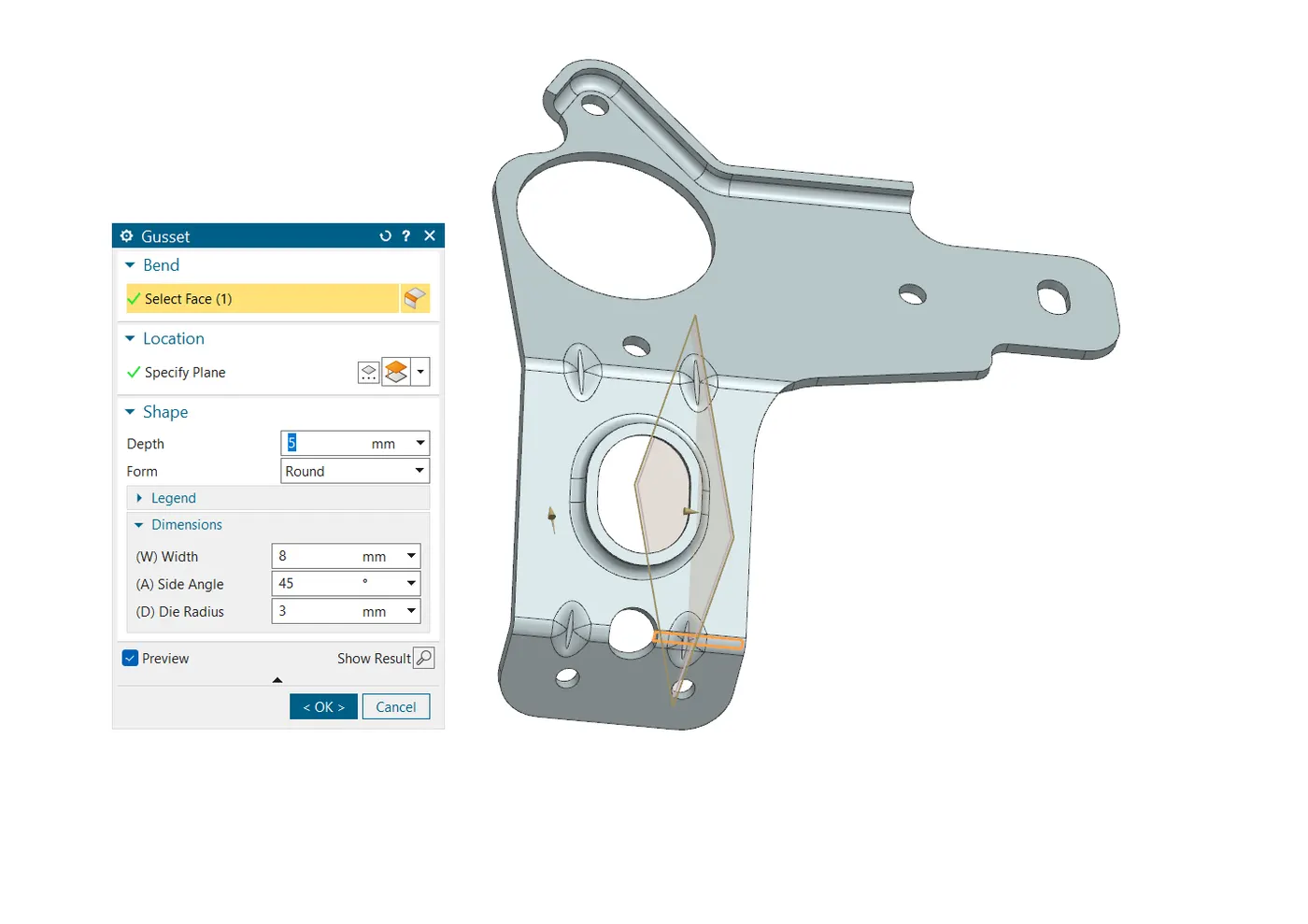
11.MAKE GUSSETS AT OTHER ENDS ALSO
FRONT VIEW
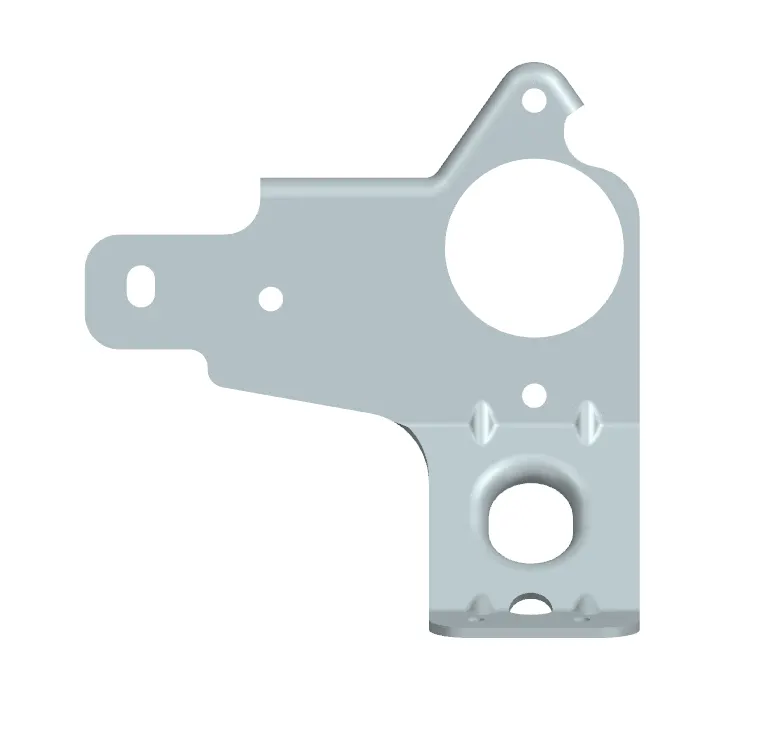
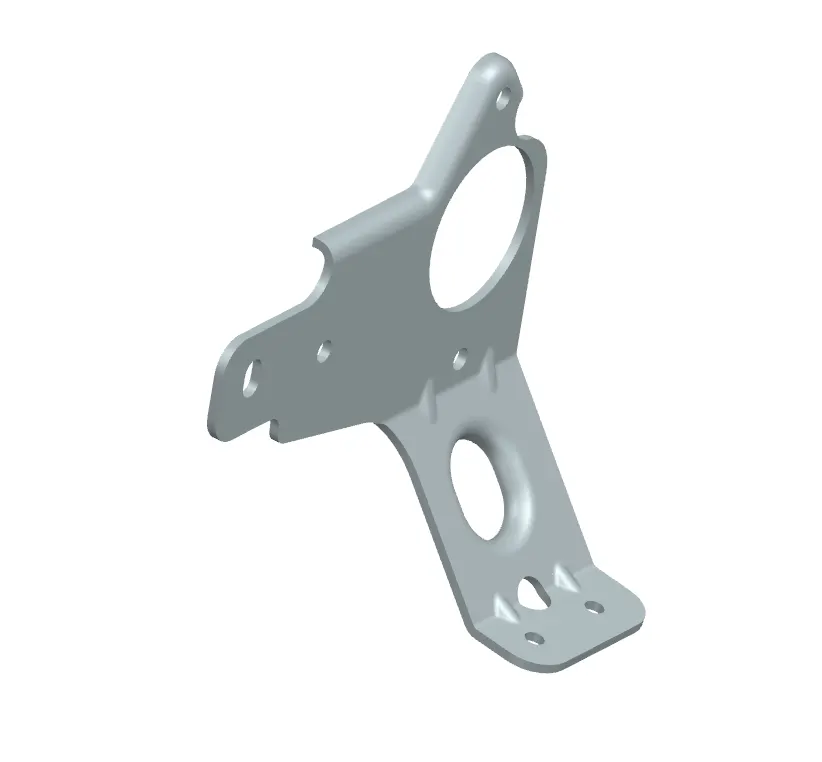
ISOMETRIC VIEW
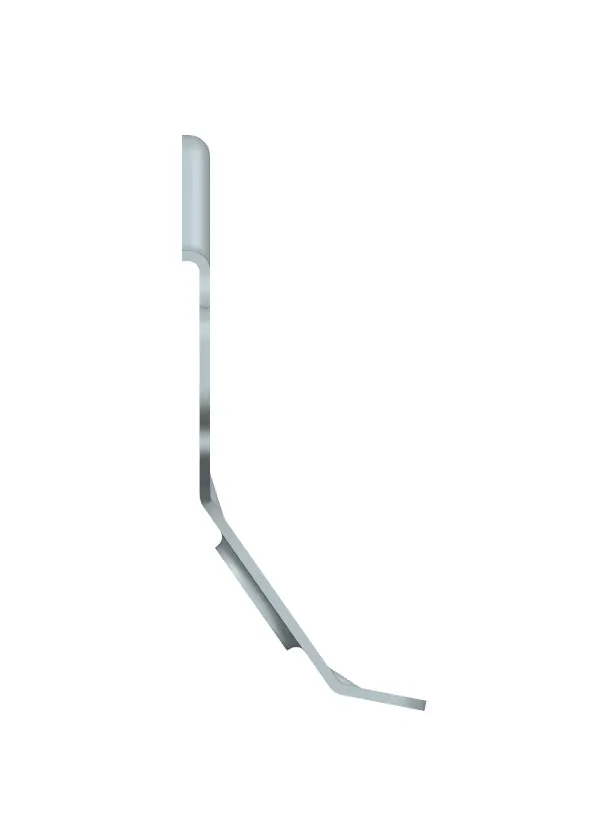
SIDE VIEW
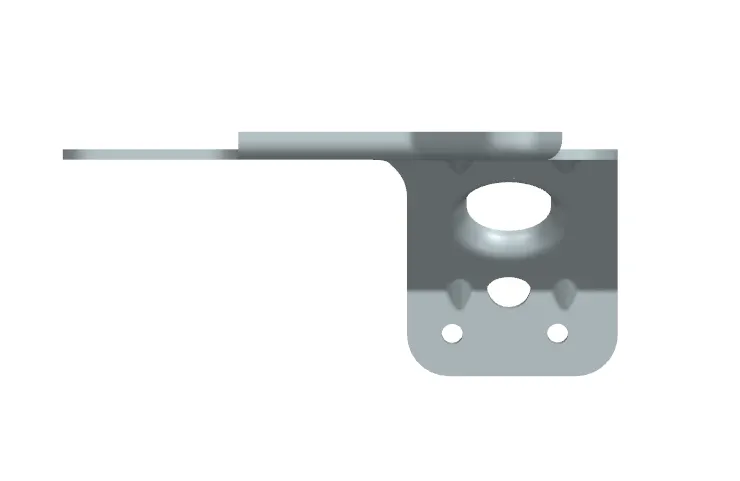
TOP VIEW
CONCLUSION - Model has been created by considering design consideration.