Advanced Sheet Metal Design Using NX Cad Challenge_7_ Metal bracket-II
Design of Metal Bracket-II using NX 12
Objective:
- To Design the metal bracket as per the given diagram and dimensions
- Make the Flatpattern
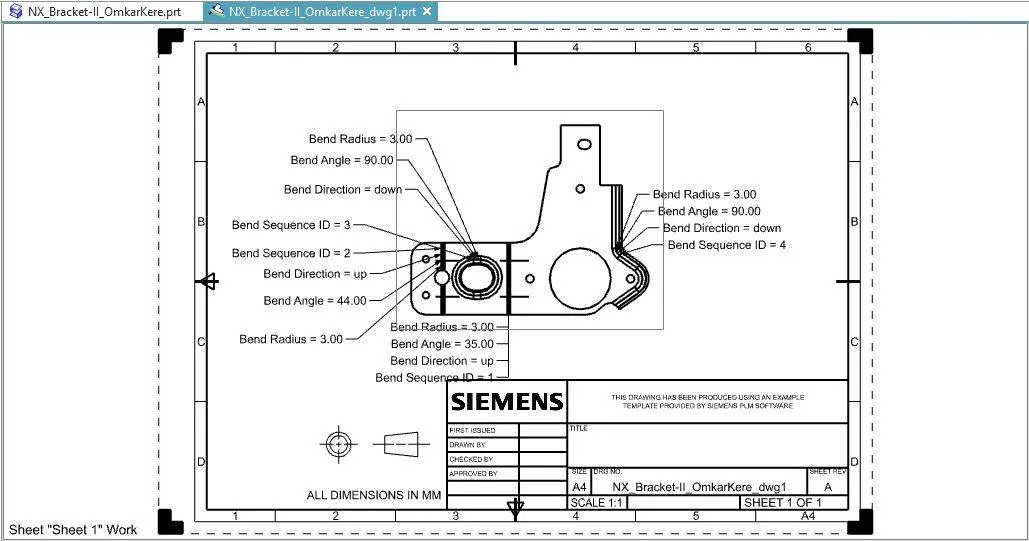
- Make a 2D drawing
Introduction:
In this exercise a metal bracket is designed according to the given dimensions in the drawing. All the holes and flanges are made according to the given dimension.
Design Methodology:
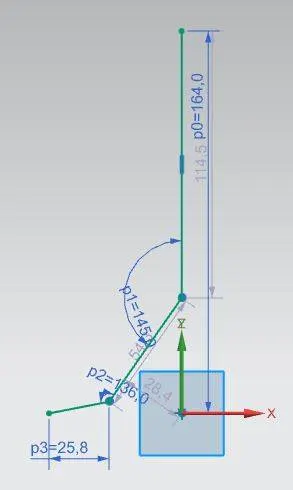
Start by making a sketch -->
Step 1:
Step 2:
Use Countour Flange option to make a flange using above sketch. Width--> 158mm
Step 3:
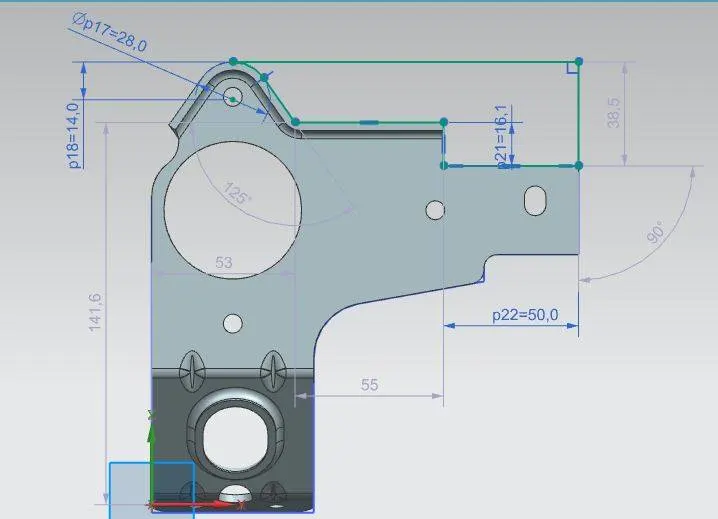
Make another sketch on the YZ-plane:
Step 4:
Use Normal Cutout option to cut the part as shown
Step 5:
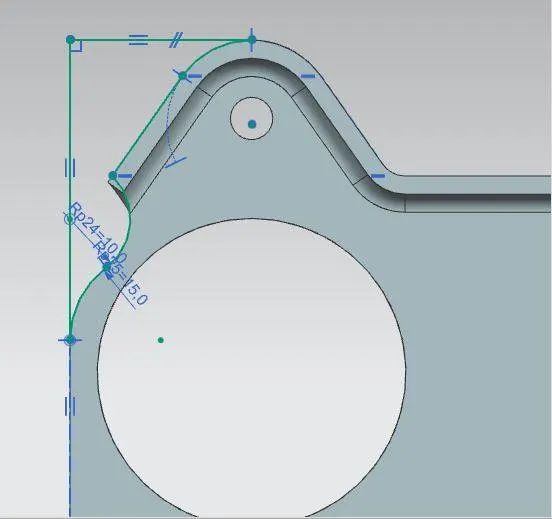
Make a new sketch on the YZ-plane:
Step 6:
Use Normal Cutout to cut the part
Step 7:
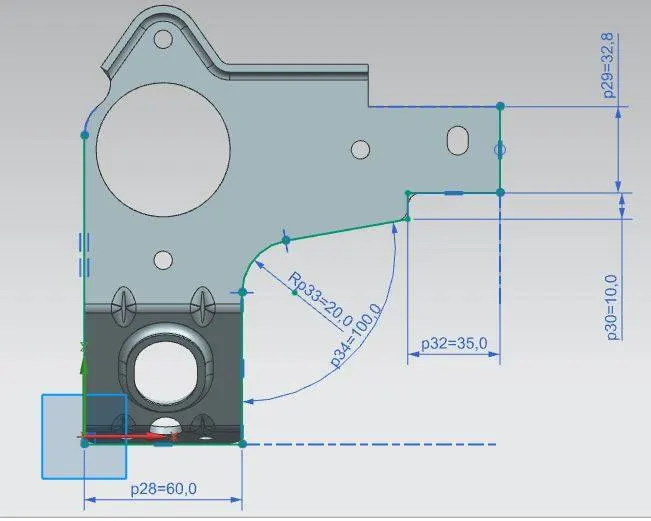
Make a new sketch on the YZ-plane:
Step 8:
Use normal cutout to remove the part as shown
Step 9:
Make a new sketch on YZ-Plane. Make Circles and a square
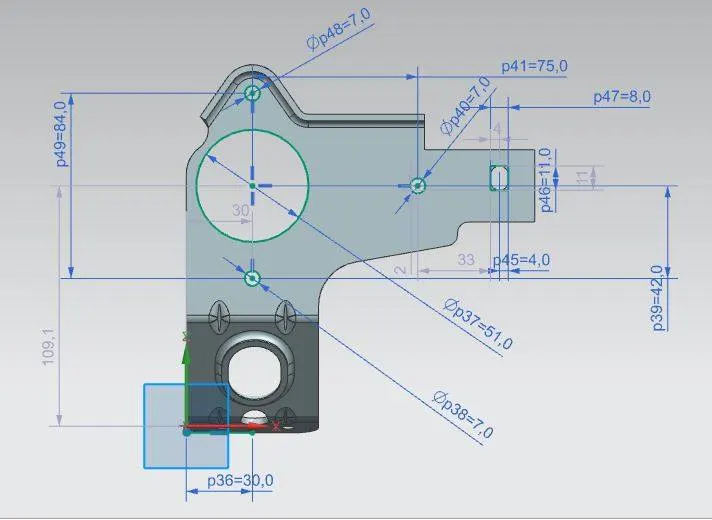
Step 10:
Use normal cutout to cut the circle and holes and the square.
Step 10:
Use Break corner option to round the corners of the square cut out: radius-->4mm
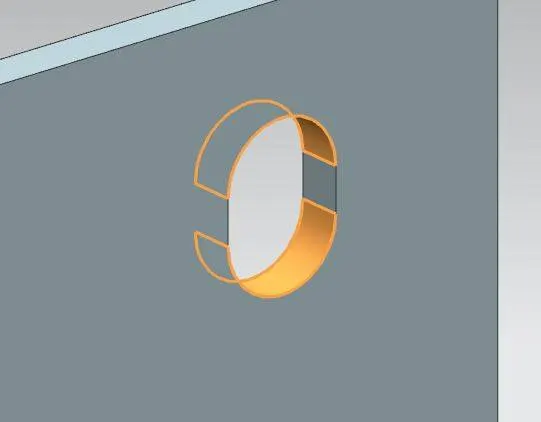
Step 11:
Unbend the part
Step 12:
Make a circle on the unbend part:
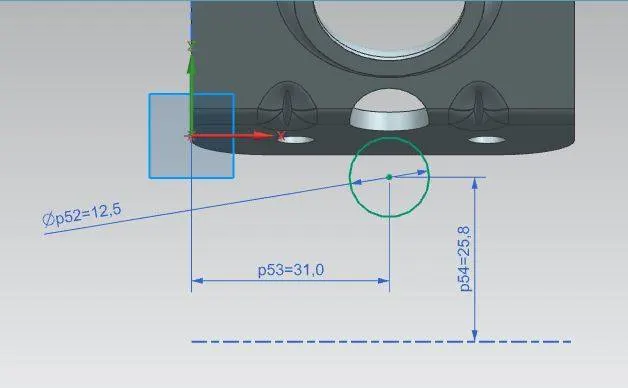
Step 13:
Use normal cutout to cut the part as shown in the figure and rebend the part.
Step 14:
Use break corner to round off the corners
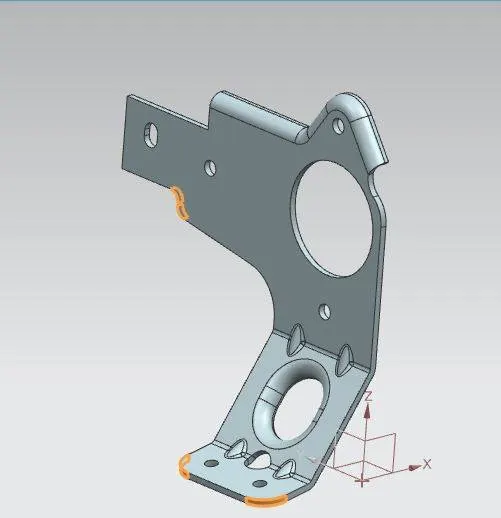
12mm at the bottom and 5mm at the top.
Step 15:
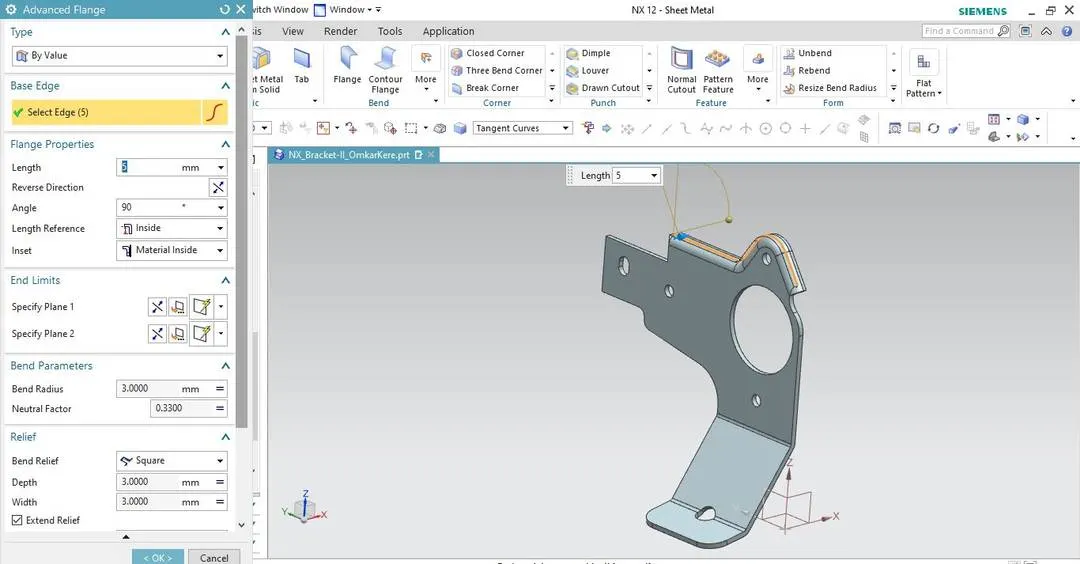
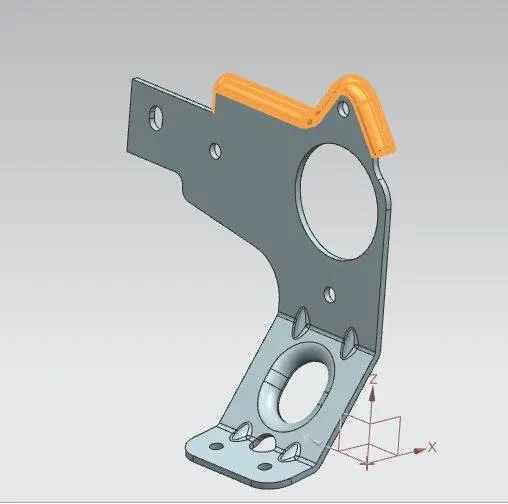
Use advance flange option to make a flange on the top:
Step 16:
Unbend the part again with flange as well
Step 17:
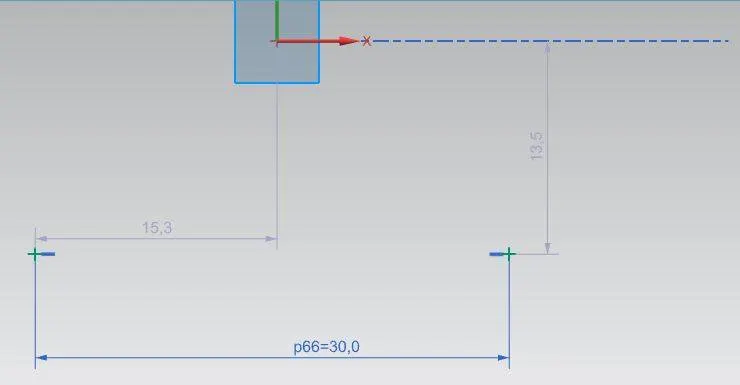
Make two points for making holes:
Step 18:
Make two holes using hole option --> Type: General Hole --> Form: Simple --> Diameter: 6mm --> Depth Limit: Through body.
Step 19:
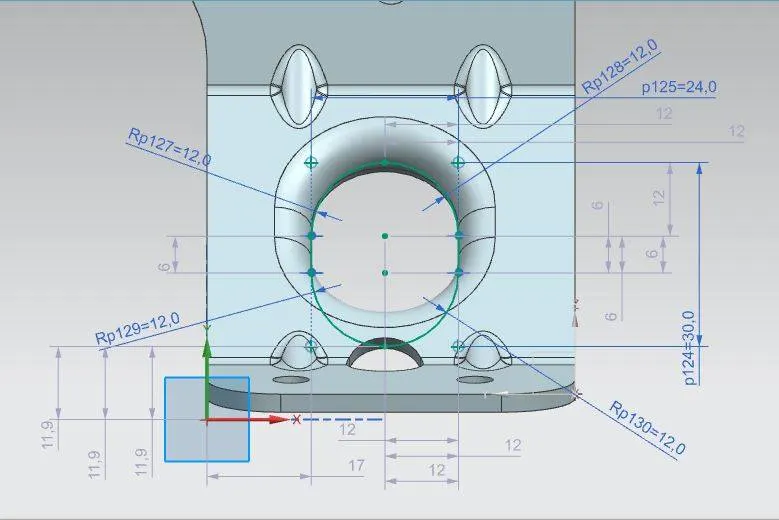
Make a new sketch on the unbend part on the YZ-plane:
Step 20:
Use normal cutout to make a cutout using the sketch
Step 21:
Use Advance flang on the above normal cutout. Length --> 4mm
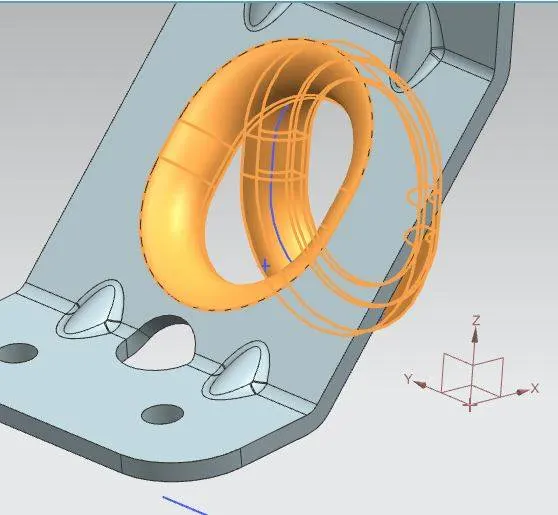
Step 22:
Rebend the entire part.
Step 23:
Make 4 gusset on the bottom portion of the part:
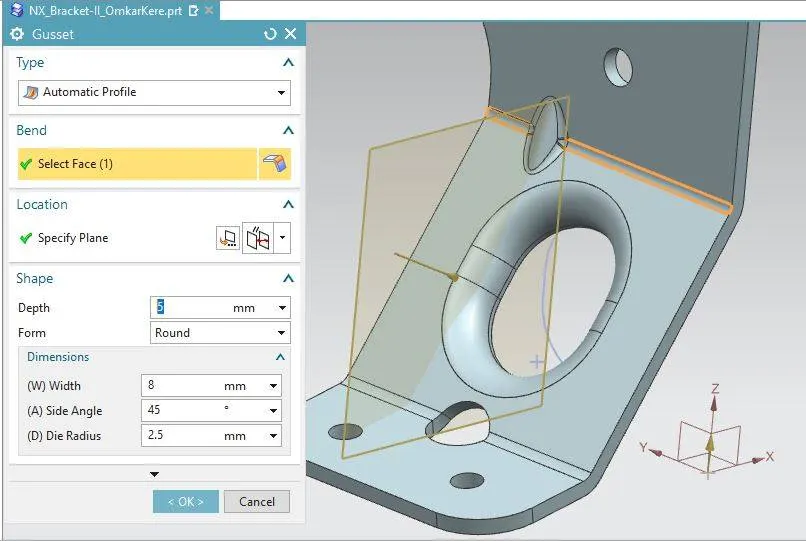
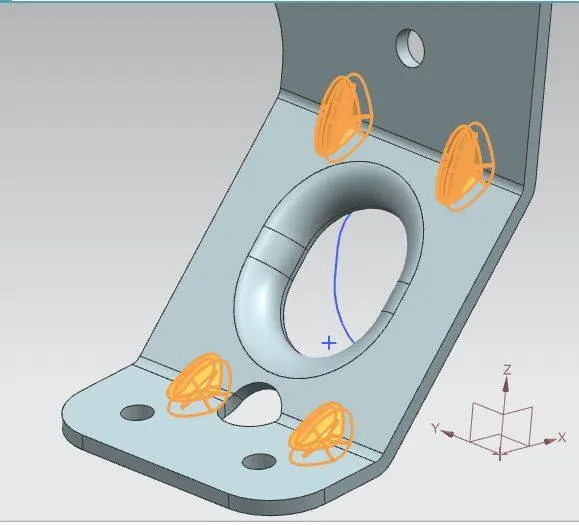
Step 24:
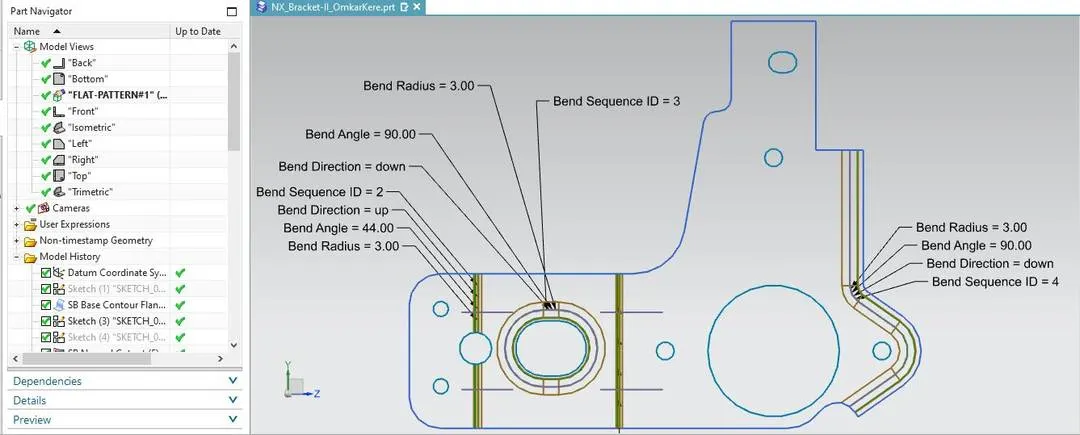
Make a Flatpattern using flatpattern option
Description:
- Sketch: For making sketches.
- Line: for making straight lines.
- Circle: for making circles.
- Hole: For making holes.
- Point: For marking points in sketch.
- Normal CutOut: For cutting a portion of the part using a reference sketch.
- Advance Flange: For making a flange on any type og curve.
- Unbend: To unbend the part.
- Rebend: To rebend the part.
- Gusset: To make a stiffening on the bend part.
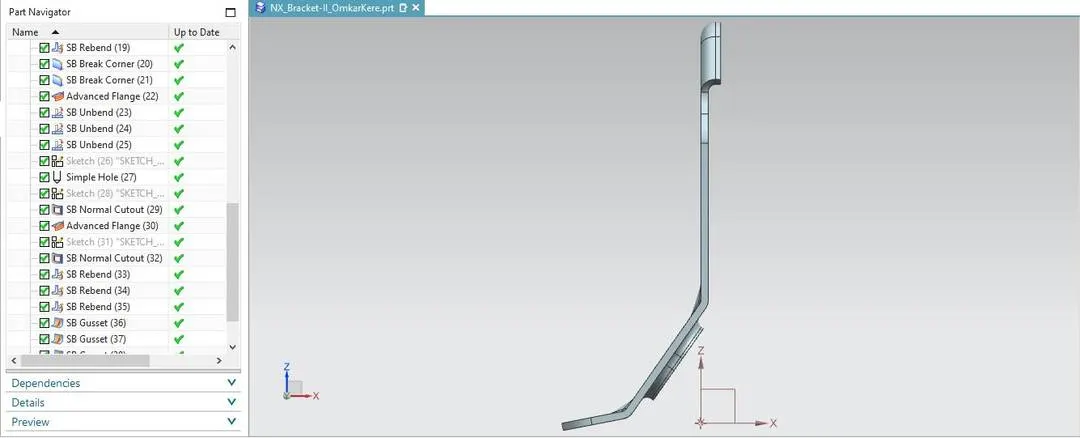
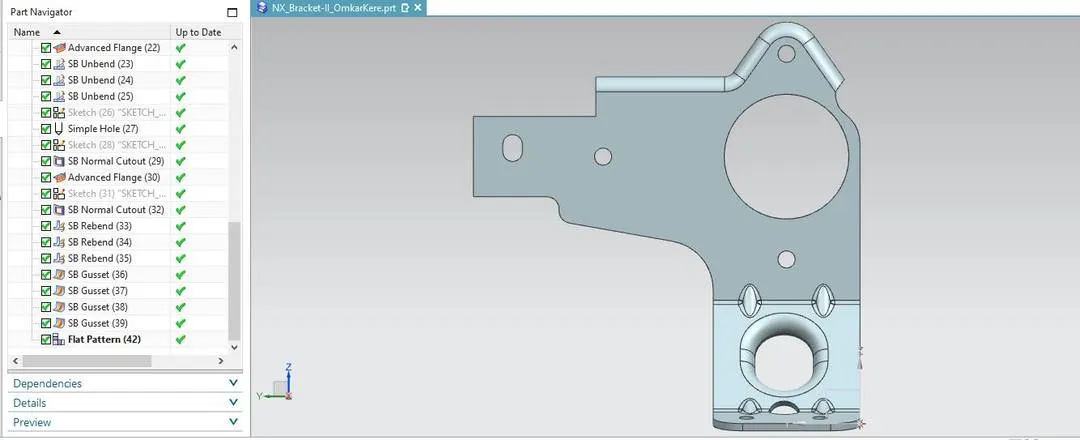
Part Images:
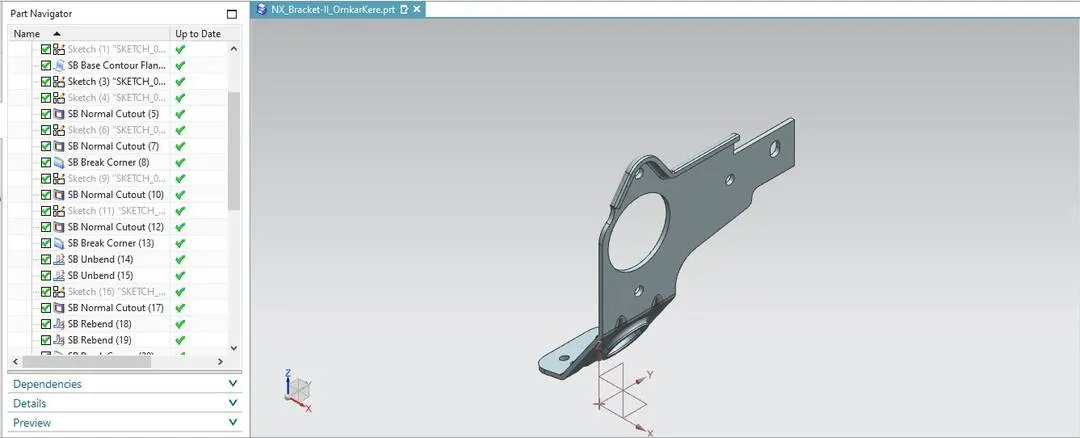
Flatpattern:
Drawing:
Conclusion:
The part was made according to the given dimensions. A flatpattern was made using NX CAD softaware.