Advanced Sheet Metal Design Using NX Cad Challenge_7_ Metal bracket-II
Advanced Sheet Metal Design Using NX Cad Challenge_7_ Metal bracket-II
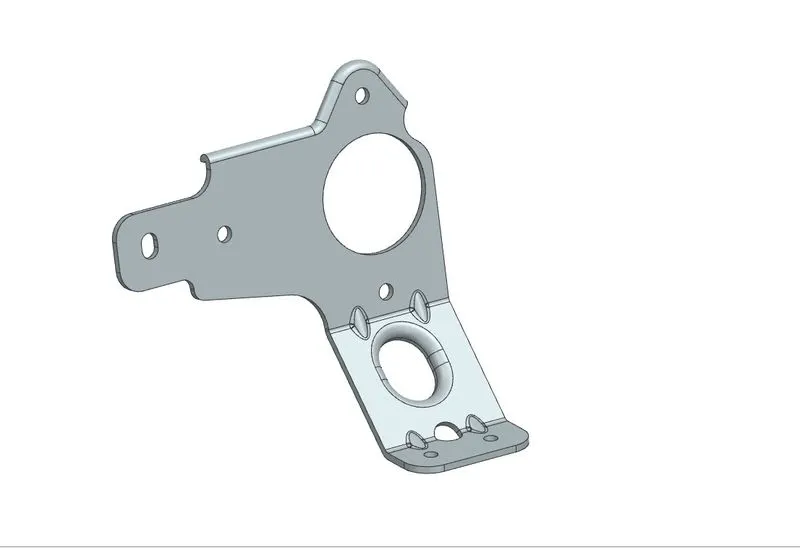
Objective-To design a Sheet metal Bracket-II in Sheet metal workbench of NX CAD Software
Introduction-
What Is Sheet Metal?
According to a definition in a professional journal, it can be defined as:
Sheet metal is a comprehensive cold working process for metal sheets (usually below 6mm), including shearing, punching/cutting/, folding, riveting, splicing, forming (such as car body) etc. Its remarkable feature is the same thickness of the same part. Types of Sheet Metal. Commonly used sheet metal materials can be divided into two categories, which are:
-
Galvanized steel
-
Stainless steel
Characteristics of Sheet-metal-
Sheet metal has the characteristics of light weight, high strength, conductive (can be used for electromagnetic shielding), low cost, and good mass production performance. It has been widely used in the fields of electronic appliances, communications, auto mobile industry, medical devices, etc.
For example, in computer cases, mobile phones, MP3, sheet metal is an indispensable component. With the more and more extensive application of sheet metal, the design of sheet metal parts has become a very important part in the process of product development. Mechanical engineers must master the design skills of sheet metal parts, so that the designed sheet metal can not only meet the requirements of product function and appearance, but also make the stamping die manufacturing simple and low-cost.
Design methodology / approach-
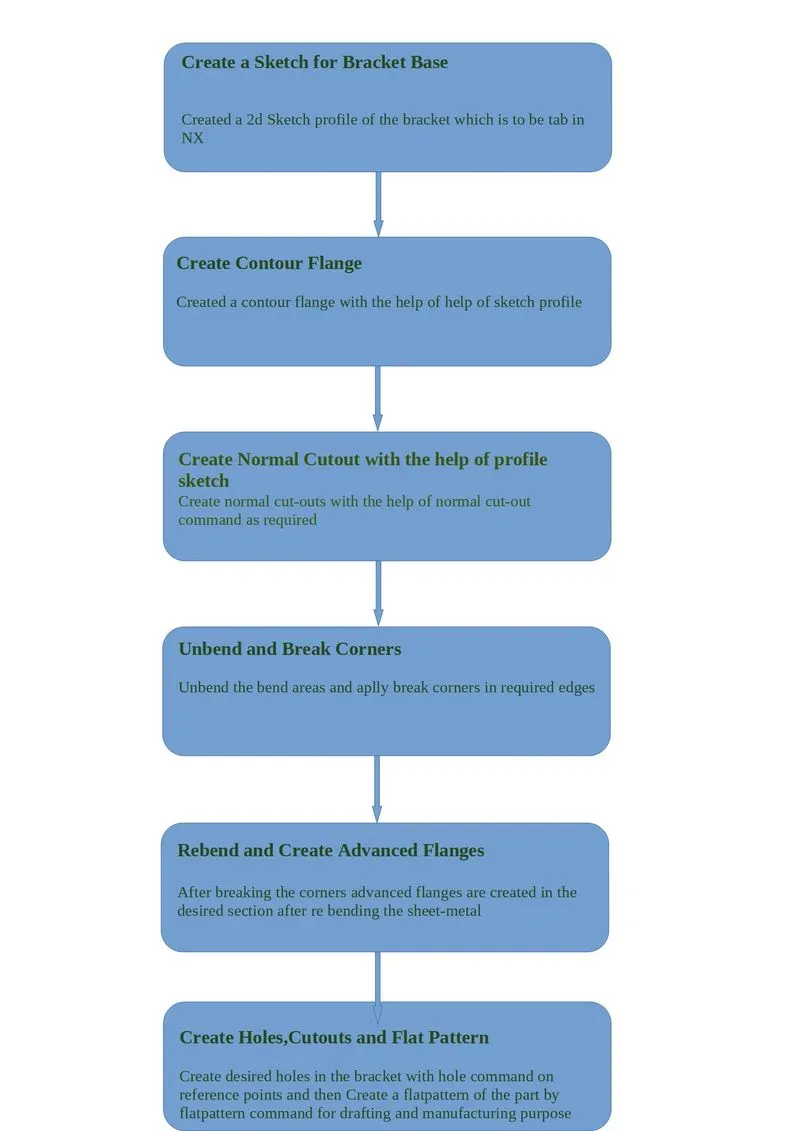
The design methodology or approach which is used in this modelling is described below with the help of a flow chart-
Description-
Sketch - It is the basic of any design.
Contour Flanges-This feature is used to create flanges with the help of a sketch profile of any desired shape
Advanced Flanges-Is is generally used to create quite complex flanges in the complex profiles like in a rounded edge with different curvature. It gives more control over the flanges created.
Unbend - This feature is used to unbend the adjacent bends and flatten them. Here it is used to create more features. This command is used to unbend the sheet metal parts to create geometries and work on complicated designs. In this command, we have to select a stationary face and then select the corners of flanges to unbend.
Rebend - It is used to re-bend the corners that were bent before along with any features added after the unbend feature.
Break Corner-It is a command used for generally filleting the sharp sheet-metal edges with desired radius value.
Gusset- It lifts material along the contour of a sketch that simulates a stamping tool, it is used for giving strength to the sheet metal. Here two beads are created on the unbent surface. The selected sketch is lifted off from the base to provide strength to the material. Similar to dimple, the material can be removed in both directions.
Hole - It adds a hole to one or more solid bodies in a part or an assembly with options for counterbored, countersunk and threaded. Here six simple holes are created on the unbent surface with a diameter of 10mm. It can be used to make customized or standardized holes along with a defined point or path. The depth of the hole can be controlled.
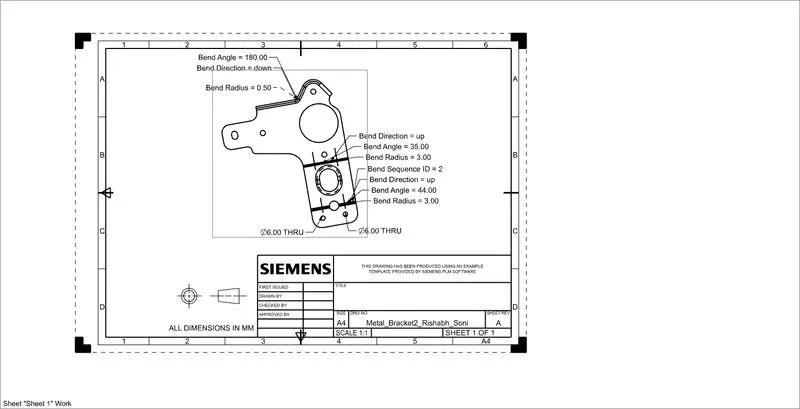
Flat pattern - It creates a flat pattern feature from the formed sheet metal part. The user chooses this command to create a flat view of the sheet metal after unbending all the sides and faces. This view can be used in drawing the flat pattern along with the bend radius and other dimensions.
Special Note for Grading Purposes-
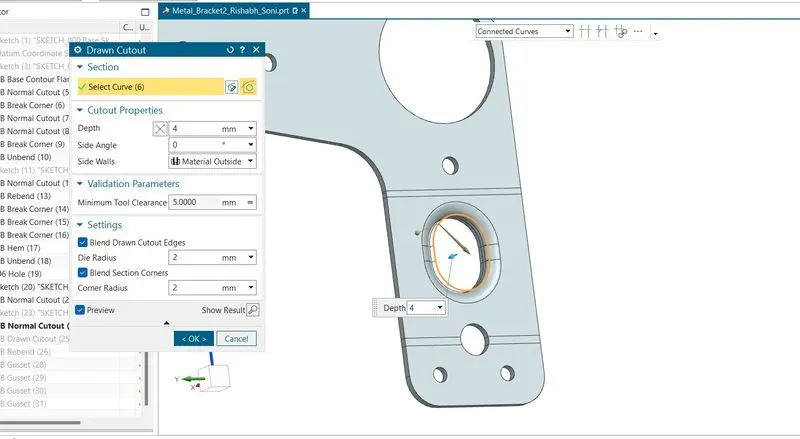
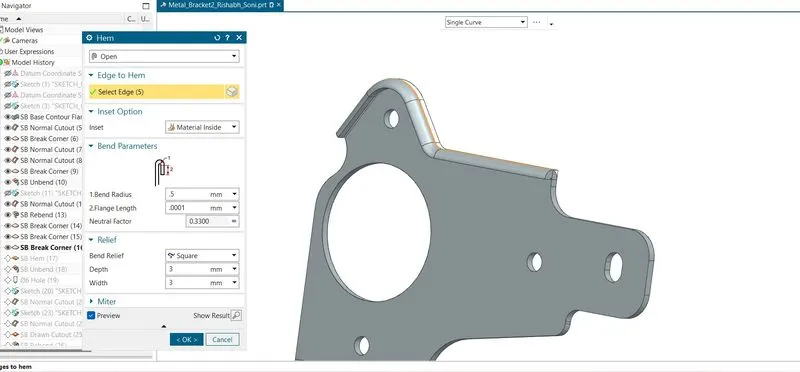
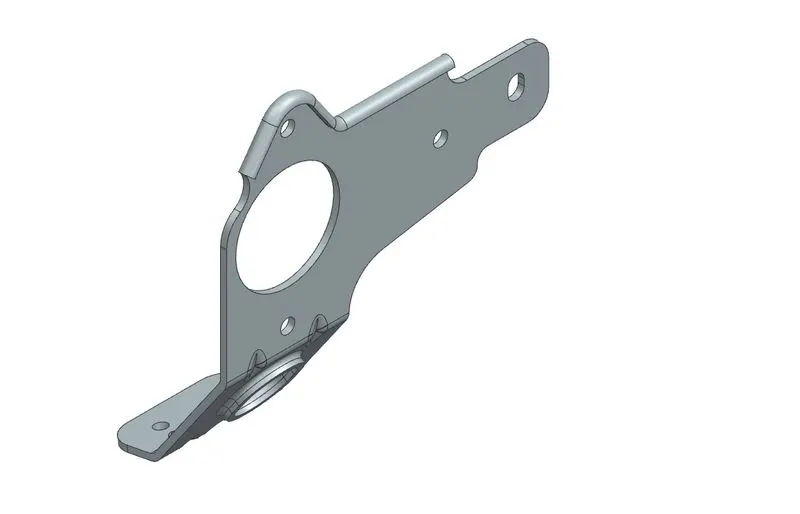
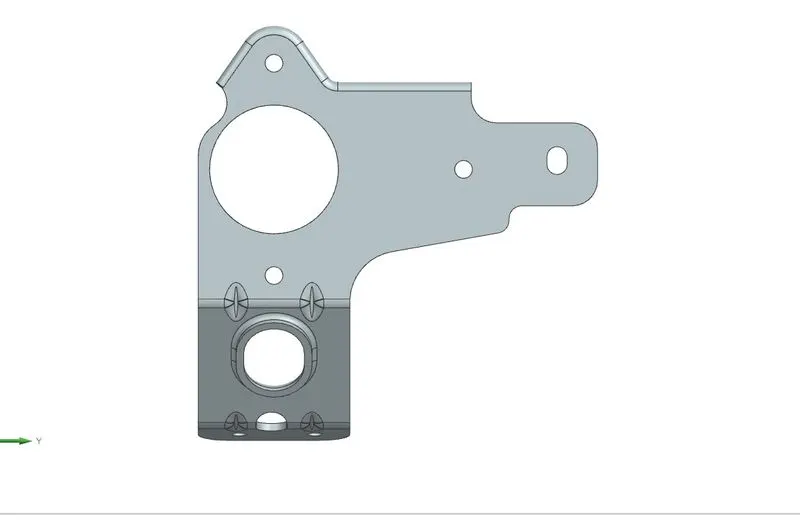
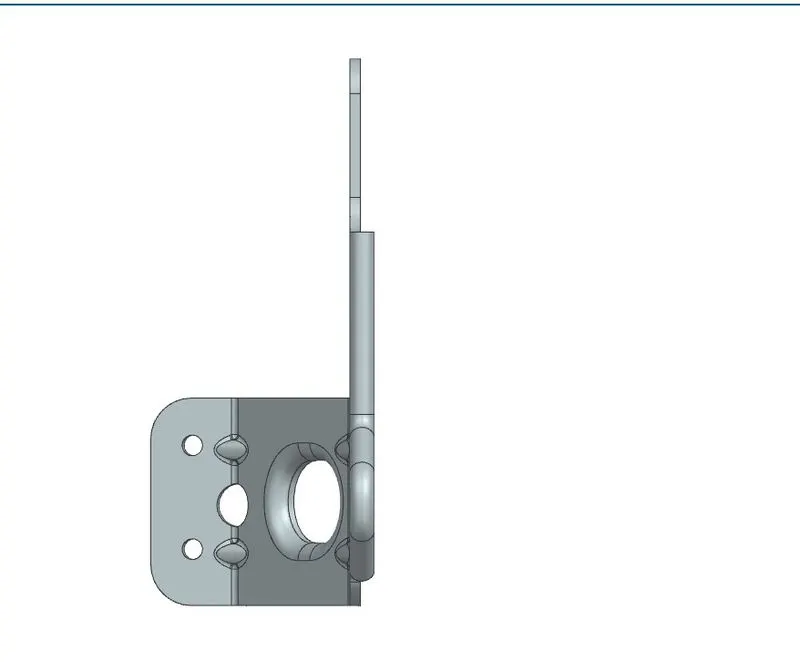
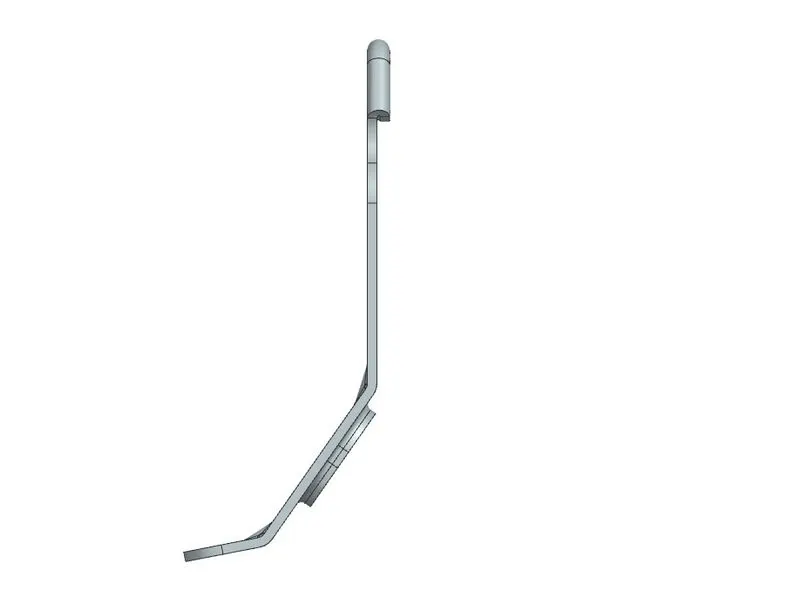
As i am using a student version of NX Cad in the course so some of the commands are not available in the student version like Advanced commands so to make my model look similar to the given model i have used Hem command and Drawn cutout commands, also i have attached the screenshots of it.
Screenshot of the model from various views-
Drawing Sheet-
Conclusion-
With this project i learned how to Design a bracket using NX. Also how to draft the drawing sheet in NX with flat pattern command.
Report Prepared By-
Rishabh Soni