Advanced Sheet Metal Design Using NX Cad Challenge_7_ Metal bracket-II
Metal Bracket 2
To create 3d model of Metal Bracket using NX sheet metal.
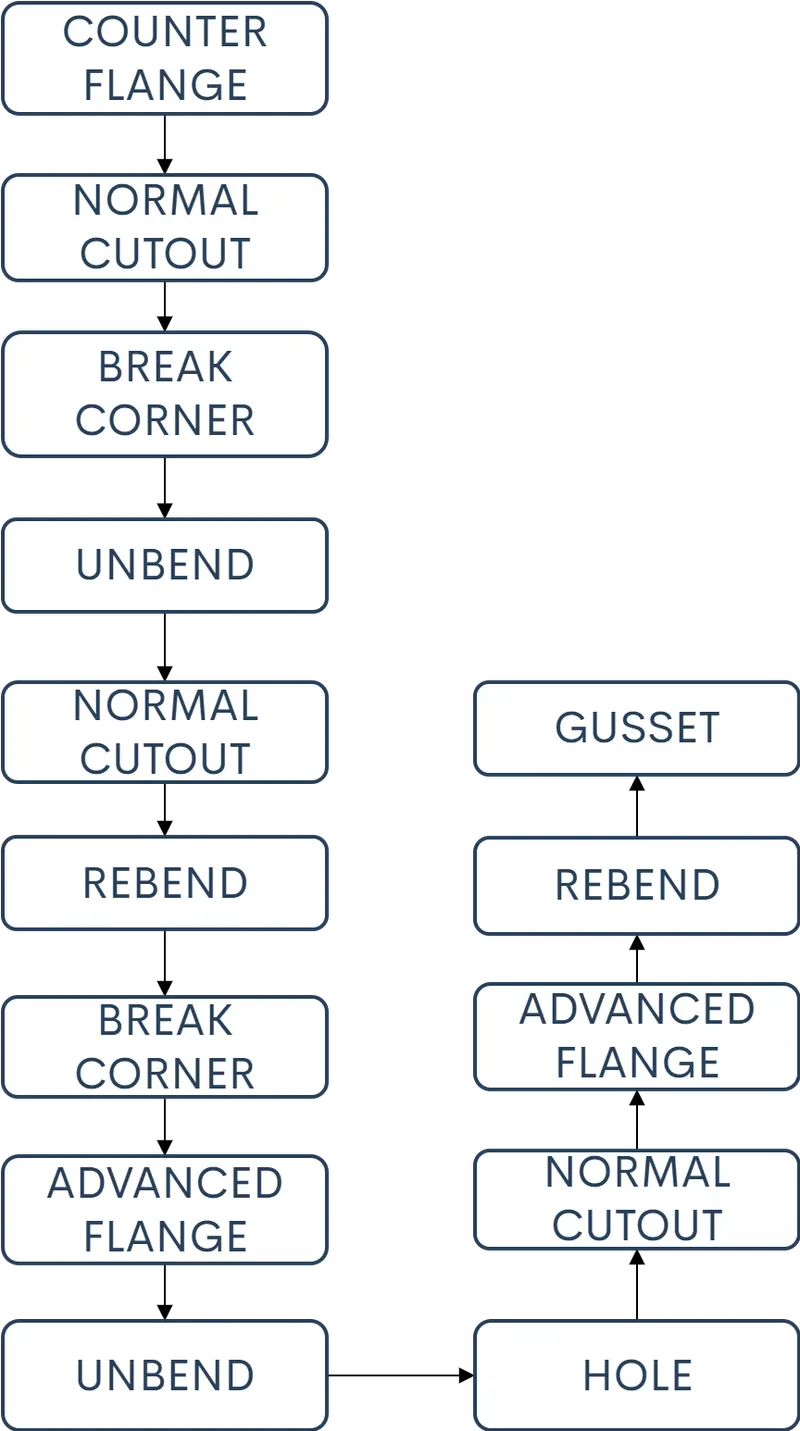
This Metal Bracket has been designed using NX sheet metal and the details of the designing the Metal Bracket is provided with the help of flowchart and breif explanation.
Flowchart
DESCRIPTION
COUNTER FLANGE-is used to create sheet metal part when the sketch includes lifts abd bends in frontview
NORAML CUTOUT- Is used to creaye a cutout on the sheet meatal part using a sketch of desired shape
BREAKING CORNERS-to eliminate the sharp edges
UNBENDING to see the shape of the sheet metal and to add other features
REBENDING-Is used to bend to the sheet metal part to its original shape after adding the features
ADVANCED FLANGE-is used to add seetmetal extentions at the edges of the main body
HOLE-is used to create a type of hole that is required
GUSSET-is used to provide the support and rigidity for the bends in sheet metal
CONCLUSION
Required 3d model of the Metal Bracket 2 has been achived.