Advanced Sheet Metal Design Using NX Cad Challenge_7_ Metal bracket-II
AIM: To create Metal Bracket II
OBJECTIVE: To design a 'Metal Bracket' using Siemens NX Sheetmetal Application.
INTRODUCTION:
Sheet metal is metal formed by an industrial process into thin, flat pieces. Sheet metal is one of the fundamental forms used in metal working and it can be cut and bent into a variety of shapes. Countless everyday objects are fabricated from sheet metal.
Applications: Aircraft bodies, Automobile bodies, Utensils used for domestic purpose, Bevarage Cans.
The Sheetmetal Application provides an environment for the design of sheetmetal parts used in Machinery,Automotive,Aerospace etc.
By using Sheetmetal Application We can do:
- Import, clean up, and convert a non-sheetmetal part to a valid sheetmetal part.
- Export lat pattern data of sheetmetal part to a valid sheetmetal part.
Design Methodology
Description:
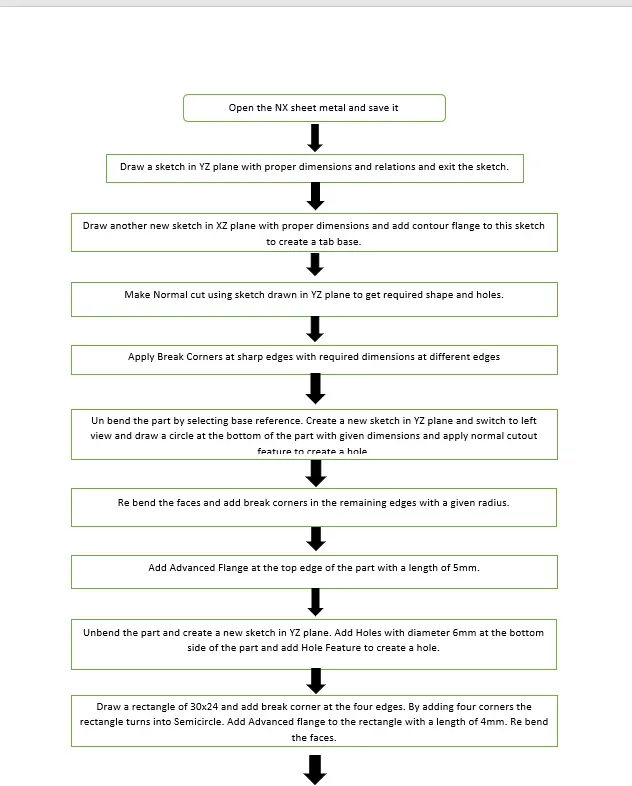
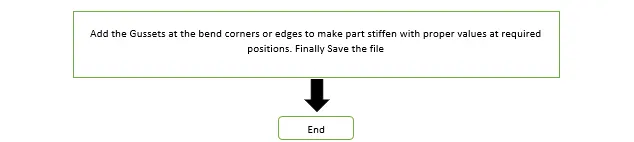
Sketch: It is basic comand to draw to dra 2d models.
Contour Flange: This command is used to create a flange by extruding a sketch along a vector, or by sweeping sketch along an edge or chain of edges. NX adds bends automatically using the default bend radius value. To use different bend radius value, draw arcs in the section, or change the default bend radius value.
Normal Cutout: This command is used to remove the unwanted material w.r.t to the sketch.
Break Corner: This command is used to round or chamfer sharp corners of a tab or flange.
Unbend: This command is used to faltten the 3D model by selecting one stationary face.
Hole: This command is used to create a different type of holes by selecting the screw size and fit.
Rebend: This command is used to rebend the flattern sheet material.
Advanced Flange: This command is to add a flangealong an edge using a bend angle or a reference face. The edge and reference face can be curved. You can select single edge or a chain of tangent edges.
Gusset: This command is used to stiffen the part in the corners or at bend region of sheetmetal parts.
Model Images:
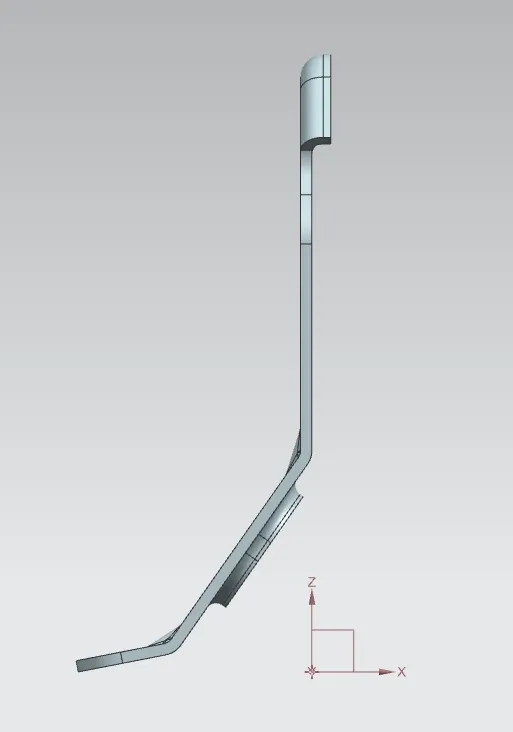
Front View
Side View
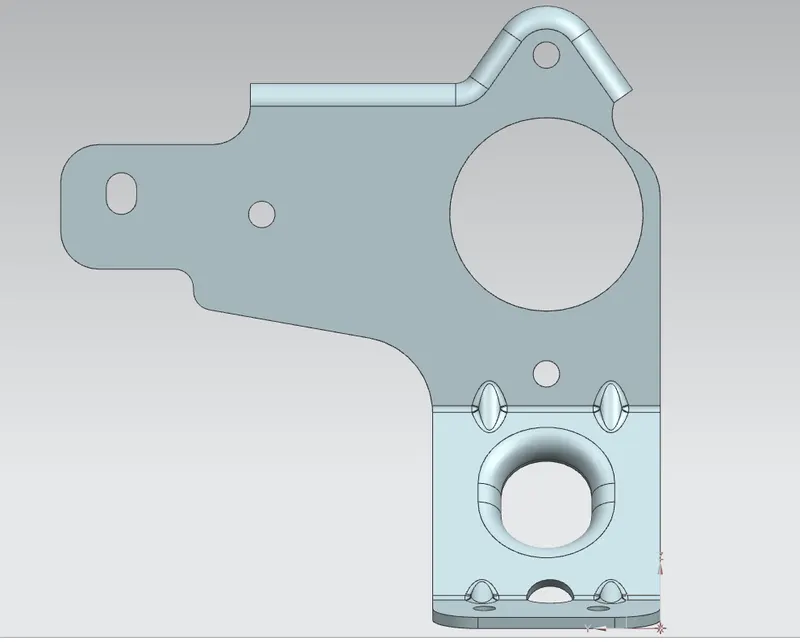
Top View
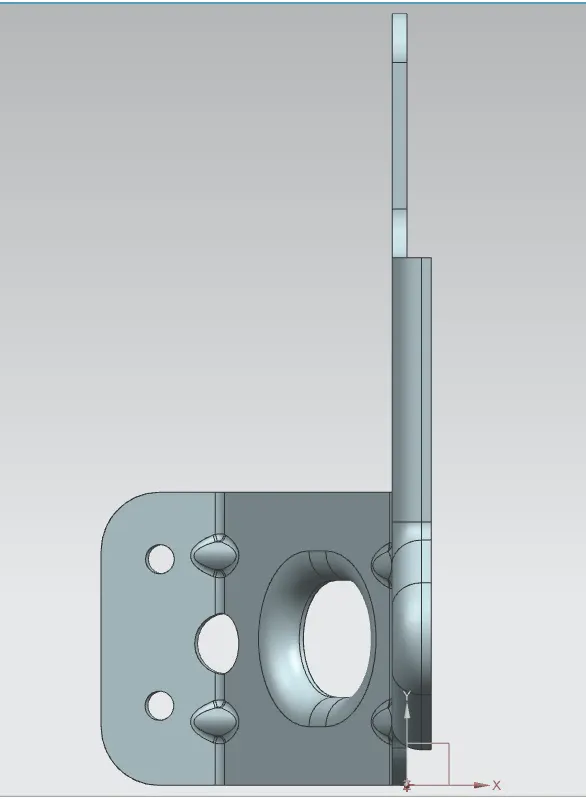
Isometric View
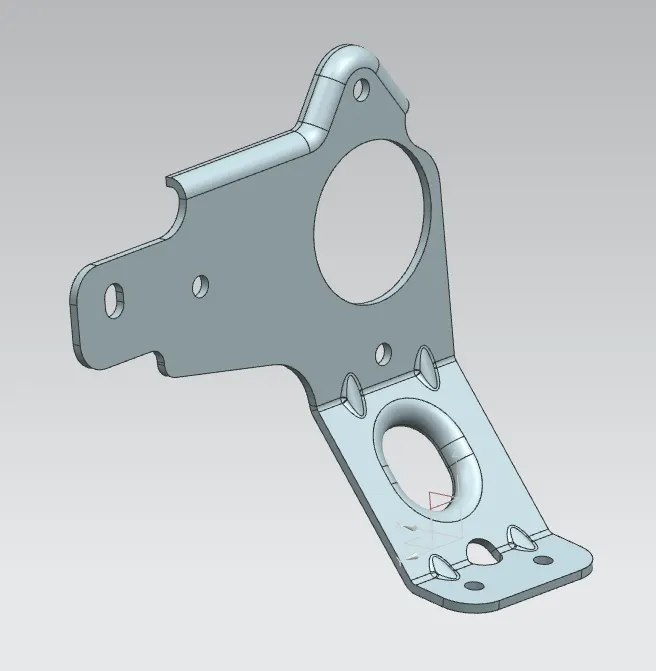
Trimetric View
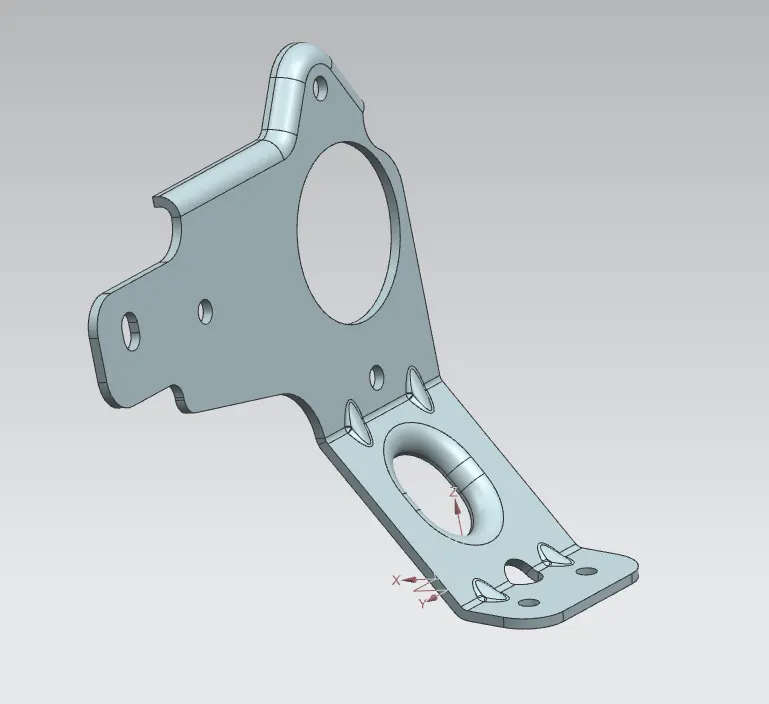
Flat Pattern
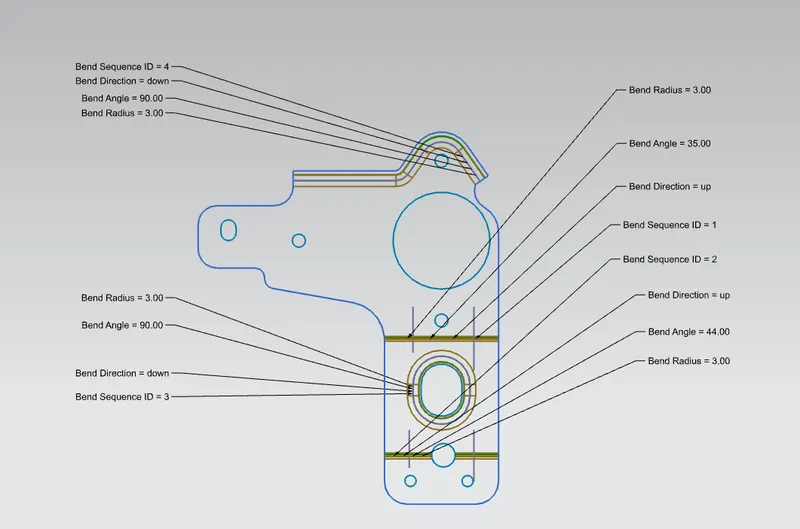
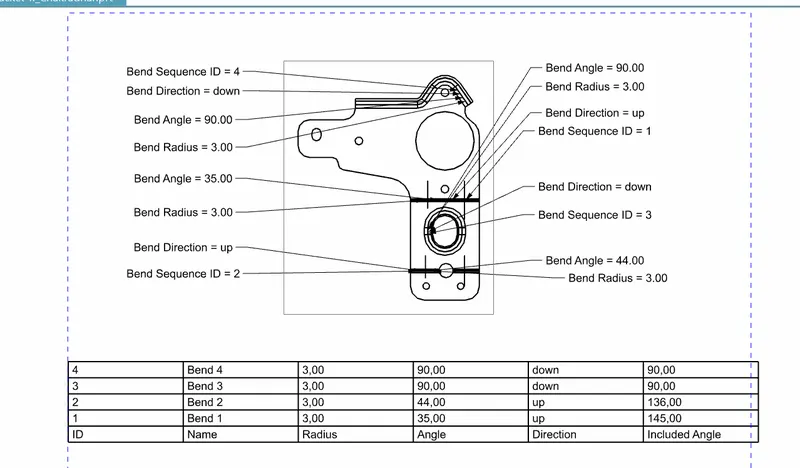
Drawing Sheet
Conclusion:
By using NX application The 'Metal Bracket II' has done. By this challenge we learn about the how to use various commands and the result is satisfactory.