Advanced Sheet Metal Design Using NX Cad Challenge_7_ Metal bracket-II
Advanced Sheet Metal of Metal bracket using NX Cad
OBJECTIVE:
- To design a sheet metal Metal bracket from a 2D sketch.
- To create drafting of the same in the A4 sheet.
INTRODUCTION:
Sheet metal is a metal formed by an industrial process into thin, flat pieces. Sheet metal can be cut and bent into a variety of shapes. Countless everyday objects are fabricated from sheet metal.
NX is formerly known as "Unigraphics".
DESIGN METHODOLOGY:
1. setting the sheet metal preferences
2. adding base and secondary features
3. unbending the sheet metal to add punch and cutouts, gussets
4. create flat pattern
DESCRIPTION:
Tools with their functions:
- Sketch: it is used to create a profile.
- Tab: it is used to create a base feature of sheet metal.
- Flange: it is used to create extended parts on sheet metal.
- Unbend: it is used to unbend the sheet metal by taking any face as a stationary face.
- Rebend: it is used to rebend all the bent faces.
- Dimple: it is used to lift an area of the model inside a sketch that simulates a stamping tool.
- Bead: it is used to lift material along the contour of ta sketch.
- Flat pattern: it is used to create a 2D representation of flattened 3D sheet metal.
- Normal cutout: it is used to cut a portion of sheet metal.
- Bend: it is used to bend the sheet metal.
- Flanges: they are added to the ends of the bends.
- Break corner: it is used to create a smooth edge at the sharp corners.
STANDARD VIEWS:
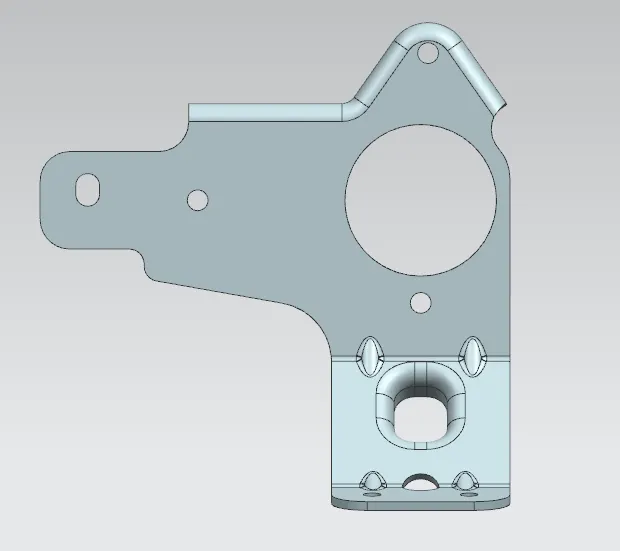
Front view:
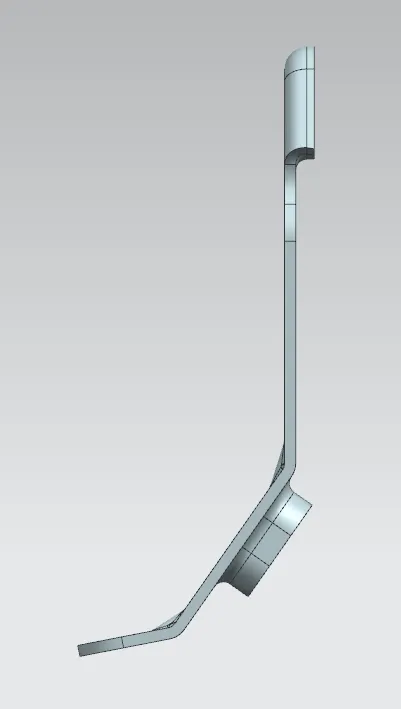
side view:
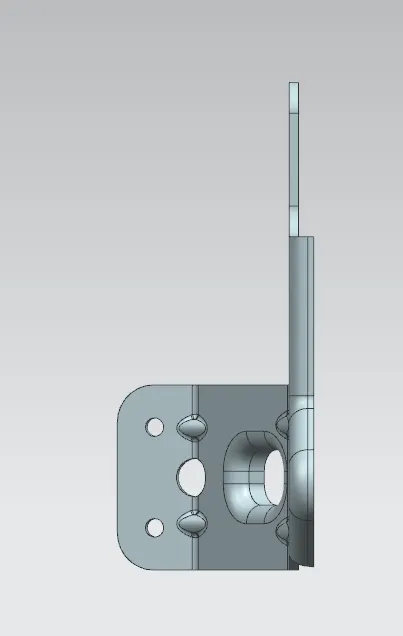
top view:
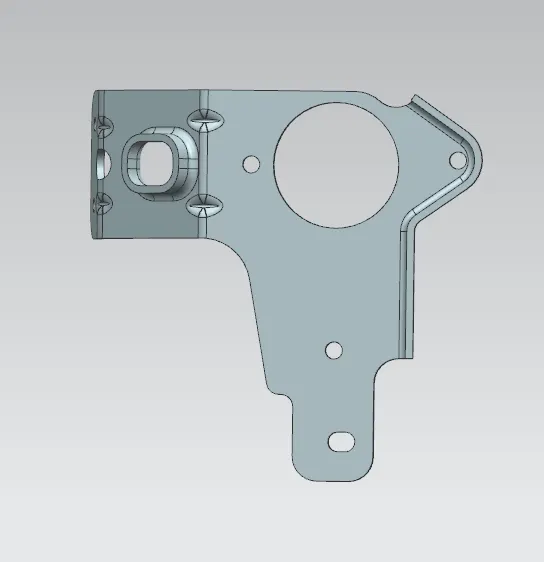
bottom view:
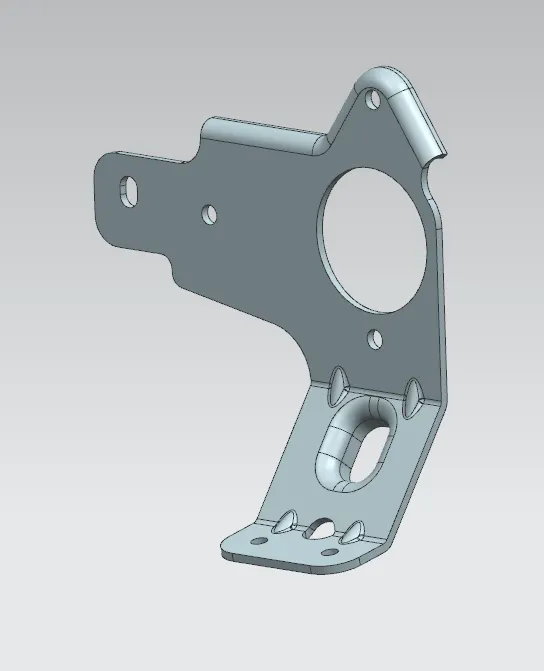
isometric view:
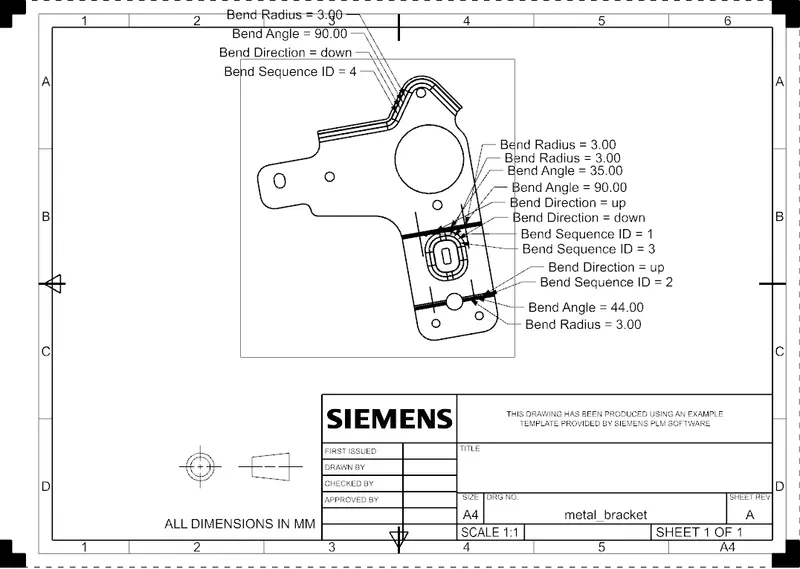
drafting sheet:
Conclusion:
Thus, the metal bracket using NX CAD was successfully done.