Design of the bracket in the NX software.
Aim: Design Of the Bracket with the help of Nx sheet metal advance tools.
Objectives:
- Study about the different advanced tools used for sheet metal in NX software.
- Learn about how to read the industrial drafting of the sheet metal models.
Introduction:
Creating fast, accurate flat patterns is the goal of any organization that manufactures products that contain sheet metal parts. NX Sheet Metal provides a set of tools within the NX design environment that allows for simple and fast design of sheet metal parts, dependent on their material and manufacturing process. With NX Sheet Metal, formed and unformed representations of the parts are created closely following the industry workflows and best practices for bending calculations, tooling, and sheet metal features. The value lies in improving quality and reducing the cost of sheet metal parts by producing an accurate sheet metal pattern as the correct input for part manufacture, whether internally or to a supplier.
So in this project, we are designing the Bracket model by given drafting and considering industrial standards.
Flowchart:
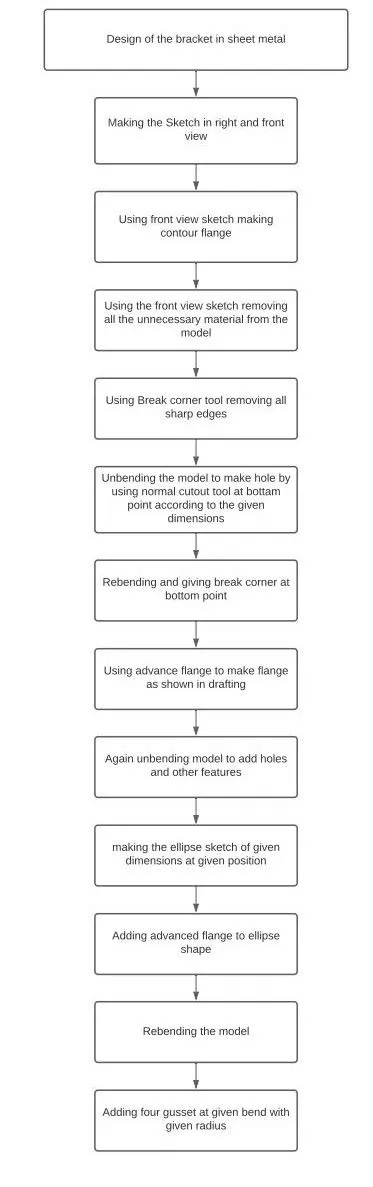
Tools/ Features used while designing:
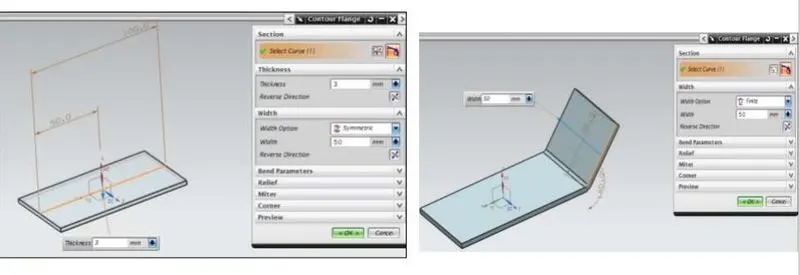
1.Contour Flange: Creates a base feature by extruding a sketch along a vector, or adds material by sweeping a sketch along an edge or chain of edges.
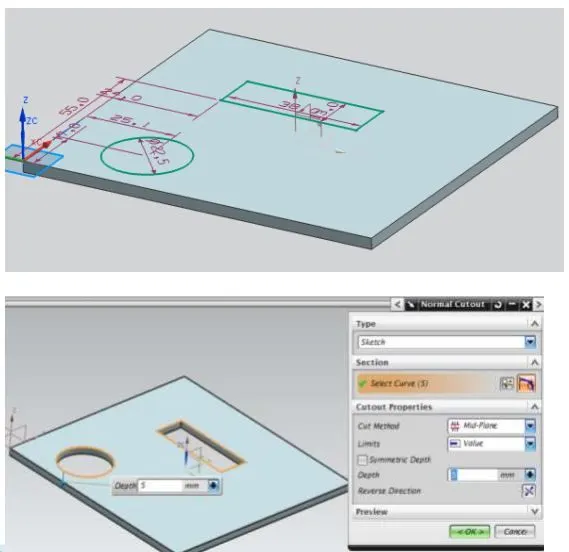
2.NORMAL CUTOUT: Cuts the model perpendicular to the sketch.
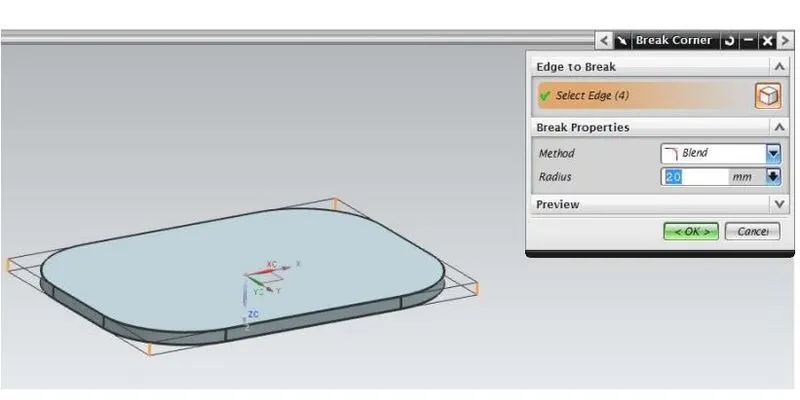
3.BREAK CORNER: Rounds a sharp corner.
4.UNBEND: Flattens a bend.
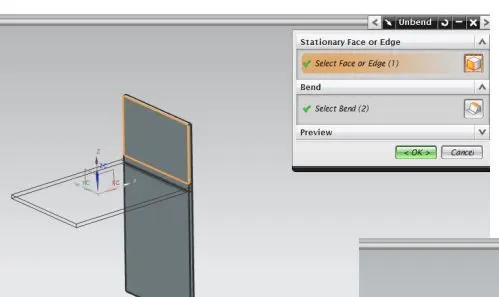
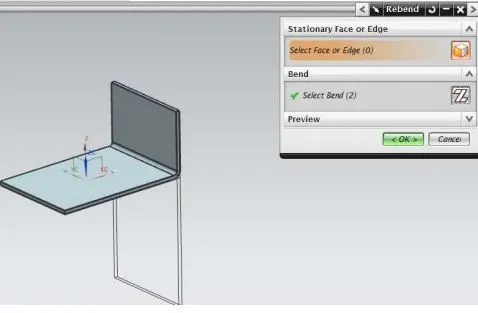
5.REBEND: Restores a bend.
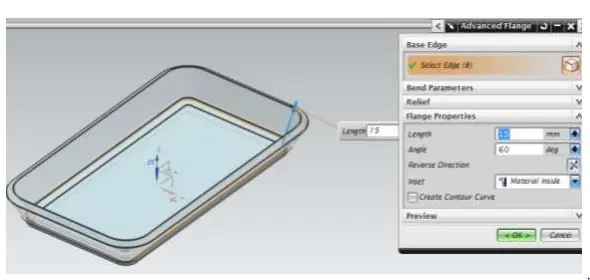
6.ADVANCE FLANGE: Adds flange along an edge using a bend angle or a reference face the edge and reference can be curved.
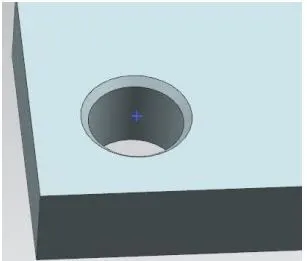
7.Hole: used to create a hole on one or more solid bodies in a part or assembly with an option for counterbored, countersunk, and threaded.
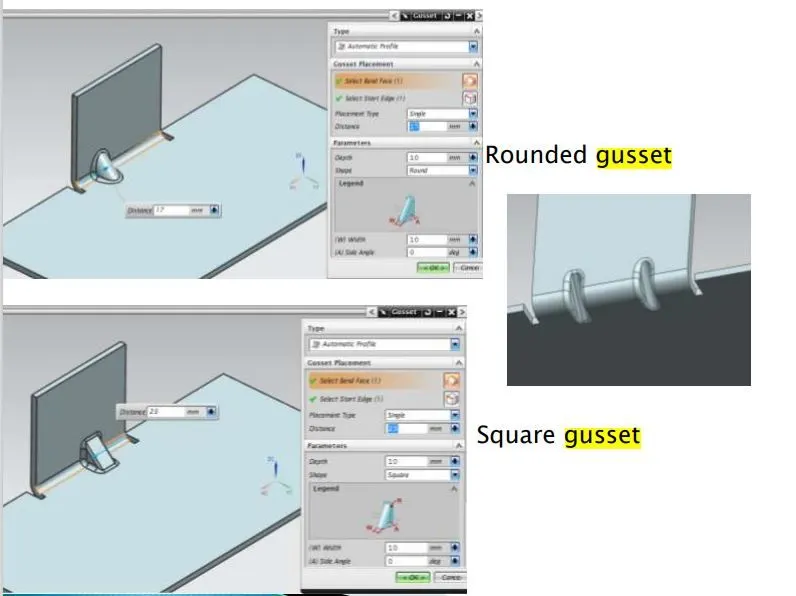
8.GUSSET: Creates a stiffening gusset on the part.
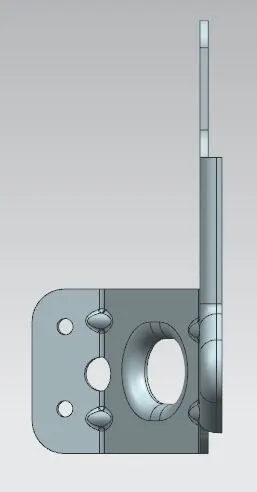
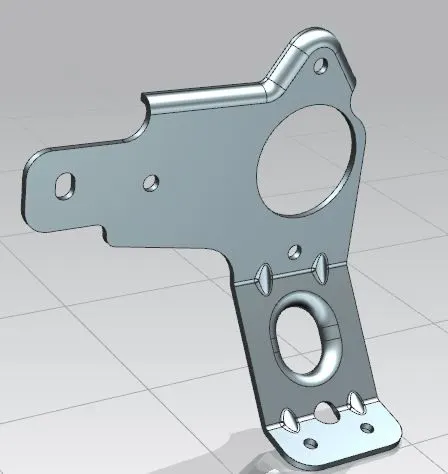
Images Of the Model:
a.front View:
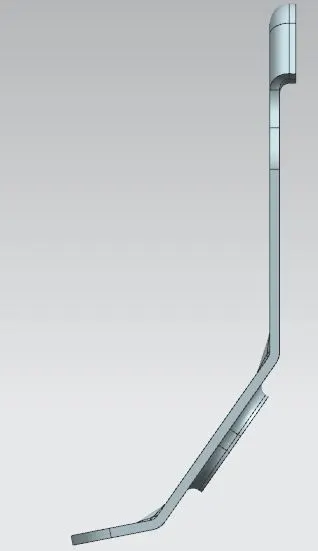
b. Left side view:
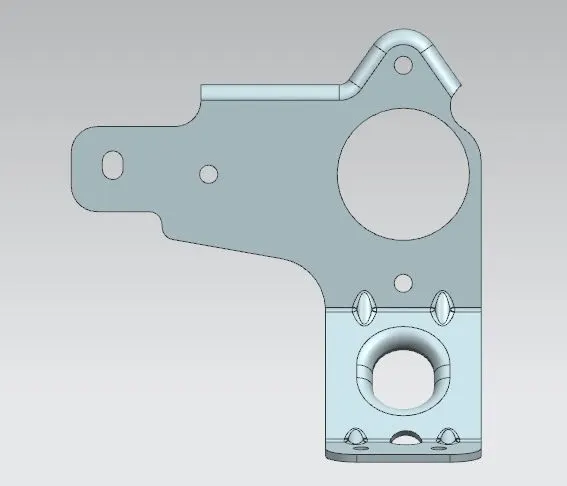
c. Right side view:
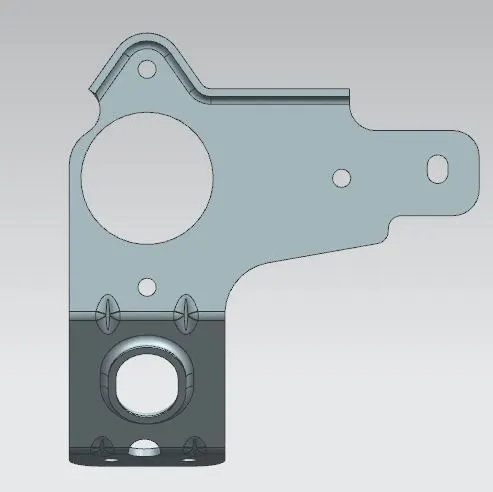
d.Top View:
e. Isometric View:
Conclusion:
we learned how to design the bracket by using advanced tools available in NX Software for sheet metal components. Also learned how to add gussets at the bend region for stiffening the bends.