Advanced Sheet Metal Design Using NX Cad Challenge_6_Bracket
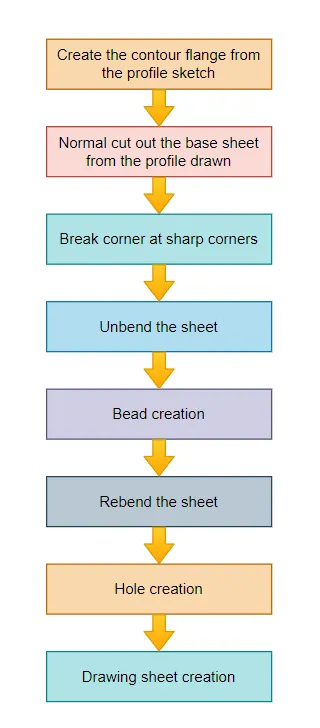
- Open new sheet metal part in NX cad
- Create a contour flange using a sketch with the given parameters
- Cut the body using normal using the given dimensions
- Give some break corners with the required dimensions
- Unbend the model and create a bead using line sketch
- Create some holes as per the requirements
- Rebend the model
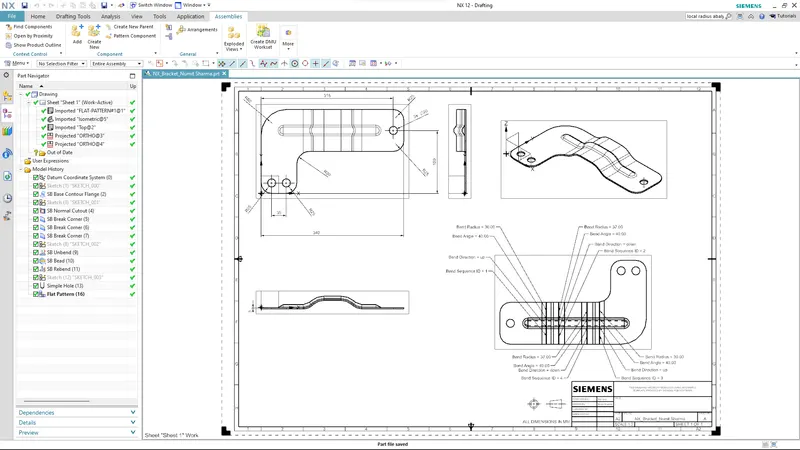
- If required create the drawing sheet using the draft tool for understanding to the customer
- Hence the model is ready
Description :
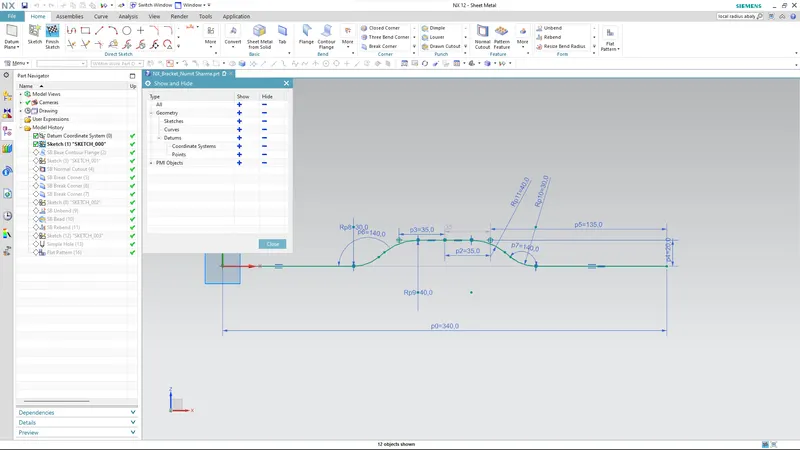
Create the base sketch from reference to the given bracket sketch. Create the sketch profile as shown in the below picture
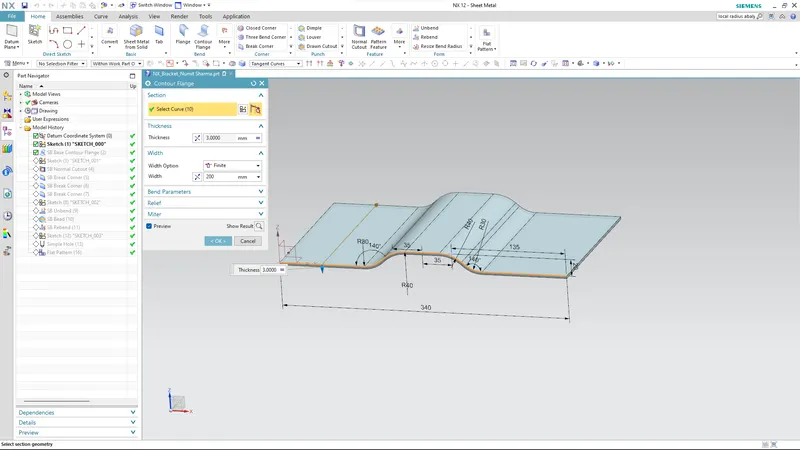
By using a contour flange, create the base to a length of 200 mm
Create a sketch on the top plane as shown in the figure
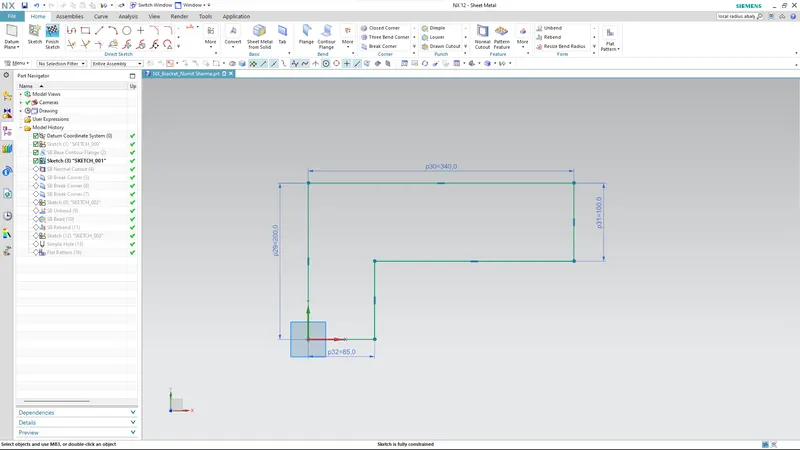
Create the normal cut out from the drawn profile
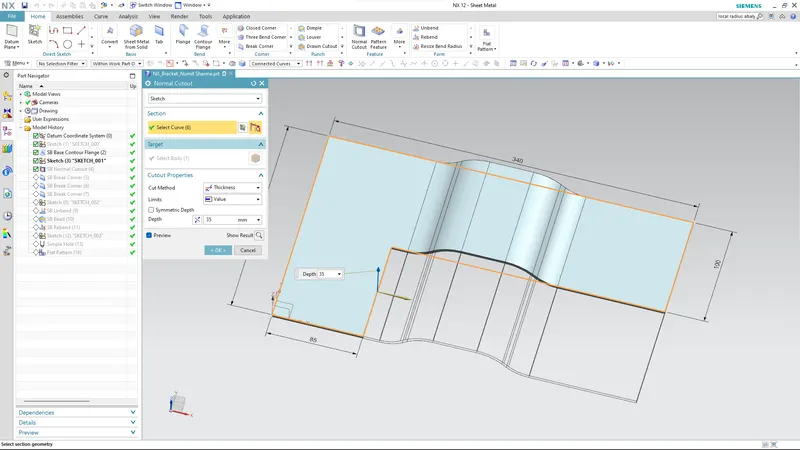
Smoothen the sharp corners using the break corner option with a radius value of 25 mm
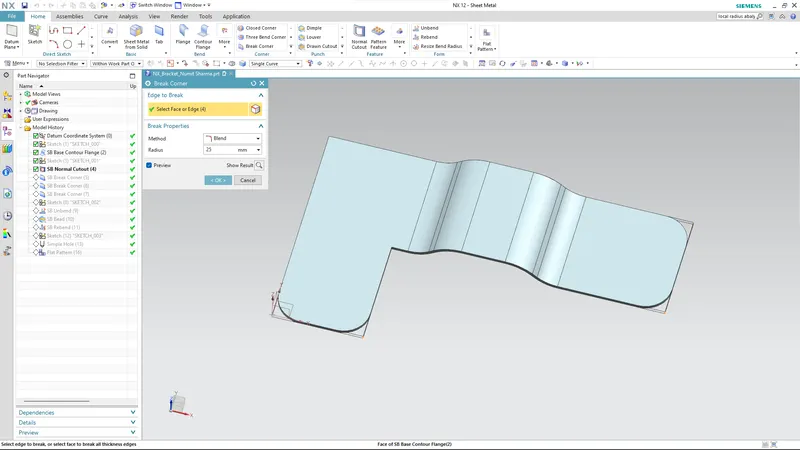
Break corner using a radius of 30 mm
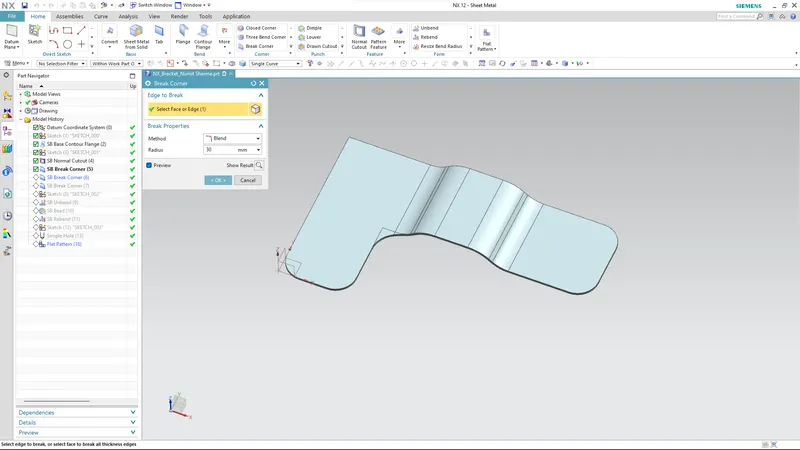
Break corner using a 60 mm radius
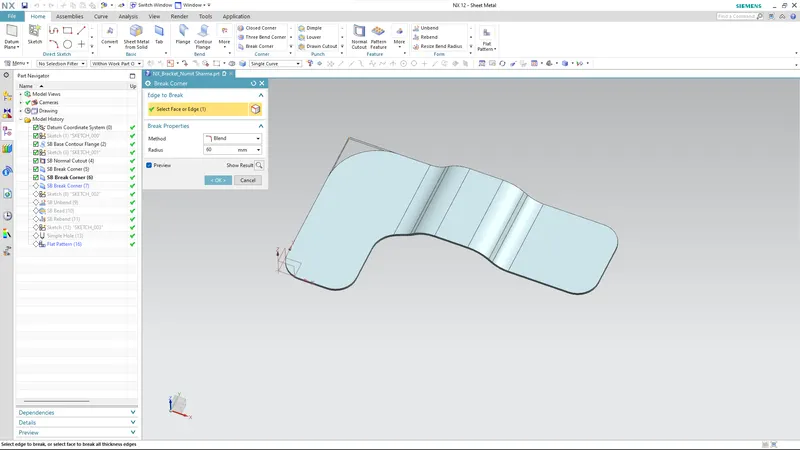
Create a sketch for a bead
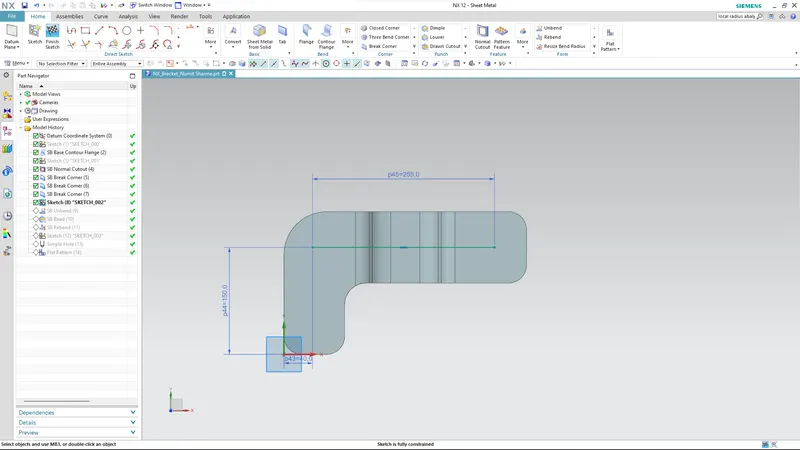
Unbend the bracket
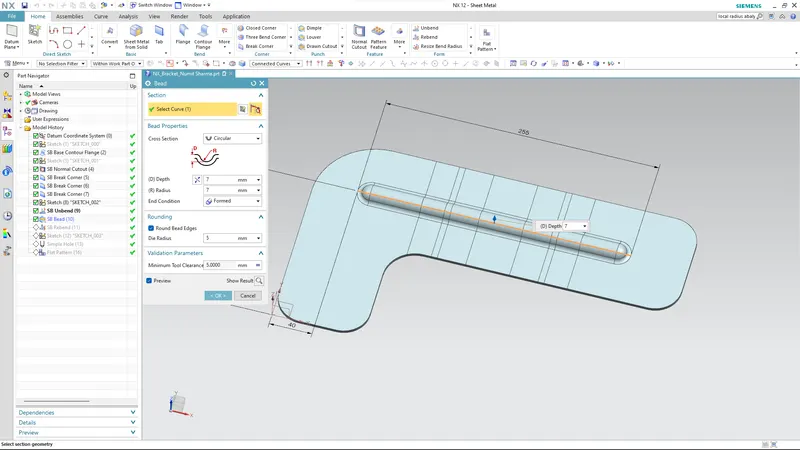
Create a bead from the profile created
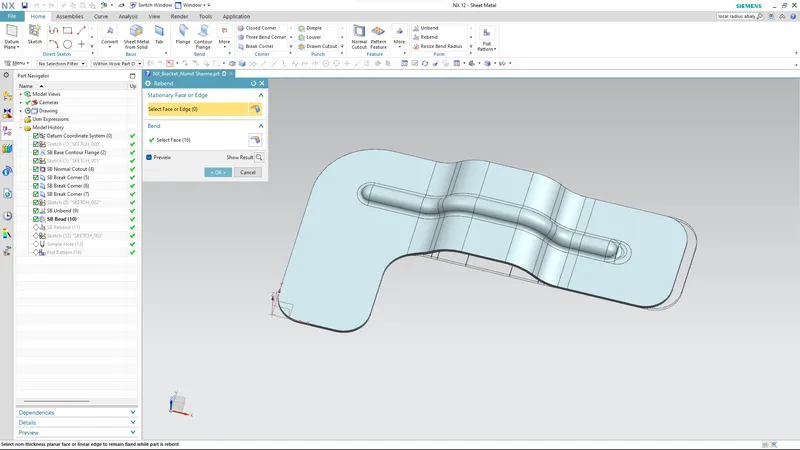
Rebend the bracket
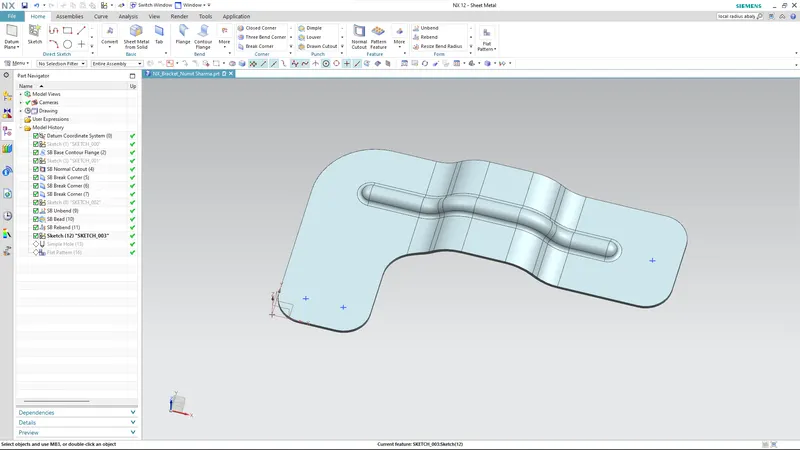
Create points on the top view to locate the holes
Create the holes using the hole command
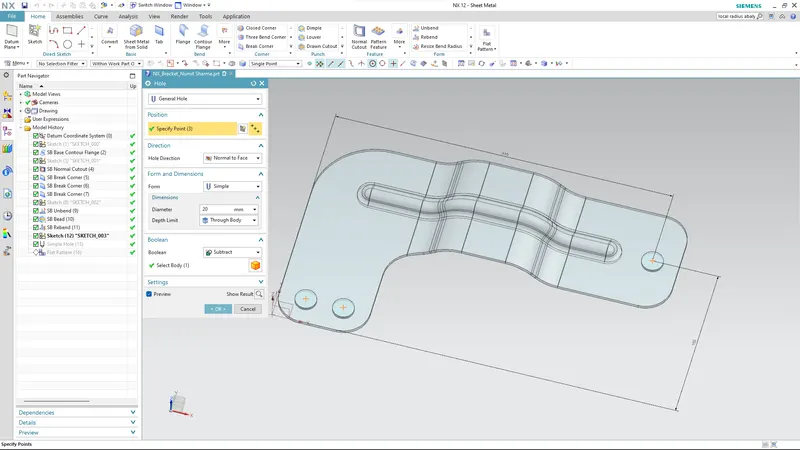
Views :
Isometric view
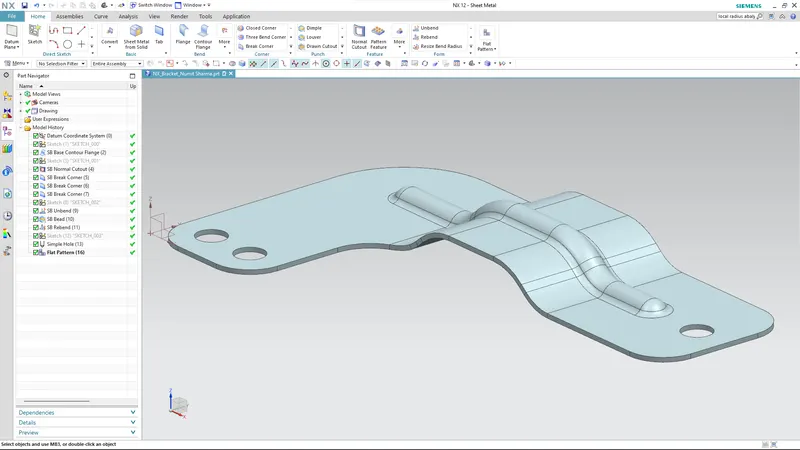
Front view
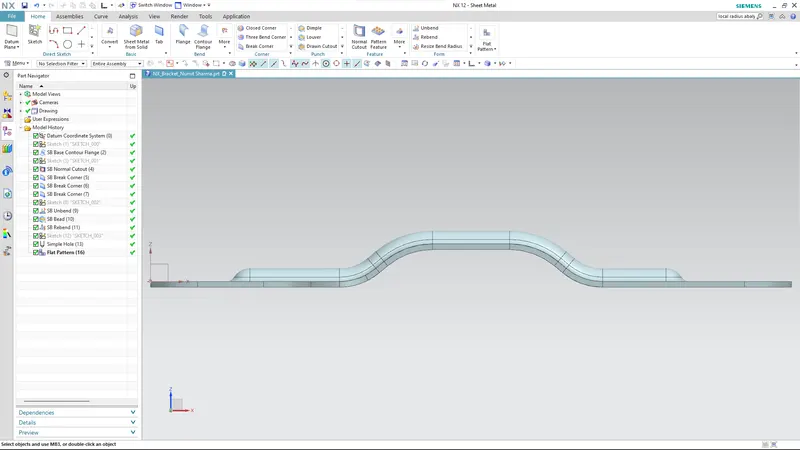
Top view
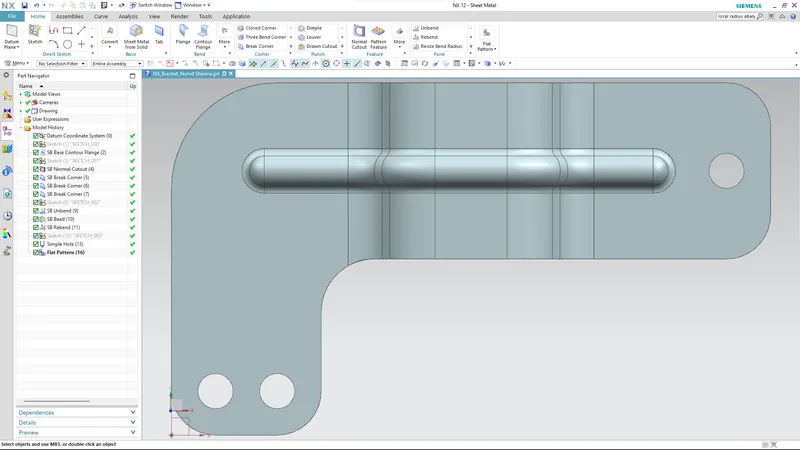
Bottom view
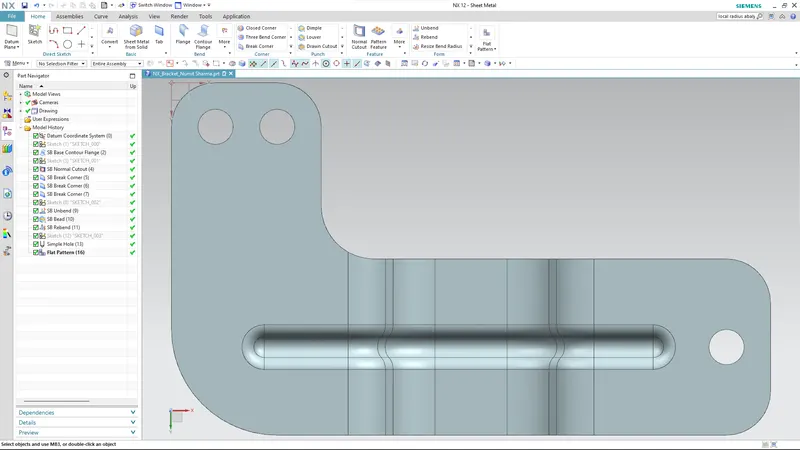
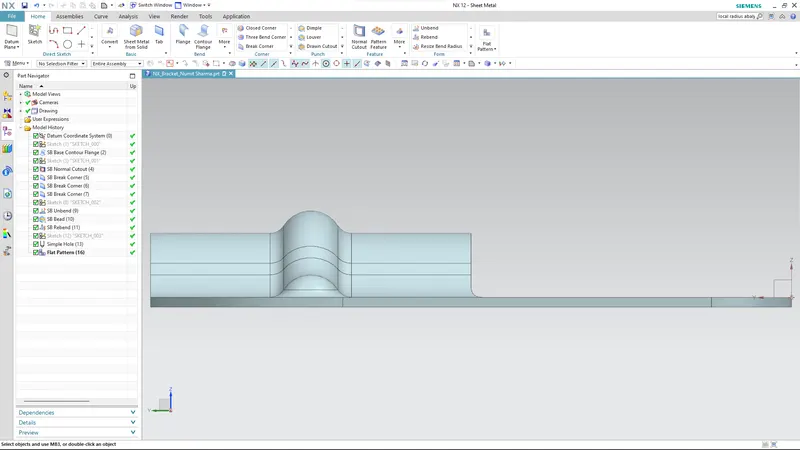
Side view
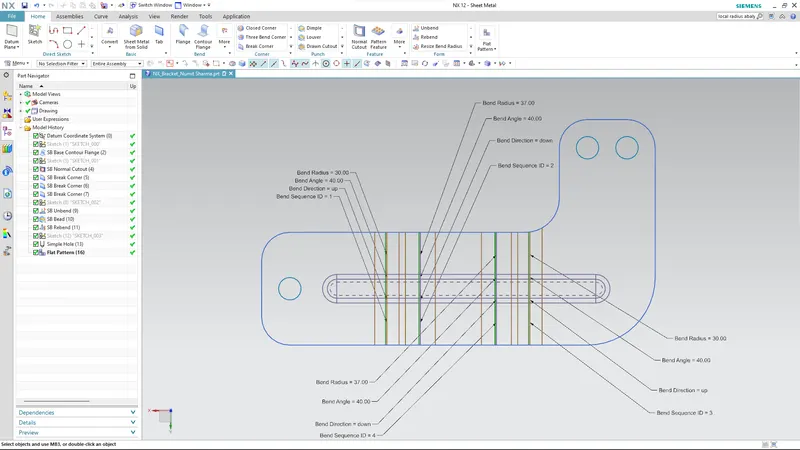
Flat Pattern view
Drawing Sheet
Conclusion :
The bracket is created is using advanced sheet metal tools in NX CAD.