Advanced Sheet Metal Design Using NX Cad Challenge_6_Bracket
NX_Bracket_Harish Patil.
Design of Bracket using NX sheet metal application.
Objective:
To design a Bracket by using Siemens NX sheetmetal Application.
Introduction:
NX Siemens contains a series of applications that support different workflows, such as creating parts, building an assembly, or producing a drawing. And NX Siemens sheetmetal application provides an environment for the design of sheetmetal parts used in Machinery, Automotive industry and Aerospace etc.
Design Of Methodology:
Work flow to design a Bracket.
- Sketch the 2D shape of the Bracket.
- Create Contour Flange.
- Create Normal cutout using 2d skecth on base.
- Add Break corner.
- Unbend the part and add Hole.
- Rebend the part after applying of required features
- Create flat pattern.
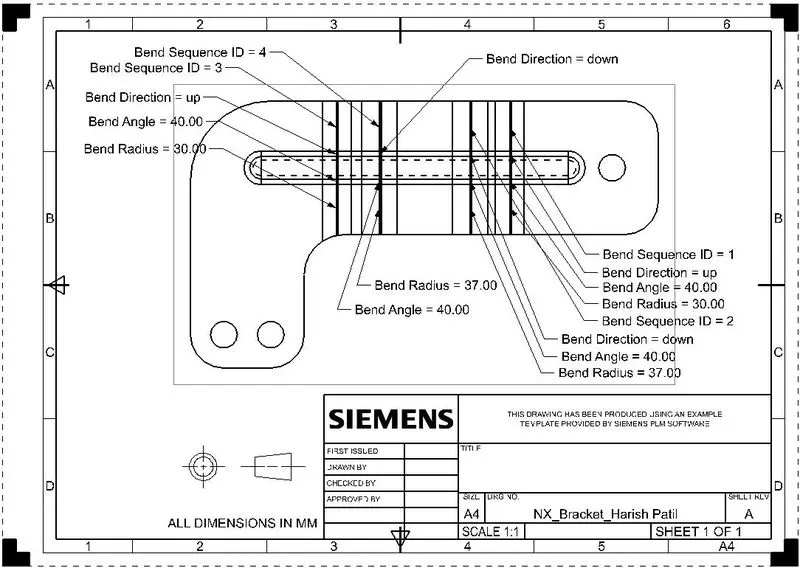
- Create a drawing sheet by using of drafting.
Description:
Tools used:
- Sketch: Used to create a 2D sketch on the plane.
- Line: Used to draw a line.
- Fillet: Bend the sharp edges.
- Circle: Used to draw a circle.
- Point: Used to create a point in the sketch.
Features Used:
- Tab: Use to create a base feature by extruding a sketch along a vector by thickness valve or by adding material to existing faces & bend regions of sheet metal part.
- Normal Cutout: It is used to create the cutout to the material by projecting a sketch onto the model and then cutting perpendicular to the faces intersected by the projection.
- Bend: It is used to bend the material by projecting a sketch on the model perpendicular to the faces intersected by the projection.
- Contour Flange: Use to add a base ,by skecthing 2D in a plane.
- Break Corner: Use to round or chamfer sharp corners of a tab or flange.
- Unbend: It is reverse of bend feature , used to add some more feature.
- Hole: Use to create a hole in the body using standard valves.
- Rebend: Use to gain the original position.
- Flat Pattern: Used to create a flat pattern feature form the formed sheetmetal part.
- Base View: Creates the model based view on the drawing sheet.
Images:
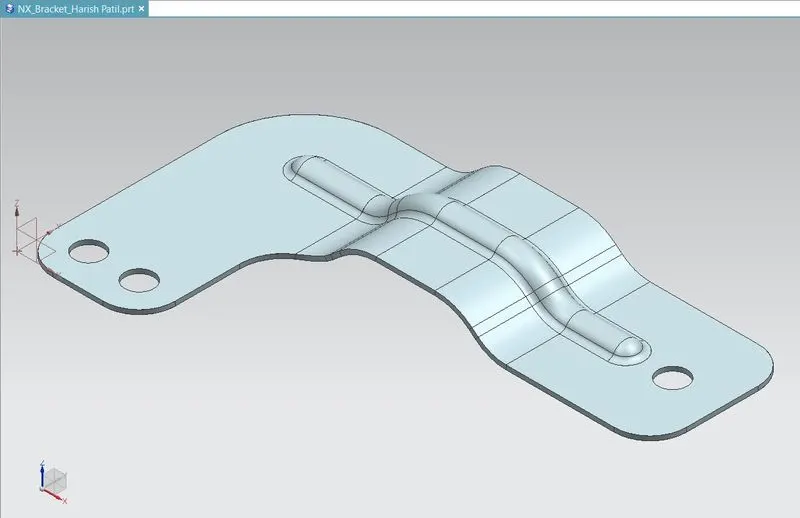
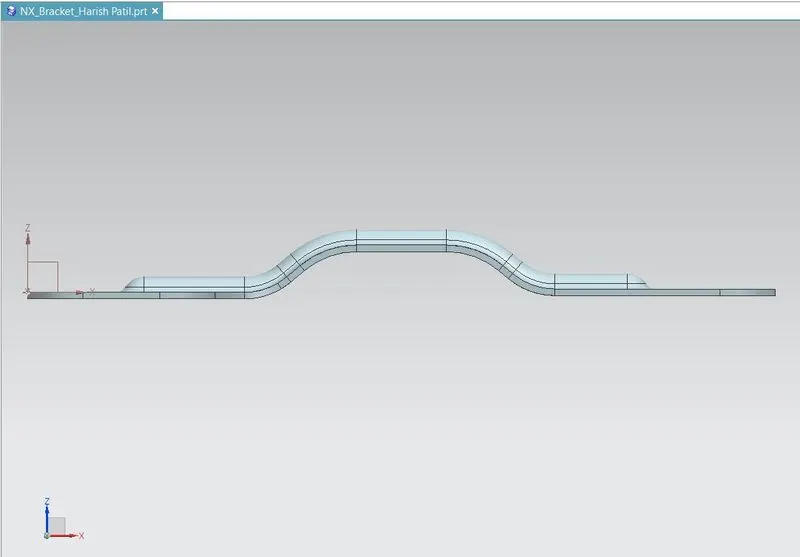
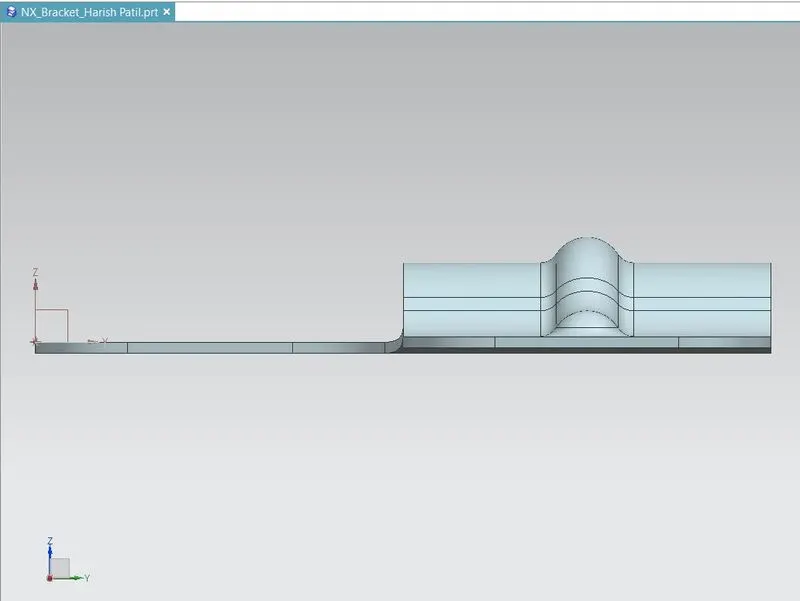
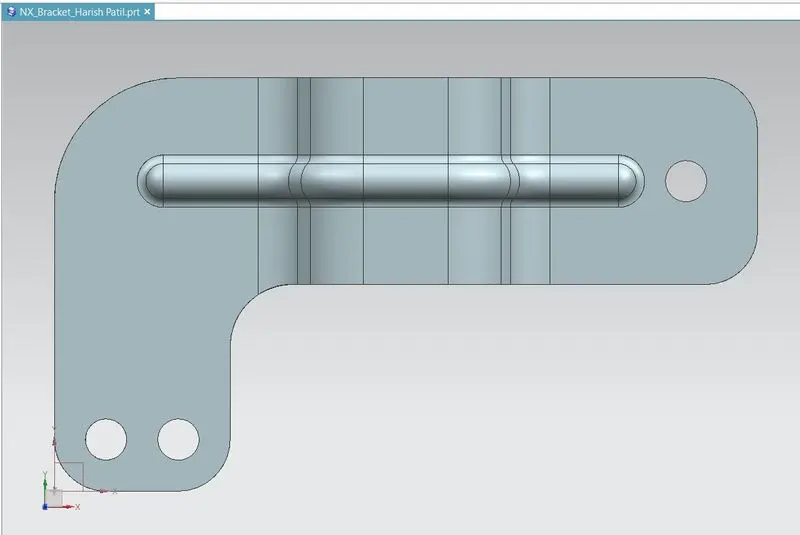
Conclusion :
Design Bracket using sheet metal in NX & view the drawing using drafting application.