Advanced Sheet Metal Design Using NX Cad Challenge_5_Odd Shaped Enclosure
Odd Shaped Enclosure Using NX Cad
Objective:
The main objective of this project is to create an odd shaped enclosure and its flat pattern using NX Cad Sheet metal applications.
Introduction:
This project is to create an enclosure, by creating the sheet metal and wrapping the sheet metal over the solid surface. Then we need to add the feature in the wrapped sheet metal. To add more features like dimples, louver, beads then the sheet metal has to unbend. Finally, the pattern has to be created to check the manufacturing feasibility of that product.
Design Methodology:
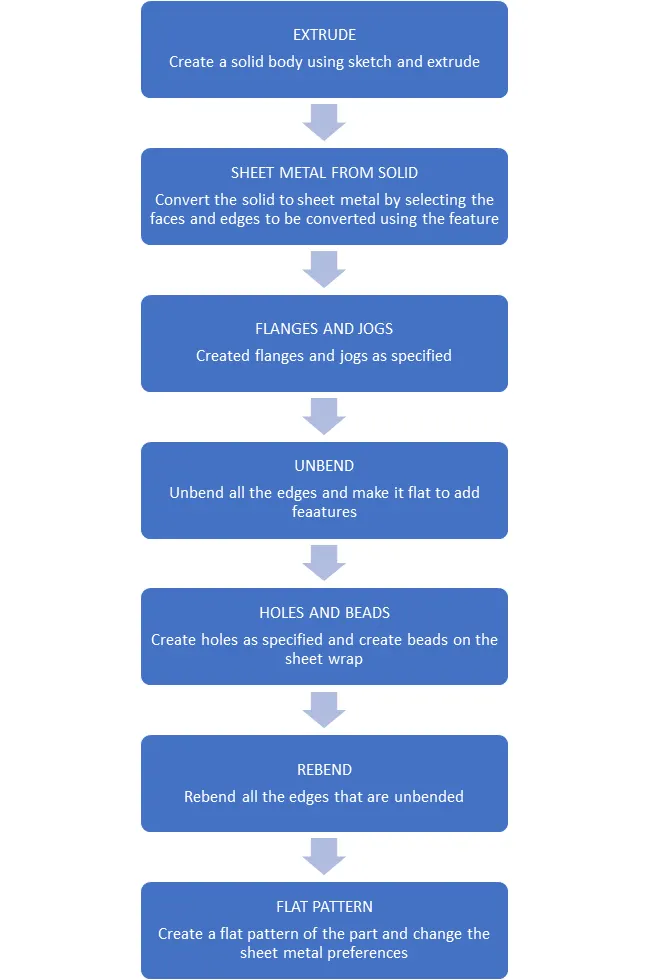
Description:
Creating sketch and solid body:
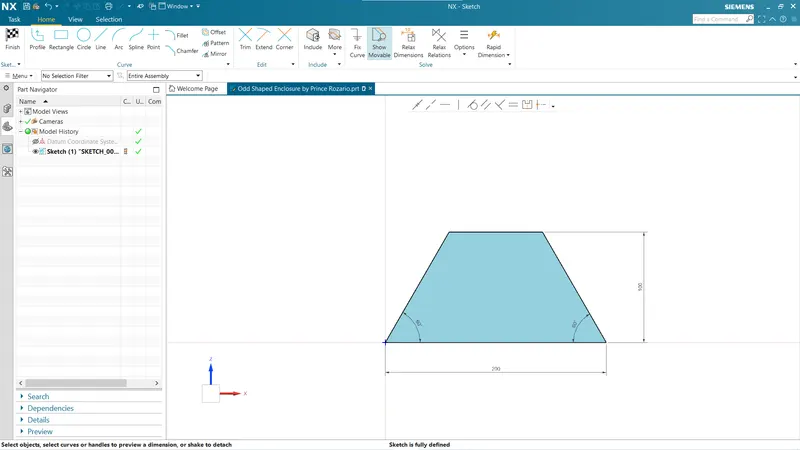
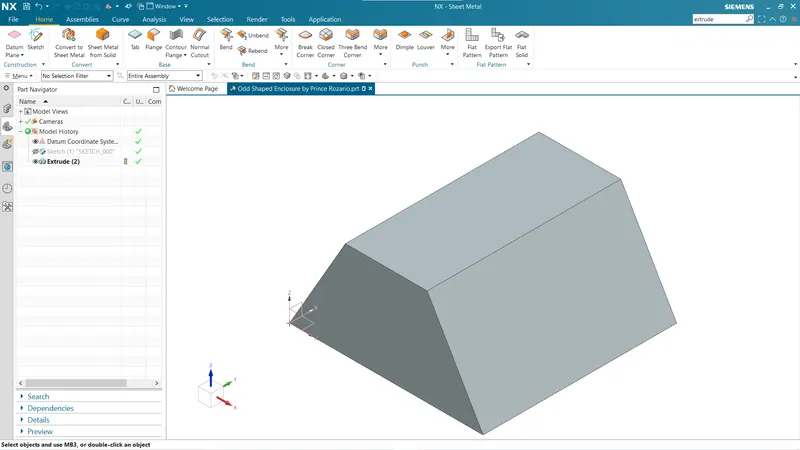
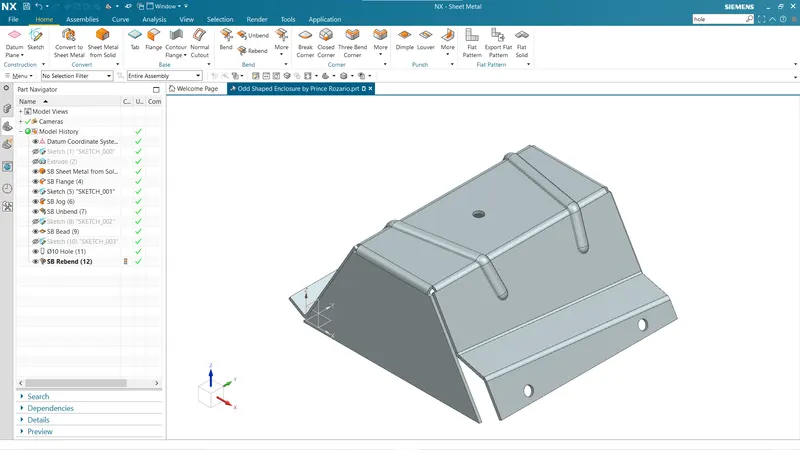
In first step to design the model, a sketch of trapezoid shape drawn over ZX plane and extrude it with the 200mm thickness. Extrude feature adds material and depth to the sketch provided and gives a solid object. NX provide this feature in various application like modelling, sheet metal etc.
Sheet Metal from Solid:
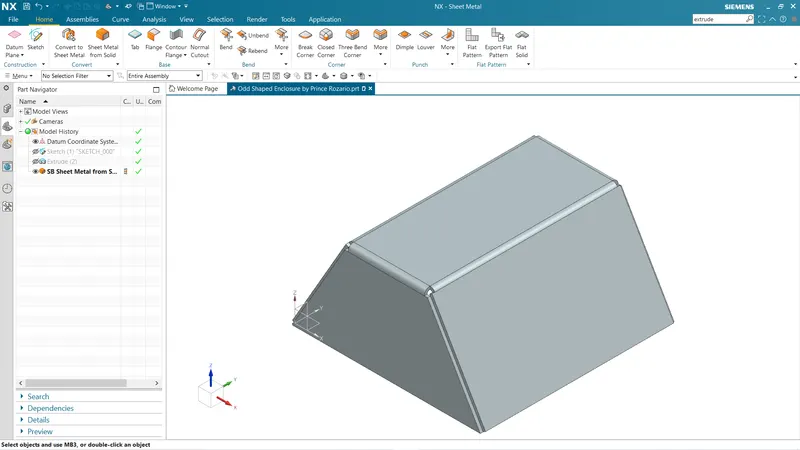
Further step in modelling is to create sheet metal object from solid body. NX provides a feature that sheet metal from solid which converts the solid body form sheet metal. To convert, first we specify web faces and then specify bend edges. Pre-set values or global values of bend radius and K factor are applied with specific thickness.
Create Flanges:
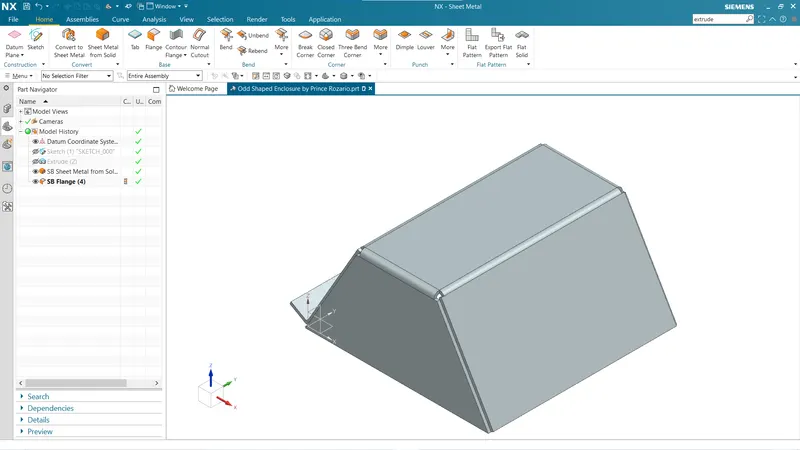
In this step we created a flange on one side of the enclosure. To create this flange, we used flanges feature it gives a sheet surface at an angle specified and add bend between two surfaces. To apply flanges, we needed to specify the edge, length, angle, length reference, insert type and bend radius. NX provides three more types of flanges as contour flanges, lofted flanges and hem flanges.
Creating Jog:
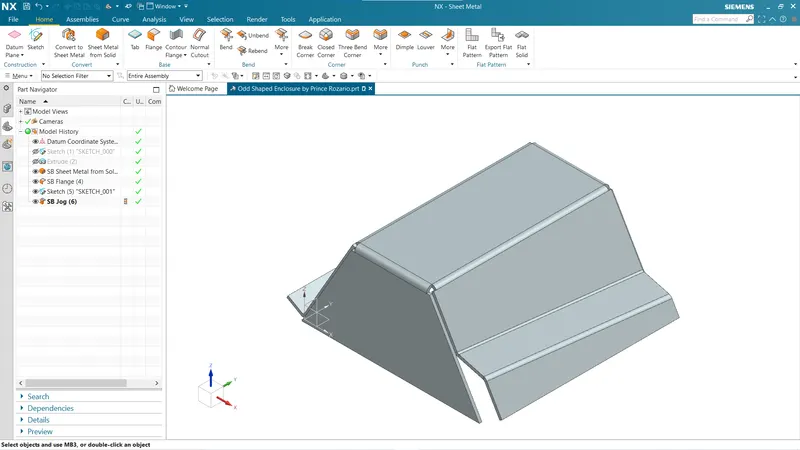
Jog is a tool which lifts material on one side of the jog line and adds a flange between two sides. The section for jog the must consist of a singles line across a planer face. Jog provides rigidity to a part creating step in tab or face. In model we applied jog on opposite face to flanges.
Apply Unbend:
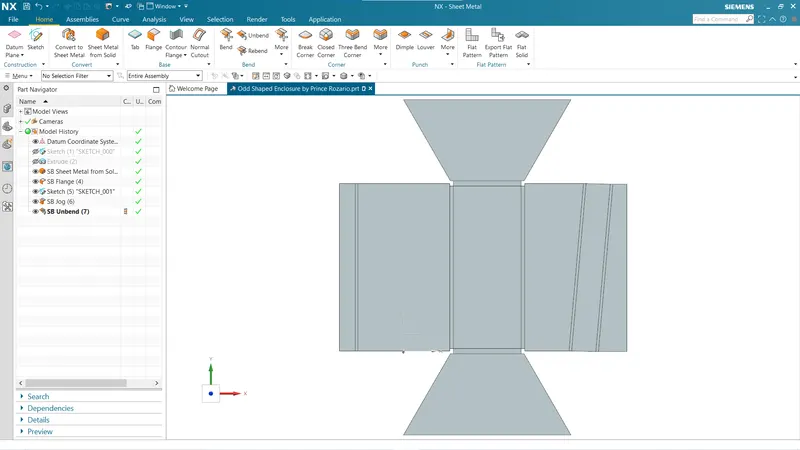
To apply extra features, we need to unbend components so applied feature will be normal to profile and gives result as required. Apply unbend in steps as shown.
Create Beads:
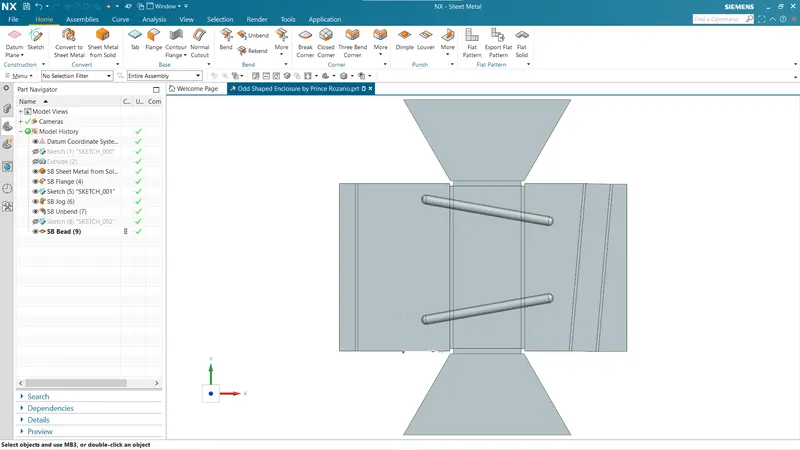
To provides stiffness to components beads are applied. It lifts materials along a sketched contour to simulate stamping tool. NX provides a very simple way to apply beads, the input to bead is a sketch which is line for current model and parameters like depth, radius and type of cross section.
Create Holes:
Holes are added to provide alignment to enclosure. NX provides whole feature has options like general type, contour bore, contour sink, etc. Positions, diameter and depth are important inputs to apply hole a body.
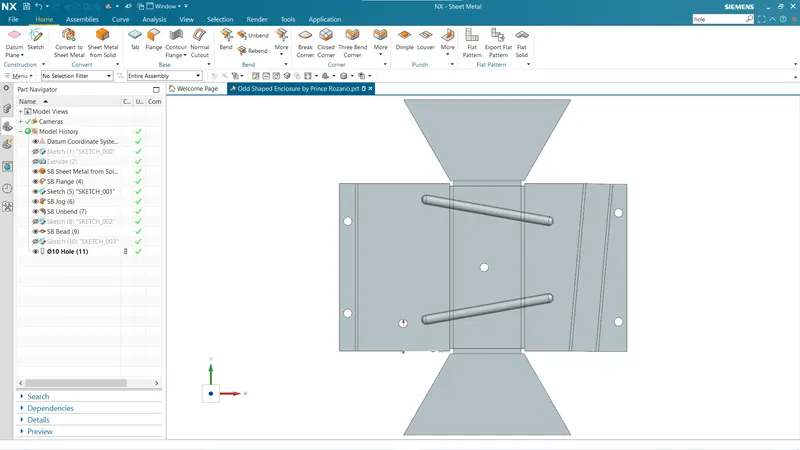
Apply Rebend:
Rebend feature will bend the component in order as we unbended previously. We can perform this in a single step or go by step by step.
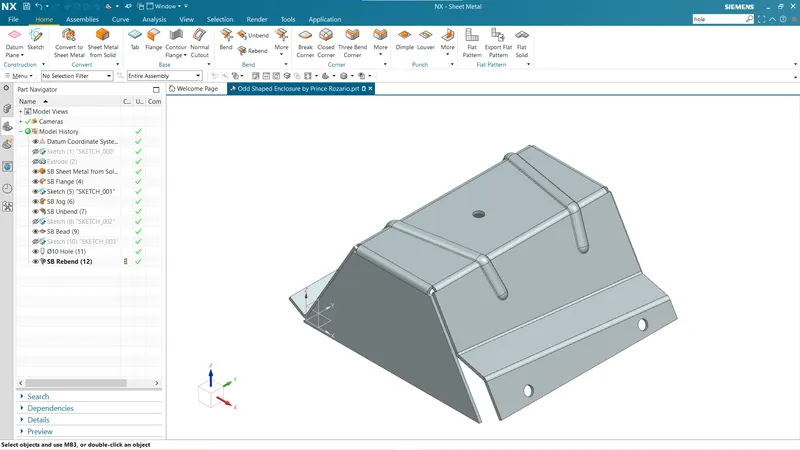
Flat Pattern:
It is the representation of entire sheet metal component in 2D format. This flat pattern shows entire features that are performed over sheet like bends, cut-outs, holes, dimples, beads in form of line drawing.
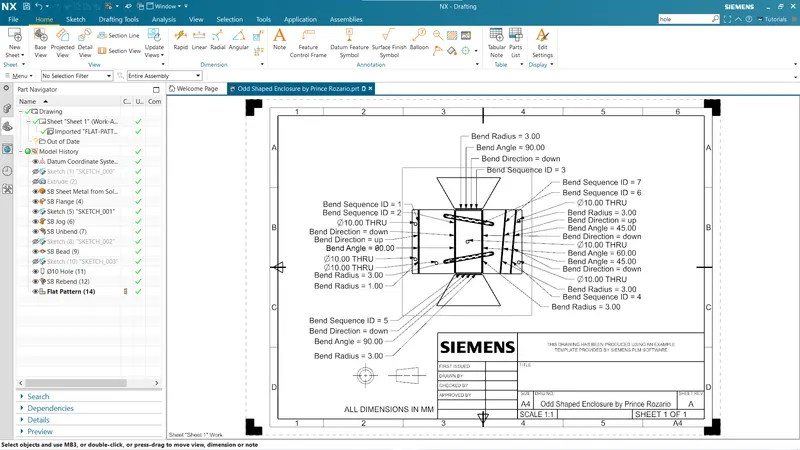
Drafting:
It is referring to creating technical drawing that communicate about dimensions, views of components geometry and other features that performed over part in 2D or 3D. The draft of drawing is prepared which include annotation, dimension, relations, etc. which helps to a person from manufacturing or production department about components.
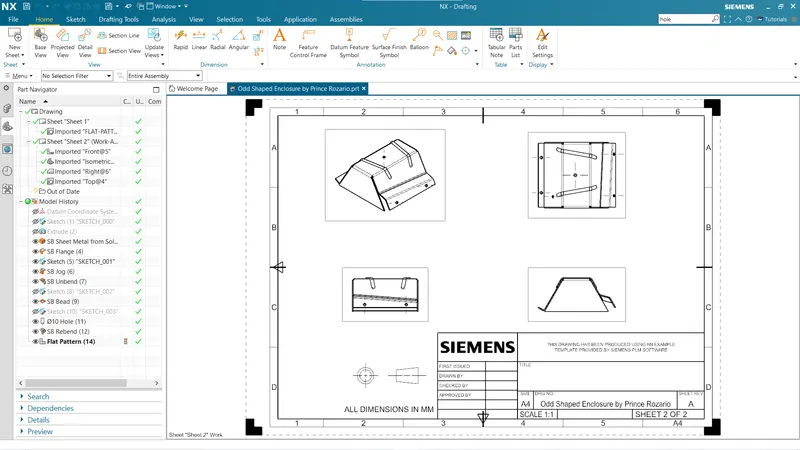
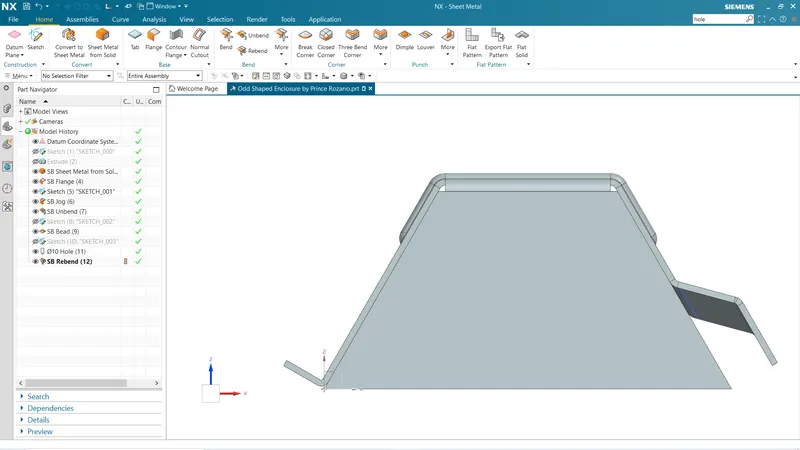
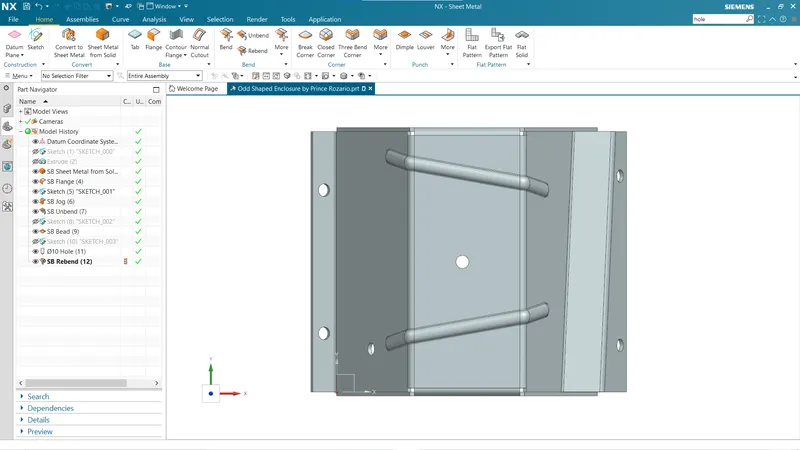
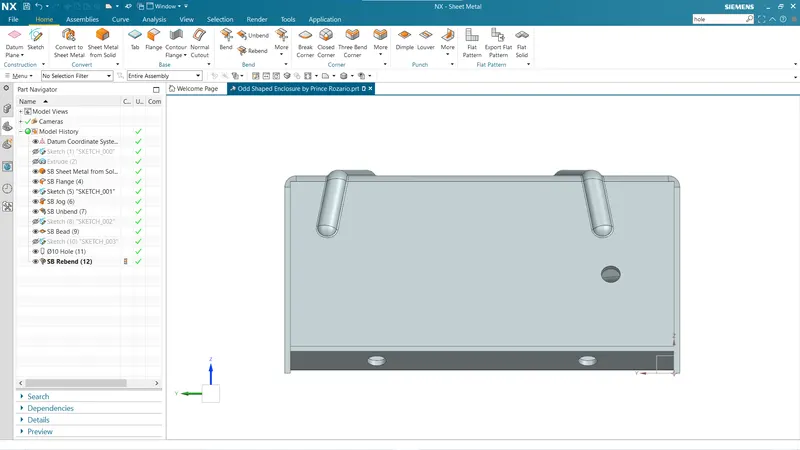
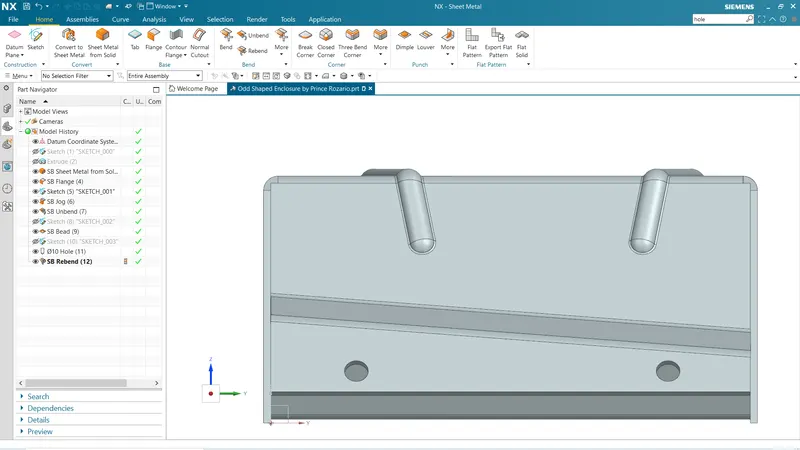
View of Model:
Front View:
Top View:
Side View:
Isometric View:
Conclusion:
The project taught the way of execution of design for such an odd shape sheet metal component using Siemens NX features like converting sheet metal from solids, which helps a designer to save time of remodelling from base.