Advanced Sheet Metal Design Using NX Cad Challenge_5_Odd Shaped Enclosure
Odd shaped Enclosure
OBJECTIVE-
Create a Odd shaped Enclosure design model following the given guidelines by using NX Sheet metal application.
INTRODUCTION-
NX sheet metal environment can be used to create sheet metal designs with all the manufacturing considerations. Hence, NX is here used to design and create an odd shaped enclosure which can be drafted for actual manufacturing.
DESIGN METHODOLOGY-
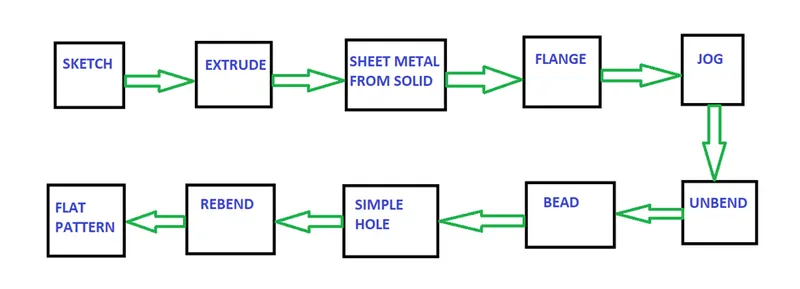
DESCRIPTION-
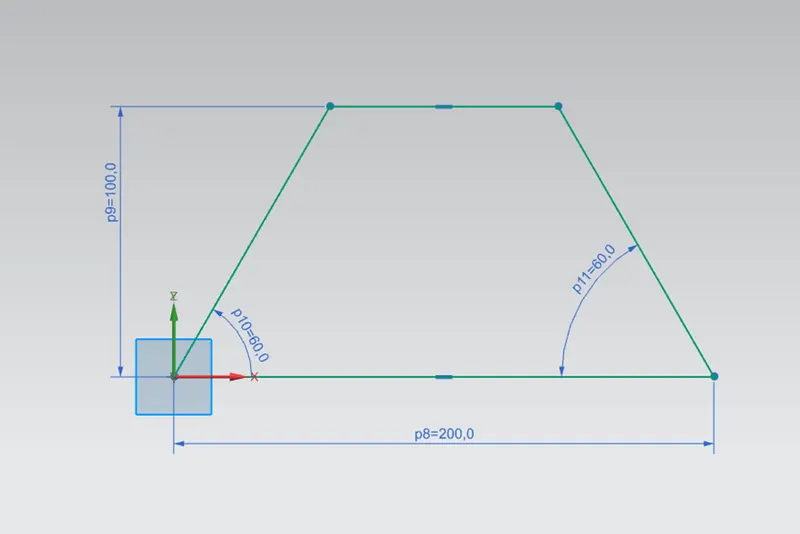
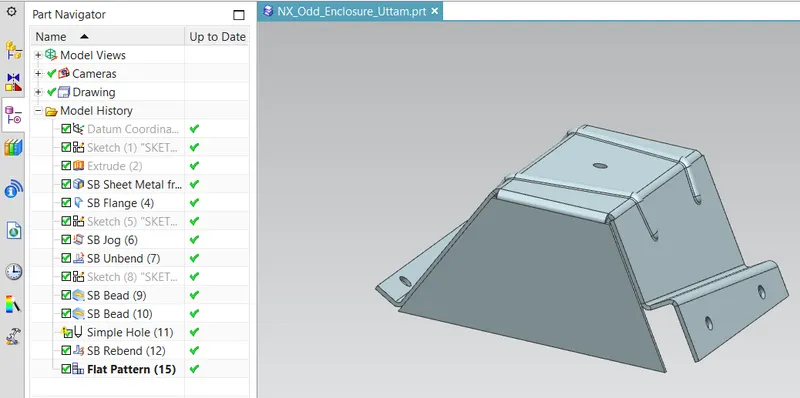
- SKETCH: This is used to create a basic sketch of the design on selecting the desired plane, then later it can be modelled for a requirement.
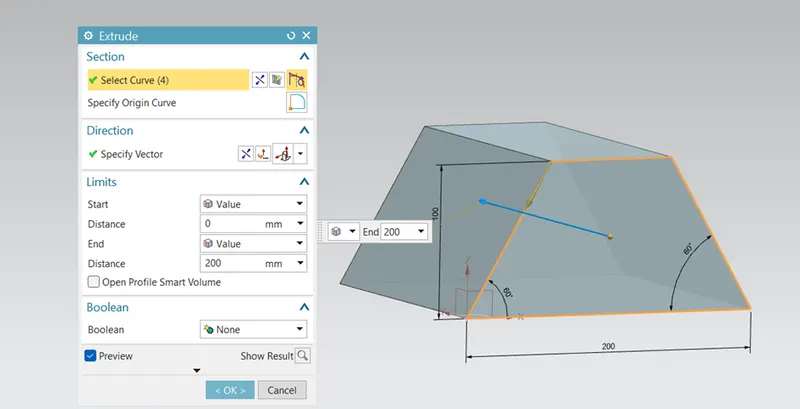
- EXTRUDE-create an extrude for creating a solid body. this solid body can be created by sketching on the plane.
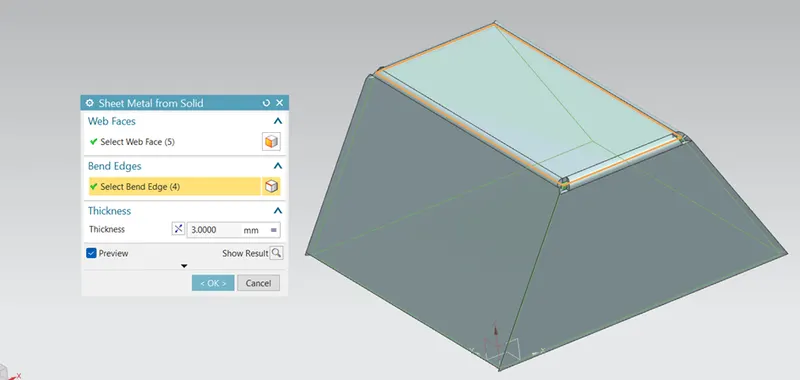
- SHEET METAL FFROM SOLID- By using SM from SB what it will do it is converting a sheet metal from solid body for that we have to select the intended faces, edges and give a thickness values. then press apply to convert.
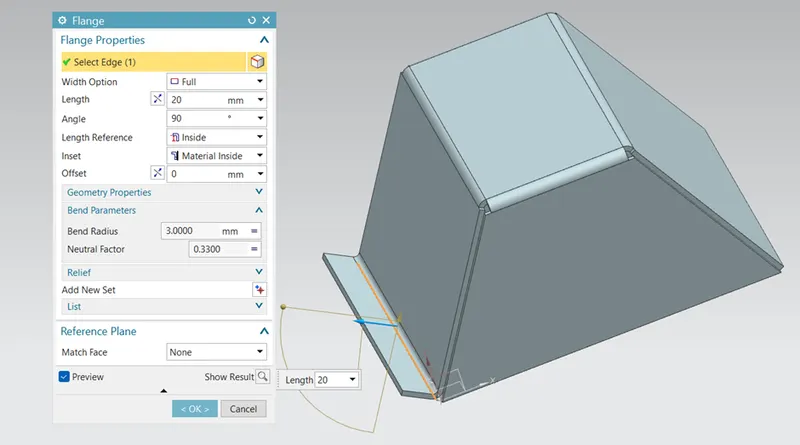
- FLANGE- Add a flange on the appropriate edge as shown in fig. {20 mm length}.
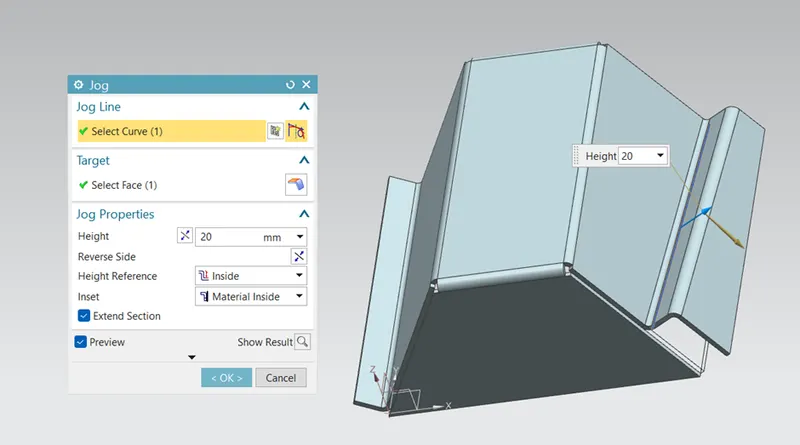
- JOG-on the other side apply a jog. what a jog do it is lifting a material as shown in fig. the profile was created by the sketch on the lifting faces.
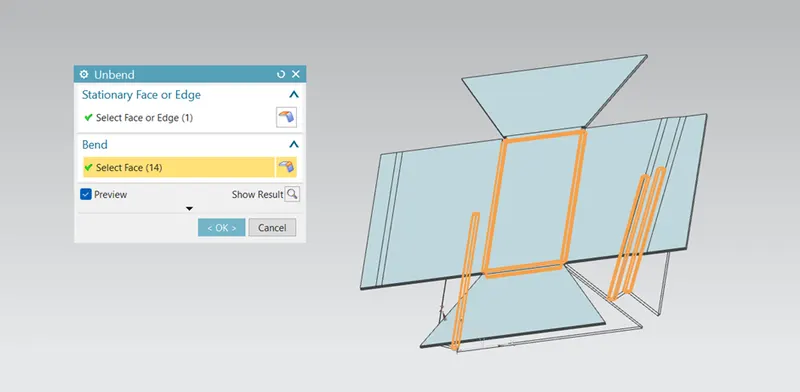
- UNBEND-do a unbend it will unbend our sheet metal as shown in figure. unbend command used to add some extra features on the sheet metal and also it is ensuring that we are working on the sheet metal design.
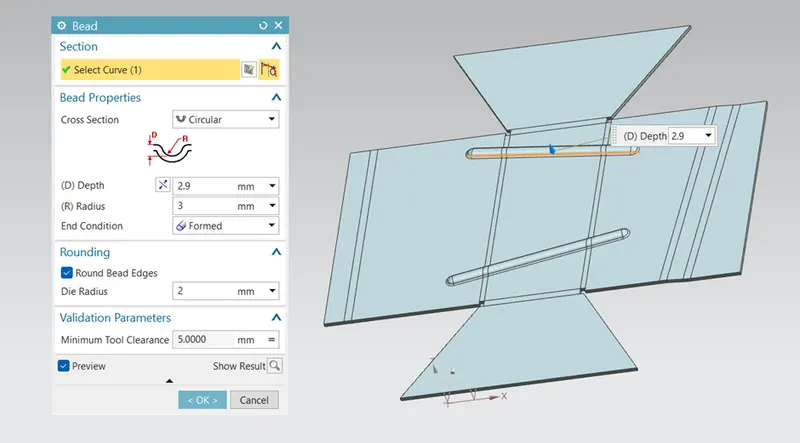
- BEAD-Bead is added on the sheet metal part to increase a stiffness of the sheet metal. bead can be created by sketching a line.
- HOLES- Hole has been created with uniform diameter of cut profile.
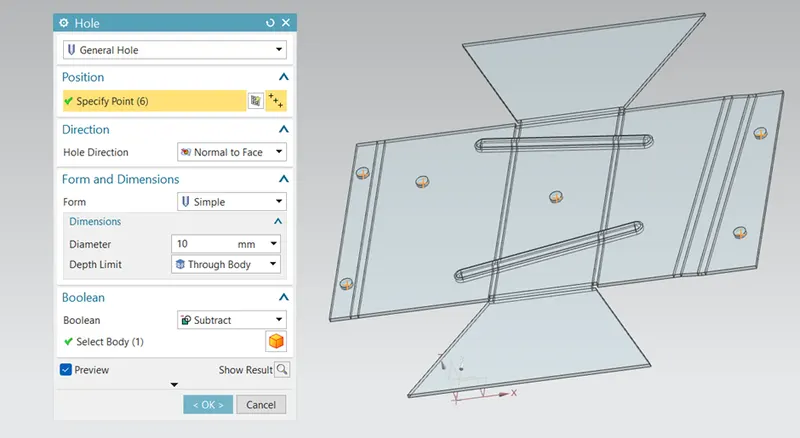
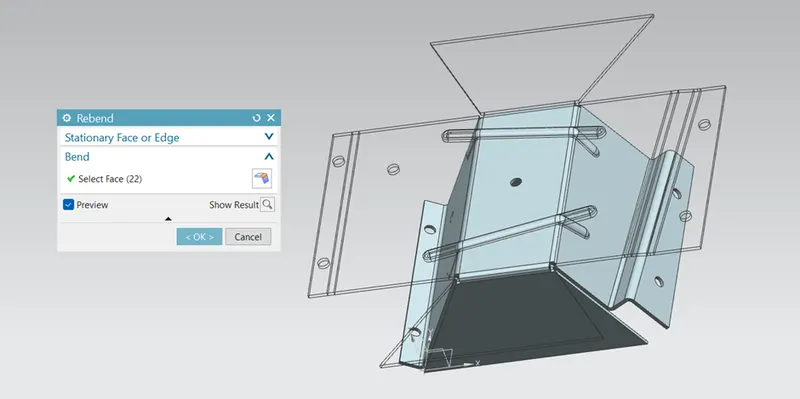
- REBEND- Performed a rebend command to back to it's formed shape and the final encloser would result like this.
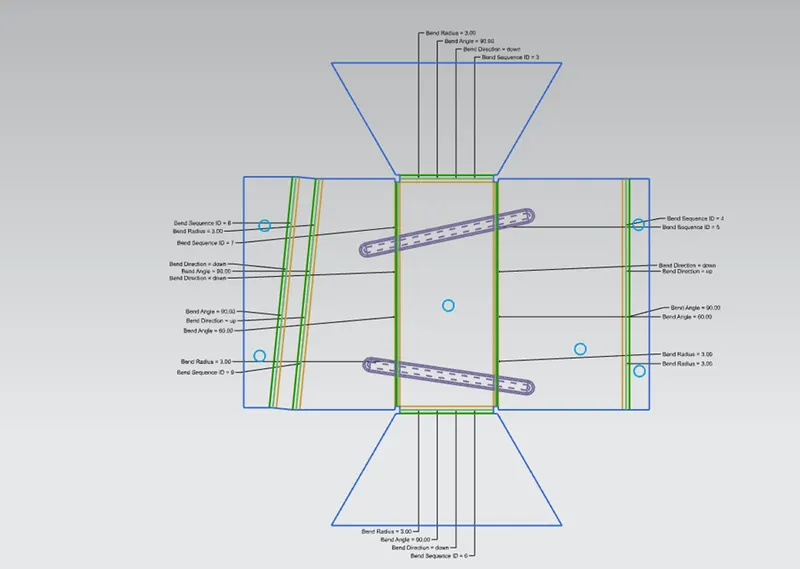
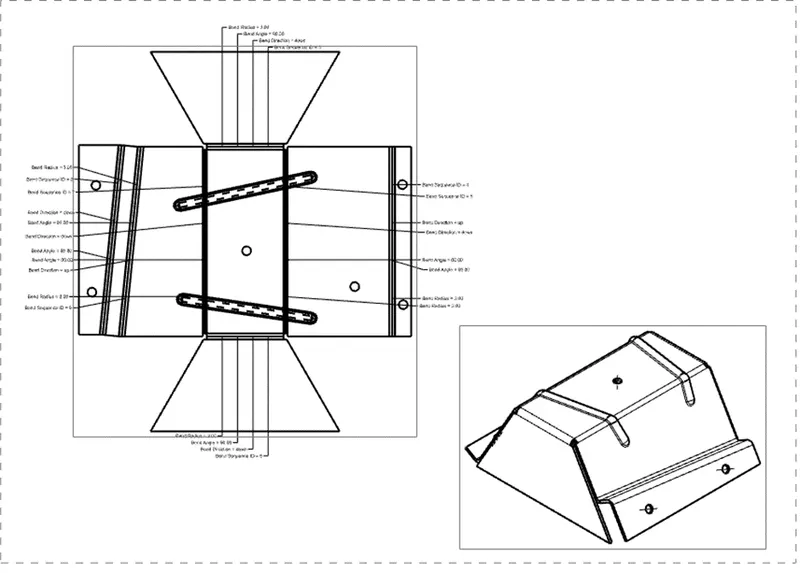
- FLAT PATTERN- Create a flat pattern for drafting purposes ensure that you have enble all the important details so those are reflect on your drafting.
DIFFERENT VIEWS OF MODEL-
- ISOMETRIC VIEW-
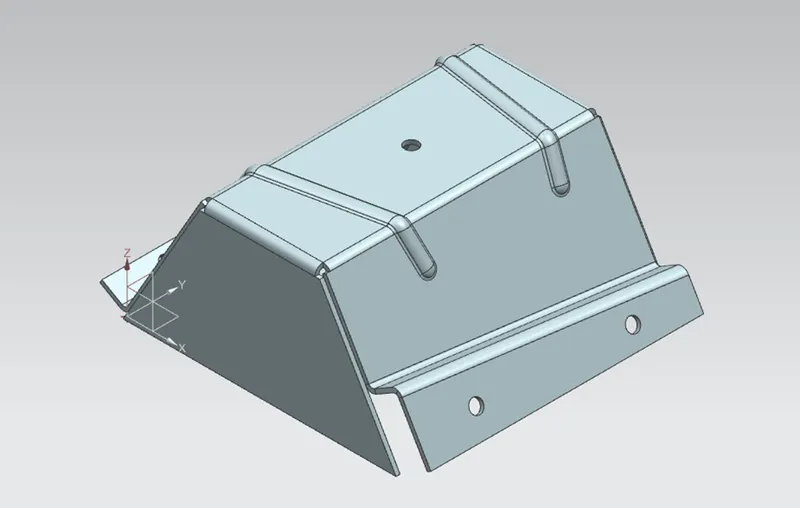
- FRONT VIEW-
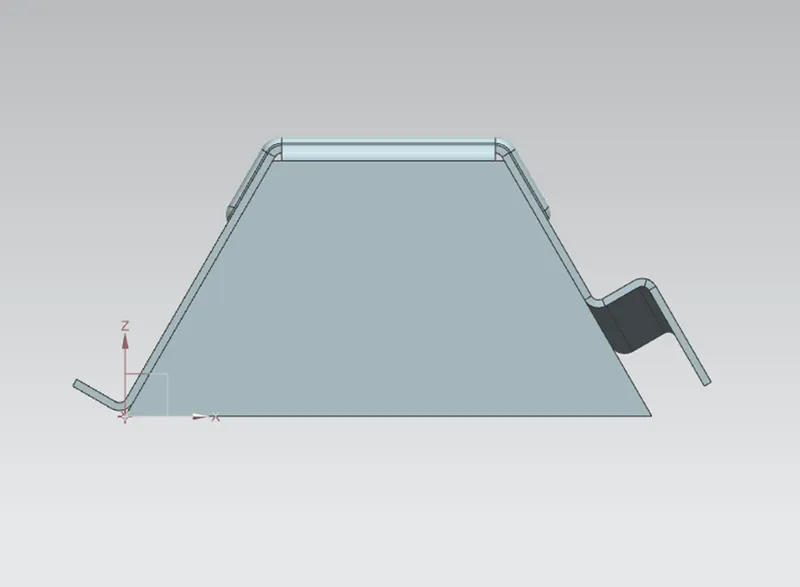
- TOP VIEW-
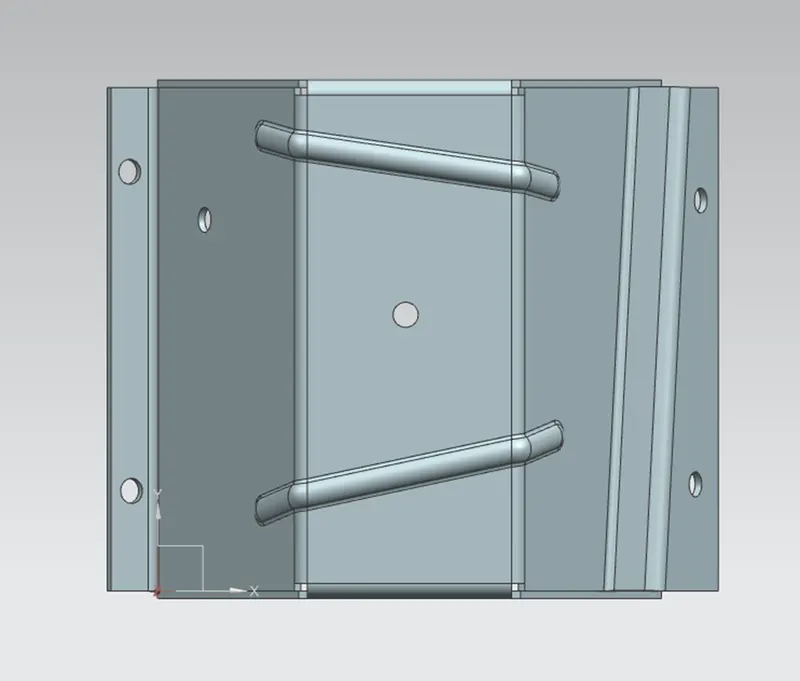
- SIDE VIEW-
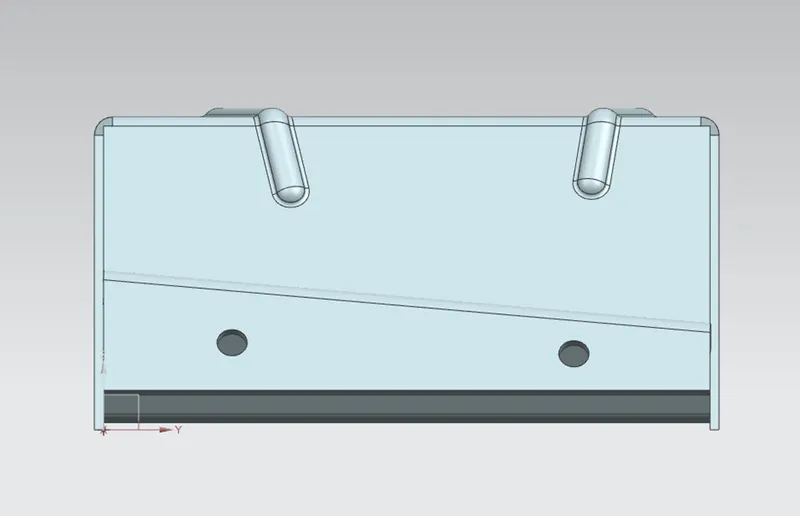
FEATURE TREE-
DRAFTING-
CONCLUSION-
In this challenge we created the sheet metal Odd shaped enclosure model using given guidelines. We learn about the various commands in NX Sheet metal application.