Advanced Sheet Metal Design Using NX Cad Challenge_5_Odd Shaped Enclosure
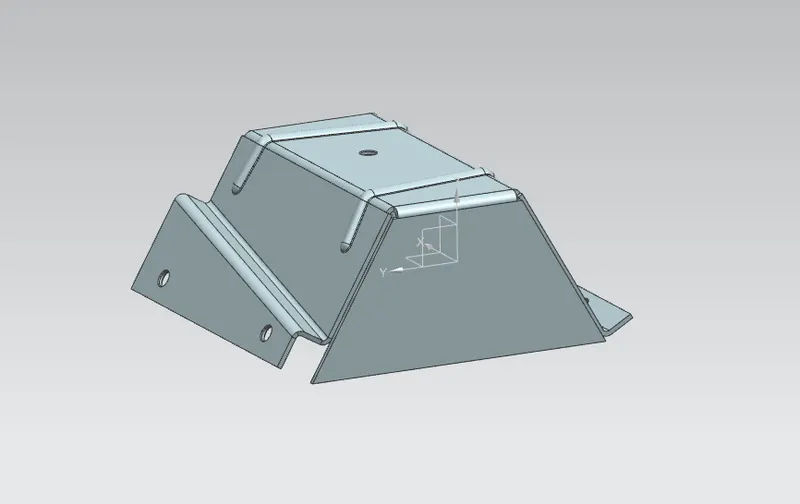
TITLE: ODD SHAPED ENCLOSURE DESIGN USING SEMENS NX
OBJECTIVE:
Learn to design a sheet metal odd shaped enclosure in industrial manner.
INTERODUCTION:
Sheet metal part are widely used in machinery, enclosure, brackets, and automobile due to its various advantages. The parts are normally manufactured with break press. Sheet metal is nothing but the thin sheets made from metal of size ranging from 0.5 to 0.6mm. in this project I used NX CAD tool for designing the sheet metal bracket. NX CAD is used as design tool in more than 85% of the sheet metal industries.
DESIGN METHODOLOGY:
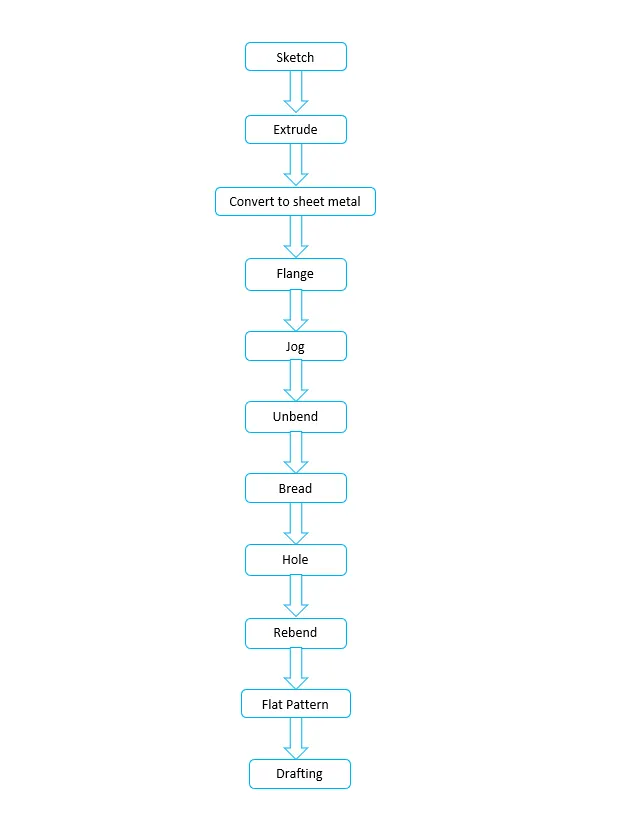
Simple and easy design methodology is followed during this project; only thing is that we have to just keep any eye on order of unbending and rebending the casting. The design methodology used for this project is summarized in below flowchart.
DESCRIPTION:
SKETCH:
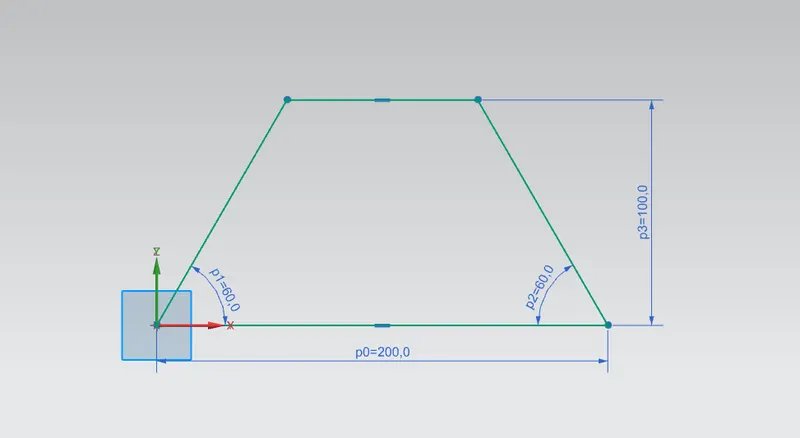
For creating any sheet metal surface, we have to first make a sketch. So, I started with crating simple base sketch for creating the extrude. Other than extrude, various sketches are also made on different planes or faces for creating other different part during designing.
Extrude:
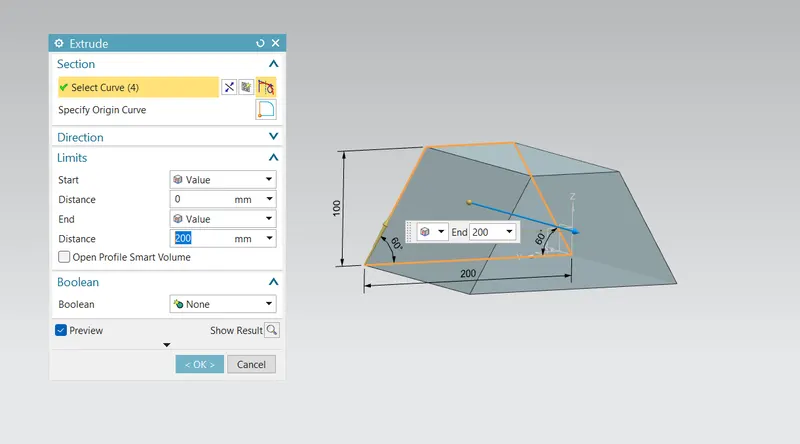
This is main feature for converting 2d sketch into 3d model. While extrusion material is added to sketch.
Convert to sheet metal:
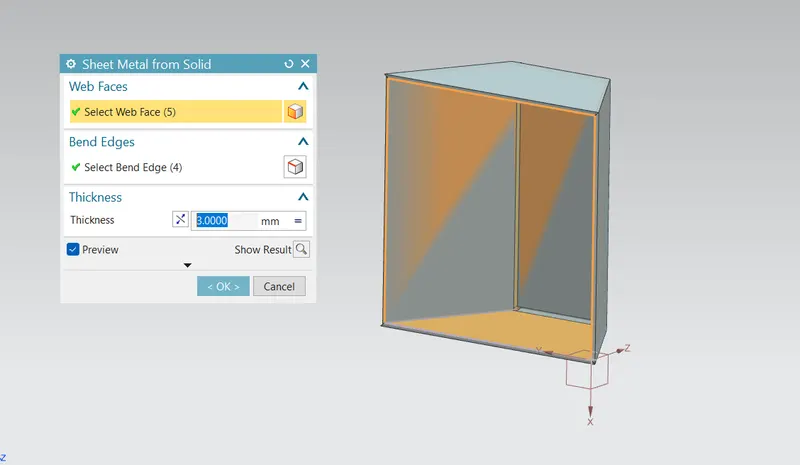
This feature is used to creates a sheet metal model from generating solid body by ripping edges, cleaning up geometry and converting to a sheet metal body. Frist, I had selected 5 faces out of 6 in select web face section and then selected edges in sheet bend edge and created the sheet metal body.
Flange:
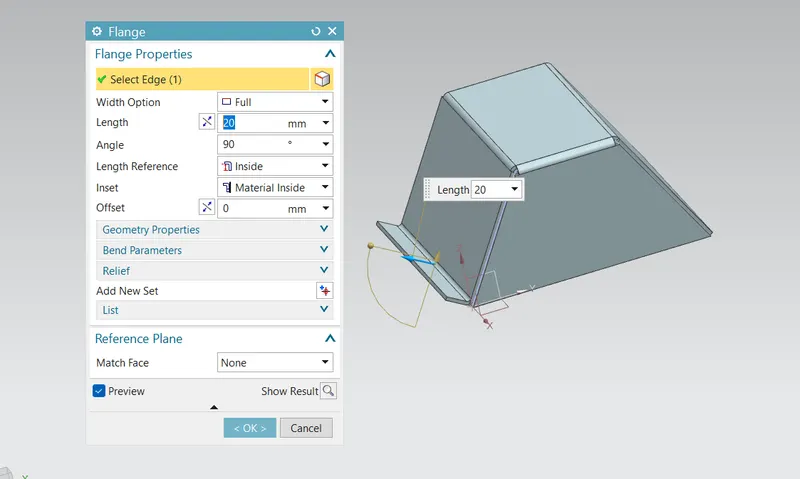
Flange is used to add extra material to the existing edges at any angle and of any size. For this project of add shaped enclosure design, I added full flange having parameters of mm length with material inside the reference edge.
Jog:
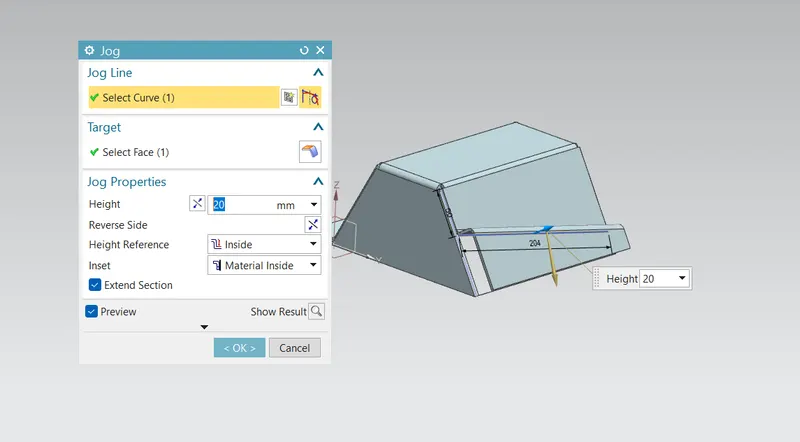
Jog feature is used to modifies the model by lifting material on one side of the line adding a flange between two sides. First, I had crated a line sketch for jog line and then I created jog having of 20mm.
Unbend:
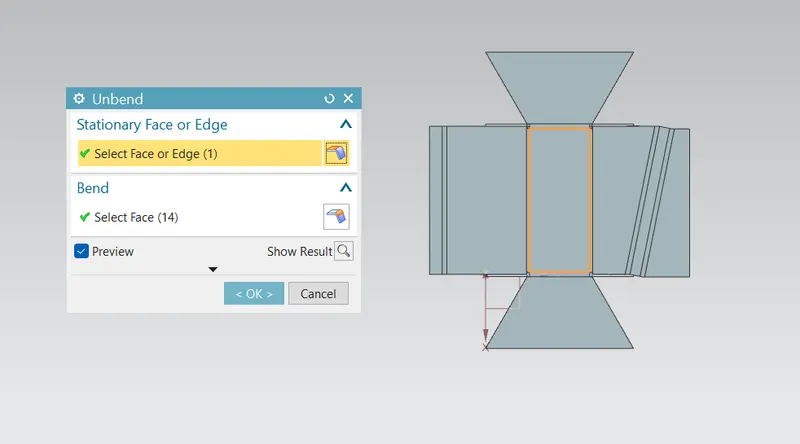
Unbend feature is one of the most powerful features in NX. Industry we have to make all the making and sketch on flat sheet metal before it went to actual operations. So, this unbends feature allow us to do that activity in siemens NX software. For this project of odd shaped enclosure design, I used this feature by selecting upper face as stationary face.
Bend:
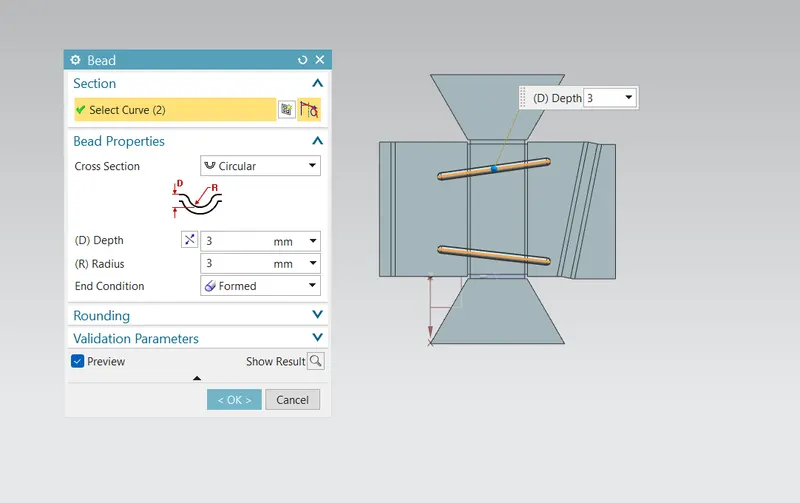
Bend is similar feature like dimple the only difference is that by using dimple we lift an area while in bend we lift the contour of the sketch. It also added to strength the component. For this project to bends are applied in the position as shown in the image below.
Hole:
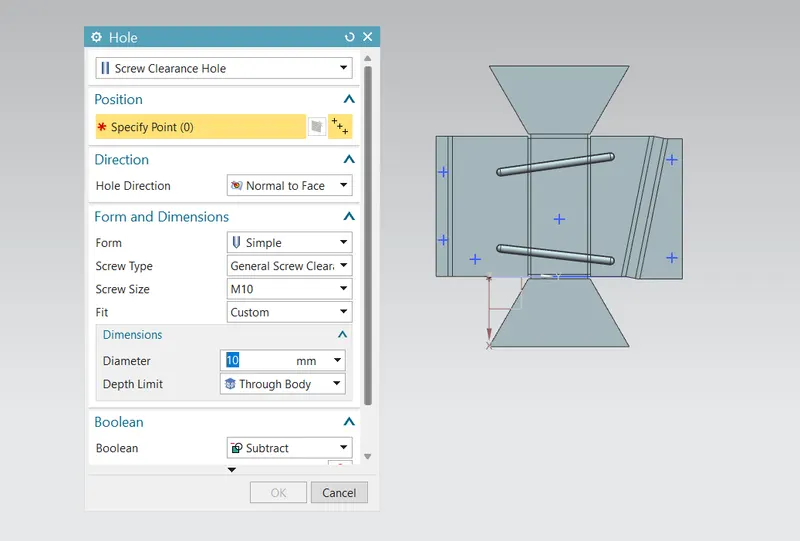
Hole feature is used to generate hole with definite parameter on sheet metal in siemens NX. We can create different types of holes using this feature, in this project I mainly used simple screw clearance hole. I first sketched location points and then hole feature is applied to all points.
Rebend:
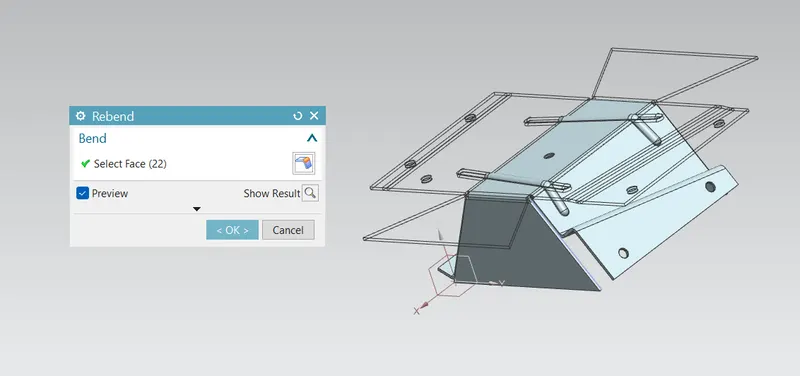
rebend feature is used to restore the unbend feature to its previous bent state along with any feature added after the unbend feature. This is done by using rebend feature and selecting all the bends carefully in order they unbended.
Flat pattern:
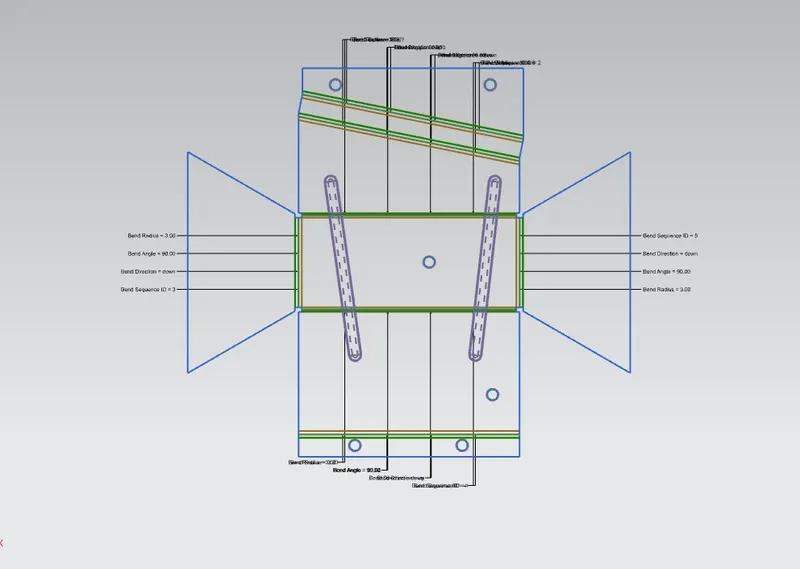
Flat pattern feature allows us to convert 3D sheet metal component into 2D from in siemens NX software. By using this flat pattern feature we can easily avoid error like interference or collision.
Drafting:
After designing 3d model for further process of manufacturing we have to convert the entire sheet metal component into 2d for easy interpretation. For this project of odd shaped enclosure design a drawing is created of pattern in1:5 scale in A4 size.
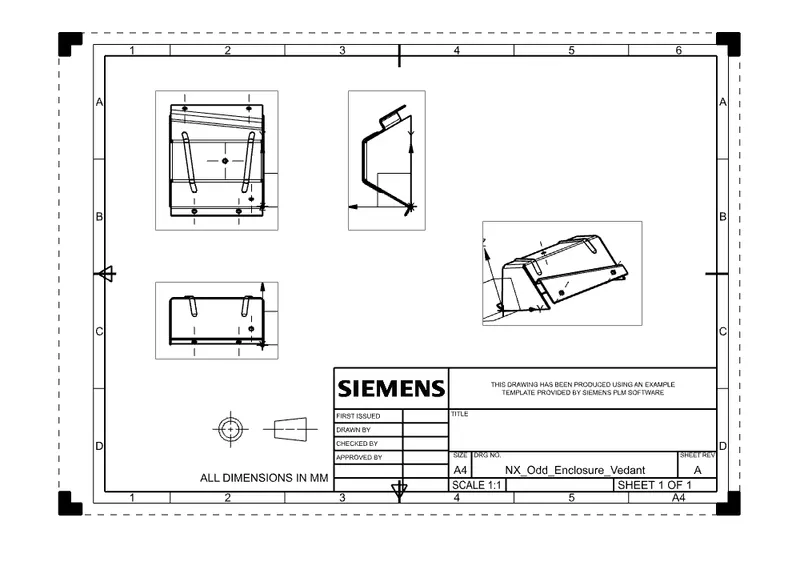
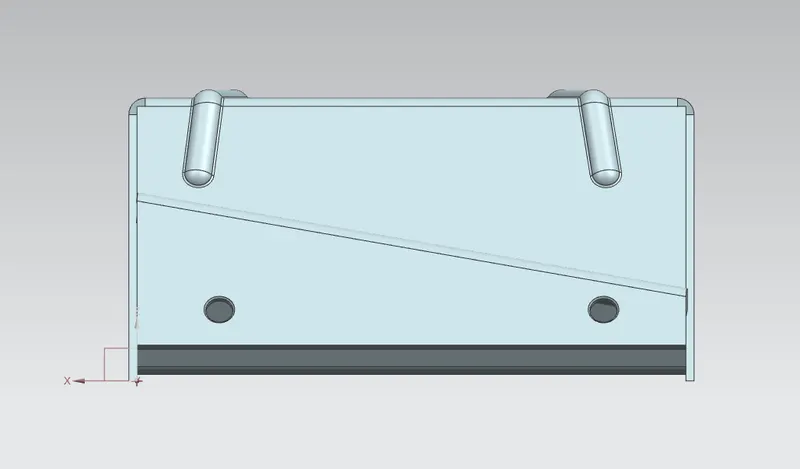
Different views of casing:
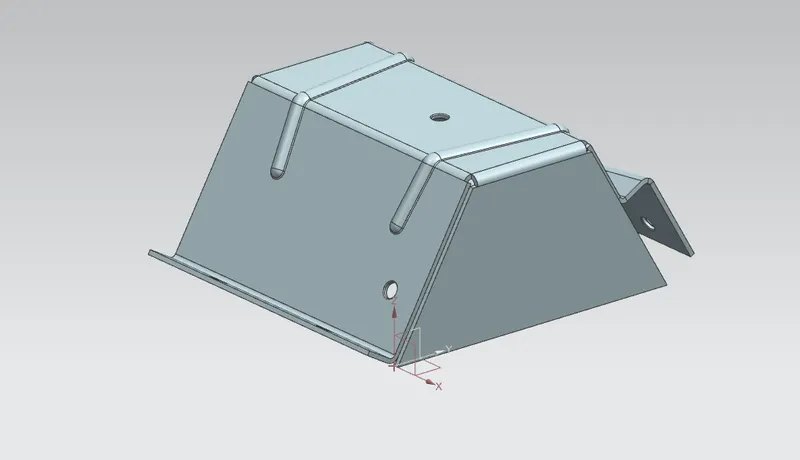
isometric view:
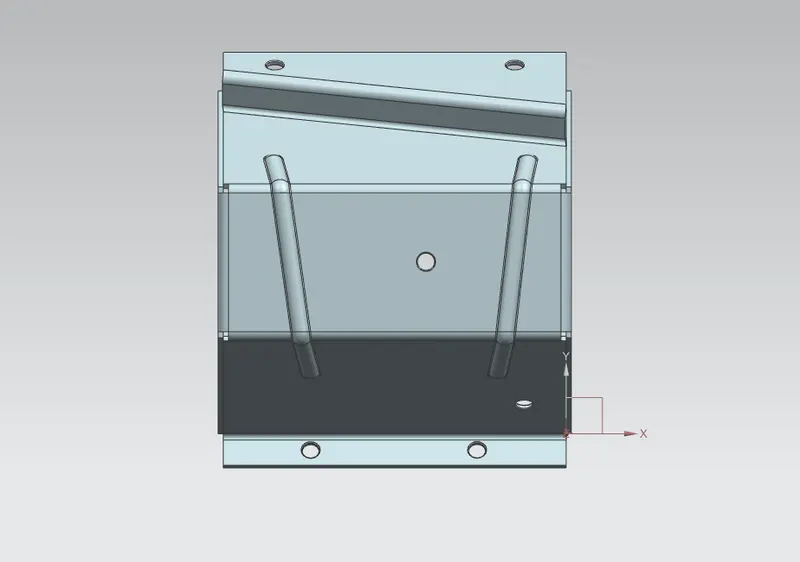
Top view:
Front view:
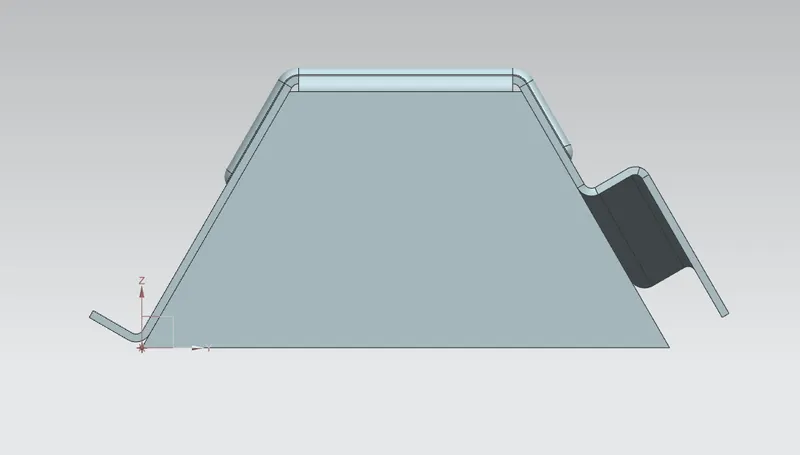
Side view:
conclusion:
- successsfully learn to design a odd shaped enclosure in industrial manner by using siemens NX.
- become comfortable with using environment of siemens NX.