Advanced Sheet Metal Design Using NX Cad Challenge_5_Odd Shaped Enclosure
MODELLING OF SHEET METAL ODD ENCLOSURE
OBJECTIVE
Write a detailed report on Sheet Metal Component with good explanation on Sheet Metal modelling tools applied throughout the modelling. Also attach the Final model Images (Min.4 images) of Sheet Metal Odd Shaped Enclosure.
INTRODUCTION
NX sheet metal environment can be used to create sheet metal designs with all the manufacturing considerations. Hence here we are generating a sheet metal from a solid extrude body by using certain tool in NX CAD.
DESIGN METHODOLOGY
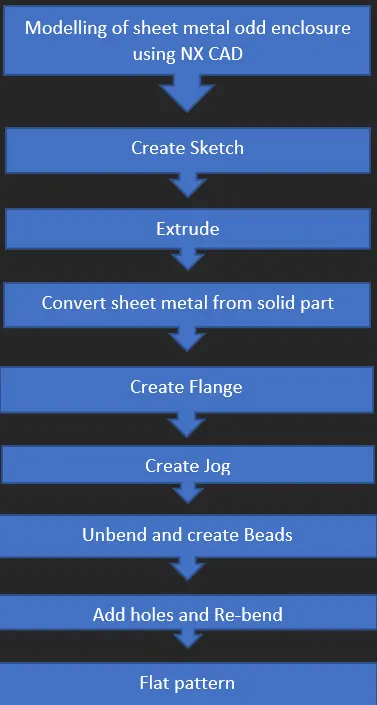
DESCRIPTION
Open NX CAD
Create New File
Add Required Name and Folder
Then Create a Sketch on X_Y plane
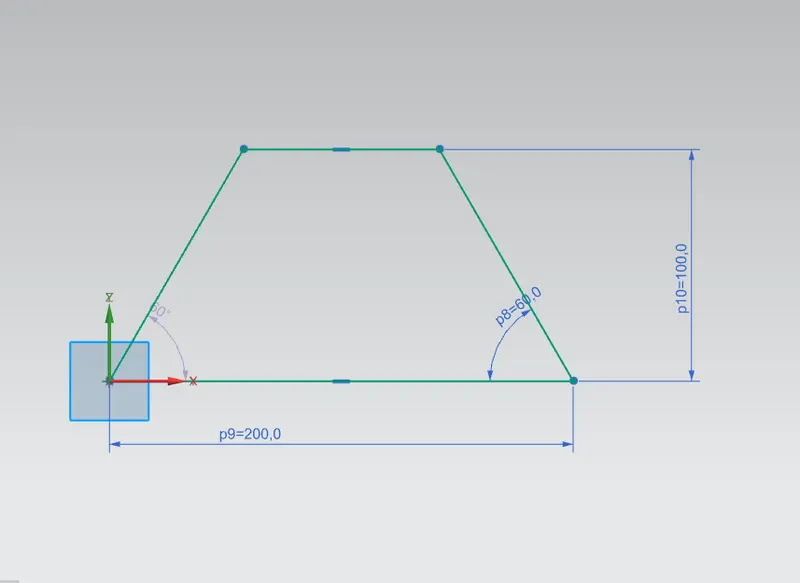
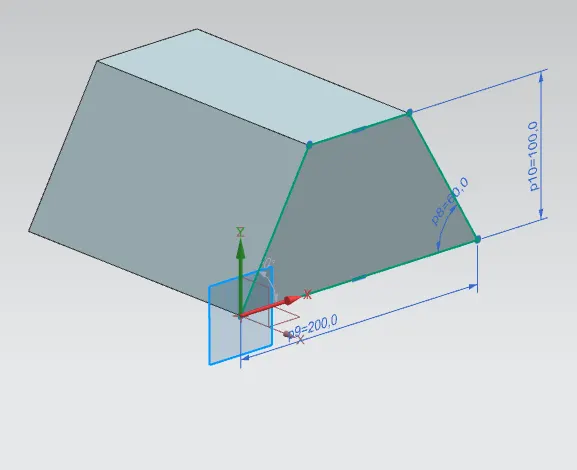
Then Extrude
It is used to extrude 2d sketch
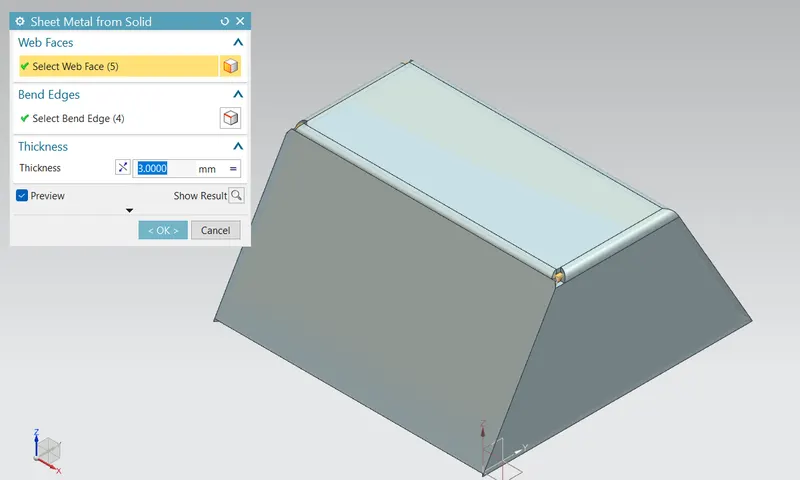
Then convert the solid body to sheet metal using Sheet Metal From Solid
It is used to create a sheet metal body from a solid body.
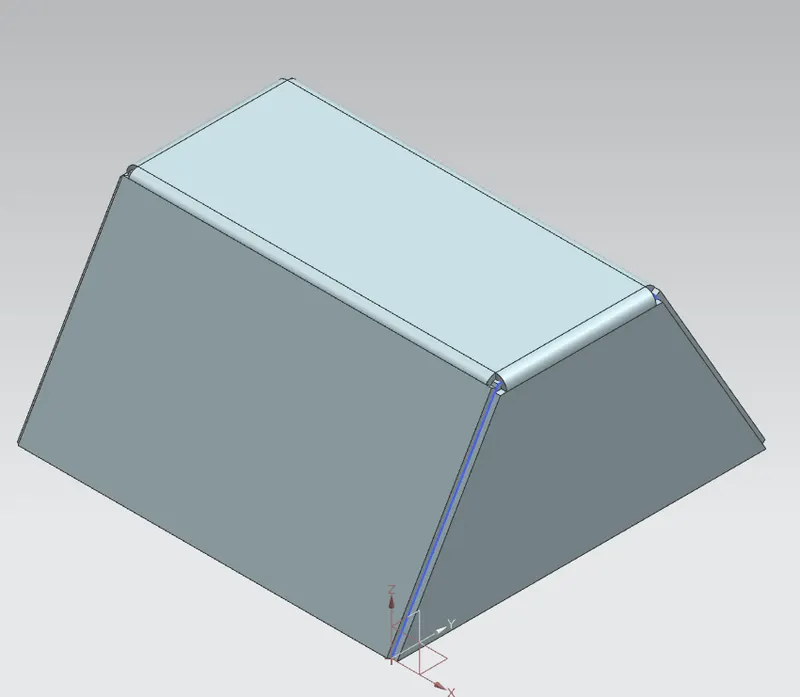
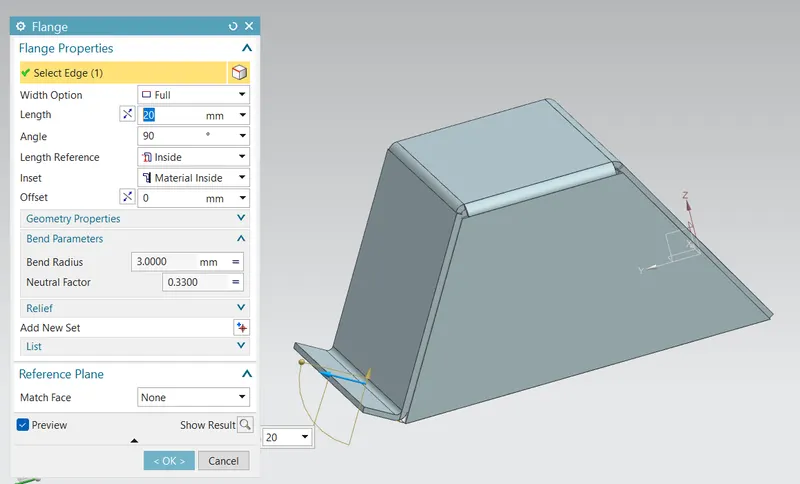
Then Create the Flange
It is used to make a flange on the sheet metal body.
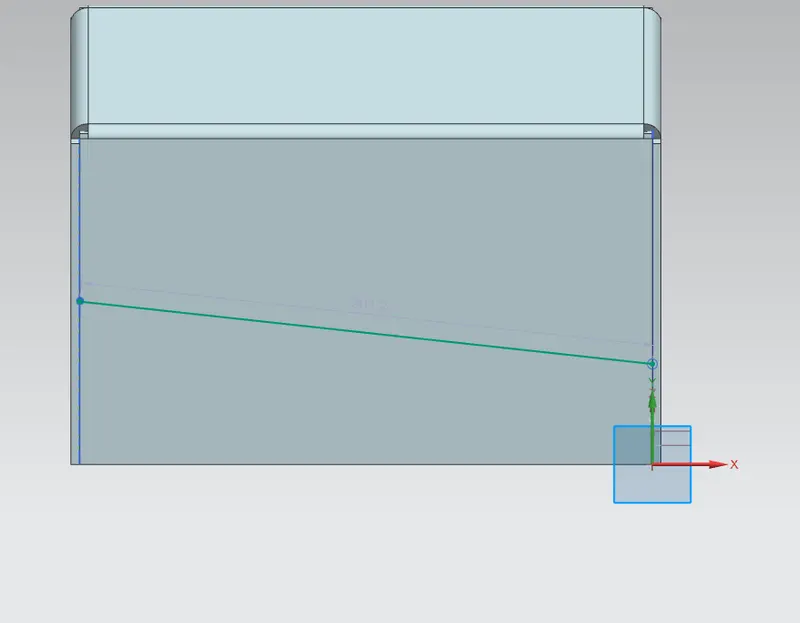
Create another sketch
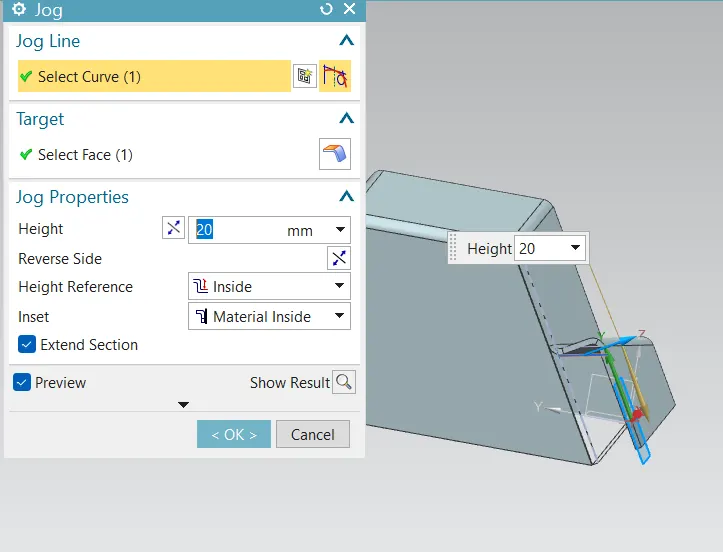
Then jog
It is used to create Jog.
Then Unbend
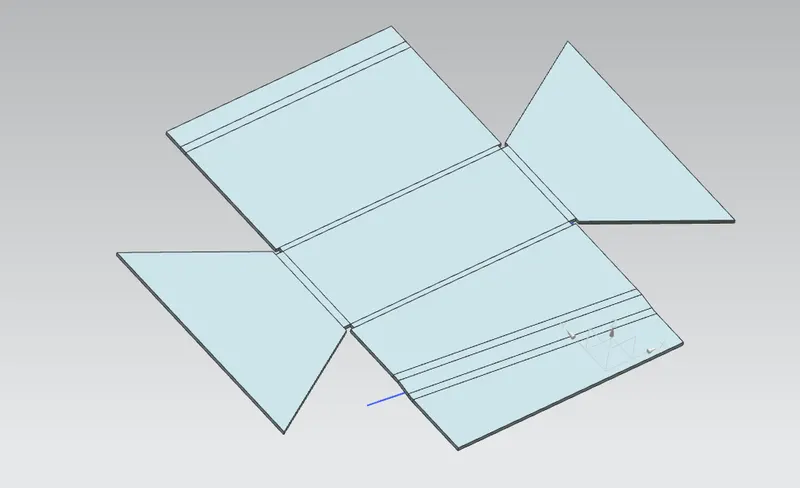
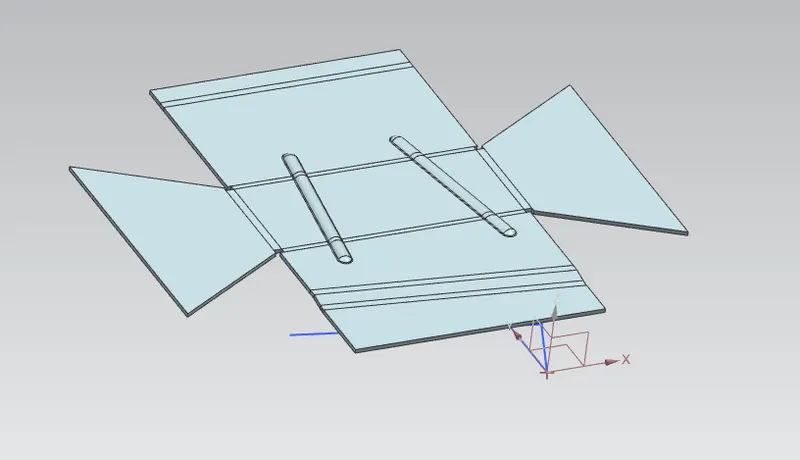
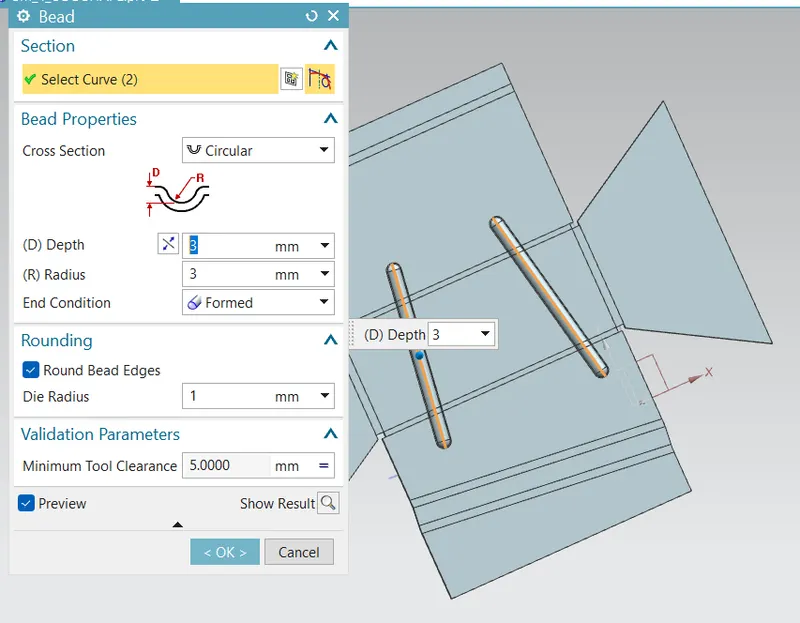
Then add Beads
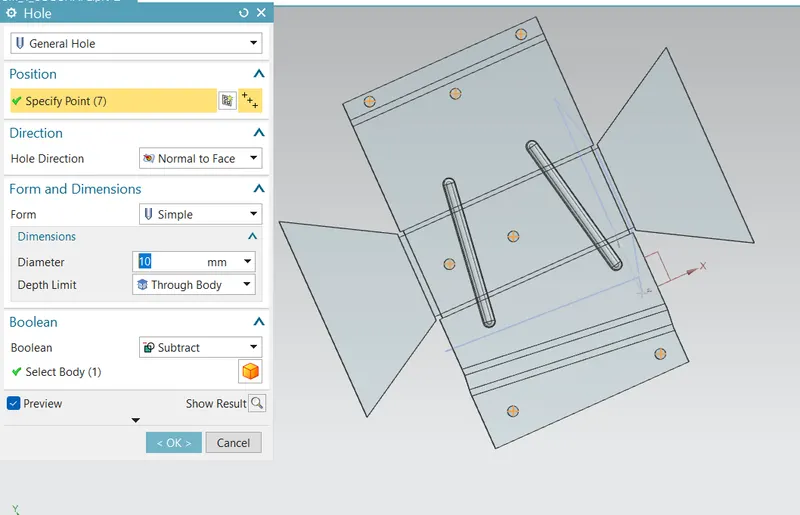
Then Add Holes
Rebend
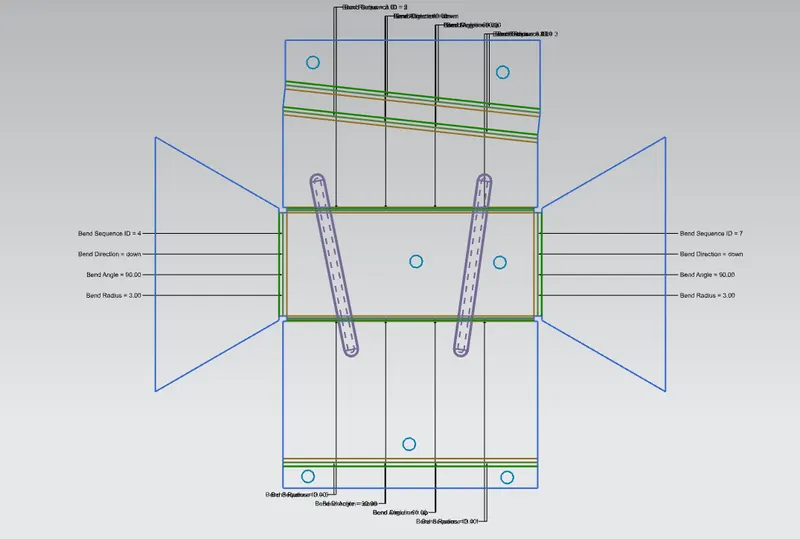
Flat pattern
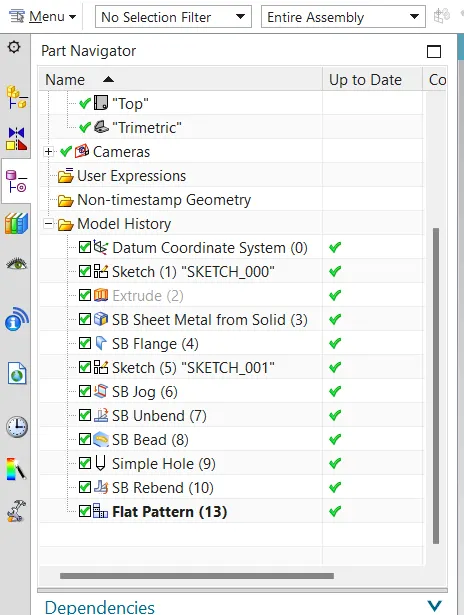
Feature Tree
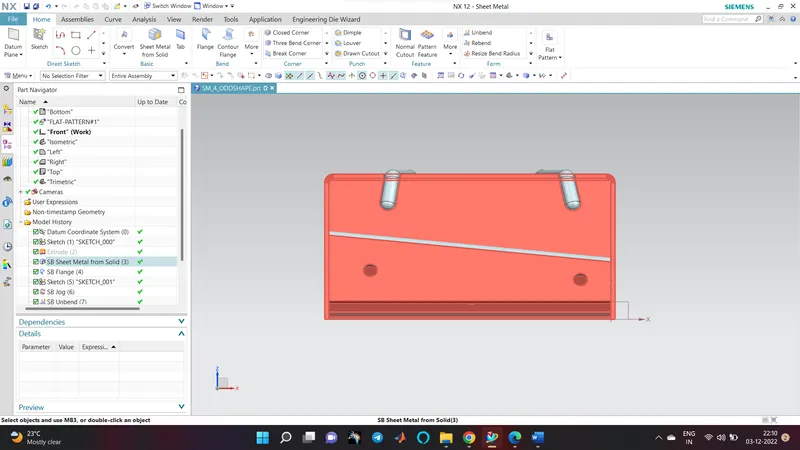
Front View
Side View
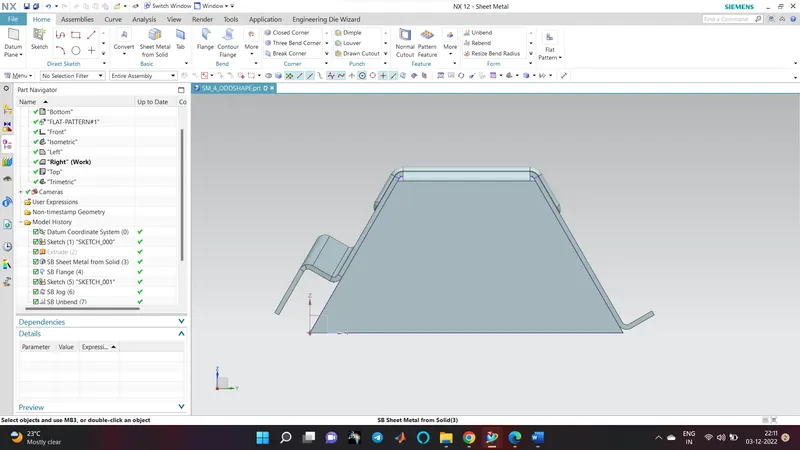
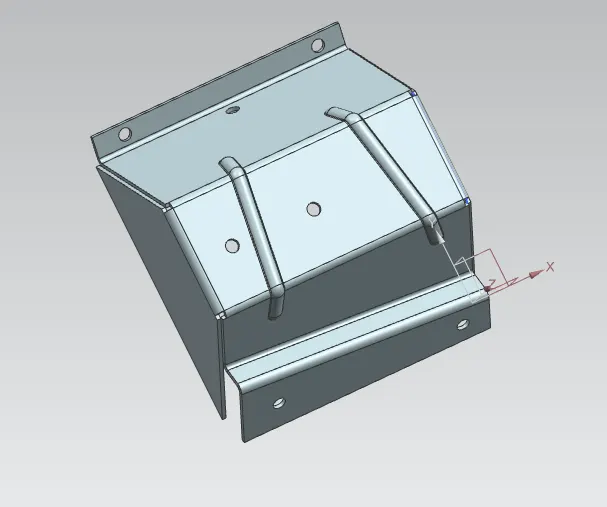
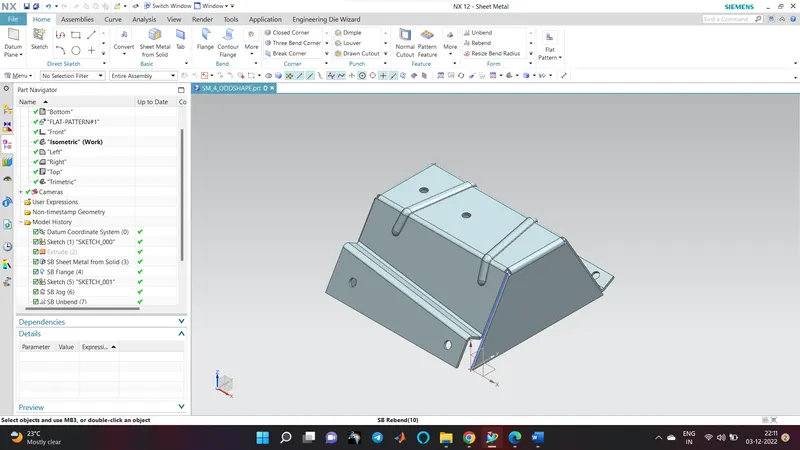
Isometric View
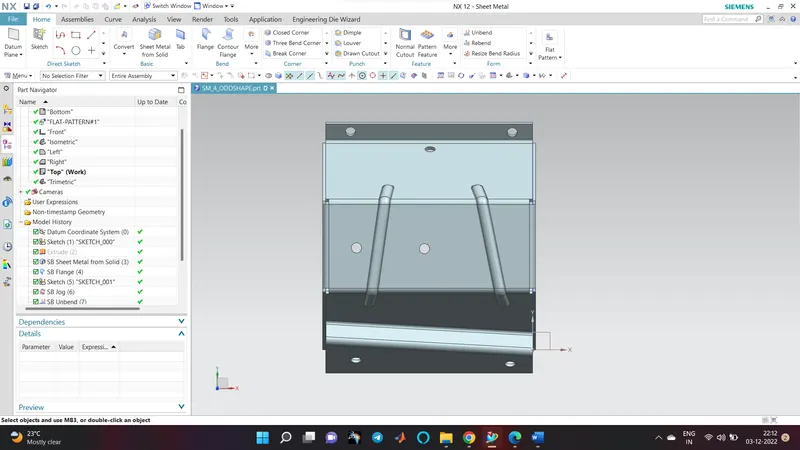
Top View
Conclusion
Hence the sheet metal odd enclosure has been created from the solid extrude