Advanced Sheet Metal Design Using NX Cad Challenge_5_Odd Shaped Enclosure
Advanced Sheet Metal Design using NX CAD- Odd Shaped Enclosure
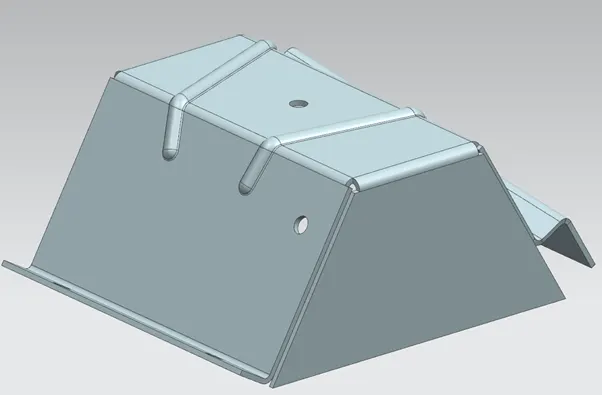
Objective-
Using siemens NX CAD modelling tool designing a Odd Shaped enclosure by following Design Methodology.
Introduction-
Sheet Metal is a Comprehensive cold working process for metal sheet (usually below 6mm), including Shearing, punching/ cutting, Folding, riveting, splicing, forming (such as car body).
Types of sheet metal
- Galvanized steel
- Stainless steel
Application Sheet Metal
- Aircraft bodies
- Automobile bodies
- Utensils used for domestic purpose
- Beverage cans
Design Methodology-
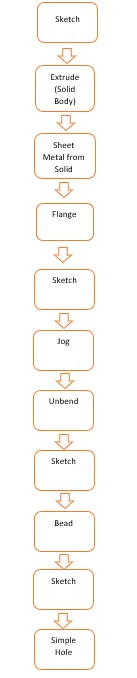
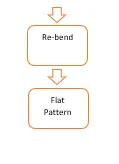
Description-
Tools
- Sketch- by selecting the required plane sketch is drawn by using geometrical constrains and giving desired dimensions
- TAB- this command is used to extrude a sketch along a specific direction or axis by a giving required thickness (converting 2D sketch to 3D)
- Normal cut-out- this command is used to remove material from the object by using desired sketch profile or curve.
- Bending- as the name suggest this command is used to bend the tab along required line.
- Flange- this command is used to create flange by using edge of TAB or BEND at an angle and length.
- Break corners- this command is used to round the sharp edges.
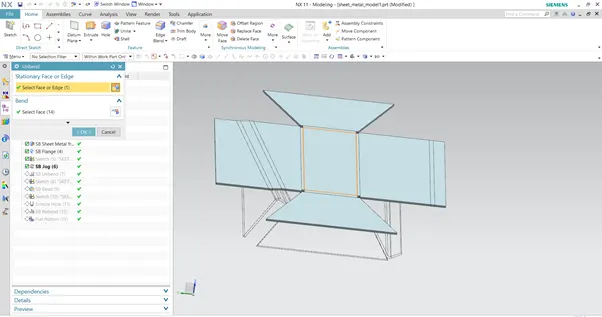
- Unbend- this command is used to unbend all the adjacent bend sides and other operations.
- Hole- command is used to remove material from the base or required side.
- Dimple- this command is used to create a raised surface on a flat surface in a required shape by creating sketch.
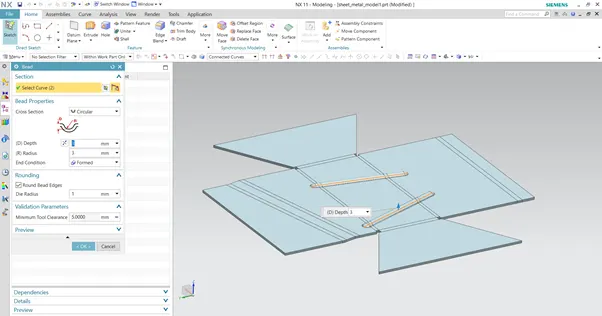
- Bead- this command is used to give additional strength to part.
- Re bend- after doing required operation which is not possible to do in bend state, un bend command is used to bring the initial state which is required.
- Flat Pattern- after Re bending and finishing all the operation flat pattern command is used to flat the sheet metal component which is then used for drafting purpose.
- Mirror- this command is used to mirror a feature or body about a plane.
- Extrude- Create sketch on XY plane using extrude command (Solid modeling) extrude the sketch and create a solid model.
Select XY plane and create sketch as shown in the image with given Dimensions.
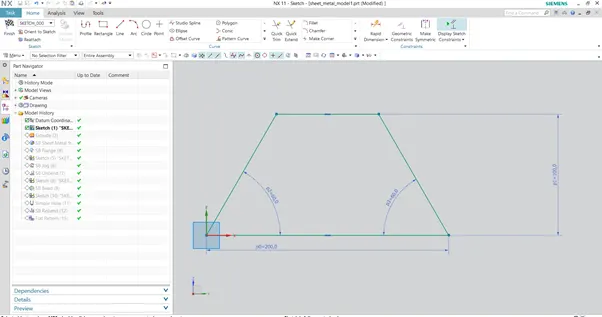
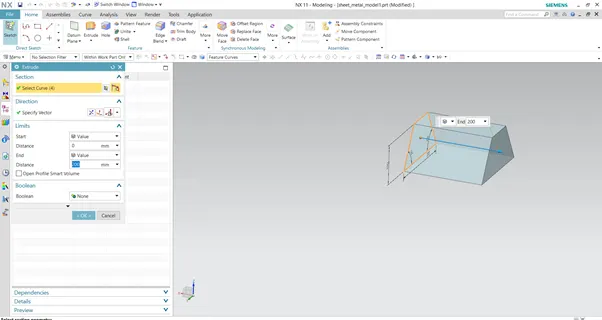
Select the Extrude command and select the previously drawn sketch and give the required parameter as shown in the image.
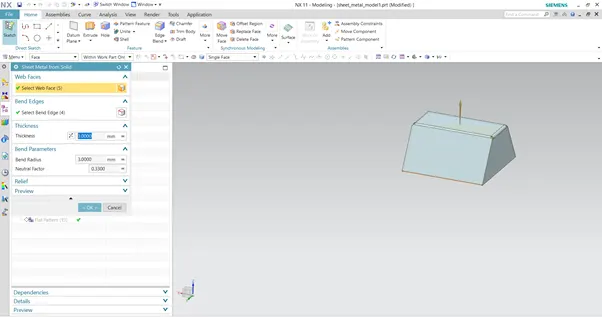
Select the Sheet Metal from solid option and convert the solid model to sheet metal as shown in the image.
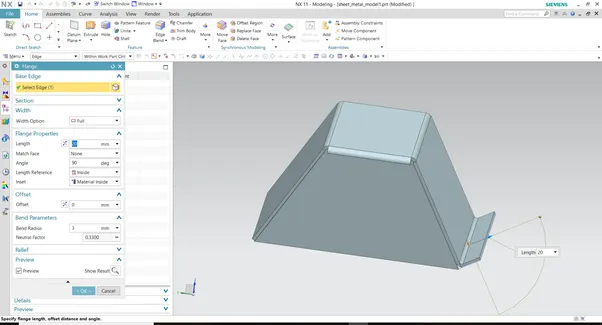
Select the Flange option, select the edge and create the flange as shown in the image.
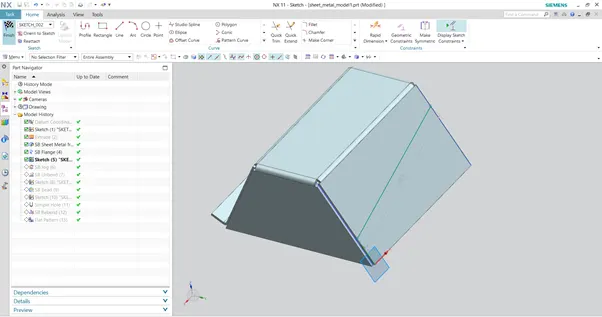
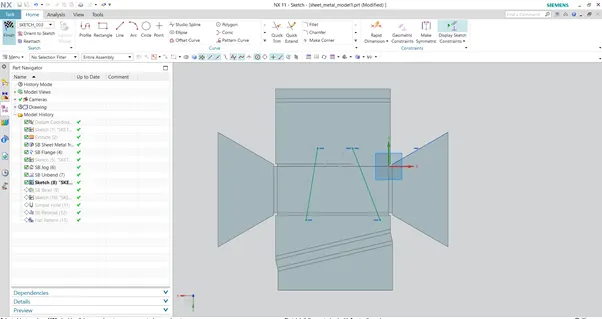
Select the sketch command, select the face and create the sketch as shown in the image with the required dimensions.
Select the Jog option, and select the previously drawn sketch and create the Jog as shown in the image with required parameters.
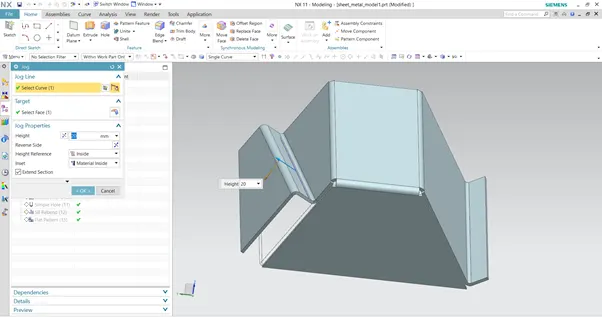
Select the Unbend option and unbend the sheet metal model for further operations.
Select the Sketch option and draw the sketch the sketch as shown in the image with the given dimensions.
Select the Bead option, click on the previously drawn sketch and create Bead.
Select the sketch option and on surface draw the holes with given diameter and X and Y dimension’s and finish the sketch.
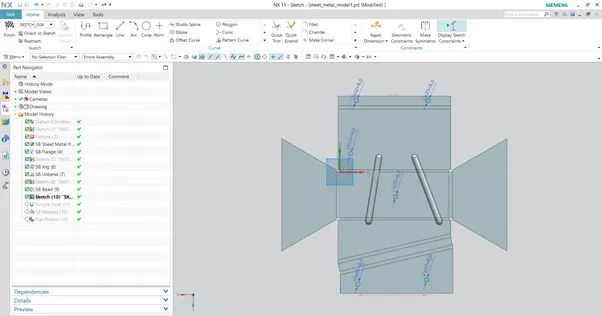
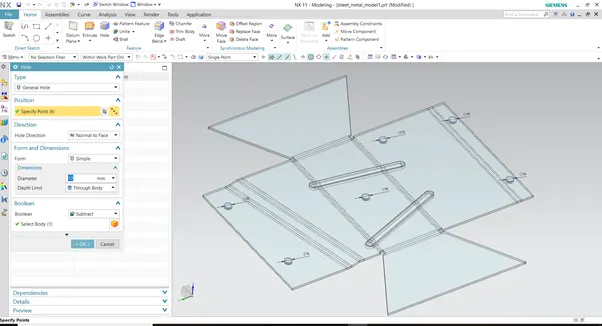
Select the Hole option and click on the previously drawn sketch and remove the material as shown in the image.
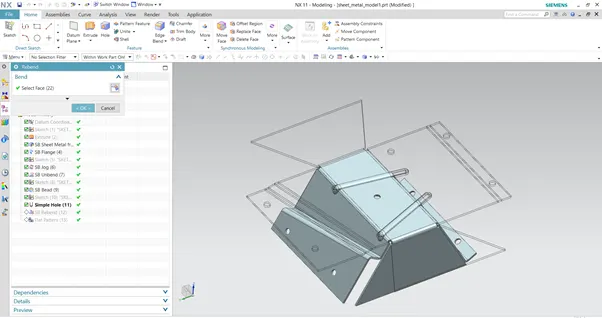
Select the Re-bend option and select the entire model and bring it back to its intended shape as shown in the image.
Views
Top view
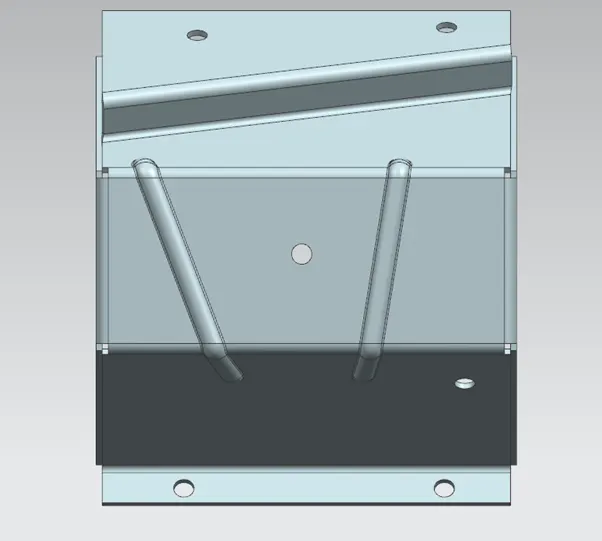
Front view
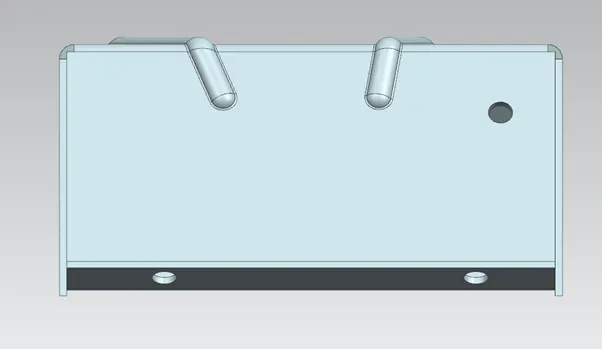
Side View
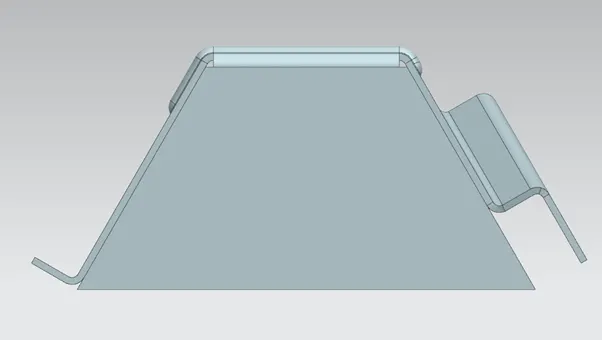
Isomteric View
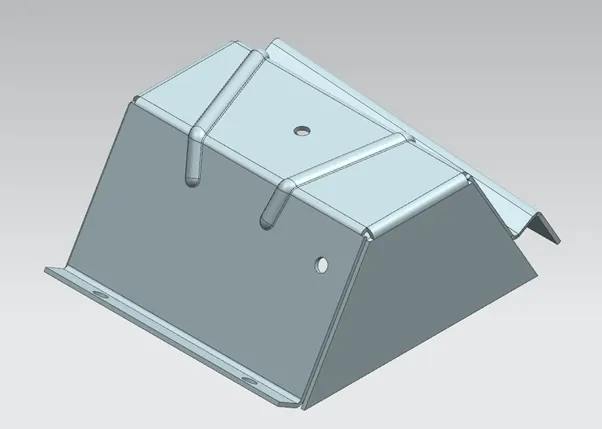
Drafting view
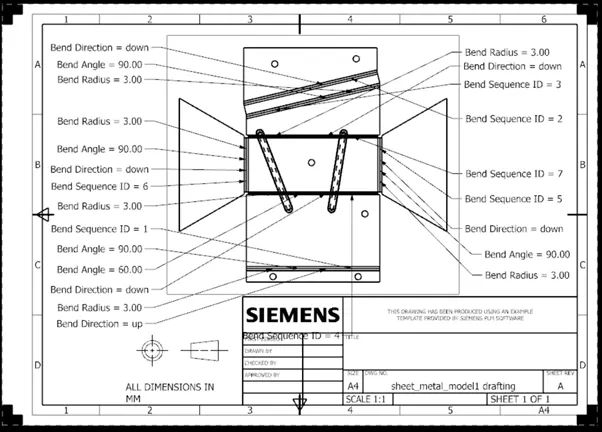
Conclusion-
By using siemens NX CAD , PDF and Design methodology Odd shaped Enclosure is created.