Advanced Sheet Metal Design Using NX Cad Challenge_5_Odd Shaped Enclosure
ODD SHAPED ENCLOSURE
OBJECTIVE
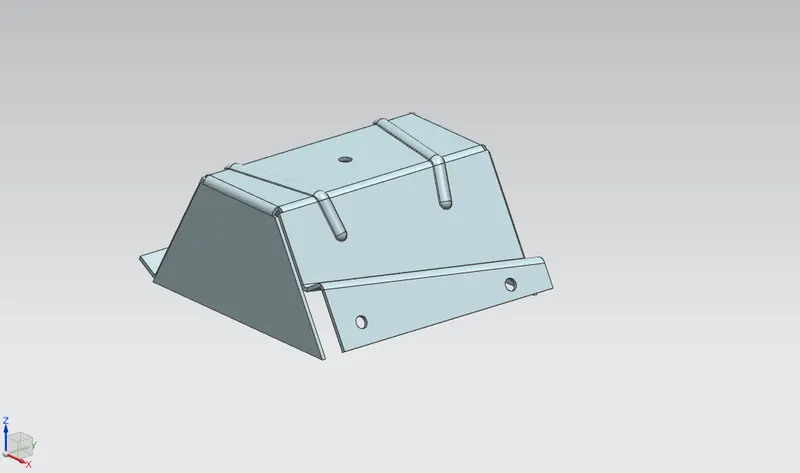
To design an odd shaped enclosure and create a draft of it using Siemens NX Sheet metal application.
INTRODUCTION
NX Sheet Metal provides a set of tools within the NX design environment that allows for simple and fast design of sheet metal parts, dependent on their material and manufacturing process. NX sheet metal design software incorporates material and process information in sheet metal-specific modelling features: bends, flanges, tabs, cutouts, beads, dimples, louvers, corner and edge treatments, patterns and other formable features.
We can also quickly convert solid models to sheet metal components, and create sheet metal parts that enclose other components.
NX Sheet Metal-specific features such as flanges, tabs, jogs, corner conditions, and drawn cutouts & many more along with productivity enhancements such as - automatic bend reliefs.
So, in this project I am going to design a Odd shaped enclosure by using sheet metal tools and commands.
DESIGN METHODOLOGY
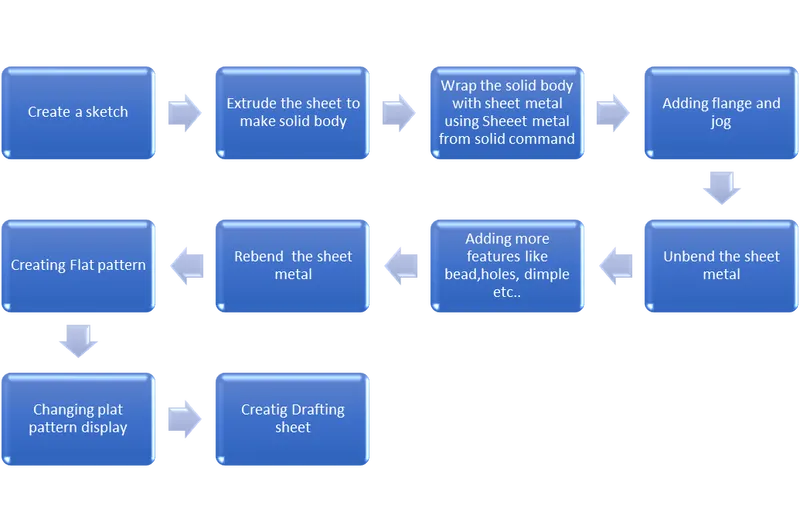
DESCRIPTION
- SKETCH:
It is the 2D representation of the model with respect to the plane or view.
- EXTRUDE:
Creates a 3D solid from an object that encloses an area, or a 3D surface from an object with open ends.
- SHEET METAL FROM SOLID:
Builds a sheet metal model that takes its shape from a collection of planer faces. After using this feature the solid body will be converted into a sheet metal.
- FLANGE:
Sheet metal flange features consist of a face and bend connected to an existing face along a straight edge. Flange features are added by selecting one or more edges and specifying a set of options that determine the size and position of the material added.
- JOG:
Modifies the model by lifting material on one side of a sketch line, adding a flange between the two edges.
- UNBEND:
Flattens a bend and the material adjacent to the bend.
- BEAD:
Lifts material along the counter of a sketch that simulates a stamping tool.
- HOLE:
Adds a hole to one or more solid bodies in a part or assembly.
- REBEND:
Restores an unbend features to its previous bent state, along with any features added after the unbend feature.
- FLAT PATTERN:
Flat pattern tool is used to automatically create a flattened version of a sheet metal part and prepare model for manufacturing. The flat pattern feature remains the last feature in the model tree and maintains the flat model view.
VIEWS
Front view
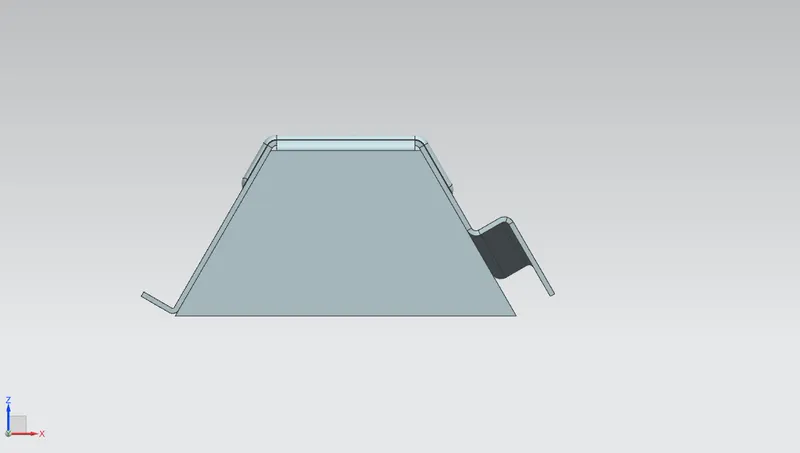
Side view
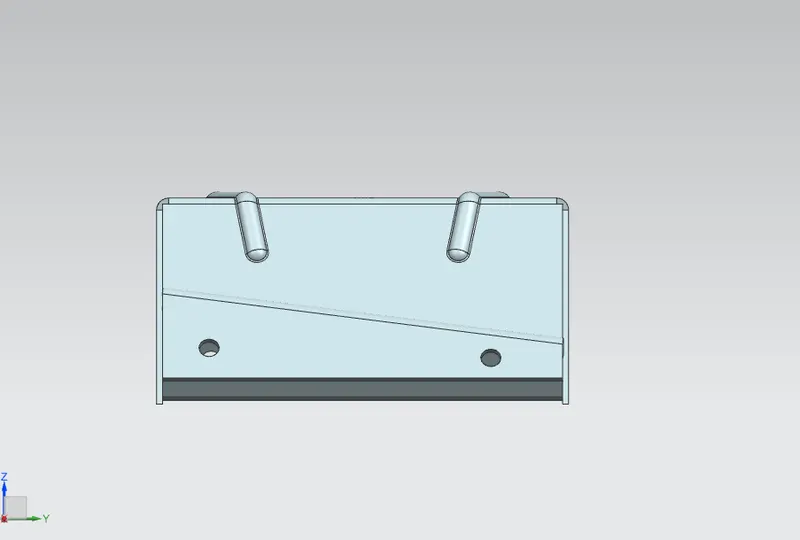
Top view
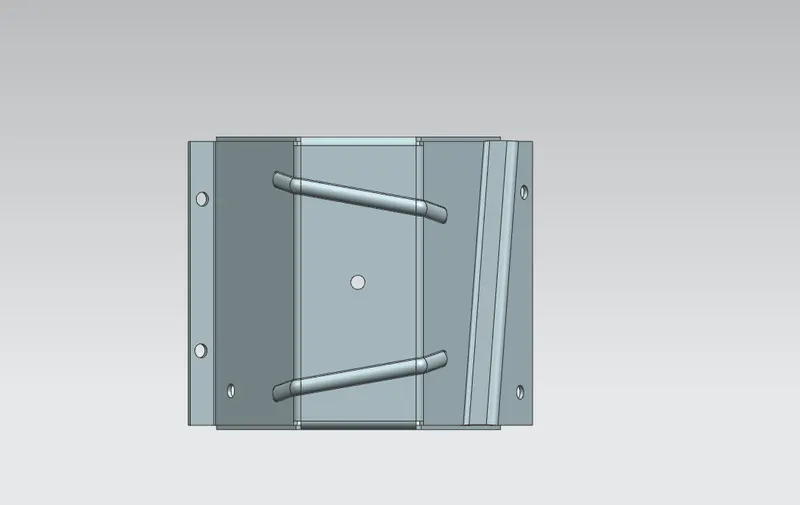
Isometric view
Drawing sheet
CONCLUSION
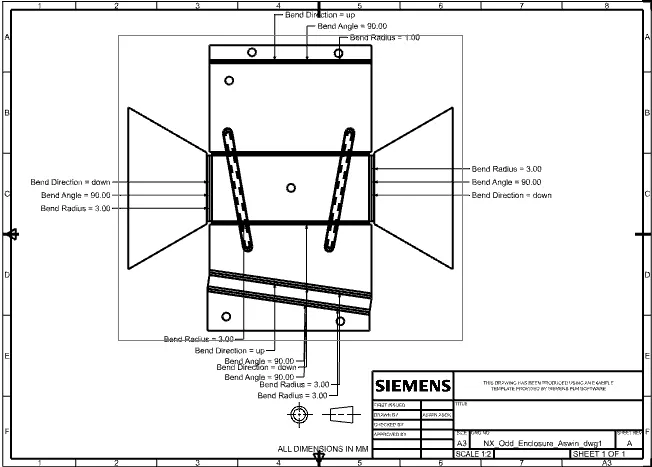
The Odd Shaped Enclosure had been designed using Siemens NX Sheet Metal and various features had been executed successfully. A Drafted image of the flat pattern is also obtained.