Advanced Sheet Metal Design Using NX Cad Challenge_5_Odd Shaped Enclosure
1. Project Title: Odd Shaped Enclosure
2. Objective: Create a model of the odd shaped structure using SIEMENS NX Sheetmetal Application.
3. Introduction:
Sheet Metal enclosures are essential components of electronic parts. These enclosures can be of any odd shape instead of symmetrical features. SIEMENS NX CAD tool can be used to create model of such enclosures and aid into easy manufacturing of these enclosures. To accurately define the volume of the odd shaped enclosure, first a solid body is created and then it is converted to sheet metal. Because it does not require enormous volumes to be cost-effective, custom-designed enclosure production with sheet metal is frequently affordable. Sheet metal can be cut quickly by turret punching or laser cutting, which involves melting the metal with a precision laser.
The optimal method for designing and producing an enclosure system is determined by the type of sheet metal material used and its thickness. Steel and aluminium are the two most prevalent sheet materials used for enclosures. To prevent some frequent errors, consider the enclosure form during the system design and PCB manufacturing processes. Sheet metal has limitations as compared to a moulded plastic enclosure. Any popular shape, however, can be used to create cost-effective, functional, and aesthetically pleasing enclosures.
4. Design Methodology:
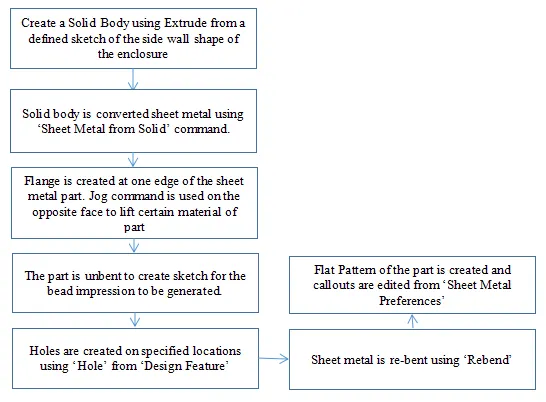
Following flow chart shows the steps involved in designing Odd Shaped Enclosure
5. Description: Fllowing commands/features have been used in creating 'Odd Shaped Enclosure'
Extrude: This command is used to create solid body from a defined sketch.
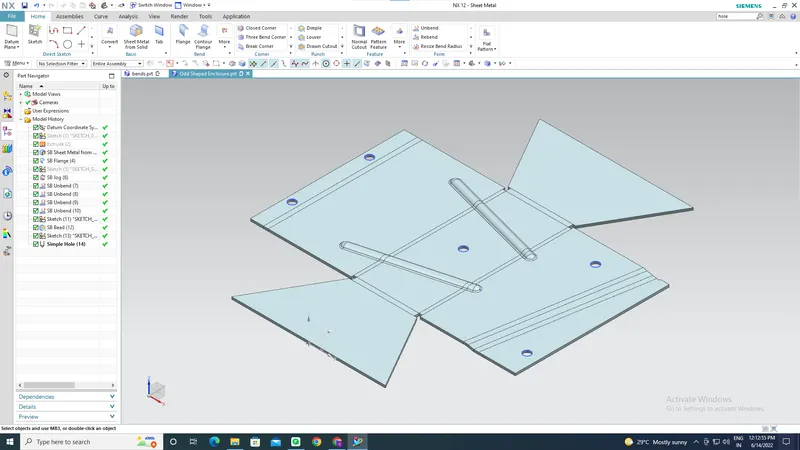
Sheet Metal from Solid: This feature is used to wrap sheet metal around solid body.
Flange: Adds sheet metal of same thickness to the part alomg selected edge. The extra material can be added at any angle and length.
Jog: It is used to give the odd shape to the part by lifting certain material of the part along a defined line. Gives L shape material along the sketch which can be manipulated as per requirements.
Unbend: It flattened the enclosure in a plane sheet on which sketch is created for other features of the part.
Bead: It is used to create formed shape along a contour and simulates the stamping tool.
Hole: This command creates simple through holes on specified locations.
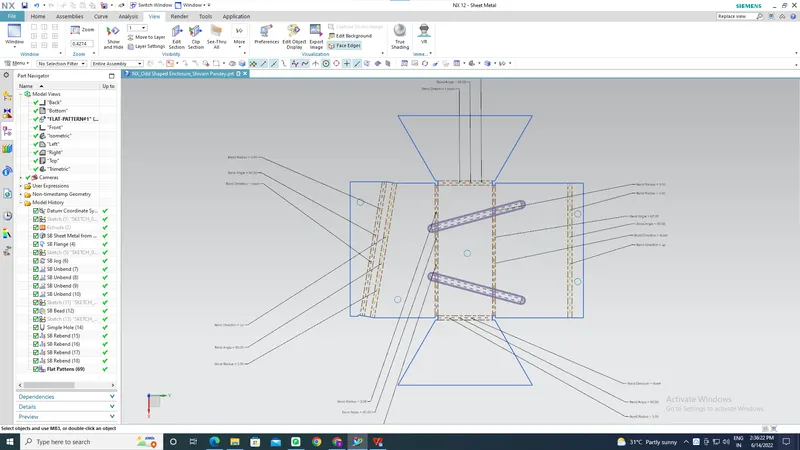
Rebend: It brings back the flattened sheet metal part to it's previous odd shaped enclosure.
Flat Pattern: It is used to show the radii, angle, and direction of bends of the part after it is flattened out.
6. Snapshots of the Model:
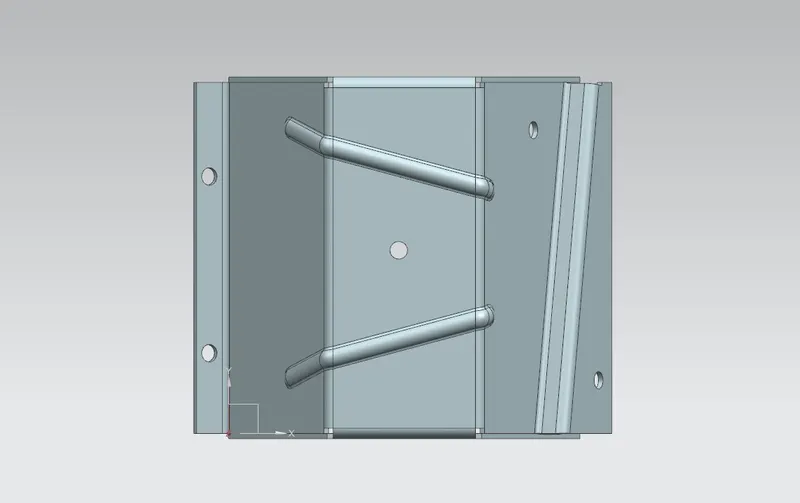
Top View
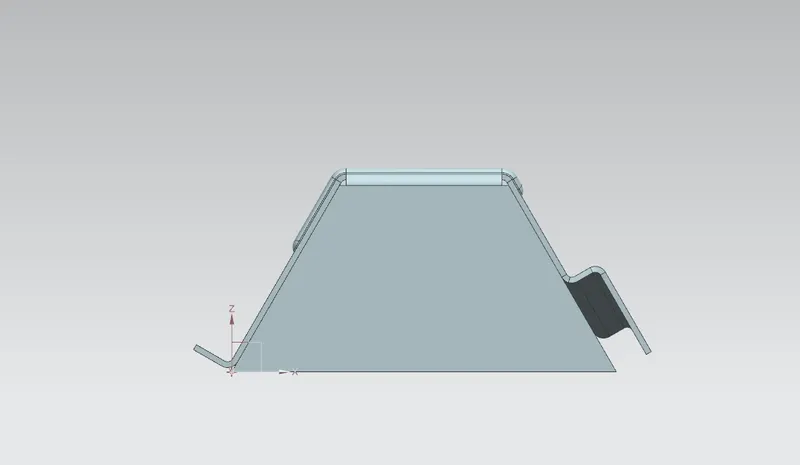
Front View
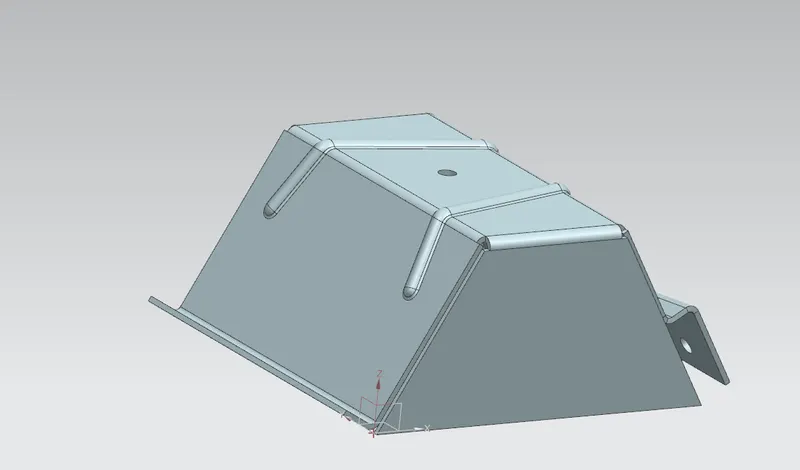
Isometric View
Other Snapshots
7. Conclusion
Any odd shaped enclosure can be designed using Jog, Flange, Bead, Hole, Hem etc. using SIEMENS NX Sheetmetal Application.