Advanced Sheet Metal Design Using NX Cad Challenge_2_Box Assembly
1. Project Title: Box Assembly
2. Objective: To develop a model of 'Sheet Metal Box Assembly' using SIEMENS NX Sheetmetal application.
3. Introduction: Sheet Metal finds a lot of application in manuufacturing industry. We all have seen the cans of colddrinks in groceries. These cans are generally made by sheet metals of defined thicknees. Sheetmetal is also used to store edible oils or others in a cuboidal box. These boxes are easy to manufacture and one must have seen the impressions formed on these canisters. In this project we will try to model one such sheet metal box assembly which has been covered by lid and the lid is opened by a simple mechanism which has been joined on one of the faces of the box.
4. Design Methodology: Following flowchart shows the steps followed in developing the model of box assembly.
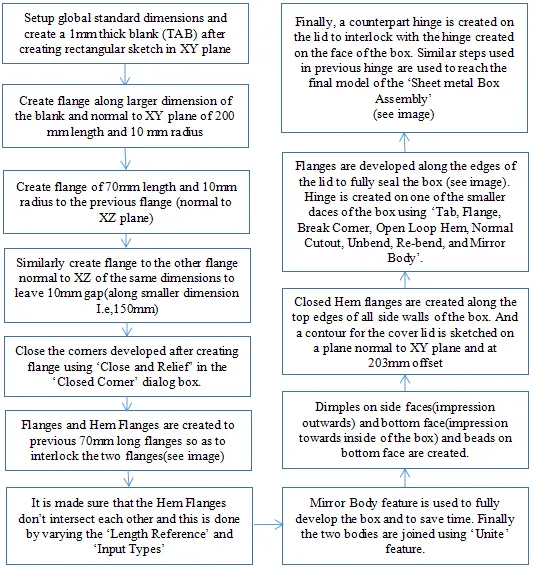
5. Description: Feature/commands in the modeling of the Box Assembly have been described as follows
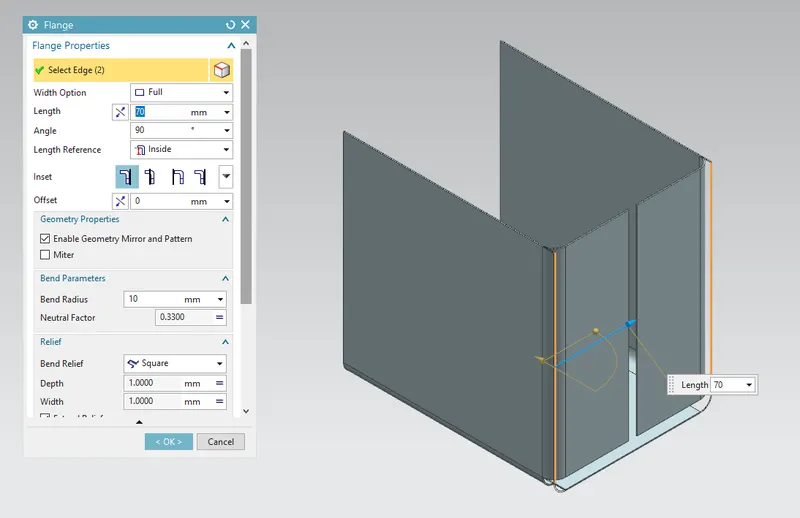
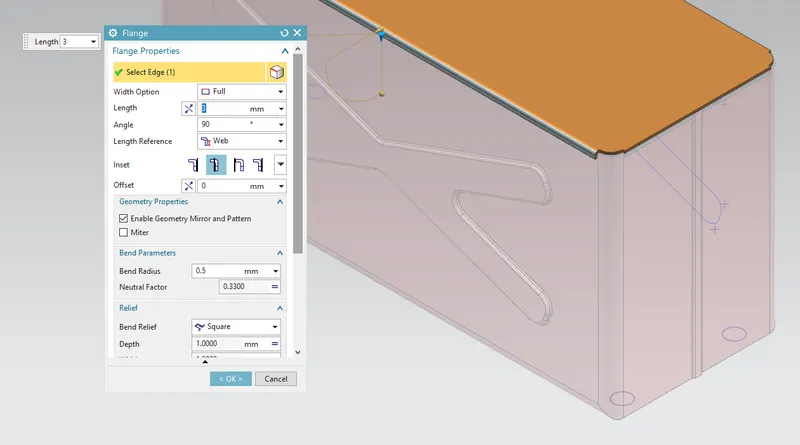
Flange: If you need to add bends to edges at any angle and length, this tool comes in handy.
Closed Corner: It was used to close the bend corners developed because of creating Flanges. Close and Relief type is used from the dialog box.
Hem: Open type 'Bend Outside' hem flanges are created using this command so as to interlock the flanges in the box.
Mirror Body: This feature develops other symmetric half of the box assembly instead of repeating same commands.
Unite: This has been used to join the body developed after Mirror Body command to the parent body and develop full box of 400 mm length.
Dimple: This is used to generate an 'X' shape feature to lift certain part of the material in the sketch and follows the stamping tool.
Mirror Feature: Another 'X' shape feature is generted on the face opposite to the face on which parent 'X' impression is created.
Unbend: This command lets you visualize how the whole sheet metal box would look like in a 2D plane.
Rebend: It brings back the box assembly from unbent position if the rebending is done in reverse order as was followed during 'Unbend'.
Bead: This feature is used on the bottom face of the box to lift certain part of material in circular shape along the defined contour.
Hem: Closed type 'Bend Outside' feature is used on the upper edges of the side walls to add feature to the box.
Datum Plane: This command was used to create lid of the box (as a cover). Obviously, the lid would be at a certain offset distance from the botttom face of the box. The offset is created normal to XY plane at 203mm.
Tab: Lid of 2mm thickness is created using 'TAB' command after generating sketch in the plane created. The sketch follows the inside arc and outer edges of the hem flanges as shown in figure.
Break Corner: It is used to round the sharp corner of the tab created. This command is used while creating hinge on the side face of the box.
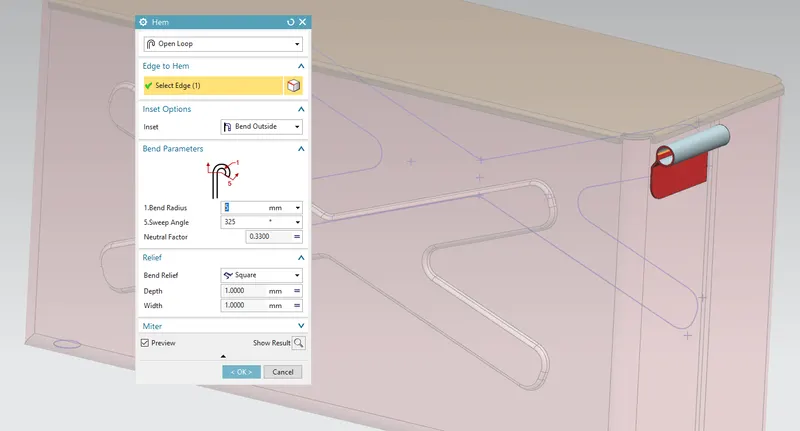
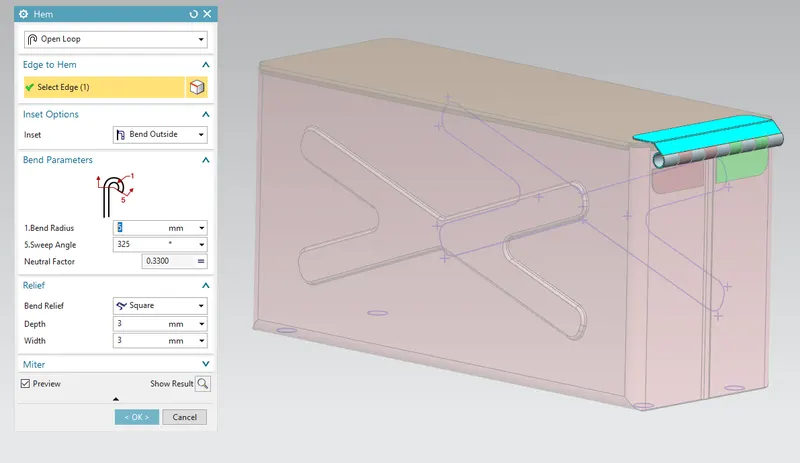
Hem: Open Loop type 'Bend Outside' feature is used to create a circular bent loop of the sheet metal in which a nail passes through to work as a door hinge.
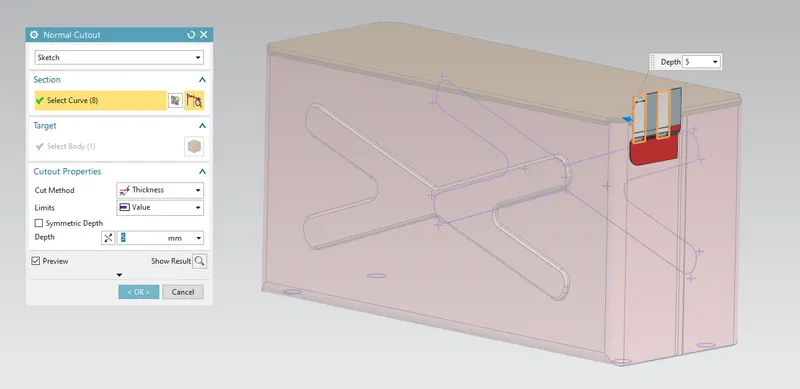
Normal Cutout: To delete certain part of the bent circular loop of the hinge, this command is used to align it with it's counterpart hinge (developed on the top face of the box).
6. Snapshots of the Model:
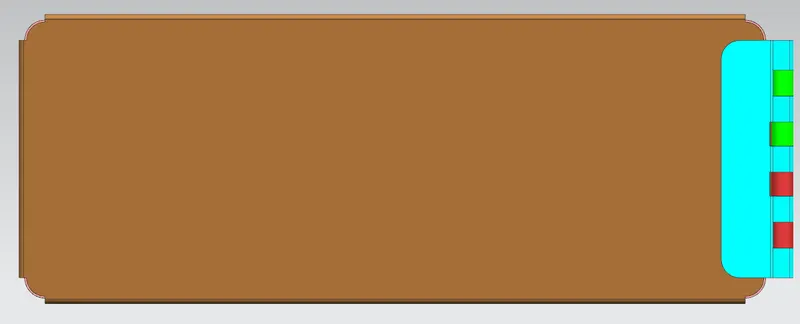
Top View
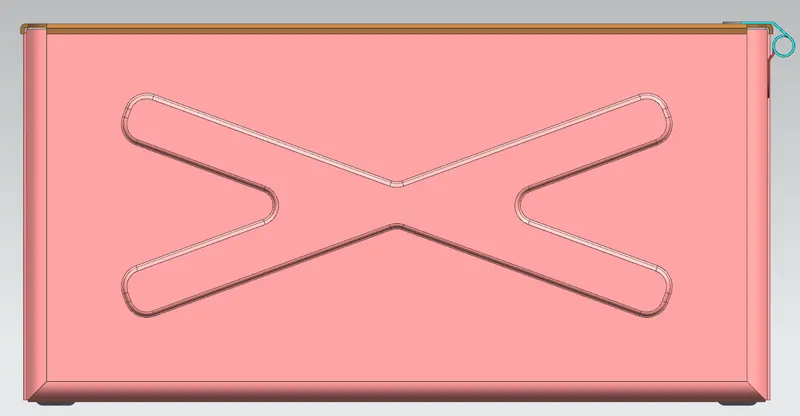
Front View
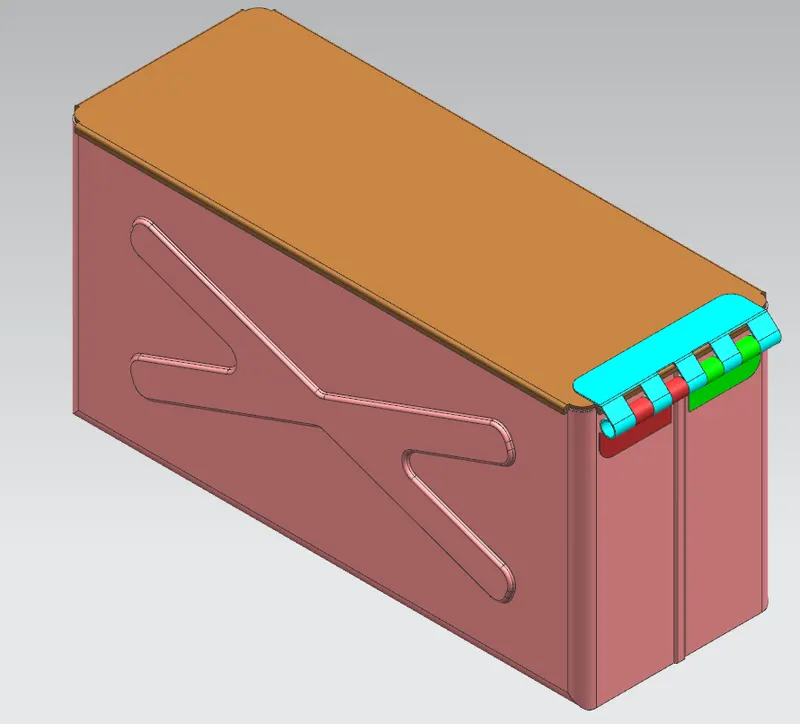
Isometric View
Side View
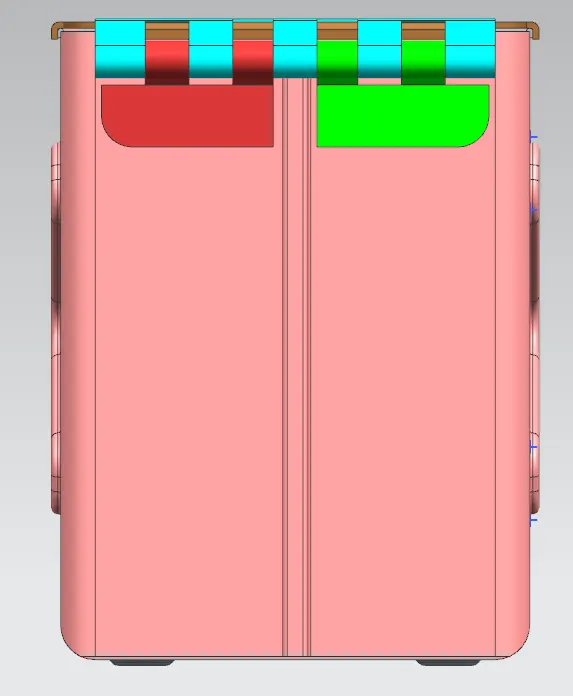
Other Images for Illustration
7. Conclusion: I learned how to create hinges in SIEMENS NX sheetmetal application using 'Normal Cutout, Mirror Body, Hem (open loop bend outside)' and other commands. This project led me to visusalize the model of the Box Assembly and the importance of CAD tools such as SIEMENS NX which help in increasing the productivity of sheet metal industry. Generating these designs bare hand is a very tedious task.