Advanced Sheet Metal Design Using NX Cad Challenge_5_Odd Shaped Enclosure
ODD SHAPED ENCLOSURE
Introduction:
It is clearly for Nx tutorial. For that tutorial given task has been completed in Nx sheet metal.
Design Methodology:
- First we select the plane to draw the sketch for Extrude purpose.
- Then extrudes and creates an Solid body.
- After that wrap solid body with the sheet metal. By using web face and edges.
- To apply Jog we need to draw sketch on that side. And then after use command jog to create multiple flanges.
- After that unbend feature has been apply to sheet metal part for doing some beads and holes.
- Then after creating given features we have to rebend it again.
- And then we have to create Flat Pattern.
Description:
- First of all we selects a plane to draw sketch on it.
- Then draw the given sketch and extrude it.
- After extruding wrap that solid body with sheet metal.
- Wrapping that solid body using sheet metal from solid feature.
- After that selecting one of the side edge of that part and then put it into flange.
- And another side by drawing line creates Jog.
- After creating many features we have to add some holes and beads on that sheet metal part and for that purpose we have to unbend it.
- After unbending drawing circles and lines for creating holes and beads.
- After that rebend it to get it into regular shape.
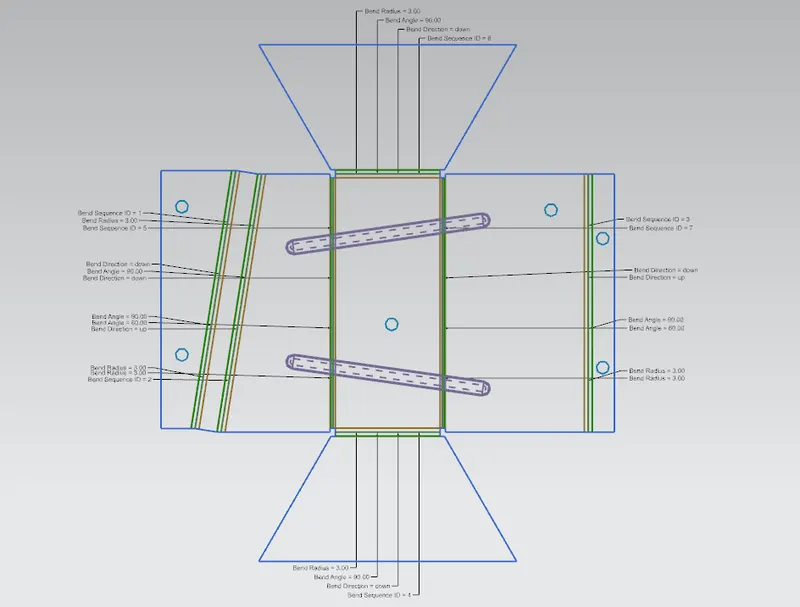
- By applying Flat Pattern we get a 2D drawing.
Model Images :
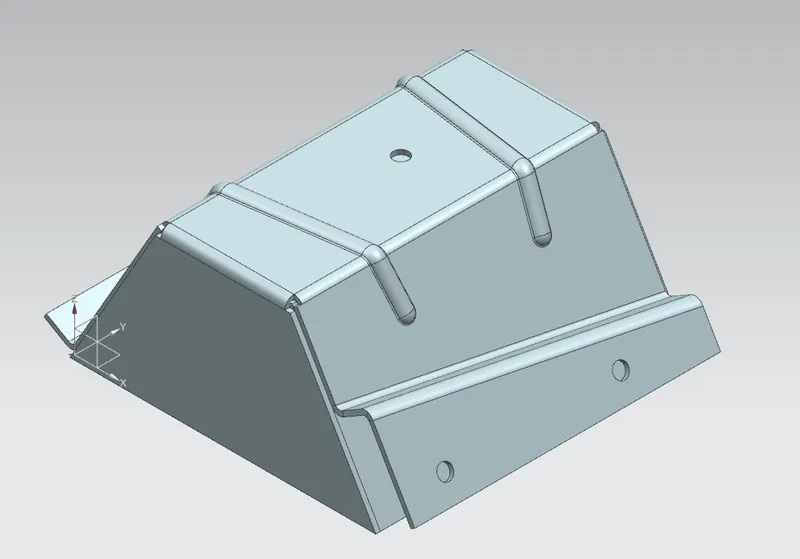
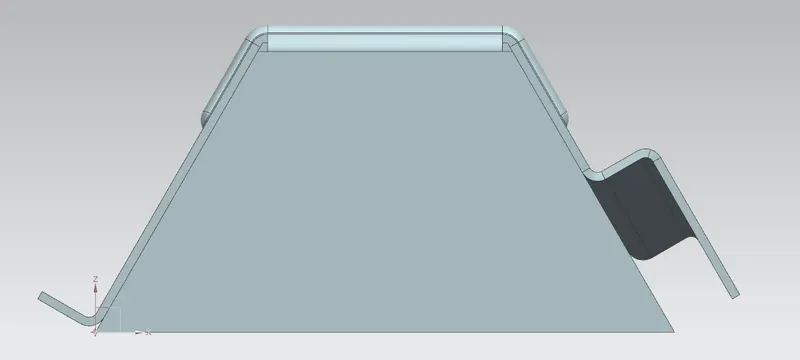
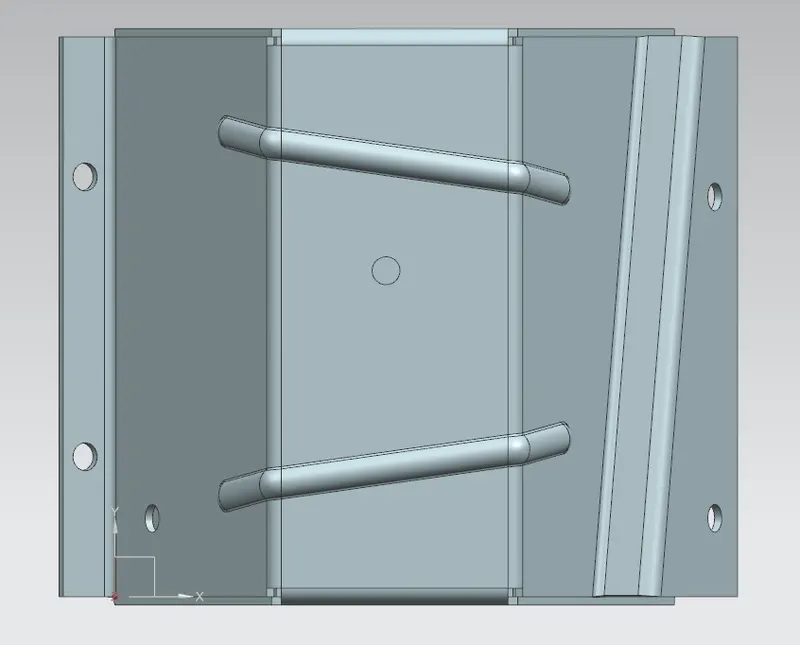
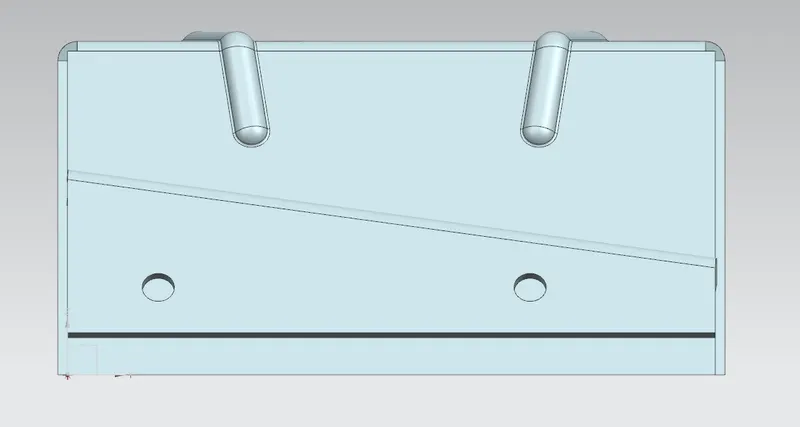
Drawing Sheet of Odd Enclosure:
Conclusion:
The final conclusion is getting out that on overall experience that this tutorials are very helpful because on that basis we learnt a lot. How to create model and how to convert solid into sheet metal and after that getting flat pattern,etc. Thats why it is helpful.